




Precision Soldering: Fixing a Broken Charging Port on the Latest Samsung Galaxy S25

Precision Soldering: Fixing a Broken Charging Port on the Latest Samsung Galaxy S25 Like a Pro + Ultimate Guide 2026
🔧 Introduction to Charging Port Failures
Charging issues can turn a high-end device like the Samsung Galaxy S25 into a frustrating paperweight. One of the most common culprits is a damaged charging port. Whether it’s due to wear and tear, debris, or improper cable usage, this small component plays a massive role in your device’s functionality.
Precision soldering: fixing a broken charging port on the latest Samsung Galaxy S25 requires patience, skill, and the right tools. The good news? With proper guidance, even complex repairs become manageable.
Why Charging Ports Fail on Modern Smartphones
Modern devices rely heavily on USB-C ports. While they’re versatile, they’re also prone to:
- Frequent plugging/unplugging stress
- Dust and lint accumulation
- Liquid exposure
- Poor-quality charging cables
Over time, these factors weaken solder joints or damage internal pins.
Symptoms of a Broken Charging Port
You’ll know something’s wrong when:
- Charging only works at certain angles
- Device doesn’t charge at all
- Slow or inconsistent charging
- Data transfer fails
If you notice these signs, it’s time to consider precision soldering repair.
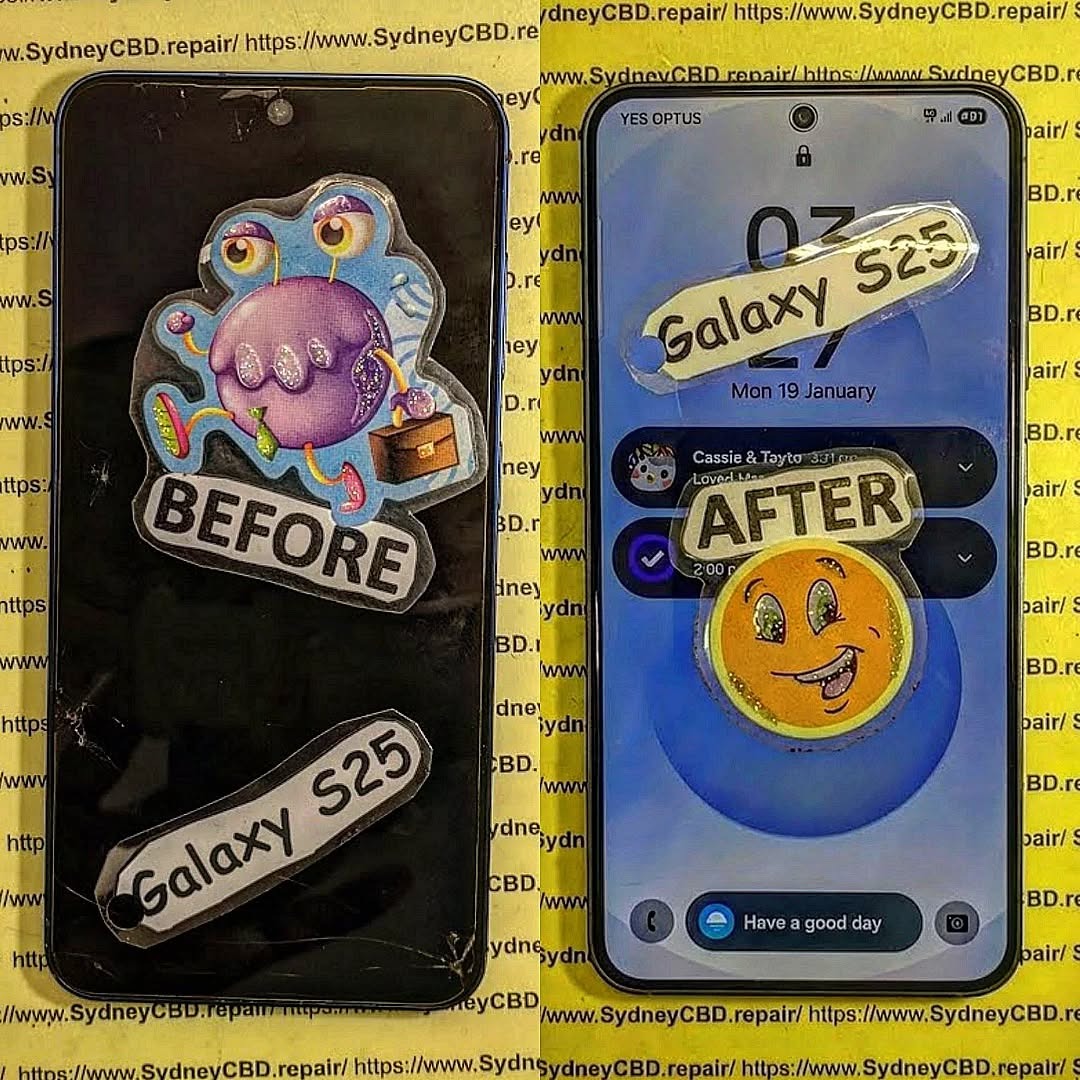
⚙️ Understanding the Samsung Galaxy S25 Charging System
Before diving into repairs, it helps to understand what you’re working with.
USB-C Architecture Explained
The USB-C port on the Samsung Galaxy S25 includes:
- Power delivery pins
- Data transfer lines
- Ground connections
- Shielding layers
Each pin must align perfectly with the motherboard pads. Even a slight misalignment can cause failure.
Internal Board Layout Overview
Inside the device, the charging port is typically:
- Mounted on a sub-board or mainboard
- Connected via flex cables or soldered directly
- Surrounded by delicate components
This is why precision soldering is critical—you’re working in a compact, high-density environment.
🛠️ Tools Required for Precision Soldering
Essential Equipment
To perform precision soldering: fixing a broken charging port on the latest Samsung Galaxy S25, you’ll need:
- Soldering iron (fine tip)
- Hot air rework station
- Flux (no-clean preferred)
- Solder wire (lead-free recommended)
- Tweezers (ESD-safe)
- Magnification tool (microscope or loupe)
Optional Advanced Tools
For professional-level work:
- PCB holder
- Thermal camera
- Ultrasonic cleaner
- Digital microscope
These tools improve accuracy and reduce the risk of damaging nearby components.
⚠️ Safety Precautions Before Starting

Electrostatic Discharge (ESD) Safety
Static electricity can destroy sensitive components instantly. Always:
- Use an ESD wrist strap
- Work on an anti-static mat
- Avoid synthetic clothing
Heat and Component Protection
Excess heat is a silent killer. Protect your device by:
- Using controlled ताप (temperature) settings
- Applying heat shields
- Avoiding prolonged exposure
🔍 Step-by-Step Disassembly Process
Opening the Device Safely
Start by:
- Powering off the phone
- Removing SIM tray
- Heating the back cover adhesive
- Carefully prying open the device
Take your time—rushing here leads to cracked panels or torn cables.
Removing Internal Components
Next:
- Disconnect battery first
- Remove screws and shields
- Detach flex cables
- Isolate the charging board
Organization is key—keep screws labeled to avoid confusion later.
🔎 Diagnosing the Charging Port Issue
Visual Inspection Techniques
Under magnification, look for:
- Bent or missing pins
- Burn marks
- Loose connectors
- Corrosion
Testing with Multimeter
Check:
- Continuity between pins
- Voltage flow
- Ground connections
This confirms whether the issue is the port itself or deeper circuitry.
🔥 Precision Soldering Techniques
This is where skill meets science.
Removing the Damaged Port
Steps:
- Apply flux generously
- Heat evenly with hot air station
- Gently lift port using tweezers
Avoid forcing it—let heat do the work.
Cleaning Pads and Preparing Surface
After removal:
- Use solder wick to clean pads
- Apply fresh solder
- Ensure pads are flat and shiny
Cleanliness here determines success.
Installing the New Charging Port
Now comes the critical part of precision soldering: fixing a broken charging port on the latest Samsung Galaxy S25:
- Align the new port perfectly
- Tack corners first
- Solder each pin carefully
- Inspect under magnification
A steady hand and patience make all the difference.
🔄 Reassembly and Testing
Reconnecting Components
Reverse the disassembly:
- Reconnect flex cables
- Secure screws
- Reattach shields
Final Power and Charging Test
Before sealing:
- Plug in charger
- Check charging speed
- Test data transfer
If everything works, you’re good to go.
❌ Common Mistakes to Avoid
Even experienced technicians slip up. Watch out for:
- Overheating the board
- Misaligned ports
- Insufficient flux use
- Skipping testing steps
These mistakes can turn a simple repair into a costly replacement.
🧼 Maintenance Tips for Longevity
After repair, keep your device in top shape:
- Use high-quality cables
- Clean port regularly
- Avoid moisture exposure
- Don’t force connectors
A little care goes a long way.
❓ FAQs
1. How long does it take to fix a charging port?
Typically, 1–2 hours depending on skill level and tools available.
2. Can I fix it without soldering?
Not really. Most modern devices like the Samsung Galaxy S25 require soldering due to integrated designs.
3. Is it worth repairing?
Yes, especially for premium devices. Repair is far cheaper than replacement.
4. What temperature should I use for soldering?
Usually between 320°C–380°C, depending on solder type.
5. Can a damaged port affect battery life?
Indirectly, yes—poor connections can lead to inefficient charging cycles.
6. Where can I learn more about soldering?
You can explore detailed tutorials on sites like
👉https://SydneyCBD.repair/locate-us
🏁 Conclusion

Precision soldering: fixing a broken charging port on the latest Samsung Galaxy S25 may sound intimidating at first. However, with the right tools, proper technique, and a bit of patience, it’s entirely achievable. From diagnosing the issue to performing delicate soldering work, every step plays a crucial role in restoring your device.
Ultimately, mastering this skill not only saves money but also builds confidence in handling advanced smartphone repairs. So, whether you’re a technician or an enthusiast, this guide equips you with everything needed to tackle charging port repairs like a pro.
David from Sydney CBD Repair Centre – The Best place to fix mobile phones as 7 Years In A Row! Top Mobile Phone Repair In Sydney. More than 2000 Positive Reviews on Google and Same Day Repairs.
We take pride in delivering exceptional repair services for all major phone brands including Apple, Samsung, Google, and more. Our expert technicians use only genuine parts and offer 90days warranty on repairs. Located in the heart of Sydney CBD, we’re your one-stop solution for all mobile device repairs.
Our commitment to excellence has earned us the trust of thousands of satisfied customers. Whether it’s a cracked screen, battery replacement, or water damage repair, we handle it all with professional care and expertise. Walk in today and experience why we’re Sydney’s #1 choice for mobile phone repairs.
Visit us for:
✓ Same Day Express Repairs
✓ Genuine Parts Guarantee
✓ Professional Technicians
✓ Competitive Pricing
✓ 2000+ 5-Star Google Reviews
✓ 7-Time Award Winner for Best Phone Repairs
Sydney CBD Repair Centre – Where Quality Meets Reliability.
Call : +61280114119
Website: https://SydneyCBD.repair/locate-us

