


Rescuing a Saltwater Damaged Galaxy S25 Ultra: Professional Component Level Cleaning

Rescuing a Saltwater Damaged Galaxy S25 Ultra: Professional Component Level Cleaning + 7 Proven Techniques
Introduction
Saltwater exposure is a smartphone owner’s worst nightmare, especially for a high-end device like the Galaxy S25 Ultra. Unlike freshwater, saltwater is highly corrosive and conductive, which means even a brief contact can wreak havoc on the phone’s delicate circuits, connectors, and microchips. Many users panic when their devices accidentally take a dip in the ocean or get splashed while boating, often resorting to ineffective home remedies that can worsen the damage.
Professional intervention is critical. Component-level cleaning, a precise process performed by trained technicians, can remove corrosive salt deposits, restore damaged connections, and significantly improve the chances of full device recovery. In this guide, we’ll walk you through everything you need to know about rescuing a saltwater-damaged Galaxy S25 Ultra—from immediate emergency steps to professional cleaning techniques, component inspection, repair decisions, and preventive measures.
By understanding the risks, acting quickly, and relying on expert care, you can dramatically increase the likelihood of bringing your device back to life. Whether you’re dealing with a minor splash or full immersion, this guide provides actionable insights and practical advice to save your Galaxy S25 Ultra from permanent damage.
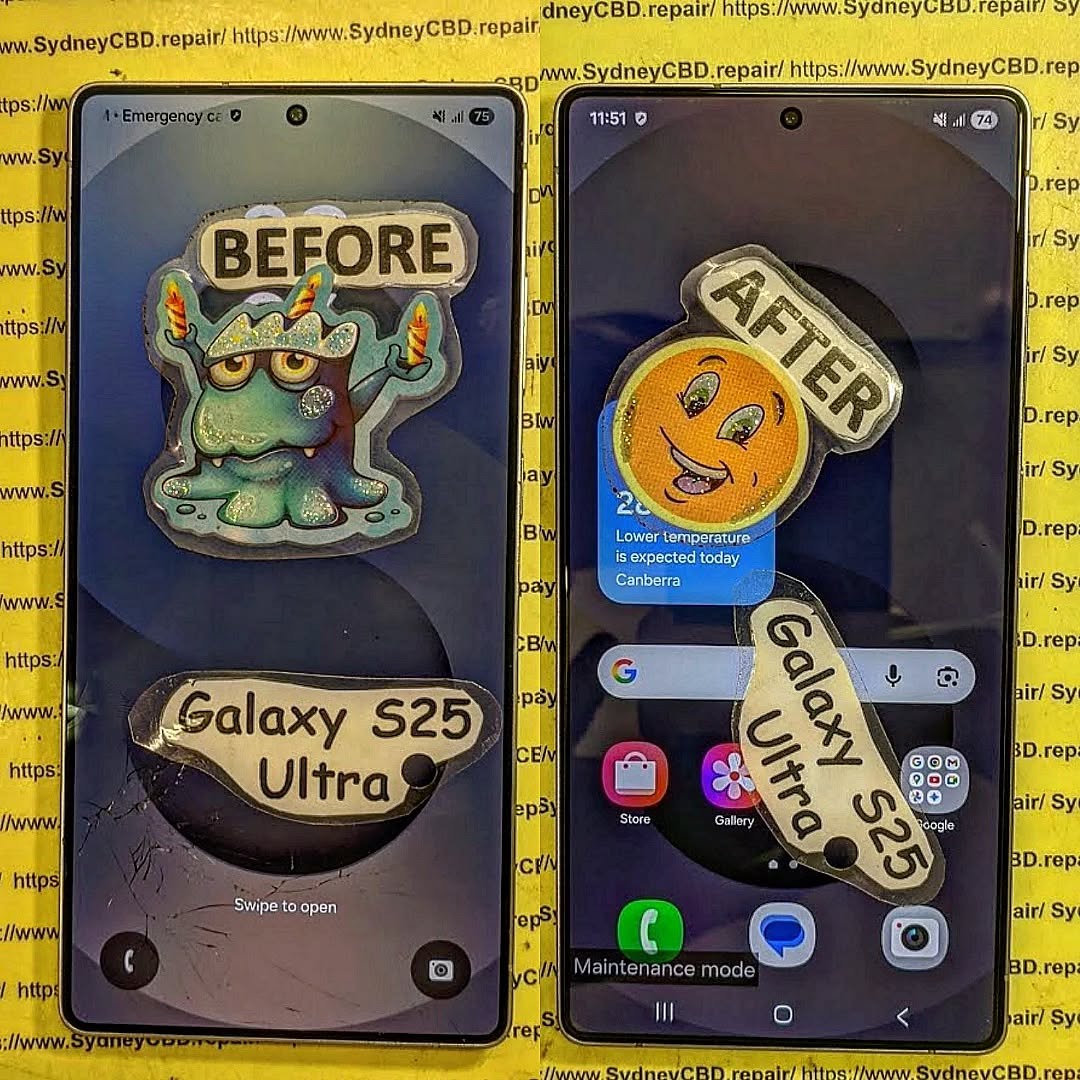
Understanding Saltwater Damage on Smartphones
Saltwater is notorious for causing rapid and irreversible damage to smartphones like the Galaxy S25 Ultra. Unlike fresh water, saltwater contains dissolved minerals and salts that are highly conductive. When a phone comes into contact with saltwater, it can create short circuits and initiate corrosion within minutes. This corrosion gradually eats away at internal circuitry, connectors, and microchips, often leading to permanent failure if left untreated.
How Saltwater Corrodes Circuitry
Saltwater accelerates chemical reactions between metals and oxygen, leading to oxidation and corrosion. For instance, copper traces on the motherboard can oxidize within hours, and solder joints may weaken, causing intermittent connections or complete failure. Additionally, salts leave mineral deposits that can retain moisture, further promoting corrosion over time.
Signs Your Galaxy S25 Ultra Has Saltwater Damage
- Immediate or delayed shutdowns
- Flickering or unresponsive display
- Distorted touch input or ghost touches
- Corrosion spots visible near connectors
- Battery swelling or irregular charging patterns
- Strange noises or overheating
Recognizing these signs early increases the likelihood of a successful recovery.
Immediate Steps to Take After Saltwater Exposure

Swift, precise action can save a Galaxy S25 Ultra from irreversible damage.
Powering Off and Disconnecting
Never attempt to use the device after saltwater exposure. Immediately power it off. Active circuits in contact with saltwater accelerate corrosion and shorting.
Removing the Battery and SIM Cards
If removable, take out the battery, SIM card, and microSD card. Isolating these components reduces further risk of damage and protects your personal data.
Initial Rinse Myths: Do’s and Don’ts
- Do: Rinse gently with distilled water if done immediately, as it removes surface salt.
- Don’t: Use tap water or attempt to dry with heat (hair dryers can warp components).
- Do: Pat dry with a lint-free cloth and avoid pressing buttons.
Professional Component Level Cleaning Explained
For a saltwater-damaged Galaxy S25 Ultra, professional intervention at the component level is often the only way to restore full functionality.
Ultrasonic Cleaning Techniques
Technicians place the disassembled motherboard and micro-components in an ultrasonic cleaning bath. Ultrasonic waves penetrate microscopic gaps, dislodging salt particles and corrosion residues without damaging delicate circuits.
Specialized Solvents for Corrosion Removal
Safe solvents, such as high-purity isopropyl alcohol, dissolve mineral deposits and oxidation layers. Professionals use these alongside precision brushes and air nozzles to clean every connection point meticulously.
Inspection of Micro Components
After cleaning, each component is inspected under magnification to detect remaining corrosion, burnt traces, or damaged solder joints. Reflowing or micro-soldering may be applied if needed to restore continuity.
Repair vs Replacement Decisions
Even with professional cleaning, some components may be irreparably damaged.
Commonly Affected Components in Galaxy S25 Ultra
- Mainboard ICs and traces
- Charging port and connectors
- Battery cells and PCB
- Cameras and sensors
Cost vs Value Analysis
Repairing individual components is often cheaper than replacing the entire device. However, if multiple boards or ICs are corroded beyond repair, full replacement may be more cost-effective. Professional technicians can advise based on inspection.
Recovery and Testing Process
After cleaning and any necessary repairs, thorough testing ensures reliability.
Functional Testing Checklist
- Power-on consistency
- Display clarity and touch response
- Camera operation
- Battery charging and endurance
- Audio and sensor functions
Data Recovery Considerations
If the phone was exposed for a prolonged period, professional data recovery may be necessary to salvage photos, contacts, and documents. Using specialized tools prevents overwriting corrupted sectors.
Preventive Measures Against Future Saltwater Damage
Prevention is always better than cure.
Waterproofing Accessories and Cases
High-quality waterproof cases or pouches rated IP68 or above provide excellent protection for saltwater environments. Even short-term submersion is safer with these cases.
Handling Tips for Outdoor Use
- Avoid placing phones near open water without protection
- Keep pockets and bags separate from wet gear
- Use wrist straps or lanyards for phones on boats or beaches
Frequently Asked Questions (FAQs)
Q1: Can a Galaxy S25 Ultra survive saltwater immersion?
A1: Yes, if acted upon immediately with professional cleaning. Delays reduce chances of full recovery.
Q2: Can I dry my phone at home after saltwater exposure?
A2: Not safely. DIY drying often leads to corrosion. Component-level cleaning is recommended.
Q3: Is ultrasonic cleaning safe for Galaxy S25 Ultra components?
A3: Yes, when performed by trained technicians using proper solvents and equipment.
Q4: How long does professional recovery take?
A4: Typically 1–3 business days, depending on corrosion severity and parts availability.
Q5: Will repaired devices have warranty?
A5: Reputable repair centers provide a 90-day warranty on water damage repairs.
Q6: Can data be fully recovered after saltwater damage?
A6: Most often yes, but depends on exposure duration and component damage. Early professional intervention improves success.
Conclusion

Rescuing a saltwater-damaged Galaxy S25 Ultra is challenging but achievable with professional component-level cleaning. Immediate action, proper inspection, and expert repair significantly improve recovery chances. Combining these measures with preventive practices ensures longevity and protection against future accidents. If your device has suffered saltwater exposure, seek professional services immediately to maximize recovery potential.
External Resource: For more on water damage prevention, refer to Samsung’s official water damage guide.
David from Sydney CBD Repair Centre – The Best place to fix mobile phones as 7 Years In A Row! Top Mobile Phone Repair In Sydney. More than 2000 Positive Reviews on Google and Same Day Repairs.
We take pride in delivering exceptional repair services for all major phone brands including Apple, Samsung, Google, and more. Our expert technicians use only genuine parts and offer 90days warranty on repairs. Located in the heart of Sydney CBD, we’re your one-stop solution for all mobile device repairs.
Our commitment to excellence has earned us the trust of thousands of satisfied customers. Whether it’s a cracked screen, battery replacement, or water damage repair, we handle it all with professional care and expertise. Walk in today and experience why we’re Sydney’s #1 choice for mobile phone repairs.
Visit us for:
✓ Same Day Express Repairs
✓ Genuine Parts Guarantee
✓ Professional Technicians
✓ Competitive Pricing
✓ 2000+ 5-Star Google Reviews
✓ 7-Time Award Winner for Best Phone Repairs
Sydney CBD Repair Centre – Where Quality Meets Reliability.
Call : +61280114119
Website: https://SydneyCBD.repair/locate-us

