


Stop Breaking Your Cameras: The Safe Way to Remove Cracked Lens Glass

Stop Breaking Your Cameras: The Safe Way to Remove Cracked Lens Glass – 9 Powerful Expert Steps
Introduction
Smartphone cameras have become one of the most important features of modern devices. Whether you’re capturing memories, scanning documents, or creating social media content, a clear and fully functional camera is essential. However, one common issue that many users face is cracked camera lens glass. A single drop onto a hard surface can shatter the protective layer covering the camera, leaving your photos blurry, distorted, or filled with glare.
Many people attempt quick DIY fixes when this happens. Unfortunately, without proper knowledge and tools, trying to remove cracked lens glass can actually cause more damage than the original crack. Tiny shards can scratch the delicate internal lens, dust can enter the camera module, and improper tools can harm surrounding components. What starts as a simple repair can quickly turn into an expensive camera replacement.
The good news is that there is a safe and professional way to remove cracked lens glass without damaging the camera underneath. With the right preparation, correct tools, and careful technique, this repair can restore your phone’s camera performance and protect it from further damage.
In this guide, we’ll explain why camera lens glass cracks, the risks of improper repairs, and the expert-approved method technicians use to remove cracked lens glass safely. By following these steps, you’ll understand how professionals handle this delicate repair and how you can avoid the common mistakes that often break smartphone cameras for good.
Smartphone cameras have become incredibly advanced in recent years. Devices from companies like Apple, Samsung, and Google now feature multiple lenses, powerful sensors, and sophisticated image processing systems. However, one small accident can ruin it all — a cracked camera lens cover.
When that happens, many people rush into DIY repairs. Unfortunately, without the right knowledge, they often damage the camera module even more. Tiny fragments of glass can scratch the lens. Excess pressure can break the sensor housing. Dust contamination can permanently affect photo quality.
That’s why understanding the safe way to remove cracked lens glass is essential. When done correctly, the repair is straightforward and cost-effective. When done incorrectly, it can lead to expensive camera replacements.
In this detailed guide, you’ll learn the professional method technicians use to remove cracked lens glass safely. We’ll also explore preparation, proper tools, and expert techniques that prevent costly mistakes.
Let’s begin by understanding what actually breaks when your phone’s camera lens cracks.
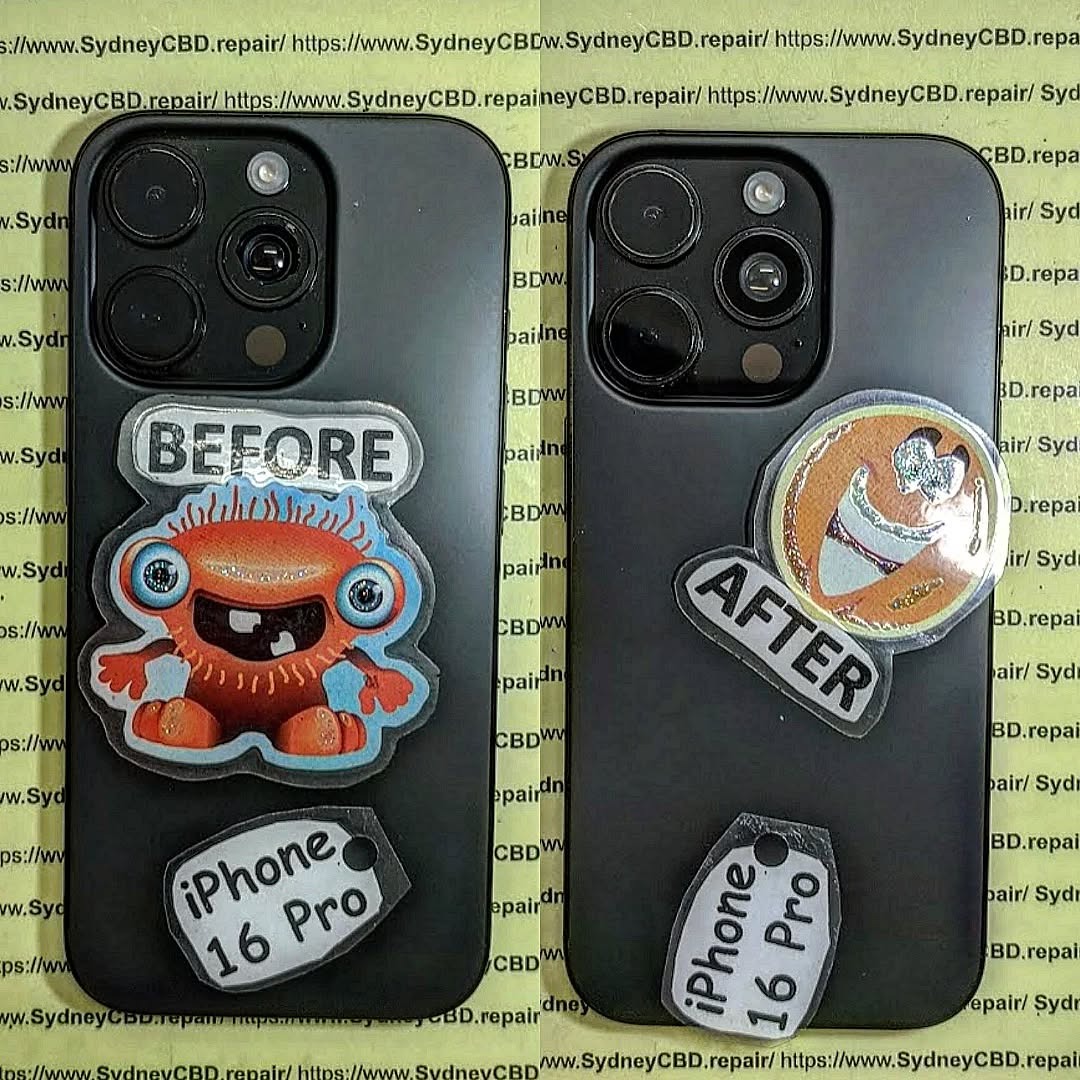
Understanding Smartphone Camera Lens Glass Damage
Modern smartphones are engineering marvels. Their camera systems include delicate sensors, precision lenses, optical stabilization systems, and protective glass covers.
The cracked component you usually see on the outside is not the camera lens itself — it’s a protective layer designed to shield the internal optics.
What Is Camera Lens Glass?
The outer camera cover is typically made from hardened sapphire glass or reinforced tempered glass. Its purpose is to protect the internal camera module from:
- Scratches
- Dust
- Impact
- Moisture
- Fingerprints
Despite its durability, this protective layer can crack when subjected to strong impacts. Dropping a phone on concrete or metal surfaces often results in shattered camera lens glass.
When the glass breaks, users often panic. But the internal camera module usually remains intact.
The real problem arises when someone attempts to remove cracked lens glass without proper care.
Tiny fragments can fall into the camera housing. Adhesive residue can smear across the lens. In worst cases, the camera module itself becomes damaged.
Common Causes of Cracked Camera Lens Glass
Several everyday situations can lead to broken camera glass.
Phone Drops
The most obvious cause is accidental drops. Smartphones frequently fall from:
- Pockets
- Tables
- Car dashboards
- Bathroom counters
Even a short fall can crack the lens glass if the phone lands directly on its camera bump.
Pressure in Bags or Pockets
Large camera bumps on modern phones make them vulnerable to pressure damage. Sitting down with a phone in your back pocket can easily crack the protective glass.
Debris or Sharp Objects
Keys, coins, and sand particles inside bags or pockets may scratch or crack the lens cover.
Why DIY Repairs Often Go Wrong
Many repair mistakes happen because people treat the camera glass like a normal screen protector.
Unfortunately, it’s very different.
The glass is glued tightly to the phone’s rear housing using strong adhesive. Trying to pry it off without heat or precision tools can damage surrounding components.
Common DIY mistakes include:
- Using metal knives or screwdrivers
- Applying excessive force
- Ignoring adhesive softening
- Allowing glass fragments to fall into the camera
Professional technicians follow careful procedures to remove cracked lens glass without touching the camera module.
Next, let’s explore the tools and preparation required for a safe repair.
Tools and Preparation Before You Remove Cracked Lens Glass

Preparation is the difference between a successful repair and an expensive mistake.
Professional repair technicians never begin work without proper tools, lighting, and safety precautions.
If you want to remove cracked lens glass safely, you must prepare your workspace properly.
Professional Repair Tools Checklist
Here are the essential tools used by experienced technicians:
| Tool | Purpose |
|---|---|
| Heat gun or hair dryer | Softens adhesive |
| Plastic pry tools | Safe glass removal |
| Fine tweezers | Lifting small fragments |
| Isopropyl alcohol | Cleaning residue |
| Microfiber cloth | Protecting camera lens |
| Precision blade | Separating adhesive |
| Replacement camera glass | Installing new cover |
Avoid using household tools like kitchen knives or flat screwdrivers. These can easily slip and scratch the camera.
Safety Precautions Before Starting
Before attempting any repair, follow these safety rules.
Power Off the Phone
Always power off the device before beginning repairs. This prevents electrical damage and accidental camera activation.
Protect the Camera Sensor
Place a small piece of tape over the camera lens opening if the glass is already shattered.
This prevents debris from entering the module during removal.
Wear Eye Protection
Tiny shards of glass can break loose during removal. Eye protection prevents injuries.
Workspace Setup
A clean workspace is essential.
Set up your repair station with:
- Bright lighting
- Dust-free surface
- Anti-static mat if possible
- Organized tool layout
Dust contamination is one of the most common repair issues. Even a single dust particle inside the camera module can appear in photos permanently.
Once your workspace is ready, you can proceed with the professional removal method.
Step-by-Step Guide to Remove Cracked Lens Glass Safely
Now comes the most important part of the repair process. If you follow these steps carefully, you can remove cracked lens glass without damaging the camera module.
Professional technicians rely on patience and precision — not force.
Step 1: Power Down the Device
Turn off the smartphone completely.
Remove the SIM tray if necessary. This prevents internal pressure changes when heating the phone.
Step 2: Apply Controlled Heat
The adhesive holding the glass must be softened.
Use a heat gun or hair dryer and gently warm the camera area for 20–30 seconds.
Do not overheat the device.
Excessive heat may damage nearby components such as:
- Camera stabilization motors
- Internal plastic brackets
- Waterproof adhesive seals
Step 3: Carefully Lift the Glass
Insert a thin plastic pry tool along the edge of the cracked glass.
Work slowly around the perimeter.
If the glass shatters further, remove small fragments using tweezers.
Never push downward toward the camera lens.
Step 4: Remove Remaining Fragments
Shattered pieces often remain stuck to the adhesive.
Use tweezers or a precision blade to lift them gently.
Patience is key here. Rushing can scratch the camera lens.
Step 5: Clean Residual Adhesive
After all glass fragments are removed, clean the surface.
Use:
- Isopropyl alcohol
- Cotton swabs
- Microfiber cloth
This step ensures the replacement glass sits perfectly flat.
Step 6: Inspect the Camera Lens
Before installing new glass, check the camera module.
Look for:
- Dust particles
- Scratches
- Adhesive residue
If dust is present, remove it using compressed air.
Step 7: Install Replacement Lens Glass
Place the new glass over the camera opening.
Most replacement parts include pre-installed adhesive rings.
Align carefully before pressing down.
Once installed, apply light pressure for several seconds.
Step 8: Allow Adhesive to Cure
Let the adhesive bond for 10–15 minutes.
Avoid using the camera immediately.
Step 9: Test Camera Function
Finally, power on the phone and test the camera.
Check:
- Focus accuracy
- Image clarity
- Dust spots
- Lens alignment
If everything looks clear, the repair was successful.
Professional Tips to Avoid Camera Sensor Damage
Even experienced repair technicians follow strict guidelines to protect delicate camera modules.
Here are the most important professional tips when you remove cracked lens glass.
Handling Multi-Lens Camera Systems
Modern flagship phones often include multiple cameras.
Examples include:
- Ultra-wide lenses
- Telephoto lenses
- LiDAR sensors
- Depth sensors
Each opening has separate glass covers.
Be sure to identify which lens is damaged before beginning repairs.
Avoiding Dust Contamination
Dust inside the camera is the number one complaint after DIY repairs.
Prevent contamination by:
- Working in a clean room
- Avoiding fans or air vents
- Using compressed air
- Keeping the phone face-down when possible
Common Mistakes During Lens Glass Removal
Avoid these common errors:
- Using metal tools
- Applying too much heat
- Rushing the removal process
- Ignoring adhesive residue
- Installing low-quality replacement glass
Cheap replacement parts often cause:
- Blurry photos
- Reflection artifacts
- Reduced camera sharpness
Always use high-quality replacement parts whenever possible.
When to Seek Professional Phone Repair Services
Sometimes the safest decision is to leave the repair to professionals.
Complex camera systems are expensive to replace.
Complex Camera Systems
Flagship phones may contain camera modules worth hundreds of dollars.
Devices with advanced sensors and optical stabilization require extra care.
Professional repair technicians have specialized equipment to safely remove cracked lens glass without damaging these components.
Warranty Considerations
If your phone is still under warranty, DIY repairs may void coverage.
Manufacturers often require authorized service providers for repairs.
You can learn more about smartphone repair practices from trusted resources like
https://www.ifixit.com.
Cost vs Risk Analysis
Replacing camera lens glass is usually inexpensive.
However, damaging the internal camera module can turn a simple repair into a costly replacement.
Ask yourself:
- Do you have the right tools?
- Is the glass badly shattered?
- Is the camera already scratched?
If the answer to any of these is yes, professional repair is often the safest option.
Frequently Asked Questions
1. Can a cracked camera lens affect photo quality?
Yes. Cracks scatter light entering the camera, causing blurry images, glare, or distortion.
2. Is it safe to remove cracked lens glass at home?
It can be safe if done carefully with proper tools and preparation.
However, improper removal can damage the camera sensor.
3. How long does it take to replace camera lens glass?
Professional technicians usually complete the repair in 15–30 minutes.
4. Can I use the camera if the lens glass is cracked?
Yes, but image quality may be reduced, and dust can enter the camera module.
5. Does replacing the glass restore image quality?
If the internal lens and sensor are undamaged, replacing the glass usually restores full camera performance.
6. How much does camera lens glass replacement cost?
Prices vary depending on the device, but most repairs are relatively inexpensive compared to full camera replacements.
Conclusion

Cracked camera lens glass is one of the most common smartphone problems today. Fortunately, it’s also one of the most manageable repairs when handled correctly.
Understanding the proper method to remove cracked lens glass prevents costly mistakes and protects the delicate camera module beneath the surface.
By preparing the right tools, following professional techniques, and working patiently, you can safely restore your phone’s camera performance.
However, when the damage is severe or the device contains complex camera systems, seeking professional repair services remains the safest option.
A careful approach ensures your smartphone continues capturing clear, beautiful photos for years to come.
David from Sydney CBD Repair Centre – The Best place to fix mobile phones as 7 Years In A Row! Top Mobile Phone Repair In Sydney. More than 2000 Positive Reviews on Google and Same Day Repairs.
We take pride in delivering exceptional repair services for all major phone brands including Apple, Samsung, Google, and more. Our expert technicians use only genuine parts and offer 90days warranty on repairs. Located in the heart of Sydney CBD, we’re your one-stop solution for all mobile device repairs.
Our commitment to excellence has earned us the trust of thousands of satisfied customers. Whether it’s a cracked screen, battery replacement, or water damage repair, we handle it all with professional care and expertise. Walk in today and experience why we’re Sydney’s #1 choice for mobile phone repairs.
Visit us for:
✓ Same Day Express Repairs
✓ Genuine Parts Guarantee
✓ Professional Technicians
✓ Competitive Pricing
✓ 2000+ 5-Star Google Reviews
✓ 7-Time Award Winner for Best Phone Repairs
Sydney CBD Repair Centre – Where Quality Meets Reliability.
Call : +61280114119
Website: https://SydneyCBD.repair/locate-us

