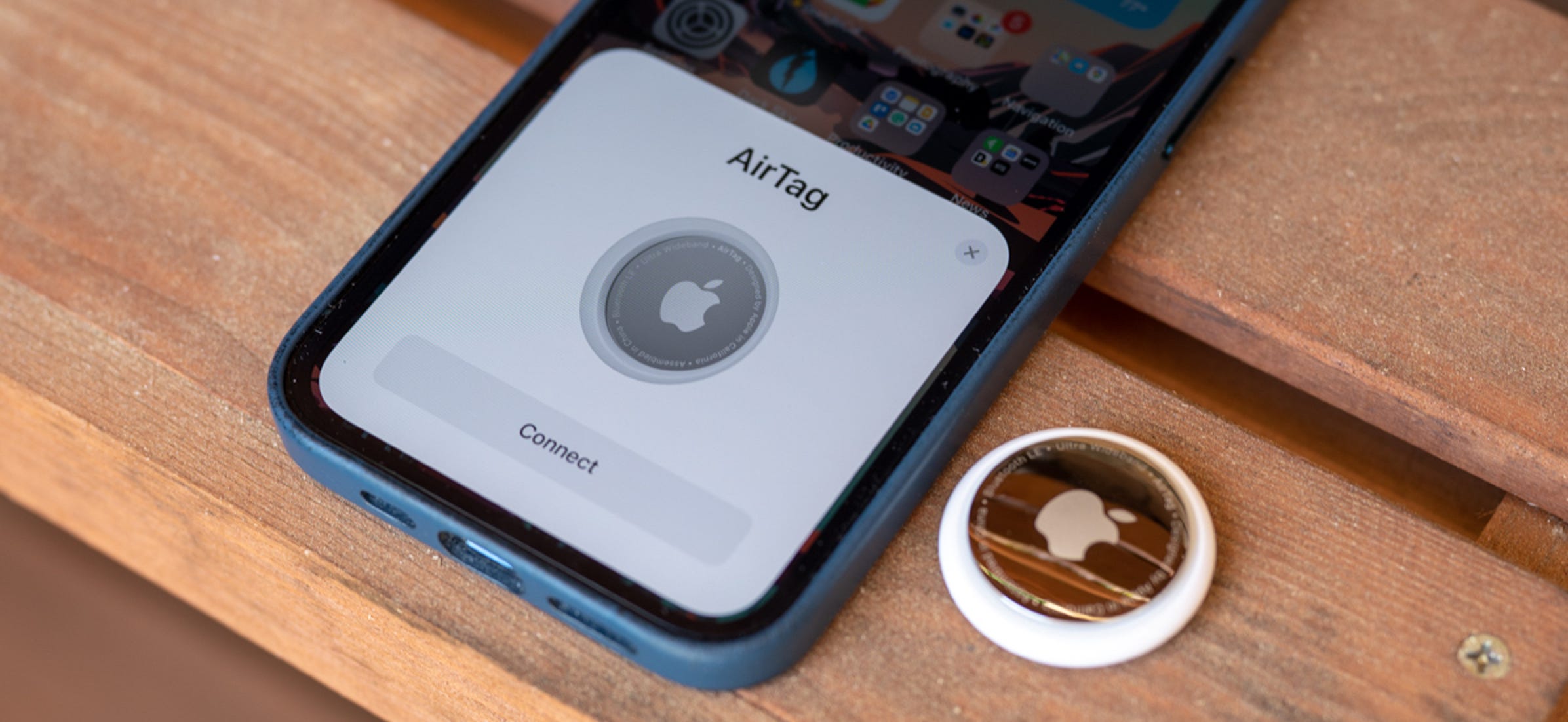
Apple’s AirTags are coin-shaped item trackers that integrate with the Find My network. We already know about many common ways to use the tracker – pets, luggage, wallets, purses, and more. There are a slew of use cases, though, that we had never even thought of. Have you considered using an AirTag for any of the purposes below?
Apple TV remote
It’s incredibly easy to lose remotes – especially for the Apple TV as the remote is so small! However, did you know there are cases for the remote that includes a spot for AirTag? Now, if you lose your Apple TV remote, you can use your iPhone to track it down.
Jewelry and heirlooms
Have any expensive jewelry lying around? AirTag can help you track it down if it gets lost or stolen. While it’s not something you’d want to include in your jewelry while wearing it, you can attach an AirTag with a keychain while the jewelry’s not in use. Or, if you have a case for the item, there’s a good chance the tracker will fit inside.
Glasses
Now I love this one for all of you that frequently lose your readers. Nomad, the same company behind the Apple TV remote case, has an AirTag glasses strap that is also adjustable. The reviews are mostly positive. Users rave about how lightweight the strap is while in use. The strap can also be used for sunglasses, safety glasses, or most other types of glasses.
Golfing equipment
AirTag can fit easily into a golf bag or golf cart. Just keep in mind that it cannot track a golf cart while it’s on the go. There’s not yet an AirTag holder for individual golf clubs, but hey, maybe someone will make one?
Bikes
A few years ago, 529 Garage completed a study on bicycle theft, finding that over 2 million are stolen every year in the United States. That’s the equivalent of a bike being stolen every 30 seconds. One way you can track your bike down if it is stolen is with AirTag. Muc-Off has created a discreet AirTag holder that fits inside your rear tubeless tire along with the company’s Tubeless Valves.
Tools
Tools are expensive and something you don’t want to buy twice. Especially for those of you who need your tools for work and share with others. Easily place the AirTag in your tool box, or, depending on the tool, add a mount or a keychain to track.
Jackets/coats
AirTag is great for parties when it’s easy to lose your coat or forget you brought one. I can’t tell you how many times I misplaced a jacket as a child – an AirTag would’ve came in handy, especially for those jackets with never ending pockets as there’s plenty of room for a small AirTag.
APPLE STATEMENT: AirTag lets users keep track of personal items like their keys, wallet, purse, backpack, luggage, and more through the Find My app. Since AirTag’s launch last April, users have written in to share countless stories of AirTag being instrumental in reuniting them with the things they value. Thanks to AirTag and the Find My app, a customer who lost his wallet on the subway was able to track it down at a station across town. With the help of an AirTag placed inside a medical kit, a parent whose child lost critical medicine on the bus was later able to find it.
AirTag was designed to help people locate their personal belongings, not to track people or another person’s property, and we condemn in the strongest possible terms any malicious use of our products. Unwanted tracking has long been a societal problem, and we took this concern seriously in the design of AirTag. It’s why the Find My network is built with privacy in mind, uses end-to-end encryption, and why we innovated with the first-ever proactive system to alert you of unwanted tracking. We hope this starts an industry trend for others to also provide these sorts of proactive warnings in their products.
We’ve become aware that individuals can receive unwanted tracking alerts for benign reasons, such as when borrowing someone’s keys with an AirTag attached, or when traveling in a car with a family member’s AirPods left inside. We also have seen reports of bad actors attempting to misuse AirTag for malicious or criminal purposes.
Apple has been working closely with various safety groups and law enforcement agencies. Through our own evaluations and these discussions, we have identified even more ways we can update AirTag safety warnings and help guard against further unwanted tracking.
Working with Law Enforcement
We have been actively working with law enforcement on all AirTag-related requests we’ve received. Based on our knowledge and on discussions with law enforcement, incidents of AirTag misuse are rare; however, each instance is one too many.
Every AirTag has a unique serial number, and paired AirTags are associated with an Apple ID. Apple can provide the paired account details in response to a subpoena or valid request from law enforcement. We have successfully partnered with them on cases where information we provided has been used to trace an AirTag back to the perpetrator, who was then apprehended and charged.
Law enforcement has shared their appreciation for the assistance we’ve provided in helping them find the source of unwanted tracking. We’ve identified additional improvements we can make in the information we share and the educational resources we provide, and we will be taking action, including making updates to our law enforcement documentation.
Advancements Coming to AirTag and the Find My Network
The following updates represent important steps Apple is taking:
New privacy warnings during AirTag setup: In an upcoming software update, every user setting up their AirTag for the first time will see a message that clearly states that AirTag is meant to track their own belongings, that using AirTag to track people without consent is a crime in many regions around the world, that AirTag is designed to be detected by victims, and that law enforcement can request identifying information about the owner of the AirTag.
Addressing alert issues for AirPods: We’ve heard from users who have reported receiving an “Unknown Accessory Detected” alert. We’ve confirmed this alert will not display if an AirTag is detected near you — only AirPods (3rd generation), AirPods Pro, AirPods Max, or a third-party Find My network accessory. In the same software update, we will be updating the alert users receive to indicate that AirPods have been traveling with them instead of an “Unknown Accessory.”
Updated support documentation: Today Apple is updating its unwanted tracking support article on apple.com to communicate the safety features built into AirTag, AirPods, and Find My network accessories. This page now includes additional explanations of which Find My accessories may trigger an unwanted tracking alert, more visuals to provide specific examples of such alerts, and updated information on what to do after receiving an alert, including instructions for disabling an AirTag, AirPods, or Find My network accessory. There are also links to resources individuals can use if they feel their safety is at risk, such as the National Network to End Domestic Violence and the National Center for Victims of Crime.
We’re also investigating a series of updates that we plan to introduce later this year, including:
Precision Finding: This capability allows recipients of an unwanted tracking alert to locate an unknown AirTag with precision. iPhone 11, iPhone 12, and iPhone 13 users will be able to use Precision Finding to see the distance and direction to an unknown AirTag when it is in range. As an iPhone user moves, Precision Finding fuses input from the camera, ARKit, accelerometer, and gyroscope to guide them to the AirTag through a combination of sound, haptics, and visual feedback.
Display alert with sound: When AirTag automatically emits a sound to alert anyone nearby of its presence and is detected moving with your iPhone, iPad, or iPod touch, we will also display an alert on your device that you can then take action on, like playing a sound or using Precision Finding, if available. This will help in cases where the AirTag may be in a location where it is hard to hear, or if the AirTag speaker has been tampered with.
Refining unwanted tracking alert logic: Our unwanted tracking alert system uses sophisticated logic to determine how we alert users. We plan to update our unwanted tracking alert system to notify users earlier that an unknown AirTag or Find My network accessory may be traveling with them.
Tuning AirTag’s sound: Currently, iOS users receiving an unwanted tracking alert can play a sound to help them find the unknown AirTag. We will be adjusting the tone sequence to use more of the loudest tones to make an unknown AirTag more easily findable.
Apple design there products to provide a great experience, but also with safety and privacy in mind. Across Apple’s hardware, software, and services teams, we’re committed to listening to feedback and innovating to make improvements that continue to guard against unwanted tracking.
Apple’s AirTag is reasonably small and lightweight, but the accessory may be too thick for those who want to put it in a wallet. Because Apple only offers AirTag with a single design option, Andrew Ngai decided to make his own version of Apple’s tracking accessory that looks like a card — and the result is quite impressive.
The process is not exactly easy, as you might imagine, but Andrew managed to do it all himself with just a few tools and a lot of patience. As he demonstrated, removing the back of the AirTag was quite simple, but the components are all glued to the plastic shell with the exception of the removable battery.
Andrew had to heat the AirTag to 150ºF (or 65℃) to get the AirTag logic board out of the plastic shell. However, the biggest challenge in making the AirTag thinner was relocating the CR2032 battery, which is 3.2 millimeters thick by itself. Together with the whole structure, each AirTag is 8 millimeters thick.
By using extra wired connections, it was possible to connect the battery to the AirTag side by side instead of keeping them together on top of each other. The final step was to create a 3D card made to fit the AirTag’s disassembled components together so that they would not come loose. The result was a fully functional AirTag card that can be placed in a wallet just like a credit card.
This, of course, is not something you should do with your AirTags as the process can permanently damage the accessory, but it’s nice to see the possibilities with this product.
Each AirTag costs $29 and there’s also a 4-pack for $99, while Apple also sells multiple accessories like ring holders and leather loops. You can also check Amazon’s website for deals on AirTag and related accessories.
AirTag is a small and elegantly designed accessory that can be personalized with free engraving, and enables iPhone users to securely locate and keep track of their valuables using the Find My app.
Apple expands the Find My ecosystem with AirTag, an iPhone accessory that provides a private and secure way to easily locate the items that matter most, available beginning Friday, April 30
Apple introduced AirTag, a small and elegantly designed accessory that helps keep track of and find the items that matter most with Apple’s Find My app. Whether attached to a handbag, keys, backpack, or other items, AirTag taps into the vast, global Find My network and can help locate a lost item, all while keeping location data private and anonymous with end-to-end encryption. AirTag can be purchased in one and four packs for just $29 and $99, respectively, and will be available beginning Friday, April 30
“We’re excited to bring this incredible new capability to iPhone users with the introduction of AirTag, leveraging the vast Find My network, to help them keep track of and find the important items in their lives,” said Kaiann Drance, Apple’s vice president of Worldwide iPhone Product Marketing. “With its design, unparalleled finding experience, and built-in privacy and security features, AirTag will provide customers with another way to leverage the power of the Apple ecosystem and enhance the versatility of iPhone.”
Precision Finding gives users the exact distance and direction to their AirTag, guiding them through a combination of sound, haptics, and visual feedback.
Lightweight Design with Magical Setup
Each round AirTag is small and lightweight, features precision-etched polished stainless steel, and is IP67 water- and dust-resistant. A built-in speaker plays sounds to help locate AirTag, while a removable cover makes it easy for users to replace the battery. AirTag features the same magical setup experience as AirPods — just bring AirTag close to iPhone and it will connect. Users can assign AirTag to an item and name it with a default like “Keys” or “Jacket,” or provide a custom name of their choosing.
A simple setup magically connects AirTag with iPhone, iPad, or iPod touch.
Customers can personalize AirTag with free engraving, including text and a selection of 31 emoji, when purchasing from apple.com or the Apple Store app. Users can easily place AirTag into a bag or pocket on its own, or utilize a wide range of Apple-designed AirTag accessories, including the Polyurethane Loop, which is both lightweight and durable, and the Leather Loop and Leather Key Ring, featuring specially tanned European leather. The enclosure of each accessory fits securely around AirTag, while conveniently attaching to a user’s belongings, further personalizing AirTag while making sure it is always with their important items.
AirTag can be placed into a bag or pocket on its own, or utilized with a wide range of Apple-designed AirTag accessories, with personalized free engraving including text and a selection of emoji.
The Apple-designed Leather Key Ring features specially tanned European leather and comes in three elegant colors.
The Apple-designed Polyurethane Loop is both lightweight and durable, and fits securely around AirTag.
A Comprehensive Finding Experience
Once AirTag is set up, it will appear in the new Items tab in the Find My app, where users can view the item’s current or last known location on a map. If a user misplaces their item and it is within Bluetooth range, they can use the Find My app to play a sound from the AirTag to help locate it. Users can also ask Siri to find their item, and AirTag will play a sound if it is nearby.
Users can keep track of AirTag in the new Items tab within the Find My app.
Each AirTag is equipped with the Apple-designed U1 chip using Ultra Wideband technology, enabling Precision Finding for iPhone 11 and iPhone 12 users. This advanced technology can more accurately determine the distance and direction to a lost AirTag when it is in range. As a user moves, Precision Finding fuses input from the camera, ARKit, accelerometer, and gyroscope, and then will guide them to AirTag using a combination of sound, haptics, and visual feedback.
Precision Finding with AirTag fuses input from the camera, ARKit, accelerometer, and gyroscope on iPhone to provide a more precise, directionally aware finding experience.
If AirTag is separated from its owner and out of Bluetooth range, the Find My network can help track it down. The Find My network is approaching a billion Apple devices and can detect Bluetooth signals from a lost AirTag and relay the location back to its owner, all in the background, anonymously and privately.
Users can also place AirTag into Lost Mode and be notified when it is in range or has been located by the vast Find My network. If a lost AirTag is found by someone, they can tap it using their iPhone or any NFC-capable device and be taken to a website that will display a contact phone number for the owner, if they have provided one.
AirTag includes support for the accessibility features built into iOS. Precision Finding using VoiceOver, for example, can direct users who are blind or low-vision to AirTag with directions like “AirTag is 9 feet away on your left.”
If AirTag goes missing, the Find My network can help track it down, providing a notification to the user if it has been located.
Privacy and Security Built In
AirTag is designed from the ground up to keep location data private and secure. No location data or location history is physically stored inside AirTag. Communication with the Find My network is end-to-end encrypted so that only the owner of a device has access to its location data, and no one, including Apple, knows the identity or location of any device that helped find it.
AirTag is also designed with a set of proactive features that discourage unwanted tracking, an industry first. Bluetooth signal identifiers transmitted by AirTag rotate frequently to prevent unwanted location tracking. iOS devices can also detect an AirTag that isn’t with its owner, and notify the user if an unknown AirTag is seen to be traveling with them from place to place over time. And even if users don’t have an iOS device, an AirTag separated from its owner for an extended period of time will play a sound when moved to draw attention to it. If a user detects an unknown AirTag, they can tap it with their iPhone or NFC-capable device and instructions will guide them to disable the unknown AirTag.
iOS devices can detect an AirTag that isn’t with its owner, and notify the user if an unknown AirTag is seen to be traveling with them from place to place over time.
AirTag and Hermès
Apple and Hermès are introducing AirTag Hermès, featuring an elegant assortment of handcrafted leather accessories including the Bag Charm, Key Ring, Travel Tag, and Luggage Tag. Hermès accessories will be sold with a custom-engraved AirTag based on the brand’s iconic Clou de Selle signature.
AirTag Hermès features an elegant assortment of handcrafted leather accessories, including the Bag Charm, Key Ring, Travel Tag, and Luggage Tag — all of which will be sold with a custom-engraved AirTag based on the brand’s iconic Clou de Selle signature.
The Find My Network Accessory Program
Third-party products and accessories can also add support for finding with the new Find My network accessory program. Through the program, device and product manufacturers can now build finding capabilities directly into their products using the advanced Find My network with uncompromising privacy built in, allowing customers to use the Find My app to locate other important items in their lives. Details about the program can be found at mfi.apple.com.
With the Find My network accessory program, the vast and secure Find My network now helps users locate and keep track of even more important items in their lives using the Items tab in the Find My app.
Committed to the Environment
Today, Apple is carbon neutral for global corporate operations, and by 2030, plans to have net zero climate impact across the entire business, which includes manufacturing supply chains and all product life cycles. This means that every Apple device sold, from material collection, component manufacturing, assembly, transport, customer use, charging, all the way through recycling and material recovery, will be 100 percent carbon neutral. AirTag will utilize 100 percent recycled tin in the solder of the main logic board, is free of harmful substances and highly energy efficient, and uses wood fiber in the packaging that is recycled or comes from responsibly managed forests.
Thank you for using
Themify Popup
This is a sample pop up. Themify Builder or Builder Lite (free) plugin is recommended to design the pop up layouts.