




Step by Step Samsung Gear S3 Frontier Battery Replacement Guide for Beginners

Step-by-Step Samsung Gear S3 Frontier Battery Replacement Guide for Beginners: 9 Powerful Steps
Introduction
A Samsung Gear S3 Frontier can still be a useful smartwatch long after its original battery has started to struggle. If your watch now needs charging several times a day, shuts down unexpectedly, or loses power much faster than it used to, the battery may be reaching the end of its service life.
The good news is that a Samsung Gear S3 Frontier battery replacement can be done with the right tools, patience, and a careful approach. However, the process isn’t as simple as swapping batteries in a TV remote. The watch is compact, sealed, and contains delicate components that can be damaged by excessive force.
This guide explains the process in beginner-friendly language. You’ll learn what you need, how to prepare the watch, how to open the rear housing, how to disconnect the old battery, and how to test the replacement.
Important: Opening a smartwatch can damage seals, cables, connectors, or the display. If you’re uncomfortable working with tiny electronic components, professional repair is the safer option.
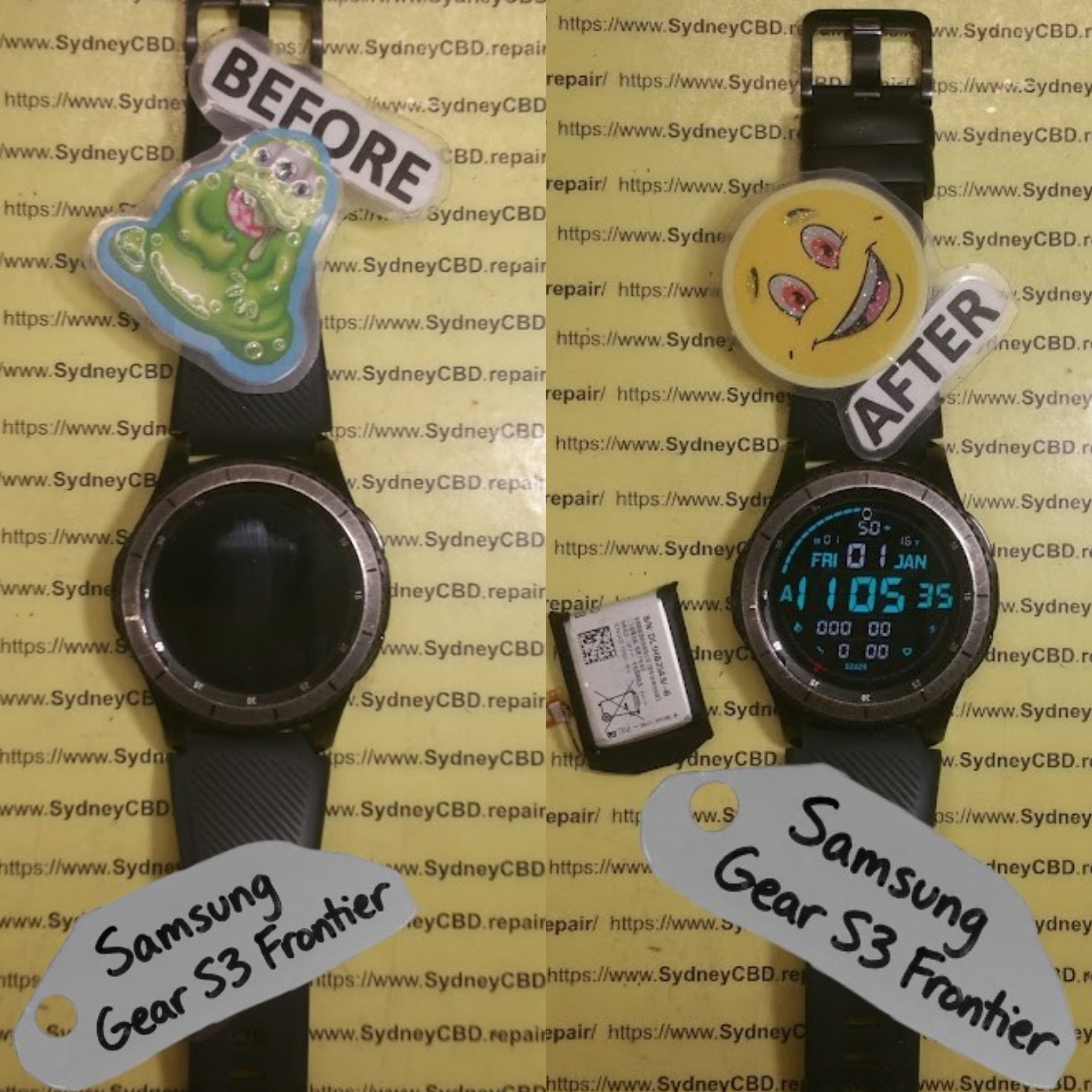
Why Does the Samsung Gear S3 Frontier Need a New Battery?
Lithium-ion batteries don’t last forever. Every charging cycle contributes to gradual battery degradation. After years of regular use, the battery may hold considerably less energy than it did when the watch was new.
Several symptoms can point toward a worn battery.
Rapid Battery Drain
If your Gear S3 Frontier once lasted a day or longer but now drops from 100% to 20% within a few hours, battery degradation is one possible explanation.
However, don’t automatically blame the battery. GPS usage, Bluetooth connections, screen brightness, notifications, apps, and software behavior can also affect runtime.
Unexpected Shutdowns
An aging battery may show 30% or 40% remaining and then suddenly shut down. This can happen because the battery voltage falls below the level required by the watch.
Battery Percentage Changes Quickly
Another warning sign is a battery indicator that behaves strangely. For example, the watch might remain at 100% for a long time and then rapidly fall toward 50%.
The Watch Gets Hot
Heat during charging or normal use deserves attention. A significantly swollen, damaged, or unusually hot lithium-ion battery shouldn’t be handled casually.
If you notice physical swelling, stop using the device and don’t attempt to puncture, crush, or force the battery out.
What You’ll Need for a Gear S3 Frontier Battery Replacement
Having the right tools makes a huge difference. Improvised tools can scratch the case or damage small connectors.
| Tool | Purpose |
|---|---|
| Replacement battery | Replaces the worn battery |
| Precision screwdriver | Removes small rear screws |
| Plastic opening pick | Helps separate components |
| Plastic spudger | Disconnects delicate connectors |
| Tweezers | Handles small parts |
| Soft work mat | Protects the watch |
| Small container | Keeps screws organized |
| Isopropyl alcohol | Helps clean adhesive residue |
| Microfiber cloth | Keeps surfaces clean |
A magnifying lamp can also be useful, especially if you’re new to electronics repair.
Choose the Correct Battery
Don’t buy a replacement simply because it says “Gear S3 battery.”
Check that the battery is specifically compatible with the Samsung Gear S3 Frontier and matches the appropriate electrical specifications and connector arrangement.
A reputable replacement supplier should provide compatibility information. If you’re uncertain, compare the markings on the original battery with the replacement before installation.
Safety Precautions Before Starting
Before beginning a Samsung Gear S3 Frontier battery replacement, take a few minutes to prepare your workspace.
Turn the Watch Off
Power down the watch completely before opening it.
Don’t attempt to disconnect the battery while the watch is operating.
Work on a Clean Surface
Tiny screws are remarkably easy to lose. A bright, clean workspace makes the job much less frustrating.
Avoid Metal Tools Near the Battery
A metal tool can potentially short battery contacts or damage nearby components. Plastic tools are preferable for prying and disconnecting.
Never Puncture the Battery
Lithium-ion batteries contain materials that can become hazardous if damaged.
If the battery appears swollen or physically compromised, don’t press on it or attempt to bend it.
Protect the Display
Place the watch face-down only on a soft, clean surface. Scratching the glass during a battery repair would be an unfortunate own goal.
Step 1: Prepare the Samsung Gear S3 Frontier
Before opening the watch, remove it from its charger and make sure it is powered off.
Remove any accessories that could interfere with the repair. If you’ve recently used the watch heavily, allow it to cool to room temperature.
It’s also sensible to back up important information before beginning. A hardware repair shouldn’t normally erase your data, but unexpected problems can happen when working on electronics.
Take a few photos of the rear assembly before removing anything. These pictures can act as a useful reference during reassembly.
Step 2: Remove the Rear Screws
The Gear S3 Frontier’s rear assembly is secured with small screws.
Use a precision screwdriver that fits the screw heads properly. Press downward gently while turning rather than applying excessive force.
Remove each screw carefully and place it in a small container.
Why Screw Organization Matters
Not all tiny screws are necessarily interchangeable. Keeping them organized in the order they were removed can prevent confusion later.
Don’t rush this stage. Stripped screws can turn a straightforward repair into a much bigger project.
Step 3: Separate the Rear Housing
Once the screws have been removed, the rear section can be separated carefully.
This is where beginners often get into trouble.
Don’t insert a sharp metal object aggressively into the seam. Instead, use a plastic opening pick and work gradually around the edge.
The goal is to loosen the housing without damaging cables, seals, or internal components.
Take Your Time
If the housing doesn’t separate easily, stop and inspect the area again.
Applying more force isn’t always the answer. A remaining screw, adhesive section, or internal connection may still be holding the assembly together.
Step 4: Locate and Disconnect the Battery
After accessing the internal components, identify the battery connector.
Before touching the connector, take a clear photograph of its original position.
Use a plastic spudger or another suitable non-metallic tool to disconnect it carefully.
Don’t pull on the battery cable itself. Disconnect the connector from its socket using controlled pressure.
A Good Rule for Beginners
Think “lift and release,” not “pull and yank.”
Small electronic connectors can be surprisingly fragile. If you damage the socket on the motherboard, the repair becomes much more complicated.
Step 5: Remove the Old Battery
With the battery disconnected, examine how it’s secured.
Many compact electronic devices use adhesive to hold batteries in place. If adhesive is present, work slowly.
Use an appropriate plastic tool to loosen the battery.
Never bend, puncture, or crush the battery while removing it.
If it refuses to move, don’t force it. Excessive pressure can damage the battery or components underneath it.
What About Adhesive?
Old adhesive may have become stronger over time. Gentle, controlled separation is preferable to sudden force.
If a manufacturer-approved repair procedure specifies a particular removal method, follow that method whenever possible.
Step 6: Install the Replacement Battery
Compare the new battery with the old one before installing it.
Check:
- Physical dimensions
- Connector position
- Battery labeling
- Voltage specifications
- Capacity
- Compatibility with the Gear S3 Frontier
The new battery should sit naturally in its designated position.
Don’t force it into place.
Once positioned correctly, reconnect the battery connector carefully.
Step 7: Reassemble the Watch
Before fully closing the watch, inspect the interior.
Make sure:
- The battery cable is properly connected.
- No cables are trapped.
- No screws are missing.
- The battery is seated correctly.
- No debris is inside the housing.
- The rear cover is aligned properly.
If everything looks correct, carefully reinstall the rear assembly and screws.
Tighten screws firmly but don’t overtighten them. Tiny screws and housings can be damaged surprisingly easily.
Step 8: Test the Watch
Now comes the satisfying part.
Power on the Gear S3 Frontier.
Check whether:
- The Samsung logo appears.
- The watch boots normally.
- The battery percentage is displayed.
- Charging works.
- The touchscreen responds.
- Buttons operate normally.
- Bluetooth functions correctly.
- Sensors appear to operate normally.
If the watch doesn’t start, don’t immediately assume the new battery is defective.
Turn it off again and inspect the battery connection.
Step 9: Monitor the New Battery
A new battery may not provide a meaningful picture of its performance immediately.
Use the watch normally and observe how quickly the battery percentage falls.
Keep an eye out for:
- Sudden percentage drops
- Unexpected shutdowns
- Excessive heat
- Failure to charge
- Extremely short runtime
If any of these occur, investigate the installation and battery compatibility.
Common Samsung Gear S3 Frontier Battery Replacement Mistakes

Even experienced DIY repairers can make mistakes. Beginners should pay particular attention to these issues.
Using the Wrong Screwdriver
A poorly fitting screwdriver can damage the screw head.
Using Too Much Force
If a component doesn’t move, stop and investigate why.
Pulling Cables
Never use a cable as a handle.
Forgetting the Battery Connector
It’s easy to close the watch and discover that the battery wasn’t properly connected.
Buying an Incompatible Battery
A battery that physically looks similar isn’t necessarily electrically compatible.
Damaging the Seal
Opening the watch can compromise its original sealing. Don’t assume the watch retains its original water resistance after being opened.
For general information about Samsung products and support resources, you can consult Samsung Support.
Troubleshooting After Battery Installation
| Problem | Possible Cause | What to Check |
|---|---|---|
| Watch won’t turn on | Battery connector | Recheck connection |
| Doesn’t charge | Connector or battery issue | Inspect charging system |
| Battery drains quickly | Poor battery quality or software | Monitor usage |
| Watch becomes hot | Battery or electrical issue | Stop using if unusually hot |
| Buttons don’t work | Cable or assembly issue | Inspect internal connections |
| Rear cover won’t close | Battery positioning | Check seating and alignment |
The Watch Won’t Turn On
First, confirm that the battery connector is properly seated.
Then connect the watch to a compatible charger and allow it some time before attempting to power it on.
If there’s still no response, the battery, connector, charging system, or another internal component may require professional diagnosis.
Battery Still Drains Quickly
A replacement battery doesn’t automatically eliminate every cause of battery drain.
Check display brightness, GPS usage, wireless connections, notifications, and background applications.
If the battery continues to drain unusually fast, professional testing may be worthwhile.
How to Extend the Life of Your Replacement Battery
Once you’ve completed your Samsung Gear S3 Frontier battery replacement, good charging habits can help you get more useful service from the new battery.
Avoid Excessive Heat
Heat is hard on lithium-ion batteries. Don’t leave the watch in a hot vehicle or direct sunlight for extended periods.
Keep Software Updated When Appropriate
Software updates can sometimes improve power management or resolve bugs that contribute to battery drain.
Manage Power-Hungry Features
GPS, high screen brightness, continuous connectivity, and frequent notifications can increase energy consumption.
You don’t need to disable everything. Instead, adjust features according to how you actually use the watch.
Don’t Ignore Physical Damage
If the watch is dropped or exposed to liquid after repair, inspect it carefully before continuing normal use.
DIY Repair vs Professional Battery Replacement
A DIY repair can be appealing because it gives you control over the process. It can also be a useful learning experience.
However, professional repair has some advantages.
| DIY Repair | Professional Repair |
|---|---|
| Lower labor cost | Technician expertise |
| Hands-on experience | Specialized equipment |
| Immediate personal control | Lower risk of accidental damage |
| Requires tools | Tools supplied by repairer |
| Repair risk is yours | Diagnostic support available |
The best choice depends on your experience, tools, confidence, and the condition of the watch.
If the watch is valuable to you or you’re uncomfortable handling lithium-ion batteries, professional service may be more appropriate.
Samsung Gear S3 Frontier Battery Replacement FAQs
1. How long does a Samsung Gear S3 Frontier battery usually last?
Battery lifespan varies according to usage, charging habits, temperature, and battery quality. A battery that has been used for several years may naturally provide much less runtime than when it was new.
2. Can I replace the Gear S3 Frontier battery myself?
Yes, a technically capable person can attempt the repair with appropriate tools and a compatible replacement battery. However, the watch contains small and delicate components, so beginners should proceed cautiously.
3. How do I know if my Gear S3 Frontier battery is bad?
Common signs include rapid battery drain, unexpected shutdowns, unusual battery percentage changes, poor charging performance, and significantly reduced runtime.
4. Does replacing the battery erase the watch?
Battery replacement shouldn’t normally erase stored information. Nevertheless, backing up important data before hardware work is a sensible precaution.
5. Can I use any Gear S3 battery?
No. The replacement should be specifically compatible with your Gear S3 Frontier and match the required electrical and physical specifications.
6. Why is my new battery draining quickly?
Possible causes include a poor-quality or incompatible battery, incorrect installation, excessive GPS or display use, wireless activity, software issues, or another hardware problem.
7. Is the Gear S3 Frontier waterproof after battery replacement?
You shouldn’t assume that the original water resistance remains unchanged after opening the watch. The condition and replacement of seals, as well as the quality of the reassembly, matter.
8. What should I do if the battery is swollen?
Don’t puncture, bend, crush, or continue using a visibly swollen lithium-ion battery. Move away from DIY removal and seek appropriate professional assistance.
Final Thoughts

A Samsung Gear S3 Frontier battery replacement can breathe new life into an aging smartwatch, but careful preparation is essential. The most important principles are simple: use the correct battery, choose suitable precision tools, work slowly, protect the connectors, and never force a component.
For beginners, the hardest part isn’t necessarily the battery itself. It’s avoiding accidental damage while accessing the battery and reconnecting everything correctly.
If your watch is otherwise in good condition, replacing a worn battery may be a practical way to extend its useful life. And if you’re not confident about opening the device, professional repair can provide a safer route.
David from Sydney CBD Repair Centre – The Best place to fix mobile phones as 7 Years In A Row! Top Mobile Phone Repair In Sydney. More than 2000 Positive Reviews on Google and Same Day Repairs.
We take pride in delivering exceptional repair services for all major phone brands including Apple, Samsung, Google, and more. Our expert technicians use only genuine parts and offer 90days warranty on repairs. Located in the heart of Sydney CBD, we’re your one-stop solution for all mobile device repairs.
Our commitment to excellence has earned us the trust of thousands of satisfied customers. Whether it’s a cracked screen, battery replacement, or water damage repair, we handle it all with professional care and expertise. Walk in today and experience why we’re Sydney’s #1 choice for mobile phone repairs.
Visit us for:
✓ Same Day Express Repairs
✓ Genuine Parts Guarantee
✓ Professional Technicians
✓ Competitive Pricing
✓ 2000+ 5-Star Google Reviews
✓ 7-Time Award Winner for Best Phone Repairs
Sydney CBD Repair Centre – Where Quality Meets Reliability.
Call: +61280114119
Website: Sydney CBD Repair Centre

