Repair or Replace? How to Tell When Your Broken Phone Is Worth Saving
A broken smartphone doesn’t always mean you need a replacement. In fact, repairing your existing phone could save hundreds of dollars. However, some damage makes replacement a smarter investment. So, how do you decide whether to repair or replace your broken phone?
At Sydney CBD Repair Centre, we help customers make informed decisions every day. Our experienced technicians assess damaged smartphones and recommend practical solutions. Whether you own an iPhone, Samsung Galaxy, Google Pixel, or another brand, we can help.
1. Consider the Age and Condition of Your Phone
First, consider how old your smartphone is. A phone that’s only two or three years old may still offer excellent performance. Therefore, repairing a cracked screen or replacing an ageing battery often makes financial sense.
However, older smartphones require more careful consideration. If your device already experiences frequent crashes, overheating, or charging problems, additional repairs might become necessary.
Also, consider the phone’s overall condition. A well-maintained device with one damaged component is usually worth repairing. Conversely, multiple hardware problems could make replacement more attractive.
2. Compare Phone Repair Costs Against Replacement Prices
Cost is one of the biggest factors when deciding between repairing and replacing a smartphone.
For example, a screen replacement generally costs considerably less than purchasing another premium smartphone. Similarly, replacing a worn battery can restore everyday usability without requiring an expensive upgrade.
Before making your decision, compare these expenses:
Screen replacement and display repairs.
Battery replacement and charging port repairs.
Camera repairs and damaged back glass.
Water damage inspection and cleaning.
Replacement phone purchase costs.
Additionally, consider your replacement device’s accessories and setup expenses. A new phone may require additional spending on cases, screen protectors, and accessories.
Therefore, obtaining a professional repair quote first can help you avoid unnecessary spending.
3. A Cracked Screen Doesn’t Mean Your Phone Is Finished
A cracked smartphone screen is among the most common repair problems. Fortunately, it doesn’t automatically mean your device needs replacing.
Modern smartphones often continue functioning despite visible screen damage. However, cracks can spread and eventually affect touchscreen responsiveness.
You might also experience flickering, black spots, coloured lines, or unresponsive areas. Consequently, delaying repairs could make the problem worse.
Professional screen replacement can restore your device’s appearance and functionality. Moreover, repairing your existing phone helps you avoid the expense of purchasing another device.
At Sydney CBD Repair Centre, our technicians repair damaged screens across major smartphone brands.
4. Battery Problems Are Usually Worth Repairing
Our services include:
Same-day express screen replacements.
Professional battery replacement.
Charging port and connectivity repairs.
Water damage inspection and cleaning.
Camera and back glass repairs.
Expert smartphone diagnostics.
We use genuine parts and provide a 90-day warranty on repairs. Additionally, our experienced technicians focus on reliable workmanship and competitive pricing.
With more than 2,200 positive Google reviews, we’ve earned the trust of customers across Sydney.
Repair or Replace? Make the Smarter Decision
Ultimately, repairing your smartphone can be an excellent investment. A damaged screen, ageing battery, or faulty charging port doesn’t necessarily justify buying another phone.
However, extensive internal damage, outdated software, and multiple expensive faults may make replacement more practical.
The smartest approach is to compare professional repair costs against replacement expenses. That way, you can make an informed decision without spending unnecessarily.
Visit Sydney CBD Repair Centre Today
Looking for reliable mobile phone repairs in Sydney CBD? Visit our repair centre and speak with our experienced technicians.
Same Day Express Repairs.
Genuine Parts Guarantee.
Professional Technicians.
Competitive Pricing.
2,200+ Positive Google Reviews.
Seven-Time Award Winner for Best Phone Repairs.
David from Sydney CBD Repair Centre – Recognised as one of Sydney’s leading mobile phone repair destinations for seven consecutive years.
We’re located in the heart of Sydney CBD, offering professional repairs for all major smartphone brands.
Sydney CBD Repair Centre – Where Quality Meets Reliability.
via YouTube https://www.youtube.com/watch?v=R3KUTvGiZ4k
No explicit meeting action items or owners are recorded. The article does suggest these next steps for a phone owner:
– Assess the phone’s age, overall condition, and any other faults.
– Get a professional repair quote and compare it with the full cost of replacing the phone.
– Decide whether to repair or replace based on the phone’s condition and the costs involved.
**Owner:** Phone owner (not specified).
Cracked screen or fading battery? A broken phone doesn’t always need replacing. Consider its age and condition: a two- or three-year-old device with one fault may be worth saving. Compare a repair quote with the cost of a replacement, including accessories and setup. Screen, battery and charging-port repairs are often cheaper than buying new. But repeated crashes, overheating, outdated software or multiple costly faults may tip the balance. Get an expert assessment first. Sydney CBD Repair Centre offers same-day repairs, genuine parts and a 90-day warranty. Make the smarter choice. #PhoneRepair #RepairOrReplace #BrokenPhone #SmartphoneRepair
Broken Samsung Galaxy Z Fold 7 Inner Screen Replacement in Sydney – Who Can Fix It on the Spot?
Have you broken your Samsung Galaxy Z Fold 7 inner screen? Looking for professional Samsung Galaxy Z Fold 7 inner screen replacement in Sydney? A damaged foldable display can disrupt your daily routine. However, you don’t need to replace your entire phone. Sydney CBD Repair Centre provides professional foldable phone repair services. Our experienced technicians can assess your damaged Galaxy Z Fold 7 and recommend the right repair solution.
If your inner screen is cracked, black, flickering, or unresponsive, visit our Sydney CBD repair centre. We aim to provide fast, reliable repairs with professional workmanship. Depending on parts availability and damage severity, same-day repair may be possible.
Samsung Galaxy Z Fold 7 Inner Screen Damage – What Should You Do?
The Samsung Galaxy Z Fold 7 features an advanced foldable AMOLED inner display. Although innovative, its folding design requires specialised handling. Consequently, screen damage can affect more than the visible glass.
Common Galaxy Z Fold 7 inner screen problems include:
– Cracked or damaged inner display.
– Black spots or spreading black patches.
– Green or coloured vertical lines.
– Flickering or flashing display.
– Touchscreen not responding properly.
– Black screen despite the phone powering on.
– Display damage along the folding crease.
– Inner screen protector peeling or bubbling.
Furthermore, some display problems develop after accidental drops or excessive pressure. Therefore, avoid repeatedly folding or unfolding a damaged device. This helps prevent additional damage before professional inspection.
Who Can Replace a Samsung Galaxy Z Fold 7 Inner Screen in Sydney?
Looking for someone who understands Samsung foldable screen technology? Sydney CBD Repair Centre offers specialised mobile phone repair services in Sydney.
David and our experienced technicians understand the challenges of repairing modern foldable smartphones. Moreover, we carefully inspect the device before recommending replacement.
Our repair assessment focuses on:
– Inner AMOLED display condition.
– Folding mechanism and hinge condition.
– Frame damage and alignment.
– Touchscreen functionality.
– Internal components and possible impact damage.
Importantly, Galaxy Z Fold 7 repairs require specialised experience. A standard smartphone screen replacement approach isn’t suitable for every foldable device.
Professional Galaxy Z Fold 7 Foldable Screen Replacement
Replacing a Galaxy Z Fold 7 inner display requires precision and careful handling. The foldable display assembly contains delicate components. Therefore, professional installation is essential.
David from Sydney CBD Repair Centre is proud to deliver professional mobile phone repairs. Our reputation comes from years of consistent service and customer satisfaction.
Here’s why customers choose our repair centre:
– 7 Years in a Row: Recognised among Sydney’s leading phone repair services.
– 2200+ Positive Google Reviews: Trusted by thousands of satisfied customers.
– Same-Day Express Repairs: Fast turnaround on eligible repairs.
– Genuine Parts Guarantee: Quality replacement components.
– Professional Technicians: Experienced mobile repair specialists.
– 90-Day Repair Warranty: Added confidence after eligible repairs.
– Competitive Pricing: Professional service at competitive prices.
Furthermore, we repair major smartphone brands, including Samsung, Apple, Google and more.
Where to Find Sydney CBD Repair Centre
Our repair shop is conveniently located in the heart of Sydney CBD. However, finding us can be slightly tricky because we’re on Level 2.
We’re located in the building beside Haymarket Hotel. Walk-ins are welcome during business hours.
Whether you need Samsung Galaxy Z Fold 7 inner screen replacement or another mobile repair, our team is ready to help.
Website: https://ift.tt/GCzwpBJ
Book Your Samsung Galaxy Z Fold 7 Inner Screen Repair Today!
Don’t let a broken foldable display interrupt your everyday life. Instead, get professional advice from an experienced Sydney phone repair specialist.
Visit David and the team at Sydney CBD Repair Centre. We’ll inspect your damaged Galaxy Z Fold 7 and explain your repair options.
With over 2200 positive Google reviews and seven consecutive years of recognition, we’re committed to delivering reliable service.
Sydney CBD Repair Centre – Where Quality Meets Reliability.
Your Trusted Choice for Samsung Galaxy Z Fold 7 Inner Screen Replacement in Sydney!
via YouTube https://www.youtube.com/watch?v=SE-oXkb9CIw
– **Galaxy Z Fold 7 owner:** If the inner screen is damaged, avoid repeatedly folding or unfolding the phone and arrange a professional assessment.
– **Customer:** Visit Sydney CBD Repair Centre, call **+61 2 8011 4119**, or use its website to arrange a repair assessment.
– **David and the repair team:** Inspect the device and explain repair options when the customer brings it in.
The notes do not specify any other post-meeting tasks or deadlines.
Broken inner screen on your Samsung Galaxy Z Fold 7? Don’t replace the whole phone just yet. At Sydney CBD Repair Centre, David and our experienced technicians can assess cracks, black patches, flickering, lines, or touch issues, then explain your repair options. Foldable displays need specialised care, so avoid opening or closing a damaged device. Same-day service may be available, depending on parts and damage. Visit us on Level 2, beside Haymarket Hotel, or call +61 2 8011 4119. With over 2,200 Google reviews and a 90-day warranty on eligible repairs, get professional help in Sydney. #GalaxyZFold7Repair #SamsungFold7ScreenReplacement #SydneyPhoneRepair #FoldableScreenRepair
– **The Galaxy Tab S12 series is positioned as an end-to-end creative workspace**, supporting users from researching an interest and developing ideas through to producing finished work.
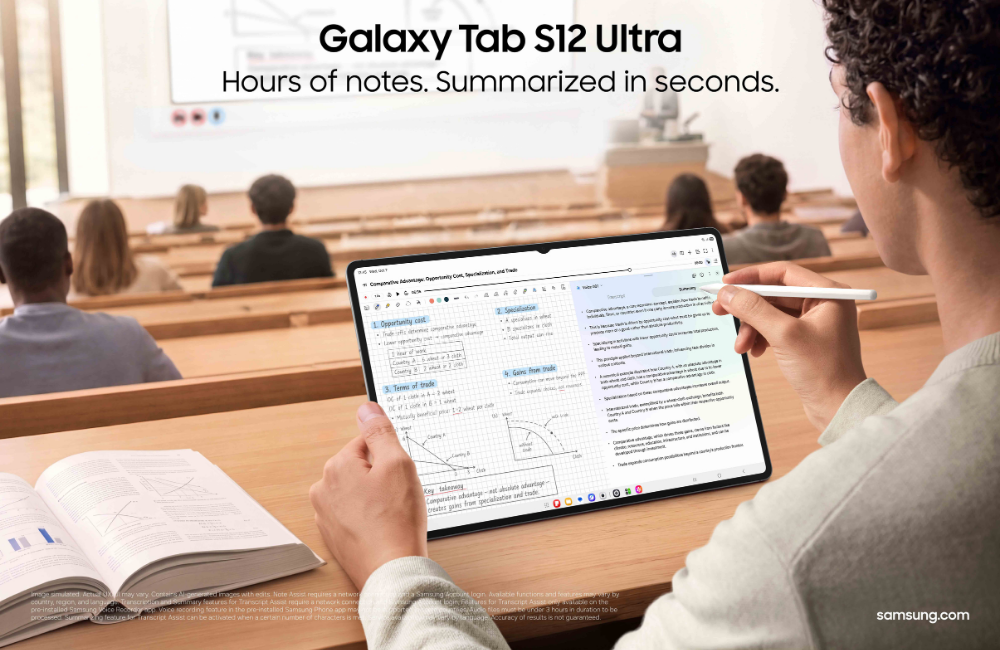
– **AI and multitasking support the learning and planning stages.** Samsung Browser can summarise information across webpages; Gemini Notebook can organise notes and other materials and turn them into summaries, podcasts, or quizzes. Multi Window supports up to three on-screen sections, and the included S Pen enables note-taking, annotation, and sketching.
– **Creative tools span several disciplines.** The tablets support Galaxy AI-powered Creative Studio and professional apps including Adobe Photoshop, LumaFusion, and Clip Studio Paint. Photoshop is preloaded; the other apps may require purchase or a subscription, depending on the app and offer.
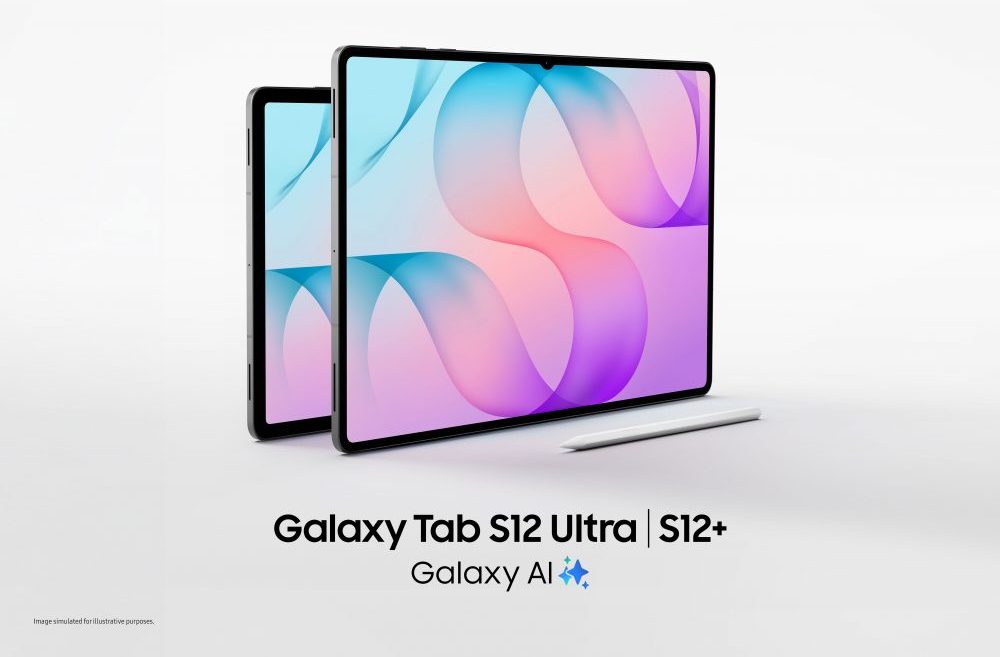
– **Hardware is designed for demanding creative work and portability.** Both models use a 3nm processor and offer large displays: 14.6 inches on the Tab S12 Ultra and 12.6 inches on the Tab S12+. Samsung describes the Ultra as 5.1 mm thick and the S12+ as 5.3 mm thick.
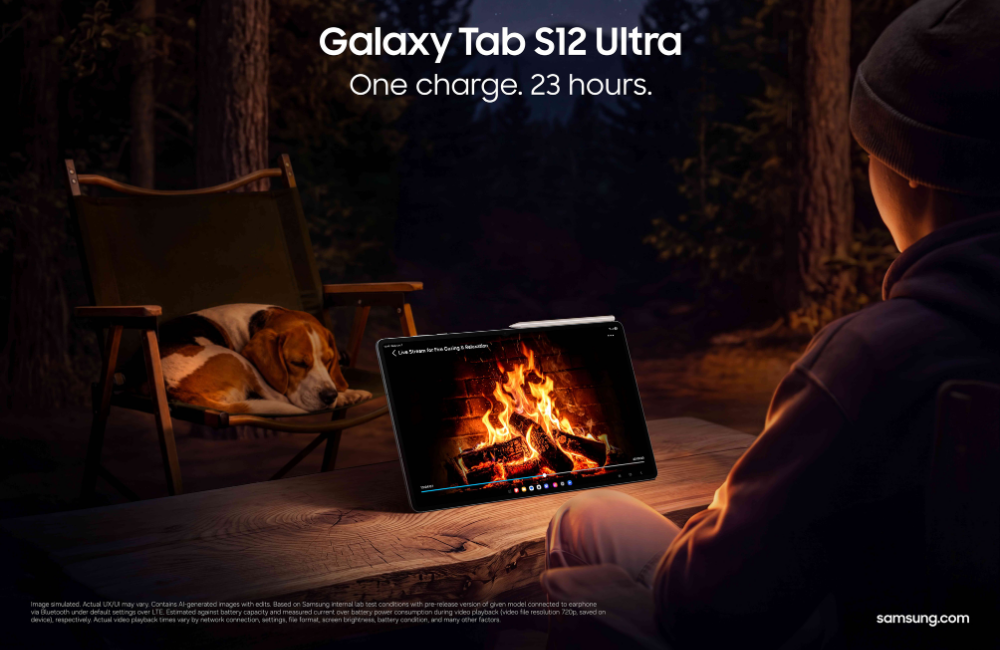
– **Battery life is a headline feature:** Samsung estimates up to 23 hours of video playback for the Ultra and up to 21 hours for the S12+. Both support up to 45W wired charging; the 45W adapter is sold separately.
– **The article lists promotional and service conditions.** These include a six-month Google AI Pro trial for eligible purchasers, and app-specific trials, discounts, subscription requirements, and availability limits. Battery playback figures and other claims are subject to stated test conditions.
**In short:** Samsung presents the S12 series as a portable, AI-enabled tablet lineup for learning, planning, and creating across photography, video, and illustration.
Summary of From Curiosity to Creation: Take Your Ideas Further with the Galaxy Tab S12 Series
The Galaxy Tab S12 series supports creative journeys starting from research and learning to creating original work with features such as Galaxy AI[1], Gemini[2] Notebook and Multi Window.
Users can access professional-grade applications such as Adobe Photoshop[3], LumaFusion[4] and Clip Studio Paint[5], alongside Galaxy AI-powered Creative Studio[6].
A long-lasting battery and a slim design provide users with a powerful and portable creative workspace
From exploring a new interest to bringing an idea to life, the Galaxy Tab S12 series combines Galaxy AI, the S Pen and professional-grade creative tools to support every stage of the creative journey.
A new creative pursuit can begin anywhere. It might start with an interest in photography, a desire to produce videos or the initial idea for an original illustration. Turning that curiosity into something tangible, however, takes time. You need to start with building knowledge, developing ideas, and then finding the right tools to bring them to life, often while balancing an already busy schedule.
The Galaxy Tab S12 series supports each stage of that journey. Powered by a cutting-edge 3nm processor, the series delivers Samsung’s most powerful Galaxy Tab performance to date, supporting even demanding and intensive activities such as multitasking, image editing and video production. Combining the latest Galaxy AI1 features, expansive displays, an S Pen and access to professional-grade creative applications, the new line-up can help users move from early exploration to active creation all within one versatile workspace.
Start by Building Your Knowledge
Samsung Browser powered by Galaxy AI and Google’s Gemini Notebook help users explore new interests, organise information and build their knowledge.
Before creating something new, you often need to understand the fundamentals. An aspiring photographer may need to study composition and editing techniques. Someone interested in video production might start with research about storytelling and transitions, while a budding illustrator may explore different drawing styles.
This early stage can involve moving between online tutorials, study notes, webpages and other reference materials. Samsung Browser[7]can provide support by consolidating what you’ve discovered by summarising information across open webpages and resurfacing relevant sources from the browsing history. This makes it easier to focus on insights that truly aid understanding, while reducing the hassle and time spent toggling through different tabs.
The Galaxy Tab S12 series comes equipped with a six-month trial of Google AI Pro[8], providing access to powerful AI models. As reference materials begin to accumulate, Gemini Notebook brings notes, images, recordings and files into one workspace. It can transform these materials into summaries, podcasts and quizzes, helping you build up understanding and apply what you’ve learned. And if additional clarification is needed or users would like to dive deeper into a particular topic, you can easily activate Gemini[9] for more information.
Shape Inspiration into an Idea
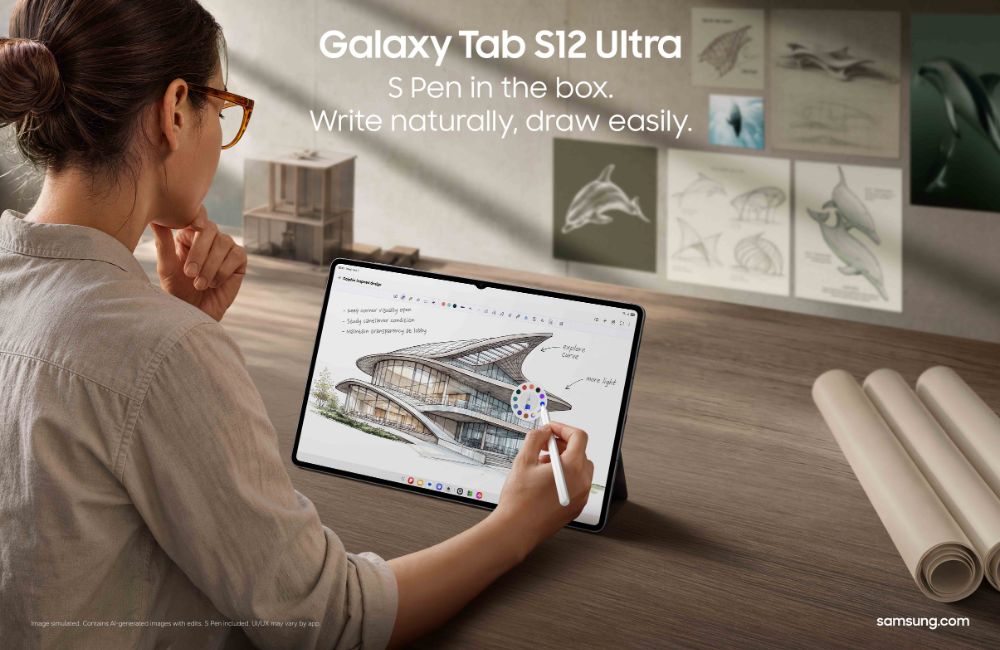
The Galaxy Tab S12 series comes bundled with an ergonomic S Pen, offering precise, intuitive input for note-taking, annotating materials, and sketching concepts.
Once the knowledge foundation is built, the next step is to begin shaping your own ideas.
With Multi Window, the expansive display of the Galaxy Tab S12 series can become a flexible workspace. Users can divide the screen into up to three sections, enabling you to simultaneously watch a tutorial, capture observations in Samsung Notes and consult an AI assistant without repeatedly moving between applications.
Meanwhile, the in-box S Pen provides an intuitive way to annotate reference materials, or sketch an early concept, with the Note Assist[10] function helping to summarise long notes so that you can identify important points and conveniently revisit key insights as an idea develops.
Whether it’s planning a sequence of photographs, storyboarding a video or sketching a visual concept, these tools help gather scattered thoughts, giving you a clearer direction as you move into creation.
Turn Your Ideas into a Masterpiece
With the groundwork in place, users can begin putting theory into practice. The Galaxy Tab S12 series offers professional-grade applications for different creative pursuits, allowing users to choose the tools that are most suitable for what you would like to achieve.
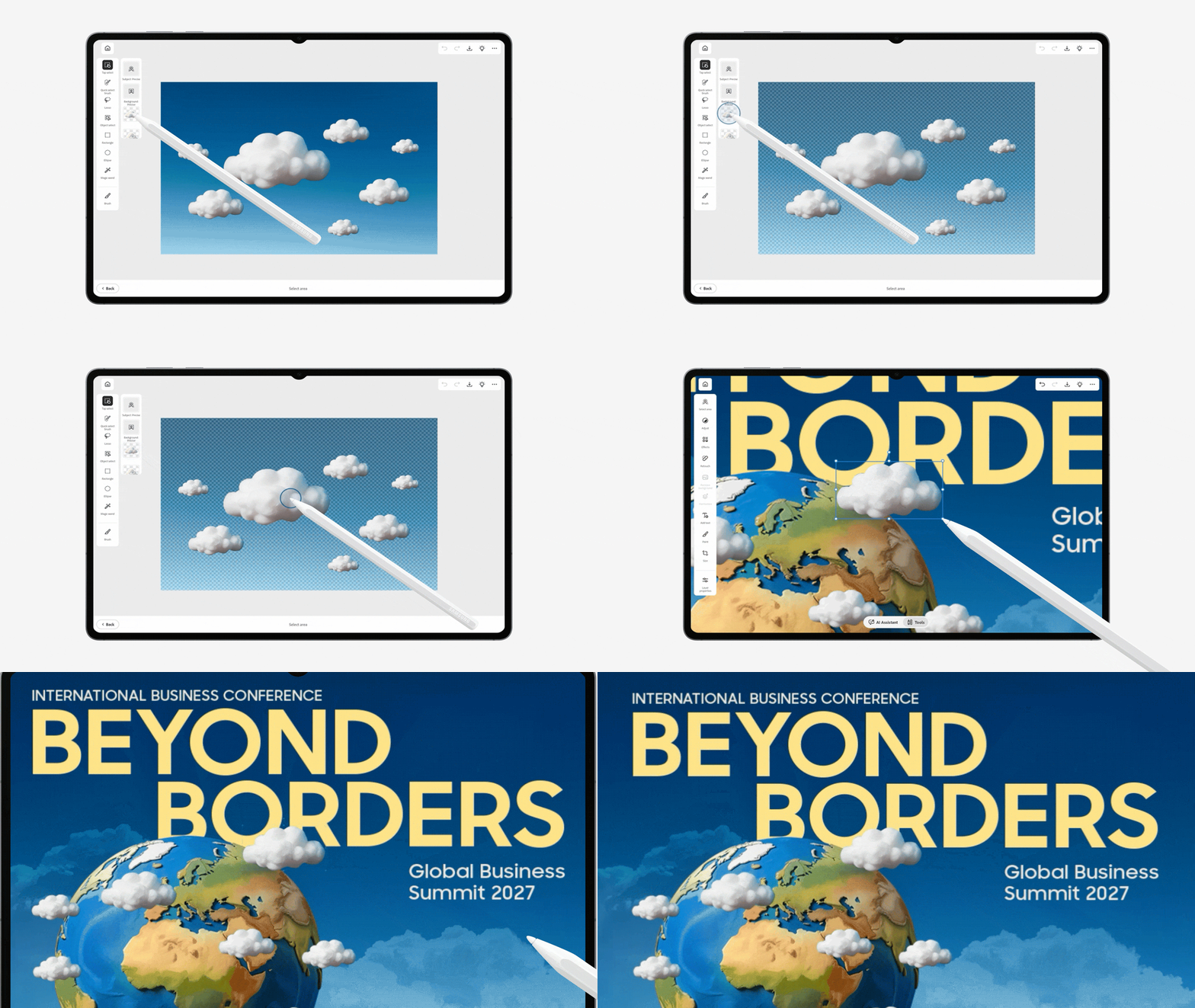
An initial sketch can be the starting point for a more developed creative concept. With Creative Studio[11], users can combine S Pen sketches, images and text prompts with Galaxy AI to generate and refine visuals, exploring different creative directions as their ideas take shape.
For the first time on an Android tablet, Adobe Photoshop2 comes pre-loaded on the Galaxy Tab S12 series[12]. Its tablet-optimised interface and S Pen give photographers and visual creators more precise control as they edit images, adjust compositions and refine design elements. AI-powered features, including Generative Fill and Image to Video, can also help users explore creative possibilities as they work on producing a masterpiece.[13]
Adobe Photoshop provides tools for editing and refining visual compositions on the Galaxy Tab S12 series.
Those pursuing video creation can use LumaFusion[14] for professional-grade editing, assembling footage and refining video sequences to tell a story. Meanwhile, Clip Studio Paint[15] provides precision drawing and painting tools for digital artists developing original illustrations and visual concepts.
The Galaxy Tab S12 series gives these ideas room to grow. The Galaxy Tab S12 Ultra has a 14.6-inch Dynamic AMOLED 2X display[16], while the Galaxy Tab S12+ offers a 12.6-inch display[17]with slimmer bezels than its predecessor. From reviewing detailed photographs and arranging a video timeline, to drawing with the S Pen, users can enjoy an expansive canvas to work on.
Keep Creating Wherever Inspiration Strikes
Powerful processing performance, long-lasting battery life and a slim design support creative pursuits wherever users go.
A creative pursuit does not always happen at a desk. Learning, experimenting and creating can take place in the moments between everyday commitments – being struck by a moment of inspiration during a commute, editing content at a café, or refining a project at home after a busy day.
The Galaxy Tab S12 series is designed to support that flexibility. Even with large displays, the devices are incredibly portable so users can freely move and work across locations. In fact, the Galaxy Tab S12 Ultra measures just 5.1mm thick, making it Samsung’s thinnest Galaxy Tab.
Creative sessions can take a long time which means users need a device that lasts. The Galaxy Tab S12 Ultra’s 11,600mAh battery supports up to 23 hours of video playback[18], while the Tab S12+’s 10,600mAh battery supports up to 21 hours[19]. When it is time to recharge, the battery goes from 0% to 100% in about 95 minutes with the 45W adapter [20] – minimising downtime so users can get back to what they were doing.
Exploring a creative interest can help users develop new skills and create something uniquely their own. With Galaxy AI and a suite of professional-grade creative tools, the Galaxy Tab S12 series gives users the flexibility to keep learning, experimenting and bringing their ideas to life.
Q. What devices are available in the Galaxy Tab S12 series?
The Galaxy Tab S12 series comprises of two models: Galaxy Tab S12 Ultra and Galaxy Tab S12+. The Galaxy Tab S12 Ultra is a premium large-screen tablet featuring a 14.6-inch display[21] and a 11600mAh battery16, delivering powerful performance and enhanced productivity. In comparison, Galaxy Tab S12+ prioritises portability with its 12.6-inch[22] display, lightweight 553g (Wi-Fi model) or 555g (5G model) design and 5.3mm thickness. Both models are powered by a cutting edge-edge 3nm processor.
Q. What Galaxy AI features are available on the Galaxy Tab S12 series?
Running Android 17 with One UI 9, the Galaxy Tab S12 series includes the latest Galaxy AI experiences. Features include Samsung Browser5 powered by Galaxy AI1 for summariaing information across webpages, Note Assist8 for organising and summarising notes, and access to AI agents like Gemini7, Perplexity and Bixby[23]. Users also receive a six-month Google AI Pro trial, which includes Gemini Notebook[24] for creating summaries, quizzes and other learning materials.
Q. How long does the battery last?
The Galaxy Tab S12 Ultra features an 11,600mAh16 battery that supports up to 23 hours of video playback, while the Galaxy Tab S12+ features a 10,600mAh17 battery that supports up to 21 hours. Both models support 45W Super Fast Charging18 to minimise downtime.
Q. How portable and durable is Galaxy Tab S12 series?
Galaxy Tab S12 Ultra is a lightweight tablet about 5.1 mm thick and weighs only about 692g. Galaxy Tab S12+ is just about 5.3mm thick — thinner than the 5.6mm Galaxy Tab S10+ — and weighs only about 553g. Both also feature IP68-rated water and dust resistance[25] for added durability and peace of mind during outdoor use.
[1] Galaxy AI basic features provided by Samsung are free. Future releases may include enhanced features or new services that are offered on a paid basis. Different terms may apply for AI features provided by third parties. Galaxy AI basic features are those listed under “Advanced Intelligence” in the current Samsung T&C’s. For details visit www.samsung.com/au/.
[3] Adobe Photoshop comes preloaded on Galaxy Tab S12 series in the Galaxy Picks folder. Adobe Photoshop for Tablet will be launched exclusively in the Galaxy Store for a period of at least six months starting 7 Oct 2026, after which Adobe may launch the app in other app stores. Galaxy Tab S12 series users are eligible to receive a 4-month free Adobe Photoshop premium mobile subscription, including 100 monthly generative credits. Adobe Photoshop free trial subject to Adobe’s standard terms and conditions.
[4] LumaFusion app is preloaded as a stub, requiring users to click the icon and complete the purchase from Galaxy Store. All Galaxy device users can get a 66% discount when purchasing from Galaxy Store and receive a 30-day free Creator Pass subscription. 66% discount promotion limited until 31 Dec, 2026.
[5] Clip Studio Paint membership required. Clip Studio Paint app comes pre-installed in select markets. The app can be downloaded from Galaxy Store and comes with a 6-month free trial for first-time users. Once the free trial period ends, paid subscription to a monthly or annual usage plan is required for continuous use. A 20% discount is available on the first subscription.
[6] Creative Studio feature requires a network connection and Samsung Account login. Service availability may vary by country, language or device model. The accuracy and reliability of the generated output is not guaranteed. Sticker sets only compatible with Samsung keyboard and can only be shared via Quick Share feature with other Galaxy devices that have One UI 5.0 or later installed and Quick Share app version 13.8.50.x or later.
[7] Available functions and features may vary by country, region, language, and Samsung Browser version. The number of search queries may be subject to limitations. Accuracy of results is not guaranteed. Some features of Samsung Browser for Android require a network connection and Samsung Account login.
[8] Purchasers of the Galaxy Tab S12 Series devices can receive 6 months of Google AI Pro at no extra cost, valued at AUD $197.94, based on an Australian subscription price of AUD $32.99 per month. Google Account sign-in and Google Payments registration are required. Additional eligibility requirements and exclusions apply. Google AI Pro offer must be redeemed by 1 August 2027. All other benefits, including YouTube Premium Lite, AI Top Up Credit or other Google AI Pro benefits not mentioned are excluded during the promotional period. At the end of the 6-month promotional period, the subscription will renew automatically at the applicable Australian subscription price unless cancelled. Offer is subject to Google’s eligibility, redemption, account, subscription and service terms. Availability of individual services, features and content may vary.
[9] Gemini is a trademark of Google LLC. Gemini Live feature requires internet connection and Google Account login. Compatible with certain features and certain accounts. Available on select devices and select countries, languages, and to users 18+.
[10] Note Assist feature requires a Samsung Account login. Available functions and features may vary by country, region, and language.
[11] Edited images on Creative Studio may be resized and will have a visible AI watermark. The accuracy and reliability of the generated output is not guaranteed. Galaxy AI basic features provided by Samsung are free. Any Samsung enhanced AI features and all third-party AI features are subject to different terms and may be subject to fees.
[12] Adobe Photoshop comes preloaded on Galaxy Tab S12 series in the Galaxy Picks folder. Adobe Photoshop for Tablet will be launched exclusively in the Galaxy Store for a period of at least six months starting Oct 7, 2026, after which Adobe may launch the app in other app stores. Galaxy Tab S12 series users are eligible to receive a 4-month free Adobe Photoshop premium mobile subscription, including 100 monthly generative credits.
[13] Photoshop includes AI-powered features including AI Assistant and generative AI features powered by Adobe Firefly like Generative Fill and Image to Video, helping creatives edit faster and effortlessly. Exclusively for the Galaxy Tab S12 series, users receive four months of free access to the Photoshop mobile plan.
[14] LumaFusion app is preloaded as stub, requiring users to click the icon and complete the purchase from Galaxy Store. All Galaxy device users can get a 66% discount when purchasing from Galaxy Store and receive a 1-month free Creator Pass subscription. 66% discount promotion limited until Dec 31, 2027.
[15] Clip Studio Paint membership required. Clip Studio Paint app comes pre-installed in select markets. The app can be downloaded from Galaxy Store and comes with a 6-month free trial for first-time users. Once the free trial period ends, paid subscription to a monthly or annual usage plan is required for continuous use. A 20% discount is available on the first subscription.
[16] Measured diagonally, Galaxy Tab S12 Ultra’s screen size is 14.6″ in the full rectangle and 14.5″ accounting for the rounded corners. Actual viewable area is less due to the rounded corners. Dynamic AMOLED 2X display on Galaxy Tab S12 Ultra have maximum brightness of 1600 nits, and outdoor brightness of 1000 nits in High Brightness Mode.
[17] Measured diagonally, Galaxy Tab S12+’s screen size is 12.6″ in the full rectangle and 12.5″ accounting for the rounded corners. Actual viewable area is less due to the rounded corners.
[18] Typical value tested under third-party lab conditions. Typical value is the estimated average value considering the deviation in battery capacity among the battery samples tested under IEC61960 standard. Rated (minimum) capacity is 11374 mAh. Based on Samsung internal lab test conditions with pre-release version of given model connected to earphone via Bluetooth under default settings over LTE. Estimated against battery capacity and measured current over battery power consumption during video playback (video file resolution 720 p, saved on device), respectively. Actual video playback times vary by network connection, settings, file format, screen brightness, battery condition, and other factors.
[19] Typical value tested under third-party lab conditions. Typical value is the estimated average value considering the deviation in battery capacity among the battery samples tested under IEC61960 standard. Rated (minimum) capacity is 10392 mAh. Based on Samsung internal lab test conditions with pre-release version of given model connected to earphone via Bluetooth under default settings over LTE. Estimated against battery capacity and measured current over battery power consumption during video playback (video file resolution 720 p, saved on device), respectively. Actual video playback times vary by network connection, settings, file format, screen brightness, battery condition, and other factors.
[20] Galaxy Tab S12 series supports up to 45W wired charging. 45W power adapter sold separately. Use only Samsung-approved chargers and cables.
[21] Measured diagonally, Galaxy Tab S12 Ultra’s screen size is 14.6″ in the full rectangle and 14.5″ accounting for the rounded corners. Actual viewable area is less due to the rounded corners and the camera hole.
[22] Measured diagonally, Galaxy Tab S12+’s screen size is 12.6″ in the full rectangle and 12.5″ accounting for the rounded corners. Actual viewable area is less due to the rounded corners and the camera hole.
[23] Bixby is Samsung’s brand of Internet of Things (IoT) voice assistant. Bixby service availability may vary depending on the country. Bixby recognises selected languages and certain accents/dialects, including Korean, English (US/GB/IN), Spanish (MX/ES), German, French, Italian, and Portuguese (BR). The user interface may change and differ by device. The availability of Bixby features and content providers may vary depending on the country/carrier/language/device model/OS version. A Samsung account log-in and data network connection (Wi-Fi or data network) are required.
[24] Users can access free version of Gemini Notebook without a Google AI Pro subscription.
[25] Galaxy Tab S12 series and the included S Pen have an IP68 rating based on lab test conditions and are dust resistant and water resistant for submersion in up to 1.5 meters of fresh water for up to 30 minutes. Third party testing was conducted in fresh water. Not suitable for diving or high pressure water activities. Refer to user manual for further care and instructions.
– At Dakar 2026, Samsung hosted a mentoring session for 28 young athletes from 12 countries, focused on personal growth, resilience and life beyond sport.
– The 3 November event at the Samsung Open Station featured Olympic athletes Jean-Pierre Bourhis, Jamila Lunkuse and Marcus Daniell, moderated by Samsung Africa CSR Manager Lefa Makgato.
– Mentors shared different routes into sport and lessons from setbacks: finding purpose despite limited training resources, seeking support when performance pressure affects wellbeing, and drawing strength from goals beyond competition.
– They encouraged athletes to define themselves beyond results and use their experience to pursue opportunities and contribute to others. Examples included Bourhis’s work to develop canoeing in Senegal and Daniell’s nonprofit connecting athletes with charities.
– Samsung positioned the session as part of its broader support for Dakar 2026 and its longstanding Youth Olympic Games partnership, emphasizing how technology, education and access to opportunity can help young people shape their futures.
Summary of Beyond the Medal: Samsung Helps Young Athletes Explore What Comes Next at Dakar 2026
The Youth Olympic Games Dakar 2026 are under way in Senegal from 31 October to 13 November, bringing together some 2,700 young athletes across 25 sports for the first Olympic event ever held on the African continent.
As a Worldwide Olympic and Paralympic Partner, Samsung Electronics is supporting the Games with Galaxy technology — from Victory Selfie and broadcast integrations to the Samsung Open Station, an experience space inside the Youth Olympic Village. Having supported the Youth Olympic Games since the inaugural edition in Singapore in 2010, Samsung is going beyond technology at Dakar 2026 to support young athletes’ personal growth as well.
For the athletes competing at Dakar 2026, reaching the Olympic stage is the result of years of dedication. But some of the most lasting lessons come from what happens along the way — overcoming setbacks, building resilience, discovering what matters beyond results.
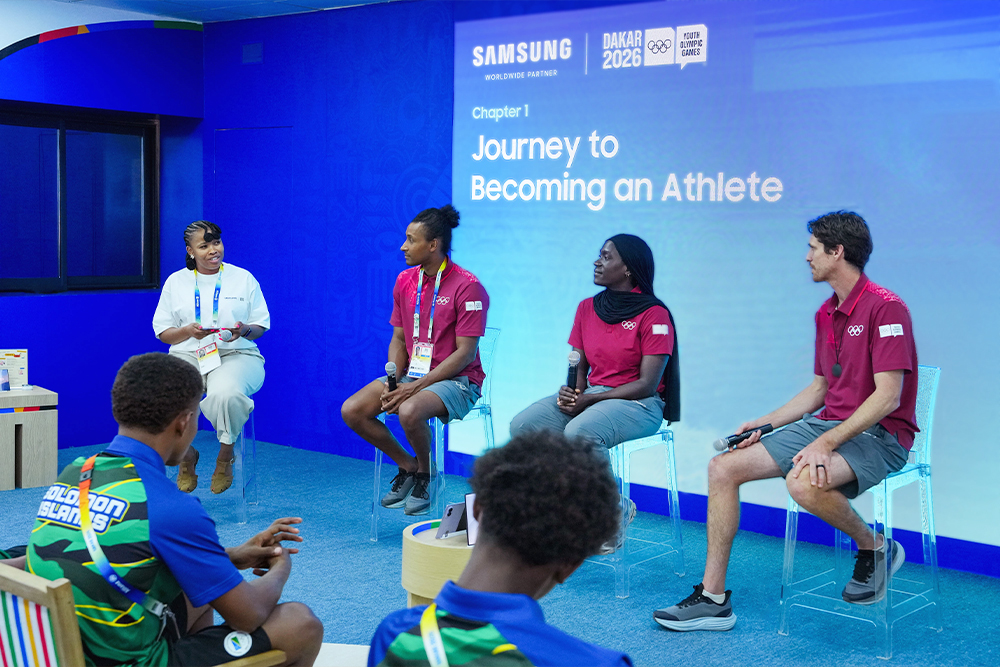
That is why, on 3 November, Samsung hosted “Beyond the Medal: Your Journey Shapes What Comes Next,” a mentoring session at the Samsung Open Station inside the Youth Olympic Village. By bringing in athletes who have walked the Olympic path before them, the session aimed to inspire pride and motivation in the next generation — and to share the spirit of openness at the heart of Samsung’s Olympic partnership.
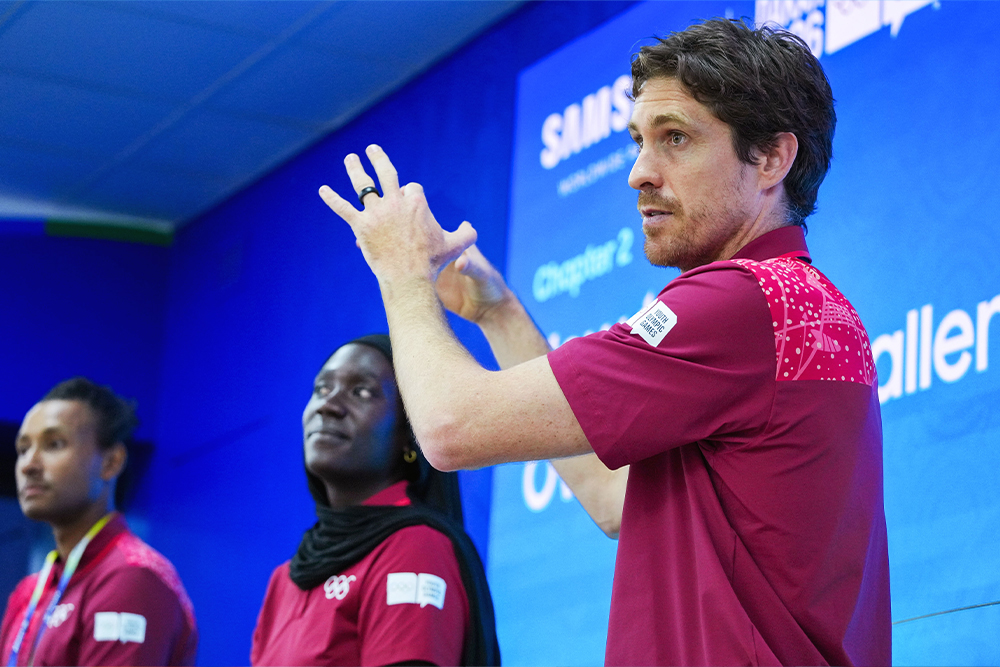
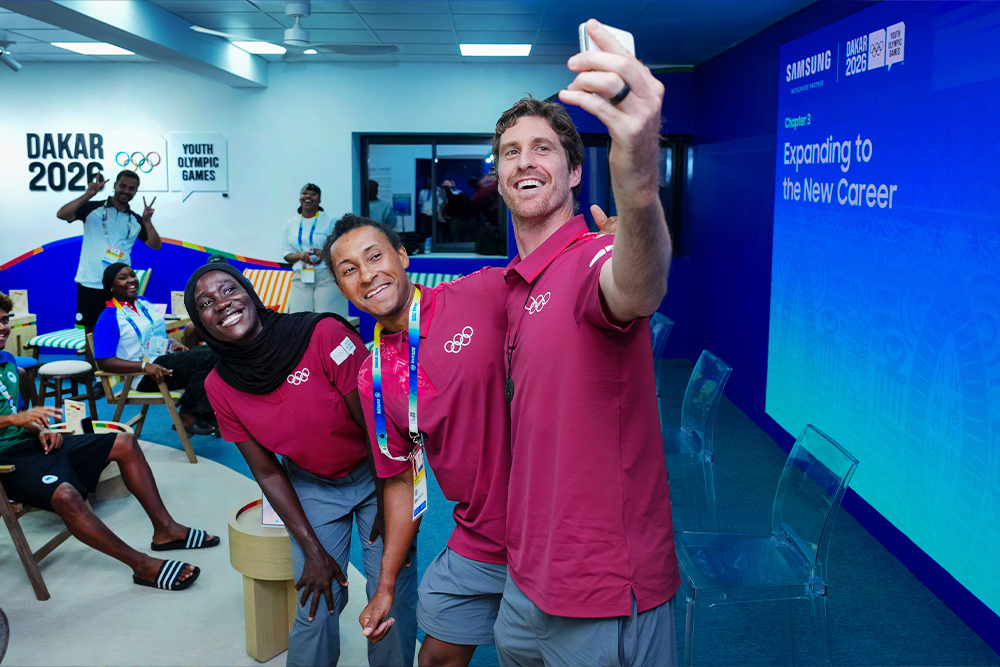
Two IOC Athlete Role Models[1] – Senegalese canoe slalom Olympian Jean-Pierre Bourhis (31) and Ugandan swimmer Jamila Lunkuse (29) – joined New Zealand tennis bronze medalist Marcus Daniell (36) for a conversation with young athletes.
(From left) Jean-Pierre Bourhis (Senegal, Slalom canoe), Jamila Lunkuse (Uganda, Swimming) and Marcus Daniell join young athletes at the Samsung Open Station.
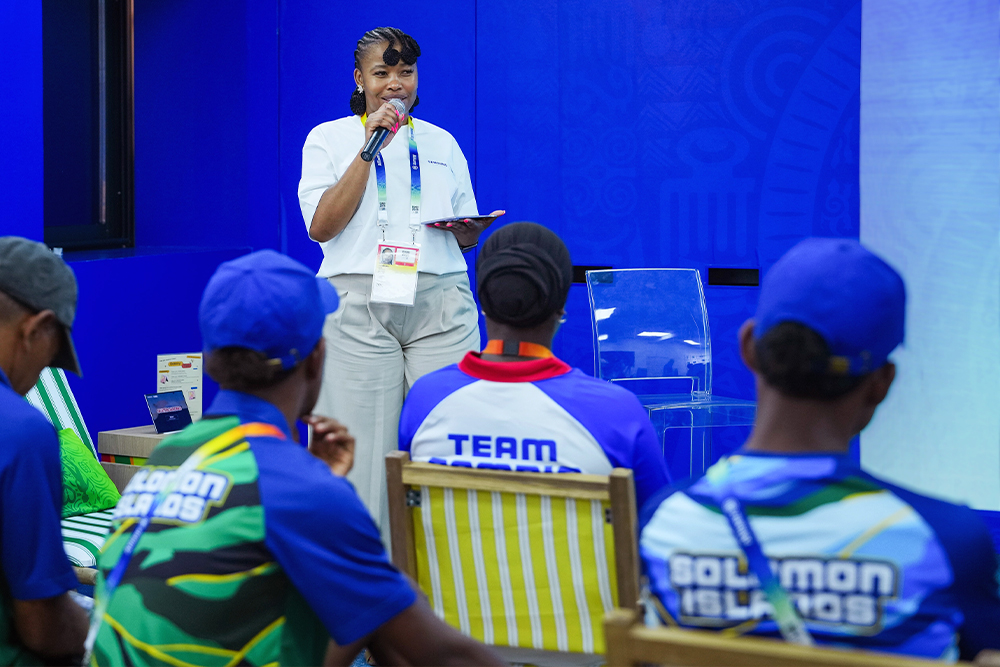
Moderated by Lefa Makgato, CSR Manager at Samsung Electronics Africa, the session brought the three mentors together with 28 young athletes from 12 countries to share the journeys that shaped them — and offer a guide for exploring where life beyond sport might lead.
Open the Way: Finding Your Own Path
Makgato opened by asking each mentor where their Olympic journey began.
For Bourhis, who represented Senegal at Rio 2016 and Tokyo 2020 and is featured in Samsung’s “Voices of Galaxy: Paddling for the Future,” the dream took shape in 2008, when Togo’s Benjamin Boukpeti won a bronze medal in kayaking at the Beijing Olympics.
“As a kid, I realised an African paddler could reach the podium,” he said. “Rio 2016 showed me the way could be opened. Now my job is to keep it open for others.”
Jean-Pierre Bourhis (Senegal), IOC Athlete Role Model at Samsung Mentoring Session
Lunkuse, who made her Olympic Games debut at 15, recalled that swimming began with friendship rather than ambition. “I wasn’t thinking about medals or the Olympics,” she said. “I just enjoyed being part of something with my friends, and that’s what built my love for the sport.”
Daniell, who ended New Zealand’s 109-year wait for an Olympic tennis medal at Tokyo 2020, pointed to choosing tennis over football at 14. “Because I’d given up a sport I loved, I knew I had to fully commit,” he said.
Break Your Boundaries: Learning Through Challenges
The conversation then turned to the biggest challenges each mentor faced.
With almost no whitewater facilities in Senegal, Bourhis had to build his training base in France — while holding down a full-time job as an engineer in electric vehicle repair. “As an engineer, I see a limit as a problem to solve, not a wall,” he said. “I train before work, during lunch or late at night. What keeps me going is purpose.”
Lunkuse spoke openly about the anxiety she faced ahead of Rio 2016. “I became so focused on qualifying times that I no longer enjoyed it,” she said. “It was only when I took time away that I could see what I was going through and what help I needed — and that’s what got me to Rio 2016.”
Jamila Lunkuse (Uganda), IOC Athlete Role Model at Samsung Mentoring Session
Daniell described a knee injury in 2022 that kept him out for nearly two years. “What got me through was having something bigger than tennis,” he said. “Everyone fails. Those who last are the ones who learn to pick themselves up when they fall.”
Beyond the Game: Turning Experience Into Opportunity
Finally, Makgato asked how the lessons of sport carried into what came next.
Through nonprofit work, Bourhis is building a canoeing ecosystem in Senegal. “We’re building it step by step — and building canoes locally makes the sport more affordable, creates local jobs and leaves a lasting legacy,” he said. “I want to give the next generation the tools to build their own way.”
Lunkuse, a youth coach and World Aquatics Athletes’ Committee member, urges young athletes to look beyond results. “Results do not define your value,” she said. Similarly, Daniell – an IOC Athletes’ Commission member and founder of High Impact Athletes, a nonprofit connecting athletes with charities – advised: “Look for a goal beyond personal success. For me, that was what kept pushing me forward.”
Marcus Daniell (New Zealand), IOC Athlete Role Model at Samsung Mentoring Session
Opening Possibilities for the Next Generation
Lefa Makgato, CSR Manager at Samsung Electronics Africa, moderates the session.
Makgato closed the session with a story of her own. Growing up in a small township in South Africa, she first encountered a computer at 18 — at one of Samsung’s Solar Powered Internet Schools. She later joined Samsung Electronics Africa, where she now leads CSR programs across the continent, including Solve for Tomorrow, giving the next generation the kind of opportunity she once received. Having seen firsthand how a single opportunity can change a life, she had good reason to stand before the young athletes that day.
“I know firsthand how access to technology and education opens doors you may never have imagined. Where you are today doesn’t determine where you’re going,” she said. “We wanted to encourage young athletes to stay open to new ideas and recognise the potential they have to shape their own futures.”
(From left) Jean-Pierre Bourhis, Jamila Lunkuse and Marcus Daniell take a selfie at the Samsung Open Station.
[1] IOC Athlete Role Models (ARMs) have been part of the Youth Olympic Games since Singapore 2010. Selected by International Federations for each sport, these experienced Olympians stay on site to speak with young athletes and lead workshops on topics such as career management and injury prevention, helping shape the athletes of tomorrow.
Dropped iPhone 17 Pro Screen Replacement in Sydney – Who Can Fix It on the Spot?
Dropping your brand-new iPhone 17 Pro can be incredibly frustrating. A cracked screen can interrupt your daily routine and affect your phone’s performance. Fortunately, Sydney CBD Repair Centre offers professional iPhone 17 Pro screen replacement in Sydney. Our experienced technicians provide fast, reliable repairs with exceptional attention to detail.
If you’re searching for an iPhone 17 Pro screen repair near Sydney CBD, visit our repair centre today. We aim to get your damaged device looking and working its best. Best of all, many screen repairs can be completed on the same day.
Dropped Your iPhone 17 Pro? Get Your Screen Fixed Today!
Accidental drops can cause serious damage to your iPhone 17 Pro display. Even a small impact can create cracks across the screen. Furthermore, internal display damage may cause additional problems.
Common signs of a damaged iPhone 17 Pro screen include:
– Cracked or shattered front glass.
– Black spots or coloured lines across the display.
– Flickering or flashing screen problems.
– Touchscreen areas becoming completely unresponsive.
– Display bleeding or unusual brightness.
– Green, white, or black screen issues.
However, continuing to use a damaged display can make everyday tasks difficult. Broken glass can also create sharp edges. Therefore, arranging a professional screen replacement is the safest practical solution.
Who Can Replace an iPhone 17 Pro Screen in Sydney CBD?
Looking for someone who can fix your iPhone 17 Pro immediately? Sydney CBD Repair Centre is ready to help.
David and our experienced technicians specialise in professional mobile phone repairs. We understand how important your iPhone is for work and everyday communication. Consequently, we prioritise efficient service without compromising repair quality.
Our technicians carefully inspect your device before starting repairs. We then assess the screen damage and explain suitable replacement options. Once approved, we proceed with the repair.
Additionally, our convenient Sydney CBD location makes visiting easy. Walk-ins are welcome during business hours.
Why Choose Sydney CBD Repair Centre for iPhone 17 Pro Repairs?
Choosing the right repair centre makes a significant difference. You deserve experienced technicians, dependable parts, and transparent service.
Finally, we test touchscreen responsiveness and display performance. We also check other relevant functions before returning your device.
Our goal is simple: deliver reliable repairs with minimal disruption.
Is It Worth Repairing a Dropped iPhone 17 Pro?
Absolutely, a professional repair can help extend your iPhone’s useful life. Replacing a damaged display may cost considerably less than purchasing another smartphone.
Moreover, keeping your existing device reduces unnecessary electronic waste. You can continue enjoying your familiar apps, settings, and personal data.
However, severe drops sometimes damage internal components. Therefore, we recommend an inspection before confirming the repair.
Our technicians can assess the condition and recommend appropriate solutions.
Visit Sydney CBD Repair Centre for Fast iPhone Repairs
Don’t let a cracked iPhone 17 Pro screen ruin your day. Visit Sydney CBD Repair Centre for professional assistance.
We’re conveniently located in the heart of Sydney CBD. Our repair centre provides solutions for Apple, Samsung, Google, and other major brands.
Whether you need screen replacement, battery replacement, or water damage repair, we’re here to help.
Our Repair Centre Benefits:
– Same-Day Express Repairs
– Genuine Parts Guarantee
– Experienced Professional Technicians
– Competitive Repair Pricing
– 2,200+ Positive Google Reviews
– Seven-Time Award Winner for Best Phone Repairs
– 90-Day Warranty on Repairs
Sydney CBD Repair Centre – Where Quality Meets Reliability.
Contact David Today – iPhone 17 Pro Screen Repair Sydney
Need your dropped iPhone 17 Pro screen fixed today? Contact our friendly team or visit our Sydney CBD repair centre.
Business: Sydney CBD Repair Centre
Contact: +61 2 8011 4119
Location: Sydney CBD, Australia
Website: https://ift.tt/i4ujF1w
Opening Hours:
– Monday–Friday: 10:00 AM – 6:00 PM
– Saturday: 10:00 AM – 2:00 PM
– Sunday: Closed
Walk-ins are welcome!
David from Sydney CBD Repair Centre – The Best Place to Fix Mobile Phones for Seven Years in a Row!
With more than 2,200 positive Google reviews and same-day repair services, we’re proud to be Sydney’s trusted mobile phone repair destination.
Bring your damaged iPhone 17 Pro to us today. Let our experienced technicians help you get back to business!
via YouTube https://www.youtube.com/watch?v=YbgMu0r71U4
No explicit meeting action items were recorded. The notes contain customer-facing calls to action, rather than assigned follow-up tasks. Potential next steps are:
– **iPhone owner:** Contact Sydney CBD Repair Centre or visit during business hours to request an iPhone 17 Pro screen inspection.
– **David / repair team:** Inspect the device, explain replacement options, and—if the customer approves—complete the repair and test the display and touchscreen. Same-day completion may be possible.
Dropped your iPhone 17 Pro? A cracked, flickering or unresponsive screen can disrupt your day—and broken glass can be unsafe. For professional iPhone 17 Pro screen replacement in Sydney, visit Sydney CBD Repair Centre. David and our experienced technicians inspect the damage, explain your options and complete many repairs the same day. We test your display and touchscreen before returning your device, and repairs include a 90-day warranty. Walk-ins are welcome at our Sydney CBD location. Call 02 8011 4119 or visit SydneyCBD.repair/locate-us. Don’t let a damaged display slow you down—get expert help today. #iPhone17ProScreenReplacement #iPhoneRepairSydney #SameDayiPhoneRepair #CrackedScreenRepair
Cracked Samsung Galaxy Z Flip 6 Screen Replacement in Sydney – Who Can Fix It on the Spot?
Have you cracked your Samsung Galaxy Z Flip 6 screen? Looking for fast, reliable screen replacement in Sydney? Don’t worry! Sydney CBD Repair Centre provides professional Samsung Galaxy Z Flip 6 repair services. Our experienced technicians deliver quality repairs with professional care. Moreover, we aim to get your phone working perfectly again.
A damaged foldable screen can interrupt your everyday activities. However, you don’t necessarily need to replace your entire phone. Professional screen replacement can restore your device’s functionality. Visit our Sydney CBD repair centre for expert assistance.
Samsung Galaxy Z Flip 6 Screen Damage – What Should You Do?
The Samsung Galaxy Z Flip 6 features an innovative foldable display. However, its folding design requires careful handling. Unfortunately, accidental drops and pressure can damage the screen.
Common screen problems include:
– Cracked or shattered inner display.
– Damaged outer cover screen.
– Black spots or coloured lines.
– Unresponsive touchscreen areas.
– Flickering or flashing display.
– Black screen despite phone vibration.
– Display damage around the folding crease.
– Touchscreen problems after accidental drops.
Even a small crack can become worse over time. Therefore, avoid applying pressure to the damaged display. Additionally, don’t repeatedly fold or unfold your phone unnecessarily.
We understand that foldable screen replacements can be expensive. Therefore, we aim to provide competitive pricing and transparent quotations.
6. Trusted Sydney Repair Specialists
Our reputation comes from years of dedicated customer service. We have more than 2,200 positive Google reviews. Additionally, we’ve received seven consecutive years of recognition for phone repairs.
Samsung Galaxy Z Flip 6 Inner Screen vs Outer Screen Replacement
The Galaxy Z Flip 6 has two separate displays. Each screen serves a different purpose.
The large inner display provides the main smartphone experience. Meanwhile, the smaller outer display handles notifications and quick interactions.
However, damage to either display requires proper assessment.
Inner Foldable Screen Replacement
The inner display is particularly important for everyday phone use. Cracks, black spots, and touch problems can affect usability. Furthermore, damage around the folding crease may indicate deeper display problems.
Outer Cover Screen Replacement
The external cover screen provides convenient access without opening your phone. Unfortunately, accidental drops can crack this smaller display. As a result, notifications and touchscreen controls may stop working.
Our technicians can inspect both displays. We’ll identify the affected components before recommending suitable repairs.
How Long Does Samsung Galaxy Z Flip 6 Screen Replacement Take?
Repair time depends on the damage and replacement parts availability. Some repairs require additional inspection and preparation. Furthermore, foldable screen repairs need careful installation.
At Sydney CBD Repair Centre, we aim to provide same-day service whenever possible.
Contact us before visiting to confirm parts availability. This helps us provide a more accurate turnaround estimate.
Visit Sydney CBD Repair Centre in Sydney CBD
Looking for Samsung Galaxy Z Flip 6 screen repair in Sydney? Our repair centre is conveniently located in Sydney CBD.
We’re committed to providing professional repairs without unnecessary delays. Moreover, our friendly team welcomes walk-in customers.
Why visit us?
– Same-Day Express Repairs
– Genuine Parts Guarantee
– Professional Technicians
– Competitive Pricing
– 2,200+ Positive Google Reviews
– Seven-Time Award Winner for Best Phone Repairs
– 90-Day Warranty on Repairs
– Repairs for Samsung, Apple, Google, and More
Our convenient Sydney CBD location makes visiting easier. We’re situated beside Haymarket Hotel, on Level 2.
Who Can Fix Your Cracked Z Flip 6 Screen on the Spot?
Don’t let a cracked Samsung Galaxy Z Flip 6 screen ruin your day. Bring your device to Sydney CBD Repair Centre for professional assistance.
David and our team are ready to help. We’ll inspect your device and explain the available repair solutions. Most importantly, we’ll help you understand your options before starting.
Contact Sydney CBD Repair Centre today!
– Business: Sydney CBD Repair Centre
– Phone: +61 2 8011 4119
– Website: https://ift.tt/i4ujF1w
– Location: Sydney CBD, Level 2, beside Haymarket Hotel
– Opening Hours: Monday–Friday, 10am–6pm; Saturday, 10am–2pm
Walk-ins are welcome!
Sydney CBD Repair Centre – Where Quality Meets Reliability.
Your trusted destination for Samsung Galaxy Z Flip 6 screen replacement in Sydney.
via YouTube https://www.youtube.com/watch?v=2fxkzyn6B14
No explicit post-meeting action items or assignments are recorded.
**Suggested customer actions mentioned in the notes:**
– Contact Sydney CBD Repair Centre before visiting to confirm parts availability and get a turnaround estimate.
– Avoid pressing the damaged screen or repeatedly folding and unfolding the phone.
– Bring the device in for an inspection; David and the team will explain repair options before starting.
Cracked your Samsung Galaxy Z Flip 6 screen? Sydney CBD Repair Centre offers professional repairs for inner and outer displays. Our technicians will assess the damage, explain your options and handle your phone with care. Cracks, black spots, flickering or touch issues? Avoid pressing or repeatedly folding the damaged screen. Same-day service may be available, depending on parts and assessment. Visit us on Level 2, beside Haymarket Hotel, or call 02 8011 4119 to check availability before you arrive. Walk-ins are welcome. Get expert foldable-phone repair in Sydney CBD. #SamsungGalaxyZFlip6Repair #ZFlip6ScreenReplacement #PhoneRepairSydney #SameDayScreenRepair
– **Samsung Australia has launched its November Black Friday campaign** across Samsung.com and major retail and carrier partners. Offers span Galaxy phones, tablets and wearables, plus TVs, soundbars and home appliances.
– **Samsung.com will run limited-time promotions throughout November:**
– Flash sales start at **midday each Monday**, lasting 48 hours.
– Sitewide promotions start at **midday each Friday**, lasting 24 hours.
– A separate **Singles Day promotion begins at midday on 11 November**, lasting 48 hours.
– Samsung says the campaign also includes live shopping, secret sales and a **30-day price promise**.
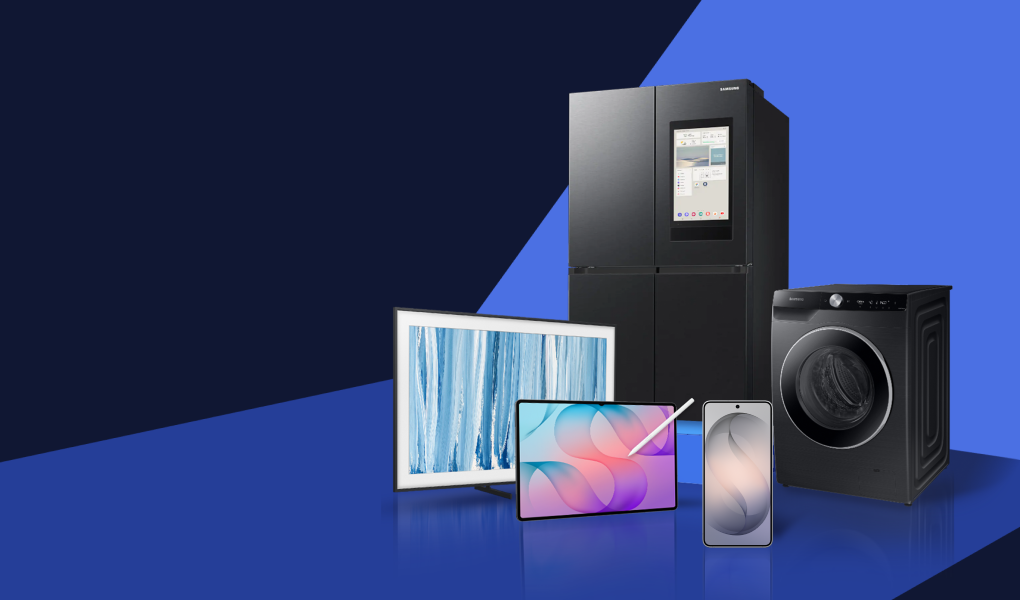
– Product categories highlighted include Galaxy S26 phones, Galaxy Tab S12 Ultra, Galaxy Watch8 Classic, Buds 4 Pro, SmartTag2, refrigerators and washing machines, Frame, OLED and Micro RGB TVs, Odyssey monitors and soundbars.
– Samsung notes it won Roy Morgan’s Consumer Products Trusted Brand award for the **fifth consecutive year**.
– **Prices and offers vary by sales channel**; partner pricing is set at each partner’s discretion.
Summary of It’s (almost) Black Friday! Samsung kicks off annual Black Friday campaign with offers across mobile, tablet, wearables, TVs and home appliances
Samsung Electronics Australia has begun its highly-anticipated, offer-led Black Friday campaign across Samsung.com, and all major partners spanning retailers and carriers.
The campaign marks the start of ‘shopping’ season, as research reveals over two thirds of Australians shop during the key sales periods[1] – EOFY, Black Friday and Boxing Day – highlighting savvy consumers are upgrading their technology with confidence, to secure the best deal available. Now extending beyond one day, throughout the month of November, Australians can expect an array of attractive offers across the market-leading Galaxy smartphones, tablets and wearables, as well as cutting-edge consumer electronics spanning TVs, soundbars and home appliances including refrigerators and laundry solutions:
With a Galaxy for everyone, stay connected with Galaxy S26 Ultra, Galaxy S26 FE and Galaxy A Series
Productivity simplified, powered by the Galaxy Tab S12 Ultra’s performance and display
Health, fitness and general wellness goals unlocked via Galaxy Watch8 Classic
Galaxy Buds 4Pro and SmartTag2 are the ultimate travel, commute and leisure accessories
Entertaining over the festive season is made easier with Samsung French Door Refrigerators
Keep clothes clean and energy efficient, with SmartThings supported SamsungWashing Machines
Crowd-favourite and original art TV, the Frame TV balances style and visuals
Glare free OLED TVs, just in time for a summer sport viewing
Ground-breaking new technology and colour precision experienced only on a Samsung Micro RGB TV
Gaming go-to Odyssey Monitor
And big savings on big screen TVs; and big sound soundbars
With the festive season of gifting and summer of entertaining approaching, this year’s Black Friday campaign coincides with Samsung’s recent recognition by Roy Morgan at its annual Trusted Brands Awards, winning the Consumer Products[2] category for a fifth consecutive year. The recent win reinforces Samsung’s commitment to customer-centricity and importance in providing Australians with trust across both its products’ experiences and support services. As part of this ongoing commitment, Australians can expect a series of Friday Flash sales, live shopping and secret sales available exclusively on Samsung.com, as well as be backed by a 30-day price promise[3]:
From midday every Monday of November Samsung.com will launch a special Flash Sale (48hrs only)
From midday every Friday of November Samsung.com will launch a special sitewide stunt promotion (24hrs only)
Also tune into Samsung on Singles Day 11/11 from midday for another sitewide stunt promotion (48hrs only)
For more information about the Samsung Black Friday campaign, please visit: Samsung Newsroom, and Samsung.com, or visit any major partner for channel specific offers[4].
[1] Nature, research commissioned by Samsung Electronics Australia, August 2025.
Nothing Phone 4a Pro Screen Replacement in Sydney – Who Can Fix Your Cracked Screen on the Spot?
Have you cracked your Nothing Phone 4a Pro screen? Looking for fast and reliable screen replacement in Sydney? Sydney CBD Repair Centre offers professional mobile phone repair services. Our experienced technicians provide quality repairs with attention to detail. Moreover, we aim to complete eligible repairs on the same day.
A damaged screen can disrupt your daily routine. Cracks, display problems, and touch sensitivity issues make your phone difficult to use. Fortunately, you don’t need to replace your entire device. Professional screen replacement can restore your phone’s usability.
Sydney CBD Repair Centre provides convenient repair solutions in the heart of Sydney. Visit us for expert assistance and competitive repair pricing.
Nothing Phone 4a Pro Screen Repair – Professional Service in Sydney CBD
The Nothing Phone 4a Pro deserves professional repair attention. Its screen plays an essential role in everyday communication and entertainment. Therefore, choosing an experienced technician matters.
At Sydney CBD Repair Centre, we understand the inconvenience of damaged smartphone displays. Our technicians carefully assess screen damage before recommending suitable repairs.
Whether your screen has minor cracks or severe display damage, we can help. Additionally, we explain available repair options before proceeding.
Our goal is simple: restore your phone’s functionality with reliable workmanship.
Common Nothing Phone 4a Pro Screen Problems
Accidental drops and impacts can cause several display problems. Even a small crack can become worse over time.
Here are some common problems requiring professional attention:
– Cracked Glass: Visible cracks can affect screen clarity and everyday usability.
– Black Screen: Your phone may turn on without displaying anything.
– Touchscreen Problems: Certain areas may stop responding to touch.
– Display Lines: Vertical or horizontal lines can appear after accidental impacts.
– Screen Flickering: Damaged display components may cause inconsistent brightness.
– Dead Pixels: Small areas may display incorrect colours or remain completely black.
– Unresponsive Display: Severe damage can prevent normal touchscreen operation.
However, not every display problem requires the same repair. Our technicians inspect your device before recommending replacement.
Who Can Fix a Nothing Phone 4a Pro Screen on the Spot in Sydney?
Searching for a reliable Nothing Phone 4a Pro repairer in Sydney? Sydney CBD Repair Centre is ready to help.
Sydney CBD Repair Centre has earned customer trust through consistent service. We are proud to be recognised as a seven-time award winner. Additionally, we have received more than 2,200 positive Google reviews.
Here is why customers choose our repair centre:
1. Same-Day Express Repairs
We understand how important your smartphone is. Therefore, we prioritise efficient repairs whenever possible.
2. Genuine Parts Guarantee
We use genuine parts where available and suitable for the repair. Our team can explain replacement options before starting work.
3. Professional Technicians
Our experienced technicians handle various smartphone brands and models. We focus on careful workmanship and reliable results.
4. Competitive Pricing
We aim to provide affordable repair solutions without compromising service quality. Contact us for an accurate Nothing Phone 4a Pro screen replacement quote.
5. 90-Day Repair Warranty
We provide a 90-day warranty on repairs. This gives customers additional confidence when choosing our services.
6. Trusted Sydney Repair Centre
Our reputation reflects years of customer satisfaction. More than 2,200 positive Google reviews demonstrate our commitment to quality.
Convenient Mobile Phone Repairs in Sydney CBD
Finding our repair centre is easy once you know where to look. We are located in the heart of Sydney CBD.
Our shop is beside Haymarket Hotel, on Level 2. Walk-ins are welcome during business hours.
Opening Hours:
– Monday–Friday: 10:00 am – 6:00 pm
– Saturday: 10:00 am – 2:00 pm
– Sunday: Closed
Whether you work nearby or visit Sydney CBD, we’re ready to assist. Call ahead to confirm parts availability and repair arrangements.
Don’t Let a Cracked Nothing Phone 4a Pro Screen Slow You Down
A cracked smartphone screen doesn’t have to ruin your day. Professional screen replacement can help restore your device.
Instead of purchasing another expensive smartphone, explore your repair options first. Sydney CBD Repair Centre offers experienced technicians and convenient repair services.
Contact David and our team today for assistance. We’ll help you understand your repair options and available pricing.
Sydney CBD Repair Centre – Where Quality Meets Reliability.
Visit us today for professional Nothing Phone 4a Pro screen replacement in Sydney CBD!
via YouTube https://www.youtube.com/watch?v=D7a-1LWG2I8
No explicit post-meeting action items are identified in these notes. They contain customer-facing prompts to contact Sydney CBD Repair Centre, call ahead to confirm parts availability, or visit the shop, but no specific person is assigned to carry out a follow-up task.
Cracked your Nothing Phone 4a Pro screen? Don’t let it disrupt your day. Sydney CBD Repair Centre offers professional screen assessments and replacement for cracks, black screens, touch issues and display lines. Our experienced technicians explain your options and use genuine parts where available. Eligible repairs may be completed the same day, subject to parts availability and assessment. Visit us on Level 2, beside Haymarket Hotel, or call +61 2 8011 4119 for pricing. With over 2,200 positive Google reviews and a 90-day repair warranty, get trusted help in Sydney CBD. Contact us today. #NothingPhone4aPro #ScreenReplacementSydney #CrackedScreenRepair #PhoneRepairSydney
Cracked iPhone 17 Pro Screen Replacement in Sydney – Who Can Fix It on the Spot?
Have you cracked your expensive iPhone 17 Pro screen? Don’t panic! Sydney CBD Repair Centre offers professional iPhone 17 Pro screen replacement in Sydney. Our experienced technicians provide fast, reliable, and high-quality repairs. Moreover, we aim to complete many screen replacements on the same day.
A damaged screen can quickly affect your daily routine. Therefore, choosing an experienced iPhone repair specialist matters. If you’re looking for someone who can fix your iPhone 17 Pro on the spot, visit our Sydney CBD repair centre.
Professional iPhone 17 Pro Screen Repair in Sydney
The Apple iPhone 17 Pro features an advanced display designed for exceptional viewing quality. Unfortunately, accidental drops can cause serious screen damage. Even a small crack can become a bigger problem.
At Sydney CBD Repair Centre, we understand how important your iPhone is. That’s why we provide professional screen replacement services with careful attention to detail.
Whether your screen has minor cracks or extensive damage, our technicians can assess it. We inspect the display, touch functionality, and surrounding components before proceeding.
That’s why we offer same-day express repair services whenever parts availability and repair conditions allow.
Simply walk into our Sydney CBD store for an assessment. Our technicians will explain the expected repair time and available options.
Why Choose Sydney CBD Repair Centre for iPhone 17 Pro Repairs?
Choosing the right repair centre protects your investment. However, not every repair shop offers the same experience or service standards.
Here are several reasons customers choose Sydney CBD Repair Centre:
1. Experienced Professional Technicians
Our technicians have extensive experience repairing modern smartphones. They understand the delicate components inside premium Apple devices.
2. Genuine Parts Guarantee
We prioritise genuine replacement parts for supported repairs. This helps maintain the quality and functionality of your device.
3. Same-Day Express Repairs
We understand the importance of getting your phone back quickly. Therefore, we aim to complete eligible repairs on the same day.
4. 90-Day Repair Warranty
We provide a 90-day warranty on repairs. This demonstrates our commitment to dependable workmanship and customer satisfaction.
5. Competitive Repair Pricing
A damaged iPhone doesn’t automatically mean buying another phone. Instead, professional screen replacement can help restore your existing device.
6. Trusted Sydney Repair Specialist
We have earned more than 2,200 positive Google reviews. Additionally, our business has received seven consecutive years of industry recognition.
Is It Worth Replacing a Cracked iPhone 17 Pro Screen?
Absolutely! The iPhone 17 Pro remains a premium smartphone with powerful features. Therefore, repairing its damaged display can be a sensible investment.
A cracked screen can affect usability and expose internal components. Furthermore, continuing to use a badly damaged display may create additional problems.
Professional screen replacement restores the viewing and touchscreen experience. It also helps you continue using your existing device.
Before replacing your phone, consider getting a professional repair assessment. Our technicians can explain the most suitable solution.
Visit Our Sydney CBD iPhone Repair Centre Today
Finding a reliable iPhone repair specialist shouldn’t be difficult. Sydney CBD Repair Centre is conveniently located in the heart of Sydney CBD.
Our store is inside a building beside Haymarket Hotel. We are located on Level 2, so please follow the building directions when visiting.
Walk-ins are welcome during our business hours.
Opening Hours:
– Monday–Friday: 10:00 AM – 6:00 PM
– Saturday: 10:00 AM – 2:00 PM
– Sunday: Closed
Contact Sydney CBD Repair Centre:
– Phone: +61 2 8011 4119
– Website: https://ift.tt/Xp1mWyc
– Location: Sydney CBD, Level 2
Sydney CBD Repair Centre – Where Quality Meets Reliability
Don’t let a cracked iPhone 17 Pro screen ruin your day. Bring your damaged device to Sydney CBD Repair Centre for professional assistance.
David and our experienced technicians are committed to delivering reliable repairs. We proudly provide same-day express repairs, genuine parts options, and professional customer service.
Why customers choose us:
– Same-Day Express Repairs
– Genuine Parts Guarantee
– Professional Technicians
– Competitive Pricing
– 2,200+ Positive Google Reviews
– Seven-Time Award Winner for Best Phone Repairs
– 90-Day Warranty on Repairs
Looking for an iPhone 17 Pro screen replacement in Sydney? Visit Sydney CBD Repair Centre today!
Sydney CBD Repair Centre – Sydney’s #1 Choice for Mobile Phone Repairs.
via YouTube https://www.youtube.com/watch?v=m_r8zevI9pk
No explicit post-meeting action items are stated in the notes. They describe Sydney CBD Repair Centre’s services and invite customers to visit for an assessment, but do not assign follow-up tasks to specific people.
Cracked your iPhone 17 Pro screen in Sydney? Don’t panic—and don’t let the damage disrupt your day. Visit Sydney CBD Repair Centre for a professional screen assessment. Our experienced technicians check the display, touch response and surrounding components before explaining your repair options. We aim to complete eligible replacements the same day, subject to parts availability and repair conditions. We prioritise genuine parts for supported repairs, offer competitive pricing and include a 90-day repair warranty. Walk in to our Level 2 Sydney CBD store beside Haymarket Hotel. With over 2,200 positive Google reviews, we’re ready to help. Call 02 8011 4119 or visit SydneyCBD.repair/locate-us. #iPhone17ProScreenRepair #CrackediPhoneScreen #iPhoneRepairSydney #SameDayScreenReplacement
Cracked HONOR Magic V3 Outer Screen Replacement in Sydney – Who Can Fix It?
Have you cracked your HONOR Magic V3 outer screen? Looking for professional screen replacement in Sydney? A damaged foldable phone screen can disrupt your daily routine. Fortunately, Sydney CBD Repair Centre offers expert mobile phone repair services. Our experienced technicians provide professional repairs with quality parts and careful workmanship.
HONOR Magic V3 Outer Screen Repair in Sydney
The HONOR Magic V3 features an innovative foldable design. However, its external cover screen remains vulnerable to accidental drops and impacts. Even a small crack can affect everyday usability.
For example, damaged glass may cause sharp edges or touchscreen problems. Furthermore, cracks can spread and become worse over time. Therefore, arranging a professional inspection is important.
At Sydney CBD Repair Centre, we understand foldable phone technology. Our technicians carefully assess the damage before recommending suitable repairs. We focus on restoring your phone’s functionality and appearance.
Common HONOR Magic V3 Outer Screen Problems
Who Can Replace an HONOR Magic V3 Outer Screen in Sydney?
Looking for a reliable HONOR Magic V3 repair specialist? Sydney CBD Repair Centre provides professional mobile phone repair services in Sydney CBD.
David and our experienced technicians take pride in delivering quality repairs. We understand that foldable devices require careful handling and specialist attention.
Moreover, we assess the screen condition before proceeding. We explain the available repair options and provide pricing information. Our team also aims to complete suitable repairs as quickly as possible.
Whether your outer screen has minor cracks or extensive damage, contact us. We can inspect your device and discuss the most appropriate solution.
Why Choose Sydney CBD Repair Centre?
David from Sydney CBD Repair Centre proudly delivers trusted repair services. We have been recognised as the best mobile phone repair destination seven years in a row.
Furthermore, our reputation reflects our commitment to customer satisfaction. We have received more than 2,200 positive Google reviews.
Customers choose our repair centre for several important reasons:
Same-Day Express Repairs: Fast turnaround for suitable repairs.
Genuine Parts Guarantee: Quality replacement parts for supported repairs.
Professional Technicians: Experienced technicians handle your device carefully.
Competitive Pricing: Practical repair solutions at competitive prices.
90-Day Warranty: Enjoy additional peace of mind with covered repairs.
Award-Winning Service: Seven-time award winner for phone repairs.
We also repair Apple, Samsung, Google, HONOR and other major phone brands.
Can You Still Use a Cracked HONOR Magic V3 Screen?
A cracked outer screen might continue functioning temporarily. However, continued use can create additional problems.
For instance, pressure may worsen existing cracks. Sharp glass edges can also cause injuries. Additionally, moisture and dust may enter damaged areas.
Therefore, avoid applying excessive pressure to the affected screen. Keep your device protected until a technician inspects it.
Most importantly, back up your important information whenever possible. This precaution helps protect your valuable photos and personal data.
Visit Our Sydney CBD Phone Repair Shop
Finding our repair centre is easier with the correct directions. We are conveniently located in the heart of Sydney CBD.
Our shop is on Level 2, inside the building beside Haymarket Hotel. Although the entrance can be easy to miss, our location is convenient for CBD visitors.
Walk-ins are welcome during our opening hours. We recommend contacting us before visiting for specific HONOR Magic V3 screen parts.
Book Your HONOR Magic V3 Outer Screen Inspection Today
Don’t let a cracked screen interrupt your everyday activities. Instead, bring your HONOR Magic V3 to our experienced repair team.
At Sydney CBD Repair Centre, we prioritise professional workmanship and customer satisfaction. We provide honest assessments and practical repair recommendations.
Contact David today to discuss your HONOR Magic V3 outer screen replacement. Find out how our team can help restore your foldable phone.
Sydney CBD Repair Centre – Where Quality Meets Reliability.
Your trusted destination for professional mobile phone repairs in Sydney CBD.
via YouTube https://www.youtube.com/watch?v=mB2gPrFxRbU
### Action items
– **HONOR Magic V3 owner:** Back up important data, avoid putting pressure on the cracked screen, and protect the phone until it can be inspected.
– **HONOR Magic V3 owner:** Contact David at Sydney CBD Repair Centre to discuss the damage, repair options, pricing, and availability of the required screen parts.
– **David / Sydney CBD Repair Centre:** Inspect the phone, explain suitable repair options and pricing, and advise on timing.
– **HONOR Magic V3 owner:** Visit the repair centre for an inspection or repair if appropriate. Walk-ins are welcome during opening hours; contacting the shop beforehand is recommended.
No deadlines or confirmed appointments were specified.
Cracked the outer screen on your HONOR Magic V3? Even a small crack can affect touch response, create sharp edges, and worsen over time. In Sydney CBD, Sydney CBD Repair Centre can help. David and our experienced technicians carefully inspect foldable devices, explain suitable repair options and pricing, and use quality replacement parts for supported repairs. We aim for fast, professional service, with same-day repairs where possible and a 90-day warranty on covered work. Call 8011 4119 today!! #HONORMagicV3 #HONORMagicV3Repair #OuterScreenReplacement #PhoneRepairSydney