




Restoring a Liquid Damaged iPhone 15 Pro Using Advanced Ultrasonic Cleaning Techniques

Restoring a Liquid Damaged iPhone 15 Pro Using Advanced Ultrasonic Cleaning Techniques: 9 Powerful Steps for Maximum Recovery
Introduction
The Apple iPhone 15 Pro is one of the most advanced smartphones ever produced by Apple. It combines cutting-edge performance, premium materials, and sophisticated internal engineering. However, despite its advanced IP rating, liquid damage can still become a serious issue when water enters the device through damaged seals, cracks, or charging ports.
Restoring a liquid damaged iPhone 15 Pro using advanced ultrasonic cleaning techniques has become one of the most effective ways to save devices that appear beyond repair. Professional technicians now rely on ultrasonic cleaning machines, precision diagnostics, and microscopic soldering methods to recover sensitive internal components.
In many cases, quick professional intervention can prevent permanent motherboard corrosion and dramatically improve the chances of full recovery. That’s why understanding the repair process matters so much for device owners.
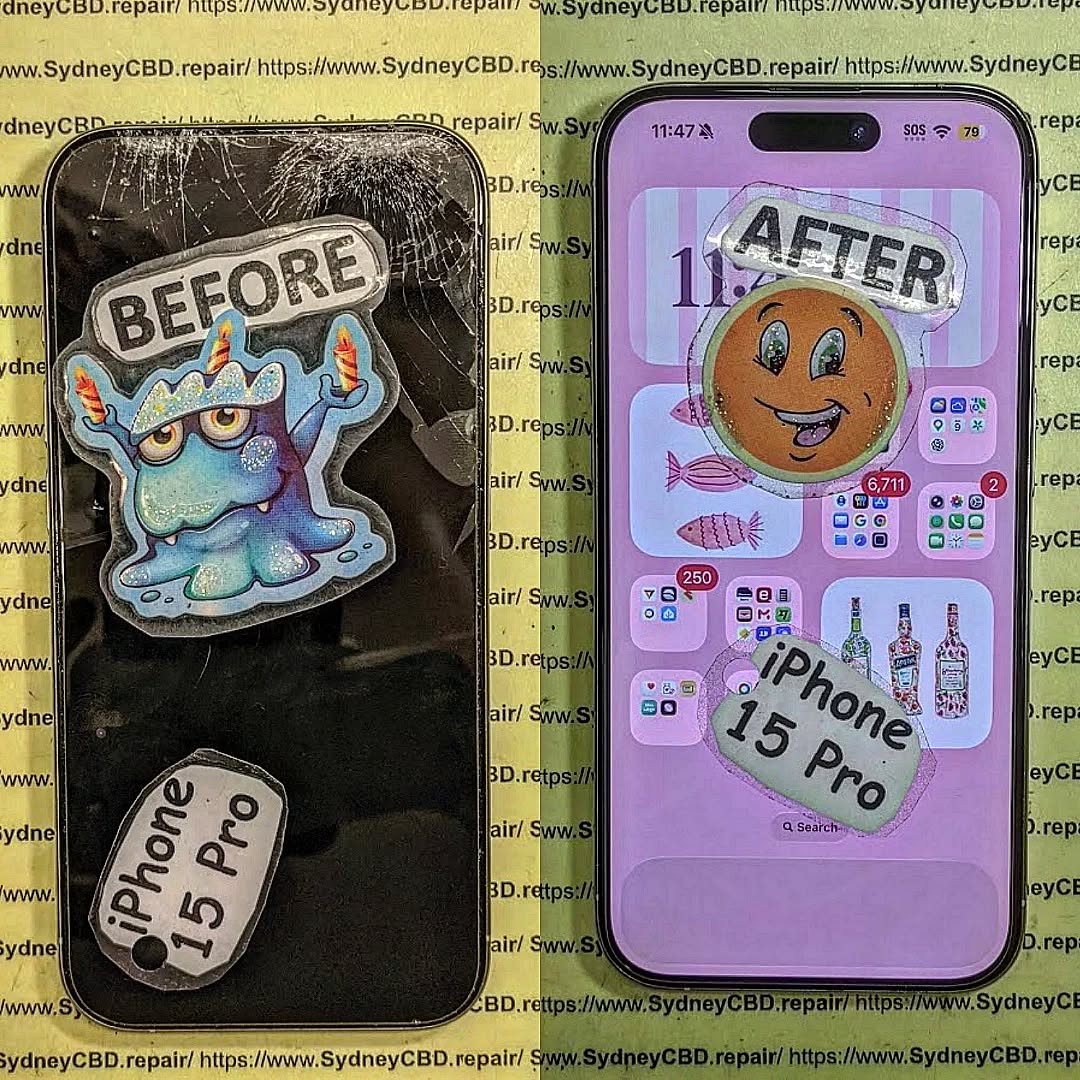
Understanding Liquid Damage in the iPhone 15 Pro
Why Water Damage Is Dangerous for Modern Smartphones
Modern smartphones are packed with tightly integrated electronics. Even a small amount of moisture can cause severe problems. Water creates conductive paths between components, leading to short circuits and corrosion.
The iPhone 15 Pro contains:
- A highly compact logic board
- Precision sensors
- OLED display connectors
- Tiny solder joints
- Sensitive charging circuits
When liquid enters the phone, oxidation begins almost immediately. Over time, this corrosion spreads and damages important circuits.
Even if the phone seems fine initially, delayed damage may appear days or weeks later.
Common Liquids That Damage an iPhone 15 Pro
Not all liquids affect phones equally. Saltwater, soft drinks, coffee, and alcohol-based liquids are often more destructive than clean freshwater.
Common causes include:
| Liquid Type | Damage Severity |
|---|---|
| Saltwater | Extremely High |
| Coffee | High |
| Soda | Very High |
| Rainwater | Moderate |
| Pool Water | High |
| Freshwater | Moderate |
Sticky liquids leave conductive residue behind, increasing the risk of motherboard failure.
Early Signs of Liquid Damage
Display Problems
One of the earliest symptoms involves the screen. You might notice:
- Flickering display
- Green or white lines
- Random touch input
- Black screen issues
- Bright spots under the OLED panel
These signs usually indicate moisture affecting the display connector or OLED circuitry.
Charging and Battery Issues
Liquid often enters through the charging port. Once corrosion develops, charging becomes unreliable.
Typical symptoms include:
- Slow charging
- Battery overheating
- Charging interruptions
- Device restarting randomly
- Battery drain
The charging IC on the motherboard is especially vulnerable.
Speaker and Microphone Distortion
Water trapped in speaker meshes or microphone openings can distort sound quality.
You may hear:
- Crackling audio
- Muffled calls
- Reduced speaker volume
- Microphone failures
In severe cases, corrosion spreads to the audio circuitry itself.
Immediate Steps After Water Exposure

What You Should Never Do
People often panic after dropping their phone in water. Unfortunately, many common “solutions” actually worsen the damage.
Avoid these mistakes:
- Don’t charge the phone
- Don’t use a hair dryer
- Don’t shake the device
- Don’t place it in rice
- Don’t keep powering it on repeatedly
Rice is especially ineffective because it cannot remove corrosion or moisture trapped under chips.
Safe Emergency Actions
Instead, follow these safer steps:
- Power the phone off immediately
- Remove accessories and SIM tray
- Dry the exterior gently
- Keep the device upright
- Bring it to a professional technician quickly
The faster the phone is treated, the better the recovery chance.
How Professional Technicians Diagnose Liquid Damage
Internal Inspection Process
Professional repair begins with careful disassembly. Technicians inspect:
- Liquid contact indicators
- Connector corrosion
- Burn marks
- Shorted components
- Oxidation under shields
Microscopes are commonly used to identify hidden corrosion.
Advanced Diagnostic Equipment
Modern repair centers use specialized tools including:
| Equipment | Purpose |
|---|---|
| Thermal Camera | Detects overheating circuits |
| DC Power Supply | Measures power draw |
| Microscope | Inspects board corrosion |
| Multimeter | Tests electrical continuity |
| Ultrasonic Cleaner | Removes contamination |
These tools help technicians determine whether the logic board is recoverable.
What Is Ultrasonic Cleaning?
How Ultrasonic Cleaning Works
Ultrasonic cleaning uses high-frequency sound waves to remove corrosion and contaminants from delicate electronics.
The process works through microscopic cavitation bubbles created inside a cleaning solution. These bubbles collapse rapidly, loosening dirt and oxidation from the motherboard.
The technology is extremely effective for complex smartphone boards because it can clean areas unreachable by manual tools.
Benefits of Ultrasonic Cleaning for iPhone Repairs
Restoring a liquid damaged iPhone 15 Pro using advanced ultrasonic cleaning techniques offers several advantages:
- Removes hidden corrosion
- Cleans under integrated circuits
- Reduces electrical shorts
- Improves repair success rates
- Extends device lifespan
Professional-grade ultrasonic systems are carefully calibrated to avoid damaging sensitive components.
The Step-by-Step Ultrasonic Cleaning Process
Device Disassembly
Before cleaning begins, technicians fully disassemble the device.
Components removed include:
- Display assembly
- Battery
- Cameras
- Speakers
- Taptic Engine
- Logic board
Sensitive parts must be separated to prevent accidental damage.
Motherboard Preparation
The logic board is inspected under magnification. Protective shields may be removed to access corrosion hidden beneath integrated circuits.
Technicians also disconnect vulnerable components before immersion.
Ultrasonic Bath Procedure
The motherboard is placed inside an ultrasonic cleaning tank containing a specialized electronics-safe solution.
The cleaning cycle usually lasts between 5 and 20 minutes depending on contamination severity.
During this stage:
- Corrosion loosens
- Mineral deposits dissolve
- Conductive residue disappears
- Moisture contamination is eliminated
Drying and Reassembly
After cleaning, the board is carefully dried using controlled heat and airflow.
Technicians then:
- Inspect the board again
- Replace damaged components
- Test electrical lines
- Reassemble the device
- Perform final diagnostics
This method dramatically improves recovery success.
Common Components Repaired After Liquid Damage
Logic Board Repairs
The motherboard is usually the most affected component.
Common repairs include:
- Replacing charging ICs
- Repairing corroded traces
- Reballing chips
- Replacing capacitors
- Restoring power circuits
Advanced microsoldering skills are often required.
Screen and Battery Replacements
Even after ultrasonic cleaning, some parts may still need replacement.
Frequently replaced components include:
| Component | Reason |
|---|---|
| OLED Screen | Water spots or lines |
| Battery | Swelling or instability |
| Charging Port | Corrosion |
| Cameras | Fogging or failure |
| Speakers | Distorted sound |
Professional technicians use quality replacement parts to ensure long-term reliability.
Face ID and Camera Recovery
Face ID systems are particularly sensitive to moisture. Water can damage:
- Flood illuminators
- Dot projectors
- Infrared sensors
In some cases, ultrasonic cleaning can recover these systems before permanent failure occurs.
Risks of DIY Liquid Damage Repairs
Rice Myths and Common Mistakes
The “put it in rice” method remains one of the biggest misconceptions in phone repair.
Rice cannot:
- Remove corrosion
- Clean electrical residue
- Reach internal moisture
- Repair short circuits
Worse still, delaying professional repair gives corrosion more time to spread.
Why Professional Repairs Matter
Professional repair centers use:
- Anti-static workstations
- Board-level diagnostics
- Precision soldering tools
- Ultrasonic systems
- Controlled drying methods
Without these tools, successful recovery becomes much less likely.
Repair experts also understand how modern Apple devices behave after liquid exposure.
For official device support and warranty details, visit Apple Support
Preventing Future Liquid Damage
Protective Accessories
While no case guarantees complete waterproofing, quality accessories help reduce risk.
Recommended accessories include:
- Waterproof pouches
- Rugged cases
- Port covers
- Screen protectors
These accessories offer additional protection during everyday use.
Maintenance and Waterproofing Tips
Even water-resistant phones lose sealing strength over time.
Helpful maintenance habits include:
- Avoid exposing phones to steam
- Replace cracked screens quickly
- Keep charging ports clean
- Avoid swimming with phones
- Check seals after repairs
Professional resealing after repairs is extremely important.
Frequently Asked Questions
Can an iPhone 15 Pro survive water damage?
Yes, many devices can be recovered if treated quickly by professional technicians using advanced cleaning and repair methods.
How long should I wait before getting the phone repaired?
Immediately. Corrosion begins quickly, so early intervention greatly improves repair success rates.
Does ultrasonic cleaning damage the motherboard?
No, when performed correctly using electronics-safe solutions and professional equipment, ultrasonic cleaning is considered safe and highly effective.
Is rice useful for drying phones?
Rice is largely ineffective and may delay proper treatment. Professional cleaning is much more reliable.
Can Face ID still work after liquid damage?
Sometimes. Early cleaning and component-level repair can help preserve Face ID functionality.
Will Apple warranty cover liquid damage?
Typically, accidental liquid damage is not covered under standard warranty terms.
Can corrosion continue after the phone starts working again?
Yes. Hidden corrosion may continue spreading if the motherboard is not professionally cleaned.
Is data recovery possible after severe water damage?
In many cases, yes. Professional technicians can sometimes recover data even if the device itself cannot be fully restored.
Conclusion

Restoring a liquid damaged iPhone 15 Pro using advanced ultrasonic cleaning techniques requires expertise, patience, and professional-grade equipment. Modern smartphones are incredibly complex, and liquid damage can rapidly destroy sensitive circuits if not treated properly.
Ultrasonic cleaning has revolutionized smartphone recovery by allowing technicians to remove hidden corrosion from deep within motherboard layers. Combined with advanced diagnostics and microsoldering, this process gives many damaged devices a second life.
The key is acting quickly. Delaying repairs can turn a recoverable device into a permanently damaged one. Professional assessment remains the safest and most effective option for protecting both the phone and valuable personal data.
David from Sydney CBD Repair Centre – The Best place to fix mobile phones as 7 Years In A Row! Top Mobile Phone Repair In Sydney. More than 2000 Positive Reviews on Google and Same Day Repairs.
We take pride in delivering exceptional repair services for all major phone brands including Apple, Samsung, Google, and more. Our expert technicians use only genuine parts and offer 90days warranty on repairs. Located in the heart of Sydney CBD, we’re your one-stop solution for all mobile device repairs.
Our commitment to excellence has earned us the trust of thousands of satisfied customers. Whether it’s a cracked screen, battery replacement, or water damage repair, we handle it all with professional care and expertise. Walk in today and experience why we’re Sydney’s #1 choice for mobile phone repairs.
Visit us for:
✓ Same Day Express Repairs
✓ Genuine Parts Guarantee
✓ Professional Technicians
✓ Competitive Pricing
✓ 2000+ 5-Star Google Reviews
✓ 7-Time Award Winner for Best Phone Repairs
Sydney CBD Repair Centre – Where Quality Meets Reliability.
Call : +61280114119
Website: Sydney CBD Repair Centre

