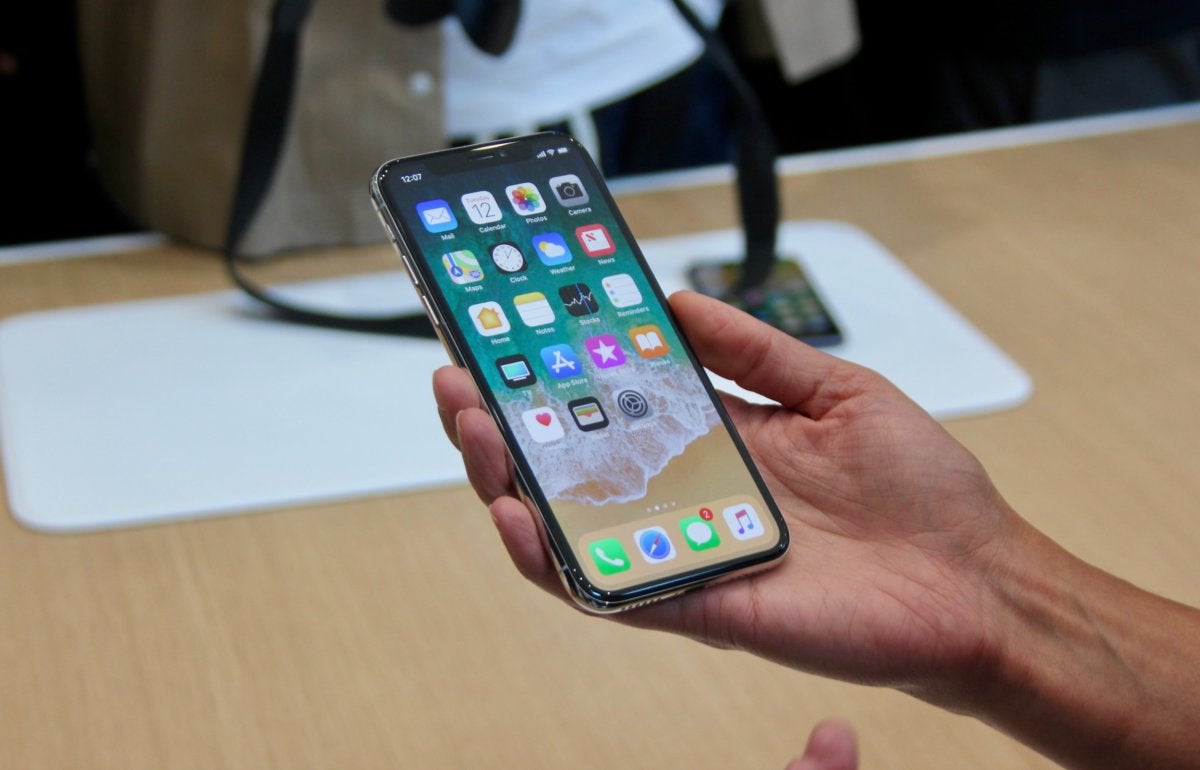
Want to quit apps on iPhone X? Maybe an app is misbehaving or draining your battery, or maybe you don’t want to updating or doing things in the background. If you need to quit running apps on iPhone X, you may have noticed that the traditional swipe up gesture does not work to close the app and instead sends you back to the home screen.
Instead, iPhone X has a new method of quitting apps that uses a two part method composed of both a gesture and then a tap and hold. It may take a little bit of getting used to, but the end result is the same; you can close out of running iOS apps.
How to Quit Apps on iPhone X
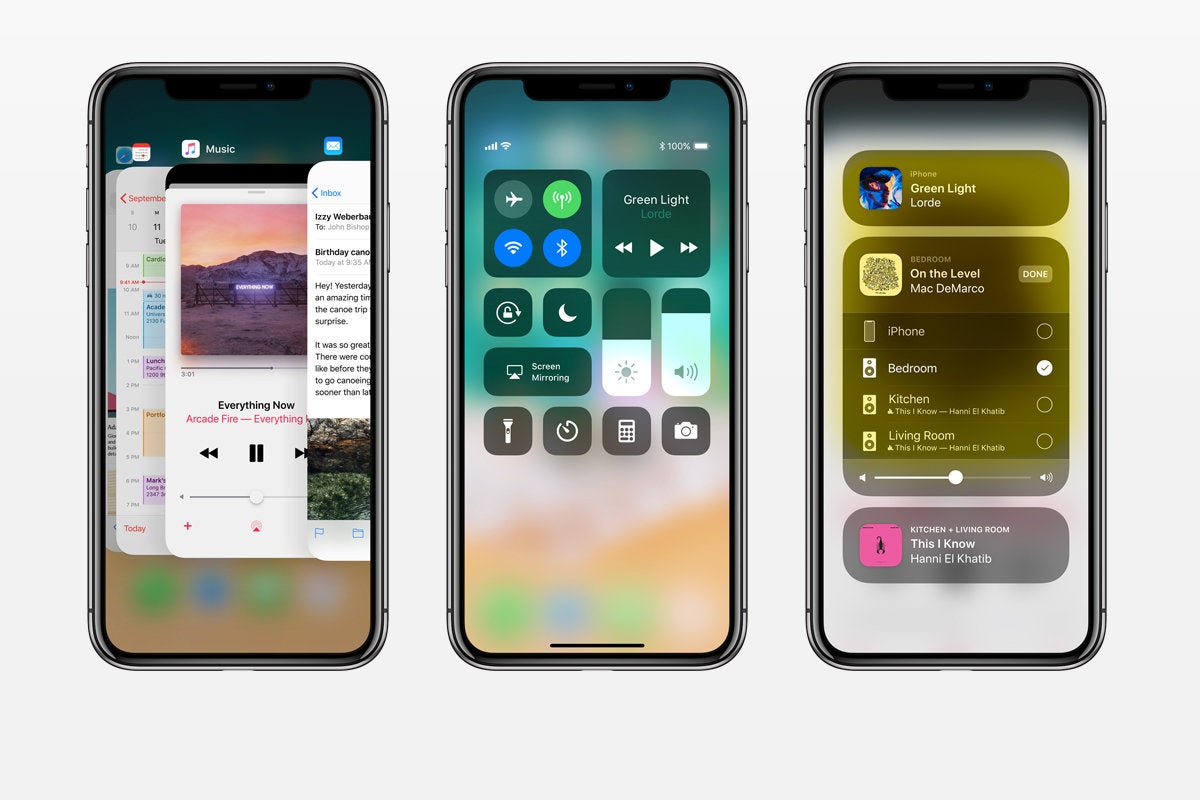
Swipe up from the bottom of the screen and pause for a moment to access the application switcher on iPhone X
Now tap and hold on any app preview card until the red “(-)” minus symbol appears in the corner of each app preview card
Tap the red “(-)” minus symbol to quit the app *
Swipe over to other app(s) and tap the red minus (-) button on those to quit as well, if desired
Swipe up again from the very bottom of the screen to exit out of the multitasking screen on iPhone X
* Once the red buttons appear, you can then swipe up on the preview cards to quit the apps. You can also tap multiple red minus buttons concurrently to quit multiple apps at the same time on iPhone X.
That’s it, just swipe up to access the multitasking screen, then tap and hold, then tap the red button to quit apps on iPhone X. Or, tap and hold, then swipe up once you see the red buttons appear on the app previews. The tap and hold action is a bit like what you use to delete iOS apps quickly from the Home Screen too, so it should be familiar to iOS users. Of course here we’re just quitting the app rather than deleting it, however.
The video below shows how this works, starting from the swipe and pause gesture, then tapping and holding to quit apps on iPhone X multitasking screen:
Note that if you simply swipe up on an app preview card, like how you quit apps on prior iOS devices, you’ll wind up back at the home screen of the iPhone X. But, you can swipe up after the red minus buttons appear on the app preview cards, that will close the apps as well.
Did you get a new iPhone X and now you want to migrate all of your data and stuff from an older iPhone to the new iPhone X? It’s easy to migrate everything from an old iPhone to a brand new iPhone X and transfer all of your data with you. This walkthrough will show how to get all data over from an old iPhone to the new iPhone X in the fastest manner possible.
It’s worth mentioning there are actually a few ways to transfer data from an old iPhone to a new iPhone X, each method requires making a backup of the old device which is then restore to the new iPhone X. While you can use iCloud backups and restore if you’d like to, our focus here is going to be on using iTunes backups and iTunes restore, because for many users it will be the fastest way to get a new iPhone X setup successfully with all of their old data onto the new phone.
How to Migrate All Data to New iPhone X from an Old iPhone
The tutorial here is going to walk through migrating all data from an iPhone 7 Plus to a new iPhone X by using iTunes and a computer. This is demonstrated on a Mac with iTunes, but the process is identical on a Windows PC with iTunes.
Connect the old iPhone to a computer with a USB cable
Launch iTunes on the computer and then select the connected old iPhone by clicking on the tiny iPhone button near the top of the iTunes window
Under the Summary section, select “This Computer” and click on “Encrypt iPhone Backup”*, then choose to “Back Up Now” **
Let the backup process of the old iPhone to iTunes complete
Now pick up your brand new iPhone X and go through the onscreen setup steps on the device
When you get to the “Apps & Data” screen, choose “Restore from iTunes Backup” and then connect the new iPhone X to the computer with iTunes
At the iTunes “Welcome to Your New iPhone” screen, choose “Restore from this backup:” and select the backup you just made of the old iPhone to iTunes, then click “Continue”
Let the Restoring iPhone from backup process complete, it may take a while – in the example here a 128GB iPhone with nearly full storage took about an hour to restore from an iTunes backup
When restoration from backup is complete, pickup the iPhone X and complete the setup steps
Note that new versions of iTunes (from 12.7 onward) will not restore apps from iTunes, and instead will download the apps again from the App Store during the restore process. You can get around that by using an alternate version of iTunes with App Store support, but it seems inevitable for Apple to do away with app support in iTunes in the near future.
That’s it. You’re ready to use your new iPhone X, the new iPhone X will have everything your old iPhone had on it. All contacts, files, photos, movies, pictures, gifs, messages, apps, app data, health data, step counts and mileage tracking, everything will have successfully migrated over, assuming you completed the steps properly.
* It’s important to choose to “Encrypt iPhone backup” when the backup is made to the computer via iTunes so that passwords, logins, health data, email login details, account data, and other info are backed up as well. iCloud backups are always encrypted by default. Do not forget the iTunes encrypted backup password, otherwise your backups will be inaccessible.
* You can backup the old iPhone with iCloud instead if you’d like to, but if you have a very large backup or tons of pictures, movies, then using iTunes with a USB connection between iPhone and a computer is going to be much faster for both backing up and restoring. There are some exceptions to this with those who have access to true first-world quality ultrafast broadband internet service, but if you are using one of the notoriously sluggish monopoly internet providers that are pervasive in the USA then it will take you a genuinely absurd amount of time to both make a large backup to iCloud and restore a large backup using iCloud. Just use iTunes, it will be much faster.
What about migrating data to the new iPhone X using iCloud?
You can absolutely use a fresh iCloud backup and iCloud restore to migrate everything from an old iPhone to a new iPhone X, the process is basically the same as the above method except you will choose to backup to iCloud, and then restore iPhone X from that iCloud backup.
Using iCloud to migrate rather than iTunes is entirely up to you, but perhaps the most important factor when using iCloud is the speed and reliability of your internet connection. iCloud Restore works very well, but to complete in a reasonable time frame requires either a relatively small device backup, or an extraordinarily fast and reliable internet connection.
Be aware that using the iCloud restore process can take an unreasonable amount of time to complete however. For example, using iCloud to restore my old 128 GB iPhone Plus backup to the new iPhone X was estimated to take a whopping 45 hours using a standard American broadband connection (despite creating the internet, the USA has notoriously slow and expensive broadband compared to the developed world, hooray). If you’re in a major US tech hub with lightning speed fiber broadband, using iCloud may be a reasonable option for you. For me personally, the decision to wait 1 hour by using iTunes restore versus 45 hours by using iCloud restore when setting up new iPhone X was not exactly a challenging decision to make; iTunes it is.
Sidenote: The iPhone X also has a new optional “Quick Start” setup and transfer process which uses iCloud backups and requires both devices be on iOS 11.0 or later, but as discussed already, the iTunes method is typically the fastest way to get a new device restored with your old iPhone data, which is why we’re focusing on iTunes.
If iPhone X is the future, then iOS is the vehicle to get us there. Apple’s latest iPhone introduces all sorts of little changes to iOS that compensate for the lack of Home button and the camera notch, but for the most part, iOS on iPhone X isn’t all that different than it is on the iPhone 8.
In fact, if iPhone X shows us anything, it’s that iOS is a little behind the times. Apple has done well to freshen it up with new gestures and animations, but compared to the sleek curves and OLED screen on iPhone X, iOS feels less modern than ever. And if iPhone X is truly going to lead Apple over the next 10 years, then iOS is going to need to be three steps ahead of it. Here are 10 ways iOS 12 can get the ball rolling:
1. Give us a dark mode
iPhone X would be stunning with a true iOS dark mode.
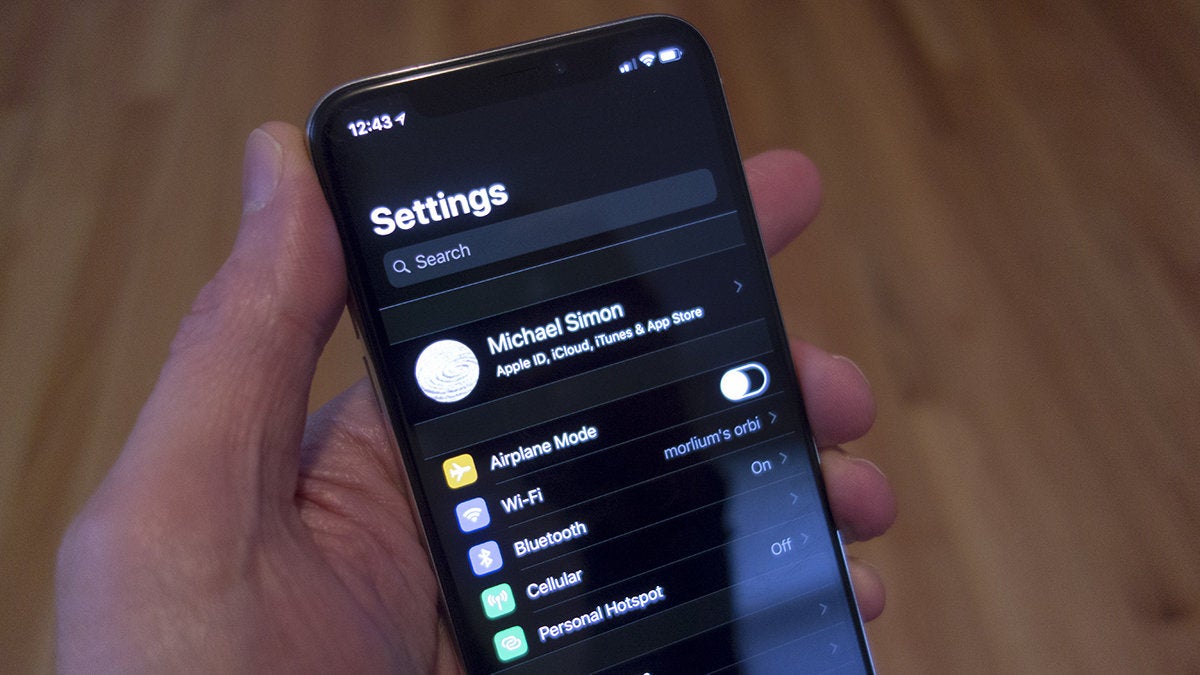
As we can see on Apple Watch, a dark OS theme takes full advantage of OLED, blurring the lines between the glass and the screen, and giving the illusion of an infinite screen. Apple might tout iPhone X as being “all screen,” but in reality it actually has a pretty thick bezel. We can kind of simulate it with the Invert colors toggle in the Accessibility settings (as seen in the picture above), but a true dark mode in iOS would eliminate the visual barrier between the screen and the bezel and make it seem like you’re holding a edge-to-edge piece of glass.
2. Expand Face ID’s reach
Face ID is very impressive on iPhone X, but it’s not quite perfect. Much like Touch ID’s debut on the iPhone 5s, Face ID is very much a work in progress, and Apple is surely going to improve the speed and reliability of it on future iPhones. Two things we’d like to see, though: greater angles of recognition so we don’t have to focus so intently on the screen while unlocking, and the ability to add a second face. With Touch ID, our spouses and kids had fingerprints registered so they could use our phones without asking for our passcode (or our fingers), and we’d like to do the same with Face ID.
3. Go all in on the notch
Apple should use the notch for more than just static icons.
The camera notch isn’t nearly as bad as we thought it would be. While it still looks a little silly in pictures, in practice it’s not all that distracting, and in the right instances, it’s actually kind of cool. But one thing is for sure: It’s not going away anytime soon. So, if that’s the case, we’d like Apple to add even more functionality to the spaces around the notch, turning the status bar into a fully interactive space that eliminated the need to open the Control Center so often. For example, tapping the battery icon could show how much percentage is remaining or tapping the time could toggle between it and the date. And here’s a really cool one: Reddit app Apollo (seen above) uses the top right space to show sound adjustments so your view isn’t obstructed just because you want to raise the volume.
4. Let us swipe anywhere to unlock
There’s no doubt that at some point in the future our iPhones will automatically jump to the home screen as soon as we look at them, but until that day arrives, we still need to swipe up. The problem is, you need to swipe from the very bottom of the screen where the home indicator is. And we often forget, meaning we have to swipe twice to unlock. Much like Apple removed the bar in iOS 7 and let us slide anywhere to get to the passcode screen, the ability to swipe up in the center of the screen would save literally hundreds of seconds each day.
5. Build an always-on display
Always-on displays are out of this world on Android phones..
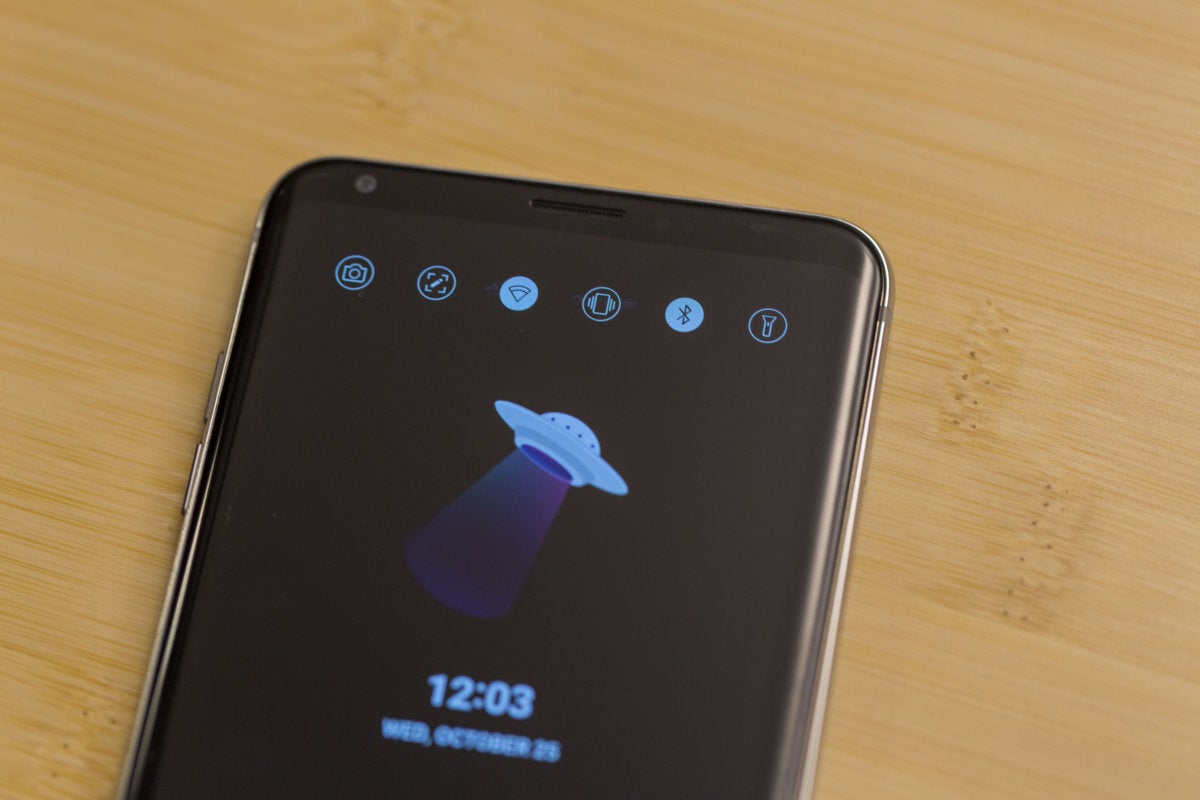
Now that Apple is finally using OLED in an iPhone and can take advantage of its power-saving benefits, the time is ripe for an always-on display. A staple of Android flagships for years, it’s an incredible useful feature, showing things like time, battery percentage, and notifications without needing to do more than glance at your phone. We’d love to see what an always-on display would look like on iPhone X, but mostly it would be nice if our phones didn’t light up every time they need to alert us that a notification has arrived.
6. Add a double-tap to sleep gesture
Without the Home button, the only way to turn on the iPhone X’s screen is to press the side power button, so Apple gave us a cool gesture: tap to wake. But it only works when the display is off. To turn off the display, we still need to press the power button. On LG phones, you can double-tap on the home screen to put it to sleep, and it would be incredible useful on iPhone X too.
7. Put the apps in a drawer
It sure would be nice if we could tuck our apps away into a drawer in iOS 12.
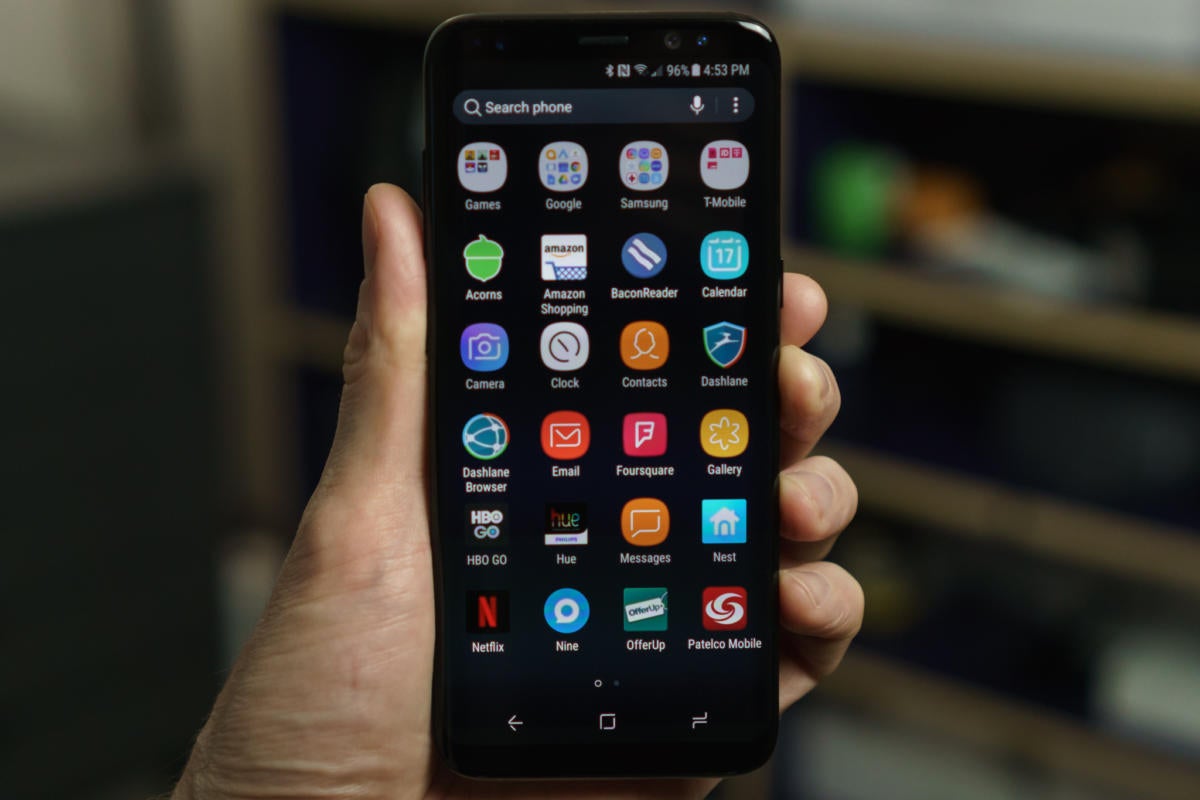
We’ve been hating on the icon grid for years, but on iPhone X it’s downright criminal. With such a brilliant screen, we want to see our entire home screen image, but Apple still forces us to clutter our screen with icons. It’s time Apple gave us the option to keep them hidden a la Android’s app drawer, showcasing the iPhone X screen in all its glory.
8. Make unlocking smarter
We can debate the merits of Face ID over Touch ID all day long, but the bottom line is we shouldn’t need to unlock our phones every time we want to use them. On Android phones, you can keep your phone unlocked when you’re connected to trusted Wi-Fi networks or using certain Bluetooth devices, and a similar feature would be awesome in iOS. How great would it be if you didn’t even need to use Face ID to unlock your iPhone X once you strapped an Apple Watch onto your wrist?
9. Fix the keyboard
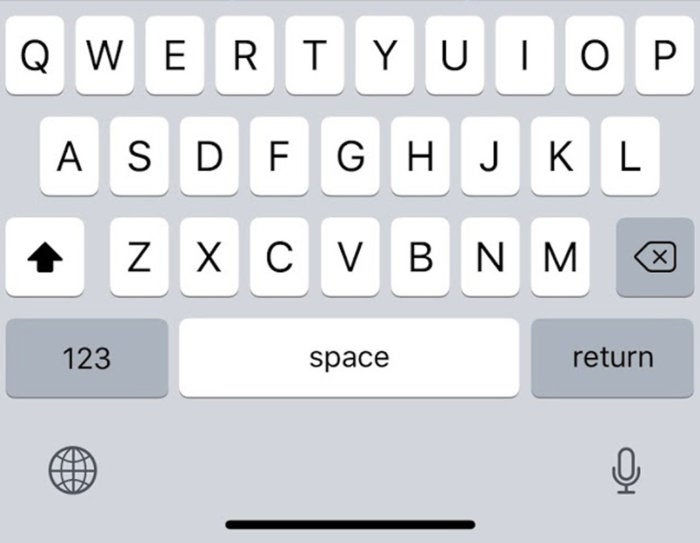
The Phone X keyboard has an awful lot of wasted space.
iPhone X may give us more screen to work with, but when you’re typing a message or email, you don’t actually get any space benefits over the iPhone 8 Plus. That’s because Apple has opted to position the keyboard with a sizable bit of space below it so as to not interfere with the home indicator. Fair enough, but at the moment, it’s pretty much wasted. Apple has put the dictation and keyboard switcher buttons down there, but why not add a Touch Bar-style row of favorite emoji too? Or at least let third-party developers customize it with their own buttons? Every pixel on iPhone X is valuable, and it’s a shame to have so much blank space.
10. Bring over iPad-style multitasking
iOS 10 brought some serious multitasking abilities to the iPad, but it needn’t be relegated to tablets anymore. Now that the iPhone X screen is nearly six inches, we should be able to run two apps comfortably at the same time. Or use a PIP window and drag and drop. iPhone X’s giant screen and gesture-based navigation opens it up to a whole array of multitasking possibilities, and iOS 12 needs to get on board.
After finally getting our hands and unboxing one of those (not so extremely) hard to come by iPhone X units, and checking out the innovative handset’s unique innards, it’s time to take a look at durability and breakability… and desperately urge you to use a case.
It’s obviously always wise to do everything in your power to protect an expensive, high-end mobile device from all types of damage, but unfortunately the iPhone X is special in a number of anxiety-enhancing ways.
For starters, not only is the product itself wildly expensive, at $999 and up, with routine repairs and essential component backups also costing a small fortune. It seems incredibly easy to destroy both the fancy new OLED screen and glass back as well, and SquareTrade disputes iFixit’s decent repairability rating, claiming among others that the remarkably small logic board and divided battery are harder to rehabilitate and remove in times of need.
The extended warranty service provider deems the iPhone X an overall “high risk” in breakability, awarding it 90 points on a scale where 100 is the worst possible score. In contrast, the iPhone 8 and 8 Plus racked up “just” 67 and 74 points respectively, and even the Galaxy Note 8 stood at a significantly better 80 total.
Basically, if you drop the iPhone X once, be it on its side, back or face down, you’re looking at massive damage, according to SquareTrade, and absurdly costly repairs.
In terms of relative durability, iFans should be happy to hear professional gadget torturer Zack from YouTube channel JerryRigEverything wasn’t able to bend the iPhone X using his bare hands.
The handset is described as “incredibly solid” after the customary series of torture tests, with premium stainless steel sides and a mostly glass construction that’s impervious to daily scratches. Still, you absolutely shouldn’t count on this fragile beaut surviving a single drop onto a hard surface, so once again, remember to get a case. A skin, a cover, a folio, anything to shield that precious glass back.
One of the biggest surprises this fall happens to be the LG V30, a refined product that has been highly praised by critics as the no-bull smartphone – offering a wealth of uncompromising features. Meanwhile, the hype surrounding Apple’s latest device, the 10th anniversary iPhone X, is in full swing as buyers packed stores and shops to pick it up recently. Apple’s reputation isn’t necessarily on the spot, given how its iPhones are continually popular amongst consumers, but for LG, they’re on the upswing after last year’s sour performance, so it’ll be interesting to see if the V30 can remain relevant now that the iPhone X is here.
Design
When you stack these two titans next to one another, it’s apparent that there’s no shortage of premium qualities with their designs. It’s so blatantly rampant, as the two phones share almost the same philosophies – a metal meets glass construction. However, the stainless-steel bands of the iPhone X combined with its slightly heavier weight does give it a more substantial feel in the hand. In terms of size, the iPhone X is slightly more manageable, since it’s shorter and narrower than the V30. But at the end of the day, it’s clear that the two phones simply look stunning!
What we like about the V30‘s design over the iPhone X is that it features a slightly more water-resistant construction; an IP68 rating versus the iPhone X‘s IP67. Furthermore, it packs the ever-so-useful 3.5mm headphone jack and a fingerprint sensor. The latter has been omitted with the iPhone X, replaced instead by its new Face ID technology, but we still certainly appreciate this alternative form of security.
Display
Apple might’ve moved beyond 1080p resolution with the iPhone X, which flaunts a 5.8-inch 1125 x 2436 Super Retina Display that leverage OLED technology, but the V30 is still technically more pixel packed with its larger 6-inch 1440 x 2880 FullVision P-OLED display. Not surprisingly, they hopped on the trend of boasting that near bezel-less look with their fancy looking new displays, so they’re more than equipped for all of your multimedia consumption.
Briefly comparing the two, it’s tough to make enough of an assertive affirmation about which one is more superior, but we can definitely say that the viewing angles on the iPhone X‘s display is better. For now, we’ll be reserved before making a final judgement – that’s until we can fully test out the qualities of the iPhone X’s new Super Retina Display. With the V30, it has already established itself as a strong contender with its strong brightness output and high contrast.
User Interface
Apple’s iOS versus Google’s Android, this is a battle we’ve seen countless times before. With LG‘s skin on the V30, it manages to retain a faithful experience to stock Android, but there are some useful additions thrown into the experience that enhance the experience, like its always-accessible floating bar. As for the iPhone X and its latest iOS experience, there are some new tweaks and tricks up its sleeve, like its new Animoji feature, but the core stuff continues to favor simplicity and straightforwardness.
Honestly, the two competing platforms have grown so much since their inceptions, so either can suffice for all sorts of needs. Android clearly continues to offer more customization and control by the user, but Apple’s control has been lessened. That new Animoji feature with the iPhone X is intriguing, providing users with a new form of interacting through messages, but knowing how the two platforms eventually adopt ideas from each other, it shouldn’t surprise us if and when a similar feature comes out for Android.
Processor and Memory
Just for specs sake, the LG V30 is powered by the Qualcomm Snapdragon 835 SoC accompanied with 4GB of RAM – whereas the iPhone X leverages Apple’s new A11 Bionic with 3GB of RAM. Until we can properly put the iPhone X through our barrage of testing, we’ll just mention our quick takeaways with their performances during our initial look. And with that, it’s just unbelievable how snappy the iPhone X runs. We’ve been using the V30 for quite some time now, exhibiting the tight responses you’d expect from a high-caliber phone, but it blows us away the noticeable difference in how the iPhone X performs with simple navigation around the interface!
Both handsets start with base storage capacities of 64GB, but there’s also an iPhone X with a 256GB capacity as well. That’s surely nice and all, but it can’t take away from the storage expansion of the V30 courtesy of its microSD card slot.
Camera
Dual-camera systems have been the trend amongst top-tiered smartphones this year, but even though these two prized smartphones offer them, their purposes are totally different. With the iPhone X and its dual 12MP cameras, it’s meant to deliver those creamy looking portrait shots as your subject is surrounded by beautiful bokeh. Oppositely, though, the LG V30‘s combo of having a main 16MP camera and a 13MP wide-angle one, is meant more to deliver a wider capture with compositions.
The intent of each camera system is definitely on the opposite ends of the spectrum, as the iPhone X seems to be the kind of camera for those who want simplicity in capturing shots, with an attention to portraits and those blown out backgrounds. Those wishing for more control, the V30‘s implementation offers a rich set of tools for content creators, especially on the video side. Then again, the iPhone X is notable for offering 4K capture at 60 FPS.
Regardless, we’re eager to compare the two and uncover who is going to deliver the better end result quality – both stills and videos, of course.
Battery
The LG V30, with its 3300 mAh battery cell, has already proven its endurance in delivering solid battery performance. It’s not the longest lasting thing we’ve tested, but it’s definitely up there still. Oppositely, though, the iPhone X‘s 2716 mAh battery will be scrutinized moreover not only for the fact that the capacity is a little bit underwhelming, but it makes us wonder how it’ll perform with that new, higher resolution display.
Thanks in part to their glass surfaces, the two are endowed with wireless charging technologies, which is always a nice complement to find in a high-end phone.
Expectations
What makes the LG V30 so compelling is that unlike its contemporaries (iPhone X included), it’s not priced so exorbitantly that it would make it unreachable to mere mortals. Although, based on the craziness and demand from consumers on launch day for the iPhone X, it seems people are willing to enter this new threshold for a smartphone.
Starting at roughly $829.99 at most retailers and carriers, the LG V30 seems like a value rich option in comparison to the $1,000 cost of the iPhone X. For the additional $130 you’re required to fork over for the iPhone X, it makes us wonder how much more you’re getting from Apple’s latest gadget. Still, we can’t stress enough how we appreciate some of the design cues found with the LG V30, like its headphone jack, in addition to how it’s a great option for video content creators.
The iPhone X, on the other hand, has a lot to prove to consumers at $1,000.
Here’s what the luckiest people in the world are saying about Apple’s new iPhone
While the rest of the world has a few days (or, gulp, weeks) to wait for the new iPhone X, Apple has bestowed review units on a few bloggers and vloggers, and their first thoughts have arrived. And surprise, surprise, they’re very positive.
The impact on you at home: With a phone like iPhone X, first impressions matter, and Apple clearly wants everyone to know just how cool its new phone really is. The hand-picked bloggers and vloggers here are a departure from the usual select-group of journalists, so Apple is targeting a very different audience with these first impressions. When the reviews land later this week we’ll have a more technical understanding of its pros and cons, but for now, iPhone X looks like a winner and the first step toward the next smartphone revolution.
‘Halfway’ to the future
Longtime tech journalist Steven Levy has the first deep-ish dive into iPhone X over at Wired, and he found it to be “dazzling” and “impressive,” with a screen that “will persistently reassure buyers that emptying their wallets for an iPhone X wasn’t folly.” Levy says the camera/sensor notch at the top of the screen is initially an “aesthetic setback,” but ultimately little more than “a tiny distraction in your peripheral vision that you eventually get past.” And he said while the new gesture-based navigation required “some relearning” but didn’t take long to master.
As far as Face ID, Levy notes that the system “pretty much” works, but requires a degree of focus to make sure you’re making the proper eye contact with the sensor. He did, however, note that using Face ID to activate Apple Pay is “a clearer way to do transactions.” He also praised the camera, Animoji, and increased battery life.
Ultimately, Levy sees iPhone X as a “halfway point to that future” rather than a full-on revolution: “Those who shell out the cash for this device will enjoy their screen and battery life today. But the real payoff of the iPhone X might come when we figure out what it can do tomorrow.”
Influence
In a somewhat uncharacteristic move, Apple also invited a handful of YouTube performers to New York City for an exclusive iPhone X hands-on event. Booredatwork.com, Soldier Knows Best, and Highsnobiety have each posted videos of their impressions of the device.
All three are enamored with the design and demonstrate Face ID functionality. There were no major gaffes, but Booredatwork.com pointed out that it was a bit of an inconvenience to swipe the screen after Face ID unlocked the device.
Like Levy, Soldier Knows Best wasn’t too distracted by the notch, and he found the Face ID setup method to be easier than Touch ID. And he too found Animoji to be fun, if not a bit gimmicky. Additionally, Noah Thomas and Brian Farmer of Highsnobiety found Face ID and Apple Pay to be “so fast now,” and were particularly impressed by the new portrait lighting selfies and AR capabilities.
“Apple’s on another level,” said Thomas. “Shout-out to Steve Jobs. He’s really looking down and he’s proud of the team.”
Packed with Innovative Features Including a Super Retina Display, TrueDepth Camera System, Face ID and A11 Bionic Chip with Neural Engine
iPhone X is the future of the smartphone in a gorgeous all-glass design with a beautiful 5.8-inch Super Retina display.
Cupertino, California — Apple today announced iPhone X, the future of the smartphone, in a gorgeous all-glass design with a beautiful 5.8-inch Super Retina display, A11 Bionic chip, wireless charging and an improved rear camera with dual optical image stabilization. iPhone X delivers an innovative and secure new way for customers to unlock, authenticate and pay using Face ID, enabled by the new TrueDepth camera. iPhone X will be available for pre-order beginning Friday, October 27 in more than 55 countries and territories, and in stores beginning Friday, November 3.
The device is the display on iPhone X, featuring the first OLED screen that rises to the standards of iPhone.
“For more than a decade, our intention has been to create an iPhone that is all display. The iPhone X is the realization of that vision,” said Jony Ive, Apple’s chief design officer. “With the introduction of iPhone ten years ago, we revolutionized the mobile phone with Multi-Touch. iPhone X marks a new era for iPhone— one in which the device disappears into the experience.”
The all-glass front and back on iPhone X feature the most durable glass ever in a smartphone in two beautiful colors, silver and space gray.
“iPhone X is the future of the smartphone. It is packed with incredible new technologies, like the innovative TrueDepth camera system, beautiful Super Retina display and super fast A11 Bionic chip with neural engine,” said Philip Schiller, Apple’s senior vice president of Worldwide Marketing. “iPhone X enables fluid new user experiences — from unlocking your iPhone with Face ID, to playing immersive AR games, to sharing Animoji in Messages — it is the beginning of the next ten years for iPhone.”
Gorgeous All-Screen Design
The Super Retina display employs new techniques and technology to precisely follow the curves of the design, all the way to the elegantly rounded corners.
iPhone X introduces a revolutionary design with a stunning all-screen display that precisely follows the curve of the device, clear to the elegantly rounded corners. The all-glass front and back feature the most durable glass ever in a smartphone in silver or space gray, while a highly polished, surgical-grade stainless steel band seamlessly wraps around and reinforces iPhone X. A seven-layer color process allows for precise color hues and opacity on the glass finish, and a reflective optical layer enhances the rich colors, making the design as elegant as it is durable, while maintaining water and dust resistance.
iPhone X is as elegant as it is durable while maintaining water and dust resistance.
Remarkable Super Retina Display
The beautiful 5.8-inch Super Retina display2 is the first OLED panel that rises to the standards of iPhone, with stunning colors, true blacks, a million-to-one contrast ratio and wide color support with the best system-wide color management in a smartphone. The HDR display supports Dolby Vision and HDR10, which together make photo and video content look even more amazing. The addition of True Tone dynamically adjusts the white balance of the display to match the surrounding light for a more natural, paper-like viewing experience.
Familiar gestures allow customers to naturally and intuitively navigate iPhone X.
iOS 11 is redesigned to take full advantage of the Super Retina display and replaces the Home button with fast and fluid gestures, allowing customers to naturally and intuitively navigate iPhone X. Simply swipe up from the bottom to go home from anywhere.
Face ID, a Powerful and Secure Authentication System
Face ID on iPhone X introduces a revolutionary new way to securely unlock, authenticate and pay.
Face ID revolutionizes authentication on iPhone X, using a state-of-the-art TrueDepth camera system made up of a dot projector, infrared camera and flood illuminator, and is powered by A11 Bionic to accurately map and recognize a face. These advanced depth-sensing technologies work together to securely unlock iPhone, enable Apple Pay, gain access to secure apps and many more new features.
Face ID projects more than 30,000 invisible IR dots. The IR image and dot pattern are pushed through neural networks to create a mathematical model of your face and send the data to the secure enclave to confirm a match, while adapting to physical changes in appearance over time. All saved facial information is protected by the secure enclave to keep data extremely secure, while all of the processing is done on-device and not in the cloud to protect user privacy. Face ID only unlocks iPhone X when customers look at it and is designed to prevent spoofing by photos or masks.
Reinvented Front and Back Cameras Featuring Portrait Lighting
iPhone X features the 7MP TrueDepth camera and a redesigned 12MP rear camera with dual OIS.
The new 7-megapixel TrueDepth camera that enables Face ID features wide color capture, auto image stabilization and precise exposure control, and brings Portrait mode to the front camera for stunning selfies with a depth-of-field effect.
iPhone X also features a redesigned dual 12-megapixel rear camera system with dual optical image stabilization. The ƒ/1.8 aperture on the wide-angle camera joins an improved ƒ/2.4 aperture on the telephoto camera for better photos and videos. A new color filter, deeper pixels and an improved Apple-designed image signal processor delivers advanced pixel processing, wide color capture, faster autofocus in low light and better HDR photos. A new quad LED True Tone Flash offers twice the uniformity of light and includes Slow Sync, resulting in more uniformly lit backgrounds and foregrounds.
The new camera in iPhone X features a larger and faster sensor, new color filter, deeper pixels and OIS for capturing vibrant photos and videos with more detail.
The cameras on iPhone X are custom tuned for the ultimate AR experience. Each camera is individually calibrated, with new gyroscopes and accelerometers for accurate motion tracking. The A11 Bionic CPU handles world tracking, scene recognition and the GPU enables incredible graphics at 60fps, while the image signal processor does real-time lighting estimation. With ARKit, iOS developers can take advantage of the TrueDepth camera and the rear cameras to create games and apps offering fantastically immersive and fluid experiences that go far beyond the screen.
The new camera also delivers the highest quality video capture ever in a smartphone, with better video stabilization, 4K video up to 60fps and 1080p slo-mo up to 240fps. The Apple-designed video encoder provides real-time image and motion analysis for optimal quality video.
Portrait mode with Portrait Lighting on both the front and rear cameras brings dramatic studio lighting effects to iPhone and allows customers to capture stunning portraits with a shallow depth-of-field effect in five different lighting styles.
With iOS 11, iPhone X supports HEIF and HEVC for up to two times compression and storage for twice the photos and videos.
Animoji Brings Emoji to Life
iPhone X users can record and send Animoji messages that mirror their facial expressions.
The TrueDepth camera brings emoji to life in a fun new way with Animoji. Working with A11 Bionic, the TrueDepth camera captures and analyzes over 50 different facial muscle movements, then animates those expressions in a dozen different Animoji, including a panda, unicorn and robot. Available as an iMessage app pre-installed on iPhone X, customers can record and send Animoji messages with their voice that can smile, frown and more.
Using the TrueDepth camera, iPhone X brings emoji to life in a fun new way with Animoji
Introducing A11 Bionic
A11 Bionic, the most powerful and smartest chip ever in a smartphone, features a six-core CPU design with two performance cores that are 25 percent faster and four efficiency cores that are 70 percent faster than the A10 Fusion, offering industry-leading performance and energy efficiency. A new, second-generation performance controller can harness all six cores simultaneously, delivering up to 70 percent greater performance for multi-threaded workloads, giving customers more power while lasting two hours longer than iPhone 7. A11 Bionic also integrates an Apple-designed GPU with a three-core design that delivers up to 30 percent faster graphics performance than the previous generation. All this power enables incredible new machine learning, AR apps and immersive 3D games.
The neural engine in A11 Bionic is purpose-built for machine learning, augmented reality apps and immersive 3D games.
The new A11 Bionic neural engine is a dual-core design and performs up to 600 billion operations per second for real-time processing. A11 Bionic neural engine is designed for specific machine learning algorithms and enables Face ID, Animoji and other features.
Designed for a Wireless Future
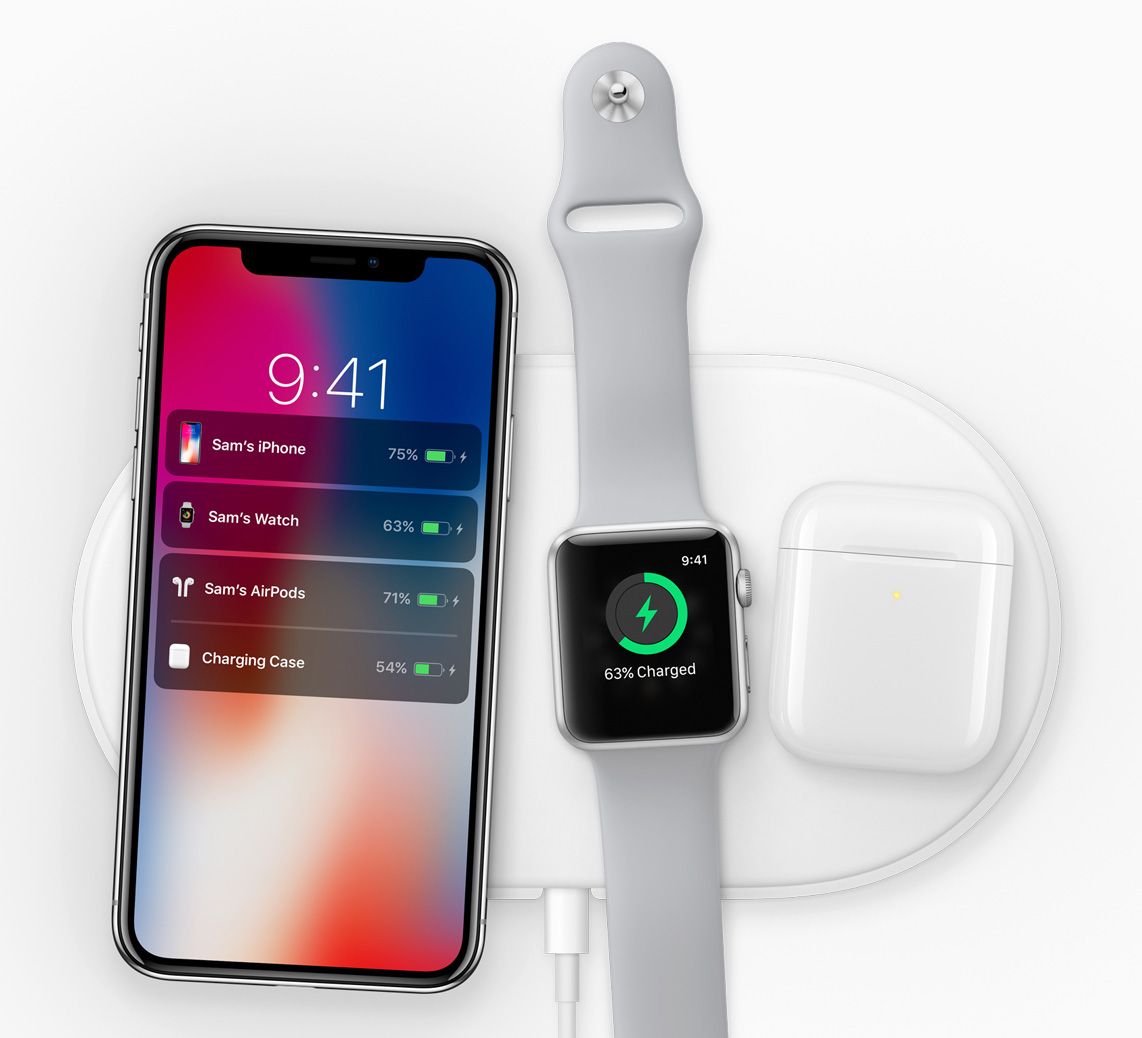
The new Apple-designed AirPower mat, coming in 2018, can charge iPhone, Apple Watch and AirPods simultaneously.
The glass back design enables a world-class wireless charging solution. Wireless charging works with the established Qi ecosystem, including two new wireless charging mats from Belkin and mophie, available from apple.com and Apple Stores.
The glass back design on iPhone X enables a world-class wireless charging solution.
Apple gave a sneak peek of AirPower, an Apple-designed wireless charging accessory coming in 2018, which offers a generous active charging area that will allow iPhone 8, iPhone 8 Plus or iPhone X customers to simultaneously charge up to three devices, including Apple Watch Series 3 and a new optional wireless charging case for AirPods.
Pricing and Availability
iPhone X will be available in silver and space gray in 64GB and 256GB models starting at $999 (US) from apple.com and Apple Stores and is also available through Apple Authorized Resellers and carriers (prices may vary).
Through Apple’s iPhone Upgrade Program, customers in the US can get iPhone X, with the protection of AppleCare+, choose their carrier (no multiyear service contract required) and have the opportunity to upgrade to a new iPhone every year. The iPhone Upgrade Program is available for iPhone X at apple.com and Apple Stores in the US with monthly payments starting at $49.91.4
Customers will be able to order iPhone X beginning Friday, October 27, with availability beginning Friday, November 3, in Andorra, Australia, Austria, Bahrain, Belgium, Bulgaria, Canada, China, Croatia, Cyprus, Czech Republic, Denmark, Estonia, Finland, France, Germany, Greece, Greenland, Guernsey, Hong Kong, Hungary, Iceland, India, Ireland, Isle of Man, Italy, Japan, Jersey, Kuwait, Latvia, Liechtenstein, Lithuania, Luxembourg, Malta, Mexico, Monaco, Netherlands, New Zealand, Norway, Poland, Portugal, Puerto Rico, Qatar, Romania, Russia, Saudi Arabia, Singapore, Slovakia, Slovenia, Spain, Sweden, Switzerland, Taiwan, UAE, the UK, the US and US Virgin Islands.
Apple-designed accessories including leather and silicone cases in a range of colors will be available starting at $35 (US), while a new iPhone X Leather Folio will be available for $99 (US). Lightning Docks in color-matching metallic finishes will also be available for $49 (US), prices may vary.
Every customer who buys iPhone X from Apple will be offered free Personal Setup in-store or online to help them customize their iPhone by setting up email, showing them new apps from the App Store and more.5
Anyone who wants to start with the basics or go further with iPhone X or iOS 11 can sign up for free Today at Apple sessions at apple.com/today.
Apple revolutionized personal technology with the introduction of the Macintosh in 1984. Today, Apple leads the world in innovation with iPhone, iPad, Mac, Apple Watch and Apple TV. Apple’s four software platforms — iOS, macOS, watchOS and tvOS — provide seamless experiences across all Apple devices and empower people with breakthrough services including the App Store, Apple Music, Apple Pay and iCloud. Apple’s more than 100,000 employees are dedicated to making the best products on earth, and to leaving the world better than we found it.
1 iPhone X is splash, water and dust resistant, and was tested under controlled laboratory conditions with a rating of IP67 under IEC standard 60529. Splash, water and dust resistance are not permanent conditions, and resistance might decrease as a result of normal wear. Do not attempt to charge a wet iPhone; refer to the user guide for cleaning and drying instructions. Liquid damage not covered under warranty. 2 The iPhone X display has rounded corners that follow a beautiful curved design, and these corners are within a standard rectangle. When measured as a standard rectangular shape, the screen is 5.85 inches diagonally (actual viewable area is less). 3 Portrait Lighting launches in beta. 4 Based on a 24-month installment loan; full terms and conditions apply. 5 In most countries.
iPhone X has not been authorized as required by the rules of the Federal Communications Commission. This device is not, and may not be, offered for sale or lease, or sold or leased, until authorization is obtained.