


THE UNSEEN DAMAGE: Water-damaged iPhone 15 motherboard repair

THE UNSEEN DAMAGE: Water-Damaged iPhone 15 Motherboard Repair Secrets You Need to Know (2025 Guide)
Understanding Water Damage in the iPhone 15
Water damage is one of the most unpredictable threats to modern smartphones, especially for the iPhone 15, which combines intricate circuitry with delicate micro-components. Even though Apple advertises its latest models as water-resistant, this doesn’t mean they are waterproof.
How Water Reaches the Motherboard
The iPhone 15 is sealed using precision gaskets and adhesives that slow down water ingress. However, when dropped in water, pressure and temperature variations can still force liquid through the charging port, SIM tray, or speaker grills. Once inside, water conducts electricity between circuits, leading to short circuits, oxidation, and eventual motherboard failure.
Common Causes of iPhone 15 Water Damage
- Accidental immersion in pools, toilets, or washing machines.
- Rain exposure during outdoor use.
- Sweat and humidity during workouts.
- Condensation from rapid temperature changes (cold-to-hot environments).
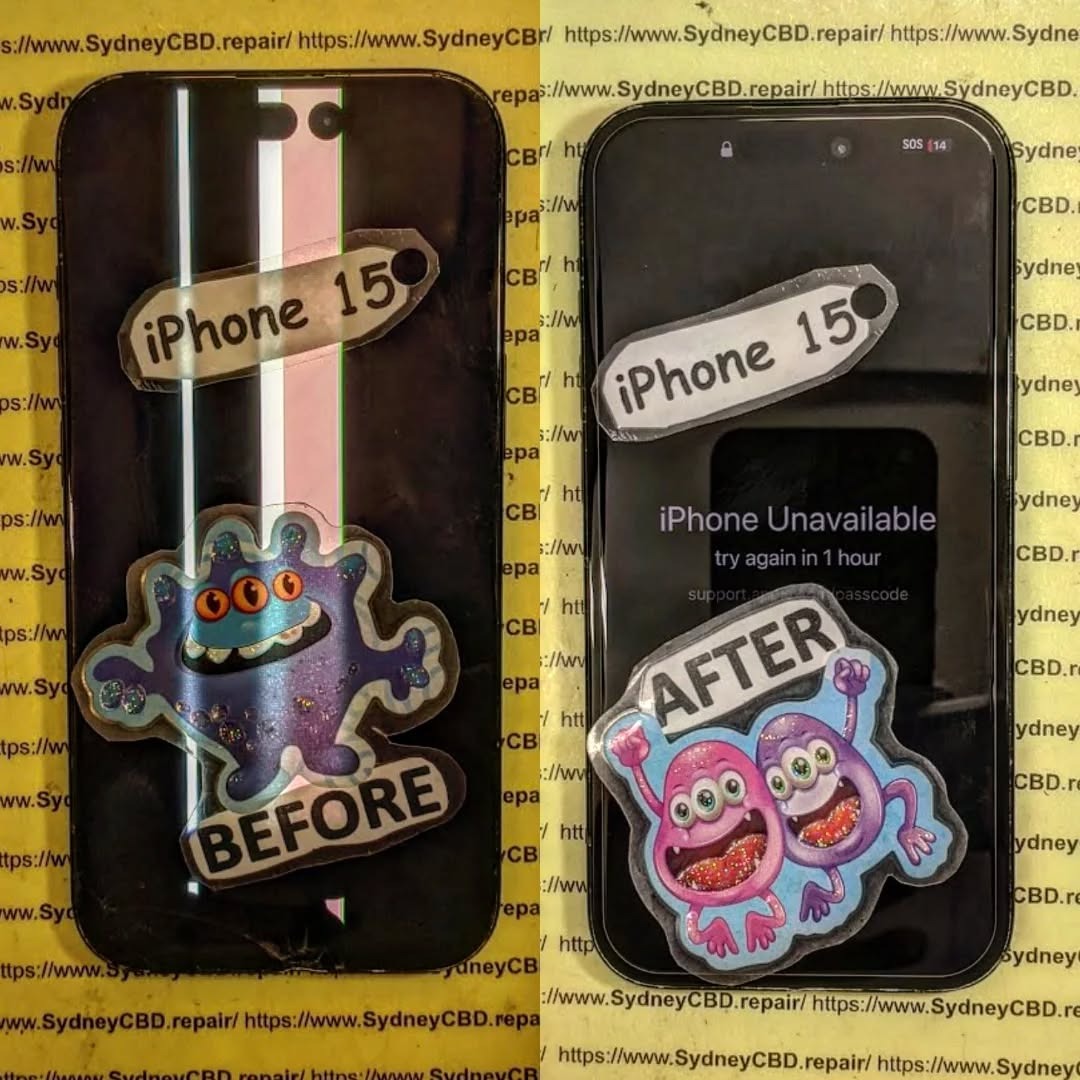
Signs Your iPhone 15 Motherboard Is Water-Damaged
Even if your phone seems to work after contact with water, hidden corrosion can silently degrade its components.
Physical and Internal Indicators
- Flickering or completely black screen
- Overheating battery or random restarts
- Distorted speaker or microphone output
- Camera malfunction or Face ID failure
Diagnostic Tests and Hidden Corrosion
Technicians use microscopic inspection and moisture sensors to detect corrosion. A logic board continuity test confirms whether circuits remain intact. This diagnostic step is vital because many motherboard issues don’t appear immediately after the incident.
The Science Behind iPhone 15 Water Damage
How Electricity and Water Interact Inside the Device
When water bridges metal circuits, ions from the liquid accelerate oxidation. This electrochemical reaction corrodes solder joints, destroying key connections between chips.
The Role of Apple’s Waterproofing Seals
Apple uses IP68-rated sealing, which protects against brief immersion in shallow water. However, repeated exposure, impact damage, or unauthorized screen replacements weaken these seals — making professional repairs essential.
Why Motherboard Damage Is So Critical
The motherboard is the brain of your iPhone 15 — controlling everything from data transfer to image processing.
Impact on Performance and Data
A damaged motherboard can cause:
- Boot failure or data corruption
- Battery charging irregularities
- Camera and sensor malfunctions
- Permanent Face ID or Touch ID loss
Risks of Ignoring Early Warning Signs
Delaying repairs can spread corrosion to secondary chips, making data recovery impossible. Quick professional intervention is crucial to save both your device and your personal information.
Professional Water-Damaged iPhone 15 Motherboard Repair Process

At Sydney CBD Repair Centre, each water-damaged device undergoes a meticulous restoration process led by certified technicians.
Step 1: Initial Assessment and Liquid Damage Test
Technicians open the device and inspect the Liquid Contact Indicator (LCI). If it’s red, moisture has breached the seal.
Step 2: Ultrasonic Cleaning and Corrosion Removal
The motherboard is removed and placed in an ultrasonic cleaning machine with specialized solutions that safely remove oxidation.
Step 3: Component-Level Repair and Testing
Corroded IC chips are desoldered and replaced using micro-soldering tools. After repairs, the board is re-tested under simulated load conditions to ensure stability.
DIY Myths About Fixing Water-Damaged iPhones
Why Rice and Air-Drying Don’t Work
Rice can’t remove moisture trapped beneath chips or connectors. It may absorb surface water, but corrosion begins almost instantly inside the device.
The Dangers of DIY Alcohol Cleaning
Using isopropyl alcohol without proper training can dislodge sensitive components or leave residues that worsen corrosion. Always trust a professional repair lab.
Choosing the Right Repair Centre in Sydney
Why Sydney CBD Repair Centre Leads the Industry
For six consecutive years, Sydney CBD Repair Centre has been voted Sydney’s Best Phone Repair Shop, with over 2000+ five-star reviews on Google.
They specialize in motherboard-level repairs for Apple, Samsung, and Google devices, using only genuine parts backed by a 90-day warranty.
How Genuine Parts and Expertise Make a Difference
Using non-original components can cause compatibility issues or re-trigger liquid damage. Certified parts ensure full functionality and reliability.
Cost of iPhone 15 Motherboard Repair
Factors That Influence Repair Pricing
- Extent of corrosion or chip damage
- Parts replacement needs
- Data recovery requirements
Typical iPhone 15 motherboard repairs range between $250 to $500 AUD, depending on severity.
Warranty and Quality Assurance
Every repair at Sydney CBD Repair Centre comes with a 90-day warranty, ensuring peace of mind and transparency.
Preventing Future Water Damage
Protective Accessories and Maintenance Tips
- Use waterproof cases for extra protection.
- Avoid charging your phone immediately after exposure.
- Keep your device away from humid bathrooms or gym lockers.
Smart Habits for Long-Term Device Health
- Schedule regular cleaning of charging ports.
- Replace worn gaskets during screen replacements.
- Store backups via iCloud in case of sudden failures.
FAQs
Q1: Is my iPhone 15 waterproof?
A: No. It’s water-resistant but not waterproof. It can survive splashes, not submersion.
Q2: Can Sydney CBD Repair Centre fix water-damaged iPhones?
A: Yes. Their experts specialize in logic board repairs for all iPhone models, including the iPhone 15 series.
Q3: How long does a motherboard repair take?
A: Most repairs are completed same day, depending on part availability.
Q4: Will I lose my data?
A: Not necessarily. Many devices retain recoverable data if serviced promptly.
Q5: How do I know if my motherboard is damaged?
A: Look for random shutdowns, charging issues, or camera malfunctions after water exposure.
Q6: Why should I choose Sydney CBD Repair Centre?
A: Their proven track record, 2000+ 5-star reviews, and use of genuine parts ensure professional, lasting results.
Conclusion

The unseen damage from water exposure can silently destroy your iPhone 15 motherboard if not addressed quickly. Trusting experts like Sydney CBD Repair Centre ensures your phone is restored with precision, reliability, and genuine Apple-grade quality.
Whether you’re facing a sudden malfunction or hidden corrosion, professional diagnostics and repair are your best defense. Don’t risk your investment — visit Sydney CBD Repair Centre today for same-day service and guaranteed results.
📍 Sydney CBD Repair Centre – Where Quality Meets Reliability
Call: +61 2 8011 4119
Website: https://SydneyCBD.repair/locate-us

