




The best tools and techniques for phone screen repair

The Best Tools and Techniques for Phone Screen Repair – Top 15 Expert Tips for Flawless Results
📱 Introduction
Cracked or shattered phone screens are an unfortunate reality in today’s smartphone world. But whether you’re an aspiring DIYer or a technician, the tools and techniques you use can make or break the repair. In this guide, we’ll explore the best tools and professional tips to ensure your phone screen replacement is a success.
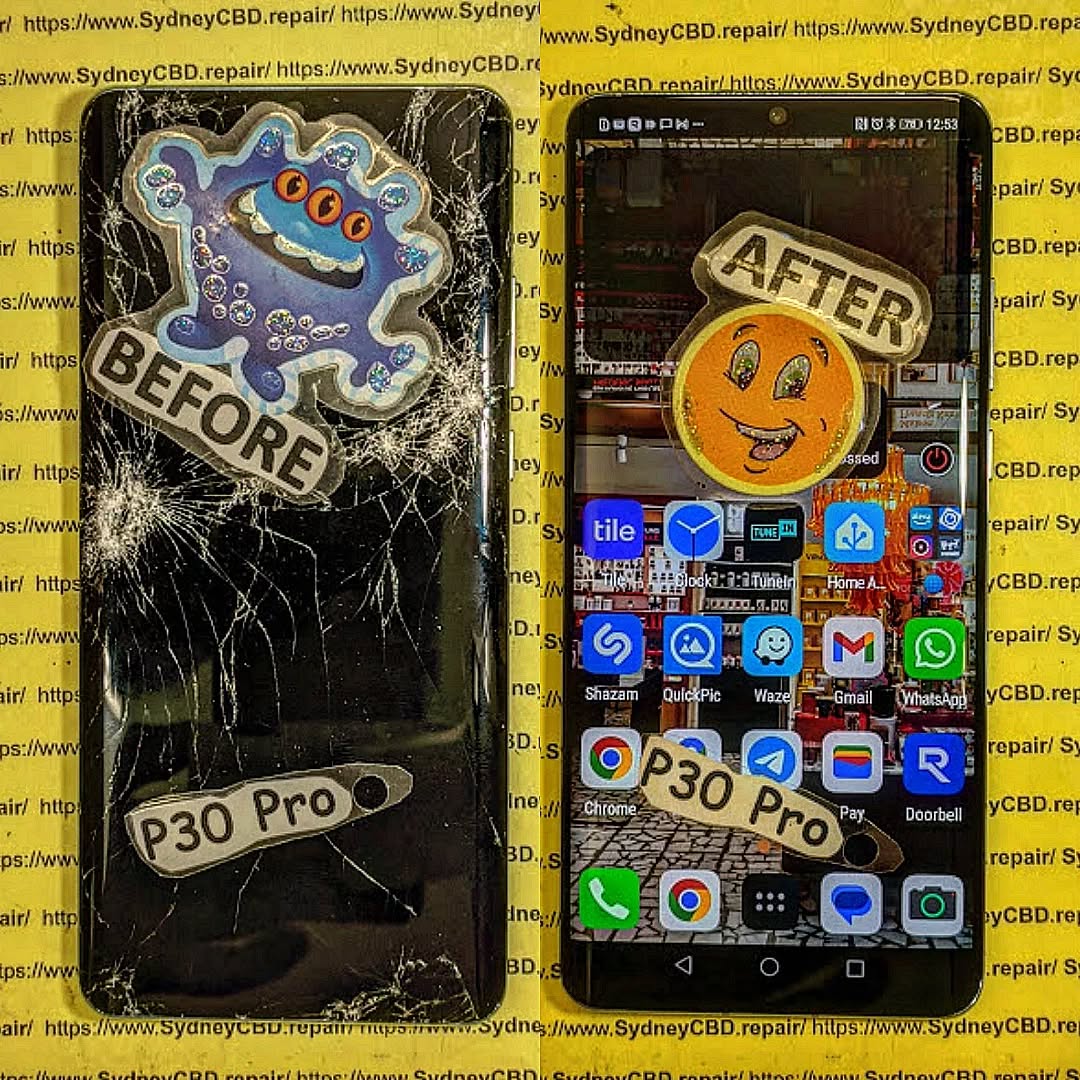
🔧 Why Proper Tools and Techniques Matter
Using the wrong tool can lead to:
- Damaged internal components
- Broken connectors
- Cracked new screens
- Voided warranties
A high-quality repair is not just about replacing a screen—it’s about doing it safely, cleanly, and professionally.
🛠 Must-Have Tools for Phone Screen Repair
Here are the core tools every screen repair should include:
✅ Precision Screwdriver Set
Modern smartphones use tiny screws like pentalobe, tri-point, and Phillips #000. A quality screwdriver kit allows you to open the device without stripping screws.
✅ Plastic Pry Tools and Spudgers
These non-metal tools help you separate the screen from the frame without damaging internal components.
✅ Suction Cup Tool
Used to gently lift the screen after loosening adhesive. This is especially helpful for iPhones and Samsung models.
✅ Heat Gun or Hair Dryer
Softens adhesive holding the screen in place. A temperature-controlled heat gun is safer for delicate devices.
✅ ESD-Safe Tweezers
Great for handling small components like display cables and connectors without static damage.
✅ Anti-Static Wrist Strap
Protects sensitive internal circuits from electrostatic discharge during the repair process.
✅ Magnetic Work Mat
Keeps screws and components organized, which is essential when reassembling the phone.
✅ Replacement Adhesive Strips
Used to reattach the screen securely and ensure dust/water resistance is maintained.
🧪 Advanced Tools for Professionals
At Sydney CBD Repair Centre, we use state-of-the-art equipment to perform safe and efficient repairs.
🔥 Laser Separator Machine
Used to separate glass from OLED displays without damaging delicate layers—ideal for high-end devices.
🌀 OLED Laminating Machine
Rebonds replacement glass and digitizer to the OLED for a factory-level finish.
📲 Choosing the Right Replacement Screen
Whether you’re using an OEM or high-grade aftermarket screen, compatibility and quality are non-negotiables.
Pro Tip: Always check your phone’s model number and screen technology (LCD vs OLED) before ordering.
🔍 Key Techniques for Safe and Clean Removal
- Power off the device before starting.
- Use a heat gun to soften the adhesive.
- Apply gentle prying motion with a plastic spudger.
- Use a suction cup for clean lifting—never use sharp force.
- Disconnect battery before removing display connectors.
🧩 Tips for Installing the New Screen Correctly
- Test the new screen before sealing the phone back up.
- Apply even pressure while connecting ribbon cables.
- Use precise adhesive placement for dust resistance.
- Avoid over-tightening screws—this can crack new glass.
⚠️ Common Mistakes to Avoid During Repairs
- Using metal tools inside the phone
- Skipping heat application before prying
- Not organizing screws properly
- Touching screen internals with bare fingers
- Reusing old adhesives
🧑🔧 Should You Attempt DIY or Go to a Pro?
| Factor | DIY | Professional |
|---|---|---|
| Cost | Lower | Higher |
| Risk | High | Low |
| Quality | Variable | Guaranteed |
| Time | 2–4 hrs | 30–60 mins |
| Tools Needed | Yes | No |
| Warranty | No | Yes (e.g. 90 days at Sydney CBD Repair Centre) |
🛡 Safety Precautions to Follow
- Wear an anti-static strap
- Always power off the phone
- Don’t work on a carpeted surface
- Keep liquids and magnets away
- Watch out for battery punctures
🧠 Professional Tips from Sydney CBD Repair Centre

“We’ve repaired thousands of screens over the past decade. Our advice? Don’t compromise on tools. Cheap kits lead to costly damage. We only use OEM-quality parts, and every repair is backed by our 90-day warranty.”
— David, Head Technician, Sydney CBD Repair Centre
❓ FAQs
1. Can I repair a screen with household tools?
No. Using improper tools like kitchen knives or screwdrivers can severely damage your phone.
2. Is a heat gun necessary?
Yes, especially for iPhones and newer Androids. It helps loosen adhesive without cracking the display.
3. How long does screen replacement take?
DIY can take hours. Professionals like Sydney CBD Repair Centre finish most repairs in under an hour.
4. Are aftermarket tools safe to use?
If purchased from a reputable source, yes. However, cheap kits often break easily and can damage your phone.
5. Do I need adhesive strips to reattach the screen?
Absolutely. Using glue or tape instead can lead to dust ingress and screen separation.
6. Where can I find professional repair help in Sydney?
Visit Sydney CBD Repair Centre – over 2000 5-star reviews and same-day service.
✅ Final Thoughts
Screen repair is more than just swapping glass—it’s a technical process requiring precision, the right tools, and a deep understanding of phone internals. Whether you’re a DIY enthusiast or prefer professional help, investing in proper tools or expert service is key to a lasting repair.
📞 Call to Action – Trust Sydney CBD Repair Centre
Don’t risk your phone with untrained hands or cheap tools.
📍 Sydney CBD Repair Centre – Where Quality Meets Reliability
🛠️ Same Day Repairs | 90-Day Warranty | OEM Parts
🌟 2000+ 5-Star Google Reviews | 6-Time Award Winner
👉 Call Now: +61280114119
👉 Locate Us: https://SydneyCBD.repair/locate-us

