




Why Your Phone’s Screen Might Be Flawed: Common Issues

Why Your Phone’s Screen Might Be Flawed: Common Issues + Expert Insights
🟦 Introduction: The Importance of Screen Quality
The screen is your smartphone’s main interface—if it’s flawed, your entire experience suffers. From swiping to scrolling, gaming to video streaming, a damaged or malfunctioning screen can turn your phone into a frustrating device.
Many users assume screen issues mean accidental drops or visible cracks, but there’s more than meets the eye. Let’s explore the most common screen problems and how to identify and fix them.
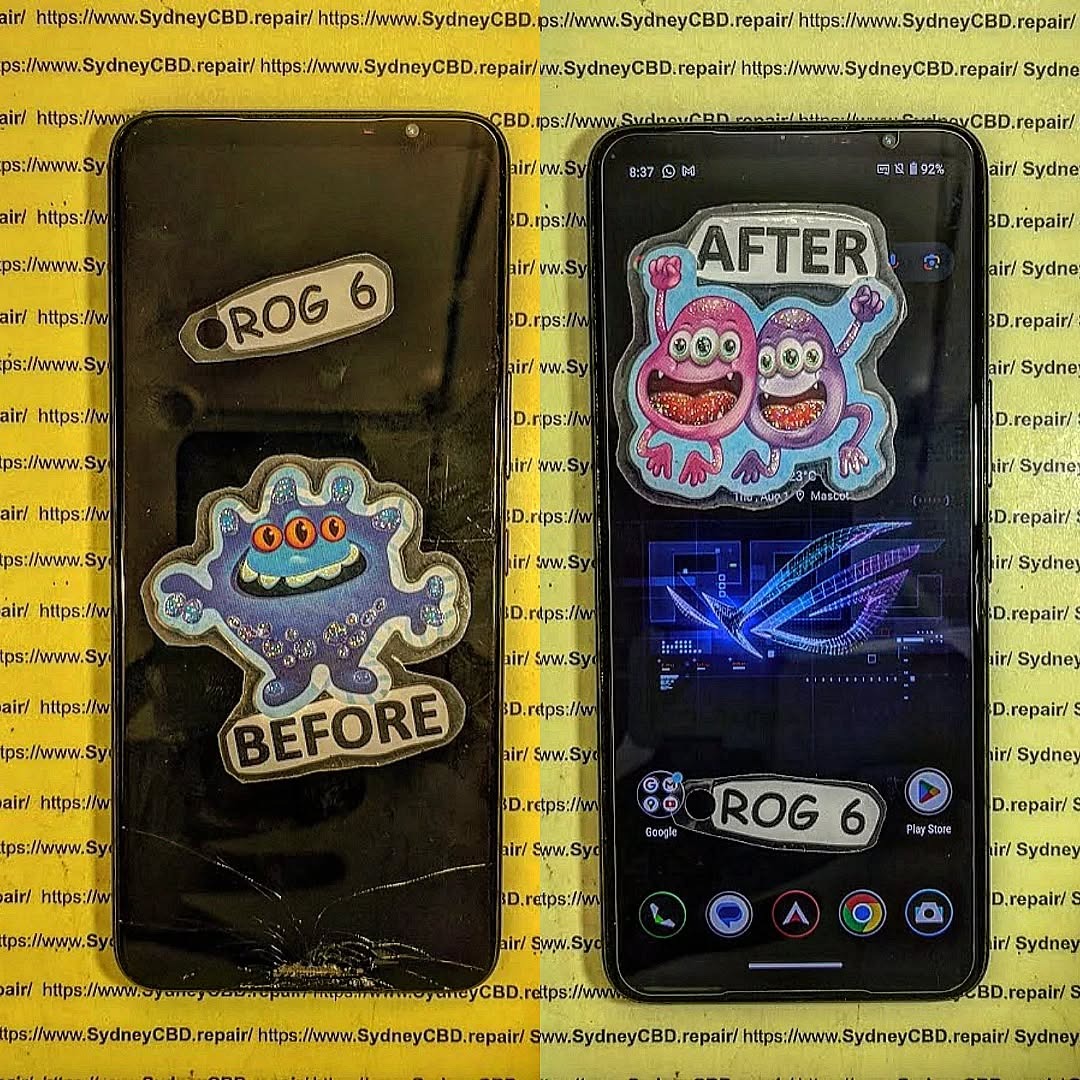
🟦 Cracks and Shattered Glass
Common Causes:
- Dropping the phone
- Sitting with the phone in your pocket
- Using the phone without a case or screen protector
Symptoms:
- Visible cracks or spiderweb patterns
- Touchscreen may be unresponsive or glitchy
Pro Tip: A cracked screen might also damage the digitizer (touch sensor) or LCD panel underneath.
📍 Fix: Head to Sydney CBD Repair Centre for same-day screen replacement using genuine parts and a 90-day warranty.
🟦 Ghost Touch and Phantom Inputs
Ghost touch occurs when your phone starts acting on its own—tapping apps, typing random letters, or swiping without input.
Causes:
- Faulty screen or digitizer
- Incompatible screen protector
- Moisture or static build-up
Fix:
- Remove screen protector
- Restart in Safe Mode
- Seek expert repair if issue persists
🟦 Dead Pixels and Discoloration
A “dead pixel” appears as a black dot that never lights up. Stuck pixels show constant colors (red, green, blue), while discoloration may indicate LCD or OLED damage.
Causes:
- Manufacturing defect
- Pressure or impact damage
- Overheating
Fix:
- Use pixel-fixer apps (e.g., JScreenFix)
- Screen replacement if pixel issues spread
🟦 Unresponsive Touchscreen
If your screen doesn’t react to touches, it’s either a software glitch, a damaged digitizer, or a hardware failure.
Try:
- Reboot the device
- Update the OS
- Remove case or screen protector
If nothing works, visit Sydney CBD Repair Centre for diagnostics.
🟦 Flickering or Flashing Displays
Causes:
- Loose LCD connector
- Software bugs after updates
- Battery problems
Solutions:
- Turn off adaptive brightness
- Update or roll back recent apps
- Professional repair for hardware issues
🟦 Screen Burn-in or Image Retention
This is common in OLED displays where static images cause permanent shadows on the screen.
Prevention:
- Use dark mode
- Enable screen savers
- Lower screen brightness
Fix:
- Use apps like OLED Saver
- Replace display if burn-in is severe
🟦 Low Brightness or Dimming Issues
If your screen seems too dim even at max brightness:
Causes:
- Ambient light sensor issues
- Power-saving modes
- Screen degradation
Fix:
- Adjust settings manually
- Disable battery saver
- Visit a technician if brightness stays low
🟦 Screen Freezing or Lag
Lag can feel like a screen issue but often points to CPU or RAM overuse.
Solutions:
- Close background apps
- Clear system cache
- Factory reset if lag persists
🟦 Water Damage Effects on Display
If your phone got wet, screen problems may not appear immediately. Symptoms include:
- Flickering
- Unresponsiveness
- Discoloration or ghosting
Fix:
- Power off immediately
- Do not charge
- Visit Sydney CBD Repair Centre for water damage treatment
🟦 Software Bugs vs. Hardware Damage
Sometimes what looks like a screen problem is software-related.
Software Clues:
- Issues resolved after reboot or Safe Mode
- Problems after an update
Hardware Clues:
- Physical cracks or flickering
- No improvement after resets
🟦 How to Diagnose Your Screen Problem
Use this quick checklist:
| Symptom | Likely Cause |
|---|---|
| Cracks or shattered glass | Drop or impact |
| Touch doesn’t respond | Digitizer failure |
| Colors distorted | LCD/OLED damage |
| Random touches | Ghost touch |
| Black areas | Dead pixels |
| Flickering | Loose connector |
🟦 Can You Fix It Yourself?
While there are DIY kits available, fixing a screen isn’t simple. You risk:
- Breaking internal components
- Losing water resistance
- Voiding warranty
If you’re not experienced, it’s safer and often more cost-effective to go professional.
🟦 When to See a Professional Repair Technician

Visit Sydney CBD Repair Centre when:
- The screen is cracked or won’t respond
- DIY solutions failed
- The phone is under warranty or high-value
- You need a genuine parts guarantee and same-day service
🟦 Prevention Tips to Protect Your Screen
- Use a tempered glass screen protector
- Install a shock-resistant case
- Avoid extreme temperatures
- Don’t keep your phone in tight pockets or bags with keys
❓ Frequently Asked Questions
1. Why does my screen have a black spot?
It’s likely a dead pixel or internal LCD damage.
2. Can a cracked screen affect touch sensitivity?
Yes, especially if the digitizer is also damaged.
3. Is ghost touch caused by moisture?
It can be. Static, water, or hardware failure may be responsible.
4. Should I keep using my phone if the screen is cracked?
You can, but it’s risky. Cracks can spread or cause injuries.
5. How much does a screen replacement cost?
It varies by brand and model. Call us at +61280114119 for a quote.
6. How long does it take to repair a screen?
At Sydney CBD Repair Centre, most screens are fixed the same day.
✅ Conclusion
From cracked glass to flickering displays, screen issues are common—but not unbeatable. Whether it’s wear and tear or water damage, identifying the cause early can save your phone and your wallet.
For trusted, fast, and guaranteed screen repairs in Sydney, visit Sydney CBD Repair Centre. With 2000+ positive reviews and award-winning service, we’ve earned our place as Sydney’s top mobile repair experts.
📞 Call Us: +61280114119
📍 Location: https://SydneyCBD.repair/locate-us

