WWDC 2024 is just a week away, as Apple has set the conference’s opening event for Monday, June 10. Ahead of the event, the company has now confirmed that it will stream the WWDC 2024 opening keynote on YouTube alongside livestreams on its website and Apple TV app.
Watch WWDC 2024 live on YouTube
Of course, while the live streaming page is already up on Apple’s YouTube channel, you won’t be able to watch it until next Monday. “Join the worldwide developer community for a week of technology, community and creativity. Set a reminder now, and we’ll notify you before showtime,” the description of the live event on YouTube reads.
It’s been a while since Apple has been broadcasting its special events on YouTube in addition to its own platforms. This year, Apple will also share WWDC sessions on YouTube via the new Apple Developer channel.
Since 2020, all Apple events have been pre-recorded – so it’s likely that the WWDC 2024 opening keynote will follow suit. During the event, the company is expected to announce iOS 18, iPadOS 18, macOS 15, visionOS 2, and more with a huge focus on artificial intelligence (AI). No new hardware is expected for this year’s conference.
The keynote will take place at 10 a.m. PDT ( 3 a.m. AEST ) and be streamed live on apple.com, the Apple Developer app, the Apple TV app, and the Apple YouTube channel. Apple invited the press and some developers to watch the event from Apple Park.
Throughout the week, developers will have access to experts at Apple who are available to assist with implementing all the latest features and technologies of the coming software platforms into their apps.
Entire conference available online for all developers, with a special event at Apple Park on June 10
Apple announced it will host its annual Worldwide Developers Conference (WWDC) online from June 10 through 14, 2024. Developers and students will have the opportunity to celebrate in person at a special event at Apple Park on opening day.
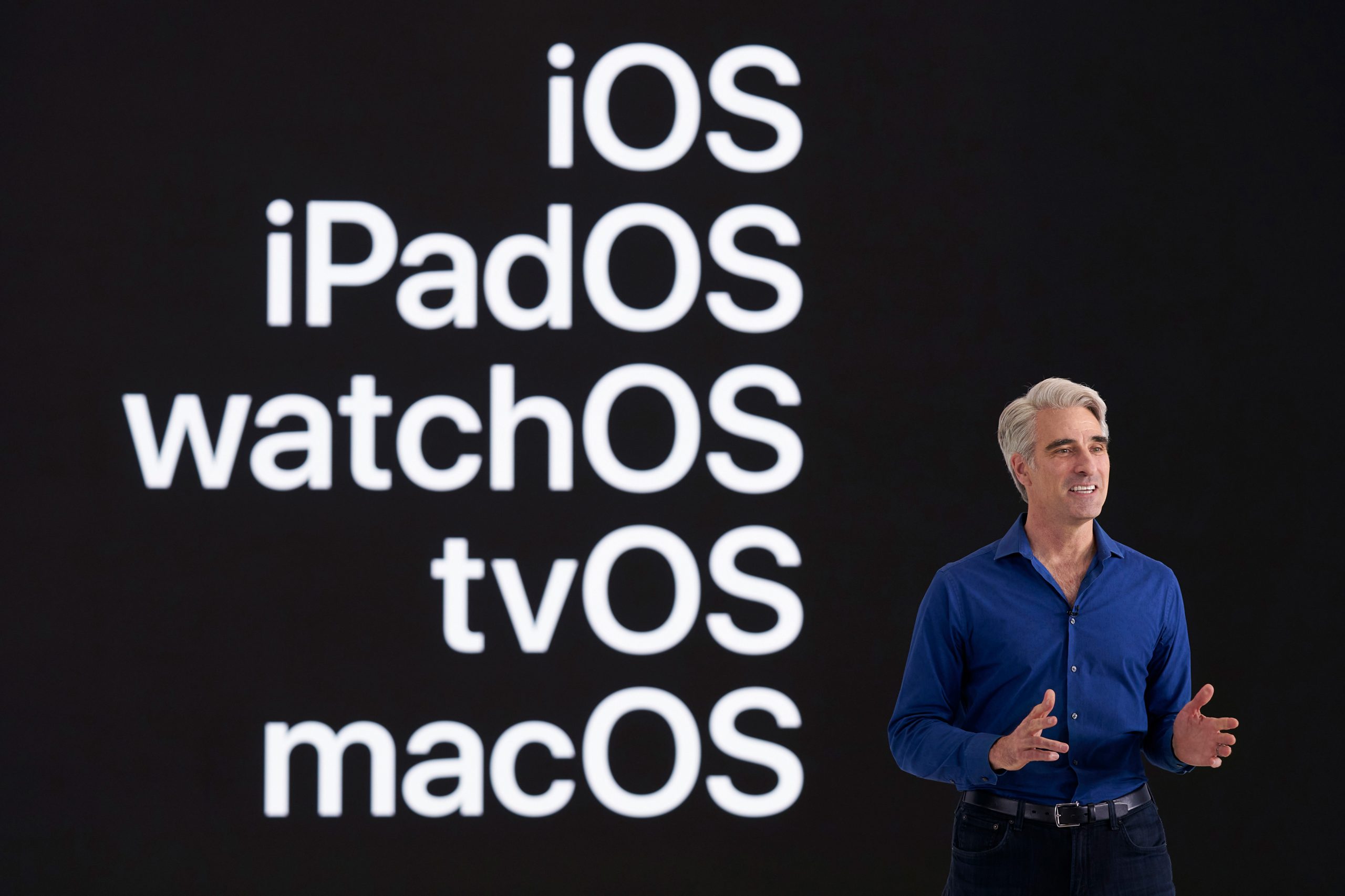
Free for all developers, WWDC24 will spotlight the latest iOS, iPadOS, macOS, watchOS, tvOS, and visionOS advancements. As part of Apple’s ongoing commitment to helping developers elevate their apps and games, the event will also provide them with unique access to Apple experts, as well as insight into new tools, frameworks, and features.
“We’re so excited to connect with developers from around the world for an extraordinary week of technology and community at WWDC24,” said Susan Prescott, Apple’s vice president of Worldwide Developer Relations. “WWDC is all about sharing new ideas and providing our amazing developers with innovative tools and resources to help them make something even more wonderful.”
Developers and students will be able to discover the latest Apple software and technologies by tuning into the keynote, and they can experience WWDC24 throughout the week on the Apple Developer app, Apple Developer website, and YouTube. This year’s conference will include video sessions and opportunities to engage with Apple designers and engineers and connect with the worldwide developer community.
WWDC24 will include an in-person experience on June 10 that will provide developers the opportunity to watch the keynote at Apple Park, meet with Apple team members, and take part in special activities. Space will be limited, and details on how to apply to attend can be found on the Apple Developer site and app.
Apple is proud to support the next generation of developers through the Swift Student Challenge, one of many Apple programs that seek to uplift the next generation of developers, creators, and entrepreneurs. On March 28, this year’s applicants will be notified of their status, and winners will be eligible to apply for the in-person experience at Apple Park. Fifty Distinguished Winners, who are recognized for outstanding submissions, will be invited to Cupertino for a three-day experience.
Apple will share additional conference information in advance of WWDC24 through the Apple Developer app and website.
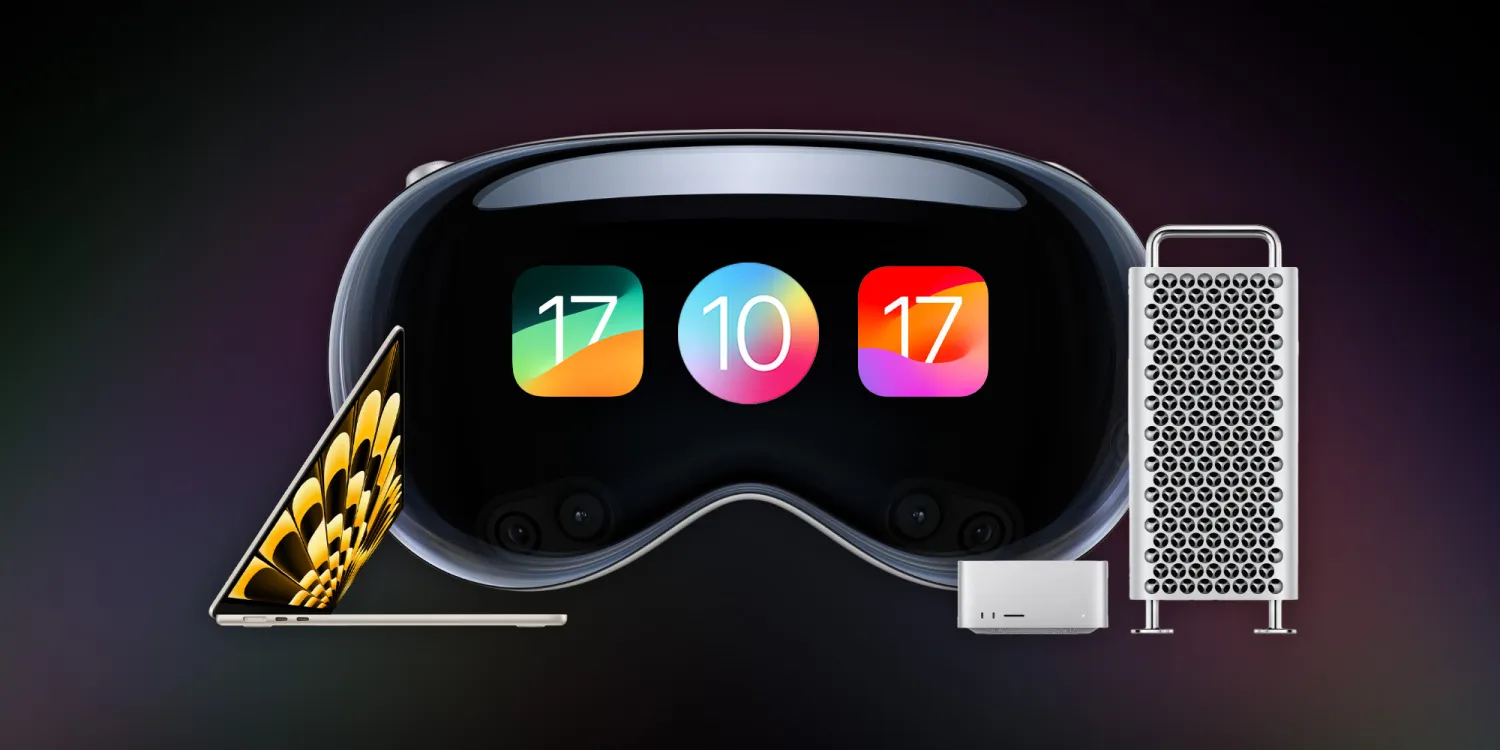
WWDC 2023 has officially come to a close, and it was one of the biggest events in Apple’s history. This year, Apple unveiled its new Vision Pro headset and visionOS software platform, alongside new Mac hardware, iOS 17, macOS Sonoma, and much more.
15-inch MacBook Air
We kicked things off this week with the new 15-inch MacBook Air powered by the M2 chip inside. This new MacBook Air features a 15.3-inch display with two Thunderbolt ports and MagSafe for charging. Apple touts that it’s 40% thinner and half a pound lighter than the average 15-inch PC.
The 15-inch MacBook Air is available to order now for $1,299, and the first shipments will start arriving next week. Along with the introduction of this new 15-inch MacBook Air, Apple also cut the price of the 13-inch MacBook Air powered by the M2 chip to $1,199. The M1 MacBook Air is also still in the lineup at $999.
Hands-on with the new 15-inch MacBook Air [Gallery]
Apple unveils 15-inch MacBook Air, available to order today for $1299
15-inch MacBook Air vs 13-inch Air: What’s the same, what’s changed?
Apple officially drops M2 13-inch MacBook Air price
Mac Studio
Apple’s desktop lineup of Macs also received some love during WWDC this year. First off, the Mac Studio has seen its first upgrade since its launch last year and is now available in M2 Max and M2 Ultra configurations. Apple says the new Mac Studio with M2 Max is up to 50 percent faster than the previous-generation Mac Studio.
Meanwhile, the Mac Studio with M2 Ultra offers twice the performance and capabilities of M2 Max. It is up to 3x faster than the previous-generation Mac Studio with M1 Ultra.
The new Mac Studio is available to order now and starts at $1,999. The first orders will arrive next week.
Mac Studio gets its first hardware update with M2 Max and the new M2 Ultra chip
2023 Mac Pro versus 2023 Mac Studio? Ports, PCI cards, vents, and wheels
Mac Pro
The Mac Pro also got its long-awaited upgrade to Apple Silicon. The new Mac Pro features a design that’s nearly identical to the previous generation, but inside, you’ll find the M2 Ultra chip. The Mac Pro is also the first Apple Silicon Mac with PCIe expansion, featuring seven expansion slots inside.
Other specs of the new Mac Pro include eight built-in Thunderbolt ports, a 24-core CPU, up to 192GB of memory, up to a 76-core GPU, and much more.
The Mac Pro’s switch to Apple Silicon officially marks the end of the Intel transition. This means Apple no longer sells any Macs powered by Intel. The new Mac Pro is available to order now, starting at $6,999. The first orders will arrive next week.
Apple announces new Mac Pro powered by M2 Ultra: PCI expansion, $6999 starting price
2023 Mac Pro versus 2023 Mac Studio? Ports, PCI cards, vents, and wheels
Fully-specced Apple silicon Mac Pro more affordable than last version that maxed out at over $50,000
iOS 17
Next up, Apple introduced iOS 17, its forthcoming software update that will launch to iPhone users later this year. Here’s a rundown of some of the new features in iOS 17:
Phone and FaceTime:
Personalized contact posts that appear when someone calls you
Live Voicemail that gives you voice-to-text transcription before answering
FaceTime voicemails
Messages:
Improved search
Swipe on a message to reply and start a thread
Transcription for audio messages
In-line location sharing
Redesigned access to iMessage apps
Upgrades to stickers
Check In: A new feature for notifying family when you arrive safely; automatically recognizes when you don’t make progress or respond and shares update with family
AirDrop:
NameDrop allows you to share your phone number and email between nearby iPhones
Sharing media is also redesigned, and long media transfers can continue over the internet
SharePlay API adding AirDrop integration
Autocorrect
The keyboard now leverages “transformer language model” to improve predictions
Craig Federighi: “When you just want to type a ducking word, it’ll learn”
Predictions personalized by your words and usage
Improved and more accurate dictation
Journal:
An all-new app that encourages you to journal and provides prompts for things like photos, workouts, and interactions
Uses on-device machine learning to create personalized suggestions
Standby:
New full-screen smart display-like experience that displays information in landscape mode
Can be personalized to show data like clocks, photos, widgets, weather, Home controls, and third-party widgets
Supports Live Activities
Siri works in Standby with a special landscape user interface
And more:
New one-word “Siri” prompt for triggering the voice assistant
Widgets are now interactive
Health app adds new mental health features: mood logging, depression and anxiety assessments, momentary emotion tracking, and more
Sharing passwords and passkeys through iCloud Keychain
AirTags can be shared with up to five other people
Apple Music adds collaborative playlists, crossfade, and new CarPlay queuing features
iOS 17 is available to developer beta testers now, and a public beta will launch in July. The update will be available to everyone sometime later this fall. iOS 17 supports the iPhone XS and newer, dropping support for the iPhone X.
Apple announces iOS 17 with Journal, Standby, FaceTime voicemail, more
iOS 17: Here’s the list of which features will work with your iPhone
iOS 17 StandBy feels like an experiment for a new home device
CarPlay in iOS 17: Apple Music SharePlay, design updates, new wallpaper
iOS 17 drops support for iPhone 8 and X
iOS 17 automatically removes tracking parameters from links you click on
Personal Voice on iPhone: Set up in iOS 17
iOS 17 finally makes it easier to scan and tap QR codes
iOS 17 drops the ‘Hey’ for Siri commands, but here’s how to disable it
Apple Podcasts has a slightly refreshed interface in iOS 17
iOS 17 will add support for recurring payments to Apple Cash
Download the new iOS 17 wallpaper right here
iOS 17: Apple Notes adds a hard-to-find way to link other notes, wiki style
iMessage improves group chats with Android in iOS 17
iOS 17 iPhone Standby: How to use and customize
iOS 17 DockKit API integrates camera apps with motorized stands
iOS 17 adds real-time charging availability info for EV drivers
Apple adds pronoun fields with privacy focus to Contacts app on iOS 17
iOS 17: How to download and use offline maps with Apple Maps
iPadOS 17
iPadOS 17 is coming to iPad users later this year with its own share of new features.
Customizable Lock Screen with widgets, new wallpapers, new font and color options, and more
Live Activities are now available on the iPad via the Lock Screen
Interactive widgets for things like playing a song, marking a reminder as complete, and more.
Improvements to PDF editing thanks to machine learning, which is used to identify fields in a PDF to make them easier to edit and fill out
The Health app is now available on iPad
Stage Manager updated with more flexibility for positioning and sizing windows
New video calling effects in FaceTime
iPadOS 17 is supported by the iPad (6th generation and later), iPad mini (5th generation and later), iPad Air (3rd generation and later), 12.9-inch iPad Pro (2nd generation and later), 10.5-inch iPad Pro, and 11-inch iPad Pro (1st generation and later).
iPadOS 17 new features: Lock Screen customization, Health, more
iPadOS 17: Here’s a first look at the customizable Lock Screen
iPadOS 17 adds support for USB webcams and microphones
macOS Sonoma
Here’s a rundown of what’s new in macOS Sonoma for Mac users this fall:
Interactive widgets are now available on the macOS desktop, including iPhone widgets that can pull data right from your nearby iPhone
New video calling effects in FaceTime and third-party apps like Zoom and WebEx
Safari adds user profiles, updates to Private browsing, the ability to save web apps to your Dock, and more
Apple TV-style aerial screensavers come to the Mac
Game Mode: smoother and more consistent performance by making sure games get the highest priority on the CPU and GPU
A new game porting toolkit that makes it significantly easier for developers to bring games from other platforms to the Mac
macOS Sonoma is compatible with the following Macs:
MacBook Pro: 2018 and later
MacBook Air: 2018 and later
Mac mini: 2018 and later
iMac: 2019 and later
iMac Pro: 2017
Mac Studio: All models
Mac Pro: 2019 and later
macOS Sonoma will launch later this fall.
Apple announces macOS Sonoma with aerial screensavers, Game Mode, and more
Download the macOS Sonoma and MacBook Air wallpapers
These are the macOS Sonoma features that aren’t available to Intel Macs
macOS Sonoma lets developers port Windows games to the Mac
Apple releases first macOS Sonoma beta to developers
macOS Sonoma brings new Lock Screen with aerial wallpapers
Which Macs support macOS 14? Mostly only Apple Silicon models. Here’s the list …
How to use ‘Add to Dock’ in Safari to turn websites into Mac apps
Intel Macs may not get macOS updates for much longer
iPadOS 17: Here’s a first look at the customizable Lock Screen
iPadOS 17 adds support for USB webcams and microphones
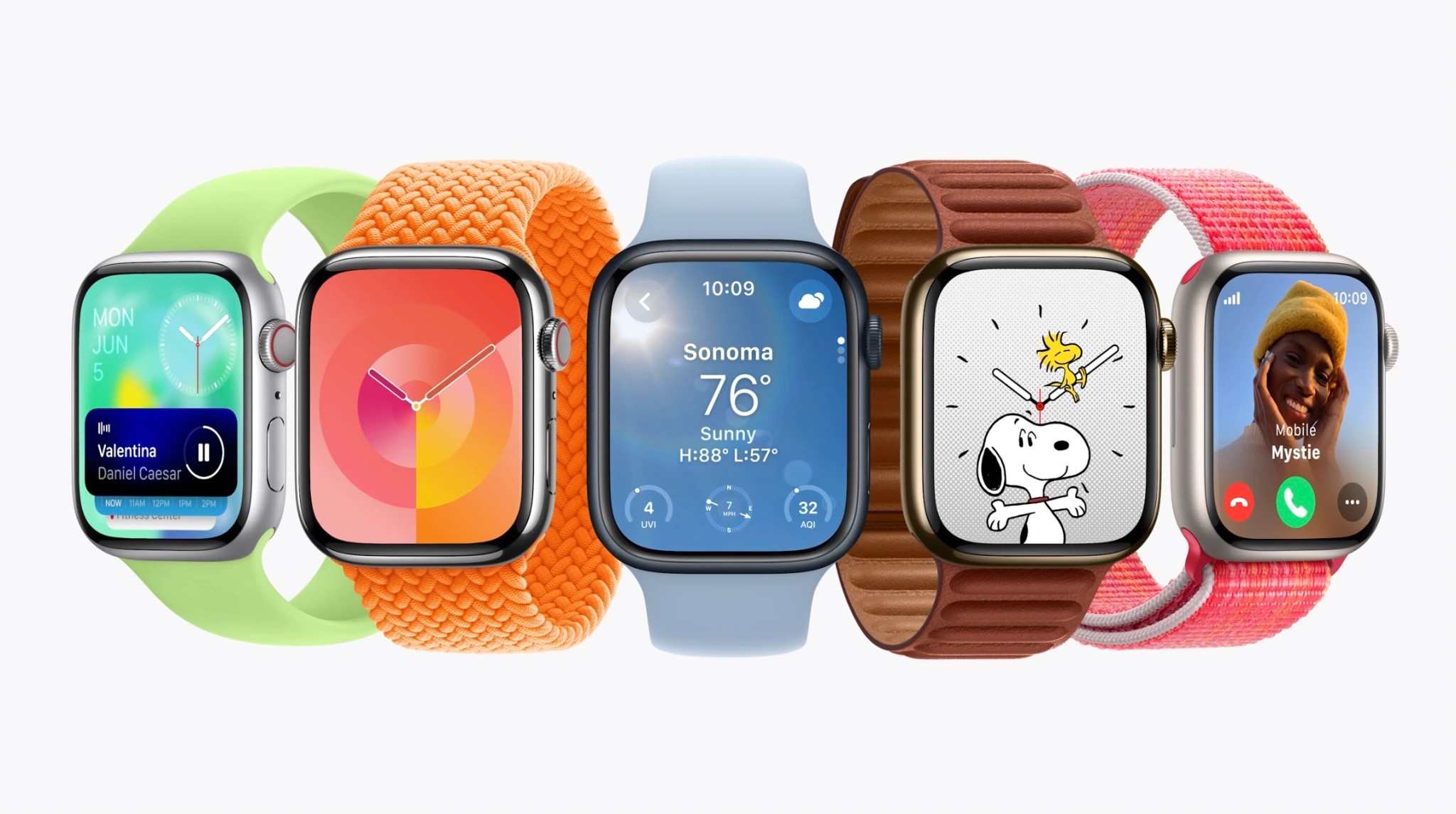
watchOS 10
Watch face:
Any watch face now reveals widgets in a smart stack; this lets watch faces without complications more informative with just a spin of the Digital Crown
Widgets can also include groups of complications
Two new faces: Pallete, a color-focused face, and Snoopy & Woodstock from Peanuts
Apps:
World Clock now includes background colors based on time of day
Workout app includes new trophy case and full-screen videos for each Activity ring
Third-party apps are being redesigned with full-screen layouts
Workout:
Apple Watch can connect to cycling power accessories over Bluetooth to improve workout tracking
Power zones based on FTP are coming to cycling workout tracking
Cycling workouts become a Live Activity on iPhone when tracked from Apple Watch; tapping the Live Activity takes over iPhone display to view speed and workout metrics while cycling
Hiking experience upgraded with Compass; cellular connection waypoint shows last connection to cellular; emergency waypoint shows where you can call from any carrier network; 3D view of waypoints
Maps on Compass enhanced with trail routes and topographical view
Workout APIs for developers allows third-party apps to access high-frequency motion data to improve golf and tennis tracking
Health:
Mental health focus with state of mind logging on iPhone and iPad in Health app; data from watch can put this into better context
Standardized assessments will help discover risk of anxiety and depression that can be shared with care providers
Vision health is the other focus with myopia front-and-center; time outdoors can be measured with ambience sensors and stored in Health app
Screen distance on iPhone and iPad can use TrueDepth camera to measure distance while reading to reduce digital eyestrain and discover vision constraints
More:
Group FaceTime audio
watchOS 10 will be available later this fall and supports the Apple Watch Series 4 and newer.
watchOS 10 tidbits: Apple Watch widgets, Control Center, watch face changes, more
watchOS 10 for Apple Watch officially unveiled
watchOS 10: These are the compatible Apple Watch models
watchOS 10 brings automatic Night Mode to the Apple Watch Ultra
Apple TV
For Apple TV users, tvOS 17 brings the following new features:
Redesigned Control Center
Support for VPNs
FaceTime app
Denser Home Screen layout
A new Find My Remote feature for the Siri Remote
tvOS 17 will be available later this year for the 2015 Apple TV and newer.
Apple announces tvOS 17: redesigned Control Center, Find my Remote, FaceTime app
Vision Pro and visionOS
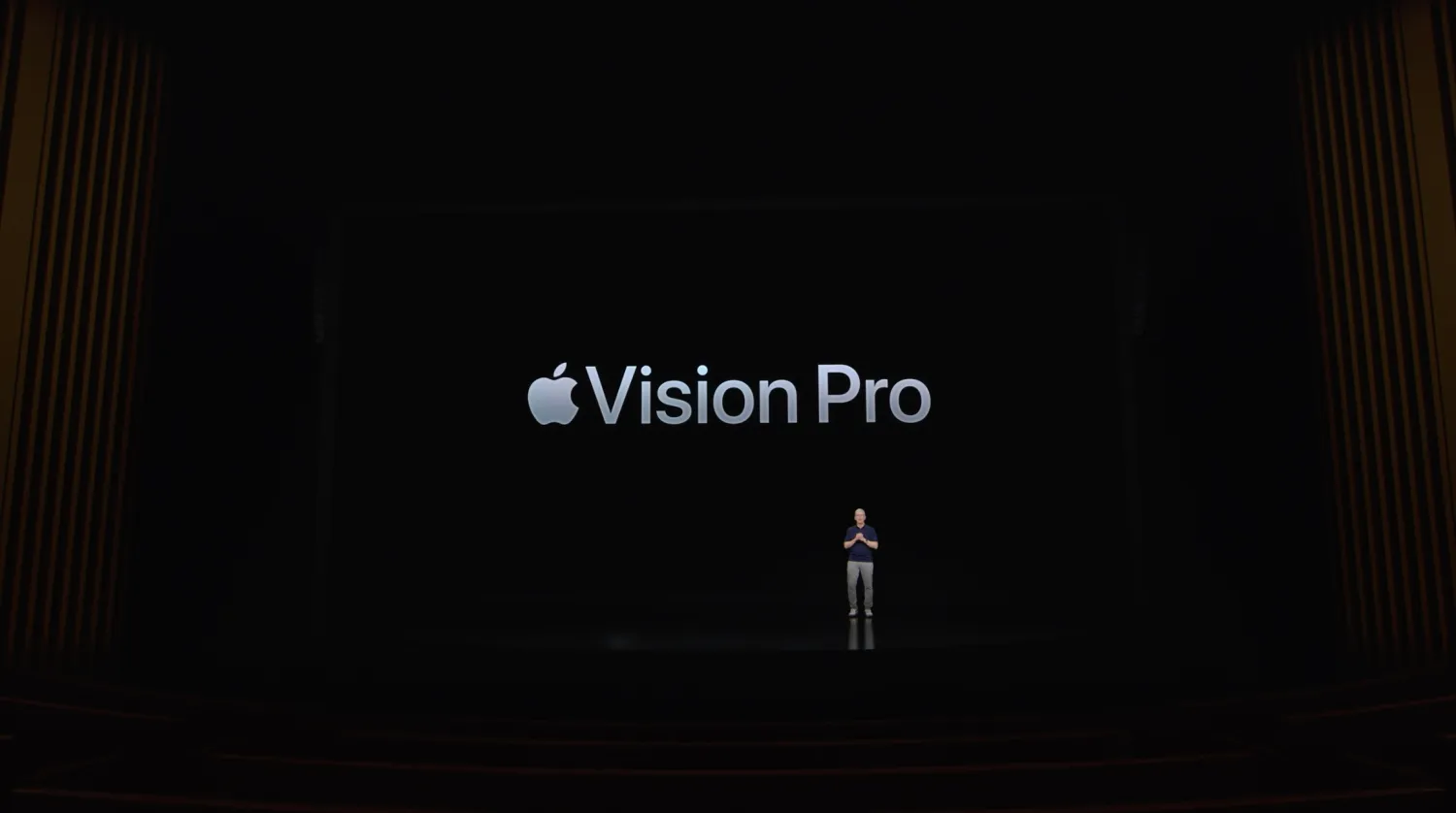
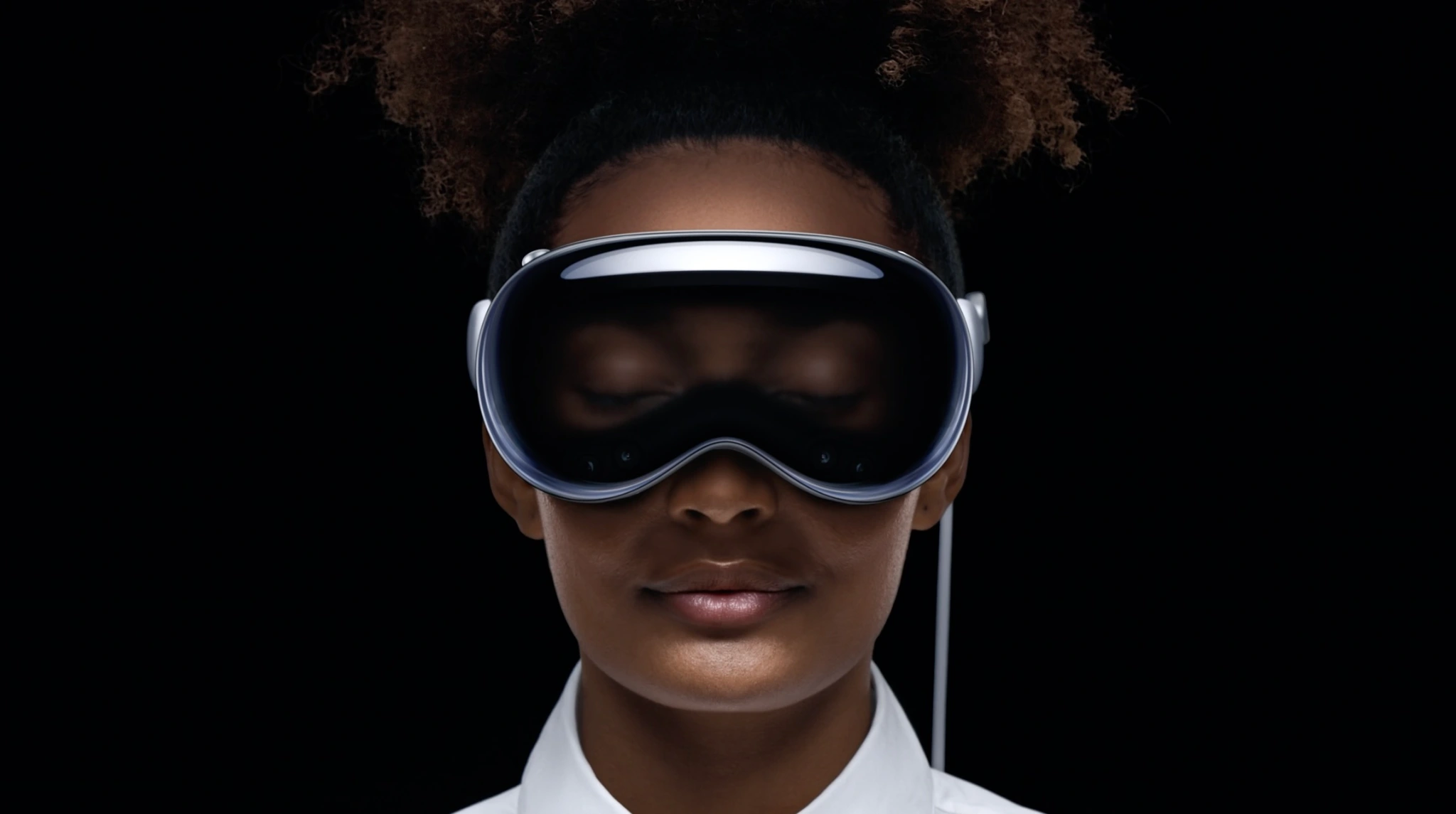
Last but not least, Apple unveiled its brand new “spatial computing” platform in the form of Vision Pro and visionOS.
Apple has officially unveiled Apple Vision Pro, it’s new augmented reality platform in the form of a mixed reality headset.
Apple calls this the first device you look through, not at.
The device blends digital content into the space around us, according to Apple.
The company calls this new technology spatial computing.
Here’s a closer look:
Vision Pro is driven by your eyes, hands, and voice. Tap your fingers to select, flick to scroll.
A design goal of Vision Pro is not being isolated. EyeSight displays your eyes and expressions through the outer display. While you’re in a fully immersed experience, it shows a different animation. If someone is nearby, they’re revealed through passthrough, and your eyes reappear.
Apple Vision Pro will be available early next year.
Vision Pro works with the Mac wirelessly. Mac peripherals also work with the headset.
FaceTime works with group calls and expands spatially. SharePlay lets you share apps that you view in large windows next to video tiles.
The headset is powered by an M2 chip with a custom media co-processor.
Vision Pro can capture spatial photos and videos. It can also simulate a dark theater in a bright room.
Editor’s note: Vision Pro is hard to write about. It’s like everything your Apple devices can do, but different. OK, back to the product…
We’re told No Man’s Sky will be on the headset. Those who have tried it for hours have said it is not heavy or hot.
Now Bob Iger says you can go to Disney World on the headset. Sports, concerts, under the ocean – all through VR.
Vision Pro is compatible with custom optical inserts that magnetically attach to the lenses, made by Zeiss, for those who wear glasses.
Battery life up to 2 hours with external battery, or all-day use – when plugged in. The display uses microLED, includes 23 million pixels across two panels (or more pixels than a 4K TV per eye.
That M2 chip we discusses earlier? It’s paired with a new R1 chip to create a dual-processor.
Vision Pro runs visionOS. The headset creates a digital avatar that looks human and realistic, not like a cartoonish Memoji.
As for apps, Microsoft and Zoom apps are already optimized for visionOS. Hundreds of thousands of iPad and Mac apps will automatically be available at launch.
Vision Pro has a new biometric security method as well: Optic ID. Like. Touch ID and Face ID, but for your eyes.
OKAY AND FINALLY THE PRICE: $3,499 AND IT COMES EARLY NEXT YEAR. That’s the “starts at” price which probably considers the cost of corrective lenses for me and Tim Cook and everyone else who needs glasses. Wonder if my insurance company covers that…
Finally, there’s an ad for the Vision Pro (please send $3500 + the price of corrective lenses) that will hype the device before its launch next year.
Introducing Apple Vision Pro: Apple’s first spatial computer
CUPERTINO, CALIFORNIA Apple today unveiled Apple Vision Pro, a revolutionary spatial computer that seamlessly blends digital content with the physical world, while allowing users to stay present and connected to others. Vision Pro creates an infinite canvas for apps that scales beyond the boundaries of a traditional display and introduces a fully three-dimensional user interface controlled by the most natural and intuitive inputs possible — a user’s eyes, hands, and voice. Featuring visionOS, the world’s first spatial operating system, Vision Pro lets users interact with digital content in a way that feels like it is physically present in their space. The breakthrough design of Vision Pro features an ultra-high-resolution display system that packs 23 million pixels across two displays, and custom Apple silicon in a unique dual-chip design to ensure every experience feels like it’s taking place in front of the user’s eyes in real time.
“Today marks the beginning of a new era for computing,” said Tim Cook, Apple’s CEO. “Just as the Mac introduced us to personal computing, and iPhone introduced us to mobile computing, Apple Vision Pro introduces us to spatial computing. Built upon decades of Apple innovation, Vision Pro is years ahead and unlike anything created before — with a revolutionary new input system and thousands of groundbreaking innovations. It unlocks incredible experiences for our users and exciting new opportunities for our developers.”
“Creating our first spatial computer required invention across nearly every facet of the system,” said Mike Rockwell, Apple’s vice president of the Technology Development Group. “Through a tight integration of hardware and software, we designed a standalone spatial computer in a compact wearable form factor that is the most advanced personal electronics device ever.”
Extraordinary New Experiences
Apple Vision Pro brings a new dimension to powerful, personal computing by changing the way users interact with their favorite apps, capture and relive memories, enjoy stunning TV shows and movies, and connect with others in FaceTime.
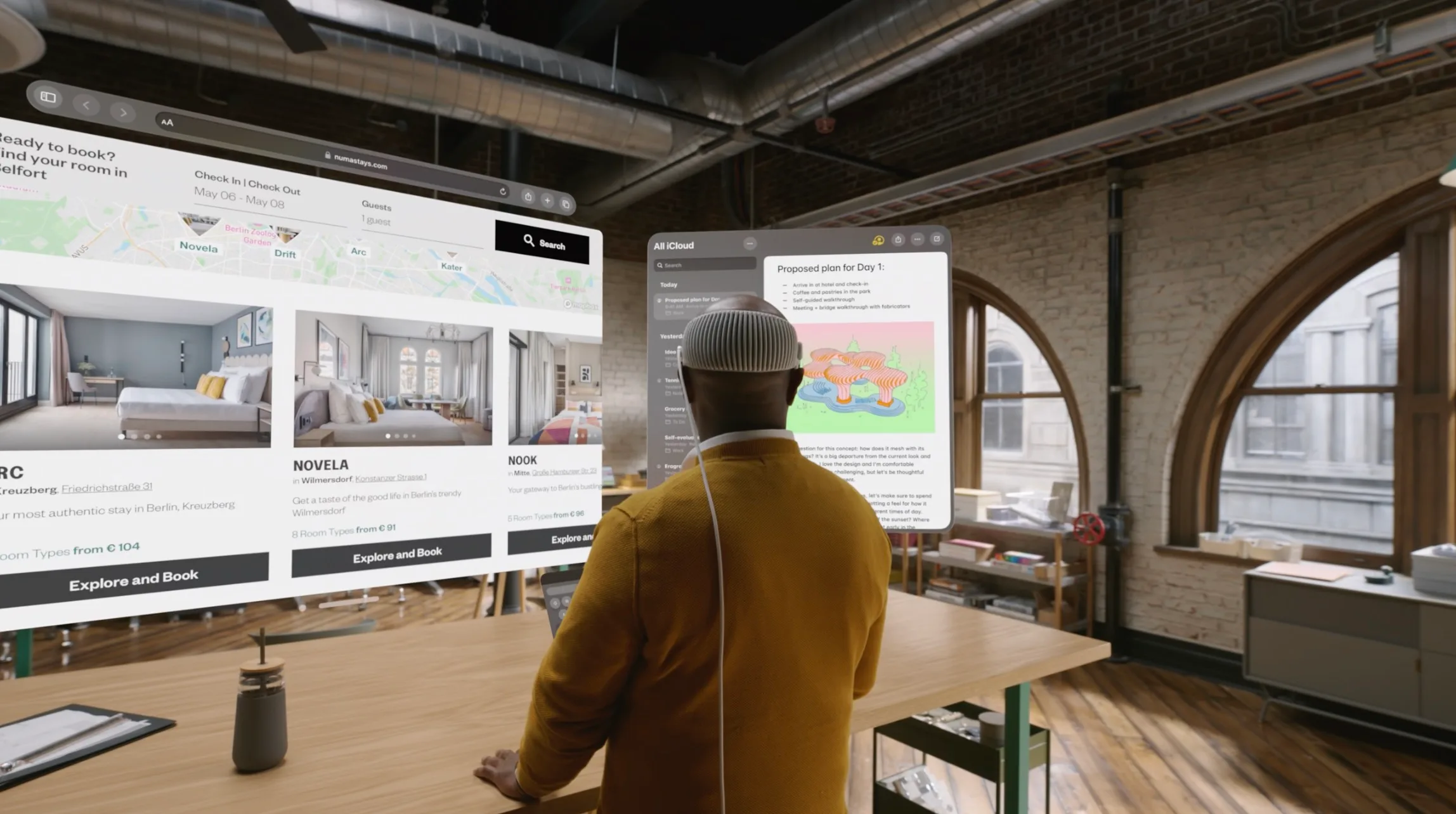
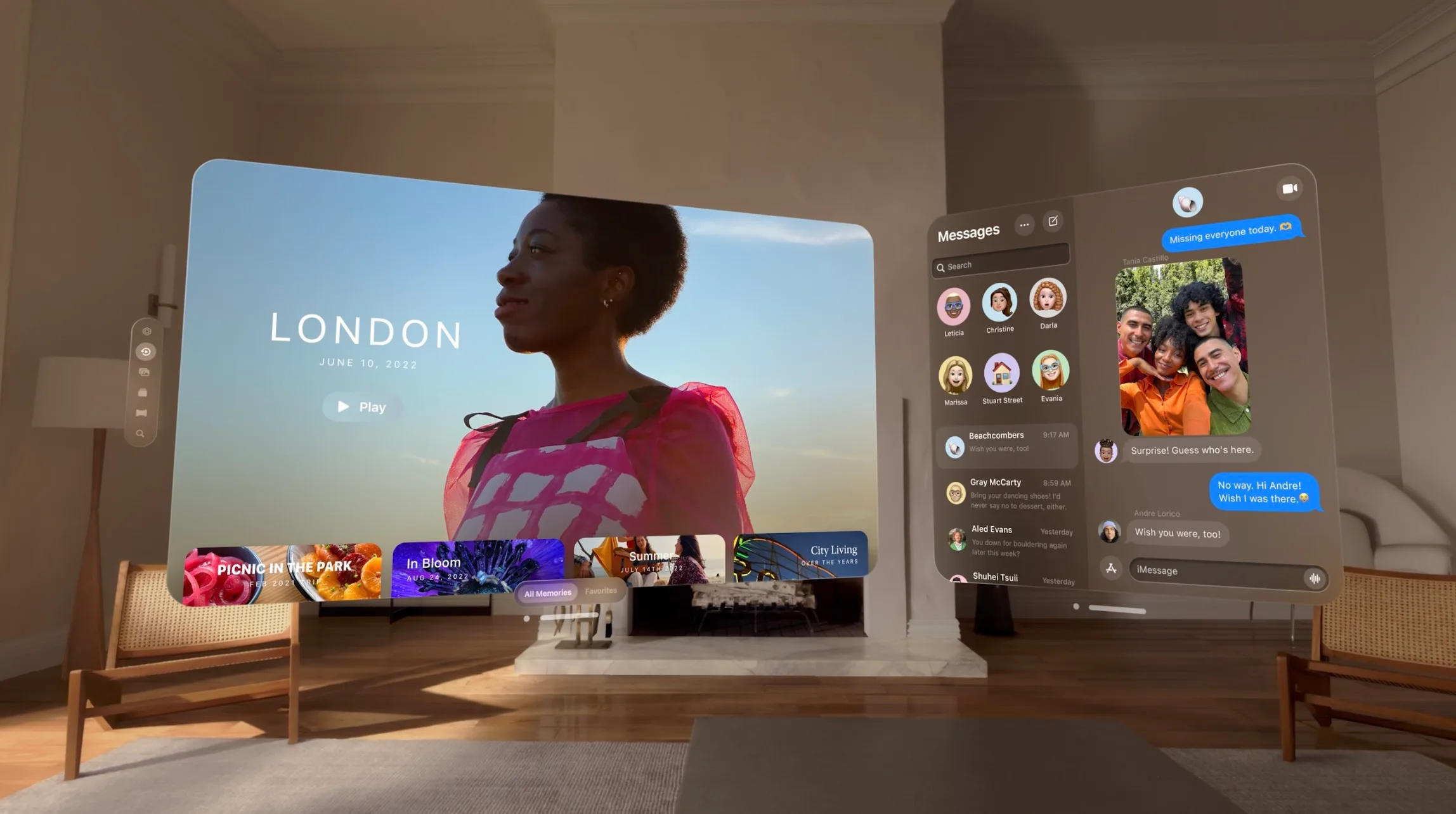
An infinite canvas for apps at work and at home: visionOS features a three-dimensional interface that frees apps from the boundaries of a display so they can appear side by side at any scale. Apple Vision Pro enables users to be even more productive, with infinite screen real estate, access to their favorite apps, and all-new ways to multitask. And with support for Magic Keyboard and Magic Trackpad, users can set up the perfect workspace or bring the powerful capabilities of their Mac into Vision Pro wirelessly, creating an enormous, private, and portable 4K display with incredibly crisp text.
Engaging entertainment experiences:With two ultra-high-resolution displays, Apple Vision Pro can transform any space into a personal movie theater with a screen that feels 100 feet wide and an advanced Spatial Audio system. Users can watch movies and TV shows, or enjoy stunning three-dimensional movies. Apple Immersive Video offers 180-degree high-resolution recordings with Spatial Audio, and users can access an exciting lineup of immersive videos that transport them to entirely new places.
Spatial computing makes new types of games possible with titles that can span a spectrum of immersion and bring gamers into all-new worlds. Users can also play over 100 Apple Arcade games on a screen as large as they want, with incredible immersive audio and support for popular game controllers.
Immersive Environments:With Environments, a user’s world can grow beyond the dimensions of a physical room with dynamic, beautiful landscapes that can help them focus or reduce clutter in busy spaces.A twist of the Digital Crown lets a user control how present or immersed they are in an environment.
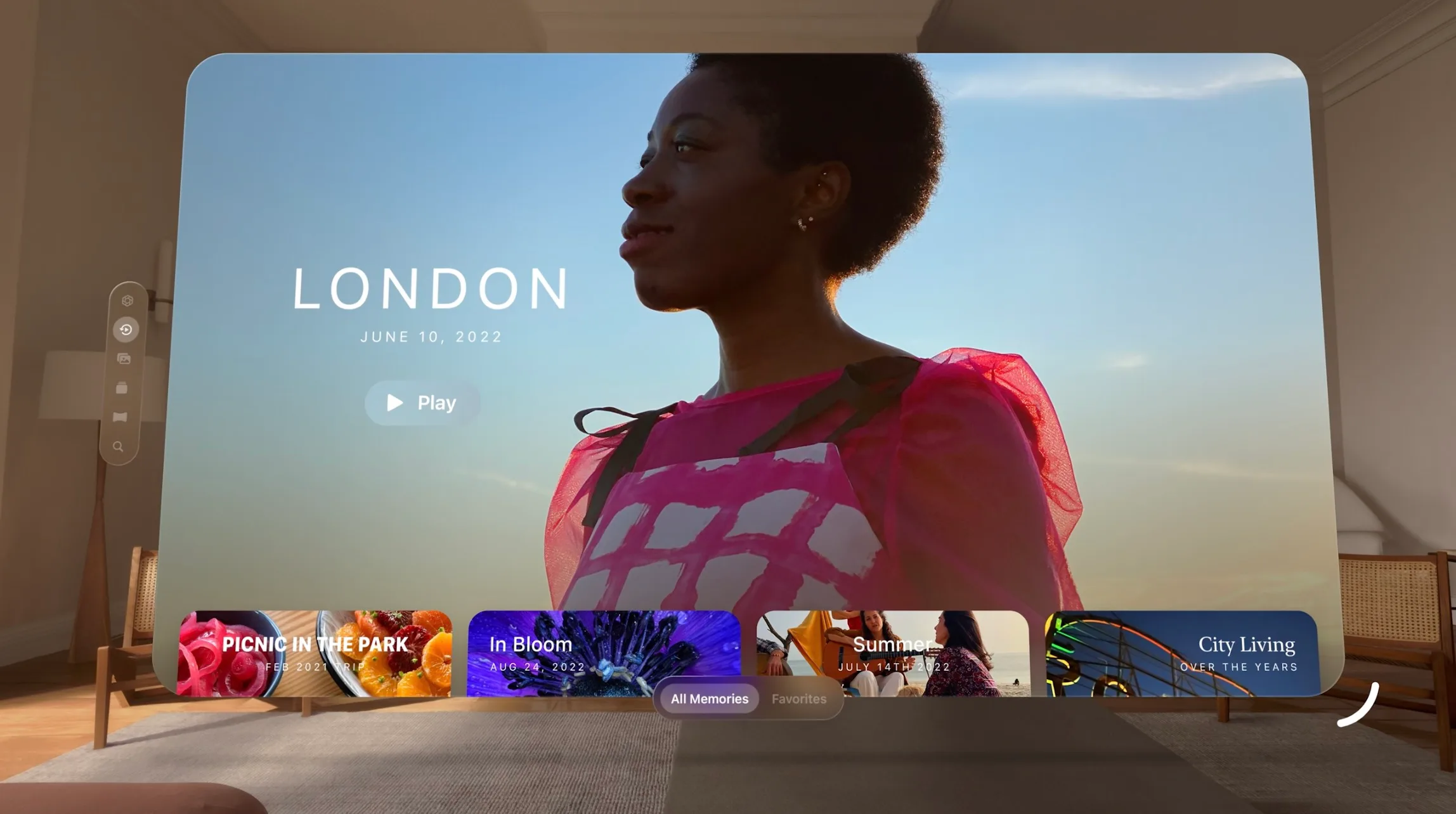
Memories come alive: Featuring Apple’s first three-dimensional camera, Apple Vision Pro lets users capture, relive, and immerse themselves in favorite memories with Spatial Audio. Every spatial photo and video transports users back to a moment in time, like a celebration with friends or a special family gathering. Users can access their entire photo library on iCloud, and view their photos and videos at a life-size scale with brilliant color and spectacular detail. Every Panorama shot on iPhone expands and wraps around the user, creating the sensation they are standing right where it was taken.
FaceTime becomes spatial:With Apple Vision Pro, FaceTime calls take advantage of the room around the user, with everyone on the call reflected in life-size tiles, as well as Spatial Audio, so it sounds as if participants are speaking right from where they are positioned. Users wearing Vision Pro during a FaceTime call are reflected as a Persona — a digital representation of themselves created using Apple’s most advanced machine learning techniques — which reflects face and hand movements in real time. Users can do things together like watch a movie, browse photos, or collaborate on a presentation.
Even more app experiences: Apple Vision Pro has an all-new App Store where users can discover apps and content from developers, and access hundreds of thousands of familiar iPhone and iPad apps that run great and automatically work with the new input system for Vision Pro. Apple’s developer community can go even further and take advantage of the powerful and unique capabilities of Vision Pro and visionOS to design brand-new app experiences, and reimagine existing ones for spatial computing.
A Revolutionary Operating System and User Interface
Built on the foundation of decades of engineering innovation in macOS, iOS, and iPadOS, visionOS was designed from the ground up to support the low-latency requirements of spatial computing. The result is a revolutionary operating system that delivers powerful spatial experiences that can take advantage of the space around the user, unlocking new opportunities at work and at home.
visionOS features a brand-new three-dimensional interface that makes digital content look and feel present in a user’s physical world. By responding dynamically to natural light and casting shadows, it helps the user understand scale and distance. To enable user navigation and interaction with spatial content, Apple Vision Pro introduces an entirely new input system controlled by a person’s eyes, hands, and voice. Users can browse through apps by simply looking at them, tapping their fingers to select, flicking their wrist to scroll, or using voice to dictate.
Apple Vision Pro also features EyeSight, an extraordinary innovation that helps users stay connected with those around them. When a person approaches someone wearing Vision Pro, the device feels transparent — letting the user see them while also displaying the user’s eyes. When a user is immersed in an environment or using an app, EyeSight gives visual cues to others about what the user is focused on.
Breakthrough Design
Apple Vision Pro builds on Apple innovation and experience designing high-performance products like Mac, iPhone, and wearables like Apple Watch, culminating in the most advanced personal electronics device ever. To achieve ambitious goals for performance, mobility, and wearability, Apple utilized the most advanced materials possible.
Apple Vision Pro has an astonishing amount of technology in a compact design. A singular piece of three-dimensionally formed and laminated glass is polished to create an optical surface that acts as a lens for the wide array of cameras and sensors needed to blend the physical world with digital content. The glass flows into the custom aluminum alloy frame that gently curves around the user’s face, while the modular system allows for a tailored fit to accommodate a wide range of people. The Light Seal is made of a soft textile, and comes in a range of shapes and sizes, flexing to conform to a user’s face for a precise fit. Flexible straps ensure audio remains close to the user’s ears, while a Head Band — available in multiple sizes — is three-dimensionally knitted as a single piece to provide cushioning, breathability, and stretch.1 The band is secured with a simple mechanism, making it easy to change to another size or style of band.
Unrivaled Innovation in Hardware
Apple Vision Pro is designed to deliver phenomenal compute performance in a compact wearable form factor. Featuring a breakthrough ultra-high-resolution display system built on top of an Apple silicon chip, Vision Pro uses micro-OLED technology to pack 23 million pixels into two displays, each the size of a postage stamp, with wide color and high dynamic range. This technological breakthrough, combined with custom catadioptric lenses that enable incredible sharpness and clarity, delivers jaw-dropping experiences. Users with vision correction needs will use ZEISS Optical Inserts to ensure visual fidelity and eye tracking accuracy.2
An advanced Spatial Audio system is core to the Apple Vision Pro experience, creating the feeling that sounds are coming from the environment around the user and matching the sound to the space. Two individually amplified drivers inside each audio pod deliver Personalized Spatial Audio based on the user’s own head and ear geometry.3
In addition to creating a breakthrough display and advanced audio experiences, the high-performance eye tracking system in Apple Vision Pro uses high-speed cameras and a ring of LEDs that project invisible light patterns onto the user’s eyes for responsive, intuitive input.
These groundbreaking innovations are powered by Apple silicon in a unique dual-chip design. M2 delivers unparalleled standalone performance, while the brand-new R1 chip processes input from 12 cameras, five sensors, and six microphones to ensure that content feels like it is appearing right in front of the user’s eyes, in real time. R1 streams new images to the displays within 12 milliseconds — 8x faster than the blink of an eye. Apple Vision Pro is designed for all-day use when plugged in, and up to two hours of use with its external, high-performance battery.
Industry-Leading Privacy and Security
Apple Vision Pro is built on a strong foundation of privacy and security, and keeps users in control of their data.
Optic ID is a new secure authentication system that analyzes a user’s iris under various invisible LED light exposures, and then compares it to the enrolled Optic ID data that is protected by the Secure Enclave to instantly unlock Apple Vision Pro. A user’s Optic ID data is fully encrypted, is not accessible to apps, and never leaves their device, meaning it is not stored on Apple servers.
Where a user looks stays private while navigating Apple Vision Pro, and eye tracking information is not shared with Apple, third-party apps, or websites. Additionally, data from the camera and other sensors is processed at the system level, so individual apps do not need to see a user’s surroundings to enable spatial experiences. EyeSight also includes a visual indicator that makes it clear to others when a user is capturing a spatial photo or video.
Pricing and Availability
Apple Vision Pro starts at $3,499 (U.S.), and will be available early next year on apple.com and at Apple Store locations in the U.S., with more countries coming later next year. Customers will be able to learn about, experience, and personalize their fit for Vision Pro at Apple Store locations. For more information about Vision Pro, visit apple.com/apple-vision-pro.
Winners are recognized for outstanding app design, innovation, ingenuity, and technical achievement
The Apple Design Award trophy, created by the Apple Design team, is a symbol of achievement and excellence.
Apple today named eight app and game developers receiving an Apple Design Award, each one selected for being thoughtful and creative. Apple Design Award winners bring distinctive new ideas to life and demonstrate deep masteryof Apple technology. The apps spring up from developers large and small, in every part of the world, and provide users with new ways of working, creating, and playing.
“Every year, app and game developers demonstrate exceptional craftsmanship and we’re honoring the best of the best,” said Ron Okamoto, Apple’s vice president of Worldwide Developer Relations. “Receiving an Apple Design Award is a special and laudable accomplishment. Past honorees have made some of the most noteworthy apps and games of all time. Through their vision, determination, and exacting standards, the winning developers inspire not only their peers in the Apple developer community, but all of us at Apple, too.”
Apple Design Award Winners: Apps
Darkroom, from Bergen Co., is a powerful photo and video editor whose interface is as beautiful as it is easy to use. It delivers great performance with super-intuitive controls and a layout that both casual and pro photographers can truly appreciate. With Apple technologies including photo and camera APIs, Home Screen quick actions, contextual menus, and haptics, Darkroom is a shining example of a high-end mobile editing tool.
Darkroom, from Bergen Co., based in Los Angeles.
Looom, developed by iorama.studio, is an animation playground that takes inspiration from music creation tools. Looping hand-drawn stop-motion animation in this playfully creative interface is designed for pros and consumers alike. The app’s deep functionality and intuitive interface are complemented by novel custom controls. Made for iPadOS, Looom uses Apple technologies including Apple Pencil and Dark Mode to their fullest.
Looom, developed by iorama.studio, with locations in Tel Aviv, Israel, and Stockholm.
Shapr3D, from Shapr3D Zartkoruen Mukodo Reszvenytarsasag, is a powerful CAD app for iPad that has the potential to drastically transform the architectural and technical drawing workflow. There’s no need for a desk, so inspiration can hit anytime, anywhere. Using only an iPad and Apple Pencil, technical designers have access to a robust modeling toolset to easily create complex 3D models. Designed exclusively for iPad, Shapr3D takes advantage of ARKit and drag and drop. Later this year, the app will use the LiDAR Scanner to automatically generate an accurate 2D floor plan and 3D model of a room, which can be used as the basis to design remodels or room additions. The new design can then be previewed in real-world scale using AR right in the room scanned.
Shapr3D, from Shapr3D Zartkoruen Mukodo Reszvenytarsasag, based in Budapest, Hungary.
StaffPad, from StaffPad Ltd., brilliantly converts handwritten musical notations into digital sheet music. Designed for composers who want an easy solution for writing and composing music digitally, the app uses Apple technologies such as Apple Pencil, drag and drop, and Core ML to transform each bar into beautifully typeset music notation that can be edited using intuitive touch or Apple Pencil tools.
StaffPad, from StaffPad Ltd., based in London.
Apple Design Award Winners: Games
“Sayonara Wild Hearts,” from developer Simogo and publisher Annapurna Interactive, has been lauded for outstanding design since its launch. A pop album video game that is hopeful, gorgeous, and unique, “Sayonara Wild Hearts” gets players’ adrenaline pumping and makes their spirit soar. The game delivers vibrant and surreal landscapes, mesmerizing visuals and motion, and thrilling and kinetic gameplay. It makes extensive use of Apple technologies including Metal, Game Center, spatial audio, and game controllers.
“Sayonara Wild Hearts,” from developer Simogo, based in Malmö, Sweden, and publisher Annapurna Interactive, based in Los Angeles.
“Sky: Children of the Light,” from thatgamecompany, has players flying across sweeping landscapes in a magical kingdom to help celestial beings find their way back to the heavens. With its clever multiplayer integration and adventurous graphical showcase, “Sky: Children of the Light” is a groundbreaking social quest. The team used Apple technologies including a custom Metal engine, haptics, Game Center, and spatial audio.
“Sky: Children of the Light,” from thatgamecompany, based in Los Angeles.
“Song of Bloom,” from indie developer Philipp Stollenmayer, is a unique game with a nonlinear tale packed with clever puzzles. Players explore a story told in rapidly changing art styles as they progress though the game. “Song of Bloom” delivers an innovative, handcrafted gameplay experience with great design.
“Song of Bloom,” from indie developer Philipp Stollenmayer, based in Riedstadt, Germany.
“Where Cards Fall,” from developer The Game Band and publisher Snowman, is a slice-of-life adventure game in which players build houses of cards to bring formative memories to life. The game takes advantage of Apple technologies, including Metal, haptics, Game Center, and iCloud, to bring to life its dreamlike spatial puzzles, immersive audio, and unique miniature-art style.
“Where Cards Fall,” from developer The Game Band, based in Los Angeles, and publisher Snowman, based in Toronto.
More than 250 developers have been recognized with Apple Design Awards over the past 20 years. The recognition has proven to be an accelerant for developers who are pioneering innovative designs within their individual apps and influencing entire categories. Previous winners such as Pixelmator, djay, Complete Anatomy, HomeCourt, “Florence,” and “Crossy Road” have set the standard in areas such as storytelling, interface design, and use of Apple tools and technologies.
A daily roundup of developer sessions, demos, and more from WWDC20
On Monday, Apple kicked off its all-online Worldwide Developers Conference in Cupertino, California, with millions of developers joining from around the world. Tuesday, we dropped 46 engineering-led sessions that covered topics from exploring WidgetKit to designing more dynamic, responsive interfaces on iPad, as well as integrating more accessibility elements into apps.
Developers are diving deep into the newest capabilities coming to macOS Big Sur, iOS 14, iPadOS 14, watchOS 7, and tvOS 14, and engaging with more than 1,000 Apple engineers via the all-new Developer Forums and one-on-one Developer Labs.
This week, we’re showcasing the biggest moments from WWDC20, including highlights from developer sessions, the most talked-about demos, the newest design features and capabilities across Apple platforms, and conversations with Apple executives. Check back here daily for what to Watch, Listen, Learn, and Play. And for a complete rundown of the Developer Forums, Labs, and 100+ engineering sessions, visit the the Apple Developer app.
Listen: WWDC20 Playlist Collection
Discover the power of music in Apple’s developer community with this in-depth look at how music has inspired WWDC20 artists, developers, and Swift Student Challenge winners. Read the Apple Music feature in the Apple Developer app, and check out one of the specially curated WWDC20.
Learn: Build Trust Through Better Privacy
Developers learn about Apple’s privacy pillars and its approach to privacy. In this session, they discover how to adopt the latest privacy features across Apple platforms that can help create more personal experiences while giving users greater transparency about tracking and permissions, when their app is using the microphone or camera to record, control over location with approximate location, and much more. Visit developer.apple.com to learn more about the latest privacy features coming to all Apple platforms.
Users can now choose to share their approximate location with app developers, rather than their precise location when granting an app location access in iOS 14.
Learn: WWDC20 Coding and Design Starter Kit
Developers of all ages try their hand at building an app in SwiftUI from scratch, creating widgets for the new Home Screen on iPhone, and solving coding problems with accessibility and music in mind. Sessions will be held all week. For more information on the WWDC20 Coding and Design Starter Kit collection, visit developer.apple.com.
Jordyn Castor shares the latest accessibility features in SwiftUI, including VoiceOver.
Play: Detect Body and Hand Pose with Vision
Developers take the new Vision framework, which enables apps to detect body and hand poses in photos and video, for a test drive at Apple Park. To see the session, visit developer.apple.com.
New APIs in the Vision app enable body and hand pose detection.
Here’s how developers reacted to the beautifully redesigned macOS Big Sur and new features coming to iPhone with iOS 14.
Highlights of Monday’s biggest news across iOS 14, iPadOS 14, macOS Big Sur, watchOS 7 and tvOS 14 from WWDC20.
Craig Federighi kicks off WWDC20 with a preview of the beautiful redesigns to the Home Screen in iOS 14.
Watch: Platforms State of the Union
Join Apple’s engineering leaders as they unveil the latest innovations and design features of macOS Big Sur, iOS 14, iPadOS 14, watchOS 7, and tvOS 14 during the Platforms State of the Union. For more information, visit developer.apple.com.
Andreas Wendker unpacks the newest developer tools announced at WWDC20 during the Platforms State of the Union.
Learn: Tim Cook Surprises Swift Student Challenge Winners
During the Swift Student Challenge winner meetup, Tim Cook and Esther Hare dropped by for a 15-minute Q&A session. To learn more about some of the WWDC20 Swift Student Challenge winners, visit apple.com/newsroom.
Tim Cook and Esther Hare said a digital hello to WWDC20 Swift Student Challenge winners from nine countries around the world.
Here’s how developers reacted to the groundbreaking features in iOS 14, iPadOS 14, macOS Big Sur, watchOS 7, and tvOS 14.
One of my favorite sessions from WWDC each year is the “What’s New in Apple Device Management” session that details the upcoming enhancements to Apple’s MDM APIs and other features that system administrators can use to more efficiently manage Apple devices in the enterprise. So what’s new for 2020 with Apple device management? Let’s take a look.
Lights Out Management for Mac Pro
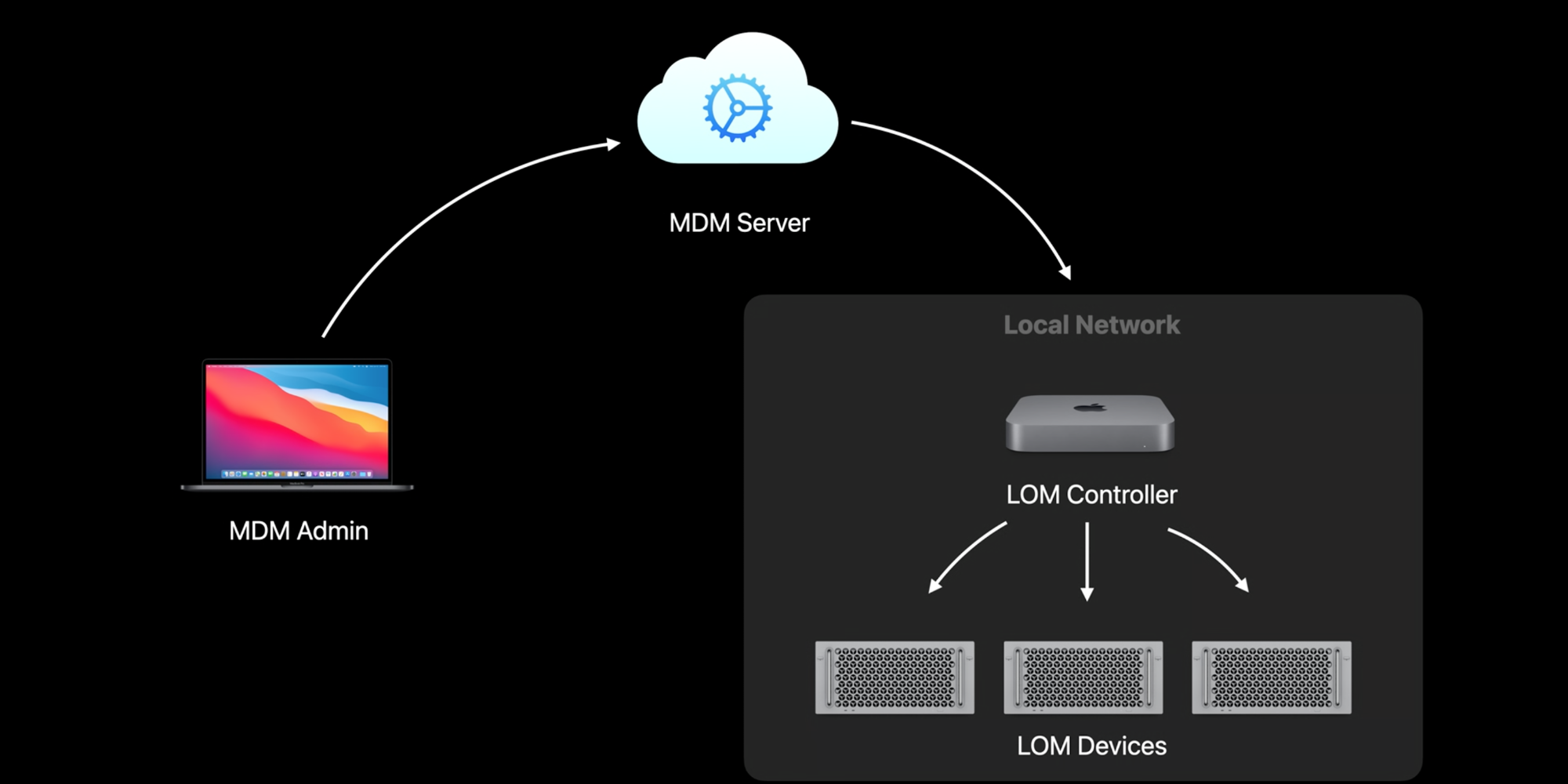
For folks who manage data centers, new functionality for the Mac Pro will be a welcome addition. Lights Out Management for Mac Pro will allow you to remotely start up, shut down, and reboot your Mac Pro. It will require macOS Big Sur and the new Lights Out Management payload from your MDM vendor.
Your MDM server will send a command to a LOM controller on the same subnet, which will then talk to your LOM-enabled devices. For data center managers, this functionality will speed up a lot of processes, and I hope to see it extended to the Mac Mini in the future.
Mac Supervision changes
Now, any Mac enrolled in a user-approved MDM enrollment will now have the same capabilities as a Mac enrolled via the device enrollment program. For BYOD environments, this change will significantly assist IT departments.
Admins have the same special abilities, such as controlling activation lock and leveraging bootstrap tokens, just as they do if the device was enrolled using automated device enrollment. You can query and list local users and choose to delete them, as well as replace or remove profiles and install supervised restrictions using MDM commands and schedule software updates.
Managed Software Updates
With macOS Big Sur, Apple is also adding changes to how software update works. You can now force client Macs to accept updates and then reboot. Major releases of macOS and non-OS updates can now be deferred for up to 90 days (similar to iOS). Apple is also removing the software update catalog and the Ignore Flag for managed devices.
Content caching
Content caching is a great way to speed up downloads of apps, books, and other content across your network. Instead of each user downloading them from Apple, it’s downloaded a single time and shared across the local network. Apple is adding new metrics around content caching using a new Content Caching Information MDM command. This command will help you determine if content caching is turned on, working, and improving your devices download content faster. Content caching now supports Internet Recovery for faster deployment devices after being wiped.
The initial boot image isn’t included, but the full 6-gigabyte recovery image is cached, which will restore Macs on your network faster than ever.
Wrap-up on what’s new with managing Apple devices
I am excited to see the enhancements that Apple has brought, particularly to macOS, this year. Software update enhancements have been at the top of a lot of IT departments’ wish lists, so these will be welcome additions as the speed of Apple’s software releases isn’t slowing down. I encourage you to watch the entire video and read the transcript, as these are just some of the high points, and additional items are coming around Apple Configurator.
Palash Taneja, Devin Green, and Sofia Ongele are all WWDC20 Swift Student Challenge winners.
When the Apple 2020 Worldwide Developers Conference kicks off on June 22 in a new virtual format, a global community of 23 million developers will have the opportunity to join from around the world for free through the Apple Developer app and the Apple Developer website. Now in its 31st year, WWDC20 will bring together the largest group of innovators and entrepreneurs ever assembled to connect, share, and create.
Among them will be 350 Swift Student Challenge winners from 41 different countries and regions. The students were chosen based on their original Swift playground submission, part of Apple’s annual WWDC student challenge, which recognizes and celebrates the next generation of coders and creators.
They include Sofia Ongele, Palash Taneja, and Devin Green. These teens share a life goal best summed up by Ongele: “Make some tech and do a whole lot of good along the way.” All three view challenges in the world as opportunities to effect change. Every problem is a call to action — and they are answering, loud and clear.
Sofia Ongele hopes to one day be a judge or run for political office.
For Sofia Ongele, 19, who just finished her sophomore year at New York’s Fordham University, her focus for change lies at the intersection of tech and social justice. ReDawn, her first iOS app, is a powerful example. After one of her college friends was sexually assaulted during her freshman year, Ongele created ReDawn to help survivors access resources in a safe, easy, and sensitive way.
“I wanted to make something that makes this process less isolating,” says Ongele, who has been approached by organizations that want to partner with her on the app. But the most important feedback she has received came from the friend who was assaulted. “She thinks it has the potential to impact people, and that’s what matters most to me.”
Ongele was introduced to coding in 2016 when she attended a Kode With Klossy boot camp, a free coding course for girls ages 13 to 18. Ongele says that learning to code transformed her world.
“There was a 180-degree paradigm shift within my brain — I was like, this is what I want to do,” says Ongele, who went on to teach with the program. “I’m so passionate about passing on that knowledge to more women, and women of color, so that they wouldn’t feel that this is a field that’s too out of reach for them to pursue.”
Ongele counts Supreme Court Justices Sandra Day O’Connor and Ruth Bader Ginsburg and Representative Alexandria Ocasio-Cortez as heroes, and is trying to decide between law school or politics — or both. Regardless of the path she chooses, she knows that her coding skills will be part of the journey: “At the end of the day, I just want to be able to use tech for social good.”
Sofia Ongele’s app ReDawn helps sexual assault survivors access resources.
Palash Taneja, 19, grew up in New Delhi, India. Four years ago, he contracted a severe case of dengue fever, a mosquito-borne virus that left him hospitalized.
“That whole experience of two to three months of suffering — I think that really inspired me to learn programming and to use it as a problem-solving tool,” says Taneja, who just finished his freshman year at the University of Texas at Austin.
Palash Taneja drew on his own experience with illness to help others.
He went on to create a web-based tool that uses machine learning to predict how mosquito-borne diseases like dengue fever would spread. And for his Swift Student Challenge submission this year, created against the backdrop of COVID-19, Taneja designed a Swift playground that teaches coding while simulating how a pandemic moves through a population, showing how precautions such as social distancing and masks can help slow infection rates. He created it to help educate young people, after he saw others not taking warnings seriously.
Taneja is also passionate about education. In India, while still a teenager himself, he volunteered teaching English and math at a school for students whose families couldn’t afford to pay tuition. Before he left for college in the US, he created a program that translates popular online education videos into roughly 40 languages, so that children who don’t have physical access to quality education can learn on the web.
“I really enjoy working with children, and I think education is one of the things that can create the biggest impact in someone’s life,” says Taneja, “especially someone in a developing country.”
Devin Green loves solving problems with technology and looks to his surroundings for inspiration. While finishing his senior year of high school at home due to COVID-19, he used his bedroom in Castro Valley, California, as a laboratory.
Devin Green’s apps and inventions are inspired by the world around him.
The 18-year-old, who will start his freshman year at Stanford in the fall, was having trouble waking up in the mornings, so he designed a program using a pressure mat under his bed. If weight is still on the mat after he’s supposed to be up, an alarm goes off and won’t stop until he uses his phone to scan a QR code.
“There are 12 different QR codes around my house, and it’s randomized every morning,” says Green. “So I never know exactly where I have to go to shut the alarm off.”
This same spirit of innovation permeates everything that Green creates. His winning Swift Student Challenge playground features an artificial-intelligence robot named Stanny that can recognize and respond to 63 different comments and questions.
Green also has two apps on the App Store, the first of which he built when he was 13. The second, called Slight Work, is a homework app that uses the Pomodoro Technique to maximize work time with structured breaks. He and his high-school classmates used it throughout their senior year, as did friends in college.
When Green thinks about the future, he hopes to use his problem-solving skills to effect change on a much larger scale.
“Social justice and politics are areas I really want to contribute to,” says Green. “Giving people access to the materials they need to stay educated about current social matters or access to voter registration or basic citizenship rights — solving those problems is really important to me.”
Devin Green’s app Slight Work helps students manage their time using a special formula.
Apple is proud to support and nurture the next generation of developers through its annual WWDC student program — and it’s just one of the many ways that WWDC20 is recognizing and celebrating coders and innovators of all ages and backgrounds. For the first time ever, there will be a special collection of curated sessions perfect for budding coders and designers, and daily Swift Playgrounds challenges that anyone can participate in and enjoy.
Thank you for using
Themify Popup
This is a sample pop up. Themify Builder or Builder Lite (free) plugin is recommended to design the pop up layouts.