


The Life-Saving Charging Port: Fixing Common Android Charging Issues

The Life-Saving Charging Port: Fixing Common Android Charging Issues That Matter (Ultimate Guide 7)
Introduction:
Android charging issues are more than just annoying—they’re disruptive, stressful, and sometimes downright expensive. In today’s always-connected world, your phone isn’t just a gadget. It’s your alarm clock, navigation system, wallet, work tool, and social lifeline. So, when Android charging issues strike, everything grinds to a halt.
Charging problems often start small. Maybe the phone only charges at a certain angle. Maybe it’s charging slower than usual. At first, you shrug it off. However, over time, these Android charging issues can snowball into total power failure. That’s why understanding the root causes early can literally save your device—and your data.
The good news? Many Android charging issues are preventable. Others are repairable, especially if you act fast. In this guide, we’ll break things down in plain English, avoid tech jargon where possible, and help you decide whether you can fix the issue yourself or need a professional repair.
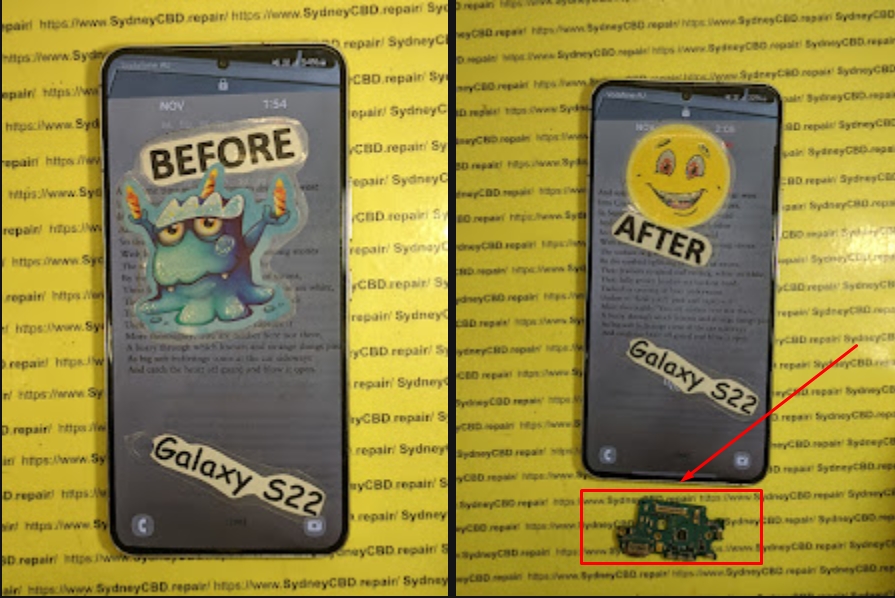
Understanding How an Android Charging Port Works
Power Flow Basics Explained Simply
To understand Android charging issues, you first need to know how charging actually works. When you plug in your charger, electricity flows from the wall outlet, through the cable, into the charging port, and finally into the battery. Sounds simple, right? Well, there are several delicate components involved.
Inside the charging port are tiny metal pins. These pins must align perfectly with your cable connector. Even slight damage, dirt, or looseness can interrupt the power flow. That’s why Android charging issues often feel unpredictable.
Why Charging Ports Fail Over Time
Charging ports aren’t designed to last forever. Every plug-in causes microscopic wear. Add dust, moisture, cheap cables, and accidental tugs, and you’ve got a recipe for failure. Over months or years, these small stresses lead to big Android charging issues.
Most Common Android Charging Issues You’ll Face
Phone Not Charging at All
This is the nightmare scenario. You plug in your phone, and… nothing. No vibration. No charging icon. In many cases, this type of Android charging issue points to a damaged port, faulty cable, or dead battery.
Slow or Intermittent Charging
If your phone charges painfully slowly or disconnects randomly, you’re dealing with one of the most common Android charging issues. Often, the culprit is dirt buildup or a worn-out charging cable.
Loose Charging Cable Problems
If the cable wiggles inside the port, that’s a red flag. A loose connection means the internal pins are worn or bent. Ignoring this Android charging issue usually leads to total failure.
Dirt, Dust, and Debris: The Silent Killers

How Pocket Lint Causes Charging Issues
Believe it or not, pocket lint is public enemy number one for charging ports. Over time, lint compresses inside the port, blocking the cable from making proper contact. This is one of the most overlooked Android charging issues.
Safe Cleaning Methods You Can Try
Before panicking, try cleaning the port gently:
- Power off your phone
- Use a wooden toothpick or plastic tool
- Avoid metal objects
- Never blow with your mouth (moisture risk)
If cleaning doesn’t help, the Android charging issue may be more serious.
Damaged Charging Ports: Signs You Shouldn’t Ignore
Bent Pins and Internal Breaks
Bent pins don’t just happen randomly. They’re usually caused by forcing the cable in or using poor-quality chargers. Once bent, these pins can’t deliver consistent power, triggering persistent Android charging issues.
Liquid Damage and Corrosion
Water and electricity don’t mix. Even a small splash can corrode the charging port. Corrosion causes resistance, heat, and unreliable charging. If your phone was exposed to liquid, don’t ignore charging problems—get it checked fast.
Software vs Hardware Charging Problems
Buggy Updates and Power Management Glitches
Not all Android charging issues are hardware-related. Sometimes, a buggy update messes with power management. Restarting the phone or updating to the latest firmware can help.
When a Factory Reset Helps (and When It Doesn’t)
A factory reset can solve software-related Android charging issues, but it won’t fix physical damage. Always back up your data before trying this step.
Chargers, Cables, and Adapters: The Overlooked Cause
Why Cheap Chargers Damage Android Phones
Cheap chargers lack proper voltage regulation. Over time, they stress your phone’s charging circuit, leading to long-term Android charging issues. Always use certified chargers.
Fast Charging Standards Explained
Modern Android phones use fast-charging standards like USB-C Power Delivery. Using incompatible chargers can cause overheating and inconsistent charging.
For more technical insight, you can refer to Android’s official charging guidelines on reputable tech sites like Android Authority (external resource).
When to Stop DIY and Seek Professional Repair
Here’s the hard truth: not all Android charging issues are DIY-friendly. If:
- The port is loose
- The phone only charges at an angle
- There’s visible corrosion
- Cleaning didn’t help
…it’s time for professional repair. Attempting solder repairs at home often causes more damage than good.
Preventing Future Android Charging Issues
Prevention beats repair every time. Simple habits make a huge difference:
- Use high-quality chargers
- Avoid charging in dusty environments
- Don’t use the phone while charging
- Keep the port dry and clean
These steps drastically reduce the risk of recurring Android charging issues.
Frequently Asked Questions (FAQs)
1. Why does my Android phone charge only at a certain angle?
This usually indicates a loose or damaged charging port, one of the most common Android charging issues.
2. Can wireless charging fix charging port problems?
Wireless charging can be a temporary workaround, but it doesn’t solve underlying Android charging issues.
3. Is it safe to clean my charging port myself?
Yes, if done carefully. However, improper cleaning can worsen Android charging issues.
4. How long does a charging port repair take?
Most professional repairs are completed the same day, often within an hour.
5. Does fast charging damage my phone?
No, not if you use certified chargers. Cheap alternatives can cause Android charging issues.
6. Should I replace my phone or repair the charging port?
In most cases, repairing the charging port is far cheaper than replacing the phone.
Conclusion: Saving Your Android Before It’s Too Late

Android charging issues don’t appear overnight. They build slowly, giving you warning signs along the way. The key is paying attention and acting early. Whether it’s cleaning out lint, replacing a cable, or getting a professional repair, timely action can extend your phone’s life significantly.
Your charging port may be small, but it plays a massive role in keeping your digital life running. Treat it well, and it’ll return the favor.
David from Sydney CBD Repair Centre – The Best place to fix mobile phones as 7 Years In A Row! Top Mobile Phone Repair In Sydney. More than 2000 Positive Reviews on Google and Same Day Repairs.
We take pride in delivering exceptional repair services for all major phone brands including Apple, Samsung, Google, and more. Our expert technicians use only genuine parts and offer 90days warranty on repairs. Located in the heart of Sydney CBD, we’re your one-stop solution for all mobile device repairs.
Our commitment to excellence has earned us the trust of thousands of satisfied customers. Whether it’s a cracked screen, battery replacement, or water damage repair, we handle it all with professional care and expertise. Walk in today and experience why we’re Sydney’s #1 choice for mobile phone repairs.
Visit us for:
✓ Same Day Express Repairs
✓ Genuine Parts Guarantee
✓ Professional Technicians
✓ Competitive Pricing
✓ 2000+ 5-Star Google Reviews
✓ 7-Time Award Winner for Best Phone Repairs
Sydney CBD Repair Centre – Where Quality Meets Reliability.
📞 Call : +61280114119
🌐 Website: https://SydneyCBD.repair/locate-us

