




Unseen water damage fix: Samsung Galaxy S25 Ultra!

Unseen Water Damage Fix: Samsung Galaxy S25 Ultra! 7 Expert Secrets to Save Your Device
Introduction
Water and smartphones have never been the best of friends — even when it comes to the most advanced flagship like the Samsung Galaxy S25 Ultra. While Samsung promotes its premium device with an impressive IP68 water-resistance rating, the truth is that unseen moisture can still find its way into delicate internal circuits. Over time, this hidden water damage can quietly corrode connectors, weaken the battery, and cause unpredictable malfunctions.
At Sydney CBD Repair Centre, we’ve seen it all — phones that look perfectly fine on the outside but are silently deteriorating within. This article reveals the unseen side of water damage and how you can identify, fix, and prevent it before it’s too late. Whether your Galaxy S25 Ultra took an unexpected dip or simply absorbed moisture from the air, understanding the signs and solutions could save you hundreds in repair costs — and possibly your data.
Let’s dive deep into the expert-approved ways to restore your Samsung Galaxy S25 Ultra to its peak condition and ensure it stays safe from the hidden dangers of water exposure.
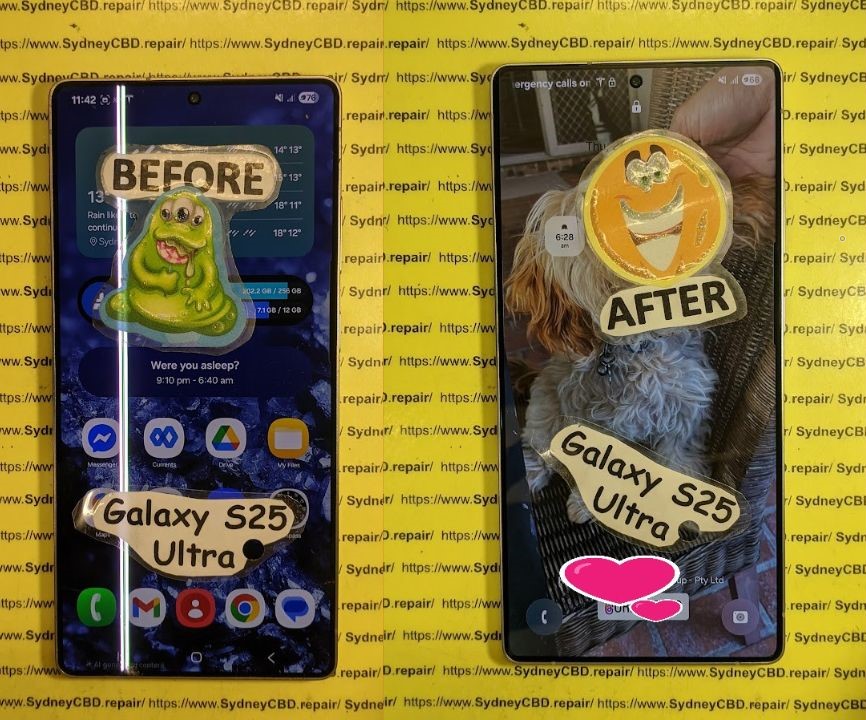
Unseen Water Damage Fix: Samsung Galaxy S25 Ultra! 7 Expert Secrets to Save Your Device
Water damage remains one of the most deceptive phone issues — especially with modern flagships like the Samsung Galaxy S25 Ultra. Despite its premium IP68 waterproof rating, your device can still suffer from unseen moisture intrusion, slowly degrading components over time.
In this guide, we’ll uncover 7 expert secrets for identifying and fixing hidden water damage, straight from the professionals at Sydney CBD Repair Centre, Sydney’s most trusted name in phone repairs for over six consecutive years.
Understanding Water Damage in the Galaxy S25 Ultra
Even with its cutting-edge design and water-resistant features, the Galaxy S25 Ultra isn’t immune to the physics of moisture. Water damage often sneaks in through charging ports, speaker grills, SIM trays, or micro-cracks invisible to the naked eye.
Common Causes of Hidden Moisture Damage
- Using your device in the rain or bathroom
- Exposure to steam or humidity (e.g., kitchens or saunas)
- Quick temperature shifts causing internal condensation
- Improper sealing after third-party repairs
While your phone might appear dry, internal circuits could already be corroding.
How Samsung’s IP68 Rating Really Works
Samsung’s IP68 certification guarantees water resistance — not waterproofing. It protects the phone for up to 30 minutes in 1.5 meters of freshwater, but saltwater, soap, or chlorinated water can easily compromise seals. Once damaged, these seals lose effectiveness permanently.
Early Signs of Unseen Water Damage

Recognizing water damage early can be the difference between a quick fix and a costly replacement.
Software Glitches Caused by Moisture
Water can short internal connections, triggering:
- Random restarts
- Screen flickering
- Ghost touches or unresponsive gestures
- System lag and erratic battery readings
Corrosion and Battery Problems
Internal corrosion silently eats away at battery terminals and charging ICs. Common symptoms include:
- Slow or failed charging
- Overheating during use
- Battery drain even on standby
Ignoring these warning signs could lead to permanent motherboard damage.
DIY Steps Before Visiting a Repair Centre
Before rushing to a technician, follow these safe, data-preserving steps.
What Not to Do After Water Exposure
❌ Don’t power on your device immediately.
❌ Don’t plug it in or attempt wireless charging.
❌ Don’t use a hair dryer — it spreads moisture internally.
❌ Avoid rice — it’s ineffective and can leave debris.
Drying Techniques That Actually Work
✅ Turn off your phone and remove the SIM card.
✅ Pat dry gently with a lint-free cloth.
✅ Place the device in a silica gel pack (or desiccant bag).
✅ Leave it for at least 24–48 hours.
✅ If available, use isopropyl alcohol to displace residual moisture on circuit boards (by professionals only).
Professional Repair: Inside Sydney CBD Repair Centre’s Process
When at-home fixes fail, expert intervention becomes essential. Here’s how the Sydney CBD Repair Centre restores your Galaxy S25 Ultra to full working order.
Expert Diagnostic Techniques
Technicians use thermal imaging cameras and microscopic inspections to detect corrosion points and trapped humidity. They assess:
- Logic board damage
- Battery health
- Camera lens fogging
- Charging port integrity
Genuine Parts & Advanced Equipment
Unlike generic repair shops, Sydney CBD Repair Centre uses Samsung-authorized components and precision reflow tools. This ensures:
- Reliable, lasting repairs
- No data loss during diagnostics
- Restored waterproof sealing
Cost of Water Damage Repairs in 2025
Pricing varies depending on the damage level, but here’s a breakdown of average repair costs in Sydney for 2025:
| Repair Type | Estimated Cost (AUD) | Turnaround Time |
|---|---|---|
| Water Damage Diagnostic | $89 | 1–2 hours |
| Cleaning & Drying | $149–$199 | Same day |
| Board-Level Repair | $250–$400 | 1–3 days |
| Component Replacement | $150–$350 | Same day |
What Affects the Price
- Type of water (fresh, salt, chlorinated)
- Duration of exposure
- Parts requiring replacement
Warranty and After-Service Benefits
All repairs come with a 90-day warranty covering workmanship and parts — another reason customers rate Sydney CBD Repair Centre 5 stars across 2,000+ Google reviews.
How to Prevent Future Water Damage
A few proactive measures can save you hundreds in future repairs.
Protective Gear & Habits
- Use IP68-rated waterproof cases during beach or pool trips
- Avoid using phones in high-humidity environments
- Keep charging ports clean and dry
Regular Checkups & Professional Cleaning
Schedule bi-annual cleanings at professional centers like Sydney CBD Repair Centre. Regular diagnostics ensure seals remain tight and corrosion-free.
FAQs
1. Can the Galaxy S25 Ultra survive water exposure?
It’s water-resistant, not waterproof. Short-term freshwater exposure may be fine, but long-term or saltwater contact causes internal damage.
2. How can I tell if my Samsung phone has water damage?
Check for fogged cameras, unresponsive buttons, or charging issues. You can also look at the Liquid Damage Indicator (LDI) near the SIM tray — it turns red when wet.
3. Will Samsung warranty cover water damage?
No. Water damage is considered user-induced, even with an IP68 rating.
4. Is water damage repair worth it?
Absolutely — if done by a professional. At Sydney CBD Repair Centre, most water-damaged phones are fully recoverable when brought in early.
5. How long does it take to repair water damage?
Same-day service is possible for minor corrosion. Severe damage may take up to 3 days for full recovery.
6. Can rice really dry out my phone?
No. Rice only absorbs surface moisture. It cannot remove internal humidity or prevent corrosion.
Conclusion

Even the mighty Samsung Galaxy S25 Ultra isn’t invincible to unseen water damage. But with quick action and expert help from Sydney CBD Repair Centre, your device can be restored safely and effectively.
Whether you’ve dropped your phone in water or suspect slow corrosion, don’t wait. Visit Sydney CBD Repair Centre, where quality meets reliability — and your Galaxy S25 Ultra gets the professional care it deserves.
📍 Sydney CBD Repair Centre
Call: +61280114119
🌐 https://SydneyCBD.repair/locate-us

