



Users Across Southeast Asia and Oceania Share Their Thoughts After Switching to the Galaxy Z Fold8

Key Takeaways
### Key takeaways
– **The Galaxy Z Fold8 is presented as an all-in-one device** for entertainment, reading, content creation and everyday work, centered on its 7.6-inch main display.
– **Users cited practical benefits from the foldable screen:** Malaysian creator Christine Tay said it lets her read, watch videos and create social content without switching between multiple devices. Australian user Esther highlighted split-view multitasking for viewing information and taking notes at the same time.
– **Switching ecosystems is positioned as manageable.** Vietnamese user Kaito said he could keep using familiar streaming services and audio accessories, and share files across devices. Samsung points to Smart Switch for transferring supported content and settings, and Quick Share for sharing files with compatible devices.
– **The article’s core message is lifestyle fit:** the Fold8 may appeal to people who value a larger screen, multitasking and fewer devices, but the right choice depends on individual needs and existing routines.
– **Transfer capabilities have limitations.** What Smart Switch can move depends on the source device, operating system and transfer method; some newer iOS-to-Galaxy transfer options require specific OS versions and are not available in mainland China.
Summary of Users Across Southeast Asia and Oceania Share Their Thoughts After Switching to the Galaxy Z Fold8
- Selected users in Southeast Asia and Oceania share how the Galaxy Z Fold8 brings entertainment, reading and content creation together on one expansive display.
Creators and users highlight the ease of transferring data between devices with the Quick Share function, and also express appreciation for the foldable form factor’s ability to support side-by-side multitasking. - Choosing a new mobile phone often comes down to how well it fits into everyday life. For some, that means having a larger screen for entertainment, reading and content creation. For others, it is about having more room to multitask or being able to continue using the devices and services they already rely on.
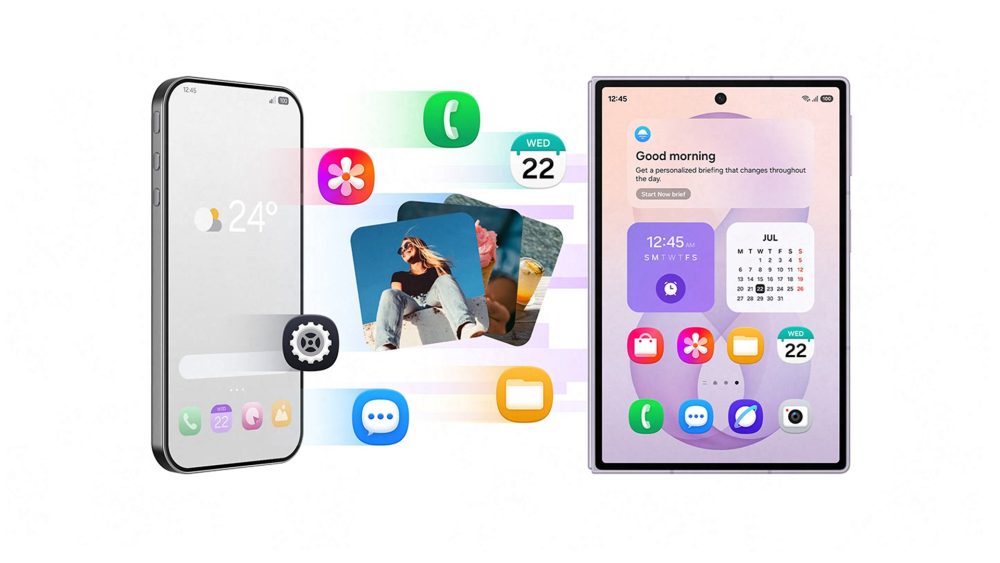
For anyone considering a foldable, these are some factors you are likely to have in mind. If you’re interested in making the switch but are still wondering how well a foldable could work for you, take a look at the experiences of users across Southeast Asia and Oceania, as they offer helpful perspectives on how the expansive display, new form factor, and seamless app compatibility of the Galaxy Z Fold8 support the ways they watch, create, work, and stay connected.
A New Device That Fits Familiar Digital Routines
For people who have spent years using the same digital ecosystem, switching to a new phone can raise practical questions. How easily can existing data be moved over? Will the new phone continue to work with the other devices and services they already use?
Galaxy features such as Smart Switch[1] and Quick Share can address these considerations. Smart Switch allows users to easily transfer supported content and settings from their previous mobile phones, while Quick Share enables file sharing across compatible devices, including those outside the Galaxy ecosystem.
After spending almost a decade within one ecosystem, Kaito from Vietnam made the switch to the Galaxy Z Fold8. He shares how his new phone allows him to continue sharing files across different devices, while his existing audio accessories are compatible and his preferred streaming platforms remain accessible.
His experience highlights how switching to the Galaxy Z Fold8 can be an incredibly simple and seamless process that does not require him to forgo the platforms he’s already familiar with. And he’s not alone.
From Entertainment to Creation, All on One Foldable
People often turn to different devices to watch videos, read or work on creative projects. With its 7.6-inch main display[2], the Galaxy Z Fold8 can bring different activities together on one foldable device.
For Christine Tay from Malaysia, the Galaxy Z Fold8 offers the screen space she needs for both entertainment and creativity, removing the hassle of switching between devices for different activities. From reading manga and watching videos, to creating thumbnails for her social media content, she appreciates that the versatility of the Galaxy Z Fold8 has allowed her to reduce the number of devices she relies on in daily life.
See and Do More with Side-by-Side Multitasking
A larger screen can make a practical difference when a task requires users to view information and work across apps at the same time. Powered by the Snapdragon® 8 Elite Gen 5 Mobile Platform for Galaxy[3], the Galaxy Z Fold8 combines powerful performance with an expansive unfolded display to support everyday multitasking.
Australian tech content creator Samuel Nam encouraged his wife, Esther, to use the Galaxy Z Fold8 for a week, and to personally experience the foldable form factor in her daily routines. She highlights that some of the features that she particularly likes are the device’s form factor, along with the utility of its split-view function.
For example, Esther highlighted how side-by-side multitasking allows her to refer to information on one side of the display while taking notes on the other. By keeping both views open, she is able to work more conveniently without having to repeatedly switch between apps.
A Foldable That Adapts to What Matters to You
Choosing a new mobile phone is a decision shaped by how you use your devices, the activities you enjoy and the technology you already own. The experiences shared by these reviewers demonstrate how the new form factor can fit into everyday life. Ultimately, the best choice is the one that suits your lifestyle and what you care most about.
To find out more about Galaxy Z Fold8, visit www.samsung.com/au/smartphones/galaxy-z-fold8/
Frequently Asked Questions
| Q. Where can I purchase the Galaxy Z Fold8 devices in Australia?
The Samsung Galaxy Z Fold8 is available in Australia from Samsung.com/au and your local retailers.
Q. Who is the Samsung Galaxy Z Fold8 best suited for? The Galaxy Z Fold8 is well suited to people who want a single device for entertainment, reading, content creation and multitasking. Its expansive main display gives users more room to watch, create and use apps side by side, while its lightweight foldable design makes it practical to carry throughout the day. Smart Switch and Quick Share can also help those moving from another device continue using the content and settings that are already part of their routine.
Q. What data can I transfer to Galaxy Z Fold8 using Smart Switch? With Samsung Smart Switch5, users can transfer supported data such as contacts, photos, videos, messages, apps and settings from their previous smartphone to Galaxy Z Fold8. With One UI 9, Smart Switch supports transferring additional information from iOS devices, including passwords, passkeys, call history, accessibility settings and eSIM information on compatible devices. Users can also transfer data wirelessly, making it easier to set up their new Galaxy Z Fold8[4]. |
[1] Transferable data may vary depending on the device OS (Android or iOS), OS version, and connection method. Data transfer from an iOS device to a Galaxy device using the upgraded method is available on devices running Android 17 or later and iOS 26.6 or later, in regions outside mainland China.
[2] Measured diagonally, Galaxy Z Fold8’s cover screen size is 5.5” in the full rectangle and 5.4” accounting for the rounded corners. The Main Screen size is 7.6” in the full rectangle and 7.6” accounting for the rounded corners; actual viewable area is smaller due to the rounded corners and camera hole. Aspect ratios shown are approximate, based on representative model values.
[3] Snapdragon branded products are products of Qualcomm Technologies, Inc. and/or its subsidiaries. Snapdragon is a trademark or registered trademark of Qualcomm Incorporated.
[4] Transferable data may vary depending on the device OS (Android or iOS), OS version, and connection method. Data transfer from an iOS device to a Galaxy device using the upgraded method is available on devices running Android 17 or later and iOS 26.6 or later, in regions outside mainland China.
from Samsung Newsroom Australia https://ift.tt/ygtD0Gh
via IFTTT

