




Z Flip 6 Touchscreen Unresponsive? Common Fixes Explored!

Z Flip 6 Touchscreen Unresponsive? 10 Common Fixes Explored!
Introduction: Understanding the Z Flip 6 Touchscreen Issue
If you’re experiencing a Z Flip 6 touchscreen unresponsive situation, you’re not alone. Many users encounter moments when their foldable device seems frozen or fails to register touch inputs. Considering the unique foldable design, the Samsung Z Flip 6 combines innovation with delicacy, meaning even minor mishandling can lead to touchscreen issues. Understanding why the problem occurs is key to deciding whether a simple fix or professional repair is needed.
The Z Flip 6 touchscreen is a dynamic AMOLED display with high sensitivity. While it’s designed for everyday tasks, factors like software glitches, physical damage, or debris accumulation can prevent it from responding correctly. Before panicking, try systematic troubleshooting to diagnose the root cause efficiently.
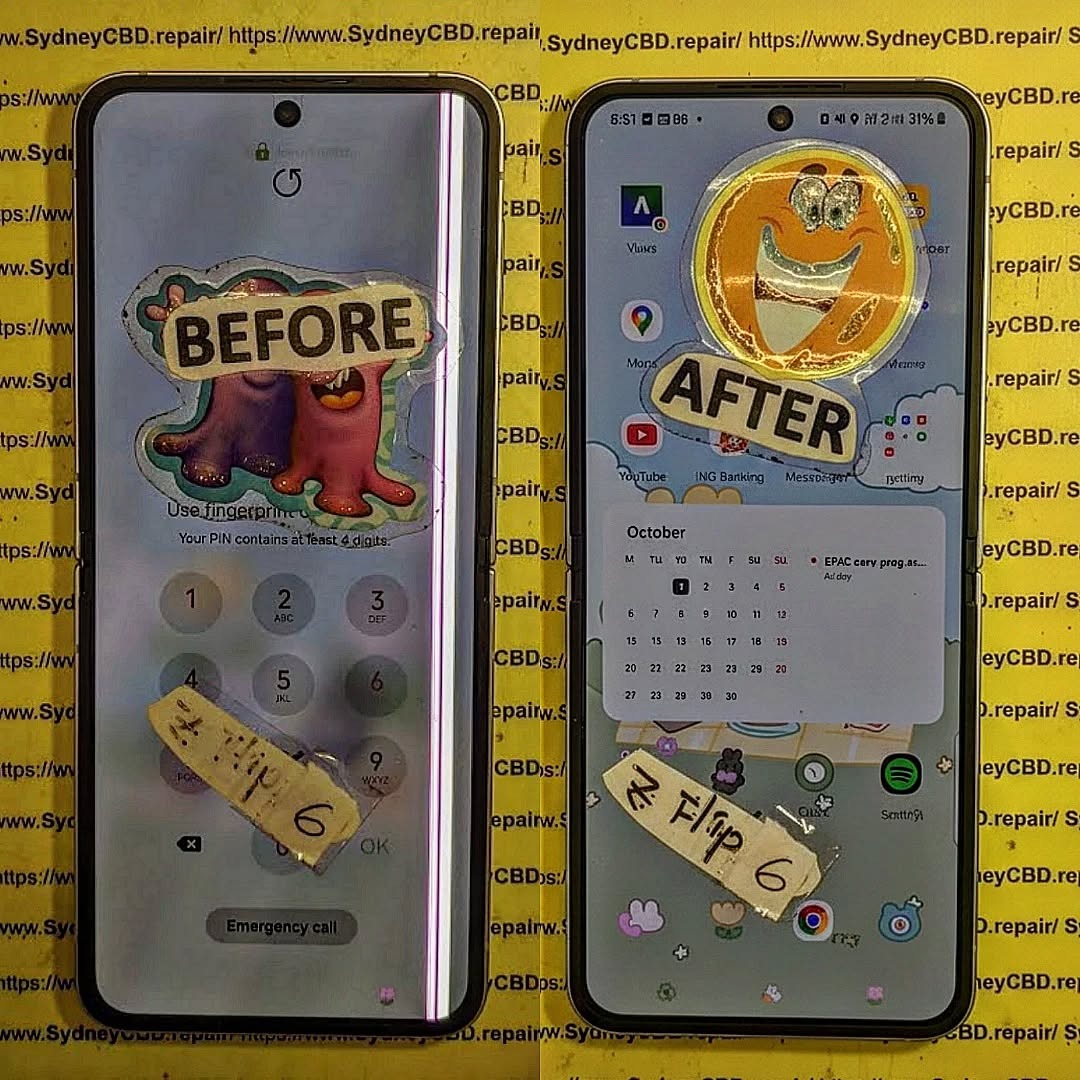
Why Your Z Flip 6 Touchscreen Might Stop Responding
Several reasons may cause your Z Flip 6 touchscreen to become unresponsive. Recognizing these helps you target the correct solution.
Software Glitches
Software issues are the most common culprits. A simple app crash, operating system bug, or temporary memory overload can prevent your screen from detecting touch inputs. In many cases, restarting or updating the device resolves the issue entirely.
Physical Damage
Accidental drops, pressure on the foldable hinge, or liquid exposure can damage the touchscreen. Even if cracks are minimal or invisible, the digitizer underneath may fail, making the screen unresponsive.
Dirty or Damaged Screen
Oils from your fingers, dust, or scratches can interfere with touch sensitivity. Regular cleaning with microfiber cloths and ensuring screen protectors are intact often resolves these minor interruptions.
Preliminary Troubleshooting Steps
Before diving into advanced fixes, perform these simple checks:
Restart Your Device
- Soft Reboot: Hold the power button for 10–15 seconds until the device restarts.
- Why It Works: Clears temporary software glitches and memory overloads.
Remove Protective Accessories
- Remove screen protectors and phone cases.
- A poorly aligned case may press against the touchscreen, causing ghost touches or non-responsiveness.
Check for Software Updates
- Navigate to Settings > Software Update > Download and Install.
- Keeping your software updated ensures bug fixes and improved touchscreen stability.
Advanced Software Fixes
If preliminary steps don’t work, deeper software solutions may help.
Safe Mode Troubleshooting
- Purpose: Identify if third-party apps cause touchscreen issues.
- How to Enable: Press and hold the power button, tap “Power Off,” then long-press “Safe Mode” until the device restarts.
- If the touchscreen works in Safe Mode, uninstall recently installed apps to isolate the problem.
Factory Reset
- Backup First: Use Samsung Cloud or Google Drive.
- Steps: Settings > General Management > Reset > Factory Data Reset.
- Caution: This wipes all data, but often resolves persistent software issues.
Clear Cache Partition
- Method: Turn off the device > Hold volume up + power button > Enter recovery mode > Wipe Cache Partition.
- Effect: Removes temporary files that may interfere with touchscreen performance without deleting personal data.
Hardware-Related Solutions
When software fixes fail, hardware might be the root cause.
Inspect for Screen Damage
- Look for cracks or discoloration.
- Check for water damage indicators near the SIM tray or under the back panel.
Replace the Touchscreen Digitizer
- Option: Purchase an original replacement digitizer.
- Steps: Requires careful disassembly — consider professional repair to avoid voiding warranty.
Check Battery and Internal Connections
- Loose internal connections, especially after drops, can cause unresponsiveness.
- Only attempt if comfortable with internal repairs, otherwise seek a professional.
Professional Repair Services

When DIY attempts fail, it’s wise to seek expert help.
Choosing a Trusted Repair Center
- Look for certified technicians with positive reviews.
- Example: Sydney CBD Repair Centre, offering same-day repair and genuine parts.
Cost and Warranty Considerations
- Screen replacement typically ranges from $250–$400 AUD.
- Ensure the repair service provides a warranty, ideally 90 days or more.
Preventive Tips to Avoid Future Touchscreen Problems
Regular Cleaning and Care
- Use microfiber cloths and avoid harsh chemicals.
- Regularly remove dirt and oil buildup to maintain responsiveness.
Avoid Drops and Exposure to Water
- Use a sturdy case and handle your Z Flip 6 carefully.
- Foldable devices are more delicate than standard smartphones.
Keep Software Updated
- Updates not only provide new features but also improve touchscreen sensitivity and device stability.
FAQs
1. Why is my Z Flip 6 touchscreen unresponsive only on certain areas?
- This usually indicates localized damage to the digitizer. Professional replacement may be required.
2. Can a soft reboot permanently fix touchscreen issues?
- Only temporary or minor software glitches are resolved. Persistent problems likely need deeper intervention.
3. Will a factory reset delete all my data?
- Yes. Backup your data before performing a factory reset.
4. Is it safe to replace the digitizer myself?
- DIY replacement risks damage and may void warranty. Professional repair is recommended.
5. How much does professional Z Flip 6 screen repair cost?
- Costs range from $250–$400 AUD, depending on the repair center and parts quality.
6. Can a screen protector cause touchscreen issues?
- Poorly fitted or thick screen protectors may reduce touch sensitivity or cause ghost touches.
Conclusion

A Z Flip 6 touchscreen unresponsive situation can stem from software glitches, physical damage, or debris. Start with simple troubleshooting like restarting your device, removing accessories, or updating software. If the issue persists, advanced solutions like Safe Mode, factory reset, or clearing cache may help. For hardware problems, professional repair services such as Sydney CBD Repair Centre offer reliable, same-day fixes using genuine parts.
By following preventive tips—keeping the device clean, avoiding drops, and updating software—you can extend the lifespan of your Z Flip 6 touchscreen and maintain optimal responsiveness.
David from Sydney CBD Repair Centre – The Best place to fix mobile phones as 6 Years In A Row! Top Mobile Phone Repair In Sydney. More than 2000 Positive Reviews on Google and Same Day Repairs.
We take pride in delivering exceptional repair services for all major phone brands including Apple, Samsung, Google, and more. Our expert technicians use only genuine parts and offer 90 days warranty on repairs. Located in the heart of Sydney CBD, we’re your one-stop solution for all mobile device repairs.
Visit us for:
✓ Same Day Express Repairs
✓ Genuine Parts Guarantee
✓ Professional Technicians
✓ Competitive Pricing
✓ 2000+ 5-Star Google Reviews
✓ 6-Time Award Winner for Best Phone Repairs
Sydney CBD Repair Centre – Where Quality Meets Reliability.
Call: +61280114119
Website: https://SydneyCBD.repair/locate-us

