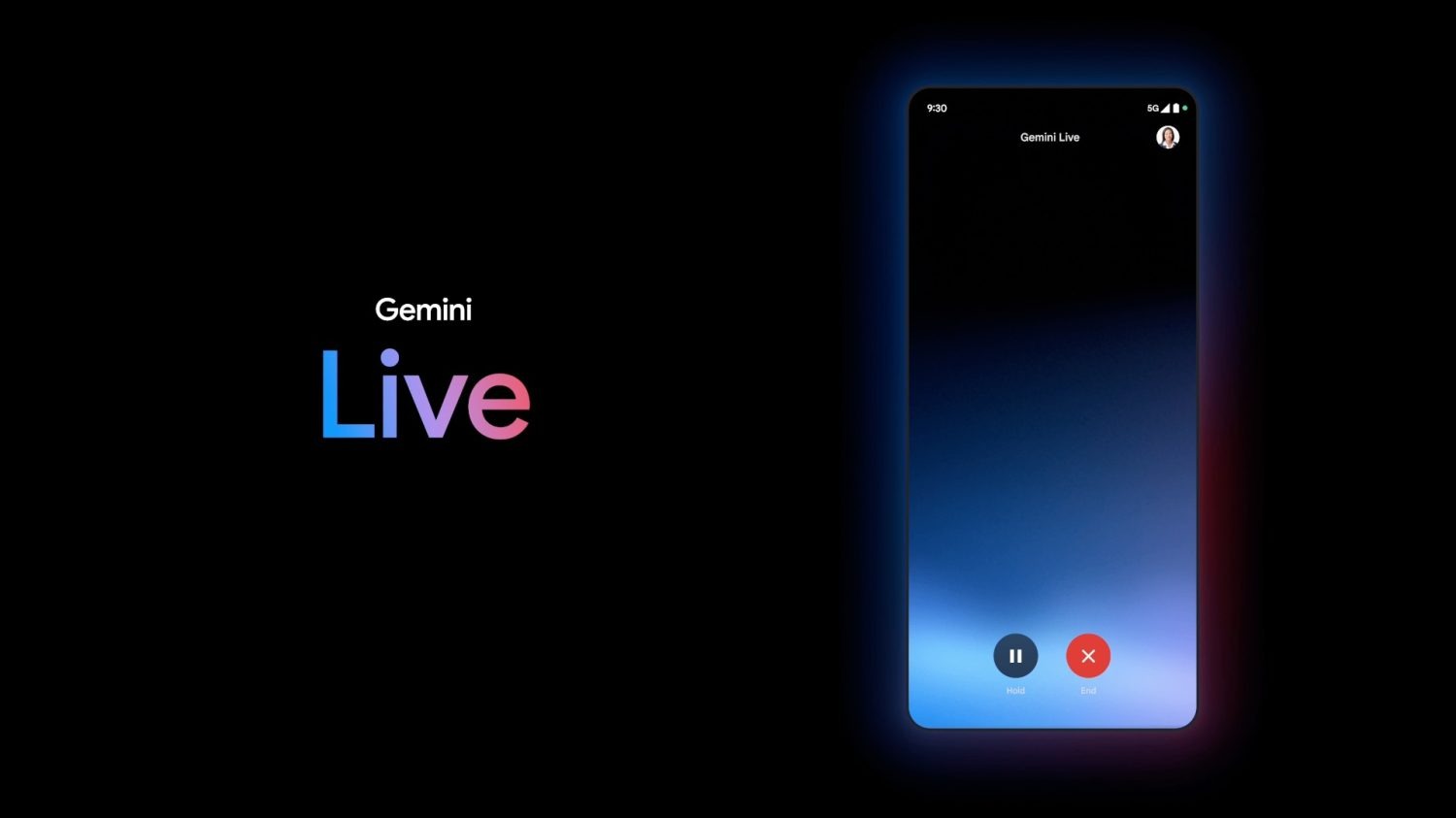
At I/O 2024, Google said Gemini Live would offer ten natural-sounding voices instead of just the one we’re currently limited to, and testing appears to be underway.
Since launch, Gemini has used a male voice to read back responses (2 examples):
Activating Gemini on Android today reveals a female voice (3 examples):
We’re only seeing the new voice in Gemini for Android, with the iOS app and web client unchanged. As of today, there’s no ability to change the voice back in settings. Google could be testing ahead of the broader launch.
Google Assistant today offers 12 voices that use colors for names. Gemini will presumably use the same strategy.
“Live” will let you have a two-way conversation with Gemini when it arrives this summer. Shown as a fullscreen experience at I/O 2024, Gemini Live might also work in the background, including on your lockscreen.
Strings in Google app 15.27 (beta) mention how a “background_mode” will let you “continue [Gemini] Live chats while using other apps or while your screen is locked.”
For the most part, Google Assistant and Gemini will stop after the accompanying UI is off the screen.
Allowing Gemini Live to accept input and reply as you’re doing other stuff on your device could lead to a more immersive and natural experience. In that regard, Gemini Live is basically a phone call. One possible use case is looking through your apps for more information to manually add to a conversation with Gemini.
Once done, you can say “Stop” to Gemini Live or end the chat by looking for a persistent notification.
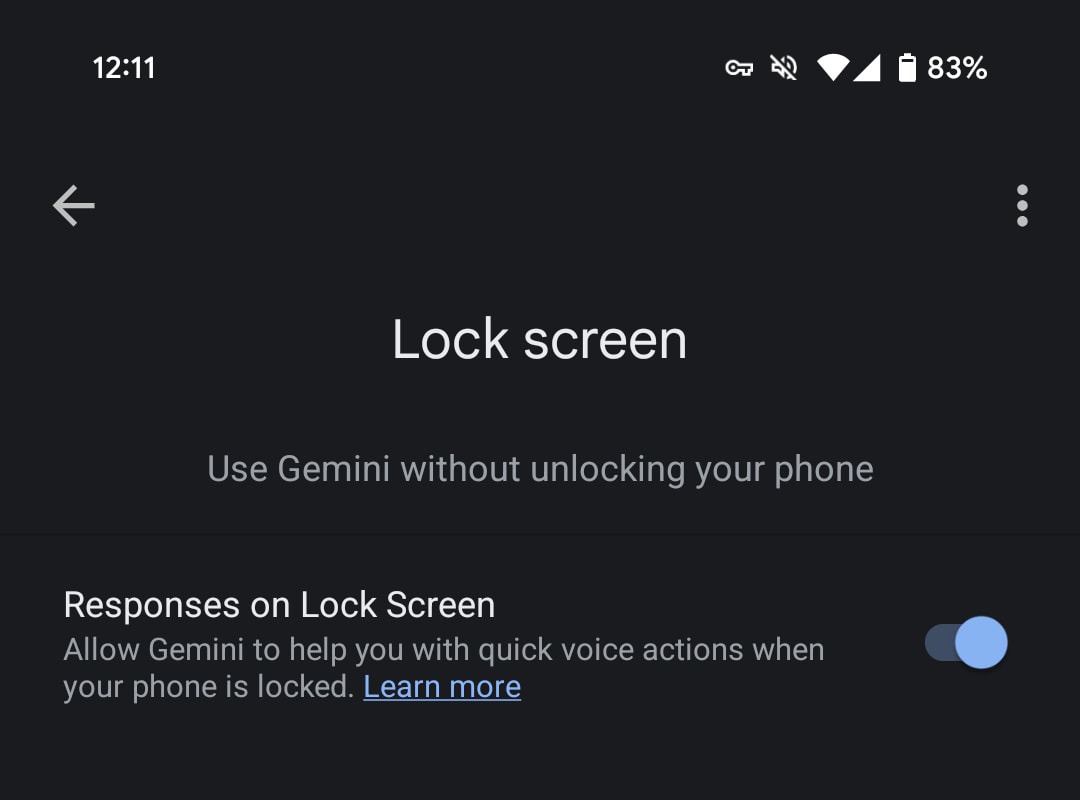
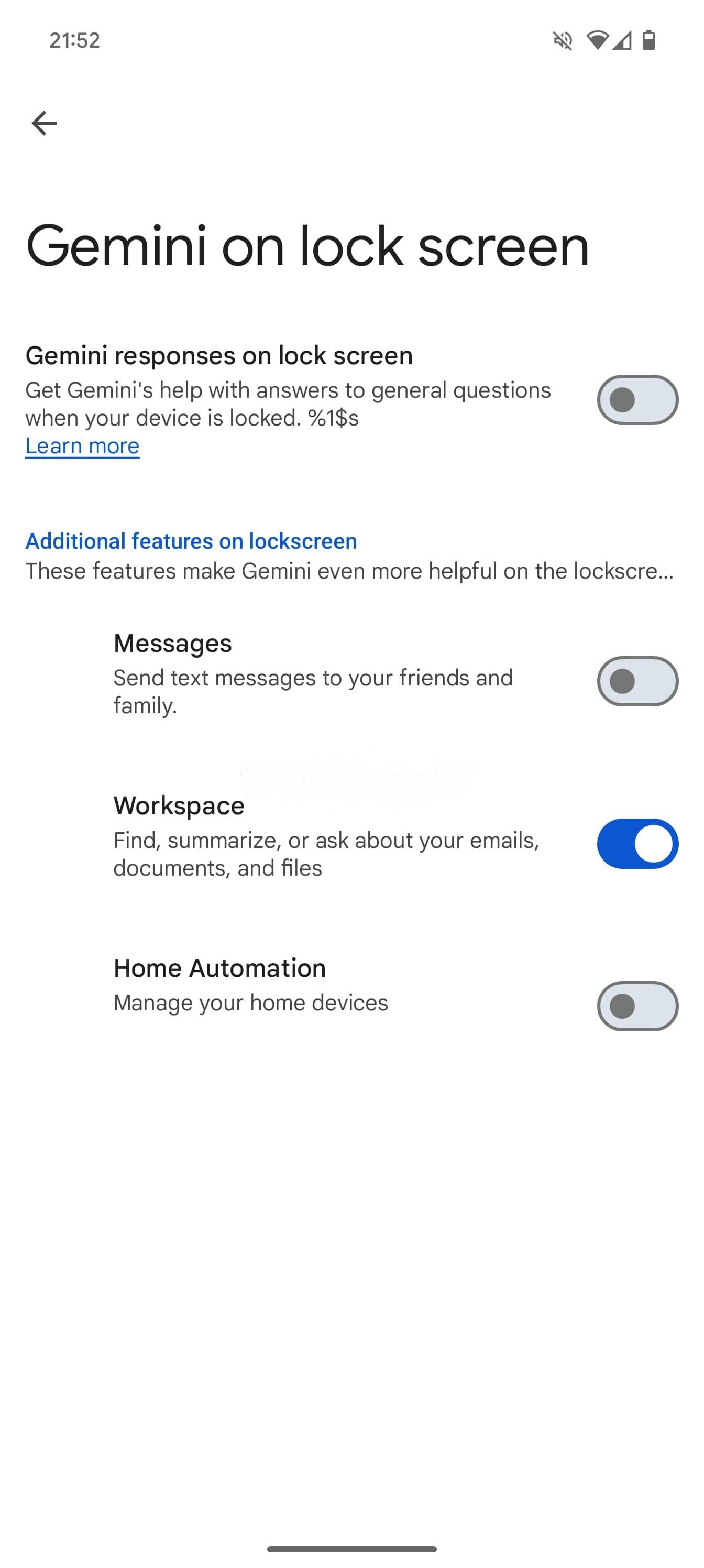
Meanwhile, Google is working to let Gemini do more when your device is locked. Today, enabling that setting allows you to set alarms and timers, with most other commands — including something as basic as asking for the weather — requiring device unlock.
Moving forward, as we enabled below, setting up “Gemini on lock screen” and “extensions on lock screen” will let you get “answers to general questions and more.” Your options are Messages, Workspace, and Home Automation.
Google Maps, YouTube, Google Flights, and Google Hotels extensions are turned on by default on lock screen. Any future extensions that don’t require user credentials or don’t access private data will be on by default. You can turn them off in settings at any time.
Finally, “Gemini will read your messages to you” if you enable “Spoken message notifications.”
Following the announcement at I/O 2024, Gemini in Google Messages has been widely rolling out to stable users over the past few days. It joins recent launches like Gemini 1.5 Pro in Gemini Advanced and the YouTube Music Gemini Extension.
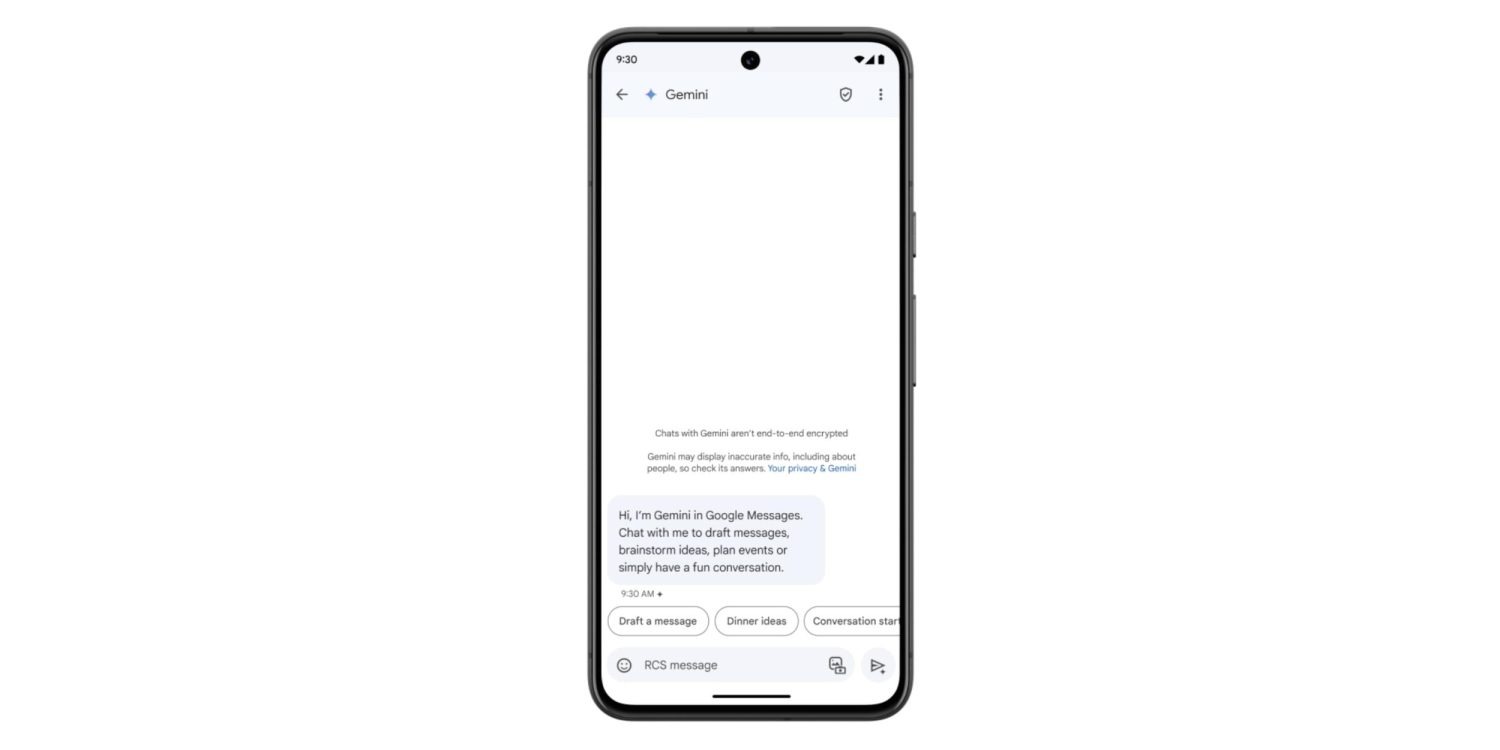
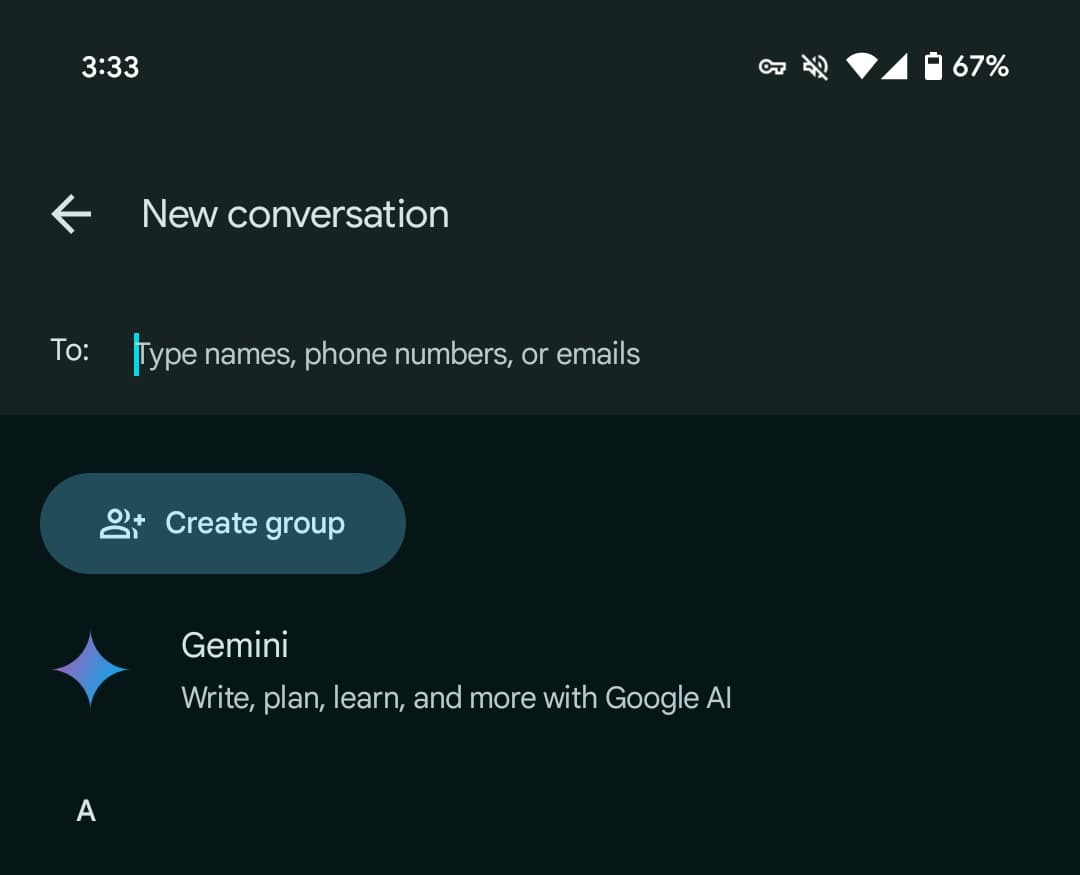
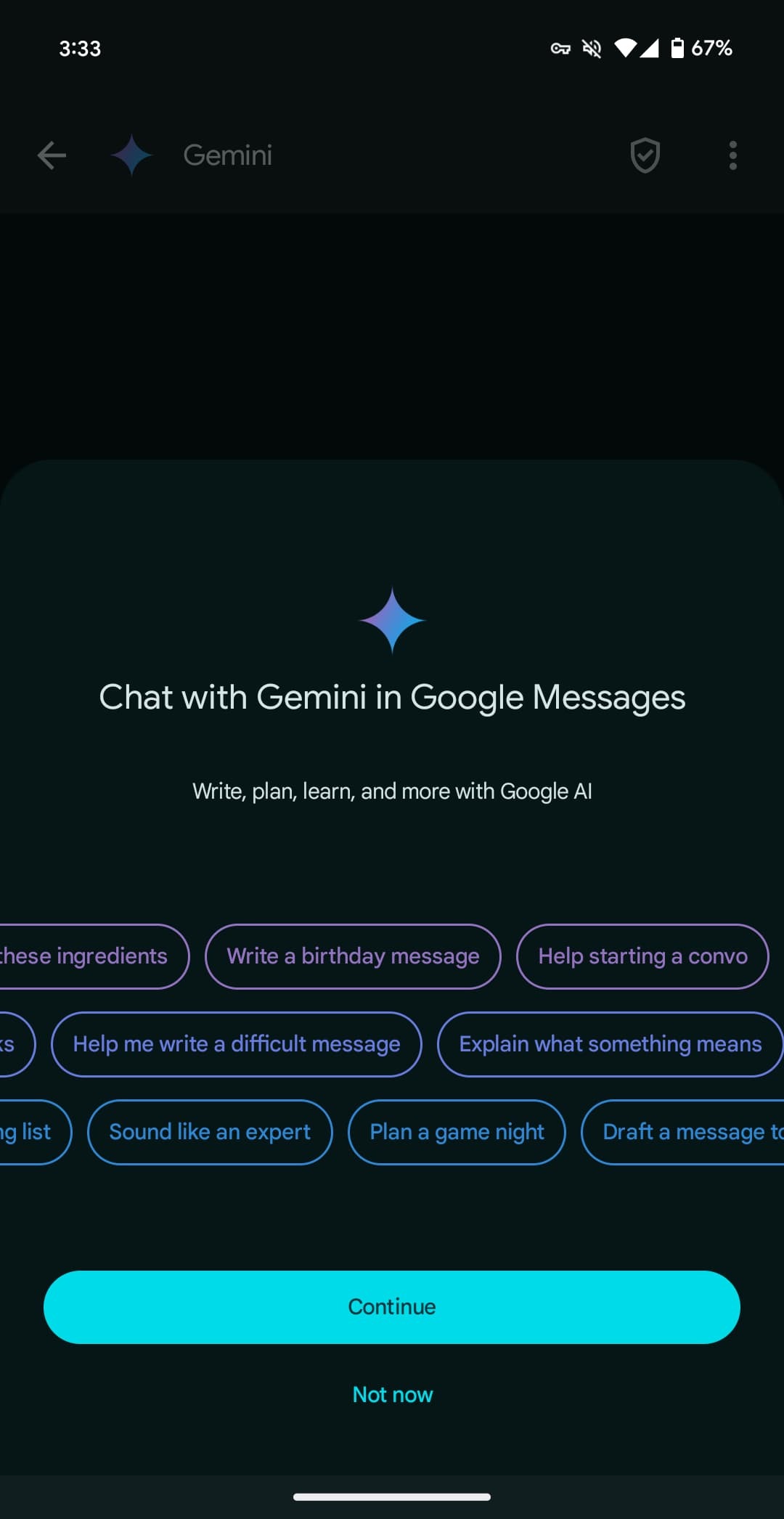
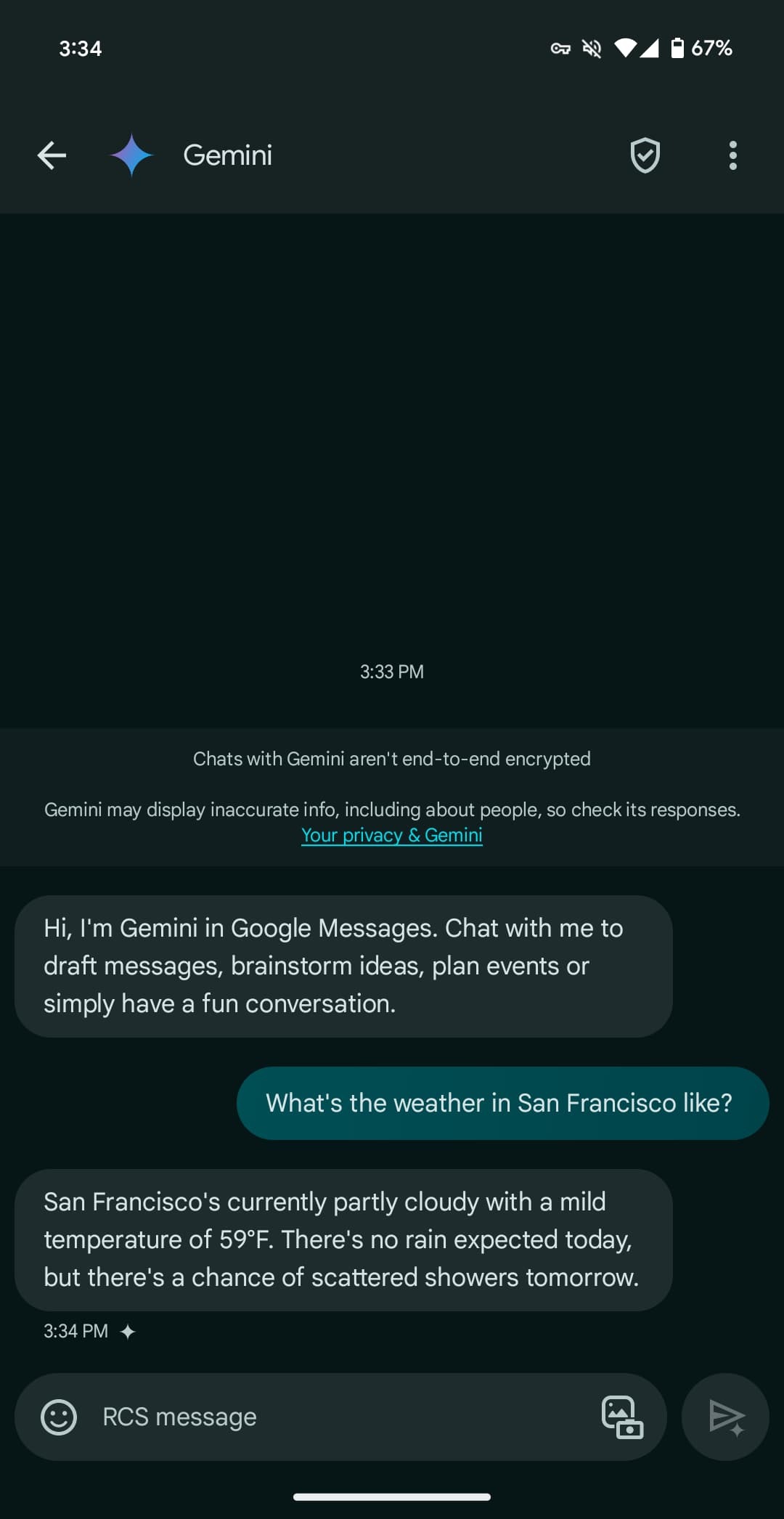
Once available, Gemini will appear as the first contact in the Start chat FAB > New conversation list. After agreeing to some terms, you’re taken to a fairly standard messaging UI. You have emoji and the gallery in the text box, with the ability to upload images for the prompt but not audio memos.
Gemini here can be used to “draft messages, brainstorm ideas, plan events, or simply have a fun conversation.” It has been optimized to deliver more concise responses.
You’re having a direct 1:1 conversation with Gemini, which cannot be pulled into other conversations, like Assistant in Google Allo years ago.
There’s support for Gemini Extensions, like Workspace (@Gmail, etc.), @YouTube, and @GoogleMaps, but the “YouTube Music extension isn’t available in Gemini in Google Messages.”
You can long-press on a response to leave thumbs up/down feedback, with the ability to star and forward also available. Conversations are happening over RCS, which has to be generally enabled, but they are not end-to-end encrypted. Gemini cannot be accessed usingmessages.google.com/web or the Wear OS app (where the chat won’t even appear).
Gemini in Google Messages is rolling out globally — except to the EEA, UK, Switzerland, or India — with support for English and French in Canada. It has been available to betausers since March.
Google has been steadily improving Gemini over the past couple of months, and it seems the Android experience is getting ready for a slew of new upgrades which includes responding in an overlay on top of your current apps.
Gemini on Android replaces Google Assistant when it’s activated, but there are some big downsides to that. Among other things, Gemini opens up all of its responses in a totally new window instead of responding in an overlay like Google Assistant has for years.
It seems that, soon, that may change.
Shared with the folks over at PiunikaWeb, Gemini for Android appears to be working behind the scenes to allow for responses to be available in an overlay. A video demo (see screenshots below, as the video was shared via Google Drive) of the new functionality shows the response appearing on top of the Twitter/X app, never technically causing the user to have to navigate back to the app.
It seems a much more seamless experience overall.
Beyond that, Gemini seems to also be working on some other improvements to its Android app. Shown in another PiunikaWeb post, a “real-time responses” toggle was enabled, enabling Gemini to show data generated as it is available.
Tipster @AssembleDebug also partnered with Android Authority for some other tidbits about what’s going on behind the scenes. This includes the ability for Gemini Advanced subscribers to upload files of any type to Gemini for Android. While the web version supports this already, the Android app is currently limited only to photo files.
The app is also preparing a new “select text” option that would be available alongside the existing “copy text” option.
It’s unclear when any of these new changes will be available, but seeing as they’re already functional, it’s likely they’re not too far away from launch.
In Gmail for web, some users can experience Google’s Workspace Labs integration, which pulls Gemini’s AI functionality into the email site. One of the ways Gemini can operate is with the email summary feature.
In essence, Gemini can create a summary of email threads and content so you don’t have to dig through messages. It can prove to be rather helpful, but it’s still in the early stages of development.
According to PiunikaWeb, the email summary feature may also be coming to Gmail for Android. Hidden in an upcoming version of the app, the email summary tool was discovered. It comes as a button that sits right under the email’s subject, reading “Summarize this email.” Tapping would likely generate a summary at the bottom of the email, much like in the web version.
The tool doesn’t work in this infantile stage, but it showcases Google’s plans to bring Gemini to the mobile Gmail app rather than pioneer it solely on the web, which was unlikely. One could also argue that the feature would be even more useful in a mobile setting rather than on a desktop, where text and formatting are easier to make out.
Since this is a feature that shows signs it’s still being prepared Google hasn’t made any mention of when Android users can expect to see the Gemini-powered email summaries in Gmail. It’s also unknown as to whether the email summary feature from Gemini on mobile will be a limited rollout like the current version on the web.
On Sunday night March 17,2024 , Bloomberg reported that Apple is in talks with Google about licensing its Gemini technology to power some AI features coming to the iPhone. A new report from The New York Times today echoes those claims, citing “three people with knowledge of the discussions” between Apple and Google.
Today’s story corroborates what Bloomberg’s Mark Gurman was first to report on Sunday. The NYTimes reiterates:
Apple is in discussions with Google about using the search giant’s generative artificial intelligence model called Gemini for its next iPhone, as the company races to embrace a technology that has upended the tech industry.
The talks are preliminary and the exact scope of a potential deal hasn’t been defined, three people with knowledge of the discussions said. Apple has also held discussions with other A.I. companies, one of these people said, as it looks to tap into the power of a large language model capable of analyzing vast amounts of data and generating text on its own.
Citing “two people familiar with its development,” today’s report also says that Apple’s effort to “develop its own large language model” has been running behind the likes of ChatGPT and Gemini.
Bloomberg’s initial report included additional details about the scope of the talks between Apple and Google. Apple is preparing a wide array of new AI features for iOS 18, which is set to debut at WWDC in June. Bloomberg says we shouldn’t expect any announcement from Apple about a partnership until WWDC at the earliest.
Following the Duet AI announcement yesterday, many more people who signed up for Google Workspace Labs are now seeing the generative AI features in Gmail and Docs that “Help you write.”
To tell if you have it in Gmail on the web, start composing an email, and you’ll see a new “Help me write (Labs)” button next to “Send” and formatting options in the bottom toolbar.
Afterward, a blue/purple-ish messaging field appears at the bottom of your screen for you to enter a prompt, with Google rotating through suggestions. It takes a few seconds for something to generate, and you then have the ability to:
Formalize: Makes the draft more formal
Elaborate: Adds details to build upon the text
Shorten: Shortens the draft
I’m Feeling Lucky: Updates draft with creative details
You can also ask Google to “Recreate,” while “Insert” will paste and let you make further edits. Google marks with brackets where you should delete and enter your name or other specifics.
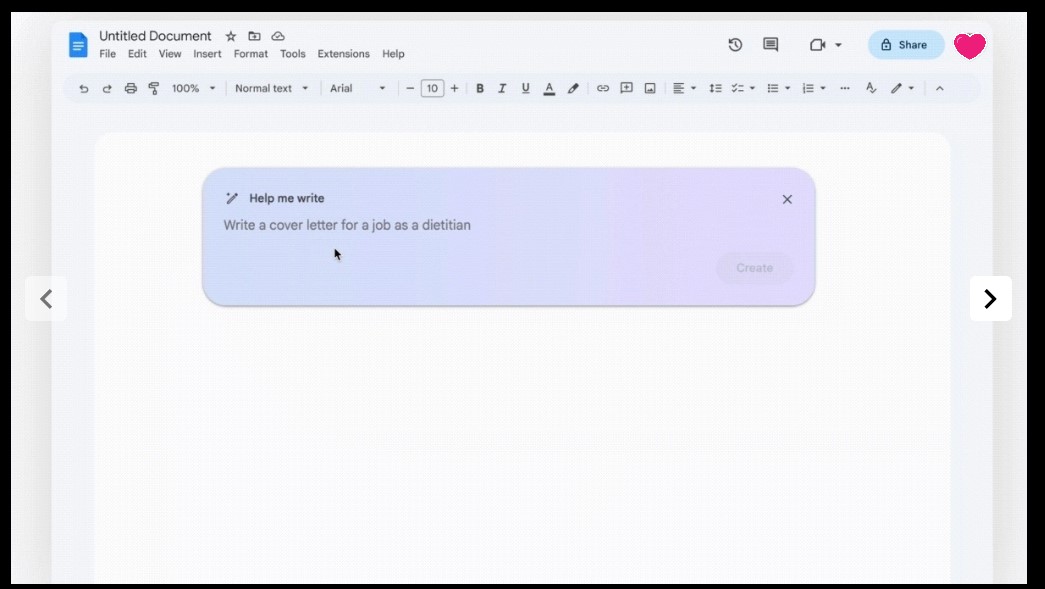
In Google Docs, opening a new page shows a “Help me write” chip. It’s the same workflow as Gmail, but the “Help me write” button can be found to the left of your cursor on the edge of the page to access it again.
Before I/O, Google said it was expanding its Trusted Tester program by 10x. Generative AI features in Google Sheets and Slides (used to create images) are not yet live — and “sidekick” is further down the road — with today’s expansion continuing the public testing that started in March. We’re seeing it live on the web right now, but not on Android.
You can sign-up for Google Workspace Labs’s Gmail and Google featureshere.
Google branding generative AI in Gmail, Workspace as ‘Duet AI’
Google has been publicly testing features that help users write in Gmail and Docs over the past few weeks. Generative AI is now coming to Sheets, Slides, and Meet with a new name: Duet AI for Google Workspace.
“Duet” evokes a sense of contextual collaboration, which is how Google sees the relationship between users and generative AI. (If the name is familiar, Chrome used it for a redesign that never launched.)
In Gmail, Google Docs, and Slides, you’ll eventually get a Duet AI side panel, called “sidekick.” It can be launched next to your profile avatar in the top-right corner, and it analyze your email or document. In Google Slides, it can create speaker notes for each slide.
In Google Slides, generative AI will generate images from text prompts. You’ll get a “Help me visualize” side panel to enter what you want with the ability to choose a style: none, photography, illustration, flat lay, background, and clip art. You’ll get a grid of 6-8 designs with the ability to “View more.”
Duet AI in Google Meet can be used to create background images: “It’s a subtle, personal touch to show you care about the people you’re connecting with and what’s important to them. And you can change that visual with an equally stunning and original one — all in just a few clicks.”
Google Sheets is using gen AI for automatic table generation with a “Help me organize” field. An example prompt is “Client and pet roster for a dog walking business” with columns like dog, address, email, date, time, duration, and rate offered. You get a preview before inserting.
…simply describe what you’re trying to accomplish, and Sheets generates a plan that helps you get organized.
These three features are coming to Google Workspace Labs, with the Trusted Tester program expanding by 10x just last week. Since March, Google says it has had “hundreds of thousands” of such testers.
These features are hitting general availability later this year for business and consumer Workspace accounts. Check out labs.withgoogle.com in the meantime.
Google Bard is better at debunking conspiracy theories than ChatGPT, but just barely
One of the concerns about generative AI is the easy, hard-to-keep-in-check spread of misinformation. It’s one area many hoped Google Bard would step up above existing options, and while Bard is better at debunking known conspiracy theories than ChatGPT, it’s still not all that good at it.
News-rating group NewsGuard tested Google Bard against 100 known falsehoods, as the group shared with Bloomberg. Bard was given 100 “simply worded” requests for information around these topics, all of which had content around the false narratives existing on the internet.
That includes the “Great Reset” conspiracy theory that tries to suggest COVID-19 vaccines and economic measures being used to reduce the global population. Bard apparently generated a 13-paragraph reply on the topic, including the false statement that vaccines contain microchips.
Bard managed to bring out information on 76 of the 100 topics, generating “misinformation-laden essays.” However, Bard did debunk the other 24 topics, which while not exactly an confidence-inspiring total, is still better than competitors. In a similar test, NewsGuard found that OpenAI’s ChatGPT based on the latest GPT-4 didn’t debunk any of the 100 topics, where GPT-3.5 was sitting around 80%.
In January 2023, NewsGuard directed ChatGPT-3.5 to respond to a series of leading prompts relating to 100 false narratives derived from NewsGuard’s Misinformation Fingerprints, its proprietary database of prominent false narratives. The chatbot generated 80 of the 100 false narratives, NewsGuard found. In March 2023, NewsGuard ran the same exercise on ChatGPT-4, using the same 100 false narratives and prompts. ChatGPT-4 responded with false and misleading claims for all 100 of the false narratives.
Google has, of course, not been particularly shy about Bard’s AI responses bringing up responses like this. Since day one, Bard has shown warnings about how it is an “experimental” product and that it “may display inaccurate or offensive information that doesn’t represent Google’s views.”
Misinformation is a problem that generative AI products will clearly have to work to improve on, but it is clear Google has a bit of an edge at the moment. Bloomberg tested Bard’s response to the conspiracy theory that bras can cause breast cancer, to which Bard replied that “there is no scientific evidence to support the claim that bras cause breast cancer. In fact, there is no evidence that bras have any effect on breast cancer risk at all.”
NewsGuard also found that Bard would occasionally show a disclaimer along with misinformation, such as saying “this claim is based on speculation and conjecture, and there is no scientific evidence to support it” when generating information about COVID-19 vaccines having secret ingredients from the point of view of an anti-vaccine activist.
Google is working on improving Bard. Just last week, the company said it was upgrading Bard with better support for math and logic.
Google’s next Bard update brings ‘more variety’ to drafts
Google is rolling out a new update to its Bard AI experiment this week that will expand on one of the platform’s unique aspects in “drafts.”
As confirmed on Bard’s new “Experiment updates” changelog that Google introduced earlier this month, the second update to Bard is set to be available tomorrow, April 21. Google says the update will add “more variety” to Bard’s drafts.
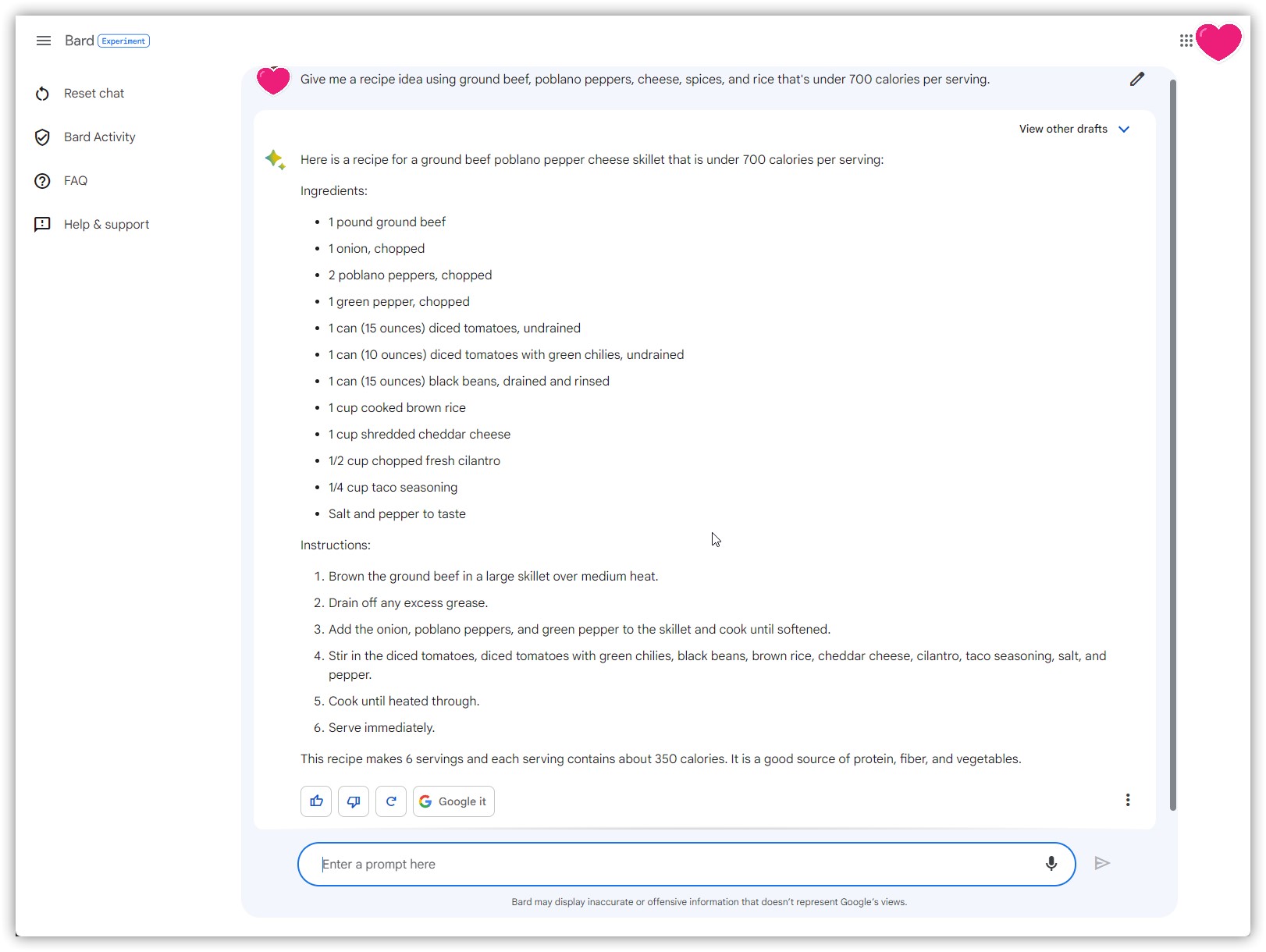
Drafts in Google Bard appear with each response generated by the AI experiment. Alongside the main reply, a “view other drafts” button will show three responses that were generated from the same prompt. This gives the AI more chances to respond to the user’s prompt without the need for re-issuing the prompt. But, often, the other drafts will include limited, if any additional information. The most common time you’ll find unique information in a different draft is in the case of recipes and similar topics.
With this next update, Bard’s drafts will be “more distinct from each other” according to Google in an effort to “expand your creative explorations.”
Adding more variety to drafts
What: When you view other drafts, you’ll now see a wider range of options that are more distinct from each other.
Why: A wider range of more distinct drafts can help expand your creative explorations.
In Bard’s previous and inaugural update, Google expanded on the “Google It” button to suggest additional related topics. That update also provided better support for math and logic prompts.
Outside of Bard, Google is reportedly working on other major expansions to its AI efforts. This includes integrating AI into Search, with a new effort known as “Magi.”
Hands on: Bard AI is just as rough around the edges as Google said it was
Google opened up early access to Bard, its generative AI chatbot, and we’ve had a bit of time to play around with it. The takeaway so far? Google isn’t exactly treading new ground here, but Bard is at least much more clear on what it can do, can’t do, and where it falls short.
What can you do with Bard?
Google Bard is a generative AI product built on the LaMDA model introduced in 2021. Bard uses that underlying tech to respond to prompts, generate text, answer questions, and more. Google summarizes Bard, saying:
Bard is powered by a large language model from Google that can generate text, write different kinds of creative content, and answer your questions in an informative way.
So what can you do with Bard?
The first thing that comes to mind, especially following the debut of Bing’s GPT-powered chat experience, is to use Bard to find answers to questions or help you better understand a topic. And to that end, it works rather well.
Asking Bard to explain an aspect of a smartphone or summarize a recent news topic results in a very readable explanation that, at least in my limited usage thus far, feels less long-winded and much more concise than what Bing and ChatGPT usually offer. That’s not to say the actual word count is always shorter, but Bard’s replies are phrased in a way that’s just easier to read.
Google offered more information, though it did get the front-facing camera spec wrong.
Google has made it clear that Bard AI isn’t meant to replace traditional Search at this point, but it is impressive how Bard can quickly pull together a lot of information into a concise format. And it’s probably for the best that Bard, as it exists today, is not replacing Search because, in this current format, Bard rarely shows where it is getting information, and even when it does, it’s very limited.
Another way I found Bard useful was for coming up with recipes. I love to cook and come up with ideas for dinner on the fly, but it’s always helpful to have some sort of foundation to form those ideas off of. Bard seems to be really good at that. Asking for a recipe with a handful of ingredients pulls together some ideas, and using the “drafts” Bard generates, I get a few options at once. The responses are sometimes not very helpful or a bit boring, but I can see these ideas giving me something to work off of.
Having multiple responses on hand without reissuing the prompt seems genuinely useful
But really, Google isn’t doing anything new with use cases like this. Bard is doing the same thing as ChatGPT, just with updated information. That’d be impressive if Bard had launched a month ago, but Microsoft’s Bing is already doing the same thing too, and all based on OpenAI’s GPT-4 model.
Google Bard still makes plenty of mistakes
The big thing that many, myself included, were hoping to see Google Bard build on that other AI tools haven’t is to be more accurate. It’s really easy to get other generative AI products to generate nonsense – known as “hallucinations” – or simply get a lot of simple facts wrong.
In my use so far, Google Bard doesn’t seem noticeably better on this front. In comparing some responses from Bard side by side with Bing, I noticed fewer errors with technical details on smartphones, but I also commonly saw my responses having errors and mistakes throughout.
Bard incorrectly says the main sensor in Find X6 Pro is the IMX890 instead of the IMX989.
Some of the mistakes I saw Bard make were as simple as an incorrect figure. For instance, a question about the Pixel 7 Pro saw Bard telling me that Tensor G2 was built on a 4nm process, something that’s simply not true. There are also plenty of errors that just go against common sense, such as Bard implying the Pixel 7 and Pixel 7 Pro haven’t been released.
Getting away from smartphones, information about other topics results in similar mistakes.
When I asked Bard to create a vegan meal plan, it spit out a helpful list of ideas, but it threw in yogurt and hard-boiled eggs as snacks, which obviously don’t fit a vegan diet. And when I asked Bard to update the list to remove items with beans, it essentially spit out the same list again, still with black bean burgers in place.
These mistakes are common for generative AI and show how Bard is still not quite up to par with typical search results.
And what’s frustrating is that Google Bard doesn’t cite its sources. While Bing shows links to where it pulls information throughout, Bard only occasionally shows a link to where its information came from. Maddeningly, you can’t even manually ask Bard to show that information.
Google clearly doesn’t want you to think Bard is a finished product
But there’s one thing about Google Bard that really stood out to me against other AI tools like it. Google isn’t treating this like a finished product, and it’s doing its due diligence to be responsible about what the AI is spitting out.
Throughout your use of Bard, Google will remind you again, and again, and again that Bard is an AI, and its information won’t always be correct. There’s a constant banner under the chat box that directly says:
Bard may display inaccurate or offensive information that doesn’t represent Google’s views.
Further, Bard holds back on lots of sensitive topics. If you ask about medications or even something like weight loss, Bard might just avoid the topic altogether. You also can’t get Bard to explain its sources or talk about specific people. Asking Bard to offer up details on a person just doesn’t work, although you can still trick the system by using a social handle or username (sometimes with crazy results).
There are also more subtle ways Google is implying that Bard isn’t finished. There’s no prominent logo or branding outside of the “diamond” icon seen alongside replies. There’s not even an icon when you create a shortcut to the product on your smartphone’s homescreen.
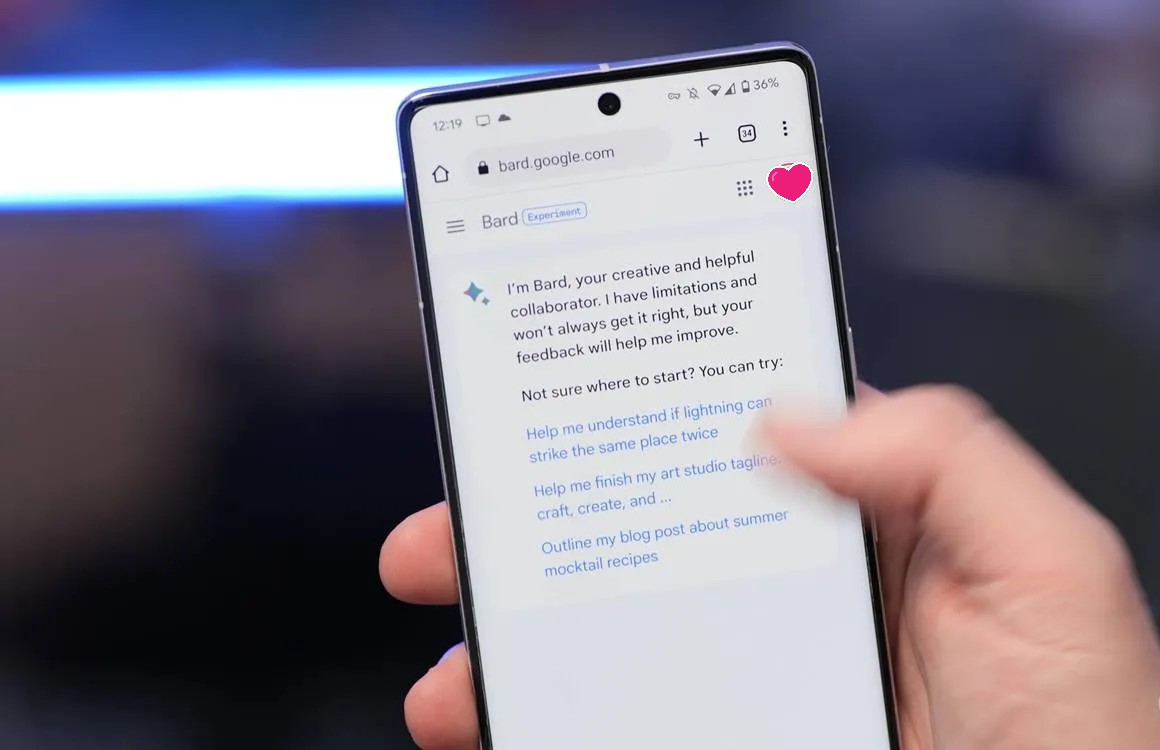
There are two notices about Bard the moment you open it.
And of course, there’s the fact that Bard is currently siloed off from the rest of the company’s offerings. There’s no Bard in Google Search, or Workspace apps, or anything else. That’s coming, but this early preview is just that – an early chance to try out the tech that powers Bard rather than using it alongside the rest of Google’s suite.
There are two ways to look at this, one being that Google is just trying to be more responsible with Bard AI compared to some others. That’s certainly part of the equation, but reading between the lines, it also seems like Google is just trying to excuse that it is a bit behind the curve. Bard is good, but it’s not better than what Microsoft and OpenAI are putting in front of customers. It’s rough around the edges, and Google was definitely right to temper expectations.
Now, the question is just whether Bard’s future can actually prove to be better.
You can’t use Bard with a Google Workspace account yet
Google just opened up access to Bard, its generative AI product, via a waitlist today. However, you won’t be able to use Bard, or even sign up for that waitlist if you have a Google Workspace account.
The requirements to use Bard during its early access period are not particularly strict. For instance, Bard will work on most browsers, including Google Chrome, Microsoft Edge, and Apple’s Safari. That’s certainly more flexible than what Bing has been doing with its GPT-4-powered AI experience.
One limit that rules out a lot of younger users is age. Google says that you need to be at least 18 years old to use Bard. That makes sense, given Google directly warns that, like other generative AI tools, Bard can sometimes go a little off the rails and deliver inaccurate or even offensive responses.
But perhaps the biggest restriction is that, at least for now, Google Bard doesn’t work with Google Workspace accounts.
If your Google account is managed by and organization (or parent/guardian) it can’t be used for Bard. This includes Workspace accounts that utilize a custom domain instead of “@gmail.com” for Gmail and Google sign-in. Attempting to use a Workspace account on Bard shows the error message below.
It’s not entirely clear why this restriction is in place, especially with Google’s clear vision for generative AI in Workspace products, but the fact is that it is in place as of today. We suspect this may change over time, but it’s hard to tell at this point.
Thank you for using
Themify Popup
This is a sample pop up. Themify Builder or Builder Lite (free) plugin is recommended to design the pop up layouts.