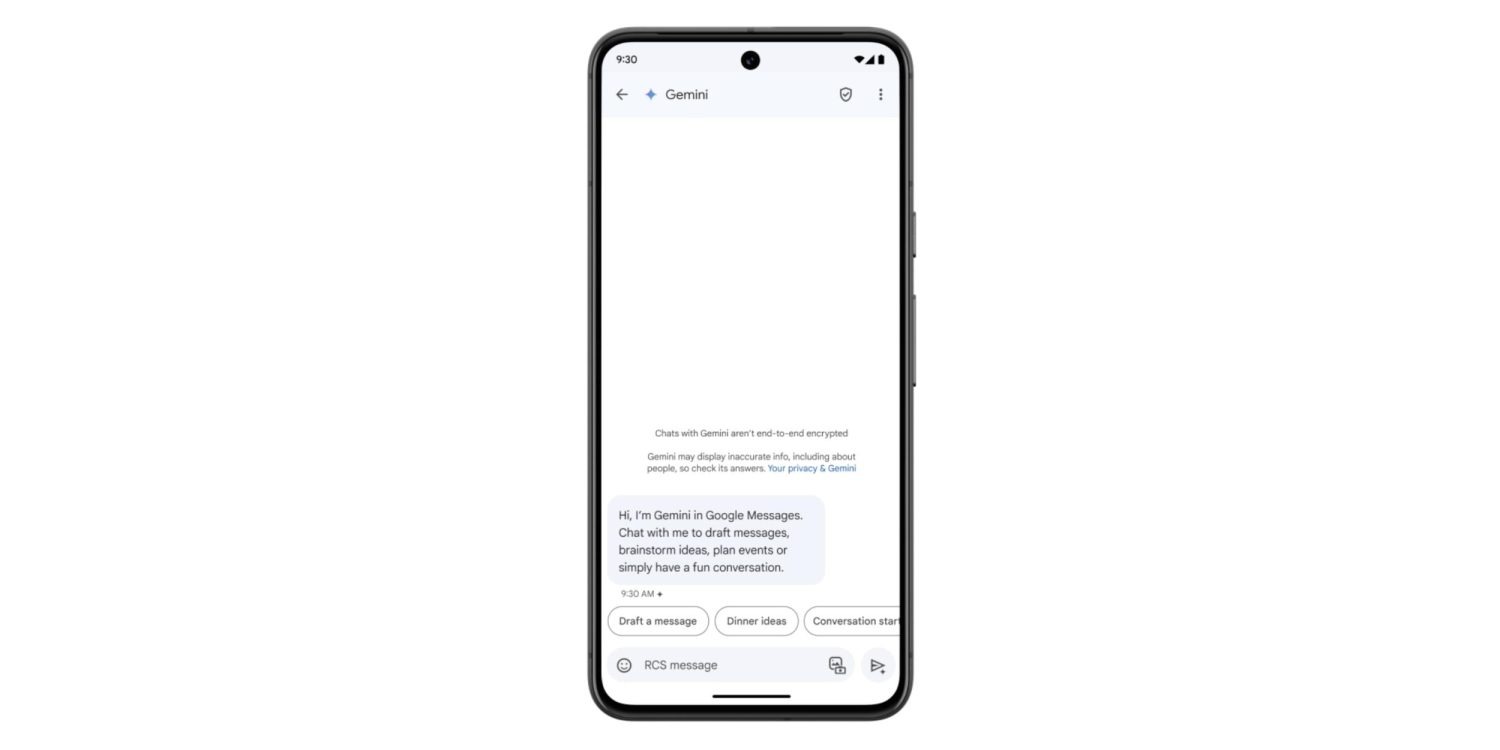
Following the announcement at I/O 2024, Gemini in Google Messages has been widely rolling out to stable users over the past few days. It joins recent launches like Gemini 1.5 Pro in Gemini Advanced and the YouTube Music Gemini Extension.
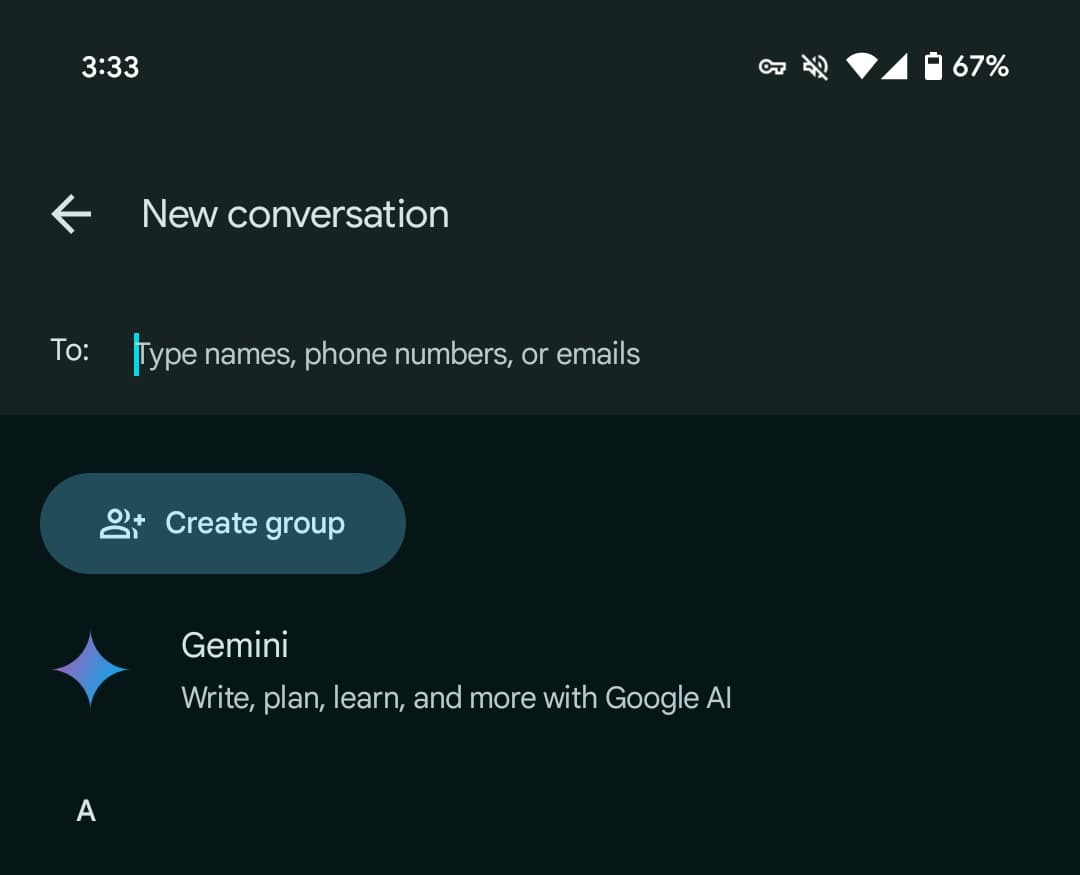
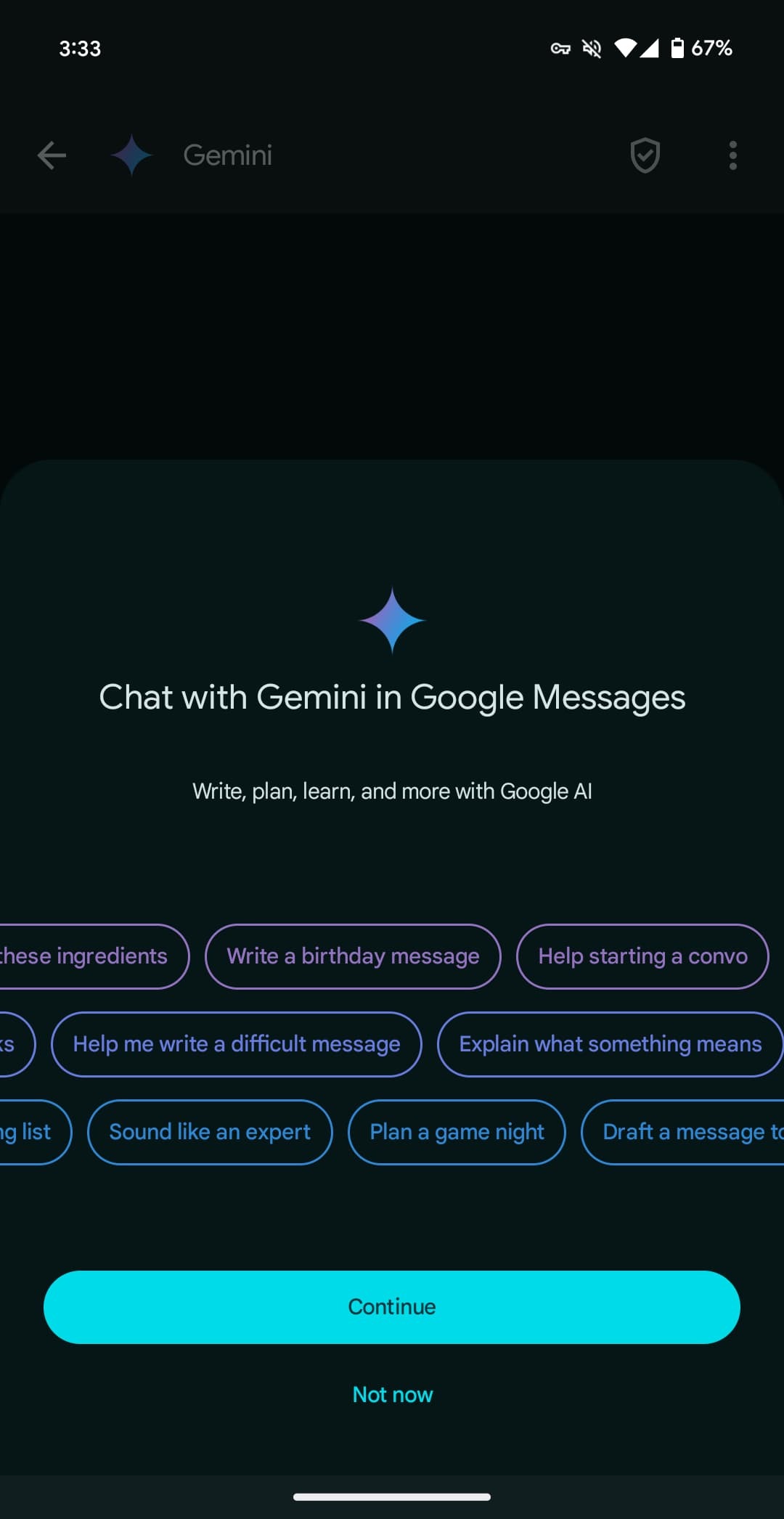
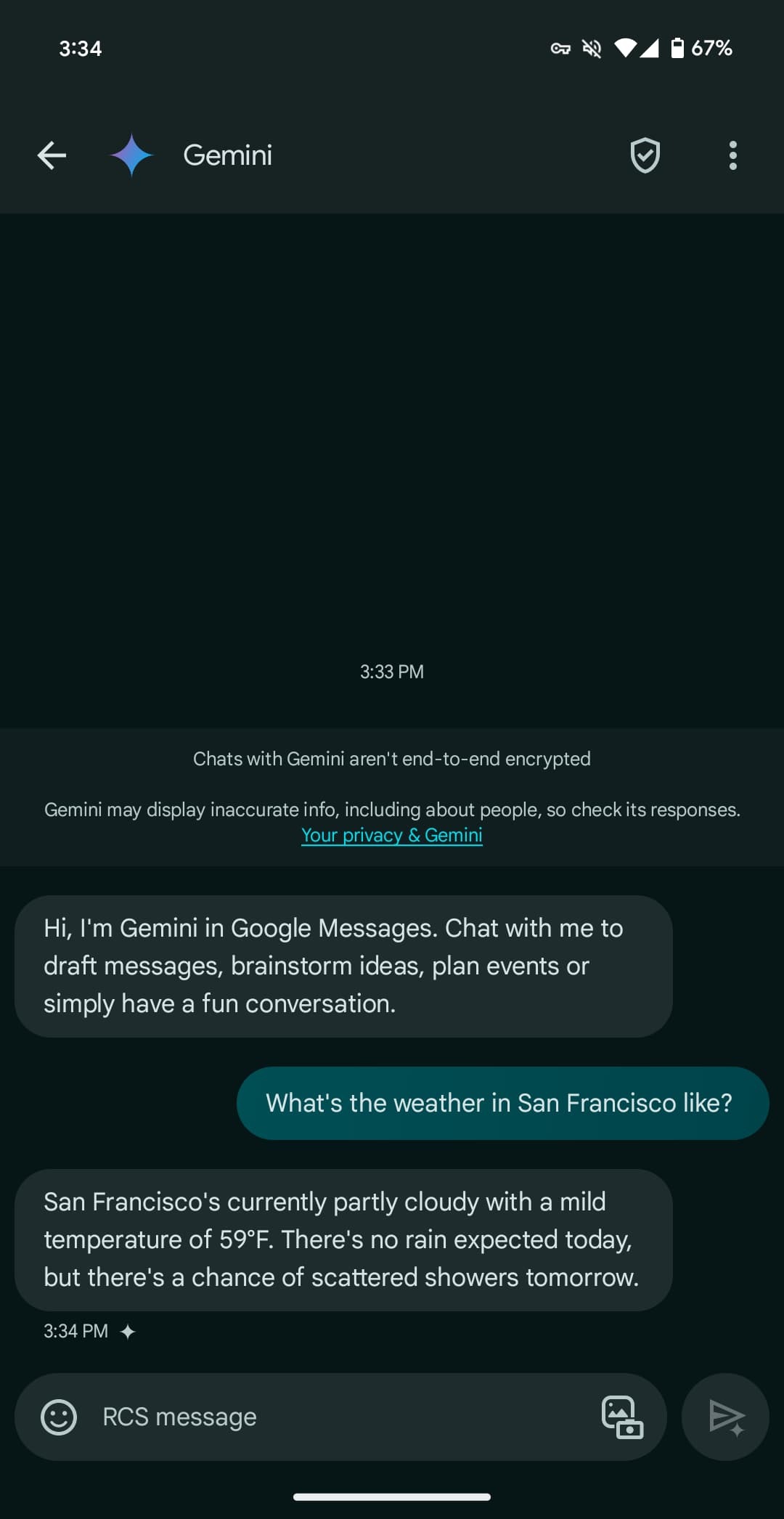
Once available, Gemini will appear as the first contact in the Start chat FAB > New conversation list. After agreeing to some terms, you’re taken to a fairly standard messaging UI. You have emoji and the gallery in the text box, with the ability to upload images for the prompt but not audio memos.
Gemini here can be used to “draft messages, brainstorm ideas, plan events, or simply have a fun conversation.” It has been optimized to deliver more concise responses.
You’re having a direct 1:1 conversation with Gemini, which cannot be pulled into other conversations, like Assistant in Google Allo years ago.
There’s support for Gemini Extensions, like Workspace (@Gmail, etc.), @YouTube, and @GoogleMaps, but the “YouTube Music extension isn’t available in Gemini in Google Messages.”
You can long-press on a response to leave thumbs up/down feedback, with the ability to star and forward also available. Conversations are happening over RCS, which has to be generally enabled, but they are not end-to-end encrypted. Gemini cannot be accessed usingmessages.google.com/web or the Wear OS app (where the chat won’t even appear).
Gemini in Google Messages is rolling out globally — except to the EEA, UK, Switzerland, or India — with support for English and French in Canada. It has been available to betausers since March.
After “hardware limitations” were cited as the reason that the Pixel 8 isn’t getting Gemini Nano earlier this month, Google announced today that the on-device LLM is coming after all.
The Pixel 8 will get Gemini Nano, in developer preview, to power Summarize in Recorder and Gboard Smart Reply. The latter allows for “higher-quality smart replies” that have “conversational awareness” and should be generated faster. On the Pixel 8 Pro, it works with WhatsApp, Line, and KakaoTalk. Meanwhile, Summarize can take a recording and generate bullet points.
RAM — 8 GB versus 12 GB — is the main hardware difference between the two Tensor G3 phones. Google today says “running large language models on phones with different memory specs can deliver different user experiences, so we have been testing and validating this on Pixel 8.”
It looks like Google found a way to run the LLM on less RAM without impacting the rest of the user experience, with the smaller Galaxy S24 doing the same. As a reminder, Google only ever said Gemini Nano was coming to the Pixel 8 Pro in December. Meanwhile, the comment earlier this month came from an engineer outside the Pixel team.
Gemini Nano is coming to the Pixel 8 with the next Pixel Feature Drop, which should be Android 14 QPR3 in June (if previous timelines remain in place). Besides end users getting those two Google app features, developers with the Pixel 8 will be able to use AICore for their own applications.
On Sunday night March 17,2024 , Bloomberg reported that Apple is in talks with Google about licensing its Gemini technology to power some AI features coming to the iPhone. A new report from The New York Times today echoes those claims, citing “three people with knowledge of the discussions” between Apple and Google.
Today’s story corroborates what Bloomberg’s Mark Gurman was first to report on Sunday. The NYTimes reiterates:
Apple is in discussions with Google about using the search giant’s generative artificial intelligence model called Gemini for its next iPhone, as the company races to embrace a technology that has upended the tech industry.
The talks are preliminary and the exact scope of a potential deal hasn’t been defined, three people with knowledge of the discussions said. Apple has also held discussions with other A.I. companies, one of these people said, as it looks to tap into the power of a large language model capable of analyzing vast amounts of data and generating text on its own.
Citing “two people familiar with its development,” today’s report also says that Apple’s effort to “develop its own large language model” has been running behind the likes of ChatGPT and Gemini.
Bloomberg’s initial report included additional details about the scope of the talks between Apple and Google. Apple is preparing a wide array of new AI features for iOS 18, which is set to debut at WWDC in June. Bloomberg says we shouldn’t expect any announcement from Apple about a partnership until WWDC at the earliest.
Besides using Gemini to power features in its apps and services, Google offers its LLM to third-party developers. Apple is reportedly in talks with Google to license Gemini for the iPhone.
According to Bloomberg, there are “active negotiations to let Apple license Gemini, Google’s set of generative AI models, to power some new features coming to the iPhone software this year.” Apple has also talked with OpenAI, which powers Microsoft’s AI capabilities.
Apple is specifically looking to partner on cloud-based generative AI, with today’s report citing text and image generation as examples of what Gemini could be used for. At the same time, Apple is working on offering its own on-device AI models and capabilities with the upcoming iOS 18 release.
The discussions are still underway, and it’s unclear how the AI agreement will be branded. This would be a significant expansion of the existing relationship — default search engine — between the two companies.
Looking at the rest of the industry, Google announced a partnership with Samsung in February to have Gemini power summarization features in the Galaxy S24’s notes and voice recording apps, as well as keyboard. Samsung is also using Imagen 2 text-to-image diffusion for a generative editing feature in the photo gallery app. Those features all require server-side processing, but Samsung is also using an on-device version of Gemini.
Google offers Gemini in three sizes, with Pro being used by most first and third-party apps. Gemini 1.0 Pro powers the free version of gemini.google.com, while 1.0 Ultra is used in the paid Gemini Advanced tier.
Gemini 1.0 is available in stable, but Google in mid-February previewed Gemini 1.5 with a greatly expanded context window that allows for more information to be absorbed. This can make the “output more consistent, relevant and useful.”
Gemini Ultra: Largest and most capable model for highly complex tasks
Gemini Pro: Best model for scaling across a wide range of tasks
Gemini Nano: Most efficient model for on-device tasks
Bloomberg does not expect a deal to be announced until WWDC in June, with Apple opting for OpenAI or even multiple providers offered as possibilities in today’s report.
As was first announced at the Made by Google event at the beginning of the month, you can now use the Google Assistant to ask if an incoming call from a contact is urgent.
For years now, Pixel phones have offered an option to “Screen call,” allowing the Google Assistant to speak to an incoming caller on your behalf to find out who they are and what they want. This method is surprisingly effective for filtering out unwanted calls from unknown numbers, as many spam callers will hang up automatically, but it’s much less useful when you know who’s calling.
If someone in your contact list calls, you have the same option to screen their call and have the Assistant ask for more information. You can ask anyone who’s ever accidentally used the Assistant to screen a call from a family member why this is a terrible idea.
To address that, the Google Assistant call screening has gained a new option that only appears for people who are on your contact list. Appearing in the incoming call screen as “Ask if urgent,” tapping the option gives your friend or family member a somewhat friendlier greeting from the Google Assistant.
Hi I’m a Google virtual assistant on a recorded line. The person you are trying to reach wanted me to check is it urgent?
As before, Assistant transcribes and displays what the caller says in response, while the Phone app offers tappable options to ask for more information.
The feature was first demonstrated at the Pixel 8 unveiling event, with the company confirming the feature would be rolling out soon. As noted by Mishaal Rahman on X, the rollout has begun and includes older Pixel phones, not just the newly released Pixel 8 and Pixel 8 Pro. We’ve confirmed the new “Ask if urgent” option appeared on a Pixel 7 Pro over the weekend, but let us know in the comments if it appears on your older Pixel phone too.
I guess when Google said "soon" they meant "immediately" then. At least it's good to know this isn't exclusive to the Pixel 8, since my tipster saw this on their Pixel Fold.
Google brings Action Blocks customization to all Assistant Routines
Google is rolling out a number of new accessibility features, including the ability to use Action Blocks as Assistant Routine shortcuts on your Android homescreen.
Today, going to Assistant Settings > Routines lets you select one and add it to your homescreen as an app icon-sized shortcut that can start the macro.
Google will soon let you have Routines appear as “Custom rounded” or “Custom rectangle” widgets on your homescreen, with the old icon shortcut still supported. Besides being resizable, these Google Assistant Routine widgets support custom images and text without having to download the dedicated Action Blocks app.
Research has shown that this personalization can be particularly helpful for people with cognitive differences and disabilities and hope it will bring the helpfulness of Assistant Routines to even more people.
Google Maps Live View last year added the ability to search for nearby places, like restaurants, shops, transit stations, and ATMs, within the AR interface. Available in select cities, this feature is adding screen reader support starting today on iOS, with Android following “later this year.”
If your screen reader is enabled, you’ll receive auditory feedback of the places around you with helpful information like the name and category of a place and how far away it is.
Google Maps and Search business listings are gaining support for a “new identity attribute for the disability community.”
Google Maps is rolling out wheelchair-accessible walking routes. These stair-free routes can also be helpful for “people traveling with things like luggage or strollers.” This will be available “globally on iOS and Android wherever we have data available.”
Similarly, wheelchair accessibility information will be surfaced in the Android Auto and Automotive apps to find step-free entrances, as well as locations that have accessible parking, seating, and restrooms. Look for a wheelchair icon next to the search results.
Chrome on desktop can already “detect URL typos and suggest websites based on the corrections.” This is now coming to the Android and iOS browsers. It’s especially meant for people with “dyslexia, language learners, or anyone who may have typos.”
Finally, there’s the new Magnifier app for Pixel phones that Google designed in collaboration with the Royal National Institute of Blind People and the National Federation of the Blind.
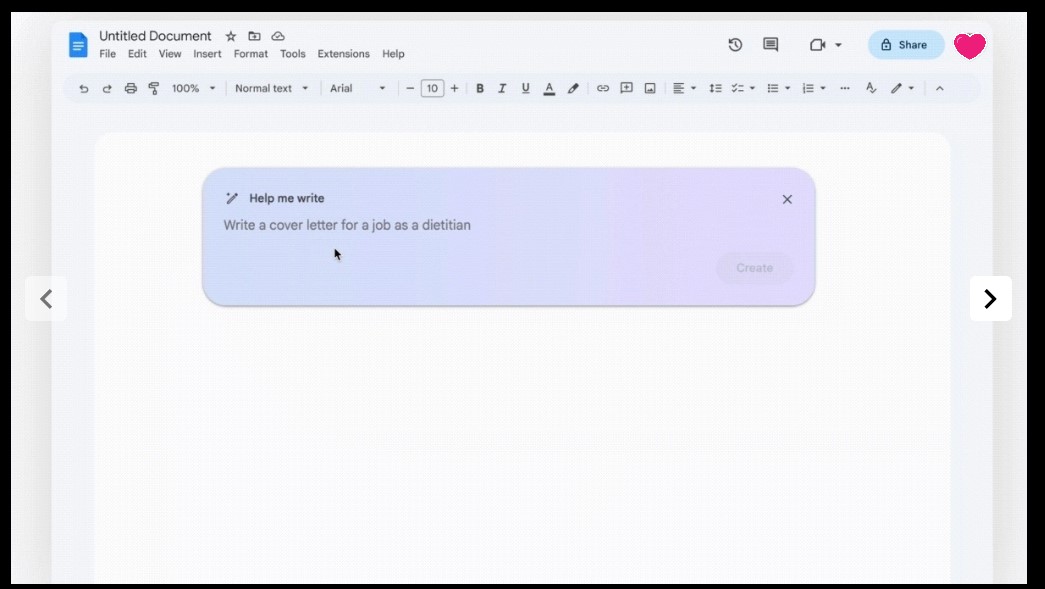
Following the Duet AI announcement yesterday, many more people who signed up for Google Workspace Labs are now seeing the generative AI features in Gmail and Docs that “Help you write.”
To tell if you have it in Gmail on the web, start composing an email, and you’ll see a new “Help me write (Labs)” button next to “Send” and formatting options in the bottom toolbar.
Afterward, a blue/purple-ish messaging field appears at the bottom of your screen for you to enter a prompt, with Google rotating through suggestions. It takes a few seconds for something to generate, and you then have the ability to:
Formalize: Makes the draft more formal
Elaborate: Adds details to build upon the text
Shorten: Shortens the draft
I’m Feeling Lucky: Updates draft with creative details
You can also ask Google to “Recreate,” while “Insert” will paste and let you make further edits. Google marks with brackets where you should delete and enter your name or other specifics.
In Google Docs, opening a new page shows a “Help me write” chip. It’s the same workflow as Gmail, but the “Help me write” button can be found to the left of your cursor on the edge of the page to access it again.
Before I/O, Google said it was expanding its Trusted Tester program by 10x. Generative AI features in Google Sheets and Slides (used to create images) are not yet live — and “sidekick” is further down the road — with today’s expansion continuing the public testing that started in March. We’re seeing it live on the web right now, but not on Android.
You can sign-up for Google Workspace Labs’s Gmail and Google featureshere.
Google branding generative AI in Gmail, Workspace as ‘Duet AI’
Google has been publicly testing features that help users write in Gmail and Docs over the past few weeks. Generative AI is now coming to Sheets, Slides, and Meet with a new name: Duet AI for Google Workspace.
“Duet” evokes a sense of contextual collaboration, which is how Google sees the relationship between users and generative AI. (If the name is familiar, Chrome used it for a redesign that never launched.)
In Gmail, Google Docs, and Slides, you’ll eventually get a Duet AI side panel, called “sidekick.” It can be launched next to your profile avatar in the top-right corner, and it analyze your email or document. In Google Slides, it can create speaker notes for each slide.
In Google Slides, generative AI will generate images from text prompts. You’ll get a “Help me visualize” side panel to enter what you want with the ability to choose a style: none, photography, illustration, flat lay, background, and clip art. You’ll get a grid of 6-8 designs with the ability to “View more.”
Duet AI in Google Meet can be used to create background images: “It’s a subtle, personal touch to show you care about the people you’re connecting with and what’s important to them. And you can change that visual with an equally stunning and original one — all in just a few clicks.”
Google Sheets is using gen AI for automatic table generation with a “Help me organize” field. An example prompt is “Client and pet roster for a dog walking business” with columns like dog, address, email, date, time, duration, and rate offered. You get a preview before inserting.
…simply describe what you’re trying to accomplish, and Sheets generates a plan that helps you get organized.
These three features are coming to Google Workspace Labs, with the Trusted Tester program expanding by 10x just last week. Since March, Google says it has had “hundreds of thousands” of such testers.
These features are hitting general availability later this year for business and consumer Workspace accounts. Check out labs.withgoogle.com in the meantime.
As Google’s biggest show of the year, every I/O brings a ton of news. However, the stakes for I/O 2023 seem bigger, with announcements that could more thoroughly change how people use Google’s biggest products.
Google AI
Gmail, Docs, and Workspace
Artificial intelligence is, of course, responsible for this. Google has already shown generative AI features in Gmail and Google Docs, with testing already underway. Meanwhile, Google has briefly previewed bringing image generators into Google Slides and having Google Meet automatically create notes from a video call.
At I/O 2023, Google needs to provide a fuller picture of how AI will integrate into its Workspace apps beyond individual features. Equally important are details on a public launch and how they will be available to the (non-Workspace) public. The latter might be where Google One comes into play. For initial testing, it makes sense for features like those that have already been announced in Gmail and Google Docs to be free.
However, since generative AI is computationally expensive, it makes sense for Google to eventually put them behind a paid subscription. Today, 2TB or higher Google One tiers ($9.99+/month) provide premium Google Meet features like 1080p streaming and longer calls, and it would make sense for some (if not most) generative AI features to be locked behind that.
Search
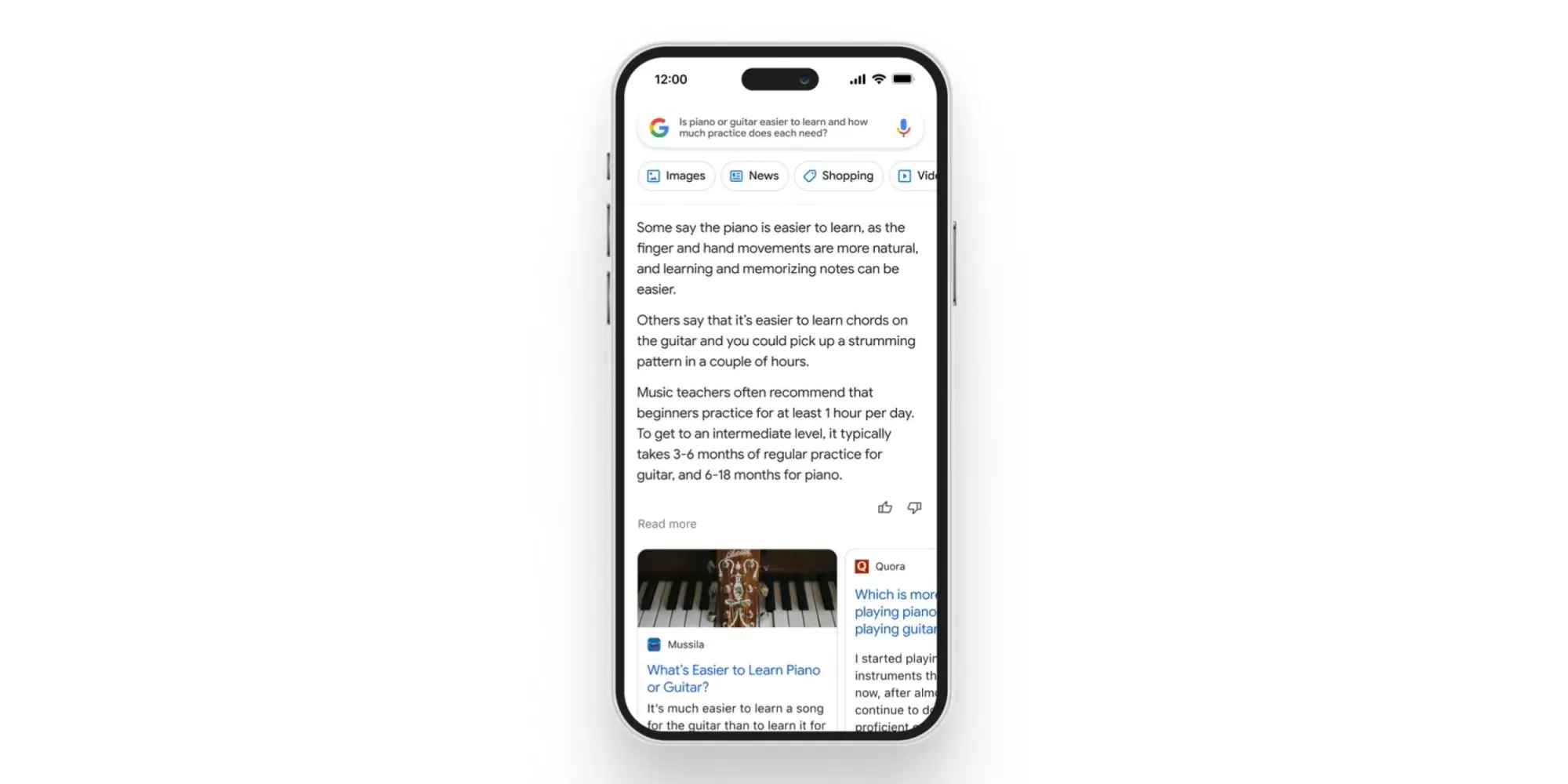
As Google’s crown jewel, many stakeholders will want an update on how AI is coming to Search. There’s, of course, the Wall Street crowd, while end users have shown that chatbot-style queries and answers are something they’re at least interested in. The company has already previewed AI Insights in Search when it announced Bard, but we need a fuller look at the end-to-end experience.
Chrome
Having a chatbot in Chrome that lets you ask questions about the page you’re currently viewing has been rumored and does indeed sound useful. As a significant entry point for how people use Google, a generative AI presence needs to exist in Chrome.
Assistant
Generative AI and its conversational nature seem ripe for voice assistants. As we’ve talked about in the past, Google Assistant is at an impasse, with its feature set shrinking. The team behind it is currently tasked with Bard development, so it’s unclear whether Google is at a point where it’s ready to announce upgrades. If it did, Google could position Assistant as being more capable than Siri or Alexa, while Microsoft expressly does not currently have a voice assistant.
For the sake of end users, I think Google needs to publicly recommit to Assistant at this I/O to assure them their devices still have a long future. It would be nice if the company provided an upgrade roadmap, but even assurances would be a start at this point after months of no real developments.
Developer tools
I/O’s roots are as a developer conference, and there will undoubtedly be AI stuff for that crowd. Of particular interest will be assistive tools in Android Studio to aid app development.
Android
Android 14
We will obviously be getting the major tentpoles for Google’s upcoming mobile release at I/O 2023, followed by Android 14 Beta 2 to hopefully test some of them out. So far, Android 14 feels like an iterative update that continues to build on Material You. For example, we spotted that bolder Dynamic Color theming is coming.
Android XR
Samsung teased an XR device (headset) running Android in February. We’ve yet to hear anything about the OS, and I/O would be the time to announce it (which also has the benefit of preempting Apple’s realityOS announcement this June). This starts the long road to third-party developer buy-in.
Google needs to share its vision for this form factor, both short and long-term. In the near term, bulkier headsets could allow for productivity and entertainment use cases. Glasses are the future, but until then, we need devices and an OS that will let developers start experimenting with these experiences. It was recently rumored that Apple’s upcoming headset will run iPad apps. Does Google have the same idea, thus providing another reason for Android pushing into large-screen development?
Wear OS
Wear OS 3 was announced in 2021, and we quietly got version 3.5 last year. The timing would be about right for Wear OS 4, which will in all likelihood coincide with an underlying upgrade to Android 13, which brings Material You.
Better Together: ChromeOS, Wear OS, Google TV
As of late, the Android team has been very big on cross-device experiences that emphasize the benefit of going all-in with the ecosystem. Earlier this month, Google released a Cross-Device Services app to power ChromeOS app streaming. We’ll presumably get a demo and launch date for that at I/O. We’re also waiting for the ability to unlock your Android phone with a paired Wear OS watch.
On the entertainment front, we’re waiting for more entertainment-focused Better Together initiatives. Previously, rumors have mentioned connecting Nest and third-party speakers to Google/Android TV devices, while easier-to-access smart home controls and other integrations are on the roadmap (for 2024). We’re also waiting for Fast Pair to arrive for Google TV and Android TV.
Find My Device
Somewhat related to Better Together and the Android ecosystem is Find My Device becoming a broader network that includes third-party accessories. Google has been laying the groundwork for this by saying it would be “encrypting and storing your device’s most recent location with Google.” Meanwhile, there have been persistent rumors of a Google-made tracker.
Made by Google
Pixel 7a, Tablet, and Fold
It seems like we’re back to immediate availability with the Pixel 7a. This was the case for Pixel 3a at I/O 2019 and seemed to be what Google was aiming for in subsequent years, but the world had other ideas.
We should finally get launch details about the Pixel Tablet a year after it was first teased, while Google will be entering a new hardware category with the Pixel Fold.
Last May 2022, Google gave an “early preview” of the Pixel 7 series and Watch, as well as a “sneak peek” of the Pixel Tablet, in what seemed to be a rather unprecedented teaser.
In the case of the phone, it allowed Google to really get ahead of leaks. Before I/O, there were only a pair of leaked renders that got some things about the design right. It was somewhat less successful for the Pixel Watch, which leaked in full (left at a restaurant) and even had an AMA, while the Pixel Tablet reveal dovetailed nicely with the large-screen Android app push.
Ahead of I/O 2023, the company could certainly replicate the strategy for the same reasons. These previews are meant to provide only a high-level overview. For the Pixel 7, it was the design and how the language introduced the year prior would continue but with a modified camera bar, as well as how a second-generation Tensor chip was coming.
The design of the Pixel 8 and 8 Pro have more thoroughly leaked via renders at this point, so Google would be covering the same ground and would get a chance to reveal the colors itself. It would be nice if a “Tensor G3” mention touched upon what the improvements actually are, while the thing everyone really wants to known is what the camera improvements will be, especially given that new sensor on 8 Pro.
The case for a Pixel Watch 2 teaser is somewhat more mixed. As a first-generation product, we don’t know what the update cadence will be. An annual cycle would make a great deal of sense if we look at the Apple Watch and Samsung Galaxy Watch, but the Fitbit Sense and Versa lines were refreshed every two years. The improvements for a Pixel Watch 2 would be obvious, with a newer chip, more activated sensors (SpO2 and skin temperature changes estimation), and a bigger battery.
I don’t expect the domed design to drastically change beyond maybe thinner bezels, with the band system at least staying for another generation to ensure accessory capability. A Pixel Watch 2 teaser would have to touch on some new hardware features, but I’m not sure Google would want to do that and break the high-level overview nature of these previews.
As always, another factor in doing teasers is possibly cannibalizing sales of the existing Pixel Watch and Pixel 7 series. Google doesn’t seem to mind or at least has different priorities, but it does seem wild to make the effective life span as the latest and greatest product be only 7-8 months.
I think a teaser would more significantly impact sales of the first-generation wearable. As a prospective buyer of the mid-cycle Pixel Watch, knowing that a second-gen was coming in the fall would give me pause if I wanted a more future-proofed purchase. Today’s version is fine and has a battery that can last you a full day, but it’s unknown how it will continue to perform, especially once major OS updates arrive.
Fitbit
After major removals with the promise of new capabilities on the horizon, Fitbit needs to start sharing the second part of its plan, from a redesigned app to new capabilities. I/O would be the time to do that. Meanwhile, Fitbit integration to show live exercise stats on Google TV has already been rumored to continue the Better Together tentpole.
Google Home
Besides the Google Home app currently being in Public Preview, the company teased a number of other features last year. This includes the web-based Script Editor and more grouping options with Custom Spaces. We’ll hopefully get more updates on that.
Google Bard is better at debunking conspiracy theories than ChatGPT, but just barely
One of the concerns about generative AI is the easy, hard-to-keep-in-check spread of misinformation. It’s one area many hoped Google Bard would step up above existing options, and while Bard is better at debunking known conspiracy theories than ChatGPT, it’s still not all that good at it.
News-rating group NewsGuard tested Google Bard against 100 known falsehoods, as the group shared with Bloomberg. Bard was given 100 “simply worded” requests for information around these topics, all of which had content around the false narratives existing on the internet.
That includes the “Great Reset” conspiracy theory that tries to suggest COVID-19 vaccines and economic measures being used to reduce the global population. Bard apparently generated a 13-paragraph reply on the topic, including the false statement that vaccines contain microchips.
Bard managed to bring out information on 76 of the 100 topics, generating “misinformation-laden essays.” However, Bard did debunk the other 24 topics, which while not exactly an confidence-inspiring total, is still better than competitors. In a similar test, NewsGuard found that OpenAI’s ChatGPT based on the latest GPT-4 didn’t debunk any of the 100 topics, where GPT-3.5 was sitting around 80%.
In January 2023, NewsGuard directed ChatGPT-3.5 to respond to a series of leading prompts relating to 100 false narratives derived from NewsGuard’s Misinformation Fingerprints, its proprietary database of prominent false narratives. The chatbot generated 80 of the 100 false narratives, NewsGuard found. In March 2023, NewsGuard ran the same exercise on ChatGPT-4, using the same 100 false narratives and prompts. ChatGPT-4 responded with false and misleading claims for all 100 of the false narratives.
Google has, of course, not been particularly shy about Bard’s AI responses bringing up responses like this. Since day one, Bard has shown warnings about how it is an “experimental” product and that it “may display inaccurate or offensive information that doesn’t represent Google’s views.”
Misinformation is a problem that generative AI products will clearly have to work to improve on, but it is clear Google has a bit of an edge at the moment. Bloomberg tested Bard’s response to the conspiracy theory that bras can cause breast cancer, to which Bard replied that “there is no scientific evidence to support the claim that bras cause breast cancer. In fact, there is no evidence that bras have any effect on breast cancer risk at all.”
NewsGuard also found that Bard would occasionally show a disclaimer along with misinformation, such as saying “this claim is based on speculation and conjecture, and there is no scientific evidence to support it” when generating information about COVID-19 vaccines having secret ingredients from the point of view of an anti-vaccine activist.
Google is working on improving Bard. Just last week, the company said it was upgrading Bard with better support for math and logic.
Google’s next Bard update brings ‘more variety’ to drafts
Google is rolling out a new update to its Bard AI experiment this week that will expand on one of the platform’s unique aspects in “drafts.”
As confirmed on Bard’s new “Experiment updates” changelog that Google introduced earlier this month, the second update to Bard is set to be available tomorrow, April 21. Google says the update will add “more variety” to Bard’s drafts.
Drafts in Google Bard appear with each response generated by the AI experiment. Alongside the main reply, a “view other drafts” button will show three responses that were generated from the same prompt. This gives the AI more chances to respond to the user’s prompt without the need for re-issuing the prompt. But, often, the other drafts will include limited, if any additional information. The most common time you’ll find unique information in a different draft is in the case of recipes and similar topics.
With this next update, Bard’s drafts will be “more distinct from each other” according to Google in an effort to “expand your creative explorations.”
Adding more variety to drafts
What: When you view other drafts, you’ll now see a wider range of options that are more distinct from each other.
Why: A wider range of more distinct drafts can help expand your creative explorations.
In Bard’s previous and inaugural update, Google expanded on the “Google It” button to suggest additional related topics. That update also provided better support for math and logic prompts.
Outside of Bard, Google is reportedly working on other major expansions to its AI efforts. This includes integrating AI into Search, with a new effort known as “Magi.”
Hands on: Bard AI is just as rough around the edges as Google said it was
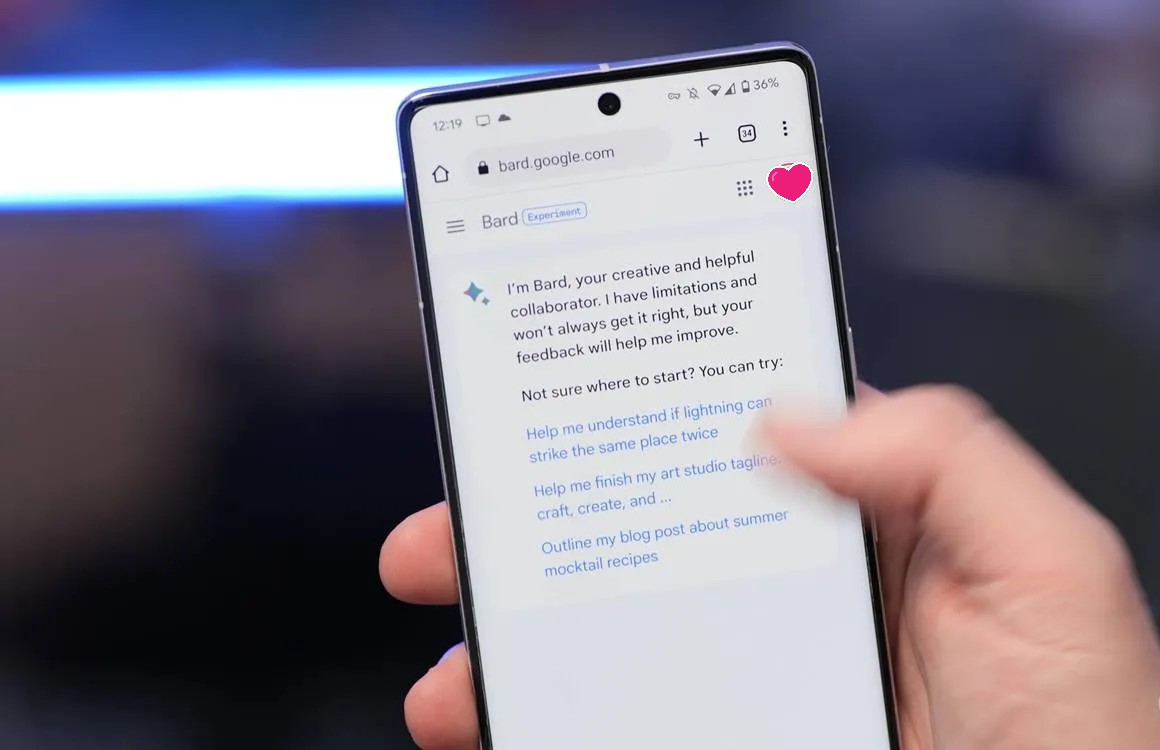
Google opened up early access to Bard, its generative AI chatbot, and we’ve had a bit of time to play around with it. The takeaway so far? Google isn’t exactly treading new ground here, but Bard is at least much more clear on what it can do, can’t do, and where it falls short.
What can you do with Bard?
Google Bard is a generative AI product built on the LaMDA model introduced in 2021. Bard uses that underlying tech to respond to prompts, generate text, answer questions, and more. Google summarizes Bard, saying:
Bard is powered by a large language model from Google that can generate text, write different kinds of creative content, and answer your questions in an informative way.
So what can you do with Bard?
The first thing that comes to mind, especially following the debut of Bing’s GPT-powered chat experience, is to use Bard to find answers to questions or help you better understand a topic. And to that end, it works rather well.
Asking Bard to explain an aspect of a smartphone or summarize a recent news topic results in a very readable explanation that, at least in my limited usage thus far, feels less long-winded and much more concise than what Bing and ChatGPT usually offer. That’s not to say the actual word count is always shorter, but Bard’s replies are phrased in a way that’s just easier to read.
Google offered more information, though it did get the front-facing camera spec wrong.
Google has made it clear that Bard AI isn’t meant to replace traditional Search at this point, but it is impressive how Bard can quickly pull together a lot of information into a concise format. And it’s probably for the best that Bard, as it exists today, is not replacing Search because, in this current format, Bard rarely shows where it is getting information, and even when it does, it’s very limited.
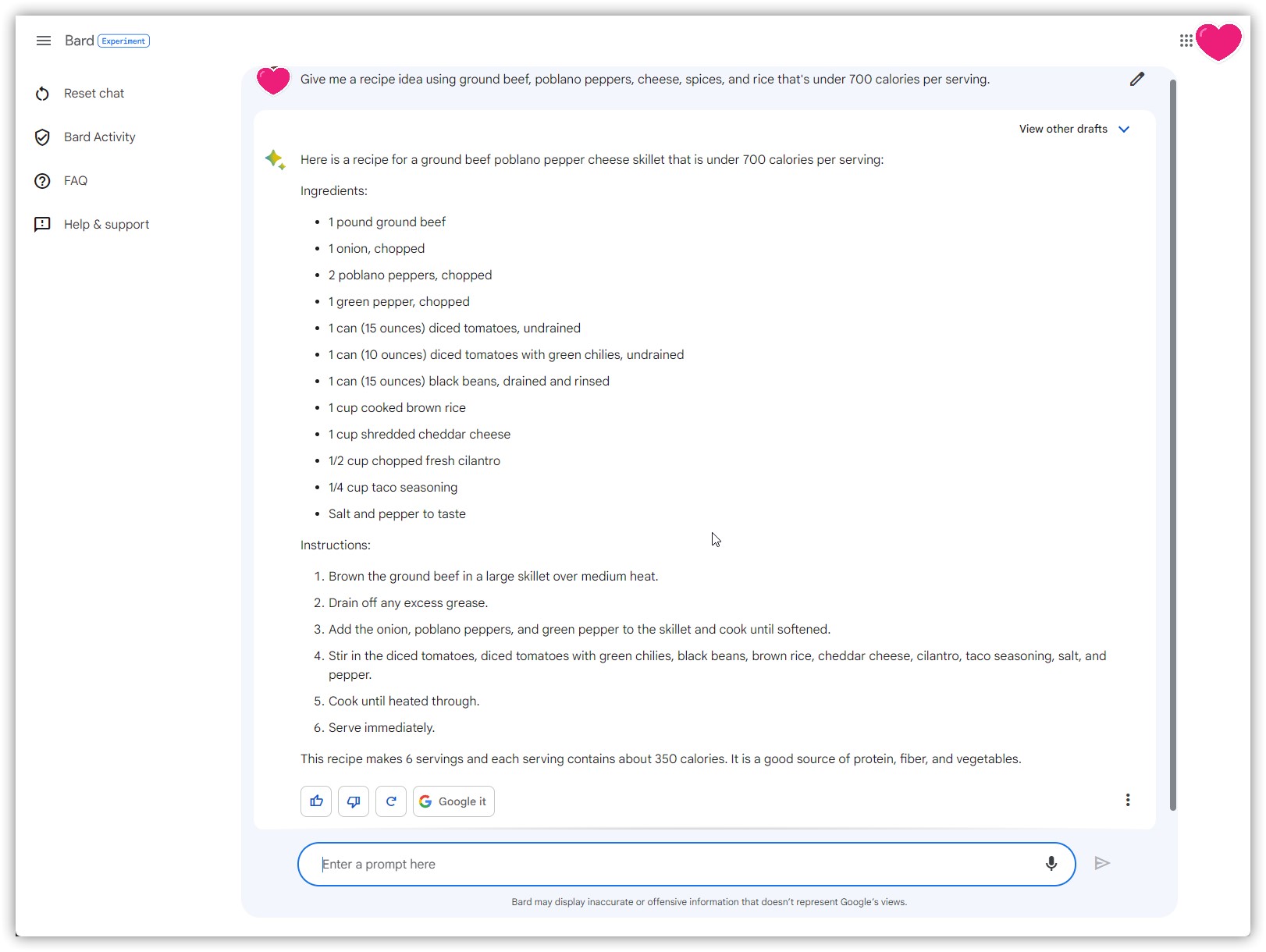
Another way I found Bard useful was for coming up with recipes. I love to cook and come up with ideas for dinner on the fly, but it’s always helpful to have some sort of foundation to form those ideas off of. Bard seems to be really good at that. Asking for a recipe with a handful of ingredients pulls together some ideas, and using the “drafts” Bard generates, I get a few options at once. The responses are sometimes not very helpful or a bit boring, but I can see these ideas giving me something to work off of.
Having multiple responses on hand without reissuing the prompt seems genuinely useful
But really, Google isn’t doing anything new with use cases like this. Bard is doing the same thing as ChatGPT, just with updated information. That’d be impressive if Bard had launched a month ago, but Microsoft’s Bing is already doing the same thing too, and all based on OpenAI’s GPT-4 model.
Google Bard still makes plenty of mistakes
The big thing that many, myself included, were hoping to see Google Bard build on that other AI tools haven’t is to be more accurate. It’s really easy to get other generative AI products to generate nonsense – known as “hallucinations” – or simply get a lot of simple facts wrong.
In my use so far, Google Bard doesn’t seem noticeably better on this front. In comparing some responses from Bard side by side with Bing, I noticed fewer errors with technical details on smartphones, but I also commonly saw my responses having errors and mistakes throughout.
Bard incorrectly says the main sensor in Find X6 Pro is the IMX890 instead of the IMX989.
Some of the mistakes I saw Bard make were as simple as an incorrect figure. For instance, a question about the Pixel 7 Pro saw Bard telling me that Tensor G2 was built on a 4nm process, something that’s simply not true. There are also plenty of errors that just go against common sense, such as Bard implying the Pixel 7 and Pixel 7 Pro haven’t been released.
Getting away from smartphones, information about other topics results in similar mistakes.
When I asked Bard to create a vegan meal plan, it spit out a helpful list of ideas, but it threw in yogurt and hard-boiled eggs as snacks, which obviously don’t fit a vegan diet. And when I asked Bard to update the list to remove items with beans, it essentially spit out the same list again, still with black bean burgers in place.
These mistakes are common for generative AI and show how Bard is still not quite up to par with typical search results.
And what’s frustrating is that Google Bard doesn’t cite its sources. While Bing shows links to where it pulls information throughout, Bard only occasionally shows a link to where its information came from. Maddeningly, you can’t even manually ask Bard to show that information.
Google clearly doesn’t want you to think Bard is a finished product
But there’s one thing about Google Bard that really stood out to me against other AI tools like it. Google isn’t treating this like a finished product, and it’s doing its due diligence to be responsible about what the AI is spitting out.
Throughout your use of Bard, Google will remind you again, and again, and again that Bard is an AI, and its information won’t always be correct. There’s a constant banner under the chat box that directly says:
Bard may display inaccurate or offensive information that doesn’t represent Google’s views.
Further, Bard holds back on lots of sensitive topics. If you ask about medications or even something like weight loss, Bard might just avoid the topic altogether. You also can’t get Bard to explain its sources or talk about specific people. Asking Bard to offer up details on a person just doesn’t work, although you can still trick the system by using a social handle or username (sometimes with crazy results).
There are also more subtle ways Google is implying that Bard isn’t finished. There’s no prominent logo or branding outside of the “diamond” icon seen alongside replies. There’s not even an icon when you create a shortcut to the product on your smartphone’s homescreen.
There are two notices about Bard the moment you open it.
And of course, there’s the fact that Bard is currently siloed off from the rest of the company’s offerings. There’s no Bard in Google Search, or Workspace apps, or anything else. That’s coming, but this early preview is just that – an early chance to try out the tech that powers Bard rather than using it alongside the rest of Google’s suite.
There are two ways to look at this, one being that Google is just trying to be more responsible with Bard AI compared to some others. That’s certainly part of the equation, but reading between the lines, it also seems like Google is just trying to excuse that it is a bit behind the curve. Bard is good, but it’s not better than what Microsoft and OpenAI are putting in front of customers. It’s rough around the edges, and Google was definitely right to temper expectations.
Now, the question is just whether Bard’s future can actually prove to be better.
You can’t use Bard with a Google Workspace account yet
Google just opened up access to Bard, its generative AI product, via a waitlist today. However, you won’t be able to use Bard, or even sign up for that waitlist if you have a Google Workspace account.
The requirements to use Bard during its early access period are not particularly strict. For instance, Bard will work on most browsers, including Google Chrome, Microsoft Edge, and Apple’s Safari. That’s certainly more flexible than what Bing has been doing with its GPT-4-powered AI experience.
One limit that rules out a lot of younger users is age. Google says that you need to be at least 18 years old to use Bard. That makes sense, given Google directly warns that, like other generative AI tools, Bard can sometimes go a little off the rails and deliver inaccurate or even offensive responses.
But perhaps the biggest restriction is that, at least for now, Google Bard doesn’t work with Google Workspace accounts.
If your Google account is managed by and organization (or parent/guardian) it can’t be used for Bard. This includes Workspace accounts that utilize a custom domain instead of “@gmail.com” for Gmail and Google sign-in. Attempting to use a Workspace account on Bard shows the error message below.
It’s not entirely clear why this restriction is in place, especially with Google’s clear vision for generative AI in Workspace products, but the fact is that it is in place as of today. We suspect this may change over time, but it’s hard to tell at this point.
Thank you for using
Themify Popup
This is a sample pop up. Themify Builder or Builder Lite (free) plugin is recommended to design the pop up layouts.