


❤ Here’s everything new in Android 15 Beta 3


Android 15 Beta 3 is available today with final system behaviors as part of the Platform Stability milestone.
Over the coming hours, we’ll dive into all of Android 15 Beta 3’s new features and every single change. (The newest updates will be at the top of this list. Be sure to check back often and tell us what you find in the comments below.) Android 15 Beta 2 screenshots appear on the left and Beta 3 on the right.
If you want to quickly install Android 15 Beta 2 on your compatible Pixel 6, Pixel 6 Pro, Pixel 6a, Pixel 7, Pixel 7 Pro, Pixel 7a, Pixel Tablet, Pixel Fold, Pixel 8, Pixel 8 Pro, or Pixel 8a, be sure to check out our step-by-step guide.
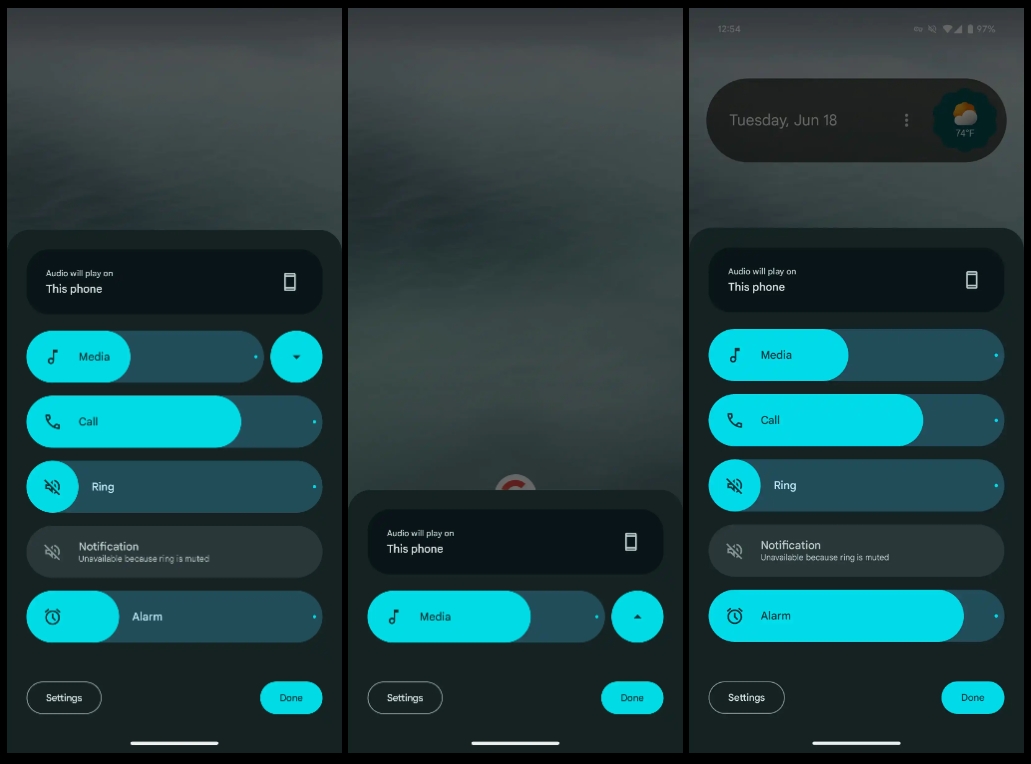
Volume menu can no longer be minimized
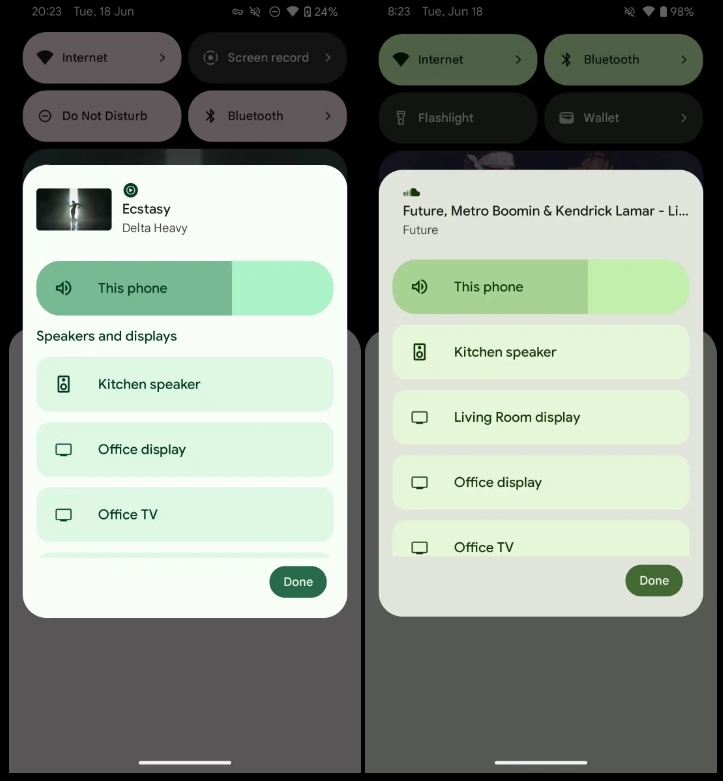
‘Speakers and displays’ label removed
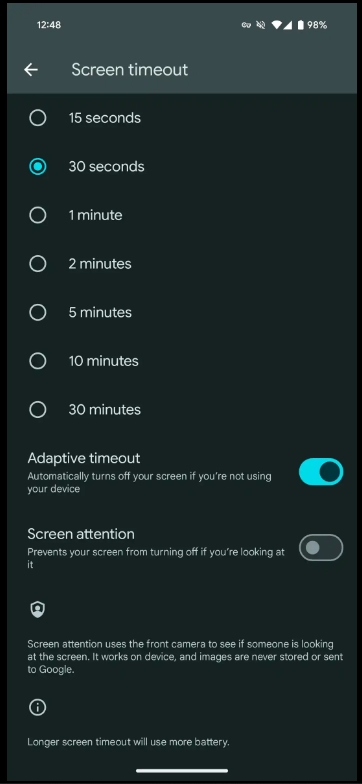
Adaptive timeout
- “Automatically turns off your screen if you’re not using your device”
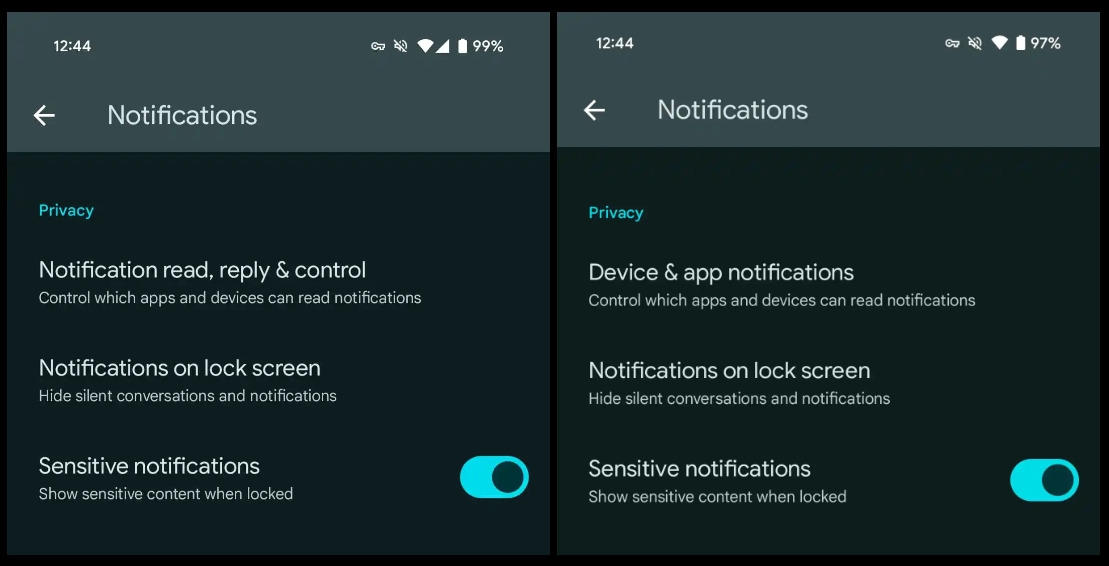
Device & app notifications -> Notification read, reply & control
More prominent Circle to Search off switch

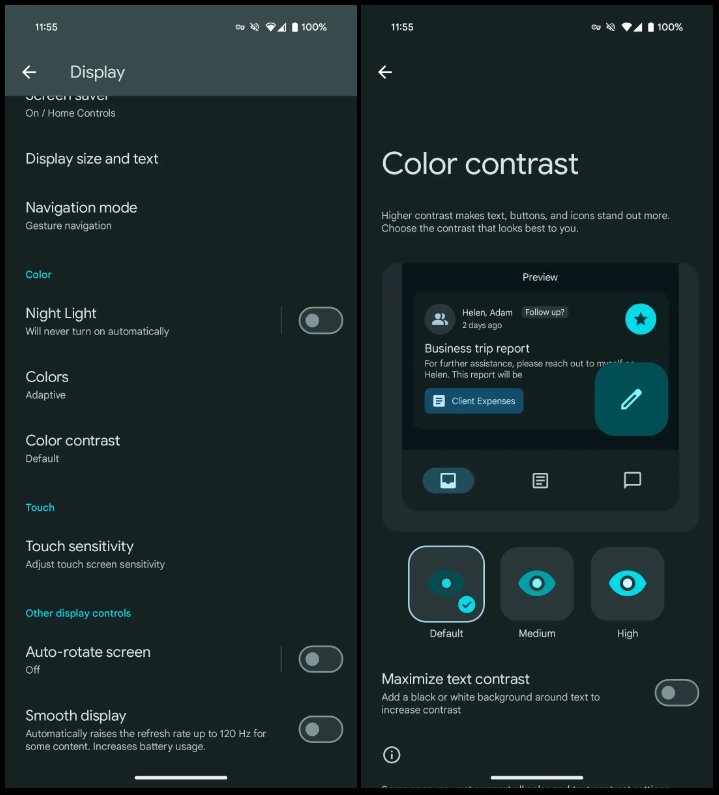
Shortcut to Color contrast preferences in Settings > Display
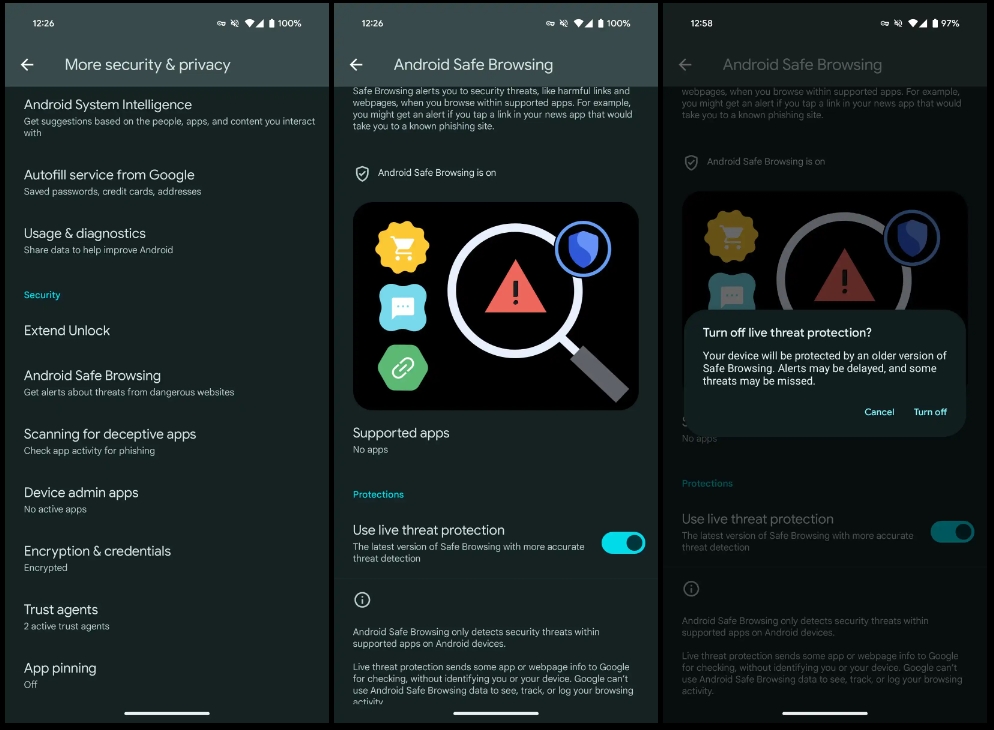
Android Safe Browsing
- Settings > Security & privacy > More security & privacy
- “Live threat protection sends some app or webpage info to Google for checking, without identifying you or your device. Google can’t use Android Safe Browsing data to see, track, or log your browsing activity.”
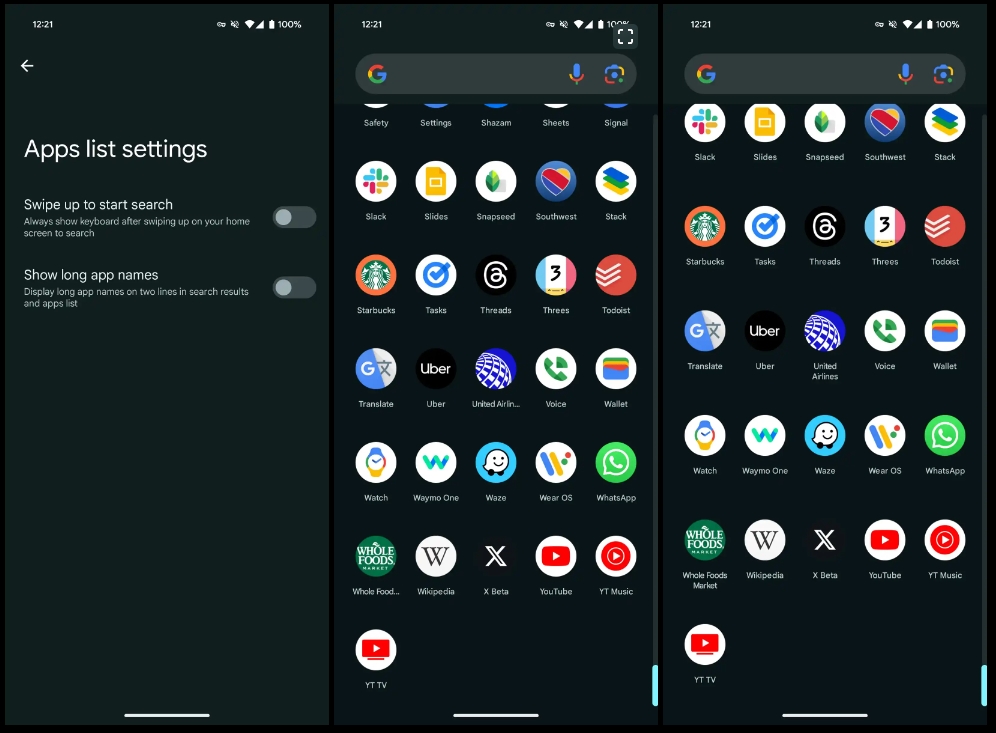
Show long app names
- Pixel Launcher Home settings > App list settings
- Screenshot 2: Disabled | 3: Enabled
Updated Android 15 system icon
- In a nod to the codename (see below), there’s now an ice cream cone in the system icon.

No more VanillaIceCream

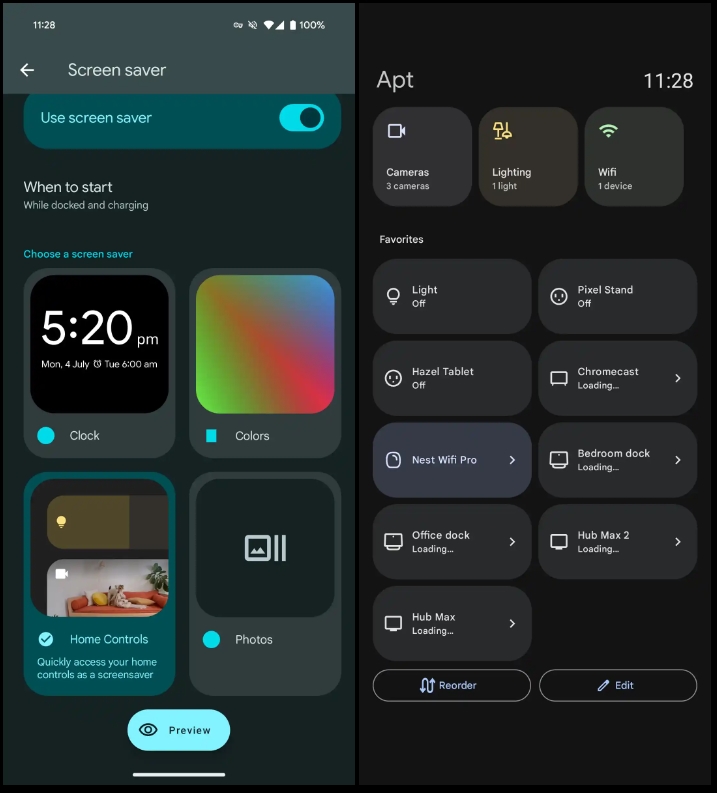
Home Controls screensaver for Pixel Tablet
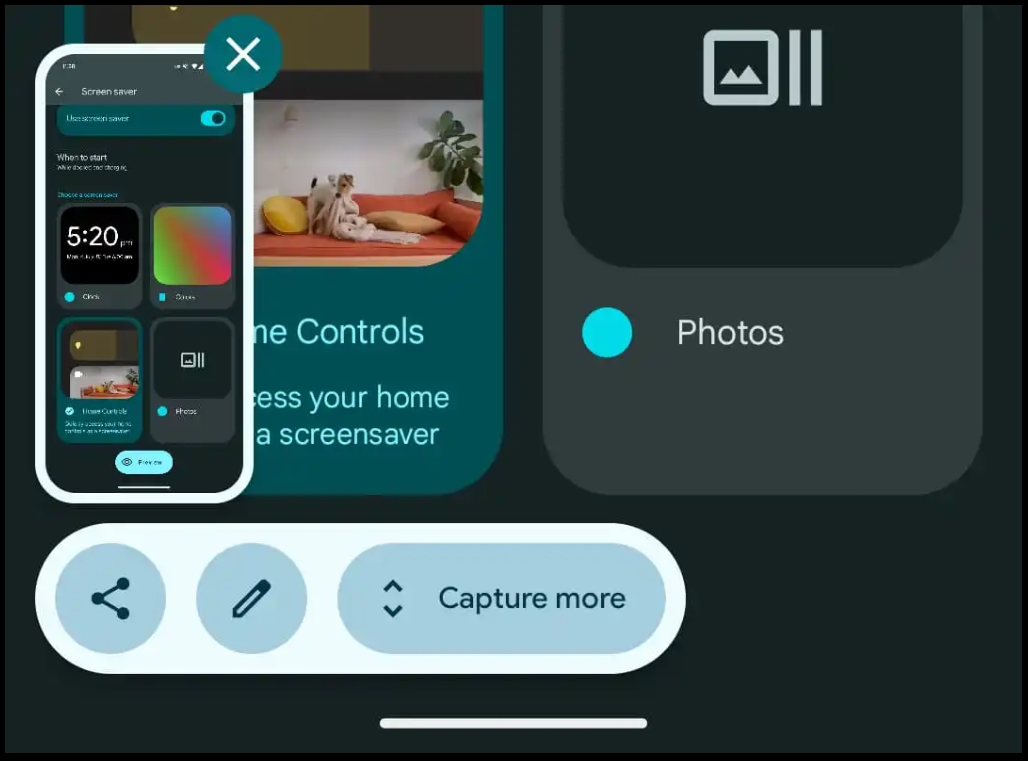
Redesigned screenshot preview
- Actions placed below the preview
- Looks a bit odd when there are just two actions (Share + Markup)

Resolved issues
Resolved developer-reported issues
- Fixed an issue where disabling polling using the
setDiscoveryTechnologymethod didn’t disable polling. (Issue #341196917 - Fixed an issue that prevented the system sharesheet from loading in some cases. (Issue #340936670)
- Fixed an issue that caused the system Settings app to crash when accessing screen saver options. (Issue #340917853)
- Fixed an issue that sometimes caused the screen unlock icon to be displayed when notifications were on screen. (Issue #340923963)
- Fixed an issue that prevented mobile network security settings from being changed. (Issue #335438231)
Other resolved issues
- Fixed an issue with the Android Emulator that caused Simpleperf to crash when running a CPU profile.
Bluetooth resolved issues
- Resolved an issue where Bluetooth LE scans could persist in the system after an app crash.
- Fixed a bug in Bluetooth LE legacy advertising, where
AdvertisingSet.setScanResponseDatadid not returnADVERTISE_FAILED_DATA_TOO_LARGEwhen scan response data exceeded the 31-byte limit. - Fixed a bug that caused LE connection failures on the GATT server by passing the address type from
BluetoothGattServer.connectto native.

