


How To Fix Common Smartphone Screen Problems

How To Fix Common Smartphone Screen Problems – 7 Expert-Backed Solutions for a Clear Display
🟦 Introduction: Why Screen Problems Are So Common
Smartphones are essential in our daily lives. But with constant use, accidents are bound to happen. A cracked screen, ghost touches, or an unresponsive display can turn a useful device into a frustrating paperweight.
Most users think screen issues require a brand-new phone or an expensive fix—but that’s not always the case.
At Sydney CBD Repair Centre, we’ve seen every screen issue imaginable. With over 2000+ glowing reviews and 6 consecutive years as Sydney’s best repair shop, we’re here to break down the most common screen problems—and exactly how you can fix or prevent them.
Let’s dive into the top 7 smartphone screen problems and how to solve them!
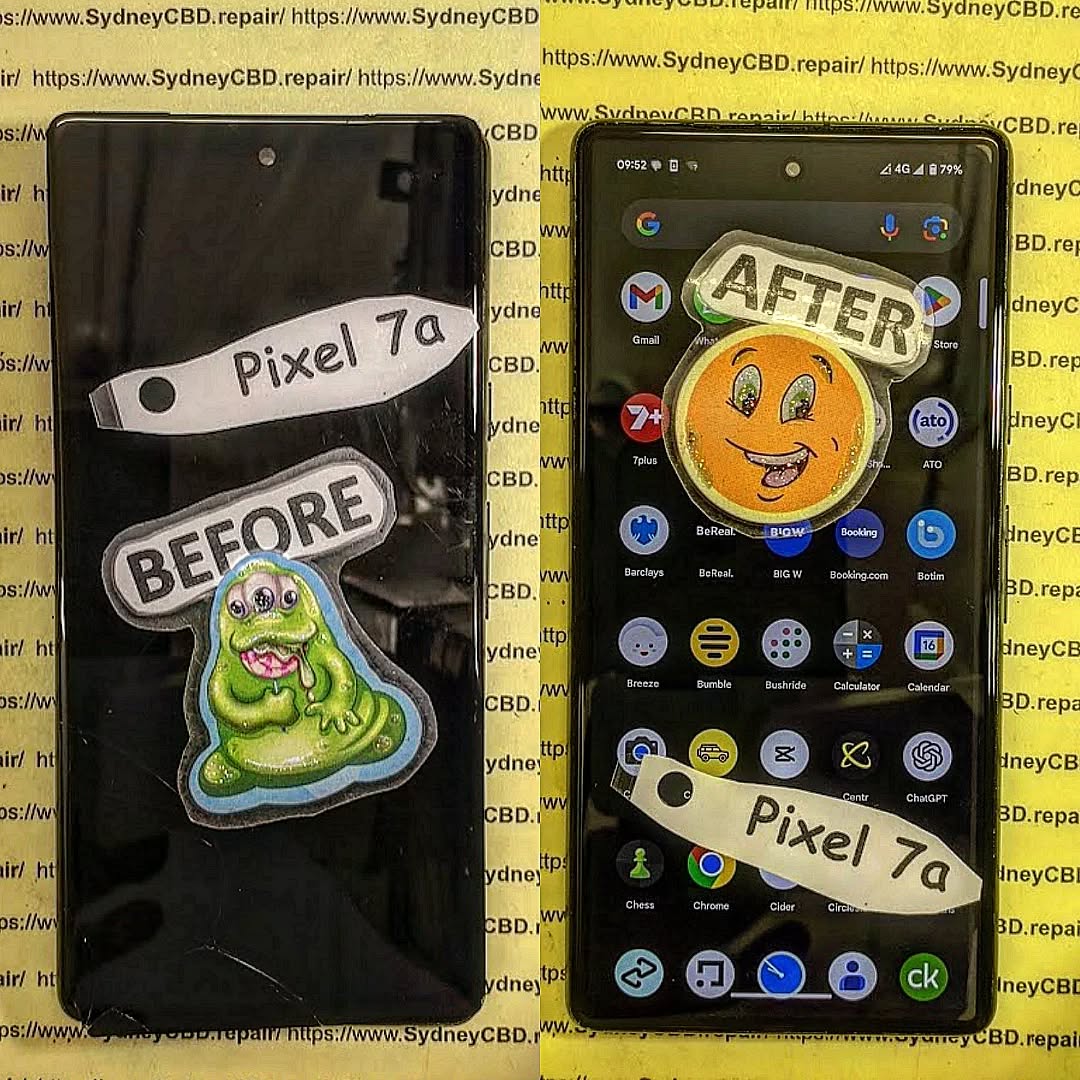
🟦 1. Cracked Screens: What You Need to Know
✅ Causes of Cracked Screens
- Drops from height
- Sitting with the phone in your pocket
- Pressure from keys, wallets, or tight jeans
- Lack of screen protector or case
🛠️ Temporary Fixes at Home
- Clear tape or tempered glass can prevent the cracks from spreading.
- Use a stylus if touch is erratic but still works.
⚠️ Reminder: These are just temporary band-aids. They won’t stop further internal damage.
🏥 When to Seek Professional Repair
A cracked screen can:
- Affect touch sensitivity
- Cause internal screen bleeding
- Risk injury from glass shards
Sydney CBD Repair Centre offers same-day screen replacements using genuine parts for major brands like Apple, Samsung, Google, and more. You’ll also get a 90-day warranty, so you can rest easy.
🟦 2. Ghost Touch Issues: Understanding Phantom Inputs
🤖 Common Symptoms of Ghost Touch
- Screen moves or taps on its own
- Typing errors or random apps opening
- Inability to control the screen
🔍 How to Diagnose the Issue
- Restart your phone in Safe Mode.
- If the issue disappears, it’s likely software-related.
- If it persists, it’s a hardware issue.
🧰 Fixing Ghost Touch Problems
- Remove third-party screen protectors – they can interfere with touch sensitivity.
- Factory reset (backup your data first).
- If it’s hardware, let professionals at Sydney CBD Repair Centre take over.
🟦 3. Screen Flickering: Causes and Cures
⚡ Why Screens Flicker
- Software glitches after updates
- Battery issues or overheating
- Loose internal display connectors
🛠 Fixes You Can Try
- Adjust brightness manually (disable adaptive brightness)
- Boot into Safe Mode
- Perform a factory reset
- Visit a professional if flickering persists (could be a display or board issue)
🟦 4. Dead Pixels and Stuck Pixels: Spotting and Solving
🧠 What Are Dead vs. Stuck Pixels?
| Pixel Type | Description |
|---|---|
| Dead Pixel | Completely black – no light at all |
| Stuck Pixel | Constantly shows one colour (red/blue/green) |
🛠 DIY Tools to Fix Pixels
- Use apps like Dead Pixel Fixer or JScreenFix
- Gently massage the area with a soft cloth
- If multiple dead pixels appear, it’s time for a screen replacement
🟦 5. Unresponsive Touchscreen: Troubleshooting Tips
📱 Software vs. Hardware Causes
- Software: App conflicts, OS bugs
- Hardware: Moisture damage, broken digitizer
🔧 Solutions You Can Try
- Restart or boot in Safe Mode
- Calibrate touch input
- Update OS and firmware
- Visit an expert repair centre if issues persist
🟦 6. Screen Burn-in: What It Is and How to Prevent It
🔥 What Causes Burn-in on OLED Screens
Burn-in happens when static images (like a navigation bar or logo) stay on-screen too long, creating a permanent “ghost” image.
🛡️ Ways to Reduce or Reverse Screen Burn-in
- Enable dark mode and auto-hide features
- Use screen savers
- Apps like OLED Saver can reduce visible effects
- In severe cases, screen replacement may be necessary
🟦 7. Display Not Turning On: Black Screen Issues
⚡ Battery or Display Problem?
- Try charging the phone and observe any vibration or sounds
- Try a forced reboot
- If it vibrates but doesn’t show anything, it’s likely a display issue
🛠 Fixes to Consider
- Reset with key combinations
- Replace screen or connector if hardware-related
- Same-day diagnosis available at Sydney CBD Repair Centre
🟦 When to DIY and When to Call the Pros
⚠️ Risks of DIY Repairs
- Voiding your warranty
- Damaging other internal components
- Using low-quality parts from unreliable sellers
🏆 Benefits of Expert Repairs
- Trained technicians with years of experience
- Use of genuine parts
- 90-day warranty on all repairs
- No fix? No fee.
🟦 Tips to Protect Your Smartphone Screen
🛡 Best Screen Protectors
- Tempered glass with oleophobic coating
- Privacy filters to reduce eye strain and light burn
🧼 Proper Handling & Usage
- Don’t keep your phone in the same pocket as coins or keys
- Avoid direct sunlight for extended periods
- Keep the software updated to minimize bugs that affect display performance
❓ Frequently Asked Questions
1. Can I still use a phone with a cracked screen?
Yes, but it’s not recommended. Continued use may cause further damage or injury.
2. How much does it cost to fix a smartphone screen?
Costs vary by brand and model. At Sydney CBD Repair Centre, we offer competitive pricing with genuine parts.
3. Is screen flickering always a hardware issue?
Not always. Try Safe Mode or a factory reset to rule out software issues first.
4. What’s the best way to fix ghost touches?
Start with software resets and screen protector removal. If it continues, seek professional repair.
5. Will a screen protector stop cracks?
It won’t prevent all cracks, but it can greatly reduce damage from minor drops and scratches.
6. How long does a screen replacement take?
At Sydney CBD Repair Centre, most screen repairs are completed within the same day.
✅ Conclusion

Your smartphone screen is your digital lifeline. Whether it’s a crack, flicker, ghost touch, or black display, it can be incredibly frustrating. The good news? Most problems can be diagnosed and fixed—often affordably and quickly.
Don’t wait for the issue to get worse. Visit Sydney CBD Repair Centre—Sydney’s most trusted phone repair shop. With genuine parts, expert service, and thousands of satisfied customers, your phone is in the best hands possible.
🔧 Walk-ins Welcome | Call Us: +61280114119
📍 Find Us at: SydneyCBD.repair/locate-us

