


Preserve Your Data: Screen Repair Without Wiping

Preserve Your Data: Screen Repair Without Wiping + 7 Expert Techniques
Introduction
In today’s digital world, our smartphones are more than communication devices—they’re storage vaults for our memories, work files, and personal data. When your screen cracks or becomes unresponsive, the thought of losing all your precious information can be terrifying. Many users assume a screen repair automatically wipes all data, leading to unnecessary panic and hesitancy to seek help.
Thankfully, data loss is not inevitable. With the right techniques and professional guidance, you can repair your screen without wiping your data. This article will provide seven expert methods to ensure your files, contacts, photos, and apps remain safe during repairs. Whether you’re handling an iPhone, Samsung, Google Pixel, or another device, these strategies will empower you to restore functionality while preserving your valuable information.
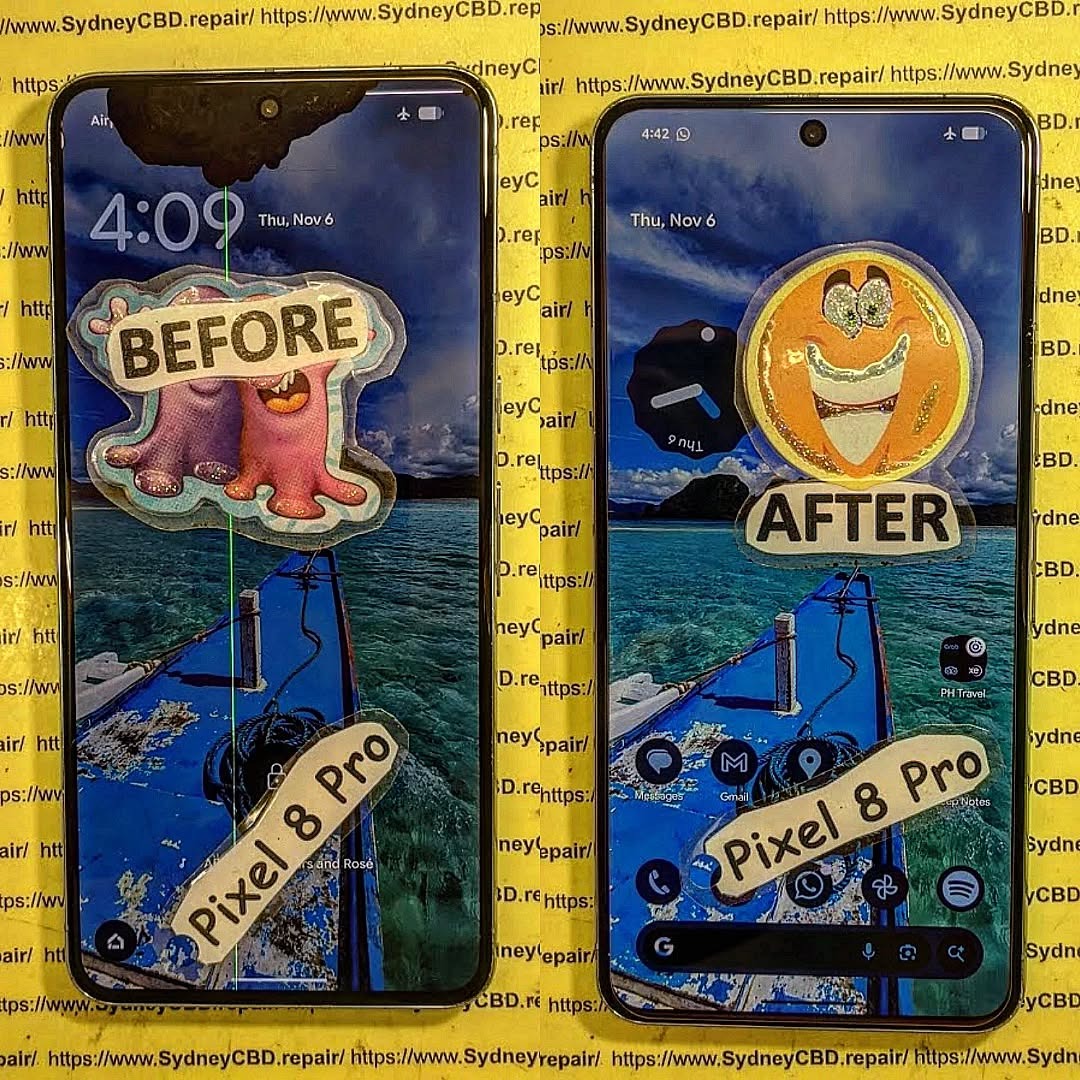
Why Screen Repair Often Risks Data Loss
Even minor screen issues can pose significant risks to your data if not handled correctly. Here’s why:
Factory Reset Myths
Many users believe that screen repair necessitates a factory reset. In reality, most professional repair centers can replace or repair screens without performing a reset, unless there’s severe software corruption. Understanding this misconception can save both time and unnecessary worry.
Accidental Data Deletion
When inexperienced technicians or DIY methods are applied, internal components can be damaged, sometimes causing unexpected data deletion. A cracked screen may also trigger input errors, resulting in accidental deletion during attempted navigation.
Signs Your Screen Needs Repair
Recognizing early warning signs can prevent further damage and help protect your data:
Cracks and Shattered Glass
Cracked screens not only make your device look bad—they can affect touch sensitivity and allow moisture or dirt to reach internal components, risking data integrity.
Touchscreen Unresponsiveness
Unresponsive touchscreens hinder your ability to access and back up files, making it harder to secure your data before repair. Immediate attention is crucial in such cases.
Preparing Your Device for Repair
Before sending your phone for screen repair, preparation is key. Proper steps reduce risks of data loss and ensure a smooth repair process.
Backup Options
- Cloud Backup – Services like iCloud, Google Drive, and OneDrive automatically store your photos, contacts, and app data.
- PC Backup – Connect your phone to a computer to save full device images.
- Local Storage Backup – External drives or SD cards can store large files safely.
Security Measures
- Enable device encryption and strong passwords.
- Activate two-factor authentication for accounts linked to the device.
- Log out of sensitive apps temporarily if possible.
7 Techniques to Repair Your Screen Without Wiping Data

Here are seven expert-approved methods to ensure your data remains safe during screen repair:
1. Using Professional Repair Services
Opting for trusted repair centers, like Sydney CBD Repair Centre, ensures your screen is replaced without factory resets. Experts handle components carefully, using genuine parts and professional tools.
2. Component-Level Repair
Instead of replacing the entire motherboard or performing full resets, technicians can focus on the damaged screen. This approach avoids unnecessary data loss and maintains device functionality.
3. Data-Safe DIY Kits
For tech-savvy users, specialized DIY repair kits allow screen replacement while leaving storage and system settings untouched. Always follow instructions carefully and use quality parts.
4. Temporary Screen Mirroring
If your touchscreen is completely unresponsive, mirroring your display to a computer or external device can allow you to access files during repair. Tools like Vysor or ApowerMirror make this process straightforward.
5. Software-Assisted Screen Fixes
Some software tools can recalibrate touchscreen functions or temporarily fix display issues, reducing the need for immediate hardware replacement and preserving data integrity.
6. Protective Cases and Tools During Repair
Using protective cases or anti-static tools can prevent secondary damage during repair, ensuring internal components stay safe and your data remains untouched.
7. Post-Repair Data Verification
Once repairs are complete, immediately verify that contacts, photos, apps, and other essential files are intact. This step confirms that data was preserved throughout the process.
Common Mistakes to Avoid
Ignoring Early Warning Signs
Delaying repairs can worsen screen damage and increase the likelihood of internal faults, making data preservation more difficult.
Using Unauthorized Repair Shops
Non-genuine parts or inexperienced technicians may require a factory reset or damage internal storage. Always choose certified professionals.
Case Studies: Successful Data-Preserving Repairs
Apple iPhone Screen Repair
A cracked iPhone 13 screen was replaced at a certified service center without wiping data. Contacts, photos, and apps remained intact, thanks to component-level repair and careful handling.
Samsung Galaxy Screen Repair
A Samsung Galaxy S22 with an unresponsive touchscreen underwent professional replacement while preserving media files. Temporary screen mirroring allowed access to files during repair, avoiding data loss.
Expert Tips for Long-Term Screen and Data Safety
Regular Backups
Automate backups weekly or daily to ensure no data is ever at risk during unexpected repairs.
Screen Protectors and Cases
High-quality tempered glass protectors and rugged cases reduce damage severity and repair frequency.
Software Updates
Keep your OS updated to prevent glitches that could complicate future repairs.
Frequently Asked Questions (FAQs)
1. Will replacing my screen erase my phone?
Not if the repair is done correctly. Professional technicians can replace screens without performing a factory reset.
2. Can I repair a water-damaged screen without losing data?
Yes, but it depends on the extent of internal damage. Quick professional attention increases chances of data preservation.
3. Are DIY screen replacements safe for my data?
They can be, provided you use high-quality kits and follow instructions meticulously.
4. How can I back up my device if the screen is unresponsive?
Use screen mirroring tools or connect your device to a PC to access files.
5. Do I need special tools for data-safe repairs?
Certified repair centers already have professional tools. DIY kits may require screwdrivers, suction cups, and static-free workspaces.
6. Can software fix minor screen issues without hardware replacement?
In some cases, yes. Software calibration can temporarily restore touchscreen function, allowing safe access to your data.
Conclusion

Screen damage doesn’t have to mean data loss. By choosing professional repair services, using component-level methods, and preparing your device properly, you can restore your screen without wiping your data. Incorporate preventive measures like regular backups, quality protectors, and software updates to safeguard your information long-term. Your data is valuable, and with the right approach, it can stay secure—even during a screen repair.
David from Sydney CBD Repair Centre – The Best place to fix mobile phones as 6 Years In A Row! Top Mobile Phone Repair In Sydney. More than 2000 Positive Reviews on Google and Same Day Repairs.
Visit us for:
✓ Same Day Express Repairs
✓ Genuine Parts Guarantee
✓ Professional Technicians
✓ Competitive Pricing
✓ 2000+ 5-Star Google Reviews
✓ 6-Time Award Winner for Best Phone Repairs
Website: https://SydneyCBD.repair/locate-us

