



Samsung Announces Official Rollout of One UI 7 Starting from April

Key Takeaways
### Meeting Notes Summary: Samsung One UI 7 Rollout
**Announcement Date:** March 21, 2025
**Rollout Start Date:** April 2025
**Key Highlights:**
1. **Official Rollout:**
– One UI 7 will begin deployment in April 2025.
– Initial devices include Galaxy S24 series, Galaxy Z Fold6, and Galaxy Z Flip6, with a gradual rollout to additional Galaxy smartphones and tablets.
2. **New Design Features:**
– Emotive and streamlined interface for enhanced personalization and user experience:
– Simplified home screen and redesigned widgets.
– New lock screen with the Now Bar for real-time updates (e.g., workout progress, music control).
3. **AI-Driven Enhancements:**
– Improved productivity features including:
– **AI Select:** Context-aware recommendations for content handling (e.g., saving videos as GIFs).
– **Writing Assist:** Tools for summarizing and formatting text.
– **Drawing Assist:** Creative tools for combining text and images.
– **Audio Eraser:** Advanced audio editing capabilities for isolating and removing unwanted sounds.
4. **Natural Language Integration:**
– Google Gemini enables voice commands for search and device control, making interactions intuitive (e.g., finding restaurants).
– Settings adjustments can be made using natural language (e.g., adjusting brightness based on user comfort).
5. **Device Availability:**
– Gradual rollout includes various models:
– Galaxy S24 series, S24 FE, S23 series, S23 FE.
– Galaxy Z Fold5/6, Z Flip5/6, Tab S10/S9 series.
– **Note:** Availability may vary by market, and some features may require a network connection and Samsung Account login.
For additional details, please refer to Samsung’s official websites.
Summary of Samsung Announces Official Rollout of One UI 7 Starting from April
Samsung Electronics Co., Ltd. today announced that the official rollout of One UI 7 will start from April[1], bringing a bold new design for greater personalisation and control to the user experience. One UI 7 introduces new interface built for AI, helping users interact with their Galaxy devices more naturally than ever before. The update will be available starting with the Galaxy S24 series, Galaxy Z Fold6 and Z Flip6, gradually rolling out to more Galaxy smartphones and tablets.

Bold New Design for Greater Personalisation
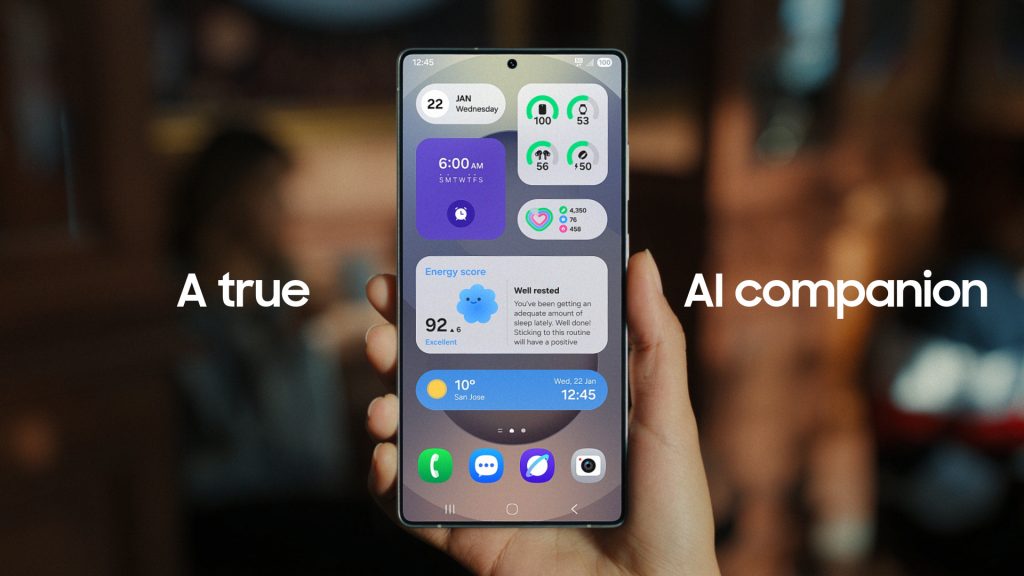
One UI 7 comes with a simple, impactful, and emotive design, bringing streamlined and cohesive experience to Galaxy users. A simplified home screen, redesigned One UI widgets and lock screen allow users to intuitively and seamlessly customise their devices.
For added convenience, Now Bar[2] provides real-time updates that matter most right on the lock screen. So during a morning run, users can easily check their progress and see what song is playing in your Galaxy Buds – all with a simple swipe, without unlocking their phone.
Smarter AI Features for More Intuitive Experience
One UI 7 introduces seamless AI-driven experiences that help users to stay productive and explore their creativity.
With Galaxy AI, users can simplify everyday tasks, minimising the need to switch between applications. AI Select[3] intuitively recommends by understanding context. For example, a user can simple swipe the Edge Panel and click ‘AI Select’ icon when watching a video to save it as a GIF file. Writing Assist[4] allows users to easily summarise or automatically format contents in which texts can be selected.
One UI 7 also enables simple edits to give users more creative control and freedom. Drawing Assist[5] helps bring ideas to life with more than a single input, including combinations of text prompts and images or sketches. Audio Eraser[6] makes advanced editing accessible for all, by isolating categories of sounds and removing unwanted noise in videos.
With deeper Google Gemini[7] integration, controlling the device is as easy as speaking to a friend. Long-press the side button and say, “Find Italian, pet-friendly restaurants with outdoor seating nearby.” Gemini instantly pulls up recommendations in one seamless interaction.
Natural language search[8] extends to Settings, making it easier to adjust preferences. Users can simply go into Settings and say “My eyes are feeling tired.” In an instant, recommended options such as adjusting brightness or turning on Eye comfort shield appear.
Availability
One UI 7 will begin rolling out from April, expanding to more Galaxy smartphones and tablets in the following weeks[9], including the Galaxy S24 series, Galaxy S24 FE, the Galaxy S23 series, Galaxy S23 FE, Galaxy Z Fold6 and Z Flip6, Galaxy Z Fold5 and Z Flip5, the Galaxy Tab S10 series and the Galaxy Tab S9 series.
For more details, please visit: Samsung Newsroom Australia, Samsungmobilepress.com and samsung.com/au/.
[1] Availability may vary by market.
[2] Availability of functions supported within the apps may vary by country. Some functional widgets may require a network connection and/or Samsung Account login.
[3] Results may vary depending on model. Accuracy of results is not guaranteed. Requires internet connection and Samsung Account login. Service availability may vary by country, language or device model. Availability of supported languages may vary. Certain languages may require language pack download.
[4] Writing Assist is available for Galaxy S24 series, Galaxy S24 FE, Galaxy S23 series, Galaxy S23 FE, Galaxy Z Fold6 and Z Flip6, Galaxy Z Fold5 and Z Flip5, Galaxy Tab S10 series and Galaxy Tab S9 series.
[5] Drawing Assist is available for Galaxy S24 series, Galaxy S24 FE, Galaxy S23 series, Galaxy S23 FE, Galaxy Z Fold6 and Z Flip6, Galaxy Z Fold5 and Z Flip5, Galaxy Tab S10 series and Galaxy Tab S9 series. Requires a network connection and Samsung Account login. A visible watermark is overlaid on the image output upon saving in order to indicate that the image is generated by AI. The accuracy and reliability of the generated output is not guaranteed.
[6] Audio Eraser is available in Galaxy S24 series, Galaxy S24 FE, Galaxy Z Fold6 and Z Flip6, and Galaxy Tab S10 series. Results may vary per video depending on how sounds present in the video. Samsung Account login required. Six types of sound can be detected:voices, music, wind, nature, crowd and noise. The actual sound detection may vary depending on audio source, and the condition of the video. Accuracy of results is not guaranteed.
[7] Internet connection and compatible operating system required. Availability may vary be device, country, and language.
[8] Currently supported languages include Korean, English, German, French, Italian, Spanish, Chinese, Japanese, and Portuguese. Available in Galaxy S24 series, Galaxy S24 FE, Galaxy Z Fold6 and Z Flip6, and Galaxy Tab S10 series. Accuracy of results is not guaranteed.
[9] Availability and timing may vary by market.
from Samsung Newsroom Australia https://ift.tt/GoeFau2
via IFTTT

