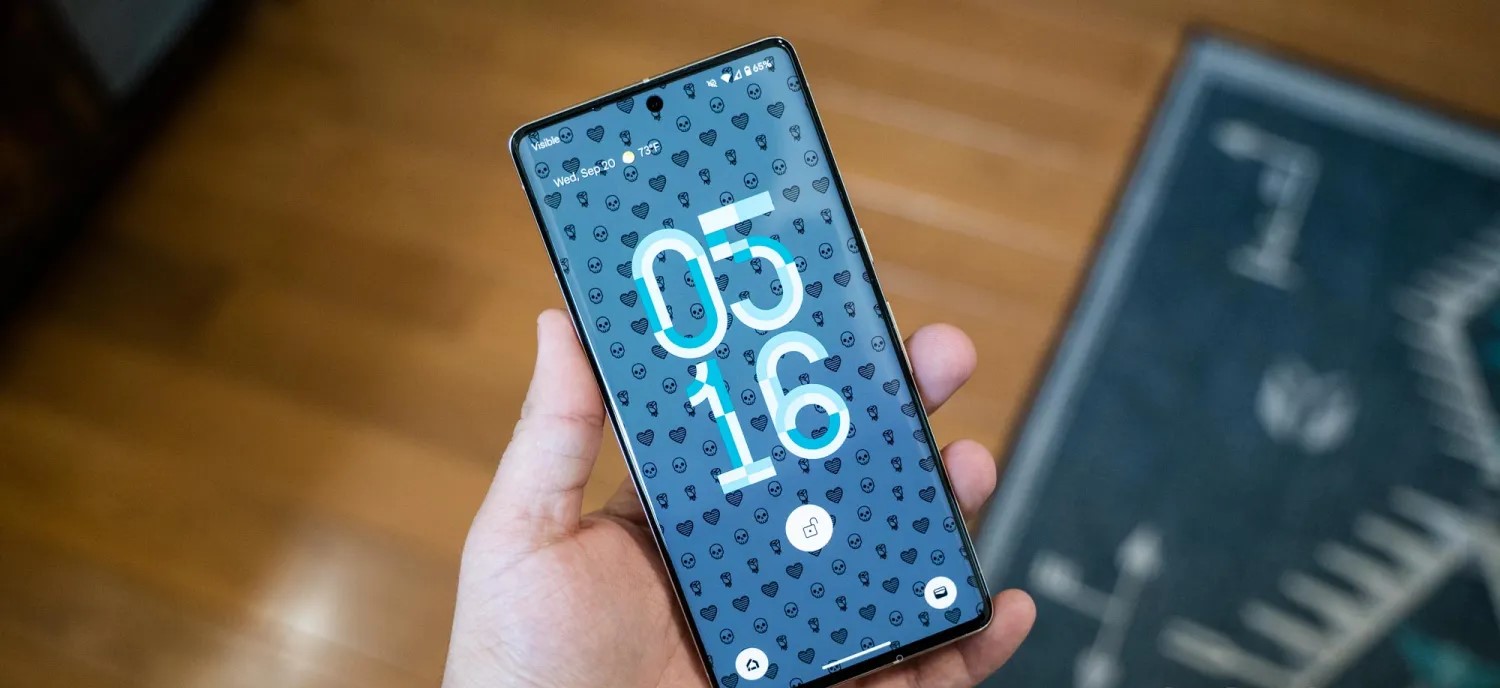
In November, Google started the Android 14 QPR2 preview earlier than expected, and Beta 2 is now rolling out for Pixel phones, Fold, and Tablet.
Following the launch of QPR1 at the start of December, QPR2 is expected to hit stable in March. The preview program for that next release and Pixel Feature Drop should have kicked off this month. Instead, it started in mid-November and was followed by a .1 patch less than a week later.
QPRs are relatively stable and launch as betas rather than developer previews. Google officially says they are “suitable for general use.” Known issues include:
Sometimes when a user unlocks the device using their fingerprint, there is no haptic feedback.
For Pixel Fold devices, sometimes after a user unlocks the device while it’s folded, the inner display doesn’t turn on after unfolding the device.
The Assistant At a Glance widget sometimes displays weather information for the wrong location.
Google identifies the following fixes in AP11.231117.006 with the December 2023 security patch:
Fixed an issue where battery usage information that was reported in system settings was sometimes incorrect. (Issue #312121998)
Fixed an issue where the fingerprint icon on the lock screen would sometimes display before other information had loaded in always-on display mode. (Issue #311265905)
Fixed an issue that sometimes caused the biometric prompt to crash, causing it to be dismissed before a user could interact with it.
Fixed an issue that sometimes caused the Internet Quick Settings tile to indicate that there was no Wi-Fi connection, even when the device was connected to a Wi-Fi network.
The Android Beta Feedback app is available on Pixel devices to submit bugs. You can access it from the app drawer or via Quick Settings to file bugs in the Google issue tracker, while the Android Beta community is on Reddit.
Android 14 QPR2 Beta 2 is available for the Pixel 5a, Pixel 6, Pixel 6 Pro, Pixel 6a, Pixel 7, Pixel 7 Pro, Pixel 7a, Pixel Tablet, Pixel Fold, Pixel 8, and Pixel 8 Pro, as well as the Android Emulator.
Most people will install it via the Android Beta Program, but you can also flash or sideload the update.
There are 34 bug fixes in U1B2.230922.013, which is still on the October 2023 security patch. This release is available for all devices out of the gate, with the on-device Android 14 QPR1 Beta 2.2 OTA coming in at 40.35 MB on a Pixel Fold.
There’s a fix for the pink text issue on the Pixel 8 Pro AOD.
Fixed an issue that sometimes prevented devices from receiving calls. (Issue #298747690)
Fixed an issue where tapping or long-pressing a Quick Settings tile sometimes failed to launch the corresponding app or settings menu. (Issue #302147272)
Fixed an issue that sometimes caused the Settings app to crash when checking for system software updates. (Issue #303739210)
Fixed an issue that sometimes caused the Camera HAL to apply the wrong tuning profile when an app requested a certain camera mode.
Fixed an issue that sometimes caused the system UI or device to crash if accessibility magnification mode was toggled rapidly.
Fixed an issue that sometimes caused the package installer to crash due to a null pointer exception.
Fixed an issue that sometimes caused the system launcher to crash due to a null pointer exception.
Fixed an issue that interfered with Bluetooth and Wi-Fi connectivity until the device was rebooted.
Fixed issues with Face Unlock reliability.
Fixed an issue that sometimes caused the device unlock animation to stutter.
Fixed an issue that sometimes caused the screen to flicker when transitioning from always-on display mode to the lock screen.
Fixed an issue that caused the animation to display incorrectly when a user gestured to open the notification shade.
Fixed an issue that sometimes caused the system UI to crash or consume more memory than necessary.
Fixed an issue that caused the picture-in-picture window to stop displaying with rounded corners after locking and unlocking the device.
Fixed an issue that sometimes caused device-to-device transfer data to be saved to an incorrect account.
Fixed an issue that caused some UI elements to render incorrectly when the device font scale was increased.
Fixed an issue that sometimes caused the work profile badge for an app icon to be displayed in the wrong place while viewing the list of recent apps.
Fixed an issue that caused some text to display in the wrong colors when always-on display features were enabled.
Fixed issues that sometimes caused a device to crash and reboot.
Fixed an issue where additional power was still being consumed by mobile network connectivity even after a device connected to Wi-Fi.
Fixed an issue where audio failed to play back or was interrupted if Adaptive Sound was enabled.
Fixed issues with audio playback when using spatial audio.
Fixed an issue that sometimes caused Wi-Fi service to be interrupted and fail to connect until the device was restarted.
Fixed an issue where the battery level in the status bar sometimes displayed temporarily as 0%.
Fixed an issue for Pixel Fold and Pixel Tablet devices where the “All Apps” button on the taskbar was slow to appear immediately after launching an app.
Fixed an issue for Pixel Fold devices where the lock screen was sometimes still displayed if the device was unlocked and unfolded at the same time.
Fixed an issue for Pixel Tablet devices where a primary user’s live wallpaper selection would sometimes be overridden after a secondary user selected a different live wallpaper.
Fixed an issue for Pixel Tablet devices that caused an unsmooth animation when tapping to return to an app from the list of recent apps.
Fixed an issue for Pixel Tablet devices that caused audio to pop when adjusting the volume if a wired headset was connected.
Fixed an issue for Pixel Tablet where a user was returned to the Home screen instead of the app that was open when the device was locked if they unlocked the device using their fingerprint while a screen saver was active.
Fixed an issue that caused memory corruption in rare cases.
Fixed various issues that were impacting system stability, performance, and connectivity.
Most will install via the Android Beta Program, but you can also flash or sideload. If you need help, here’s our full guide on installing Android 14. Google says:
Your device will be automatically updated to Android 14 QPR1 Beta 2.2 within 5 days.
Exactly two weeks after the previous release, Android 14 QPR1 Beta 2.1 is rolling out today with a handful of bug fixes, but the Pixel 8 and 8 Pro aren’t getting updated right away.
There are just three fixes for Pixel devices, which are getting U1B2.230922.010 today with the October 2023 security patch:
Fixed issues with biometric authentication, such as an issue that sometimes prevented the under-display fingerprint sensor from activating while always-on display features were enabled.
Fixed an issue where, in some cases after swapping SIM cards on a device, the device couldn’t connect to cellular service.
Fixed various issues that were impacting system stability and performance.
Google says the “Pixel 8 and 8 Pro will receive this update at a later time.” The initial Beta 2 update rolled out a week ago.
The OTA and factory images are now available, while the on-device OTA is also rolling out immediately (66MB on the Pixel Fold and 7 Pro).
Google wants every Android version to be ‘higher quality than the previous release’
Dave Burke, VP of Engineering for Android, was interviewed during The Android Show today and shared a lot of interesting tidbits, especially around quality and performance.
In the context of Android releases, Burke considers quality the “number one feature” given how much we use our phones:
If you think about how much we depend on our devices and how much we use them [in] a day, it’s just really important that the device runs really, really well. Really, really reliably. The highest performance, highest fidelity.
The Android team has a “pledge” internally to “ensure that every release was higher quality than the previous release by a set of expanding metrics that we measure in the lab and in the field.”
We’ve been holding ourselves to that. It’s difficult, I can tell you, because you’re only as good as the weakest metric. So you’ve got to chase everything down, but it’s really causing us to force the bar higher and higher.
Burke described one way the team is doing that:
Even internally, we’re looking at actually changing some of our developer practices in 2024 where rather than sort of go[ing] off for a year and work[ing] on a release for a very long time, we break that up into chunks internally so that we sort of keep the branch green as we go.
From the description we have today, this just seems to be an internal change rather than anything that would impact the yearly cycle.
On Android 14, Burke highlighted expression (gen AI wallpapers, lockscreen clocks, and shortcuts) and performance as the big tentpoles. Burke said the team “may not have talked enough” about performance. (Frankly, Google should have discussed it on-stage at I/O in May.)
We’ve done a ton of work to reduce CPU activity of background apps, and the result is that there’s 30% less cold starts now on Android 14. Cold starts are when you have to literally read the code pages off the flash and read them into memory before you execute them. A 30% reduction is pretty dramatic, and you feel that as a user.
This involved increasing the number of cached processes, but doing so risks increased CPU usage and, therefore, battery drain. Android 14 does a better job of properly freezing the processes.
Burke also mentioned how large-screen-related work, like the transient taskbar, was originally part of Android 14 but moved up into Android 13 (QPR2) as Google worked to be more competitive in the space and to support foldables.
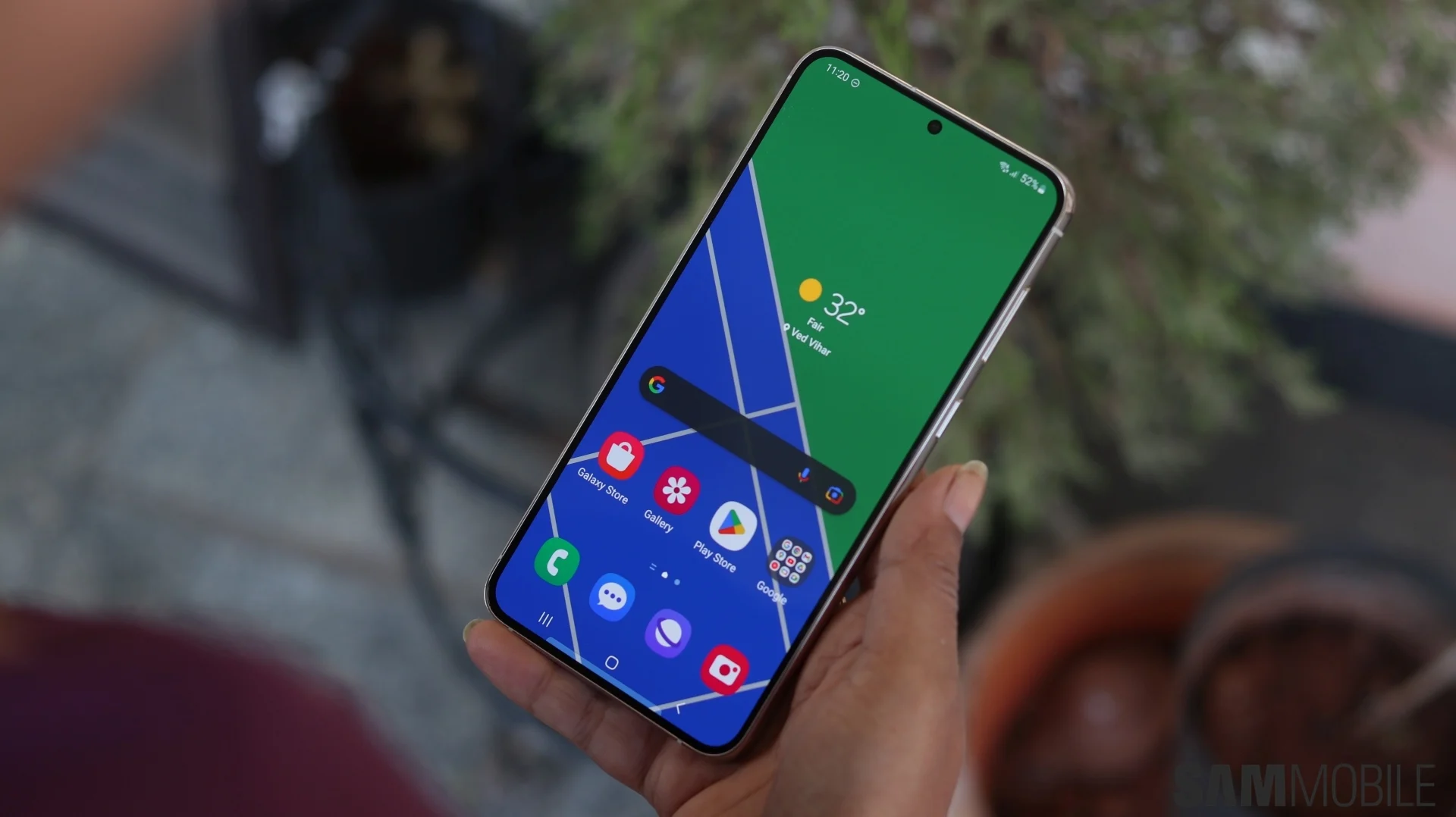
Samsung’s first Android 14 beta could launch in late July
Google is pushing along with Android 14 for Pixel phones, with the third beta out. But, soon, Samsung might join in on the fun, with a new report claiming the company’s first Android 14 beta
could arrive in late July.
Samsung has been opening public beta programs for new Android versions for the past few years, with customers able to get in on the latest version of One UI a few months ahead of the formal launch. And, each year, it’s been happening earlier and earlier.
According to the folks over at SamMobile, we can expect the first Android 14 beta with One UI 6.0 from Samsung sometime next month. Specifically, the outlet claims, in the third week of July. That’d put the release sometime between July 17 and July 21.
That’s a couple of weeks ahead of last year, with the Android 13/One UI 5.0 beta from Samsung having opened on August 5, with an official announcement a day later. It was also just days ahead of the launch of the Galaxy Z Fold 4 and Flip 4. And, not so ironically, the same thing is happening this time around. The Galaxy Z Fold 5 and Flip 5 are confirmed to be coming at an event during the last week of July, apparently on July 27.
We still don’t know much about Samsung’s take on Android 14, but an app update teased new colors for the company’s version of Material You, and Samsung previously confirmed it was working with Google to improve how One UI handles background apps with this update. The update will likely be made available first to the Galaxy S23 series.
Galaxy S23 One UI 6 beta coming the 3rd week of July!
Samsung fans have been waiting patiently to get a taste of Android 14. Google released the developer beta of the next major iteration earlier this year. Since Samsung has its own beta program, users have to wait for the One UI 6.0 beta to arrive.
The company’s beta program may be beginning sooner rather than later this year. We hear that the One UI 6.0 beta for the Galaxy S23 series will start rolling out in the 3rd week of July. Other compatible devices will receive the beta soon thereafter.
Time to start counting down the days for the One UI 6.0 beta!
We reported a few days ago that it’s possible that the first One UI 6.0 beta update may be released as soon as the Android 14 betas achieve stability. With Android 14 Beta 3, the software has now reached Platform Stability level, meaning that Samsung can now go ahead and launch its beta program.
Based on what we hear, it’s likely that Samsung will release the first One UI 6.0 beta build for the Galaxy S23 series in the third week of July. The beta will gradually be rolled out for other devices as well. July is shaping up to be a busy month for Samsung as the company will also be unveiling its new foldable phones on July 27.
The One UI 6.0 beta launch in late July means that we’re definitely looking at a One UI 6.0 public release before the end of this year. If last year’s pace is any indication, Samsung may not make us wait more than a couple of months from the time the beta is rolled out to the final public release.
As always, we’ll dive deep into all the new changes as soon as we’re able to test the One UI 6.0 beta. Stay tuned!
Samsung app update teases incoming Android 14 beta and new Material You colors
Android 14 is still in development but chugging along on Pixel phones and select other devices. Behind the scenes, though, Samsung is also working up Android 14, which is expected to be called One UI 6.0, and a recent app update is giving some hints on the company’s progress.
As spotted by Tarun Vats on Twitter, an update to the Samsung Calculator directly offers some hints at Samsung’s work on Android 14.
Breaking News :: OneUI 6 Beta
We can expect OneUI 6 Public beta launch by June end or July starting as we got Major hint from Samsung as they starts upgrading their apps to support Android 14. Also OneUI 6 may bring new color Pallete 🥳🥳#OneUI6#GalaxyS23#GalaxyS23Ultrapic.twitter.com/bGIw8ciO6V
The update’s changelog, seemingly since removed from the Galaxy Store, mentions that the app now supports Android 14’s API level. The timing here suggests that Samsung’s earliest Android 14 releases may not be too far away, but there’s no indication on when at this point. One UI 5’s early betas launched in early August 2022.
The changelog also hints that Samsung’s take on Material You – Color Palette – will get at least one new option in One UI 6. It’s not clear what that option might be, but we previously reported that Android 14 would add a new “Fidelity” style that brings out bold colors. It could be that Samsung is adopting that style too.
Samsung has also confirmed, with Google, that its Android 14 builds will also focus on improving the handling of background apps, a long-standing problem with the company’s software.
Samsung commits to killing background apps less often with Android 14, One UI 6.0
One complaint that Android app developers (and end users) have are the differing “restrictions on foreground services and background work” across devices. Google is addressing background inconsistencies with Android 14 and will be getting buy-in from Samsung.
Right now, some OEMs are very aggressive about killing background apps to save battery life. This can lead to applications breaking and end users blaming developers for a poor experience. Said app devs are already following Android’s guidance, but working around each OEM restriction/inconsistency is not feasible or even possible.
Google’s goal starting with Android 14 is to “make it easier for developers to create apps that work consistently across different Android devices.”
Looking to solve these consistency challenges, we are announcing deeper partnerships with Android hardware manufacturers to help ensure APIs for background work are supported predictably and consistently across the ecosystem.
—GOOGLE
Samsung is described as the “first partner” today, with One UI 6.0 making it so that “foreground services of apps targeting Android 14 will be guaranteed to work as intended so long as they are developed according to Android’s new foreground service API policy.”
To strengthen the Android platform, our collaboration with Google has resulted in a unified policy that we expect will create a more consistent and reliable user experience for Galaxy users.
—SAMSUNG
With Android 14, Google (with DP1) announced a trio of changes:
“The new user-initiated data transfer job type, which makes the experience of managing large user-initiated uploads and downloads smoother by leveraging JobScheduler’s constraints (e.g. network constraints such as unmetered WiFi).”
“New Google Play policies to ensure appropriate use of foreground services and the user-initiated data transfer jobs.”
Developers are encouraged to send feedback (Issue Tracker) on the Android 14 APIs, as well as contribute CTS-D tests to “help catch consistency issues.”
Lastly, If you see behavior differences across Android devices, be sure to file a ticket using goo.gle/devicespecificissue to bring it to our attention.
Pixel phone Here’s everything new in Android 14 Beta 3
Android 14 Beta 3 for Pixel phones is now available after the last update four weeks ago was somewhat quiet.
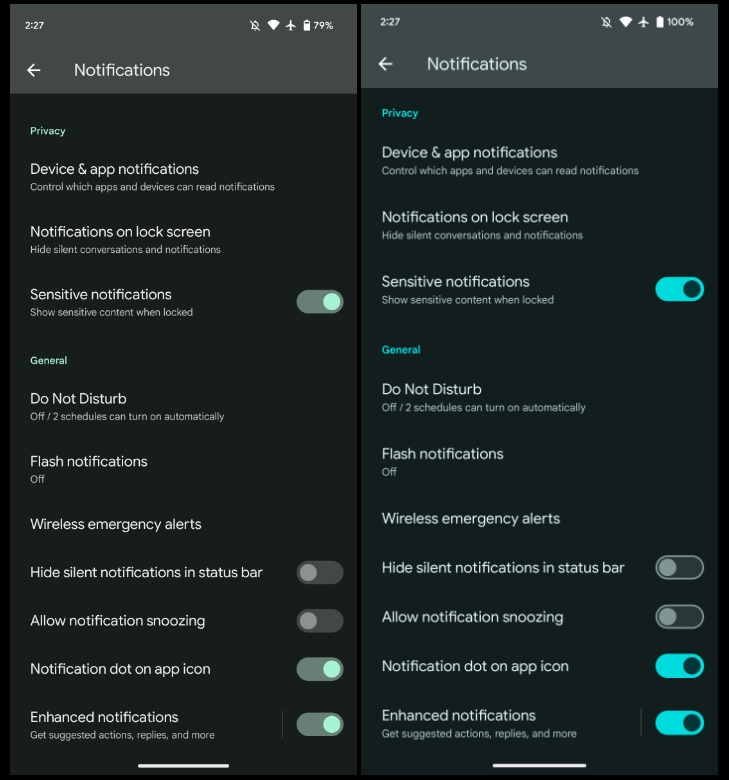
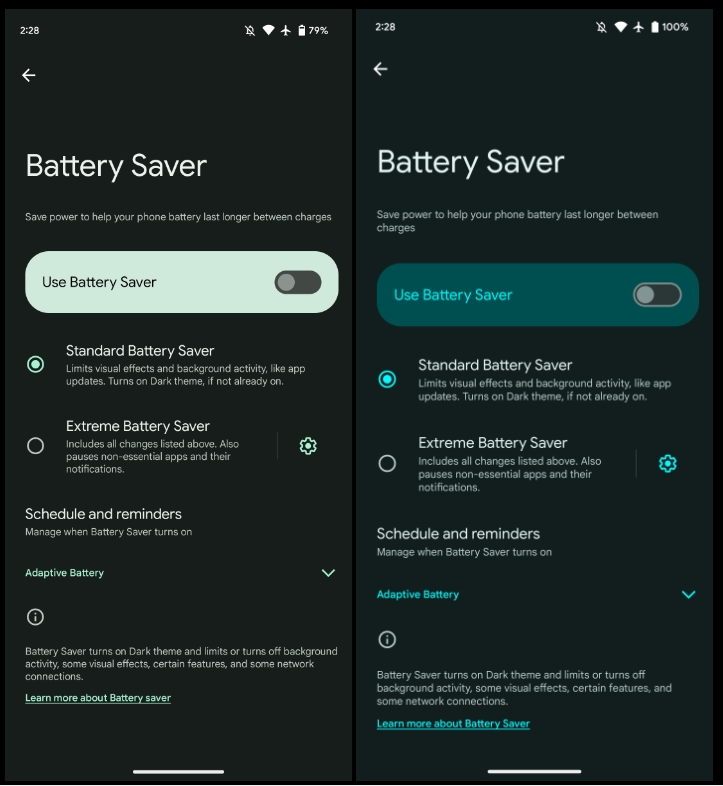
We’re diving into all of Android 14 Beta 3’s new features and every single change. (The newest updates will be at the top of this list. Be sure to check back often and tell us what you find in the comments below.) Beta 2 screenshots appear on the left and Beta32 at the right.
Expect at least three more releases before the consumer launch later this year to Pixel phones. If you want to quickly install the Android 14 Beta 3 on your compatible Pixel 4a 5G, Pixel 5, Pixel 5a, Pixel 6, Pixel 6 Pro, Pixel 6a, Pixel 7, and Pixel 7 Pro be sure to check out our step-by-step guide.
For reference, here’s everything new in Android 14 Developer Preview 1, DP2, Beta 1, and Beta 2.
Tapping the time in Quick Settings opens the Google Clock Alarm tab
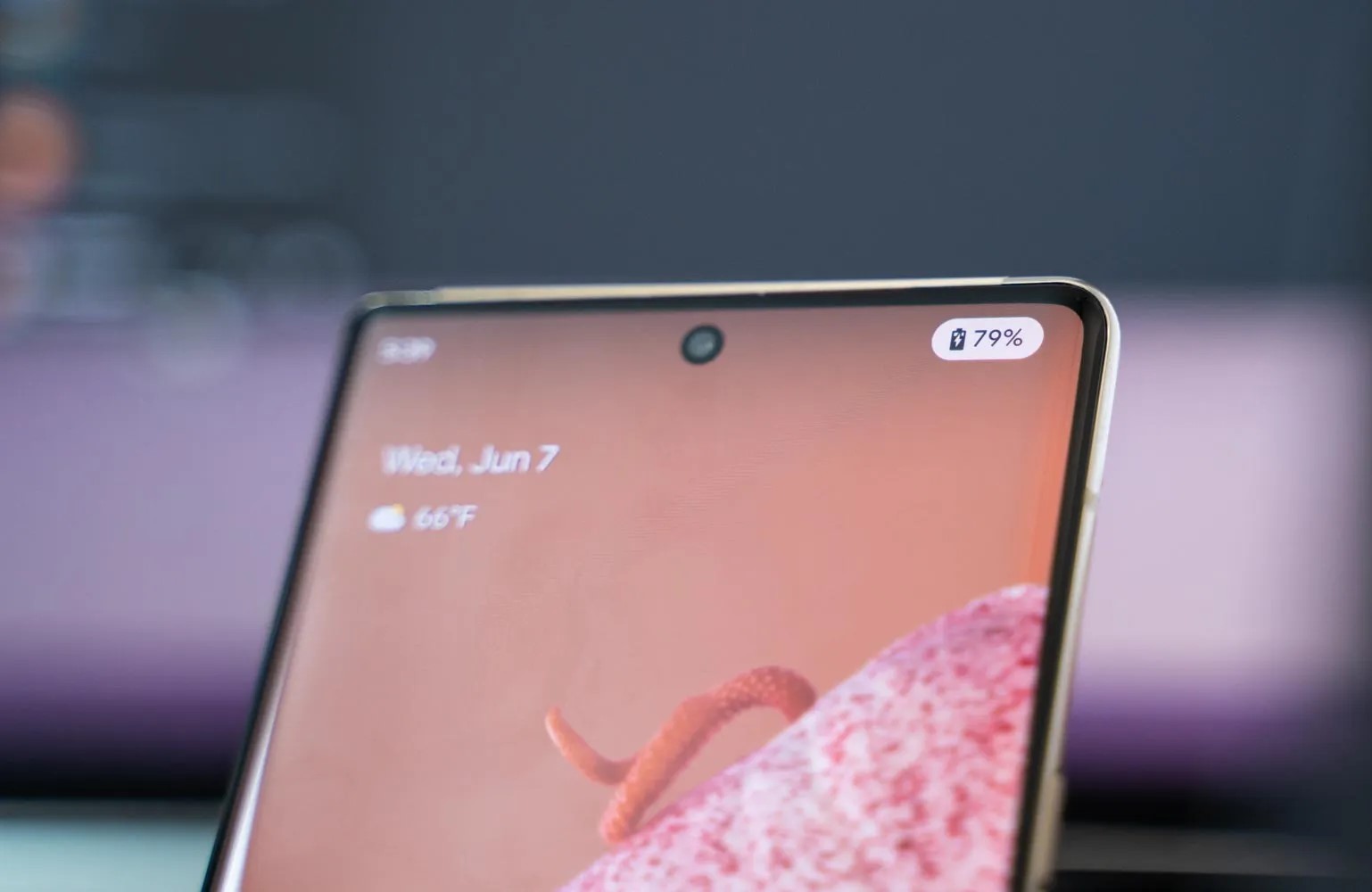
New charging indicator
More color in themed icons
Rounded buttons in screenshot preview
‘UpsideDownCake’ to Android 14
Gesture navigation tutorial
‘Touch’ to ‘Tap & click sounds’
More Material You toggles
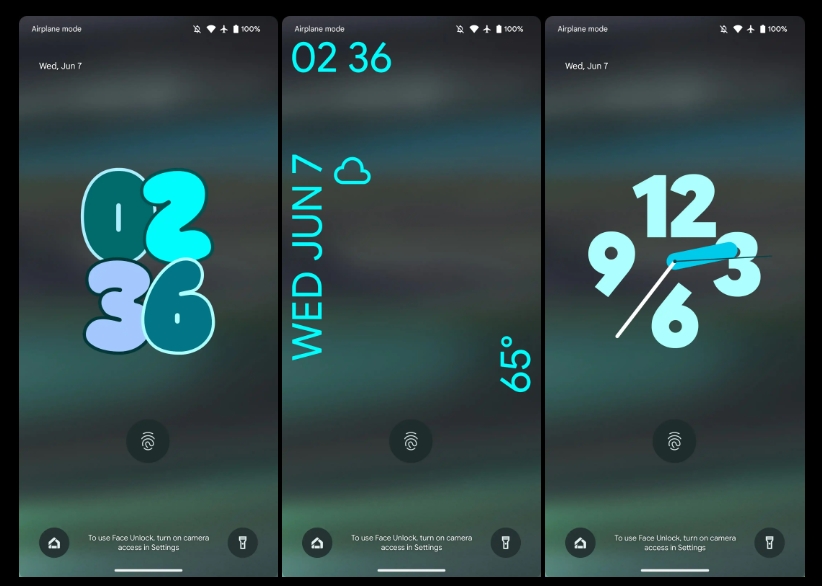
Customizable lockscreen clocks and shortcuts
Chrome prototyping Android 14 Predictive Back support to show last page
Predictive Back will be one of the most apparent user-facing changes this fall. As work continues, Google at I/O 2023 shared how some developers, including Chrome, might adopt Predictive Back in Android 14.
Predictive Back shows a preview of the homescreen as you swipe away from the edge and the current app shrinks. According to a study Google conducted, back-to-home animations “significantly reduces users accidentally leaving apps and feels more premium.”
You can test it today in Android 13 (Settings app > System > Developer options > Predictive back animations). Google is set to enable it by default with Android 14, but it’s still optional as of Beta 2.
Android 14 adds in-app Predictive Back, where you can get a preview of what screen you’re returning to when navigating within an app. In addition to the cross-activity animation Calendar demo, Google provided “key moment” examples at I/O:
Reddit is experimenting with collapsing a post as you swipe back to the feed.
Chrome is “prototyping previewing the previous web page as [you] swipe back.”
To aid adoption, developers can now “opt in to predictive back system animations per-Activity instead of for the entire app.”
Meanwhile, Material components are also leveraging Predictive Back animations in:
Side Sheets (nav drawer): “Side sheet detaches from the top and bottom edges of the screen to signal it will close.”
Search: Fullscreen search page shrinks and snaps back into pill-shaped bar on previous screen.
Bottom Sheets: Sheet shrinks and drops down.
It’s also soon coming to the bottom navigation bar and nav rail.
We’re now four (yes, 4) updates deep into the early Android 14 preview phase. There are some new bits and pieces to uncover on eligible Google Pixel handsets. Here are all of the top user-facing functions in Android 14 Beta 2.
Android 14 won’t be a huge update from a user-facing perspective. Google is still refining Material You to better fit with the growing Pixel smartphone ecosystem. Other OEMs will also adopt some things here but not all.
Lockscreen PIN input Material You icons
Google has added a neat extra touch to the lockscreen when you enter a PIN or passcode. Tapping any of the buttons and the input tracker will now be animated with abstract Material You-style icons such as rounded triangles, stars, and more to indicate that you have entered characters or numbers.
Page indicator on Pixel Launcher
To help you understand just what page you’re currently looking at, the Pixel Launcher now has page indicators that are very iOS-like. These dot-style pop-ups will fade out of view after a prolonged period on one specific page but are actually lifted right from the Quick Settings panel – which has similar indicators already.
Monochrome toggle returns to Wallpaper & style
The monochrome theming option has returned to Wallpaper & style which overrides the default Dynamic Color settings. Instead of colorful Quick Settings toggles and menu panes, these areas will adopt a simple black or white color depending on whether you have the light or dark theme applied.
Separate Call and Ring volume controls
Although hinted at in a previous beta release, Android 14 Beta 2 has enabled separate Call and Ring volume controls for some users. This may still need to be enabled for many, but if you heading to Settings > Sound and vibration you will be able to adjust the volume at which you hear callers through the earpiece or the volume of your device ringer.
Cleaner app menu pop-ups
The expanded floating app menus that allow for quick access to specific in-app sections have also received attention in Android 14 Beta 2. When long-pressing an app icon you’ll see that dividing lines or separators are removed to clean up the look. This is more in-keeping with the Material You design principles but the pop-up section is also decreased slightly too.
Keyboard and language sections in System section
The Keyboard and Language sections have now been elevated within the System section of device Settings. Previously this was a combined “Languages & input” section that amalgamated all of the functions. This makes things easier to manage and less confusing.
Improved animations
Android 14 Beta 2 appears to refine and tune some of the animations that we’ve become accustomed to in our favorite mobile operating system. Swiping, scrolling and invoking menus just feels smoother than it did in previous builds. You can see some improvements to the pop-up customization menu in the Pixel Launcher too.
This floating panel fades in then pops into view rather than folding up as in Android 13. This looks cleaner and adds a little extra visual flair. It also mimics the Power menu animation when activating from the Quick Settings panel.
Flash notifications page enhanced
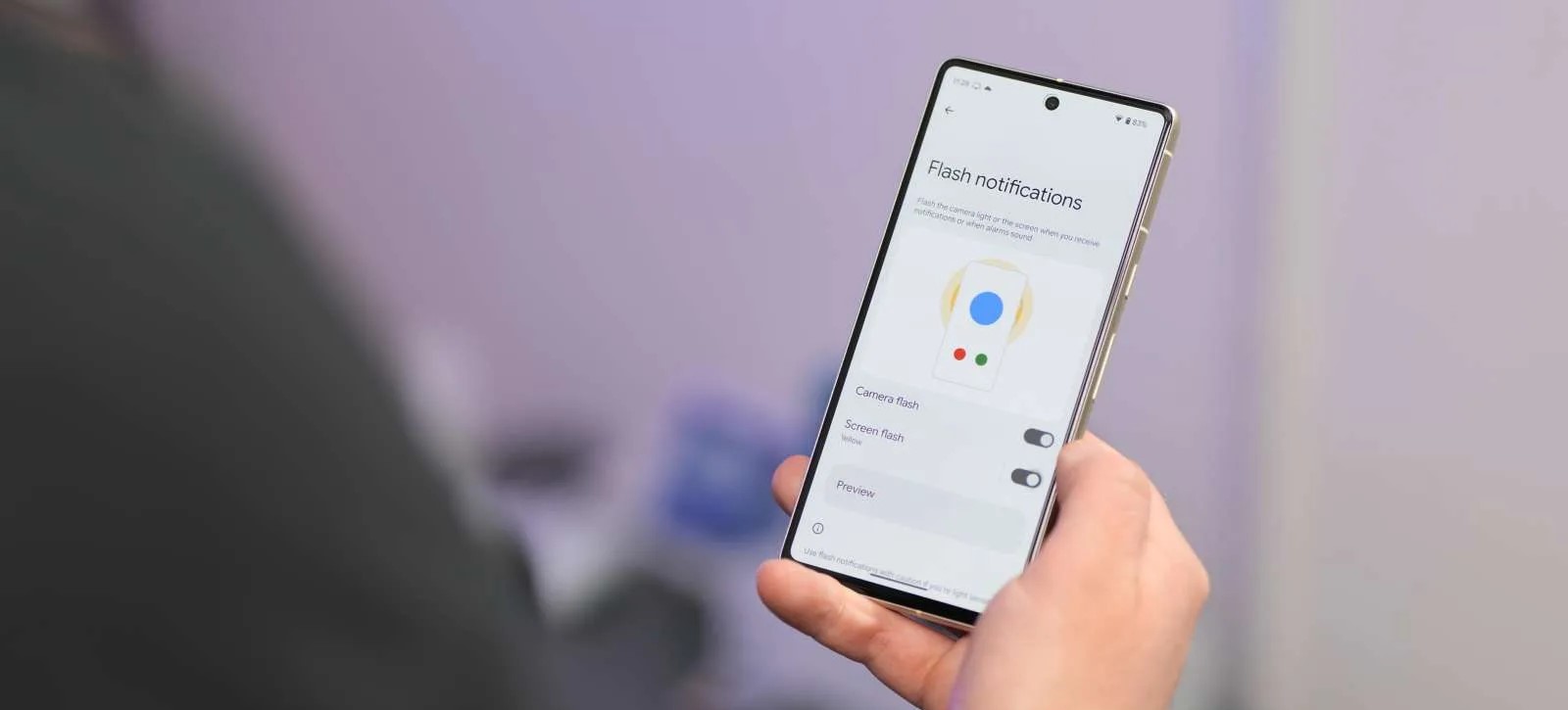
Added back in Developer Preview 2, the Flash notifications page now has an improved UI with a visual element to help you better understand the feature. The toggles are also simplified to “Camera flash” and “Screen flash” with the “Preview” button unaltered.
At a Glance widget alterations
Whether it’s a bug or just a tweak before we see more controls and functions, the popular At a Glance widget appears to have shrunk on some Pixel units with Android 14 Beta 2. It’s still prominent but with the text and icons smaller than in previous updates.
On the lockscreen with media playing, the widget has further changes. The temperature and weather condition icon join the date information while the forecast data now takes up two lines. A new “Daily forecast” text is prominent – likely to confirm that this is data from weather tracking agencies.
New Security & privacy logo in Settings
One cosmetic change you might not notice right away is a brand new “Security & privacy logo” in the Settings menu. The shield icon now has an “S” shape rather than a “check” icon.
Improved contrast control within Developer options
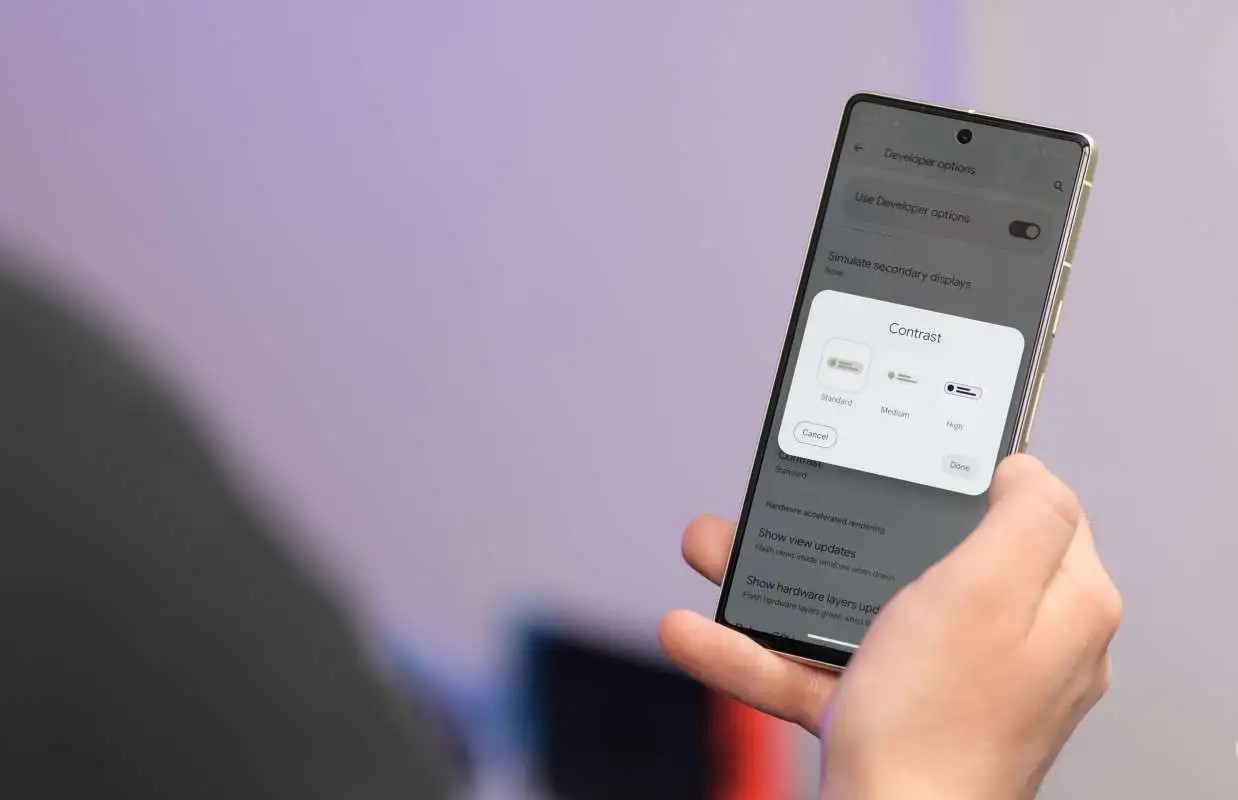
If you have Developer options enabled then you can try the enhanced “Contrast” control menu. Tapping this opens up a pop-up menu where you can choose from three options: Standard, Medium, and High. This looks like it will replace the touted contrast slider that would allow for better integration with your core color choices as part of the Material You and Dynamic Color theming system.
Floating Clipboard tool
The enhanced Android 13 clipboard tool is getting some love in Android 14 Beta 2 but it seems very much like a work in progress. If you invoke the clipboard editing tool and then copy text again from this window you can activate a mini floating clipboard tool. This doesn’t always work perfectly in our testing but might be a neat option if it gets further attention.
Font Quick Settings tile
If you want to quickly adjust or alter system font size there’s a new “Font” Quick Settings tile that allows you to increase text across all areas of your device. This saves the effort of diving into the “Display size and text” menu in Settings.
May 2023 patch
As the most recent public Android build, you can bet that the latest May 2023 security patch is also bundled in with the Android 14 Beta 2 update. This should make it more secure for anyone foolhardy enough to run this preview build on their device.
Android 14 Beta 2: What is your favorite new feature?
That’s everything new in Android 14 Beta 2. When combined with the original developer previews, there’s more to test drive on your device with more expected as the beta phase progresses. It’s important to note that our shortlist includes all of the top user-facing features that we’ve found at this stage.
We do expect to see more little things that might have slipped through the cracks over the coming days and weeks. We likely will have a deeper dive into every single thing that has been added, including some features that require a little work to get fully operational in our full overview, coming very soon.
Thank you for using
Themify Popup
This is a sample pop up. Themify Builder or Builder Lite (free) plugin is recommended to design the pop up layouts.