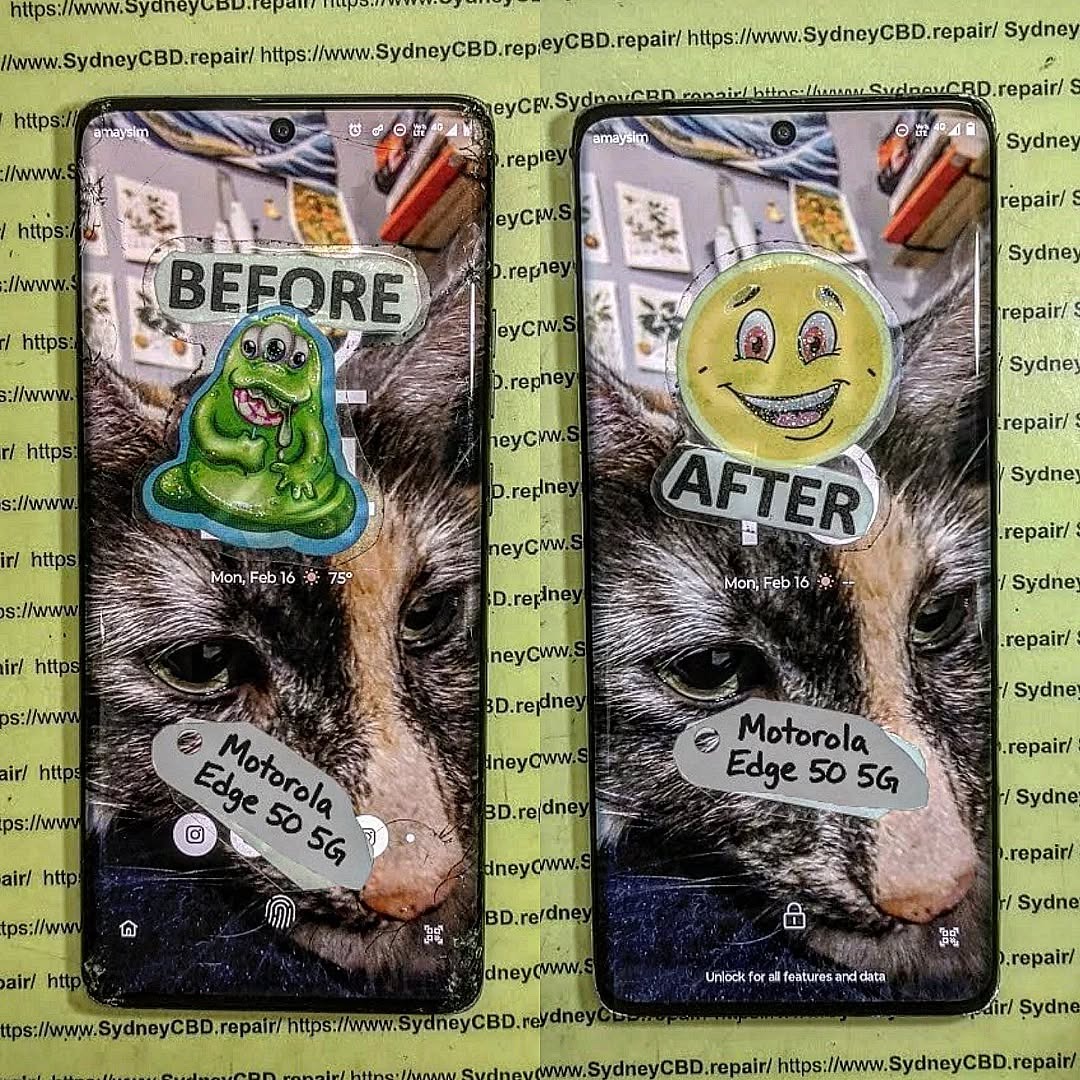
OVERHEATING MESS! Removing Swollen Batteries Safely From A Fragile Motorola Edge 50 – Ultimate Guide 7
Introduction to Swollen Batteries in Motorola Edge 50
The Motorola Edge 50 is known for its sleek design, high performance, and ultra-thin construction. However, like many modern smartphones, it’s not immune to one major issue—battery swelling. If you’ve ever noticed your phone bulging, overheating, or separating at the seams, you’re likely dealing with a swollen battery.
Battery swelling isn’t just inconvenient—it’s dangerous. It can lead to screen damage, internal component failure, or even fire hazards if handled incorrectly. That’s why learning how to remove a swollen battery safely is essential, especially for fragile devices like the Edge 50.
In this guide, we’ll walk you through everything you need to know, from identifying the issue to safely removing and replacing the battery. Whether you’re a technician or a DIY enthusiast, this comprehensive resource ensures you stay safe and effective.
The Motorola Edge 50 is designed with compact internal components and strong adhesive seals. While this improves aesthetics and durability, it makes repairs more challenging.
Key fragility factors include:
Thin OLED display
Strong adhesive bonding
Compact internal layout
Delicate flex cables
Risks of DIY Repairs
Attempting battery removal without proper knowledge can result in:
Screen cracks
Motherboard damage
Battery puncture (very dangerous)
Loss of waterproofing
That said, with the right guidance and tools, safe removal is absolutely possible.
Essential Tools for Safe Battery Removal
Recommended Repair Tools
To safely remove a swollen battery, you’ll need:
Heat gun or hairdryer
Plastic pry tools
Suction cup
Isopropyl alcohol (90%+)
Tweezers
Screwdriver set (precision)
Safety Equipment Checklist
Never skip safety gear:
Anti-static gloves
Safety goggles
Fire-resistant surface
Battery-safe container
Preparing Your Workspace
Ideal Environment Setup
Set up a clean, well-lit workspace:
Flat surface
No flammable materials nearby
Good ventilation
Organized tools
Safety Precautions Before Starting
Before you begin:
Power off the phone completely
Discharge battery below 25%
Remove SIM tray
Avoid metal tools near battery
Step-by-Step Guide to Removing a Swollen Battery
Powering Down the Device
Always ensure the device is turned off. This minimizes risk of short circuits.
Opening the Phone Safely
Apply gentle heat to soften adhesive
Use suction cup to lift the back panel
Insert plastic pry tool carefully
⚠️ Avoid forcing it open—this can crack the glass.
Disconnecting Components
Once inside:
Disconnect battery connector first
Remove any shields or screws
Carefully detach flex cables
Removing the Swollen Battery
This is the most critical step.
Apply isopropyl alcohol around battery edges
Gently pry using plastic tools
Never puncture or bend the battery
If resistance is strong, apply more heat and patience.
Handling a Swollen Battery Safely
What NOT to Do
Never:
Puncture the battery
Use metal tools directly
Expose it to heat or flames
Throw it in regular trash
Proper Disposal Methods
Dispose of swollen batteries at:
Certified e-waste centers
Electronics recycling facilities
Authorized service centers
Installing a New Battery
Choosing the Right Replacement
Always use:
OEM or high-quality replacement batteries
Compatible model-specific parts
Trusted suppliers
Reassembly Tips
Reconnect all components securely
Replace adhesive strips
Test before sealing device
Preventing Future Battery Swelling
Charging Best Practices
Avoid overnight charging
Use original chargers
Keep battery between 20–80%
Temperature Management
Avoid extreme heat
Don’t leave phone in cars
Remove case during heavy use
Common Mistakes to Avoid
Rushing the process
Using sharp tools
Ignoring safety precautions
Reusing damaged batteries
Professional Repair vs DIY
DIY repair saves money but carries risks. Professional services offer:
Expertise
Warranty
Proper tools
If unsure, always go pro.
FAQs
1. Is a swollen battery dangerous?
Yes, it can explode or catch fire if mishandled.
2. Can I still use my phone with a swollen battery?
No, stop using it immediately to avoid further damage.
3. How long does battery replacement take?
Typically 30–90 minutes depending on skill level.
4. Can swelling damage other components?
Yes, it can damage the screen, motherboard, and casing.
5. What causes overheating in the Motorola Edge 50?
Heavy usage, poor ventilation, or battery failure are common causes.
6. Is it worth repairing or replacing the phone?
If the device is otherwise functional, repair is usually worth it.
Conclusion
Handling a swollen battery in a fragile phone like the Motorola Edge 50 can feel overwhelming, but with the right approach, tools, and patience, it’s entirely manageable. The key is safety—never rush, never force, and always prioritize proper handling.
By following this guide, you’ll not only protect your device but also ensure your own safety. And remember, when in doubt, seeking professional help is always the smartest move.
External Resource: Learn more about battery safety from the official Consumer Product Safety Commission guidelines.
David from Sydney CBD Repair Centre – The Best place to fix mobile phones as 7 Years In A Row! Top Mobile Phone Repair In Sydney. More than 2000 Positive Reviews on Google and Same Day Repairs.
We take pride in delivering exceptional repair services for all major phone brands including Apple, Samsung, Google, and more. Our expert technicians use only genuine parts and offer 90days warranty on repairs. Located in the heart of Sydney CBD, we’re your one-stop solution for all mobile device repairs.
Our commitment to excellence has earned us the trust of thousands of satisfied customers. Whether it’s a cracked screen, battery replacement, or water damage repair, we handle it all with professional care and expertise. Walk in today and experience why we’re Sydney’s #1 choice for mobile phone repairs.
Visit us for:
✓ Same Day Express Repairs
✓ Genuine Parts Guarantee
✓ Professional Technicians
✓ Competitive Pricing
✓ 2000+ 5-Star Google Reviews
✓ 7-Time Award Winner for Best Phone Repairs
Is the Galaxy A54 Still Worth Repairing? Cost-Benefit Analysis for Sydney Users + Ultimate Guide 2026
Introduction to Galaxy A54 Repair Considerations
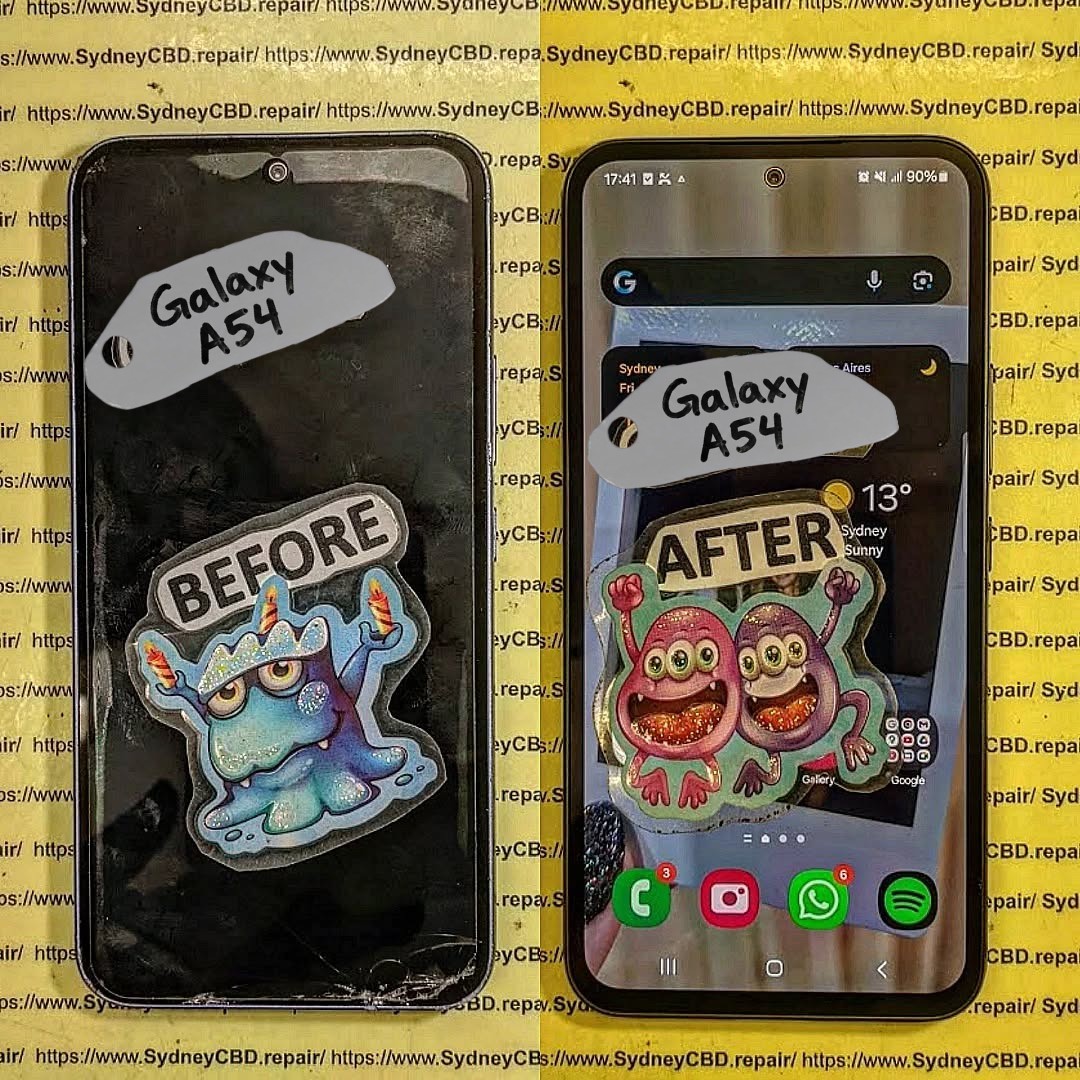
The Samsung Galaxy A54, a mid-range powerhouse, has remained popular among Sydney users for its high-quality AMOLED display, solid camera system, and reliable battery life. However, like all devices, it is prone to damage over time. Whether it’s a cracked screen from a slip on the pavement or a battery that drains faster than it should, deciding whether to repair or replace your Galaxy A54 requires careful consideration.
When thinking about repairs, Sydney users need to factor in:
Repair cost vs. replacement cost
Device longevity post-repair
Availability of genuine parts
Service quality and warranty
In this guide, we’ll provide a deep dive into each factor, helping you decide if your Galaxy A54 is worth repairing or if it’s smarter to consider a replacement or trade-in.
Understanding the typical issues your Galaxy A54 may face is the first step in evaluating repair feasibility.
Screen Damage and OLED Repairs
Screen damage is by far the most common repair reason. The Galaxy A54 features a 6.4-inch Super AMOLED panel known for vibrant colors and crisp visuals. Unfortunately, a single drop can lead to:
Cracks or shattered glass
Dead pixels or discoloration
Touchscreen unresponsiveness
Backlight bleeding or flickering
Replacing the OLED screen is usually the costliest repair. In Sydney, professional replacement ranges from $250–$400 AUD, depending on whether you choose genuine Samsung parts or third-party options.
Pro Tip: Genuine OLED replacements maintain display clarity, touch responsiveness, and resale value, while third-party panels may compromise performance.
Battery Performance and Replacement
Another common issue is battery degradation. Even the Galaxy A54’s 5000mAh battery can show signs of wear after 18–24 months. Typical symptoms include:
Rapid battery drain
Phone shutting down unexpectedly
Longer charging times
Device overheating
Battery replacement restores performance and extends device longevity. Sydney users can expect $120–$180 AUD for a genuine Samsung battery swap.
Charging Port and Connectivity Issues
Heavy usage may also damage the charging port or impact connectivity. Common problems include:
Loose USB-C ports
Non-functioning fast charging
Wireless charging not working
Intermittent data connection issues
Repairing these issues usually costs between $80–$150 AUD, depending on complexity and service provider.
Before committing to a repair, it’s critical to weigh the financial implications against replacement options.
Screen Replacement Costs in Sydney
Service Type
Price Range (AUD)
Notes
Genuine OLED Replacement
$350–$400
High performance, warranty included
Third-Party Replacement
$250–$300
Slight risk of reduced color accuracy
DIY Kits
$150–$200
Risky, potential device damage
Battery Replacement Costs
Service Type
Price Range (AUD)
Lifespan Impact
Genuine Samsung Battery
$120–$180
Restores 12–18 months of battery life
Third-Party Battery
$70–$100
Lower lifespan, potential safety issues
Labor Costs and Service Quality
Labor costs in Sydney typically range from $50–$80 AUD, depending on repair complexity. Choosing a reputable technician ensures:
Proper installation of delicate components
Avoiding accidental damage
Maintaining device performance and warranty
Overall Cost Comparison
Option
Approx. Cost (AUD)
Considerations
Screen + Battery Repair
$470–$580
Restores device almost like new
New Galaxy A54
$550–$650
Latest device with warranty
Refurbished Galaxy A54
$400–$500
Lower cost, may include minor wear
Insight: Minor repairs like battery replacement are highly cost-effective. Major screen damage may make replacement or refurbished purchase more attractive.
Performance Longevity Post-Repair
Once repaired with genuine parts, a Galaxy A54 can continue delivering reliable performance for 2–3 years, depending on usage. Screen replacements restore visual experience, battery swaps prevent unexpected shutdowns, and other repairs ensure smooth operation. Devices maintained with genuine components also retain higher resale value.
Tip: Avoid non-genuine parts; short-term savings often result in long-term problems.
Warranty and Genuine Parts Importance
Using genuine Samsung parts is crucial. Benefits include:
Manufacturer-backed warranty (typically 90 days)
Optimized performance and longevity
Maintained resale value
Reduced risk of overheating, swelling, or system errors
Third-party parts may save money upfront but often compromise these benefits.
DIY Repairs: Risks and Considerations
DIY repairs might seem tempting to save costs, but they carry risks:
Screen damage: OLED panels are delicate; improper installation can crack them.
Battery hazards: Incorrect installation can lead to fire or device damage.
Warranty void: Manufacturer or professional warranties are often voided after DIY repairs.
Hidden costs: Mistakes may require professional repair, doubling costs.
Professional repair remains the safest, most reliable choice for Sydney users.
Alternatives to Repairing Your Galaxy A54
Sometimes, repair isn’t the best financial decision. Alternatives include:
Trade-in Programs
Sell your broken device for partial value. Samsung and carriers in Sydney offer trade-in options. Samsung Australia Trade-In
Refurbished Devices
Buying a refurbished Galaxy A54 can be more economical than major repairs. These devices are often inspected and restored to near-new condition.
Upgrade
Consider newer models for improved cameras, faster processors, and software support. Factor in resale value of your current Galaxy A54.
Environmental and Financial Benefits of Repair
Repairing instead of replacing reduces e-waste and carbon footprint. Environmentally conscious consumers in Sydney benefit by:
Reducing demand for new electronics
Conserving raw materials and energy
Lowering landfill contributions
Financially, repairs extend device life without the premium cost of new purchases.
Where to Get Your Galaxy A54 Repaired in Sydney
Choosing a reliable repair center ensures quality work, warranty coverage, and peace of mind.
Sydney CBD Repair Centre Overview
Sydney CBD Repair Centre is a trusted service provider with:
1. Is repairing the Galaxy A54 worth it in 2026?
Yes, especially for battery replacement or minor screen cracks. Major damage should be weighed against refurbished or new device costs.
2. How long will my Galaxy A54 last after a professional repair?
With genuine parts, 2–3 additional years of reliable performance is typical.
3. Can I use third-party parts safely?
Possible, but they may reduce performance, longevity, and void warranties.
4. How fast can repairs be done in Sydney?
Reputable centers like Sydney CBD Repair Centre offer same-day repairs for most common issues.
5. Does repairing maintain resale value?
Yes, especially when using genuine parts and certified technicians.
6. Are DIY repairs recommended?
Not generally. Risks include permanent damage, battery hazards, and warranty voiding.
7. What is the average cost of screen and battery repair?
Combined repair can range from $470–$580 AUD, depending on parts and labor.
8. Are there eco-friendly reasons to repair?
Yes, repairs reduce e-waste, conserve resources, and lower carbon footprint compared to purchasing new devices.
Conclusion: Making the Smart Choice
The Galaxy A54 remains a strong contender in 2026, and repairing it can be financially and environmentally sensible. Minor issues like battery replacement are almost always worth repairing, while major screen damage requires careful cost-benefit evaluation. Choosing a reputable Sydney repair center using genuine parts ensures safety, performance, and longevity.
Repairing your Galaxy A54 isn’t just a financial decision—it’s an investment in performance, sustainability, and peace of mind.
David from Sydney CBD Repair Centre – The Best place to fix mobile phones as 7 Years In A Row! Top Mobile Phone Repair In Sydney. More than 2000 Positive Reviews on Google and Same Day Repairs.
We take pride in delivering exceptional repair services for all major phone brands including Apple, Samsung, Google, and more. Our expert technicians use only genuine parts and offer 90days warranty on repairs. Located in the heart of Sydney CBD, we’re your one-stop solution for all mobile device repairs.
Our commitment to excellence has earned us the trust of thousands of satisfied customers. Whether it’s a cracked screen, battery replacement, or water damage repair, we handle it all with professional care and expertise. Walk in today and experience why we’re Sydney’s #1 choice for mobile phone repairs.
Visit us for:
✓ Same Day Express Repairs
✓ Genuine Parts Guarantee
✓ Professional Technicians
✓ Competitive Pricing
✓ 2000+ 5-Star Google Reviews
✓ 7-Time Award Winner for Best Phone Repairs
In today’s fast-paced world, where smartphones are essential to daily life, it’s common to plug in a phone before going to bed and leave it charging throughout the night. While this practice is convenient, questions have surfaced regarding the potential negative effects on battery health. Modern smartphones come equipped with lithium-ion batteries, a reliable technology, but they degrade over time based on usage and charging habits. One of the most debated topics is the impact of overnight charging on battery longevity. This article explores whether leaving your phone charging overnight can significantly affect its performance and battery life.
Impact of Overnight Phone Charging on Battery Health
Charging a smartphone overnight has become a standard routine for many users, ensuring the phone is fully charged by morning. But is this habit damaging your phone’s battery? Modern smartphones have built-in mechanisms to prevent overcharging once the battery reaches full capacity. However, the process of trickle charging, where the phone continuously charges in small increments to keep the battery topped off at 100%, can generate heat and contribute to gradual wear and tear over time. While these effects are not immediately noticeable, consistent overnight charging can result in a reduction in battery health over the years.
Why Overnight Charging Is Common
Most smartphone users lead busy lives, and overnight charging is a convenient solution to ensure that their phone is fully charged for the day ahead. As smartphones become more powerful, battery life can sometimes struggle to keep up with heavy usage throughout the day. Users, therefore, turn to the simplicity of plugging in their devices overnight, believing that their phone’s built-in technology will prevent any issues.
Many smartphone manufacturers, including Apple and Samsung, have integrated battery management systems into their devices that protect batteries from overcharging. These systems halt the charging process once the battery reaches 100%. Apple’s Optimized Battery Charging feature is one such example. This technology learns from your charging habits and limits the time your phone spends fully charged, reducing stress on the battery. Despite these innovations, the concern remains that overnight charging could still cause long-term degradation.
Understanding Trickle Charging
Once a phone reaches 100% charge, it doesn’t simply stop charging. Instead, it enters a state known as trickle charging, where the phone repeatedly charges itself in small doses to maintain full capacity. This process generates heat and places stress on the battery’s components. Over time, this can contribute to a loss in capacity, shortening the battery’s lifespan. While manufacturers have designed batteries to handle trickle charging, continuous exposure can still lead to wear.
Lithium-Ion Battery Degradation
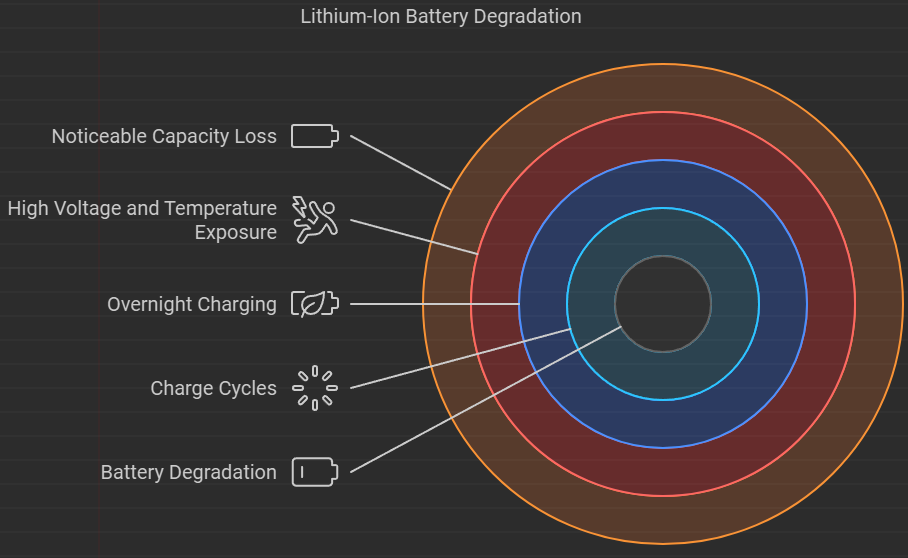
Lithium-ion batteries, the standard in modern smartphones, are known to degrade over time. Each charge cycle—defined as one full 0-100% charge—gradually reduces the battery’s total capacity. While overnight charging may not cause immediate damage, the repeated exposure to high voltage and temperature during trickle charging accelerates this natural degradation. Regular users might notice their phone battery holding less charge after a year or two of consistent overnight charging.
Lithium-Ion-Battery-Degradation.png
Thermal Stress and Charging
One of the most significant factors impacting battery health during overnight charging is temperature. Batteries perform best when they remain cool. However, during overnight charging, particularly during trickle charging, the phone’s internal temperature can rise. This thermal stress can accelerate the chemical reactions inside the battery, causing its capacity to degrade more rapidly.
The process of trickle charging occurs once your phone reaches 100%. At this point, the phone periodically tops off its charge to maintain full capacity. Though seemingly harmless, trickle charging keeps the battery under constant pressure, as it undergoes small charging and discharging cycles throughout the night. This stress results in higher temperatures, which can degrade the battery over time. Although the effects are minimal in the short term, consistent trickle charging every night may shorten the overall lifespan of the battery.
Does Charging Stop When the Battery is Full?
One of the most common questions about overnight charging is whether the phone stops charging once it reaches full capacity. While it’s true that modern smartphones stop direct charging when the battery hits 100%, they don’t stay disconnected from power. Instead, they initiate trickle charging to maintain the charge at 100%. This cycle ensures the phone is fully charged when you wake up, but it also contributes to long-term stress on the battery, particularly in terms of heat production.
Optimized Battery Charging: A Solution?
To address the issues associated with overnight charging, many smartphone manufacturers have introduced features like Optimized Battery Charging. Apple’s implementation of this technology, for example, learns your daily charging routine and delays charging past 80% until it predicts you’ll need the phone. This feature significantly reduces the amount of time the battery spends at full charge, minimizing stress on the battery. Android phones also include similar features, making overnight charging safer for the battery by mitigating the effects of trickle charging.
Overnight Charging and Battery Lifespan
It’s undeniable that leaving a phone plugged in overnight can have long-term effects on the battery lifespan. While occasional overnight charging is unlikely to cause significant harm, consistent practice can lead to a reduction in battery health. Batteries are designed to perform optimally when charged between 20% and 80%. Charging beyond this threshold frequently, especially up to 100% during overnight charging, contributes to degradation over time. Though built-in protections reduce immediate risks, consistent overnight charging could accelerate wear.
Is Occasional Overnight Charging Harmful?
Occasional overnight charging is generally harmless. Modern battery technologies are built to withstand infrequent trickle charging without noticeable damage. However, if overnight charging becomes a daily routine, the constant exposure to high voltage and temperature over months and years can start to take a toll on battery health. Many users notice reduced capacity in their batteries after a year of continuous overnight charging, which is the result of this gradual degradation.
A phone plugged in for overnight charging, representing the impact of overnight charging on battery health.
Consistent Overnight Charging: Long-term Effects
The long-term effects of consistent overnight charging are primarily related to the gradual decline in battery capacity. Over time, the repeated charge cycles and exposure to higher temperatures accelerate battery degradation. Users may begin to notice that their phone no longer holds a charge for as long as it did when it was new. This is a common result of the phone undergoing frequent, high-voltage charging sessions during the night, which stresses the battery and reduces its longevity.
How Temperature Increases During Overnight Charging
One of the most critical factors in battery health is temperature. Charging a phone, especially while it’s powered on, generates heat. Overnight charging exacerbates this, as the phone is often left in an enclosed space like a nightstand drawer or under a pillow, which traps heat. The increased temperature speeds up the chemical reactions inside the battery, leading to faster degradation. Ideally, phones should be charged in a cool, open space to minimize heat buildup.
Battery Health Metrics: Monitoring Charge Cycles
Most smartphones allow users to monitor their battery health and charge cycles. A charge cycle is completed when a battery goes from 0% to 100%. Monitoring these metrics gives users insight into how their charging habits are affecting their battery’s performance. For example, frequent overnight charging might result in a higher number of charge cycles, which in turn reduces the overall battery lifespan. Many phones also offer built-in software that estimates the remaining battery capacity as a percentage of its original charge.
Battery Drain and Charging Cycles
Battery drain is a natural part of a phone’s lifecycle, and charging cycles are essential to understanding how fast your battery is degrading. Overnight charging, especially if done frequently, can add more charging cycles to your battery than necessary. This is because even when the phone hits 100%, trickle charging keeps the cycle going, thereby shortening the time until the battery requires another full cycle.
The concept of overcharging was a legitimate concern with older battery technologies, but modern lithium-ion batteries and smart charging systems have rendered this issue largely a myth. Today’s smartphones stop charging once the battery is full, protecting it from any additional stress. However, trickle charging still occurs, keeping the battery topped off, which can contribute to minor degradation. Though overcharging in the traditional sense no longer occurs, the continual exposure to full capacity charging remains a potential risk for battery health.
Is Wireless Charging Safe for Overnight Use?
Wireless charging has gained popularity due to its convenience, but is it safe for overnight use? The answer depends on the quality of the wireless charger. Many wireless chargers regulate the flow of energy to the phone, similar to wired chargers. However, low-quality chargers may generate excessive heat, which could harm the battery over time. When using wireless charging overnight, it’s crucial to invest in a reputable charger to minimize the risks of heat buildup and battery degradation.
The Role of Charging Accessories
The accessories you use, such as charging cables and bricks, also play a significant role in battery health. Low-quality or damaged accessories can provide inconsistent charging currents, leading to overheating or slower charge times. This is especially important during overnight charging, as the longer charging duration makes your phone more vulnerable to issues caused by faulty accessories. Always ensure that you’re using certified chargers to reduce any risk of damage to your phone’s battery.
How to Optimize Charging Practices
To protect your phone’s battery health, it’s important to adopt better charging habits. For example:
Avoid letting your phone’s battery drop below 20%.
Try not to charge your phone to 100% every time.
Consider optimized charging features if your phone supports them.
Charge your phone in a cool, open environment to prevent overheating. These small adjustments can make a significant difference in preserving battery life over time.
Alternative Charging Methods
Rather than relying on overnight charging, consider alternative methods that are kinder to your phone’s battery:
Daytime charging: Plug in your phone during short intervals throughout the day.
Battery-saving modes: Use built-in features to prolong your battery life without needing frequent recharges.
Portable chargers: Use a portable battery pack to charge your phone on the go, reducing the need for overnight charging. These alternatives reduce stress on the battery and help prolong its overall lifespan.
Common Misconceptions About Charging
Many misconceptions surround the topic of smartphone charging. For example, some users believe that fully draining a battery before charging is beneficial—this was true for older battery types, but lithium-ion batteries perform best when they are kept between 20% and 80% charged. Additionally, while overcharging was a concern in older phones, modern devices are equipped with safety mechanisms to prevent this.
What Experts Say About Overnight Charging
Battery experts and smartphone manufacturers agree that overnight charging is generally safe, but they caution against doing it consistently over long periods. Samsung, Apple, and other major brands have released guidelines for optimal charging habits, recommending that users avoid extreme temperatures and high-voltage charging to extend battery life. While overnight charging isn’t an immediate cause for alarm, maintaining a balance in charging habits is essential for longevity.
SydneyCBDrepairCentreTeam-854-553.jpg
FAQs
What is trickle charging, and why does it matter?
Trickle charging occurs after a phone reaches 100%, keeping the battery topped off by charging in small increments. This process generates heat and can degrade the battery over time.
Is overnight charging bad for your phone?
Occasional overnight charging is generally safe, but consistent practice may lead to long-term battery degradation due to increased heat and constant high-voltage charging.
Does my phone stop charging once it reaches 100%?
Yes, modern smartphones stop direct charging once they hit 100%, but trickle charging continues to keep the battery fully charged.
Can I use wireless charging overnight?
Yes, but it’s important to use high-quality wireless chargers to prevent overheating, which can accelerate battery degradation.
How can I maintain my phone’s battery health?
To maintain your phone’s battery health, avoid frequent overnight charging, keep your phone in a cool environment while charging, and utilize features like optimized battery charging.
Do I need to fully discharge my battery before charging?
No, lithium-ion batteries perform best when kept between 20% and 80% charged, and frequent full discharges can shorten battery life.
Conclusion
The impact of overnight phone charging on battery health is a nuanced issue. While modern phones are designed to handle overnight charging safely, continuous exposure to trickle charging and the resultant heat can gradually reduce battery capacity over time. Occasional overnight charging is unlikely to cause harm, but consistent use may shorten your battery’s lifespan. By adopting smarter charging habits, such as avoiding 100% charges and charging in a cool environment, users can extend the life of their smartphone batteries and keep their devices running smoothly for years to come.