


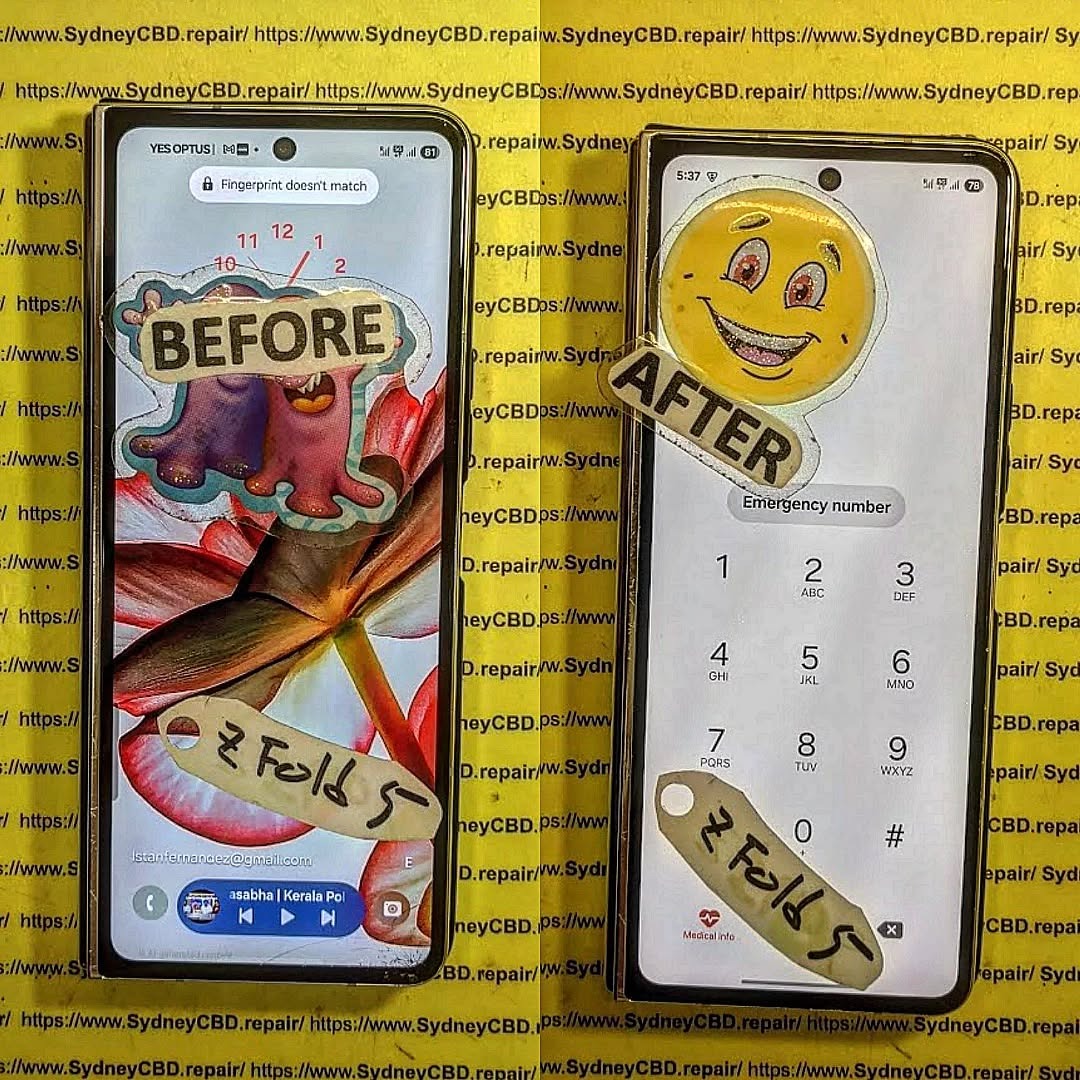
IMPOSSIBLE Z FOLD 5: Restoring a Catastrophically Damaged Phone

IMPOSSIBLE Z FOLD 5: Restoring a Catastrophically Damaged Phone – The Ultimate 7-Step Repair Guide
The Samsung Z Fold 5 is a marvel of modern technology, but even the most advanced devices aren’t immune to catastrophic damage. Whether it’s a cracked foldable screen, a malfunctioning hinge, or water intrusion, a severely damaged Z Fold 5 can feel like a lost cause. Fortunately, with the right techniques, tools, and knowledge, restoring it to working condition is entirely possible. This guide will walk you through every step of the repair process, helping you bring your device back to life safely and efficiently.
Introduction
The Samsung Z Fold 5 is an engineering marvel, combining cutting-edge technology with the convenience of a foldable display. But with innovation comes complexity—and even a minor accident can lead to catastrophic damage. A cracked foldable screen, malfunctioning hinge, or internal component failure can leave your device seemingly beyond repair.
Restoring a catastrophically damaged Z Fold 5 may sound intimidating, but with the right approach, tools, and techniques, it’s entirely possible to bring your device back to life. In this comprehensive guide, we’ll take you step-by-step through diagnosing issues, disassembling the device safely, replacing the foldable screen, repairing internal components, restoring hinge functionality, and optimizing your phone for long-term performance.
Whether you’re a tech-savvy DIY enthusiast or simply seeking to understand the repair process before visiting a professional, this guide equips you with the knowledge and confidence to tackle even the most severe Z Fold 5 damage. By following these strategies, you can ensure your phone not only works again but also performs reliably for years to come.
Understanding the Severity of Catastrophic Phone Damage
Before diving into repair, it’s essential to understand the nature and scope of the damage. Catastrophic damage isn’t just cosmetic—it often involves multiple components, including the display, motherboard, battery, and hinges. Identifying affected areas ensures the repair is targeted and effective.
Common Causes of Severe Damage
- Accidental Drops – High-impact falls can shatter the foldable display or damage internal components.
- Water and Liquid Exposure – Even minimal liquid infiltration can short-circuit the motherboard.
- Battery Failures – Swollen or defective batteries pose safety risks and reduce device functionality.
- Hinge Malfunctions – The foldable mechanism is delicate; misalignment can prevent smooth operation.
Identifying Critical Components Affected
- Screen – The most vulnerable part of the Z Fold 5; cracks or dead pixels indicate severe damage.
- Motherboard – Damage here can render the device unusable and requires careful inspection.
- Battery – Swelling, leaks, or sudden discharge indicate it needs replacement.
- Hinges – Check for stiffness, unusual noises, or misalignment during folding.
Pre-Repair Preparations
Proper preparation is key to a successful repair. Setting up your workspace, gathering tools, and ensuring safety can save time and prevent further damage.
Required Tools and Equipment
- Precision screwdrivers (Philips, Pentalobe)
- Plastic pry tools and spudgers
- Anti-static wristbands and mats
- Cleaning solutions (isopropyl alcohol)
- Adhesives suitable for foldable displays
Safety Measures Before Repair
- Power off the device and disconnect any batteries if accessible
- Work in a well-lit, clean, and static-free environment
- Avoid using excessive force on delicate parts like hinges and screens
Step 1: Diagnosing the Damage
Effective repair begins with accurate diagnosis. Understanding what’s broken helps avoid unnecessary part replacements.
Visual Inspection
- Examine the screen for cracks, scratches, or dead pixels
- Check the hinges for bent or misaligned sections
- Look for signs of corrosion or water damage
Functional Testing
- Test battery charging and discharging
- Ensure display responds to touch and gestures
- Verify cameras, speakers, and sensors operate correctly
Step 2: Disassembling the Z Fold 5
Careful disassembly prevents additional damage. Patience and the right technique are essential.
Removing the Back Cover
- Apply heat to soften adhesives
- Use a plastic pry tool to lift the cover gently
- Avoid bending or twisting the cover
Accessing the Motherboard and Hinges
- Remove screws methodically and keep track of them
- Disconnect ribbon cables carefully
- Document component positions for easier reassembly
Step 3: Screen Replacement Techniques
The foldable screen is the heart of the Z Fold 5, and replacing it is delicate but achievable.
Choosing Genuine Replacement Parts
- Always opt for authentic Samsung parts to maintain quality and functionality
- Aftermarket parts may be cheaper but can cause touch sensitivity issues
Proper Screen Installation
- Align the new screen carefully to avoid pressure points
- Use recommended adhesive and allow it to cure fully
- Recalibrate the display via software tools after installation
Step 4: Repairing Internal Components
Internal components often fail alongside visible damage. Prioritize battery, camera, and motherboard repairs.
Battery Replacement Tips
- Avoid using excessive force when removing a swollen battery
- Install compatible batteries and check voltage before reconnection
Camera and Sensor Fixes
- Inspect connectors for corrosion or damage
- Ensure proper alignment for autofocus and sensor functionality
Motherboard Repairs
- Identify damaged circuits using multimeters
- Replace or reflow chips carefully, if qualified
- Consider professional help for complex motherboard issues
Step 5: Hinge Mechanism Restoration
Smooth hinge operation is critical for foldable devices.
Cleaning and Lubrication
- Remove debris using a soft brush
- Apply a small amount of specialized lubricant
- Open and close the device multiple times to distribute lubricant evenly
Replacement Procedures
- If hinges are bent or broken, remove them carefully
- Install replacement hinges with alignment tools
- Test folding mechanism before final assembly
Step 6: Reassembly Process
Reassembling the device correctly is as important as the repair itself.
Component Alignment
- Ensure ribbon cables are seated properly
- Verify that the motherboard and battery sit flush
- Avoid pinching wires during assembly
Testing Before Final Sealing
- Power on the device and run diagnostic checks
- Verify screen responsiveness, cameras, and battery performance
- Only seal the device once full functionality is confirmed
Step 7: Post-Repair Optimization
After physical repair, optimize performance and longevity.
Software Calibration
- Calibrate the battery using full charge cycles
- Adjust screen sensitivity and touch response
- Update firmware if necessary
Preventive Maintenance Tips
- Use a protective case to prevent future drops
- Apply a screen protector suitable for foldable devices
- Avoid extreme temperatures and overcharging
Professional Repair vs DIY

Deciding whether to repair the Z Fold 5 yourself or seek professional help is crucial.
When to Seek Expert Help
- Extensive motherboard damage
- Complex hinge or water damage
- Risk of voiding warranty
DIY Challenges
- Risk of damaging fragile foldable screen
- Difficulty in sourcing genuine parts
- Time-consuming and requires patience
Frequently Asked Questions (FAQs)
Q1: Can a completely broken Z Fold 5 screen be repaired?
A1: Yes, with genuine replacement parts and proper technique, even fully shattered screens can be restored.
Q2: How long does a full Z Fold 5 repair take?
A2: Typically, 2–5 hours depending on damage severity and technician experience.
Q3: Is DIY repair safe for water-damaged devices?
A3: Only if you have experience with liquid damage; otherwise, professional repair is safer.
Q4: Will replacing the hinge affect the warranty?
A4: Yes, DIY hinge replacement usually voids the manufacturer warranty.
Q5: Are aftermarket screens reliable?
A5: Often functional but may have touch sensitivity issues and lower durability.
Q6: How can I prevent future Z Fold 5 damage?
A6: Use protective cases, avoid liquid exposure, and handle the foldable hinge carefully.
Conclusion

Restoring a catastrophically damaged Samsung Z Fold 5 is challenging but feasible with the right knowledge, tools, and precautions. From diagnosis and disassembly to screen replacement and hinge restoration, each step demands precision and patience. While DIY repairs are possible for skilled individuals, professional services, like Sydney CBD Repair Centre, offer faster, safer, and warranty-backed solutions. With proper care and maintenance, your Z Fold 5 can regain full functionality and longevity.
For professional repairs, visit Sydney CBD Repair Centre for genuine parts, expert technicians, and same-day services.
David from Sydney CBD Repair Centre – Your trusted mobile phone repair expert in Sydney with 6 years of award-winning service and 2000+ positive reviews.

