


Heat vs. Cold: The Science Behind Removing Glued Phone Screens

Heat vs. Cold: The Science Behind Removing Glued Phone Screens + 7 Proven Methods
Introduction to Screen Adhesives
Phone manufacturers have increasingly relied on high-strength adhesives to secure screens, making modern devices slimmer and sturdier. These adhesives, commonly a mix of polyurethane or epoxy compounds, provide durability but complicate repairs. Whether your phone suffers from a cracked screen or requires internal maintenance, understanding the science of adhesives is essential.
Adhesives are temperature-sensitive. Applying the right thermal technique—heat or cold—can alter their physical properties, making it easier to remove glued screens without damage. Ignoring this science often results in cracked glass, warped frames, or internal damage.
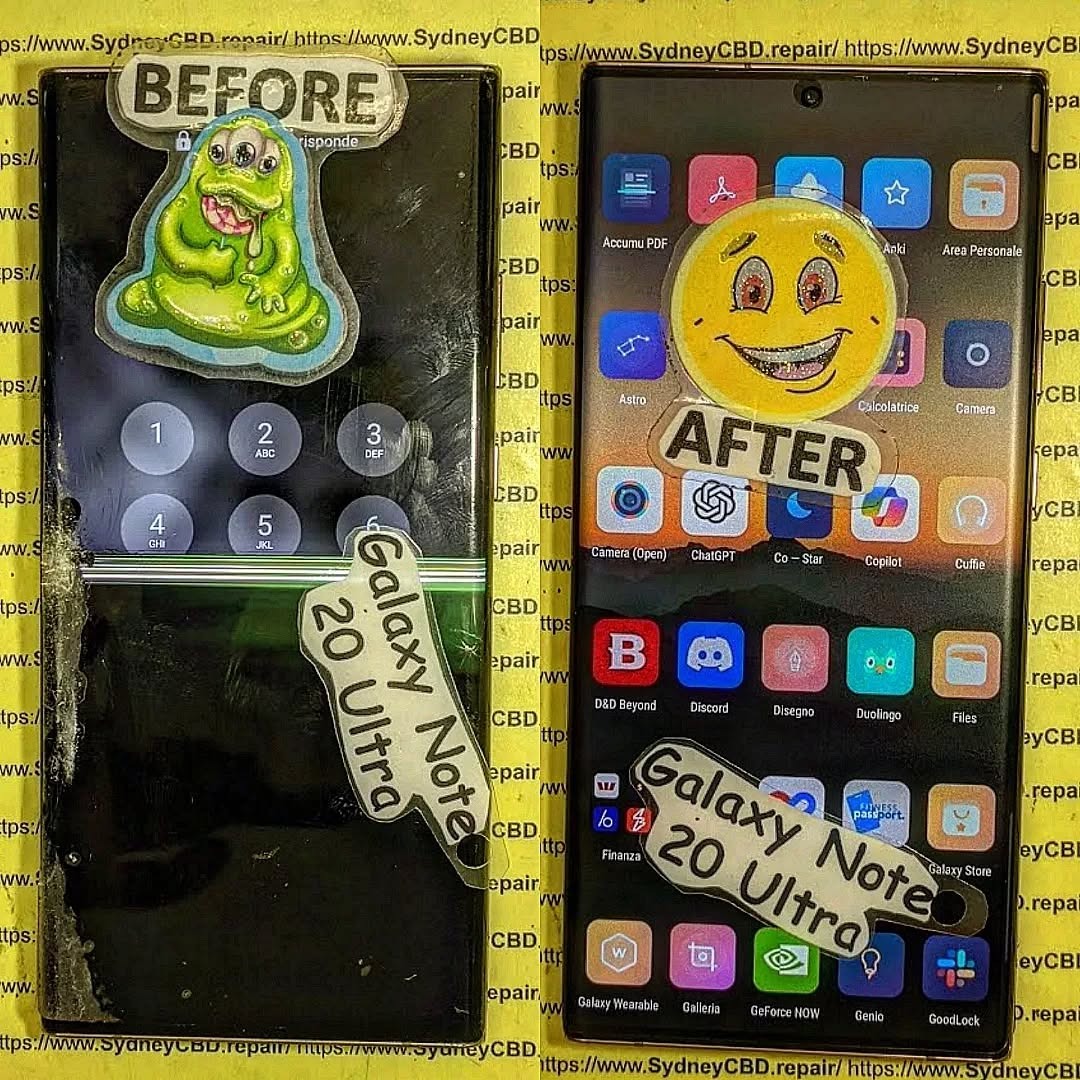
Why Removing Glued Screens is Tricky
Removing a glued phone screen is deceptively simple in theory but complex in practice. The risks include:
- Cracking the glass due to excessive force
- Damaging the digitizer affecting touchscreen responsiveness
- Dislodging internal components like cameras or sensors
The key is to modify the adhesive’s properties carefully. Heat softens glue, while cold can make it brittle. Both methods require precision, timing, and proper tools.
How Heat Works to Soften Adhesives
Heat increases the molecular motion of the adhesive, reducing viscosity and making the bond less rigid. Typically, temperatures between 60–90°C (140–194°F) are sufficient to soften phone screen adhesives without damaging internal electronics.
Methods of Applying Heat
- Hot Air Guns: Provide controlled heat. Keep moving to avoid overheating.
- Heat Pads/Strips: Gentle, consistent heat ideal for sensitive devices.
- Specialized Repair Ovens: Uniform heating for professional shops.
Safety Precautions When Using Heat
- Never exceed recommended temperatures.
- Avoid direct contact with batteries.
- Always use heat-resistant gloves.
- Work in a ventilated area to prevent fumes from melting adhesive.
How Cold Works to Harden Adhesives
Cold treatment is less common but equally effective for certain adhesives. Lower temperatures reduce molecular mobility, causing the glue to become brittle. This method is especially useful for adhesives that resist moderate heat or when small, precise detachment is required.
Methods of Applying Cold
- Ice Packs: Wrap the phone in a protective cloth and apply.
- Freezer: Short-term freezing can help brittle the glue.
- Cooling Sprays: Often used in professional repair settings.
Safety Precautions When Using Cold
- Avoid condensation entering the device.
- Monitor for screen cracking from thermal shock.
- Limit exposure time to prevent component stress.
Comparing Heat vs. Cold
| Method | Pros | Cons |
|---|---|---|
| Heat | Softens glue quickly, allows controlled removal | Risk of overheating, can damage battery or LCD |
| Cold | Reduces adhesive strength for brittle breakage | Slow, risk of condensation, not suitable for all glues |
Effectiveness depends on the adhesive type, device model, and technician experience. Often, a combination of both methods is used to achieve optimal results.
Tools Required for Screen Removal

Essential tools include:
- Plastic or metal spudgers
- Suction cups
- Heat pads or hot air gun
- Cooling packs or sprays
- Tweezers and screwdrivers
- Adhesive remover solutions
Using the right tools reduces the risk of accidental damage and improves repair speed.
Step-by-Step Screen Removal Using Heat
- Power off the device.
- Apply gentle heat around the edges using a heat pad or hot air gun.
- Use suction cups to create a small gap.
- Insert a plastic spudger slowly, moving along the edges.
- Peel the screen gently, reheating as necessary.
- Remove adhesive residue carefully.
Step-by-Step Screen Removal Using Cold
- Power off the device and place it in a sealed plastic bag.
- Apply ice packs or place in a freezer briefly.
- Use a spudger to probe for weak spots.
- Slowly separate the screen, ensuring no condensation enters the device.
- Clean remaining adhesive with specialized solutions.
Common Mistakes to Avoid
- Applying too much heat, causing battery swelling.
- Using metal tools aggressively, scratching glass or digitizer.
- Ignoring device-specific adhesives and structures.
- Rushing the process, increasing breakage risk.
How to Reapply Adhesive After Removal
- Use manufacturer-approved adhesive tapes or liquids.
- Ensure surfaces are clean and dry.
- Allow proper curing time before powering the device.
- Avoid excess adhesive that may seep into internal components.
External Factors That Affect Adhesive Strength
- Humidity: Moisture can weaken glue.
- Age of Adhesive: Older glue may be more brittle.
- Ambient Temperature: Extremely cold or hot conditions affect flexibility.
Expert Tips from Technicians
- Combine mild heat with gentle pressure for best results.
- Always protect the battery from direct heat.
- Use high-quality replacement adhesives for lasting repairs.
- Test touch functionality before fully sealing the screen.
FAQs
1. Can I use a hairdryer instead of a heat gun?
Yes, but hairdryers provide less controlled heat, increasing risk of damage.
2. Is freezing safe for all phone types?
No. Some devices may crack due to thermal shock. Use with caution.
3. How long does it take to remove a glued screen?
Typically 10–30 minutes depending on adhesive strength and device complexity.
4. Can I reuse the old adhesive?
Reusing old adhesive is not recommended; it may compromise screen stability.
5. Should I remove the battery before heating?
Yes, always remove or isolate the battery to prevent overheating risks.
6. Where can I find professional guides for my phone model?
https://SydneyCBD.repair/locate-us provides model-specific guides and tutorials.
Conclusion

Both heat and cold techniques offer viable solutions for removing glued phone screens, each with unique advantages and risks. Understanding the science behind adhesives, using proper tools, and adhering to safety precautions is essential for a successful repair. Combining technician expertise with methodical steps ensures devices are repaired efficiently and safely.
David from Sydney CBD Repair Centre – The Best place to fix mobile phones as 6 Years In A Row! Top Mobile Phone Repair In Sydney. More than 2000 Positive Reviews on Google and Same Day Repairs.
Visit us for:
✓ Same Day Express Repairs
✓ Genuine Parts Guarantee
✓ Professional Technicians
✓ Competitive Pricing
✓ 2000+ 5-Star Google Reviews
✓ 6-Time Award Winner for Best Phone Repairs
Sydney CBD Repair Centre – Where Quality Meets Reliability.
Call : +61280114119
Website: https://SydneyCBD.repair/locate-us

