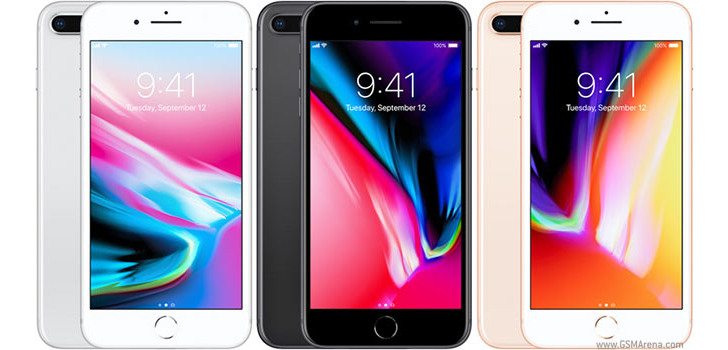
Short anwer. No. Long answer. It depends. If it’s got 5 volts to pump into your iPhone with 1 or 2 amperes, it is okay. But is it?
Apparently, fake chargers pose no threat to your iPhone.
The charge control circuitry for an iPhone is inside the iPhone. The “charger” is just a regulated DC power supply which provides power to the phone for operation and charging, but it doesn’t make any decisions about how fast or how long to charge the battery. As long as it provides approximately 5 V at the appropriate current (1, 2, or 2.4 A), the phone should be happy with it, and charge the battery normally.
However, the real risks are…
The main risk with “fake” chargers is that they may not provide sufficient electrical isolation between the AC line and the 5 V output. With a good charger, you should be able to stand with your feet in a grounded bath tub while you hold the bare metal of your phone in your hand, while at the same time the phone is connected to the charger and the charger is plugged into the wall. This should do you no harm, because the 5 V output is completely electrically isolated from the 120/240 V input from the wall.
Electrocution could also happen to you.
Sadly, several people have been electrocuted by fake chargers that were poorly built and did not provide this isolation. Current flowed from wall outlet through charger to phone and then through the person to ground, electrocuting the person. Don’t try this just to prove that your iPhone charger is fake or not.
In case you haven’t noticed yet, your iPhone battery has mediocre capacity. That’s real talk. Here’s a cheap solution: external power banks.
Anker Astro E3
Capacity: 10,000mAh
Surprise, surprise, it’s another Anker product! Hey, what can I say? They make great chargers! The Astro E3 is a step above the E1, so it’s a little larger (5 inches by 2.5 inches), but it has a 10,000mAh capacity, charging your iPhone 6s four or five times.
The Astro E3 features a four-LED power meter that lets you know when it’s fully charged and it comes with a sweet travel pouch so that you don’t scratch it all up.
Anker Astro E1
Capacity: 5,200mAh
If you’re looking for great portability but need a little more juice than the Anker PowerCore mini can provide, the next best option is the Anker Astro E1, which has a 5,200mAh cell and can charge your iPhone 6s up to two times.
It’s rather small, at only about 4 inches long and roughly 2 inches wide, so it’s perfectly pocketable (even in the same pocket as your iPhone) but not so small that you might lose it entirely.
EC Technology
Capacity: 22,400mAh
The EC Technology portable charger is the perfect power bank for a family road trip. It features a total of 22,400mAh, which can charge 1 iPhone 6s roughly 12 times. So, if you’re headed out of town for the weekend and don’t know if you’ll see a power outlet until Monday, this power bank is perfect.
It’s not perfect just because it can charge your iPhone so many times – it can charge three devices at once! It obviously won’t charge 3 devices 12 times each, but it’ll certainly get a family of 4 through the weekend if need be.
Anker PowerCore Mini
Capacity: 3,350mAh
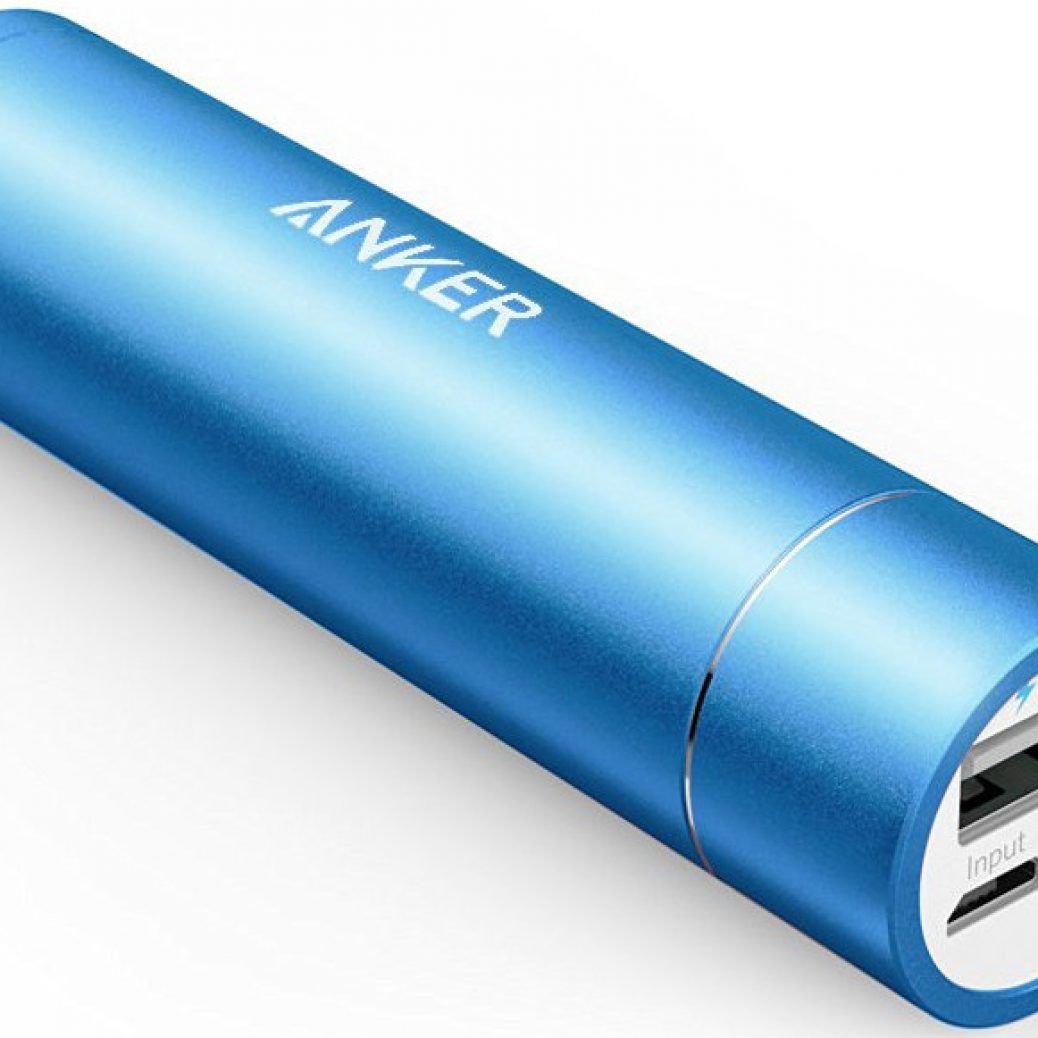
The Anker PowerCore mini is about the size of a tube of lipstick, making it one of the most portable power banks money can buy. It’ll only charge your iPhone 6s once, maybe one and a half times, since it only has a 3,350mAh battery, but it’s perfect for emergency situations and will fit anywhere you can stick it. Anywhere.
Since you’ll likely be carrying the PowerCore mini around in your pocket, why not do so in style? It comes in black, silver, pink, blue, and gold.
RAVPower 16,750mAh power bank
Capacity: 16,750mAh
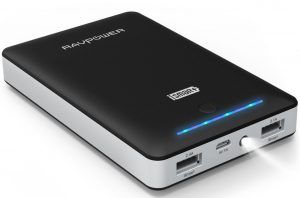
If you’re not going to see a power outlet for a few days or need your iPhone 6s charged up at all times because you use it extensively, then the RAVPower power bank is the way to go. It charges your iPhone 6s up to six times and you can charge up to two devices at once, at 2A each, though you obviously won’t get as many charges if you charge more devices.
What is the purpose of the iPhone 8 and iPhone 8 Plus
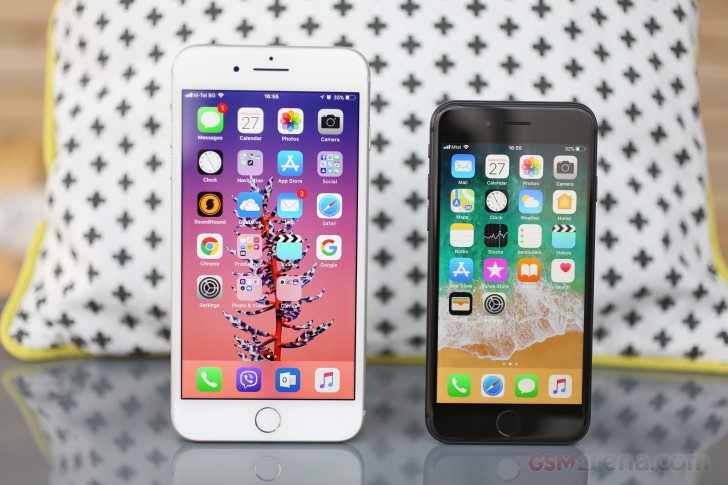
Why does Apple keep selling the iPhone 8 and iPhone 8 Plus when their new real product and flagship is the iPhone X? Simple: a backup plan.
It’s an expensive Plan B.
Well, the iPhone 8 and iPhone 8 Plus is a safety net for Apple. Since the release of both phones, there will always be a blanket of “what ifs” in the keynote. The iPhone X is great but it’s not fully tested. The Face ID will be the only barrier from your data to potential data or identity theft. It’s never been used on any smartphone before. A lot of testing to be done means that the iPhone X will live it’s debut alongside a well-known design which is in the iPhone 8.
If the iPhone X proves to be a failure due to the new features, Apple can just boost iPhone 8’s marketing and do the old “sweep it down the rug” move they’ve been doing for some time now.
It’s an answer to low AMOLED supply.
As embarrassing as it is for Apple to admit it, it’s in the mercy of Samsung right now. The AMOLED on every iPhone X that will be sold in the holidays will be from Samsung. The Korean company knows this so they are somehow taking the leash and gives the impression that it can’t produce enough for Apple’s AMOLED demand. Are they being cheeky? No one will know for sure, but being fierce competitions that they are, of course Samsung will get the advantage anytime.
Apple knows that Samsung won’t play fair so if manufacturing of the iPhone X will slow down due to low AMOLED supply, the iPhone 8’s IPS display will save the day.
SYDNEY CBD REPAIR CENTRE IS OPEN 6 DAYS A WEEK Weekdays: 10am – 6pm Saturday: 10am – 6pm Sunday : Closed
After Business Hours, By Appointment only.
CALL 8011 4119 or 043 777 4119 ask@SydneyCBDrepairCentre.com.au
How to properly clean your iPhone 8 and iPhone 8 Plus?
Practical and simple guides on how to keep your iPhone 8 and iPhone 8 Plus clean.
Clean your iPhone immediately if it comes in contact with anything that may cause stains, or other damage—for example, dirt or sand, ink, makeup, soap, detergent, acids or acidic foods, or lotions. Follow these guidelines:
Unplug all cables and turn off your iPhone (press and hold the Side button, and then slide the onscreen slider).
Use a soft, lint-free cloth—for example, a lens cloth.
Avoid getting moisture in openings.
Don’t use cleaning products or compressed air.
Your iPhone has a fingerprint-resistant oleophobic—oil repellent—coating. On iPhone 8 and iPhone 8 Plus, the coating is on the front and back. This coating wears over time with normal use. Cleaning products and abrasive materials will further diminish the coating and might scratch your iPhone.
SYDNEY CBD REPAIR CENTRE IS OPEN 6 DAYS A WEEK Weekdays: 10am – 6pm Saturday: 10am – 6pm Sunday : Closed
After Business Hours, By Appointment only.
CALL 8011 4119 or 043 777 4119 ask@SydneyCBDrepairCentre.com.au
Apple's iPhone 8 Plus takes on LG's G6 in our smartphone camera shootout. Let's look at color, clarity, exposure, and overall user experience.
We put the LG G6 and Apple iPhone 8 Plus head to head in a smartphone camera showdown.
Last year, Apple failed to take the top spot in our four-way smartphone camera shootout between the iPhone 7 Plus, LG V20, Google Pixel XL, and Samsung Galaxy S7. But this year’s iPhone 8 Plus includes some major improvements over the iPhone 7 Plus, and looks perfectly positioned to take on the LG G6, our current pick for best smartphone camera.
So which phone offers better camera performance—the latest iPhone or the G6? We took a ton of photos to find out. Oh, and in case you’re wondering where the Pixel 2 stands in this battle, just give us a few more days. We’re currently doing extra camera tests with Google’s amazing new phone, and will have definitive results soon.
We put both the Lg G6 and iPhone 8 Plus head-to-head in a wide variety of testing environments.
Specs
Apple’s iPhone cameras have been a bit stagnant in recent years, but the iPhone 8 Plus is turning that around with some huge changes under the hood. The sensor has been updated with “deeper” dual pixels, the lenses have new color filters, and Apple has switched to a proprietary image signal processor (ISP).
The camera might not look too different from last years model, but the improvements made to the iPhone 8 Plus are major.
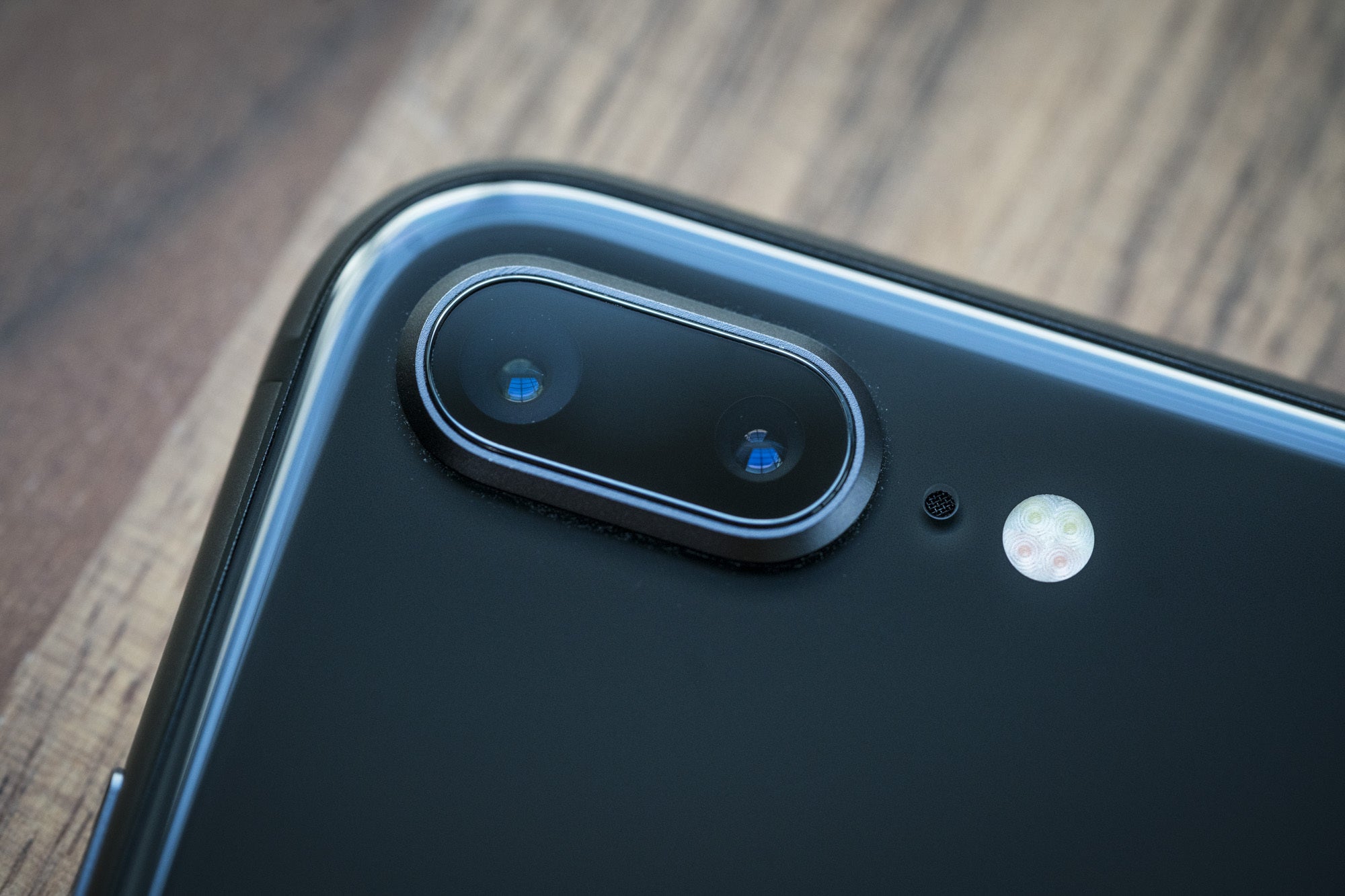
The rest of the specs remain similar on paper. The dual-lens system features one normal lens and one telephoto, providing a 2x optical zoom. Both cameras have 12MP sensors, with the normal lens sporting an f/1.8 aperture and the telephoto lens stuck with a much lower f/2.8 aperture. Just like last year, Apple made the mistake of forgoing optical image stabilization (OIS) on the telephoto lens, including it only on the normal lens.
LG’s G6 has been through many camera shootouts and emmerged victorious.
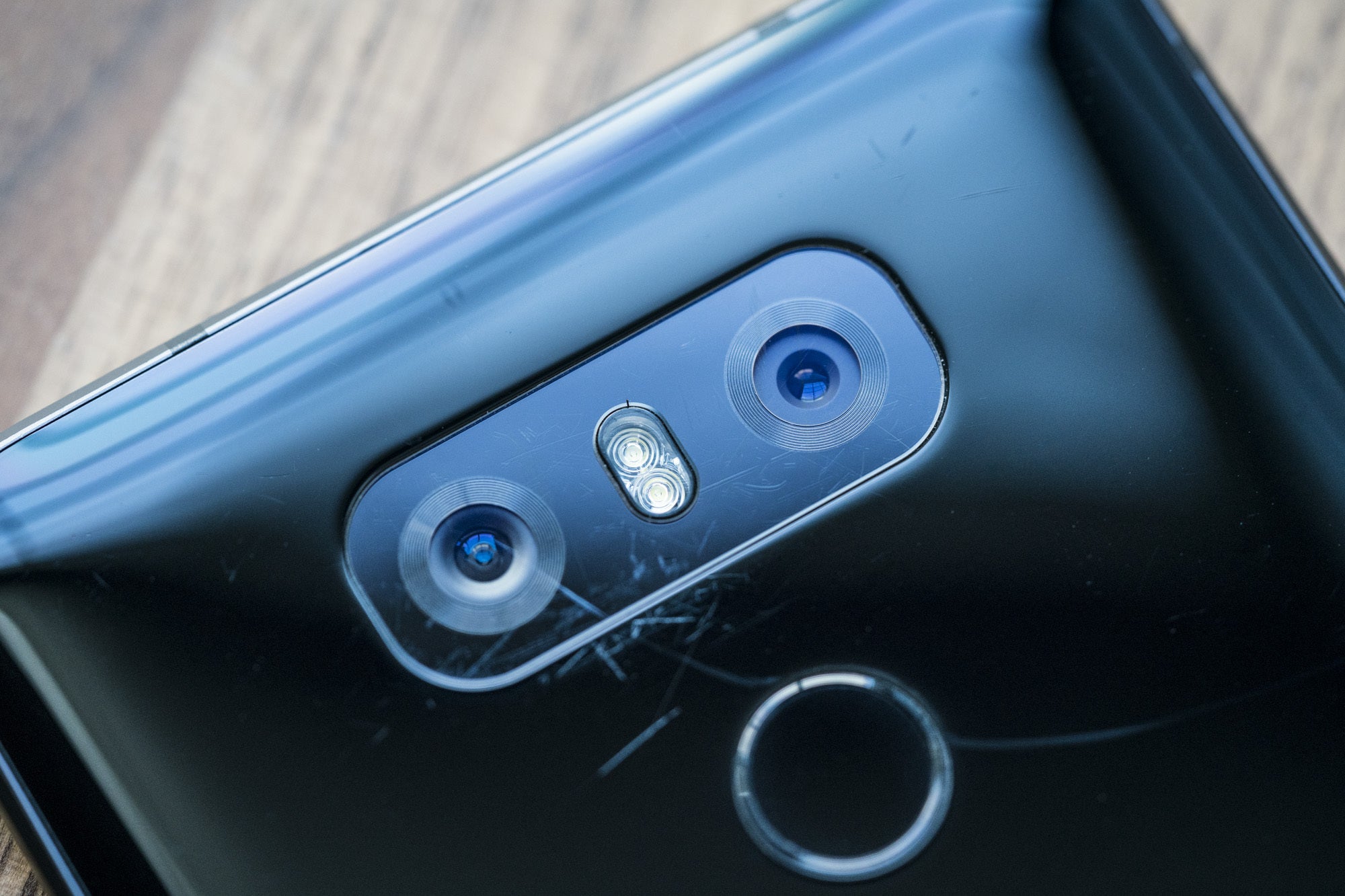
LG’s G6 features better specs in its dual-lens system, and takes a different approach to its second camera. Most notably, LG pairs the G6’s normal lens with a super-wide-angle lens, allowing for more of a scene to be captured in a single frame. Both sensors are 13MP, with the normal lens rocking an f/1.8 aperture and the super-wide angle having an f/2.4 aperture. The G6 also has one of the best stock camera apps around, including a powerful and easy-to-use manual mode.
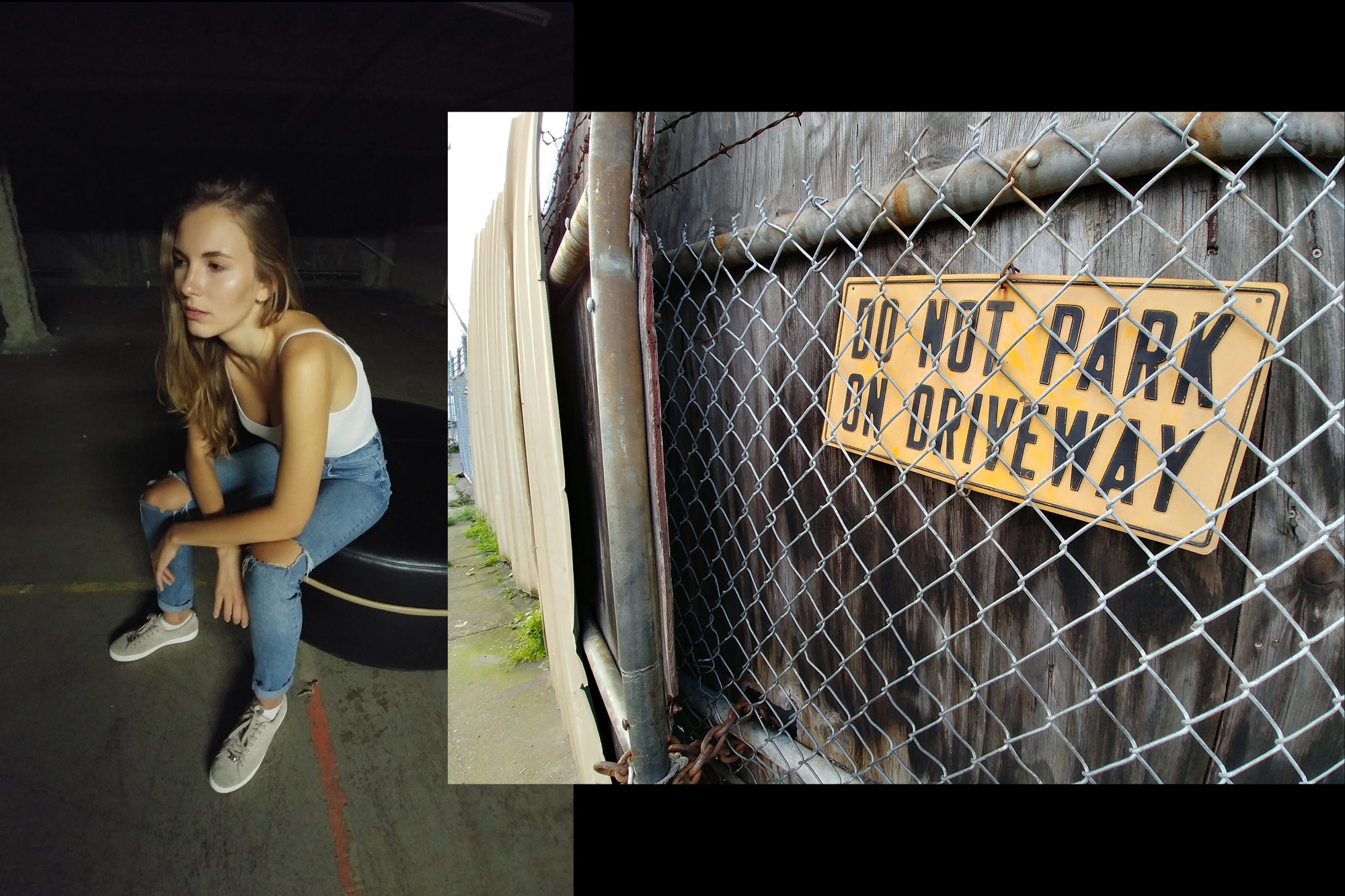
For this camera showdown, I’m going to focus mostly on the results from the main cameras for both phones. And I’ll use them the way most people do: straight out of the pocket, with the stock camera app, and HDR set to auto. Our testing categories are broken into four sections: color, clarity, exposure, and user experience. And for this shootout, we hired the beautiful model Valeria to help us with real-world testing.
Color
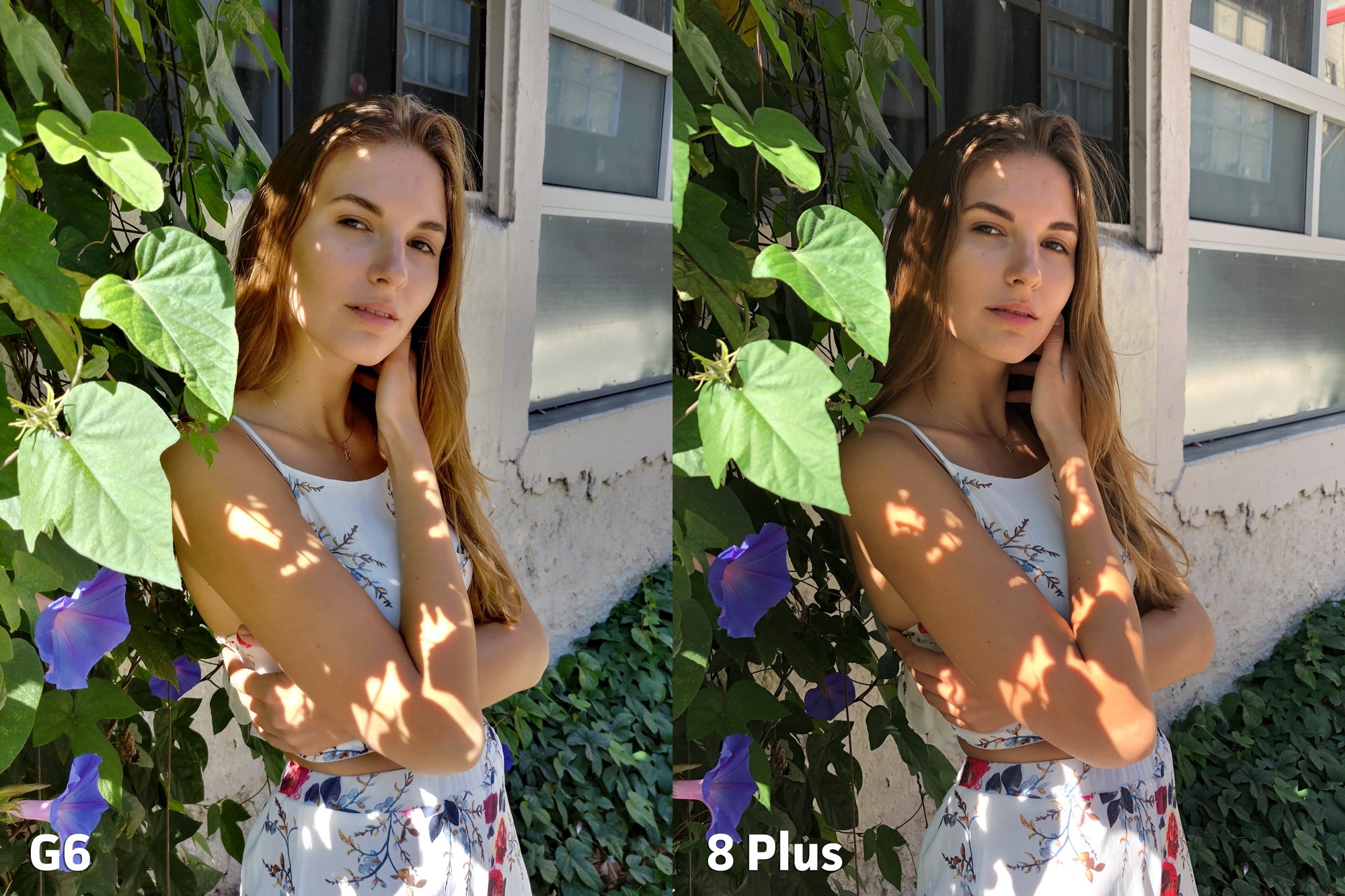
The first category we’re going to cover is color, and here I’m looking for accurate color balance, along with reproduction of natural skin tones.
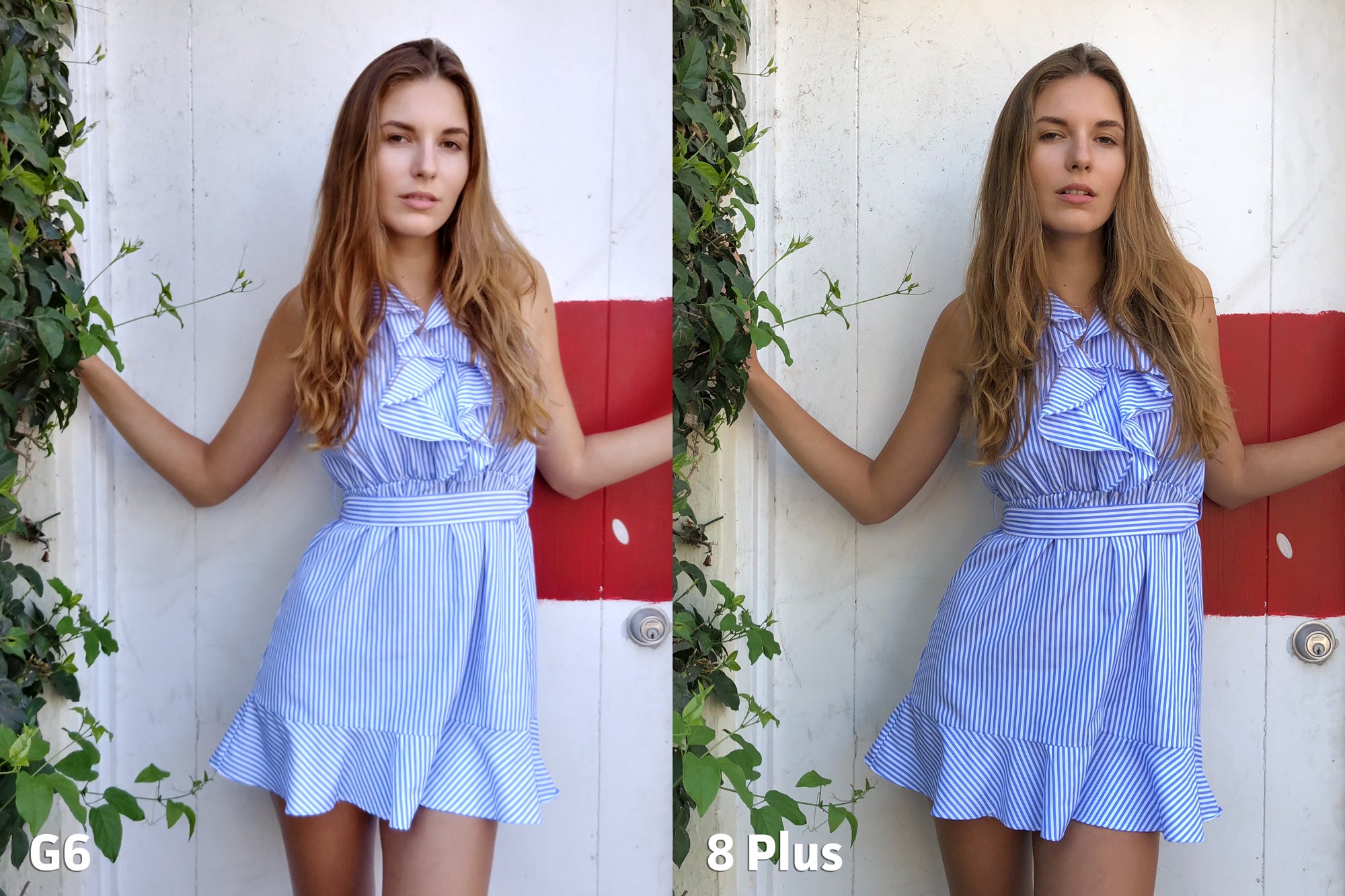
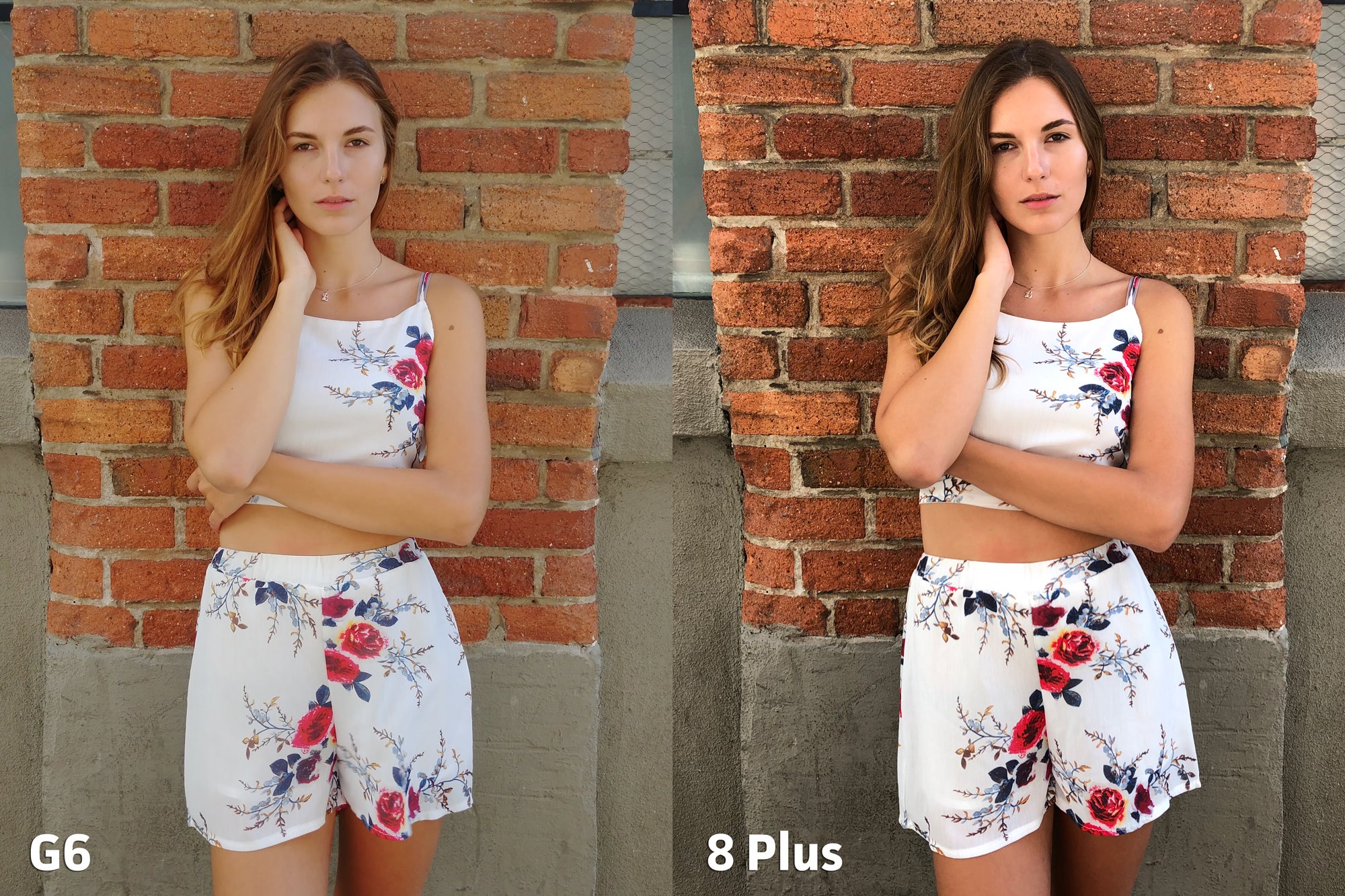
The iPhone is a bit warmer where the G6 is cooler, but colors are spot-on compared to the naked eye.
Right off the bat, I can say that the iPhone 8 Plus and its new internals produce some of the most accurate color results I’ve seen in a smartphone camera. The new sensor and lens color filters are partially to thank, but the majority of this power comes from Apple’s new ISP.
Apple really made skin tone reproduction a focus with the 8 Plus.
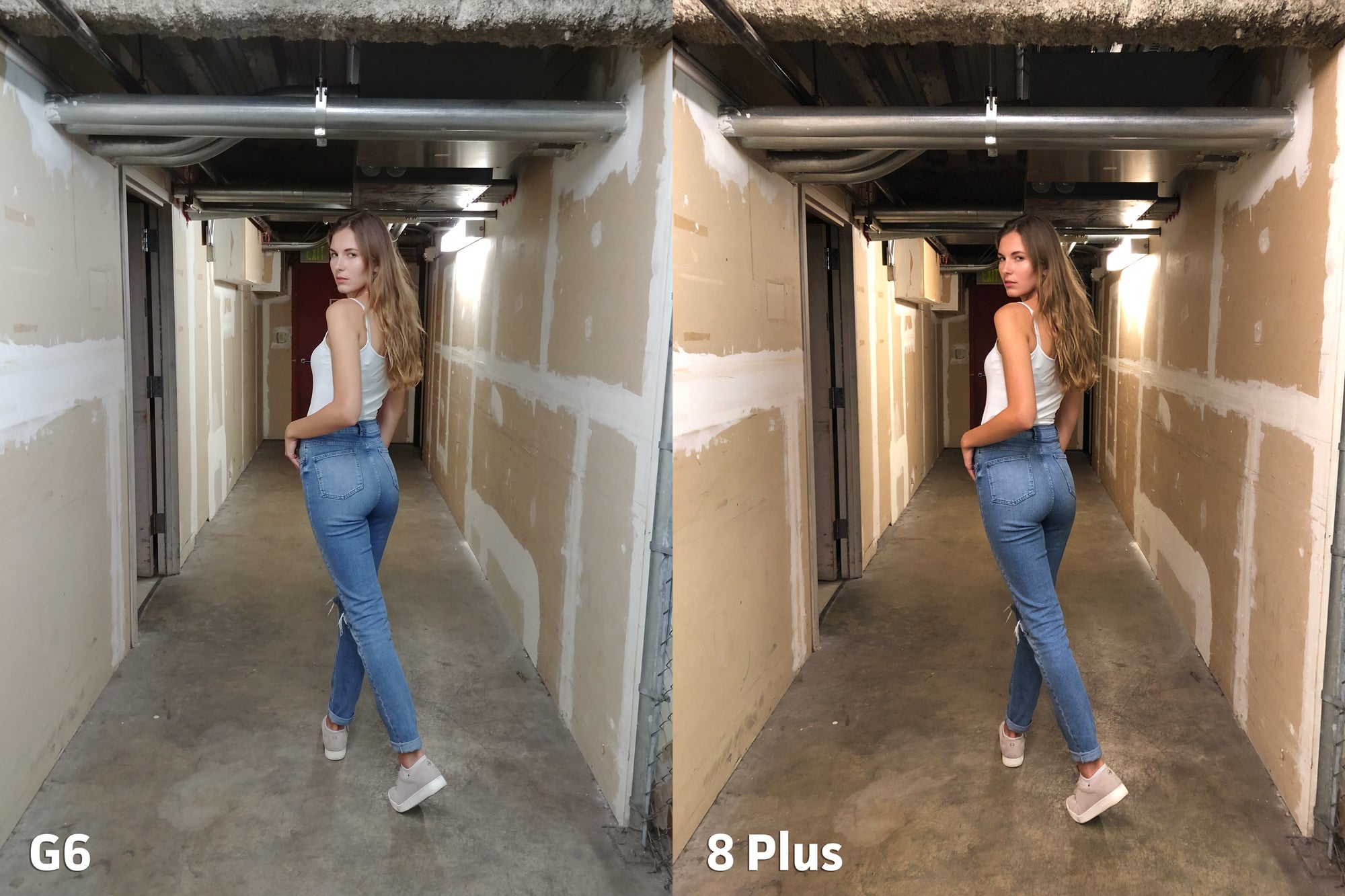
The bluish hue of the G6 makes the concrete appear unnatural.
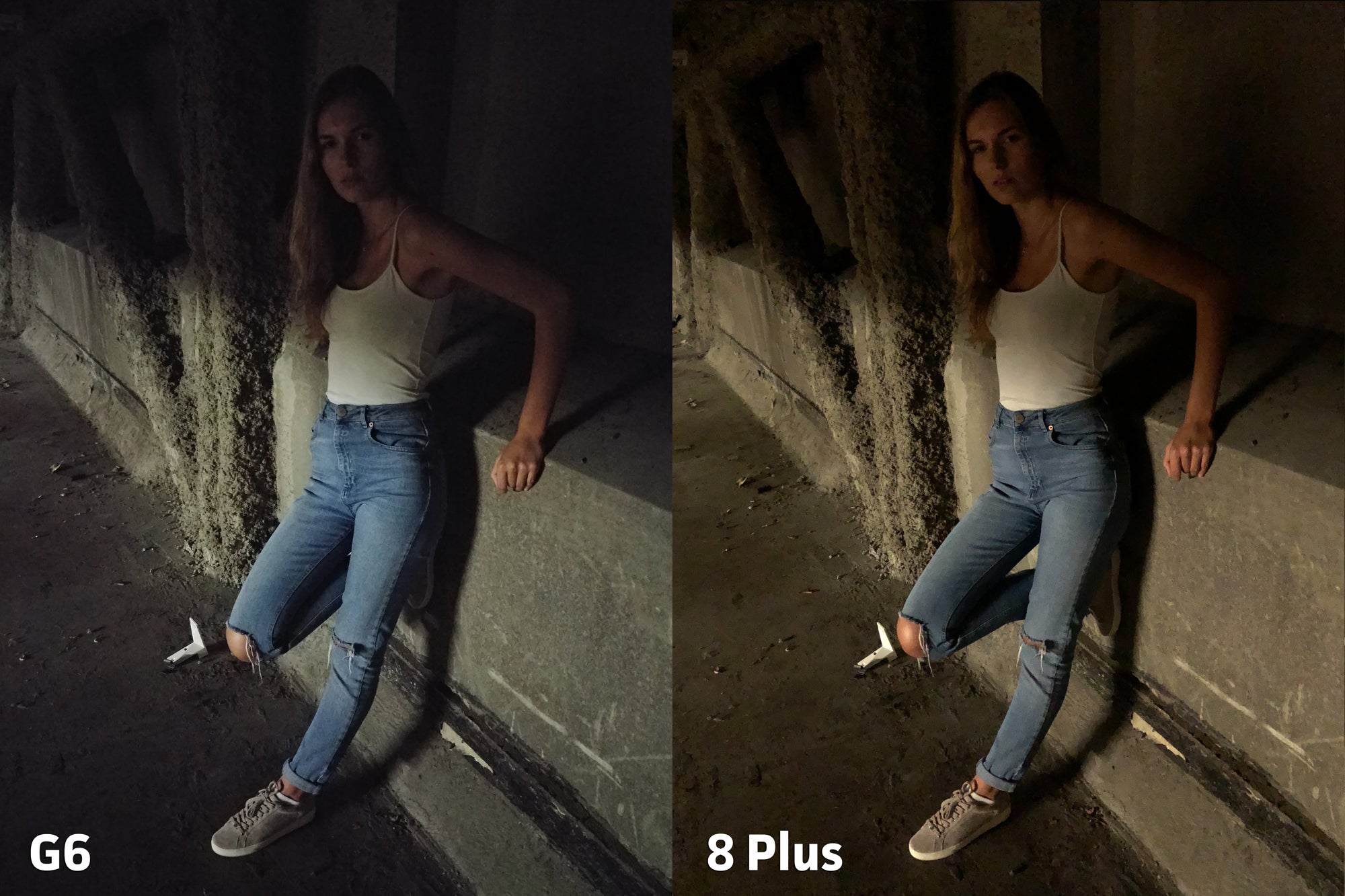
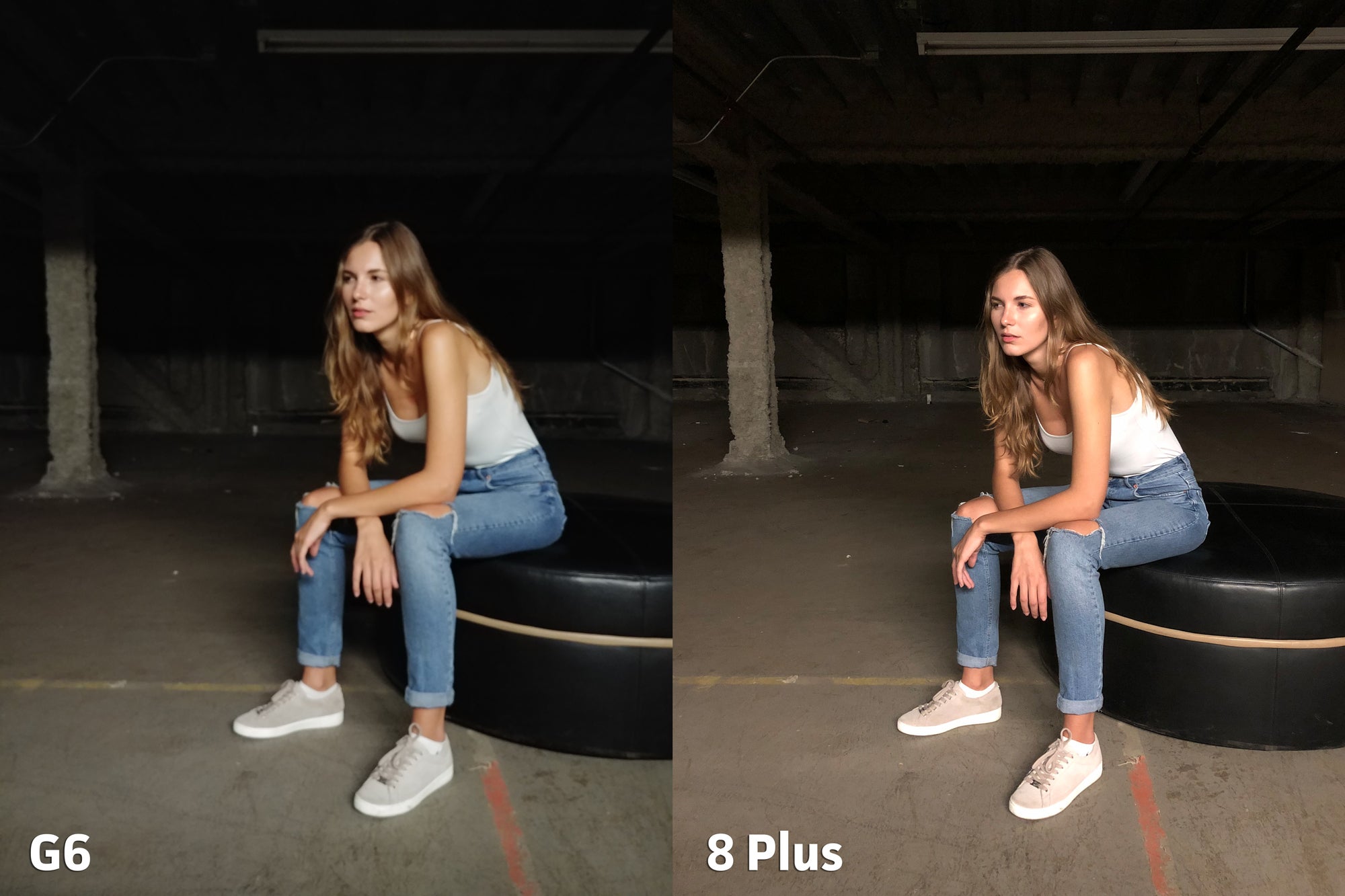
In low light, the bluish hue of the G6 negates the warm glow from the floresent bulbs, but has the effect of muting the skin tones.
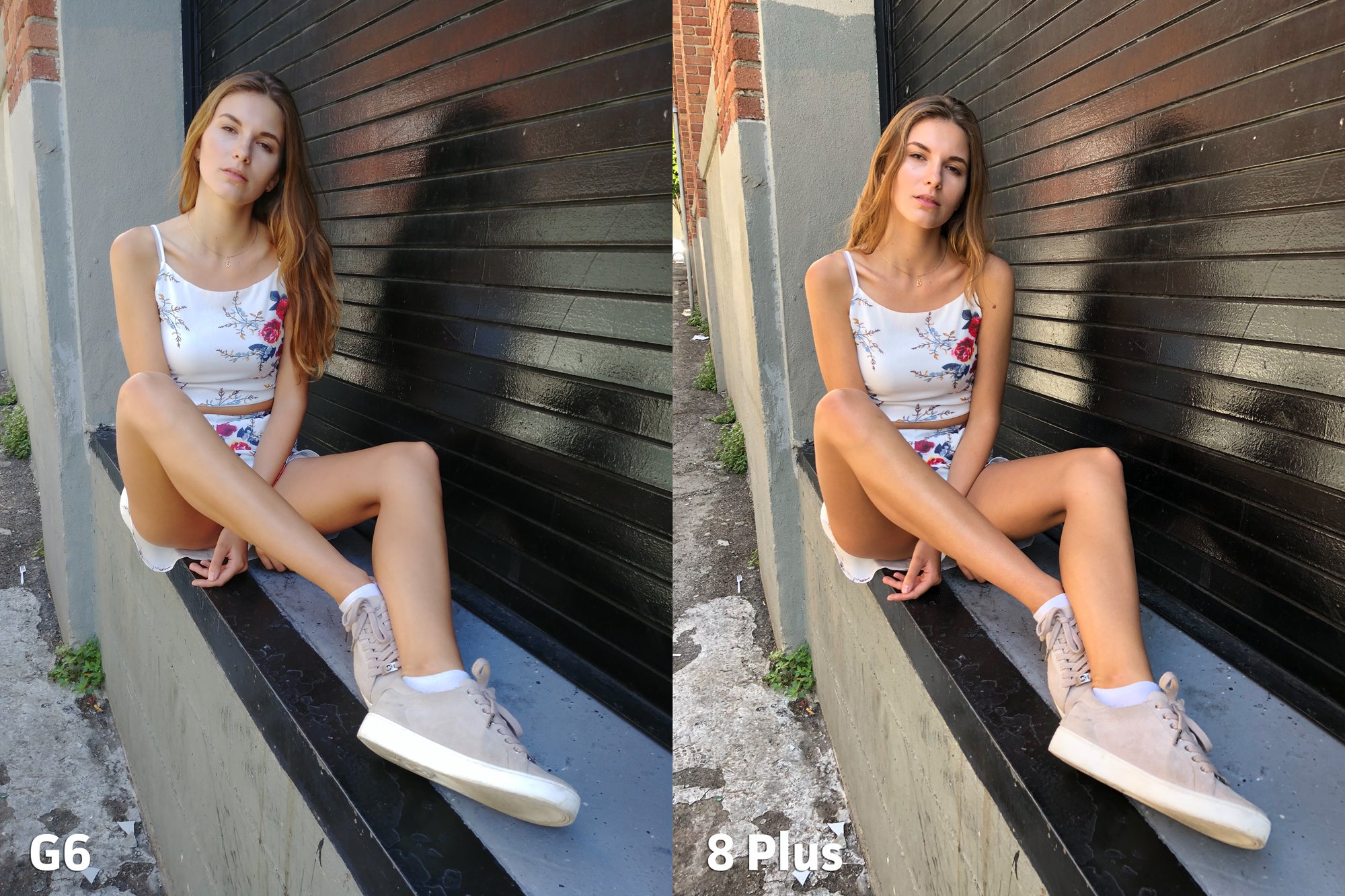
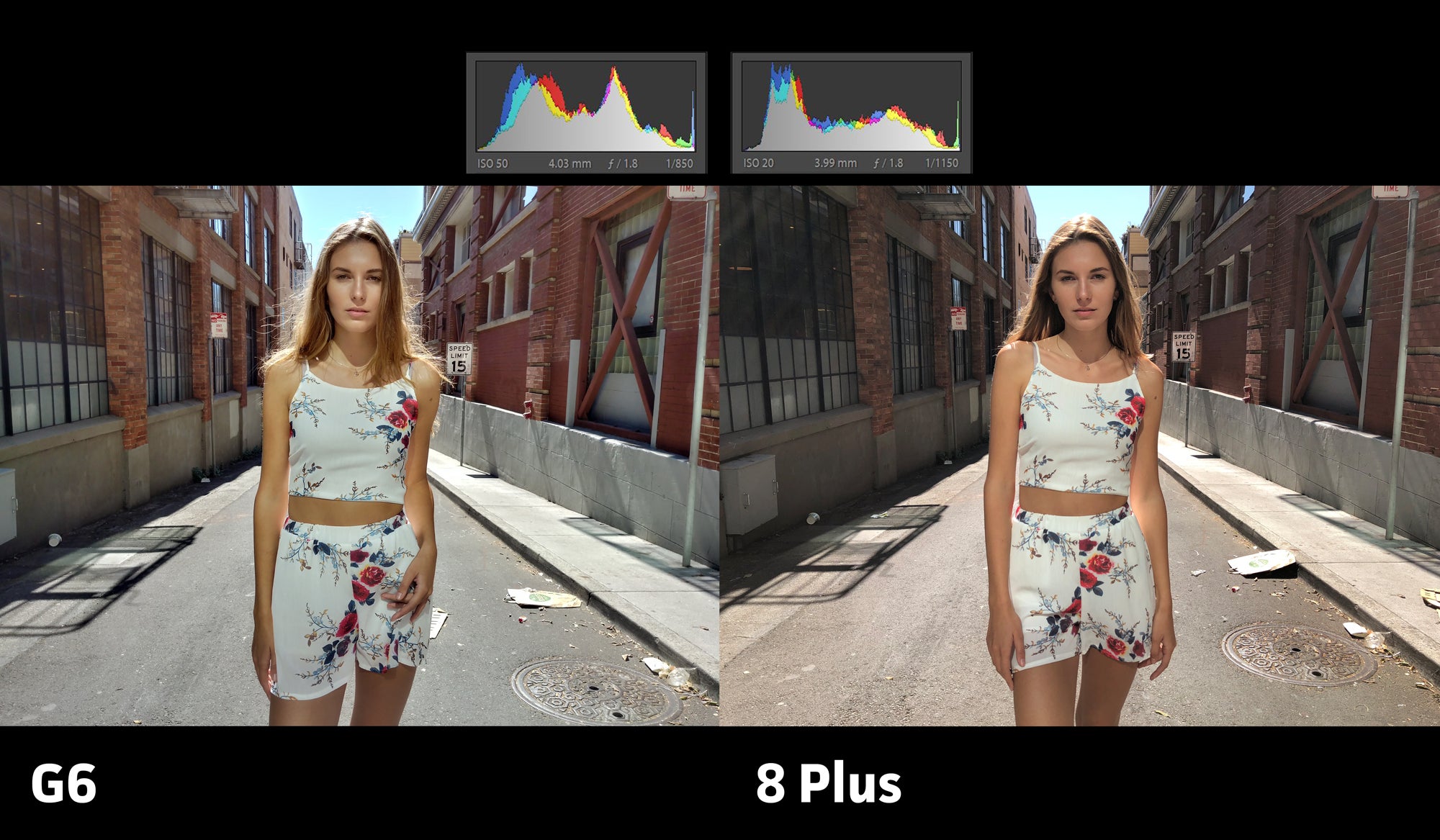
Against this brick wall, the iPhone is actually a bit cooler than the G6. The color on the flowers is a bit too punched-up on the 8 Plus, but the white balance is on point.
Past iPhones have struggled in the color category, so it makes sense that Apple would put so much effort into correcting its faults. No matter what lighting scenario I threw at it, the 8 Plus performed more like a DSLR than a smartphone. The color battle is a blow-out for Apple, and easily goes to the iPhone 8 Plus.
Clarity
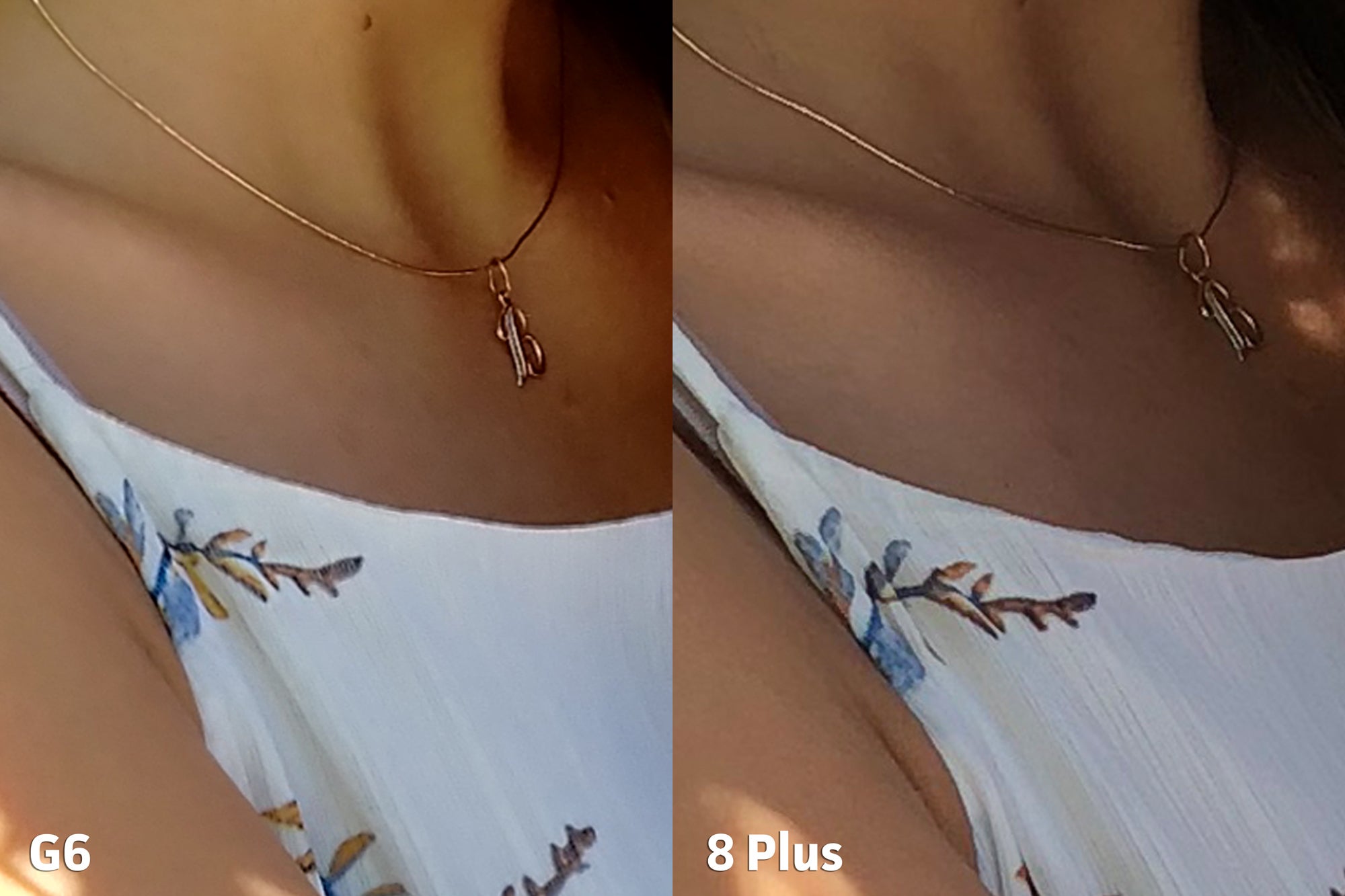
Next we’ll go over clarity, and these results are a bit more nuanced. Here I’m looking at the sharpness of each image, and how each camera decides to maintain a clear photo across multiple lighting scenarios. You’ll want to click on each image to see clarity flaws in detail.
Both phones hold their own and retain plenty of detail.
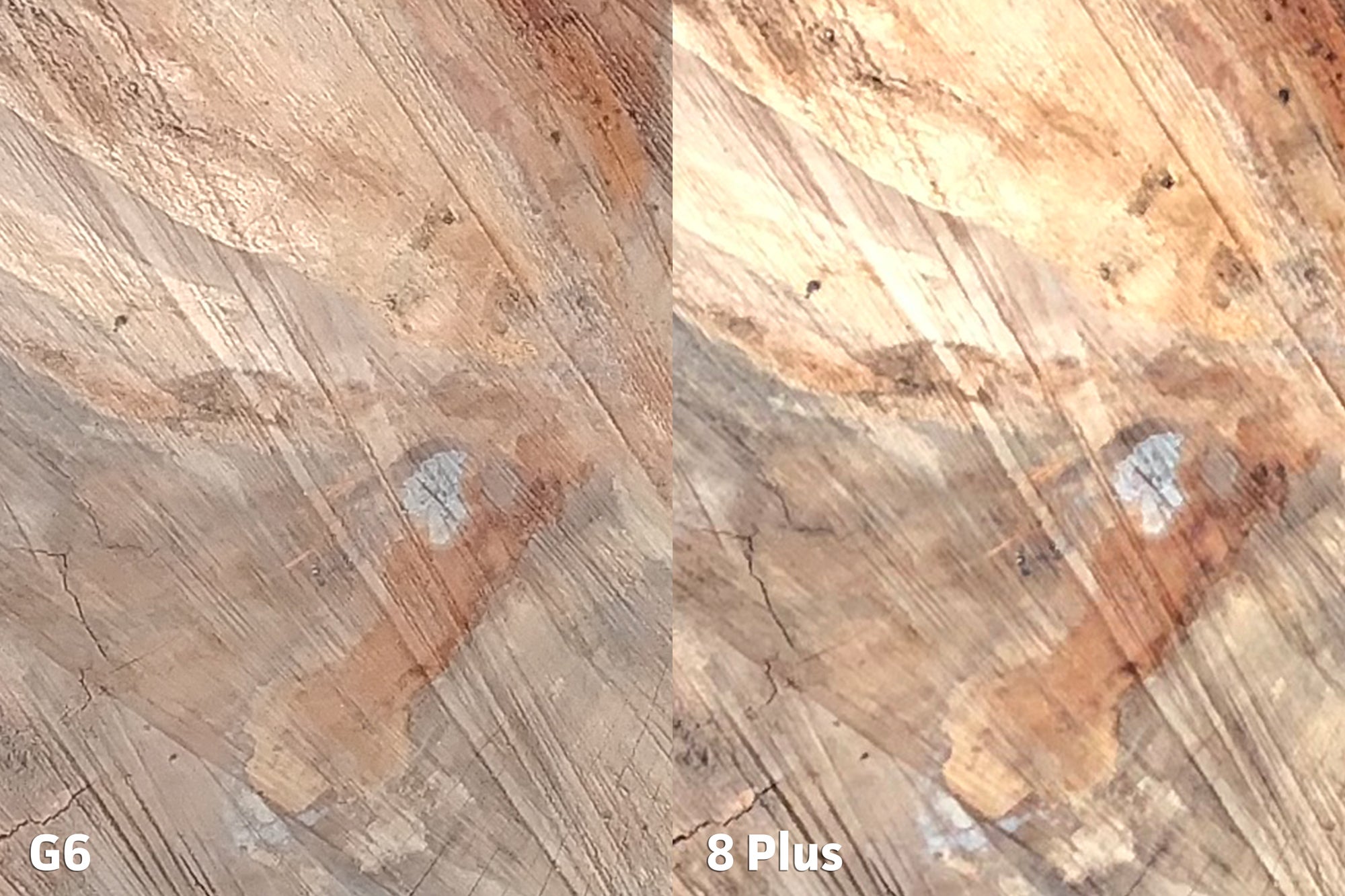
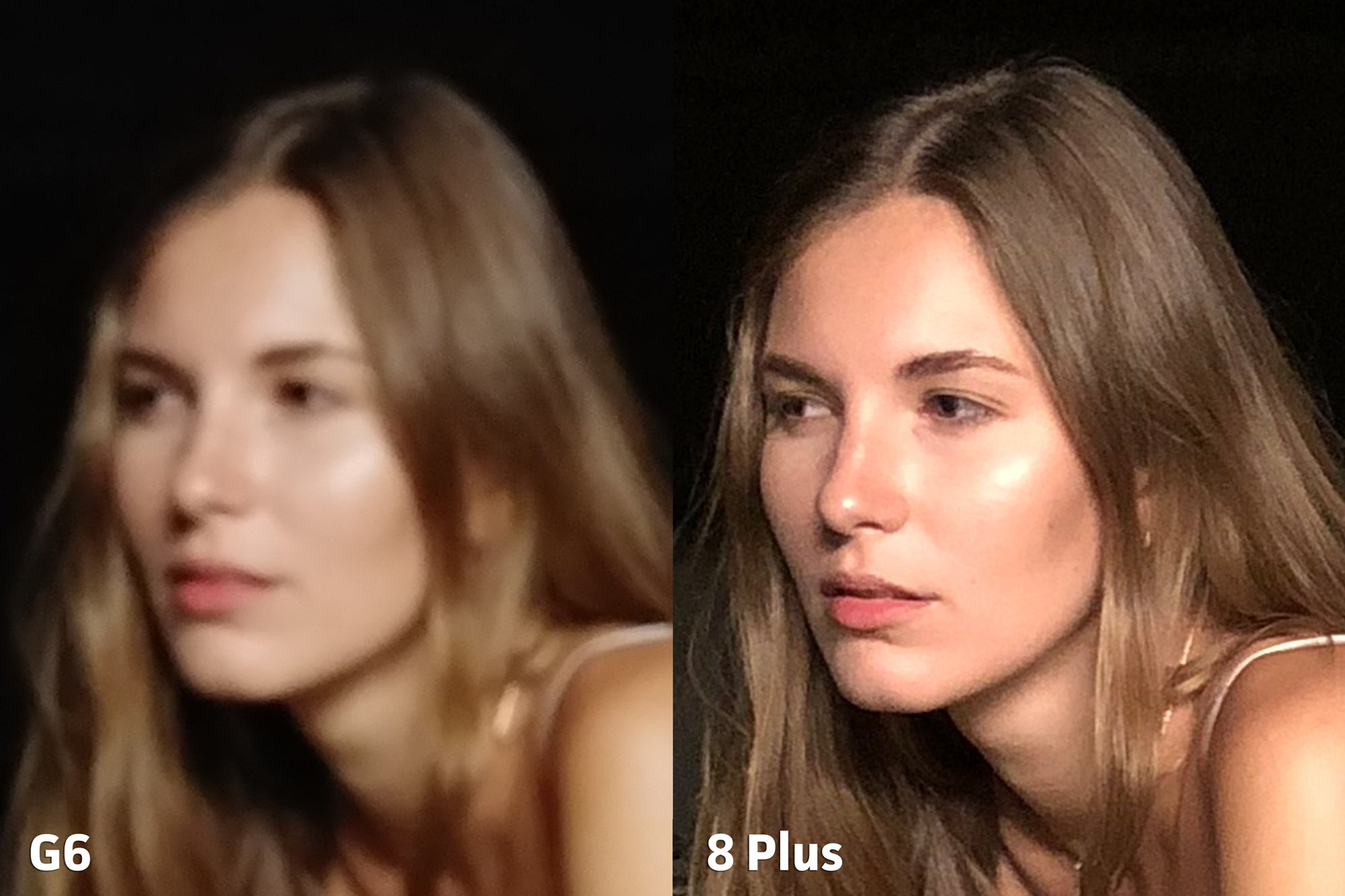
Zooming in reveals that the iPhone does produce a bit more detail compared to the G6.
The LG G6 stands up quite well to the iPhone 8 Plus and even outperforms it in a few scenarios, like far distances and macro. But the 8 Plus has the upper hand at normal shooting distances, so it’s suited quite well for day-to-day use.
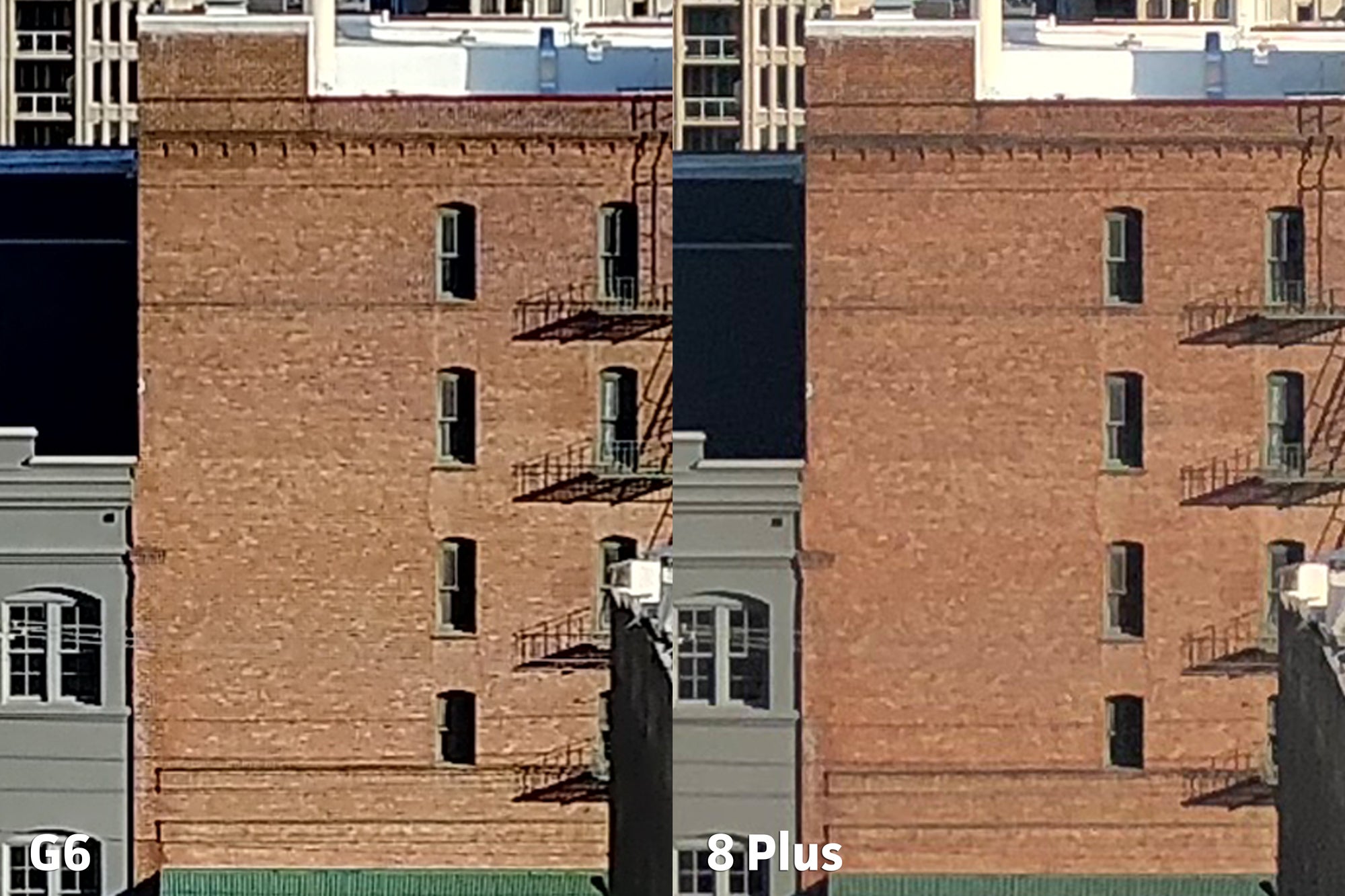
A wide city shot looks fairly even.
But punching in on the bricks shows how each camera deals with compression and noise reduction. The G6 is a tad cleaner.
The iPhone has a great punch to it.
But upon closer inspection, the G6 is clearly superior here.
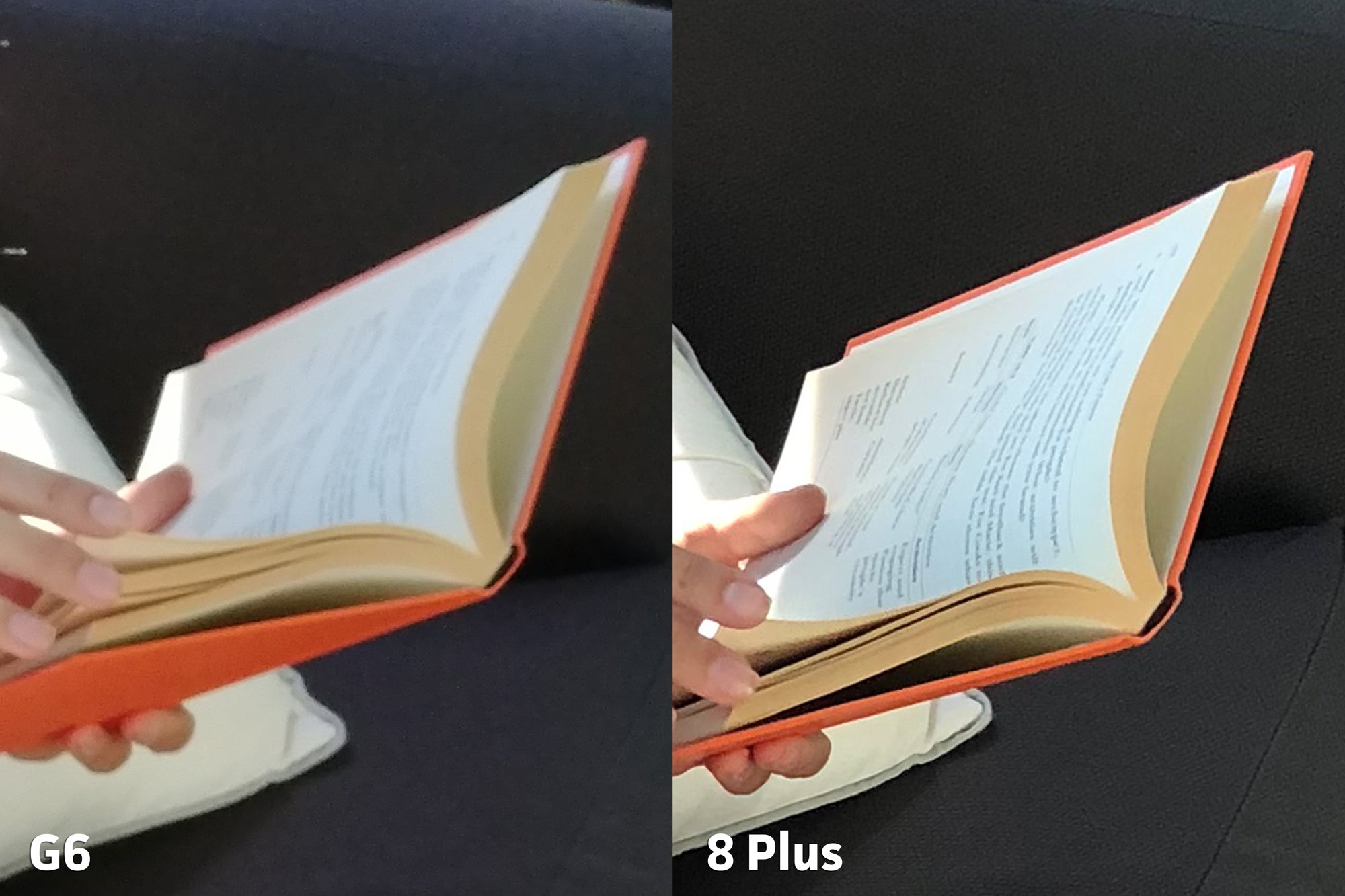
In normal shooting distances, the iPhone hits its sweet spot.
Zooming in shows a clear difference between the two books.
In low light, both phones stumble in different ways. The G6 holds a bit more dynamic range in the darkest of areas and has a very aggressive OIS system that helps maintain detail. But the 8 Plus has a more pleasing grain structure and super-quick autofocus.
In this superlow-light shot, neither photo is great.
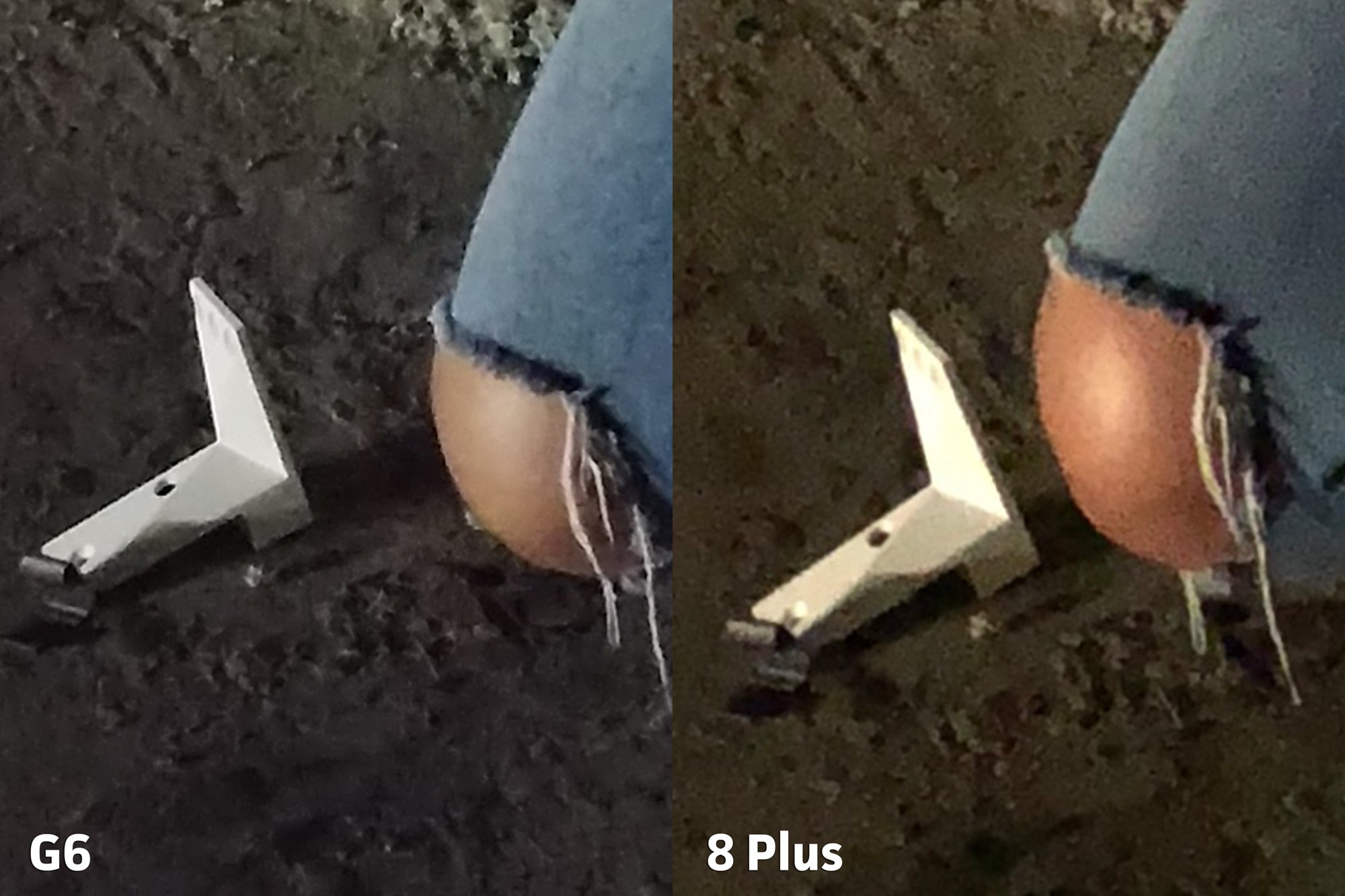
And zooming in shows a bit more insight into the grain structure between the two.
Autofocus performance makes a huge difference, especially in low-light situations.
Not only was the G6 slower to focus, in this shot it missed focus all together.
In fact, I was stunned by the speed and accuracy of the iPhone’s autofocus system. That’s enough to give the iPhone 8 Plus the edge, and take the clarity category.
Exposure
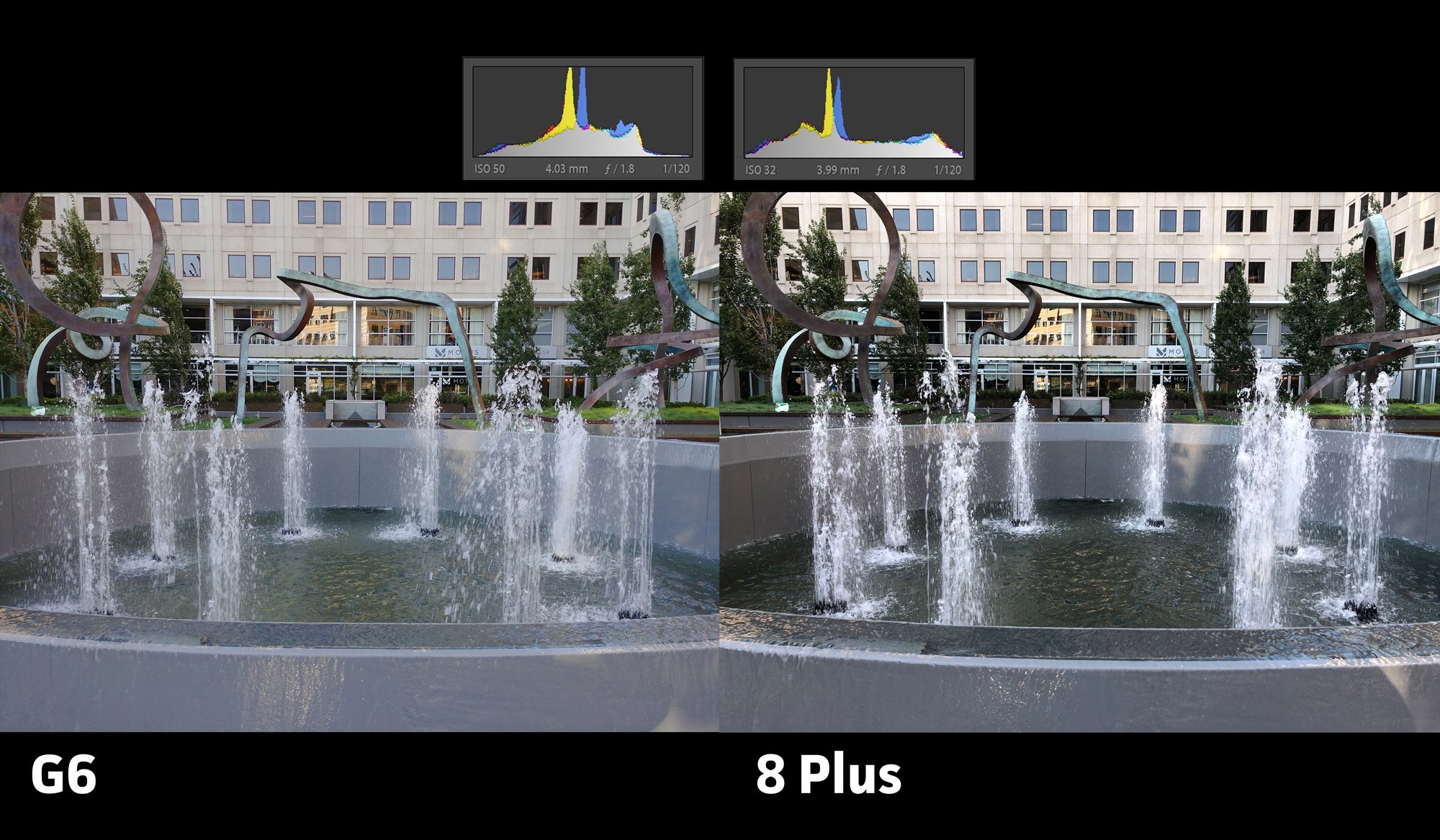
For our exposure test results, I’m going over the dynamic range capabilities of each phone, and how they chose to expose for the scene. I’ll include a histogram in each shot so you can check out the graphs for yourself.
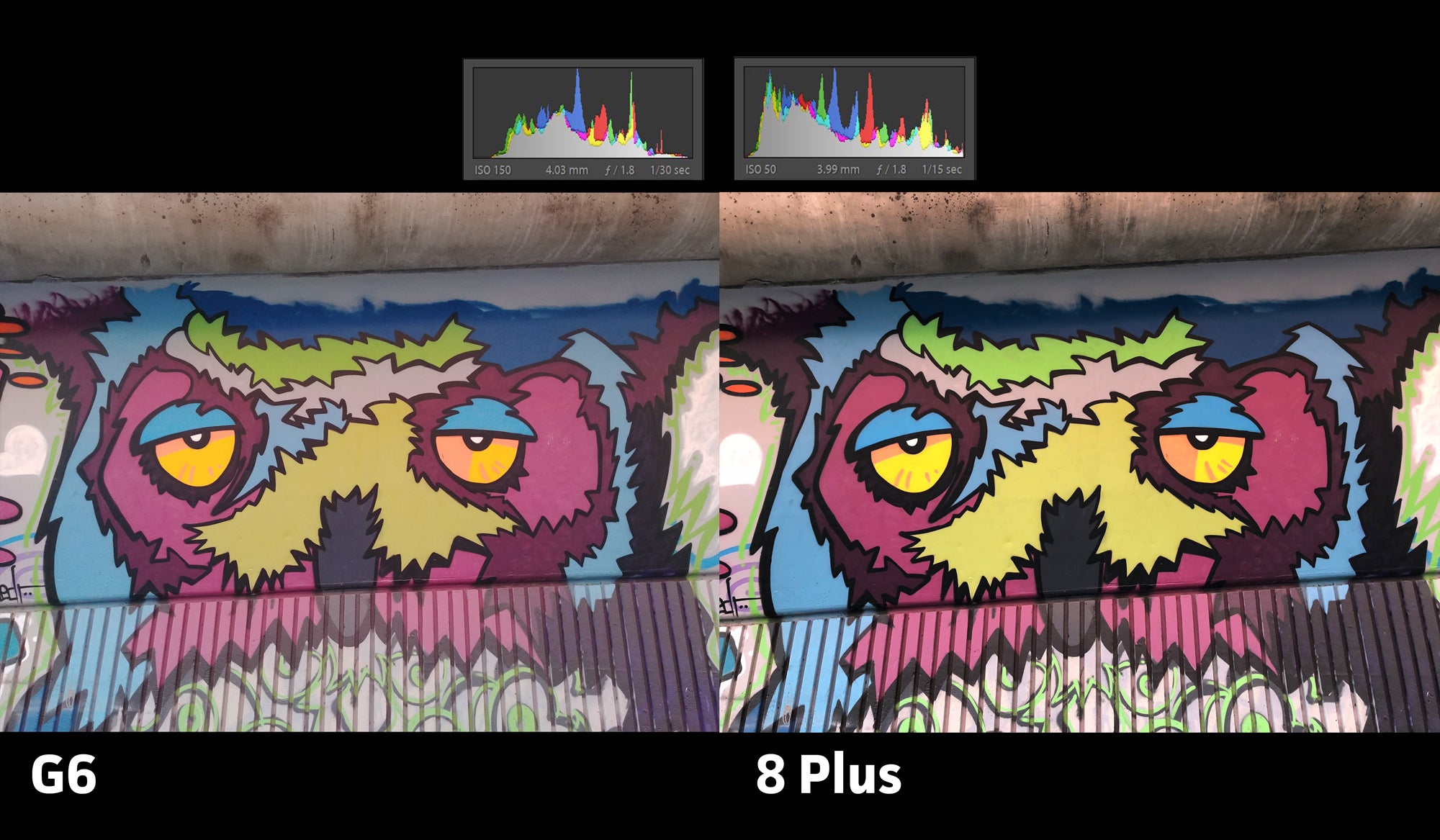
Both phones handle exposure very well, but fall down in some specific ways. The G6 chose to overexpose this street scene compared to the iPhone, but both blew out the sky.
The exposure category was a tight race, with both phones handling themselves very well in almost every lighting condition. The G6 has a flatter image, making the photos look washed-out when compared to the iPhone. But that’s not necessarily a bad thing. Having a flatter image allows for more flexibility in editing, and guards against bad exposure decisions.
The G6’s photo looks washed-out compared to the 8 Plus, but the exposure is accurate and keeps from clipping.
Most of the contrast can be added back into the image using even the most basic tools found in Instagram.
Both shots are accurate and have their advantages. The iPhone is just more aggressive in adding pop to the image.
Nonetheless, almost all of the exposure decisions the 8 Plus makes are spot-on. Basically, the iPhone maintains accuracy while retaining a nice punch, right out of the camera, with no editing. So it really comes down to personal preference on how you like your phone to handle processing. I support both approaches.
The G6 goes for less showy results, but leaves open the door for more editing flexibility. The iPhone has more wow factor, but doesn’t make bad exposure decisions. So I’m calling the exposure category a tie.
User experience
The last category to hit is user experience. Because even if the camera is amazing, it’s not worth using if the experience is horrible.
The G6 has great advantages, like the ability to quickly launch the camera app with a double-press to the volume key. I also believe LG has the best stock camera app you could ever want on a smartphone. For instance, you get a manual mode with a histogram, RAW photo support, and some really cool modes that leverage the G6’s dual camera system.
The iPhone, on the other hand, is snappy, straightforward, and easy to use. I never second-guessed the 8 Plus’s ability to accurately pull focus, even in low light.
The biggest difference between using both phones are their second cameras. The iPhone uses a telephoto lens that gives you an effective 2x zoom, which is good for capturing far-off subjects. But Apple’s Portrait Mode offers even more value from the telephoto lens. It uses the two-lens system to gather depth information, and introduces blur into the scene, providing stunning results.
Despite the shortcomings of the technology, Portrait Mode on the iPhone 8 Plus continues to impress.
On the LG side, we have a second lens with a super-wide field of view, allowing more of a scene to fit into the shot. As awesome as Portrait Mode is—especially when shooting with a model—I just found myself having way more need for a super-wide lens during day-to-day use.
I personally found way more uses for the wide-angle lens on the LG G6.
These features really boil down to personal preference. I’m only going to give the slight edge to the LG G6 in this category, mainly on the strength of its camera app features—you can just simply do more with LG’s camera.
Conclusion
So after four categories we have a clear winner: Apple’s iPhone 8 Plus!
The G6 beat some awesome phone cameras this year, and it’s been a great ride for LG. But after a couple of lackluster years, Apple finally stepped up to the plate and created a truly stunning camera system.
Photos shot with the iPhone 8 Plus have the most accurate colors I’ve seen from a smartphone camera. The accuracy approaches DSLR levels, even in low light. I believe the strength of this new system lies within the new ISP. If this phone is any indication, we should see even better results coming from Apple’s upcoming iPhone X.
Apple today released iOS 11.0.2, its third iOS 11 update in as many weeks. This update is now available to download over the air, and you can grab it by going into Settings > General > Software Update on your iPhone or iPad.
As for what’s included in this update, Apple says that it fixes an issue where crackling sounds were being heard during calls on a “small number” of iPhone 8 and iPhone 8 Plus units. Also included are fixes for an issue where some photos would be come hidden and for an issue where attachments in S/MIME encrypted emails wouldn’t open.
The iPhone 8 and iPhone 8 Plus are brand new, and I’m sure that owners afflicted by the crackling issue were frustrated that their brand new phones were having problems during phone calls. The good news is that Apple now has a fix for that issue, so if you’ve got a crackly iPhone 8 or iPhone 8 Plus, go grab iOS 11.0.2 right now.
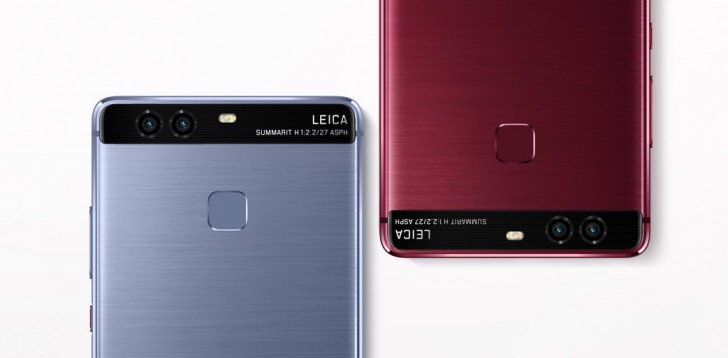
Dual camera systems on smartphones have been around for several years now. Some of the earliest examples include the weird 3D camera on the HTC EVO 3D. Then it was HTC again who introduced it in a different form on the One m8. Then LG decided to drop in with its cool wide-angle lens with the G5 and the same year, Apple decided to take in the other direction by adding a telephoto lens on the iPhone 7 Plus. Meanwhile, Huawei had other ideas, with its Leica branded monochrome camera on the P9.
But just how many types of dual camera systems are out there and how do they differ from each other? Most importantly, are they any good or is it just a passing fad? Let’s find out.
The Depth Sensor
We will start with this as this is the most basic form of dual camera system. In this system, the primary camera is accompanied by a second camera whose only function is to 3D map the area in front of the camera. As you may know, we are able to see in 3D because we have two eyes with slightly different perspectives that help us convey depth, especially for things that are close to us.
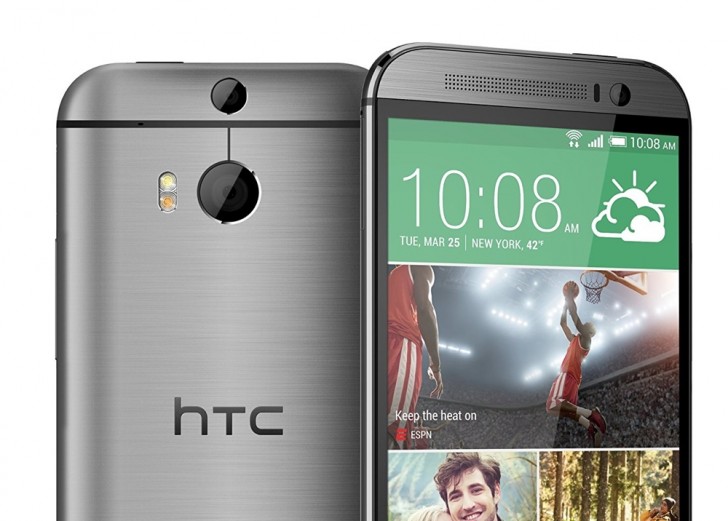
The HTC One m8
The secondary camera in this system works similarly. With the second camera, the system can now tell roughly how far the objects in front of it are with respect to each other. This information is then used to separate the foreground subject from the background.
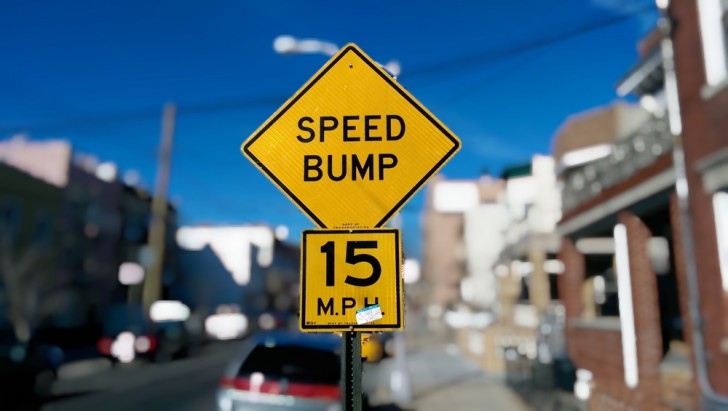
The most common use of this technique is to create a shallow depth of field effect. While it’s something that comes naturally to DSLR cameras with their big sensors and big lenses, the small smartphone cameras cannot achieve the same shallow depth of field. So instead, this technique is used to first figure out the borders of the foreground subject and then apply an iris blue effect on everything else. This gives the illusion of shallow depth of field.
Sample from the HTC One m8. Didn’t always work this well.
While sound in theory and occasionally in practice, this technique has its pitfalls. Unless your subject is a cardboard cutout, it will have depth to it and because this depth is not as much as the depth between the entire subject and the background, the camera occasionally ends up blurring the edges of the subject as well. Even when it does work reasonably well, it never quite looks natural, especially since most smartphone cameras that have this feature apply an even blur on everything in the background whereas with a DSLR, the intensity of the blur increases with the distance from the focus point.
Camera systems with a dedicated depth sensor is one of the rarest types of dual camera systems. The first popular use of it was seen on the HTC One m8 but these days only the most basic smartphones, such as the Honor 6X or the Lenovo K8 Plus, can be seen using a dedicated depth sensor lens.
The Monochrome Camera
A slightly more popular implementation of the secondary sensor is the monochrome camera. In this method, the primary camera is accompanied by a mostly identical secondary camera. Both cameras usually have identical sensors, apertures, lenses and focusing systems. The main and usually only difference between the two is that the second sensor lacks an RGB color filter. This means that the sensor cannot capture color information but on the upside, because there is one less thing blocking the sensor, the monochrome camera can capture more light.
Huawei P9
Every time you take a picture, the camera system combines the output of both cameras and layers them into one image. In theory, the two images when combined will have greater detail and reduced noise. Alternately, you can also just shoot from the monochrome camera and get slightly better image quality at the cost of all the color information.
One of the first examples of this system was the Huawei P9 and since then, few other devices have also shipped with this system. To us, the advantages of this system are nebulous at best. While sound in theory, we can’t really say for sure if the feature does really work as advertised. We have seen some good results with this system in the past but its hard to tell if it was the dual camera doing all the work or it was just good image processing system.
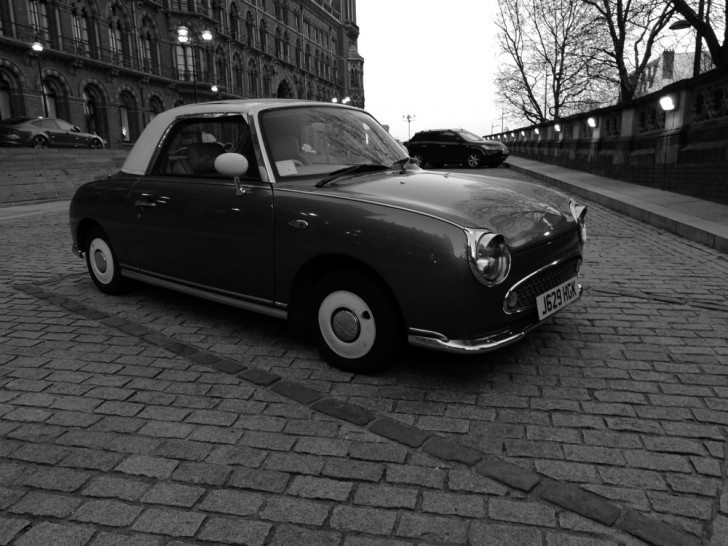
Monochrome image from P9
There is no real disadvantage to this system and we do appreciate that it’s the only one of the systems discussed here that tries to do anything about the actual image quality instead of adding additional features but still, we would rather take some zooming ability over marginally improved image quality.
The Wide-Angle Camera
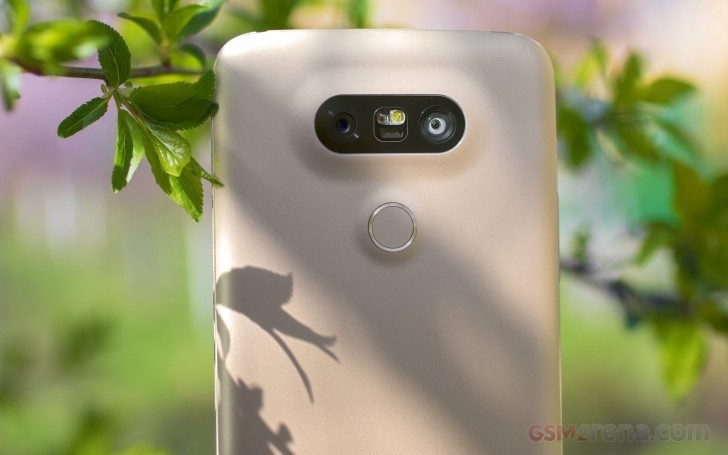
Debuted first on the LG G5 early last year, the wide-angle camera is pretty much what it sounds like. To take LG’s example, the phone had a 16 megapixel, 29mm equivalent f1.8 primary camera and 8 megapixel, 12mm equivalent f2.4 secondary camera. The 12mm focal length gave the secondary camera a crazy wide field of view that allowed the user to capture a much wider area without having to move back or capture interesting perspectives afforded by such a wide-angle lens.
LG G5
We have mainly seen this on LG phones, with Motorola recently incorporating it in the X4, and we are fans of how it works. The wide-angle lens gives a very unique perspective that you simply don’t get at all on smartphone cameras and apart from having practical value (capturing a large group of people from up close) also lets you capture some really cool looking shots.
The early iterations of this system did have its disadvantages. On the G5 and V20, the ultra wide-angle lens image quality was nowhere near as good as the primary camera and also had significant barrel distortion that made it look like the footage from a GoPro with a fish-eye lens. However, LG has been steadily improving the system with every iteration and in its latest avatar on the V30, the secondary lens not only has highly respectable image quality but also significantly less distortion around the edges, making it far more useful.
Wide-angle on top and ultra wide-angle below from G5
With good implementation, this system does have the potential to be a really cool second camera system for particular scenarios and we wish more manufacturers adopted it.
The Telephoto Camera
The most common of all the dual camera systems today is the telephoto camera. In this, the primary camera is paired with a second camera that has a telephoto lens. As you can tell, this is the exact opposite of the wide-angle camera system, wherein it actually lets you zoom into your subject instead of zooming out.
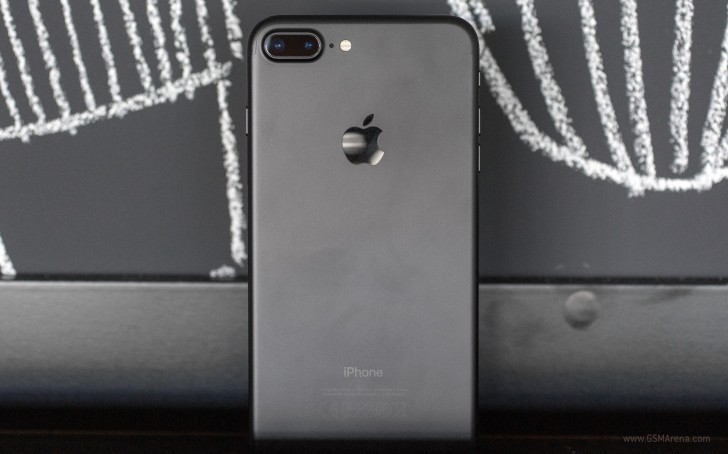
Apple iPhone 7 Plus
Since the iPhone 7 Plus, manufacturers have stuck to using a 2x factor for the second telephoto lens. This means the secondary lens has twice the focal length of the primary lens, giving you an instant 2x optical zoom.
There are many advantages of this system. First is the most obvious, where you get 2x lossless optical zoom. Zooming on smartphones has largely been digital until now but with this you get to quickly move 2x closer to your subject with very little quality loss. Any further zooming is done digitally still but because the digital zoom is now being applied on top of 2x optical zoom, it gives much better results.
Wide-angle above and telephoto below from the iPhone 7 Plus
Shooting with a telephoto lens also has other advantages. Telephoto lenses are more suitable for portraits than wide angle as they have less distortion and is more flattering to the subject. Most manufacturers go one step ahead and also implement the background blur effect that we saw with the very first system we talked about today (the primary lens now acts as the depth sensor). The combination of a telephoto lens and background blur gives far superior results than just applying background blur on wide-angle images.
Of course, this system too has its disadvantages. So far none of the manufacturers have been able to get complete parity between the two cameras. When the iPhone 7 Plus launched last year, it had a much smaller aperture (f2.8) compared to the main camera (f1.8) and no OIS on the secondary sensor. The iPhone 8 Plus ships with similar arrangement (although the sensors are better this year) and even the iPhone X still has f2.4 for the second camera (although it does have OIS). The Note8 was the first phone with a telephoto camera to have OIS but even then it’s still f2.4 (compared to f1.7 on the main lens) and the second sensor is slightly worse even if it has the same resolution.
iPhone 8 Plus Portrait Mode with Studio Lighting
Due to this, there is generally a quality difference when shooting with the telephoto lens. It’s even worse in lowlight, where due to the small aperture, most manufacturers just choose to disable the telephoto camera entirely, and instead when the user taps the 2x button, the camera just does a 2x digital zoom on the primary wide-angle lens. Needless to say, any further zooming is also digitally done on the primary lens. There are ways to force the camera to use the second lens on some phones but the results are generally not worth it.
Still, most of these limitations seem to be temporary and something year after year advancements should take care of eventually. This is still by far the most practical solution of all the systems we discussed today. Not only does it give the user a much needed optical zoom ability but at a pinch also lets them take some pretty decent looking shallow depth of field images.
That’s pretty much it for the dual camera systems. Let us know in the comments which one do you prefer, and if you have any further queries or other topics you’d like us to discuss in the future.
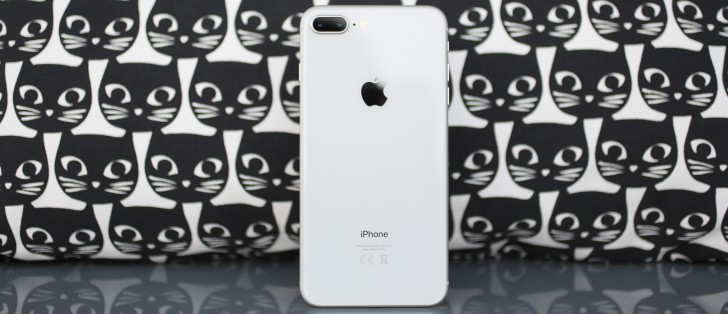
In another place and another time, the Apple iPhone 8 Plus would have been one of the hottest things around. Swathed in hype, causing a stir, bringing the free ride of the competition’s flagships to an abrupt and painful halt.
This turbo-powered, glass-clad, sharp-shooting and fast-charging piece of a smartphone classic seems to have everything. Except… time. No, it’s not going anywhere. It’s just that its days as one of the hottest things around are numbered. Now, we’re sure you know what we mean, so let’s slow down and start over. Time isn’t always a luxury – just don’t tell this to an iPhone 8 Plus.
The 8 series is about to leave generations of iPhones behind. It’s been ten years of refining the visionary iPhone. We saw it grow bigger, better, more durable, more powerful. Apple kept adding more screen real estate, more processing power and advanced camera features. In spite of all novelties, the iPhone essence was always there, underneath the fancy add-ons. Now, that’s about to change.
Apple isn’t just on the verge of breaking clean from the past. The future has already begun with the iPhone 8 and 8 Plus. But it doesn’t belong to them.
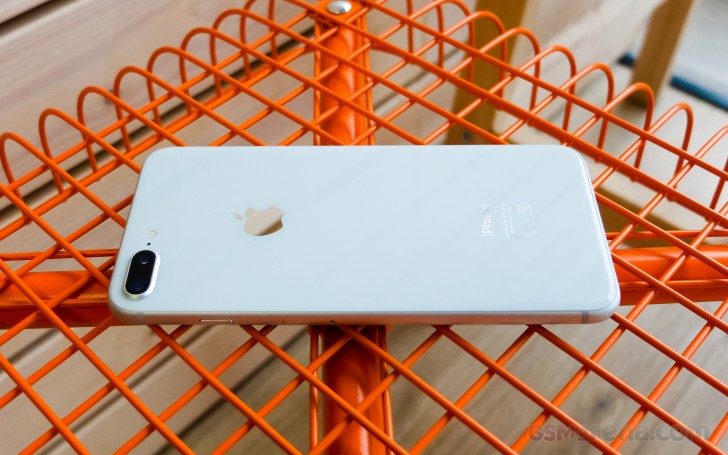
Back to the here and now, the Apple iPhone 8 Plus comes across as the usual incremental upgrade. The 8 Plus gets to keep its overall styling but swaps aluminum for glass and finally gets wireless charging. The new A11 Bionic chipset boasts an extra two power-efficient cores and, for the first time ever, an in-house GPU. Then the base iPhone storage has been doubled and now starts at 64GB.
Browsing the camera specs leave the wrong impression of copy and paste from the iPhone 7 Plus, when in fact both of the dual 12MP sensors have bigger pixels, backed by a superior flash and an exclusive new Portrait Lightning mode, which hopes to make the portrait shots look even better.
Finally, the screen size and resolution might be the same, but Apple has added HDR10 and Dolby Vision support, as well as iPad’s True Tone color adjustment for life-like color presentation.
Apple iPhone 8 Plus key features
Body: Aluminum 7000 frame, reinforced glass front and rear, IP67 certified for water and dust resistance. Gold, Space Gray, and Silver color options.
Screen: 5.5″ 16M-color LED-backlit IPS LCD screen of 1080p resolution, 401ppi, HDR10 and Dolby Vision support. True Tone adjustment via four-channel ambient light sensor, wide color gamut, 3D Touch
OS: Apple iOS 11
Chipset: Hexa-core (2 Monsoon + 4 Mistral) 2.09GHz Apple CPU, tri-core Apple GPU, 3GB of RAM, Apple A11 Bionic SoC
Camera: Dual 12MP camera: wide-angle F/1.8 + telephoto F/2.8, live bokeh effects (including Portrait mode and Portrait Lightning), optical image stabilization, 2x lossless zoom, quad-LED flash with slow sync, phase detection auto focus, wide color capture
Video recording: 2160p@60/30fps, 1080p@30/60/120/240fps video recording
Selfie: 7MP F/2.2 front-facing camera with BSI sensor and HDR mode, 1080p@30fps video
Storage: 64GB or 256GB of built-in storage
Connectivity: 4G LTE Cat.16 (1Gbps); Wi-Fi a/b/g/n/ac; Bluetooth 5.0; Lightning port; GPS with A-GPS, GLONASS, GALILEO, QZSS; NFC (Apple Pay and for the first time for NFC tag reading too)
Misc: Stereo speakers, Pressure-sensitive Home key with fingerprint scanner, Taptic Engine
Main shortcomings
Design is getting long in the tooth now being used for the fourth year in a row
Big screen bezels (soon to look even bigger in comparison to the iPhone X)
No 3.5mm audio jack (ships with a Lightning-to-3.5mm adapter)
No microSD slot
iTunes is still required for manual music upload
No fast charger provided in the box (and the optional one is expensive)
Video camera still recording mono audio only
Indeed, the iPhone 8 Plus seems like a regular update but with the right touches in the right places. The screen bezels are here to stay but probably for the last time. The audio jack is already a goner, that’s for sure, while memory expansion was never meant to be.
Some may still have gripes with the over-reliance on the iTunes software for music transfer to the phone, but in times of Apple Music, Spotify, Google Music, and Groove – we think this is another issue we mention one last time.
The iPhone 8 Plus is fresh off the assembly lines, but the iPhone X is just around the corner, while the iPhone 7 Plus is still relevant and cheaper.
Decisions… Is the upgrade worth it? Is a switch worth it? Should I wait? The choice has never been harder, but the answers start rolling right after the break.
The Apple iPhone 8 Plus has a main camera system truly worthy of a flagship phone. Similar to the iPhone 7 Plus, it features two cameras — a wide-angle 12MP main camera, and a 12MP telephoto camera with a slower lens for zooming in on subjects and for special effects such as Portrait mode. Comparing the camera datasheets of the older iPhone 7 Plus and the new iPhone 8 Plus make the two look almost identical; however, under-the-hood upgrades have given the 8 Plus an image quality and camera performance boost in almost every one of our tested categories.
Key camera specifications:
12MP main (wide-angle) camera with BSI sensor, f/1.8 lens
12MP telephoto camera, f/2.8 lens
Optical zoom, with digital zoom up to 10x
Portrait mode
Portrait Lighting (beta)
Optical image stabilization (main camera only)
Quad-LED True Tone flash with Slow sync
Autofocus with focus pixels
Wide-gamut color capture
Body and face detection
AutoHDR
Test summary
The Apple iPhone 8 Plus is the best-performing mobile device camera we have ever tested. Its overall DxOMark Mobile score of 94 sets a new record, beating out the 90 points for both the Google Pixel and the HTC U11, as well as the 92 that its sibling iPhone 8 just scored. Its Photo score of 96 is also a new record, blowing past the Pixel’s 90. For Video, its score of 89 is among our highest, but tied with the HTC U11 and slightly below the Pixel’s 91. Of course, the Pixel is nearly a year old now, so it makes sense that Apple’s new flagship is breaking new ground.
Bright light
Images captured outdoors with the iPhone 8 Plus are generally stunning, with excellent detail preservation, accurate color, and impressive dynamic range. The iPhone 8 Plus builds on the excellent performance of the iPhone 7 family with even better results in bright light. In particular, it has improved exposure calculation, and excellent ability to capture HDR (High Dynamic Range) scenes.
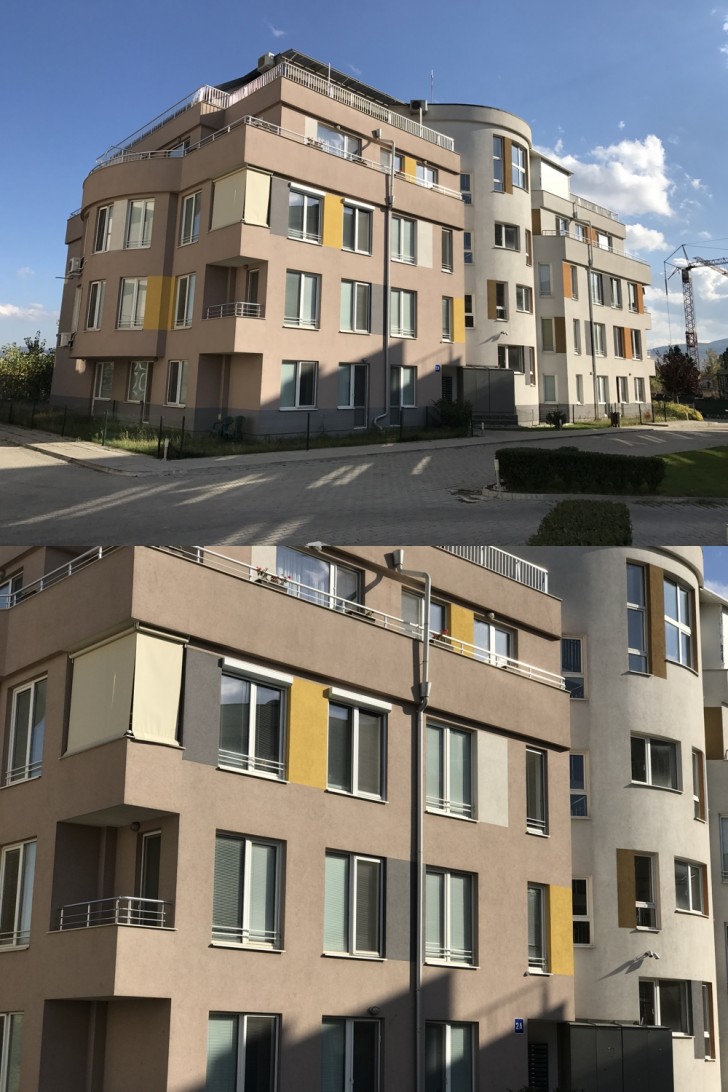
This scene has proved challenging to many of the smartphones we have tested, but the 8 Plus handles it like a champ. If you didn’t know that the image came from a phone, it would it would be very hard to tell.
This scene has proved challenging to many of the smartphones we have tested, but the 8 Plus handles it like a champ. If you didn’t know that the image came from a phone, it would it would be very hard to tell.
iPhone 8 version.
iPhone 8 Plus version.
Google Pixel version.
iPhone 7 Plus version.
Low light and Flash
Low light: Exposures are generally accurate, although there can be some underexposure in very low light. The 8 Plus’s strong performance in low light and with flash, combined with its excellent ability to recognize and properly expose faces, make it a natural for anyone wanting to easily create memories of their indoor events.
Even in tricky mixed-lighting situations, the iPhone 8 Plus does an excellent job of providing an accurate and detailed rendering of indoor scenes.
Flash: Images look good overall, with accurate exposure and white balance; however, there can be a a loss of detail and excessive noise.
Zoom and Bokeh
While the iPhone 8 Plus camera is amazing overall, it is in our new test categories of Zoom and Bokeh where it really stands out. While the technical specifications for the second camera that help make these features possible are very similar to the specs for the second camera on the iPhone 7 Plus on paper, upgrades to the image processing software have raised the 8 Plus’s performance to a new level. Especially important for those looking to capture portraits with their phones, or to create artistic effects in macro and other closeup shots, zoom and bokeh used to require standalone cameras. But phones like the 8 Plus are changing that.
Zoom: The dedicated telephoto camera on the 8 Plus gives it a large advantage over most traditional single-camera designs when it comes to zoom. At 51, it has the highest Zoom sub-score of any mobile device we have measured — a full 5 points better than its predecessor, the iPhone 7 Plus. Here you can see that at 2x (full-frame equivalent of about 56mm), the iPhone 8 Plus does an excellent job of both framing and detail preservation (click on individual images to get a full-size version for easier comparison):
iPhone 8 version
iPhone 8 Plus version.
Google Pixel version of the image.
iPhone 7 Plus version of the image.
Bokeh: Overall, the 8 Plus is the highest-performing phone we’ve tested when it comes to bokeh. Despite the relatively small changes in the actual camera specs, additional development and processing power allow it to beat out the 7 Plus by 5 points, putting it even further ahead of the Google Pixel, with a score of 55 compared to 30.
You can see the improved depth effect on the iPhone 8 Plus compared to the older model, showing that the dual-camera system now does a better job of blurring the foreground like a true optical blur, instead of blurring only the background. The images below also show how the second camera of the 8 Plus provides a much more artistic rendering of the image than the single camera on the iPhone 8 (click on individual images to get a full-size version for easier comparison):
iPhone 8 version.
iPhone 8 Plus version.
Google Pixel version of the image.
iPhone 7 Plus version of the image.
Video
Apple continues to up its game on Video. With a score of 89, the 8 Plus has the best video quality of any Apple device, starting with the best exposure calculation. In particular, exposure is more stable while panning or walking than on previous iPhones. Its HDR capabilities are also very good, but highlights are sometimes blown out. There is still room for improvement, as the iPhone 8 Plus’s Video score of 89 still only ties the HTC U11 and is still behind the Google Pixel’s 91 points. This said, the 8 Plus camera does an excellent job of face tracking when shooting video in bright light.
Photo scores explained
Our Overall Photo Score is a composite of a number of category sub-scores. Here we detail how the 8 Plus performed in each of those categories.
Exposure and Contrast (89)
The 8 Plus does an excellent job of accurately calculating exposure, improving on the performance of the iPhone 7 family. Its ability to represent high-contrast scenes is also improved, probably at least in part due to additional processing power and improved software for combining multiple frames into a single image. Apple’s AutoHDR technology is some of the best on the market for rendering high-dynamic-range scenes. The 8 Plus also does an unusually good job at recognizing and properly exposing faces in an image.
This HDR scene tests the boundaries of what a mobile device camera can capture. The 8 Plus does an excellent job of keeping the highlights visible while still showing detail in the shaded foliage in the foreground.
Color (78)
Color is pleasing both outside and indoors. White balance is also quite good. The 8 Plus improves slightly over the iPhone 8 in its color performance by completely avoiding visible color shading, even in low-light conditions.
The iPhone 8 Plus accurately renders pleasingly colorful outdoor scenes like this one.
Color saturation in iPhone 8 Plus images remains very good, even under low-light conditions. However, in low light and in typical indoor (tungsten) light, 8 Plus images pick up a noticeable color cast that you can see in this chart of test sample patches:
Using the reference patch on the far right, notice that the light gray patch nearly turns peach under very low-light conditions (left-most “H” column, luminosity similar to candlelight).
iPhone 8 Plus version, showing a slight yellow cast
Google Pixel version
Autofocus (74)
Although the 8 Plus doesn’t always focus quickly, once it focuses, it is remarkably accurate. In both our long- and short-delay tests, the 8 Plus was able to repeatably capture an in-focus scene. The sometimes longer delay — which occurred periodically in both bright and low light — can mean that users miss the shot they intended.
Even in bright light, the 8 Plus’s autofocus sometimes hesitated, which can mean missing the shot you want.
Similarly, in our fast trigger tests, the 8 Plus didn’t always refocus right away. However, once the 8 Plus focused, it was on the money. Given a longer interval, the camera focused accurately and quickly every time.
Detail (64)
The 8 Plus does an excellent job of capturing detail under a wide variety of lighting conditions, especially when there is no motion in the scene. That makes it especially good for landscape images. There is a noticeable loss of detail when there is motion, especially in low-light — as you can see in this chart of detail preservation versus light level:
(Our Family score reflects scenes with moving objects, simulating photographing people at events, while the Landscape line is for scenes without subject motion.)
It is easy to forget how far smartphone cameras have come in just a few years. These tight crops of an area in our standard natural test scene demonstrate how much more detail the iPhone 8 Plus captures than previous generations of iPhones:
The images were all taken under very-low light (5 Lux) handheld conditions, showing the improvement in detail preservation and noise suppression in successive iPhone models.
Noise (68)
Similar to its detail score, the 8 Plus features a very low level of noise when capturing static scenes, outperforming every other phone in our database. Even the darkest areas in HDR scenes have very low levels of noise, and blue skies are almost without noise. There is some slight luminance noise indoors and in very low light, but well within acceptable limits. In this indoor test target scene, for example, the 8 Plus is a little further off in exposure than the Google Pixel, but has lower noise:
In very low light, the Pixel does a slightly better job of properly exposing the image (only a small cropped area shown here), but has visible color noise compared to the iPhone 8 Plus (iPhone 8 Plus image crops are on the top row, Google Pixel on the bottom).
This next comparison image is another that shows how quickly smartphone camera technology is advancing. This image was shot with the iPhone 7 Plus and the 8 Plus, both in Portrait mode. The newer model does a much better job of suppressing noise, especially on the model’s face:
iPhone 7 Plus version of the image.
iPhone 8 Plus version, showing better detail and lower noise; note, however, the slight bokeh artifact visible around the hair.
Artifacts (73)
The 8 Plus, like most iPhone models we’ve tested, has very few artifacts in its images, achieving an excellent artifact sub-score as a result. Interestingly, the iPhone 8 outscores the 8 Plus in this area. Slight flare in harsh light and moiré when repeating patterns are present reduced its score somewhat. Some visible ghosting can also occur.
Flash (84)
Flash-only photos with the iPhone 8 Plus feature accurate white balance and good color rendering. With both flash and flash combined with ambient light, there is low noise and good detail preservation. There can be a slight yellow cast when flash is mixed with a low level of ambient light, and exposure and white balance can vary from shot to shot in a sequence.
This portrait, lit with only flash, shows a slight yellow cast.
Zoom (51)
The iPhone 8 Plus sets a new standard for zoom performance in a smartphone, a tribute to its dual camera design, and the image processing improvements Apple has made since the introduction of the 7 Plus. There is still some room for improvement: when shooting several images in a row using zoom, some (but not all) images show artifacts.
Even with the 8 Plus’s stunning Zoom and Portrait mode performance, photographers still need to watch out for possible side effects. For example, these images show that subject motion can detract from an otherwise excellent portrait:
This Portrait mode image is sharp and also blurs the background to help make the subject pop.
However, the same scene with the subject waving his hand shows that the 8 Plus hasn’t addressed the resulting motion blur.
Bokeh (55)
The bokeh effect on the 8 Plus is remarkably reliable, as the 8 Plus is not fooled nearly as often as other smartphone cameras when it makes estimations of depth, even compared to competitors with similar dual-camera systems.
In low light, the iPhone 8 Plus does a much better job of rendering a bokeh effect than the Google Pixel, although at the cost of some noise. Further, the Pixel version of the image has strong artifacts (click on individual images to get a full-size version for easier comparison):
iPhone 8 version.
iPhone 8 Plus version.
Google Pixel version of the image.
iPhone 7 Plus version of the image.
Key to the 8 Plus’s excellent Bokeh score is very good depth estimation and facial recognition. These technologies help ensure that blurs are created naturally and effectively. There is room for improvement, though — in particular, when the subject touches the edges of the frame, the camera can mistake portions of the subject for part of the background, and ends up blurring those portions accordingly.
This type of artifact is visible in the portrait in this review, in which some of the subject’s hair is blurred — an unfortunate and sometimes unpleasant effect on an important part of the portrait.
Video scores explained
The Apple iPhone 8 Plus achieves a total Video score of 89. As with the photo scores, this is calculated from the sub-scores it achieves in a number of categories of tests that help define its overall video capabilities, specifically: Exposure and Contrast (81), Color (87), Autofocus (84), Texture (50), Noise (68), Artifacts (81), and Stabilization (91). Of particular note, stabilization is excellent, color rendering is very accurate, and exposure is greatly improved over previous models. Exceptionally good face tracking also aids in accurate subject exposure. Video suffers from some judder, and a small amount of frame-rate inaccuracy.
One thing the iPhone 8 Plus’s video lacks somewhat is good exposure in low light. As light falls off, the 8 Plus tends to underexpose, as you can see from this chart:
Ideally, the gray patch should expose to about 50. The 8 Plus comes close in bright light, but at low-light levels, it chooses a very dark exposure.
Conclusion: The best smartphone camera we’ve ever tested
Overall, the Apple iPhone 8 Plus is an excellent choice for the needs of nearly every smartphone photographer. It features outstanding image quality, zoom for those needing to get closer to their subjects, and an industry-leading Portrait mode for artistic efforts. It is at the top of our scoring charts in nearly every category — and in particular, its advanced software allows it to do an amazing job of capturing high-dynamic range scenes and images in which it can recognize faces.
We look forward to testing the iPhone X and comparing it against the iPhone 8 Plus, as the X’s wider aperture and its OIS on both cameras should place it on the cutting edge of zoom and portrait performance — enhancing the iPhone shooting experience for memory makers and image lovers even more.
A note about image formats for this review: The iPhone 8 and 8 Plus record photographs in the DCI-P3 colorspace, which their displays also use. DCI-P3 is newer and larger than the sRGB color space that most devices use and most web browsers assume. So to ensure that the images we used in the review display properly on a wide variety of browsers and devices, we converted the originals from DCI-P3 to sRGB using Photoshop (which is why the published test photos show Photoshop as the creator). This can slightly reduce the richness of color in some cases from what you would see when viewing the original images on a DCI-P3-calibrated display with appropriate software. We also captured the original images using the new HEIF (High-Efficiency Image Format), but then converted them to very high-quality JPEGs for viewing in standard browsers and image editing software. (HEIF is very similar to JPEG, but provides better compression for similar image quality, so the conversion makes the sample image file sizes larger than they were when shot.) Please note, however, that unlike our test images, some of the comparison photos used in this review were shot in JPEG and used as-is for illustrative purposes, and were not used to compute scores.