


Pricing Revealed: Samsung Galaxy Note 20 Ultra Screen Replacement Cost Breakdown

Pricing Revealed: Samsung Galaxy Note 20 Ultra Screen Replacement Cost Breakdown + Ultimate Guide
Introduction: Why Screen Repairs Matter for Samsung Galaxy Note 20 Ultra
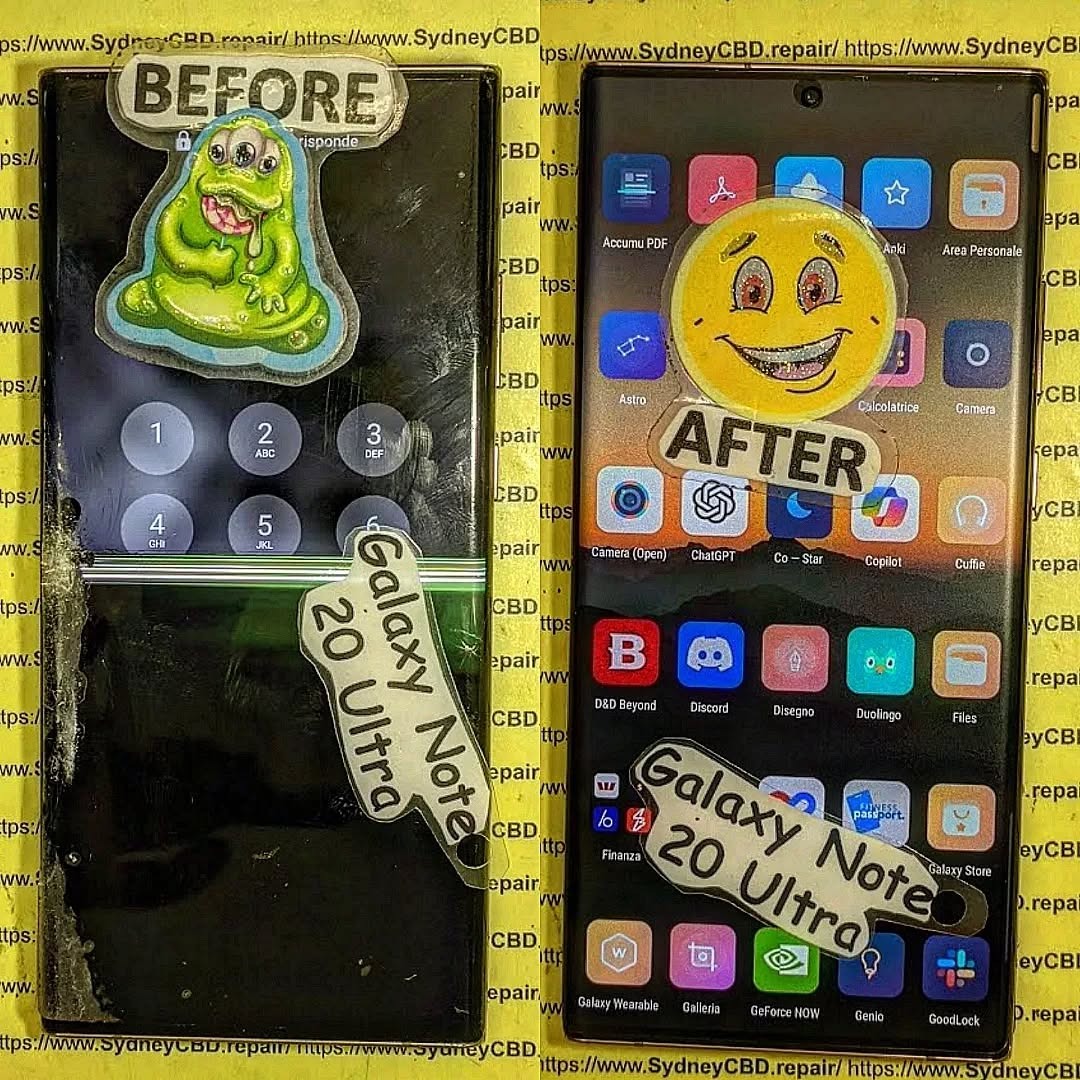
Samsung Galaxy Note 20 Ultra is an iconic flagship phone known for its dynamic AMOLED 2X display, high refresh rate, and immersive viewing experience. But even premium screens aren’t immune to cracks, scratches, or malfunctioning touch sensitivity. Understanding the Samsung Galaxy Note 20 Ultra screen replacement cost is essential for budgeting repairs and avoiding further damage.
Whether your device suffered accidental drops, water exposure, or long-term wear, a damaged screen can compromise both usability and resale value. In this guide, we’ll break down the costs, explain repair options, share tips to save money, and answer frequently asked questions to help you make the best decision.
Understanding the Samsung Galaxy Note 20 Ultra Screen
AMOLED Display Technology
The Note 20 Ultra boasts a 6.9-inch Dynamic AMOLED 2X display. This screen offers vivid colors, deep blacks, and an adaptive refresh rate up to 120Hz, delivering a smooth scrolling experience. AMOLED technology, while visually stunning, is more delicate than traditional LCDs, making professional care vital for repairs.
Screen Durability and Common Issues
Despite its Gorilla Glass Victus protection, the Note 20 Ultra screen is susceptible to:
- Cracks and shattering from drops or impacts
- Dead pixels or discoloration over time
- Touch screen malfunctions caused by internal damage
- Screen burn-in with prolonged static image use
These problems often necessitate a full screen replacement rather than partial repairs.
Factors Affecting Screen Replacement Costs
Understanding the components that influence repair costs can help you plan effectively.
OEM vs Aftermarket Parts
- OEM (Original Equipment Manufacturer) parts ensure full compatibility and performance. Prices are higher but guarantee longevity.
- Aftermarket screens are cheaper but may have lower color accuracy, touch sensitivity issues, or faster wear.
Labor Costs and Repair Complexity
Replacing the Note 20 Ultra screen requires careful disassembly, removal of the curved glass, and proper installation of a new panel. Labor fees vary depending on location and technician expertise.
Warranty and Service Charges
Authorized service centers may charge more, but repairs often come with warranty coverage. Third-party shops may offer competitive rates but with limited guarantees.
Average Price Range for Screen Replacement
Retail and Authorized Service Centers
Samsung official repair services typically charge $350–$450 for a Note 20 Ultra screen replacement. This includes OEM parts and warranty coverage, ensuring original quality.
Independent Repair Shops
Independent or local repair centers often charge $200–$300, offering a balance between affordability and reliability. Ensure they use high-quality parts and provide at least a 90-day warranty.
DIY Repair Cost Considerations
DIY replacements can cost $150–$250, depending on parts and tools. While cheaper, risks include voiding warranties, damaging internal components, and poor screen alignment.
Step-by-Step Guide to Samsung Galaxy Note 20 Ultra Screen Replacement

Preparing for the Repair
- Backup your data to prevent accidental loss.
- Power off the device and remove the SIM card tray.
- Gather tools: precision screwdrivers, suction cups, tweezers, heat gun, and replacement screen.
Disassembling the Device Safely
- Apply heat along the edges to soften adhesive.
- Use a suction cup and plastic opening tools to lift the back panel.
- Disconnect battery and display connectors carefully.
Replacing the Screen
- Remove the damaged screen gently, avoiding damage to the frame or internal components.
- Install the new screen, ensuring connectors are properly seated.
- Apply new adhesive for secure attachment.
Reassembling and Testing
- Reconnect battery and close the device.
- Test display, touch functionality, and sensors before sealing completely.
- Ensure no dust or bubbles are trapped under the new screen.
DIY vs Professional Repair: Pros and Cons
| Option | Pros | Cons |
|---|---|---|
| DIY | Lower cost, flexible timing | Risk of damage, no warranty, technical skill required |
| Professional | Warranty coverage, high success rate, no risk to internals | Higher cost, scheduling required |
Tips to Minimize Repair Costs
Use of Insurance and Warranty
- Check if your device insurance or Samsung Care+ covers screen damage.
- Some plans reduce the out-of-pocket cost significantly.
Choosing Reliable Repair Centers
- Look for certified technicians with genuine parts.
- Check online reviews and ask for written guarantees.
Signs Your Screen Needs Immediate Replacement
- Cracked glass or shattered panels
- Unresponsive touch or ghost touches
- Dark spots, lines, or discoloration
- Flickering or dead pixels
Ignoring these signs can lead to further internal damage and higher costs.
How to Protect Your Samsung Galaxy Note 20 Ultra Screen
Screen Protectors and Cases
- Tempered glass or high-quality film protectors prevent scratches and minor cracks.
- Protective cases with raised edges minimize direct impact on the screen.
Proper Handling Practices
- Avoid placing the phone face-down on rough surfaces.
- Keep it away from extreme heat or direct sunlight for long periods.
- Handle with clean, dry hands to prevent moisture damage.
FAQs About Samsung Galaxy Note 20 Ultra Screen Replacement
Q1: How long does a screen replacement take?
A1: Professional repairs usually take 30 minutes to 2 hours depending on shop workload. DIY repairs can take longer due to careful handling.
Q2: Is it safe to use an aftermarket screen?
A2: Aftermarket screens are generally safe but may have lower brightness, color accuracy, or touch sensitivity. OEM parts are recommended for optimal performance.
Q3: Will a cracked screen affect my warranty?
A3: Yes, using a DIY or unauthorized repair can void your warranty. Official repairs maintain coverage.
Q4: Can water damage occur during screen replacement?
A4: If not properly sealed after repair, water damage is possible. Ensure professional technicians apply appropriate adhesive and seals.
Q5: Is Samsung Care+ worth it?
A5: Absolutely. It reduces repair costs and ensures genuine parts, especially for expensive screens like the Note 20 Ultra.
Q6: Can I repair the screen myself without special tools?
A6: It’s risky. Proper tools and knowledge are required to avoid damaging fragile internal components. DIY should only be attempted if confident.
Conclusion: Making the Right Choice for Screen Repair

Replacing a Samsung Galaxy Note 20 Ultra screen can be costly, but making an informed choice ensures device longevity and functionality. Consider OEM parts for long-term reliability, weigh professional repair benefits against DIY cost savings, and always use protective accessories to prevent future damage. By understanding the screen replacement costs, repair steps, and tips to reduce expenses, you’ll protect your investment while enjoying a flawless display.
For professional and reliable repairs in Sydney, visit Sydney CBD Repair Centre – experts in Samsung phone repairs with genuine parts and same-day service.
David from Sydney CBD Repair Centre – The Best place to fix mobile phones as 6 Years In A Row! Top Mobile Phone Repair In Sydney. More than 2000 Positive Reviews on Google and Same Day Repairs.
We take pride in delivering exceptional repair services for all major phone brands including Apple, Samsung, Google, and more. Our expert technicians use only genuine parts and offer 90days warranty on repairs. Located in the heart of Sydney CBD, we’re your one-stop solution for all mobile device repairs.
Visit us for:
✓ Same Day Express Repairs
✓ Genuine Parts Guarantee
✓ Professional Technicians
✓ Competitive Pricing
✓ 2000+ 5-Star Google Reviews
✓ 6-Time Award Winner for Best Phone Repairs
Sydney CBD Repair Centre – Where Quality Meets Reliability.
Call : +61280114119
Website: https://SydneyCBD.repair/locate-us

