Android 11 brings much-needed privacy and security features alongside exciting UI changes.
Android 11 continues to push Google’s vision of Android forward. With Android 11, Google is making a few tweaks to refine the platform instead of making wholesale changes. Privacy is a big focus with Android 11, with Google introducing one-time permissions and granular control over what sort of data you share.
There are new features to get excited about as well — the power button menu picked up a massive overhaul, the Conversations view does a great job highlighting your messages, and there are little tweaks throughout the interface that give it an added polish.
Android 11 is powering the best Android phones of 2021, and manufacturers are doing a better job rolling out the update to their 2020 phones. So here’s everything you need to know about all the new features in Android 11, and when your phone will receive the update. We also highlight what’s on the horizon with Android 12; Google just rolled out the first public beta, introducing a radical new UI and exciting new features.
Is Android 11 available for my phone?
Following months of Developer Previews and Betas, Google launched the final build of Android 11 on September 8, 2020. The update was available for Pixel phones on day one as per usual. This year, Android 11 was also available on the same day for select handsets from the likes of OnePlus, Xiaomi, OPPO, and Realme.
That’s a big step forward for Android updates as a whole, but there’s also still plenty of work that’s left to be done. Samsung is now rolling out One UI 3.0 based on Android 11 to its flagships and mid-range devices, but the likes of Motorola, Nokia, Sony, and others are yet to roll out the update.
While that’s certainly annoying, we’re making things as easy as possible for you by tracking any and all Android 11 updates as we learn more about them.
What’s going on with Android 11 on non-Pixel phones?
As noted above, this year’s Android update rollout was a bit different compared to past releases. Instead of Pixels being the only phones treated to the new software, handsets from other select manufacturers were also treated to Android 11 in some form.
Let’s first look at Samsung, which is marketing its Android 11 update as One UI 3.0/3.1. Most of the core design principles remain in place, but there is a lot that’s new to check out. Samsung’s touting things like an improved lock screen, a more customizable always-on display, new accessibility tools, and more.
Samsung has already delivered the Android 11 update to most of its 2020 phones, and is now working its way down the list to its 2019 phones. It shifted to the One UI 3.1 build in recent months that debuted on the Galaxy S21 series.
We should also mention OxygenOS 11, which is the Android 11 update for OnePlus phones. OxygenOS 11 introduced a major design shift for OnePlus, with the company moving away from its stock Android aesthetic and embracing design elements found in Samsung’s One UI interface. OnePlus rolled out the OxygenOS 11 stable build with the 8T, and the Android 11 update is now available for the OnePlus 8 series, 7 series, and set to make its way to the 6/6T. The stable build is also making its way to the Nord shortly.
Nokia has also kicked off its Android 11 update rollout, with the Nokia 8.3 5G picking up the stable update starting February 8. HMD has lagged behind in this area over previous years, but with the Nokia 8.3 now on Android 11, we should see the update rolling out to other Nokia devices in the coming months.
Then there’s Xiaomi. The stable MIUI 12 update based on Android 11 is now rolling out to the Mi 10 series and Redmi Note 9 devices and should make its way to other Xiaomi phones very soon. We’ve rounded up Xiaomi’s Android 11 rollout timeline to make it easier for you to learn when your phone will get the update.
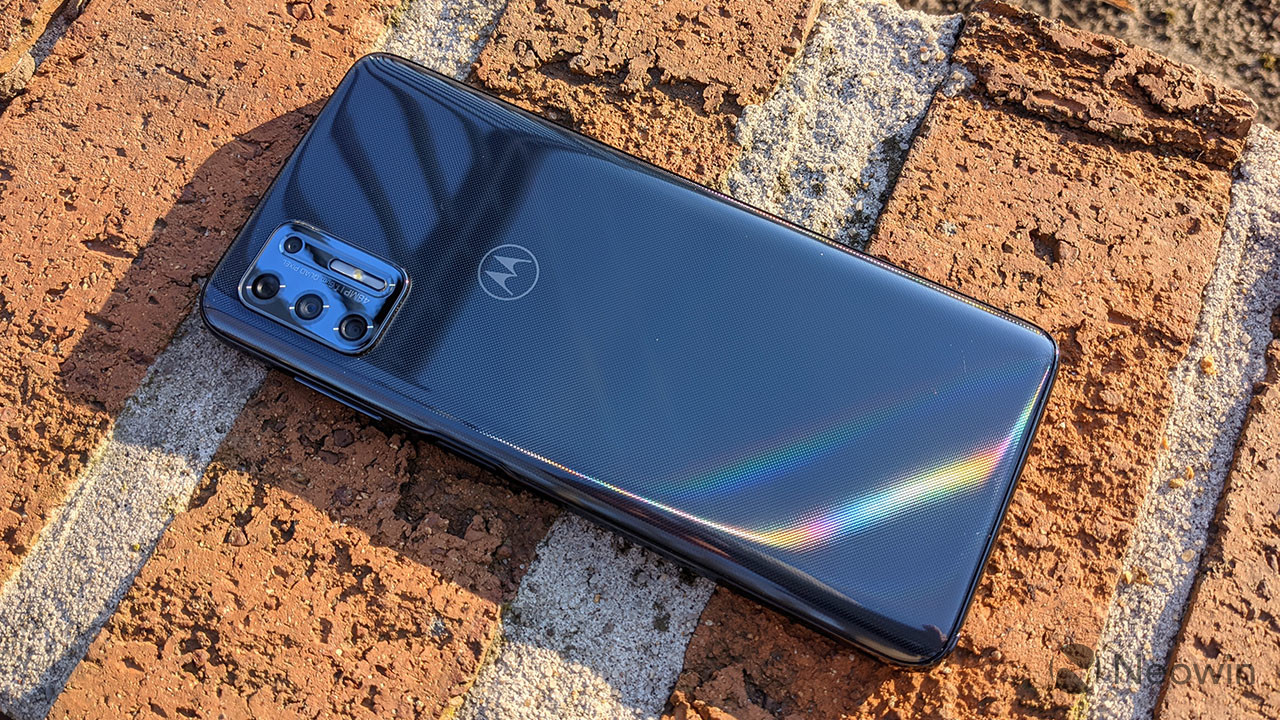
Motorola has kicked off the Android 11 update to the foldable Razr 5G starting April 15. LG has also started to roll out the Android 11 update, with the V60 and the Velvet receiving the stable build. Although LG will no longer make phones, it has stated that it will deliver the Android 12 and Android 13 updates to its current portfolio.
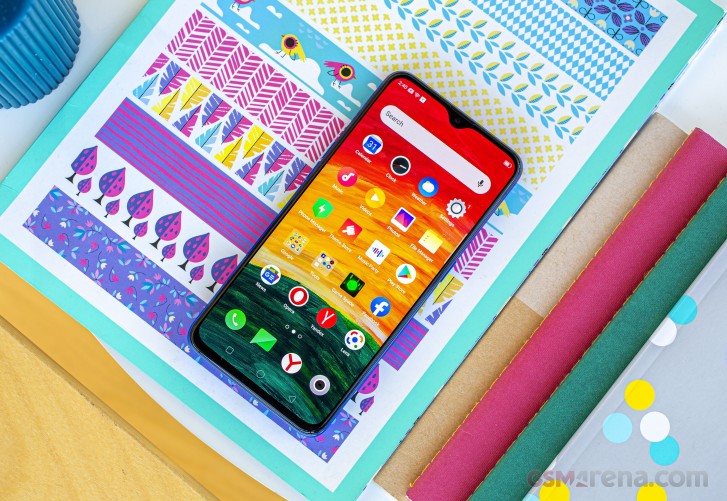
Lastly, we have ColorOS — the custom Android interface used on OPPO smartphones. ColorOS 11 is rolling out now to OPPO devices, and it offers a lot of exciting improvements. In addition to the usual Android 11 goodies, some other highlights include a customizable dark mode, a power-saver mode to extend battery life, and a new feature called OPPO Relax 2.0 that aims to help you unwind and fall asleep at night.
Where can I learn more about Android 11?
We’ll dive into some of Android 11’s biggest features below, but before we do any of that, we should address the elephant in the room — is Android 11 any good? The short answer, yes — it is very, very good, as per our Android 11 review.
Understandably, some people may find Android 11 boring or not very different from Android 10, but the fact of the matter is that Android no longer needs massive overhauls every year the way it used to. The core Android experience is darn good, and Android 11 elevates it even more. All of the conversation improvements are great for streamlining notifications, more powerful permissions are always something we’re happy to see, and the new power button menu adds a ton of extra functionality.
There are a couple of changes we aren’t completely in love with (namely the new multitasking window and Suggested Apps feature for the home screen), but those things are easy to overlook. The vast majority of what Google did with Android 11 was for the better, and the result is software that’s more functional and enjoyable to use.
How do Android 11 chat bubbles work?
As mentioned above, there isn’t one single overhaul or massive change found with Android 11. Instead, it’s a mix of many small tweaks here and there. A few of them focus on improving your messaging experience, with Google offering a lot in this department.
First on the list, we have chat bubbles. Similar to what Facebook’s offered for years with its Messenger app on Android, chat bubbles in Android 11 hide your ongoing conversations in little bubbles on the side of your screen. You can move the bubbles around, and tapping on them reveals that specific conversation. The Bubbles API is available for all messaging apps, with Google encouraging developers to adopt it.
In another effort to make sure you can get to your messages as quickly as possible, Android 11 introduces a dedicated conversation section in your notification shade that offers instant access to any ongoing conversations you have. It also makes it easier for your messaging notifications to stand out from others, ensuring you never miss an important text ever again.
Speaking of messages and notifications, Android 11 makes it possible to send images directly from the notification shade when replying to a message.
What’s new with permissions in Android 11?
Looking back on Android 10, one of its highlights was its improved handling of app permissions. Android 10 gave users more control over applications and what they could access, and Android 11 keeps this train rolling with a wonderful new addition.
Now, when an app asks for permission to use sensitive features like your location, microphone, or camera, you can choose to only grant it access on a one-time basis. The app will be able to use that permission during that instance of you using the app, but the permission is revoked as soon as you leave it. The next time you use the app, and it wants to use that permission, it needs to be granted access again.
Giving apps permission to these aspects of your phone should not be taken lightly, so we’re thrilled to see Google giving users more control over their data like this.
Does Android 11 have a built-in screen recorder?
For the past few Android releases, we’ve been patiently waiting for Google to add a built-in screen recorder. It’s not something you’ll use every day (if ever for some people), but the fact that such a basic function isn’t baked into Android at its core is getting annoying.
Thankfully, Android 11 finally changes that. This Android version does include the feature, accompanied by a clean UI and toggles for recording audio and showing touches with your recording.
There’s not much else to say about this, other than the fact that we’re glad we can finally put this feature request to bed.
Is Android 11 compatible with folding phones?
If there’s been a place of notable advancement in the Android space, it’s been with displays. Companies are doing what they can to offer the best and most exciting smartphone screen possible, and as great as this is, Android needs to catch up with better support for all of these advancements.
Folding phones are proving to be quite popular so far, and especially with devices like the Galaxy Z Flip and Motorola RAZR that have the “flip phone” folding design, Android 11 adds the “hinge angle sensor API” so apps can easily detect the hinge of these folding phones. With this information, developers can adapt their apps to work around the hinge and create unique experiences because of that (like how Google Duo changes its UI when you do a half-fold on the Z Flip).
The other big upgrade displays have seen has to do with faster refresh rates. It’s no longer uncommon for phones to ship with screens that refresh at 90Hz or 120Hz, and Android 11 allows developers to take better advantage of these powerful displays. Developers can select which refresh rate their services should run at, and if the developer determines their app looks best at 90Hz or 60Hz, they can make that decision and have the phone’s display change its refresh rate accordingly when using that app.
How does Android 11 work with 5G?
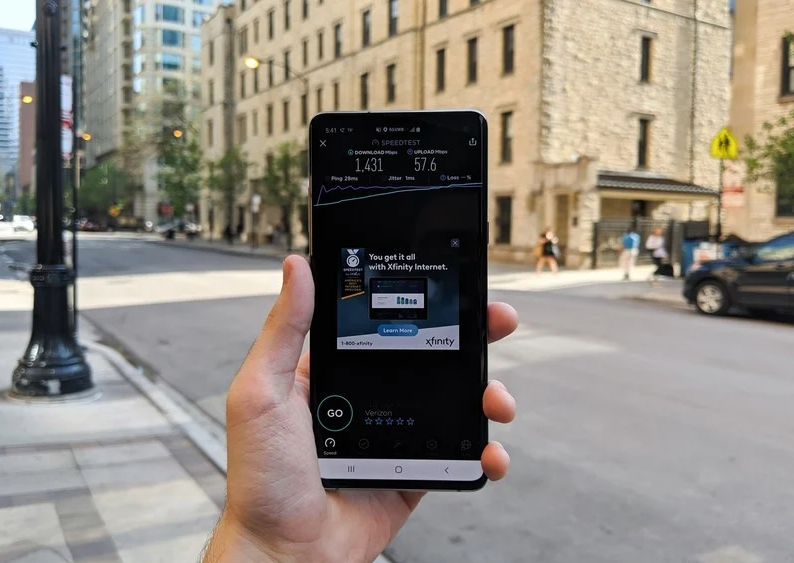
5G is finally starting to make its way to people, and more and more folks have started connecting to the next generation of wireless data. To ease the transition, Android 11 adds a very important “Dynamic Meterdness API.”
That may not sound very exciting on paper, but it essentially allows phones to take full advantage of all the power 5G brings.
If the API detects that you’re connected to an unlimited 5G signal, you’ll access the highest possible quality for videos and graphics. The potential for 5G is pretty darn cool, and this API ensures you take full advantage of the speeds available to you.
What phone should I get for the best Android 11 experience?
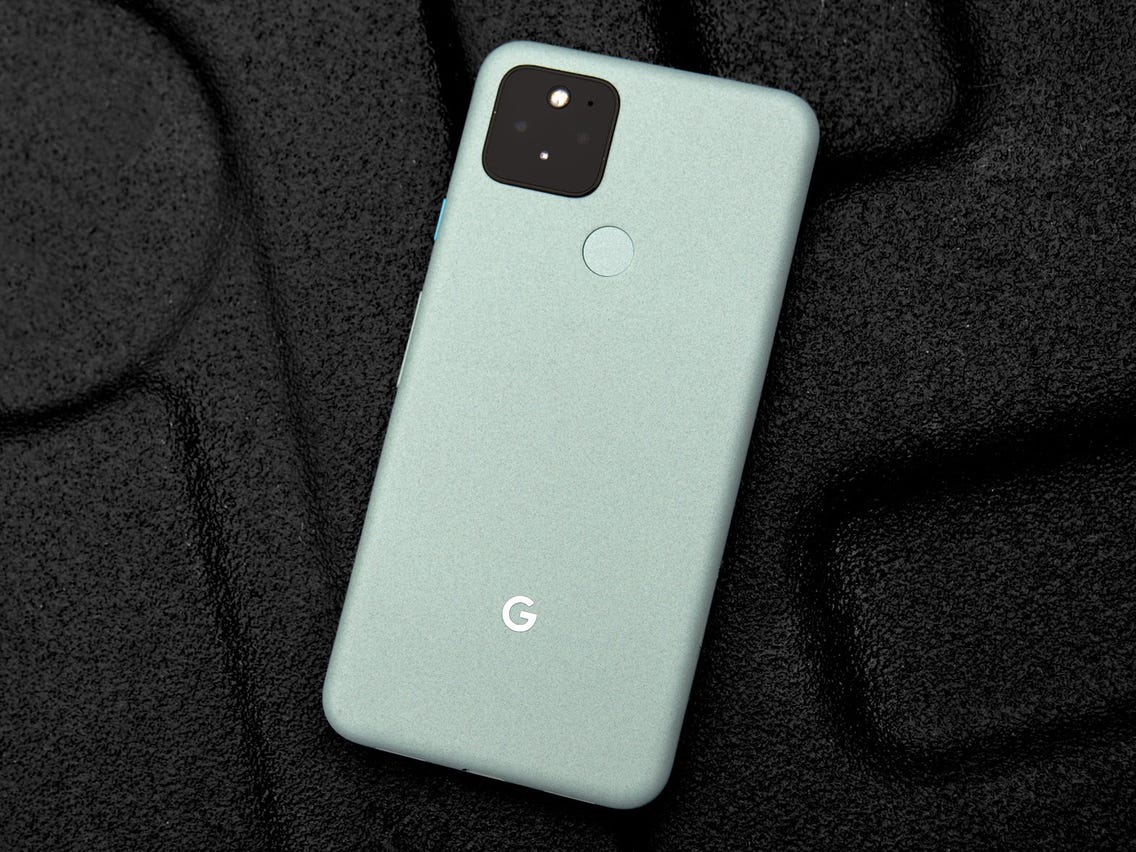
Whether you want to be among the first to get Android 11 or experience it the way Google intended, the Pixel 5 is the phone for you. It’s the newest flagship Pixel currently available, and if you prefer metal over plastic or glass, it’s a hard phone to ignore.
The Pixel 5 is all about delivering a flagship-quality Android experience for a relatively low price, and in these regards, it succeeds tremendously. Google crammed a lot into the Pixel 5, including phenomenal cameras, an OLED display, good performance, long battery life, and more. The design is a little plain, but the phone’s also a great size for one-handed use.
Best of all, the Pixel 5 and other Pixel devices get quarterly Feature Drops from Google, bringing new features to the Android 11 experience without requiring a full-scale platform update.
When is Android 12 coming?
The Android 12 public beta is now live, and the OS is the biggest visual change in Android’s history. Google is rolling out the new Material You design aesthetic, giving you much better customizability and new privacy features.
The key highlight is that you now have a color palette that lets you change system-wide colors to your liking, including the notification shade, volume controls, lock screen, and more. The notification shade has a cleaner design, and there’s a dedicated snooze button that lets you mute notifications with ease.
Android 12 is also set to add scrolling screenshots, but the feature isn’t quite live at this moment. And while the home screen UI itself is unchanged from Android 11, there’s now an option to set a 4×5 grid. You can also easily share Wi-Fi with Nearby Share, making it easier for others to connect to your Wi-Fi network.
The stable version of Android 11 was released a few months ago, and while it isn’t the most revolutionary update we’ve ever seen, there are plenty of reasons to get excited about it. Whether you’re looking forward to the new conversation notifications, chat bubbles for messaging apps, or the upgraded permission handling, it may be a while before you can actually start messing around with all of these software goodies.
The update is available for the Pixels and selects OnePlus phones, while the Galaxy S20 and Note 20 lineups have also received their One UI 3.0 update which is based on Android 11. We’ve rounded up all of the current info to help give you a better idea of when Android 11 will arrive on your device.
The timelines change based on manufacturer and region, but the list below should give you a broad overview of if and when you will get the Android 11 update on your phone.
The phrase “fast Android updates” is usually an oxymoron, but Google‘s lineup of Pixel phones is the exception to that rule. Whenever a new update or security patch is released, Pixels are the first-in-line for that software — making this one of the biggest benefits of owning a Pixel in the first place.
The Android 11 stable update is now available to download on all Pixels starting with the Pixel 2 series. Here’s the full list:
Samsung used to be one of those manufacturers that you couldn’t rely on for good software support, but within the last year, it’s improved significantly. Samsung announced that it’s now committed to three years of major OS updates for all of its flagship phones, starting with the Galaxy S10 series.
The company has been on a tear as of late, releasing the final version of One UI 3.0 (based on Android 11) to the likes of the Galaxy S20, Note 20, and even the Galaxy Z Flip 5G. A few other devices are seeing the update as well that weren’t exactly expected as soon as they have arrived.
We can look forward to all of the following phones to get an Android 11 update:
Galaxy S10
Galaxy S10+
Galaxy S10e
Galaxy S10 Lite
Galaxy S20
Galaxy S20+
Galaxy S20 Ultra
Galaxy S20 FE
Galaxy S21
Galaxy S21+
Galaxy S21 Ultra
Galaxy Note 10 Lite
Galaxy Note 10
Galaxy Note 10+
Galaxy Note 20
Galaxy Note 20 Ultra
Galaxy Fold
Galaxy Z Fold 2
Galaxy Z Flip 5G
Galaxy A52 / A52 5G
Galaxy A72 / A72 5G
Galaxy A32 5G
Galaxy A71
Galaxy A51
Galaxy M21
Galaxy M31 / M31s
Galaxy M42
The Galaxy S9 series should be able to run Android 11, but Samsung revealed its roadmap for which devices would see the update. Sadly, the S9 was not on the list. However, the company did commit to bringing security updates to these devices for at least the next year.
As for the speed at which Samsung will roll out Android 11 to its phones, we’re anticipating the update to drop within a few months of the initial launch. Google introduced Android 10 on September 3, 2019. The Galaxy S10 and Galaxy S9 got the update in December and January, and Samsung has been following the same trajectory with Android 11 for its enormous lineup of smartphones, with many devices being updated in late December 2020 or throughout January and into February 2021.
What started out as a small enthusiast brand has transformed itself into a mainstream player in the U.S. smartphone space. OnePlus kicks out some of the best Android phones, and thankfully, it’s quite good when it comes to updating them to new software builds.
OnePlus is rolling out the Android 11 stable update to the OnePlus 8 and OnePlus 8 Pro. There’s a new visual layout in OxygenOS 11, along with a host of exciting features.
Despite seeing a few issues with the official OxygenOS 11 rollout for the OnePlus Nord, it seems that everything is back on track.
Here are the OnePlus devices that will make the switch to Android 11:
OnePlus 9
OnePlus 9 Pro
OnePlus 9R
OnePlus 8T
OnePlus 8 Pro
OnePlus 8
OnePlus Nord
OnePlus 7T Pro McLaren Edition
OnePlus 7T Pro
OnePlus 7T
OnePlus 7 Pro 5G
OnePlus 7 Pro
OnePlus 7
OnePlus 6T McLaren Edition
OnePlus 6T
OnePlus 6
With the OnePlus 9 and OnePlus 9 Pro making their arrival, that adds a couple of more devices that are running Android 11. Plus, both of those devices will see the update to Android 12 and at least Android 13. Which is more than we can say about the OnePlus Nord N10 5G and Nord N100 which are slated for only one major Android release. Meanwhile, those are still running Android 10, and the company has not given any indication as to when Android 11 will come to the budget-friendly handsets.
OnePlus 6 and OnePlus 6T owners who have been waiting patiently for the arrival of Android 11 will have to keep waiting a little bit longer. The company has confirmed that the Android 11 update won’t be arriving until after the release of Android 12, which is currently slated to launch this fall.
Xiaomi is one of the world’s largest phone manufacturers, and the brand has turned its attention to Western markets in the last two years. Xiaomi sells phones from $100 all the way to $1,200, and it has made a name for itself as the go-to player for value.
The company has already pushed the Android 11 update live for owners of the Xiaomi Mi 10 and has turned its focus onto the Mi 10T and Mi 10T Pro. A new beta program has opened for these devices, as Xiaomi continues to bring the latest version of Android to its vast lineup of smartphones.
Based on a post that showed up on Xiaomi‘s MIUI community forums, the Android 11 update will be going out to 30 models across Xiaomi, POCO, and Redmi product lines. More phones will be added to the list, but for now, these are the Xiaomi phones that will be updated to Android 11:
OPPO is also turning its attention to Western markets. The Chinese manufacturer made a lot of changes to its ColorOS interface over the last 12 months, making it more palatable to a global audience.
OPPO has introduced ColorOS 11 based on Android 11 in closed beta for the Find X2 series and the Reno 3 Pro series, with a stable update slated to arrive before the end of the year.
We have a tentative timeline for when OPPO phones will get the ColorOS 11 beta based on Android 11. These are the OPPO devices that have already received the update to ColorOS 11:
A94 5G
A93 5G
A74 / A74 5G
A54 5G
Find X2 / X2 Pro
Find X3 Pro
Ace2
A9
Reno 2 F
Reno3
Reno3 Pro
Reno 4 5G
Reno 4 Pro 4G / Pro 5G
Reno 5 Lite
Reno 5 Pro+
Reno 5 Pro 5G
Reno 5 Z
F15
F17 Pro
F19
Note that these are the expected timelines for the beta builds and not the stable update:
From October: Reno 4 Pro 5G
From November: Reno 4 5G, Reno 4 Pro 4G
From December: Reno 4 4G, F11, F11 Pro, F11 Pro Avengers Edition, A9, A92, A72, A52, Find X2 Pro Automobili Lamborghini Edition
From Q1 2021: Reno 10x Zoom, Reno 2, Reno 2F, Reno 2Z, Reno 3 Pro 5G, A91, F15
From Q2 2021: Reno, Reno Z, A5 2020, A9 2020
When will my Realme phone get Android 11?
Realme is also doing a closed Android 11 beta based on Realme UI 2.0 for the X50 Pro. Realme UI 2.0 comes with a host of new features, but at this moment, there’s no indication of when the stable build will be made available.
We don’t know how many Realme phones will be updated to Android 11, but most devices released in the last 18 months should qualify for the update. Here’s the list:
Although Huawei phones aren’t very common/popular in the United States, the manufacturer gets a lot of attention in other parts of the world.
Huawei‘s Android 11 update will take the form of EMUI 11, and the company has finally shared its roadmap for what devices will receive this update. The list is surprisingly long, with even some tablets getting in on the Android 11 action.
There are a lot of Huawei phones we expect to get Android 11/EMUI 11, including:
Huawei Mate 40 series
Huawei P40 series
Huawei P30 series
Huawei Mate 30 series
Huawei Mate 20 series
Huawei Mate X/Xs
Huawei Nova 5T
Regarding how fast those updates will be pushed out, you’ll likely have to wait a few months. The Huawei P30 and P30 Pro received Android 10 in mid-November, shortly followed by the Mate 20 series.
This past year has been an exciting one for Motorola. The company is still churning out high-quality budget devices, and alongside those, we’re seeing Moto‘s return to the flagship space. However, it’s still straggling behind in an area that’s been a pain point for years — software updates.
After staying mum for a little while, Motorola finally revealed which of its latest devices will be receiving an update to Android 11, and the list is as follows:
Motorola Edge+
Motorola Edge
Motorola RAZR / RAZR 5G
Moto G Stylus
Moto G Power
Moto G Fast
Moto G 5G / 5G Plus
Moto G Pro
Motorola One Fusion / Fusion+
Motorola One Hyper
Motorola One Zoom
Motorola One Action
Motorola One Macro
Motorola One 5G
Moto G8
Moto G8 Plus
Moto G8 Power
Moto G10
Moto G40 Fusion
Moto G50
Moto G60
Moto G100
Moto G9
Moto G9 Play
Moto G9 Plus
Moto G9 Power
Lenovo K12 Note
That’s a solid list at first glance, but it comes with a big caveat. For every phone but the Edge+ and RAZR, Android 11 is the one and only software update they’ll receive. There’s also the fact that Motorola took its time with the Android 10 update, with the platform version not coming to the Moto G7 until May 11, 2020.
Keeping with the theme of manufacturers that often drop the ball for software updates, we have LG. With no update roadmap in place, here are the devices we think will get Android 11:
LG Wing
LG Velvet
LG G8
LG G8X
LG V60
LG V50
LG V50S
Android 10 was made available for the LG G8 in December 2019, with the LG V50 starting its Android 10 update in February 2020. We don’t consider that to be a fast turnaround time, but it is better than what we usually see from LG.
Our fingers are crossed that LG gets even faster with rolling out Android 11, but we’ll have to wait and see if that pans out.
Nokia has announced its Android 11 update schedule, with the first slate of devices set to receive the update by the end of 2020. While Nokia’s devices fall under the Android One initiative, phones like the Nokia 7.2 and Nokia 9 PureView won’t get the Android 11 update until Q2 2021.
After officially rolling out Android 11 to the Nokia 8.3 5G, the company’s Chief Product Officer took to Twitter, suggesting that the rollout would be coming much quicker than expected for the rest of Nokia’s devices. Only time will tell if that’s to be believed, but Nokia seems to be sticking to its timeline that was laid out late in 2020.
Oppo’s fairly new Reno series has a midrange member – the Reno Z which offers all the essential features from a phone in its price range and even some improvements compared to the more expensive Oppo Reno. The device recently made its way to our office and we got to unbox it and take a look at its key features.
Starting with the design the Reno Z feels really similar to the vanilla Reno. In fact, the two devices are nearly identical as far as dimensions go with 6.4-inch AMOLED displays and a dual-layer glass build.
What you do notice with the Reno Z though is the waterdrop notch which replaces the signature shark fin pop-up mechanism from the other two Reno models. On the flip side, the selfie camera on the Reno Z comes in at 32MP which is double that of the regular model.
The paint job on our review unit is called Aurora Purple and it’s a predominately blue color with a purple tint towards the top part of the back. Speaking of the backside we have the same dual-camera setup from the Oppo Reno here with a 48MP main shooter utilizing a Quad Bayer filter and a 5MP depth sensor.
One of the biggest changes comes under the hood with the new Helio P90 SoC paired with 4GB RAM and 128 GB storage. The phone comes with Color OS 6 which is a heavily skinned version based on Android Pie with a lot of room for tinkering and customization. Audio heads will also enjoy the added Dolby Atmos support which was absent on the vanilla Reno.
Another welcome addition is the 4,000 mAh battery which should translate into ample running times. At around €300/£300 here in Europe, the Reno Z is a compelling package but we’ll have to go through our review procedure before we give out any judgments.
Oppo Reno Z specs
A few years ago, if you paid £300 for a smartphone you’d be treated to a boxy slab of plastic that was about as alluring as a trip to Slough or Milton Keynes. To this day, lazy design remains an issue at this end of the market – even the Pixel 3a is a little on the dull side visually.
Oppo’s decided to try and buck this trend, and make the Reno Z look as jazzy as possible, loading it with a wealth of flashy colour options and a few design flourishes that are normally reserved for more expensive phones. For a start, it has a glass back. This, plus my review unit’s snazzy purple colouring, instantly make it more alluring than most £300 phones. Be warned, though. As Bon Jovi sang, it gets slippery when wet and will crack if dropped without a case.
It also has a few top-end features including a Huawei P30-style dewdrop notch, dinky bezels and an in-screen fingerprint scanner. The scanner’s not quite as nippy as the P30’s but the fact the tech’s even in a phone this price is seriously impressive.
At first glance, under the hood things are also solid. Powering up the phone I was instantly stunned by how good the 6.4-inch AMOLED screen is, when compared to other phones this price. The 2340 x 1080 is suitably sharp and colours, while a little warm to the naked eye, generally look great. This, plus the Dolby Atmos stereo speaker setup, make it a great phone for Netflix bingeing in bed.
The Oppo Reno Z’s battery
Battery life is also great thanks to Oppo’s decision to load the Reno Z with a giant 4035 mAh cell and its custom VOOC Flash Charge 3.0 tech. With regular use, this combo let me easily get at least two days’ use out of the Oppo Reno X as my main work and personal phone.
This entailed listening to music on my commute, taking and making a few calls, constantly checking my social media and message feeds, plus a game of PUBG and a quick hour on Netflix before bed.
It dealt with demanding tasks like video streaming and gaming pretty well. Streaming video on Netflix with the phone screen at 150 nits (the level most people will be comfortable with), the Reno Z lost an average of 6-8% of its charge per hour, which is excellent. Most phones lose at least 10% running the same process. Gaming was the same – it lost around 12-15% per hour, which again is not to be sniffed at.
The Oppo Reno Z’s camera
On paper the camera’s a similar story. Oppo’s loaded the Reno Z with a dual-sensor rear camera setup that pairs the 48-megapixel Sony sensor seen on the OnePlus 7 with a secondary 5-megapixel “depth” snapper. Up front you’ll find a 38-megapixel selfie camera. The specs put the Reno X on a par with its arch-rival, the Motorola One Vision, which has a near-identical rear camera setup.
With real-world use I found camera performance between the two is fairly comparable. This means it’s good, but not Pixel 3a level, particularly in low light.
The camera app is fairly stripped down, but it has most of the features you’d expect, including auto, panorama, night, portrait, slo-mo and Google Lens options. The only minor issue is the fact there’s no RAW shooting option, which will annoy enthusiasts, but at this price that’s far from a deal-breaker.
Shots taken in normal light look good and match, if not beat, the One Vision for quality, though be warned – like the Motorola, shutter speeds can be a little slow and the camera can sometimes push the bokeh effect too far, giving portrait shots a slightly soft feel.
A few years ago I’d have praised the Reno’s low-light performance at this price. The phone can actually take usable images in low light. But hold it next to the Pixel 3a and the difference is clear. Pictures taken on the Pixel 3a in low light have better contrast, are less prone to noise and generally look more realistic than those taken on the Reno Z.
Though again, this is forgivable as it matches, if not beats, nearly every other competing £300 phone’s low-light performance.
The front camera paints a similar picture. For the money, you get great image quality that’s more than good enough to chronicle most drunken students’ clubbing adventures or finding-themselves trip around Europe. The only slight annoyance is that the app seems to softly “beautify” you even when the beauty mode is turned off and, once again, it can be a little aggressive when applying bokeh.
Verdict
The Oppo Reno Z doesn’t have a unique selling point like the Pixel 3a’s camera. But it earns a spot as one of 2019’s leading mid-range Android phones by getting all the basics right, offering solid battery life and a great screen for bingeing on Netflix.
Pros
Pretty design
Great screen for the money
Solid battery life
Cons
ColorOS adds bloatware and will delay software updates
Oppo’s Reno 5G has 5G mobile internet and some of the most advanced cameras you’ll find in a phone, including a cheese wedge selfie camera that is anything but cheesy. This is a bold phone. If you have big money to spend and want cutting-edge tech, the Oppo Reno 5G deserves your attention.
And the bad bits? Oppo’s software is not the best and you need to have a long, hard think before investing in a 5G phone and contract right now. It may not be worth the extra cash just yet, and the Oppo Reno 10X Zoom otherwise gets you everything here, minus the 5G.
DESIGN:
The first one you experience blows you away, but then you realise they’re all a bit similar, and get a bit obsessed with turrets and minarets to stop them blurring into one.
The Oppo Reno 5G has some pretty tasty minarets, mind. Sure, it has the same glass and metal framework you see everywhere, but the rear glass is matt rather than glossy. You see the same effect in some versions of the OnePlus 7.
Its cameras are also completely flush with the back. This is a slick look, but does, rationally or otherwise, make the lenses seem about 10x more vulnerable.
Oppo has an answer to this too. See that little bright dot on the Reno 5G’s rear? This is a raised dot that makes sure the phone doesn’t lie flat on its back. The super-picky might get annoyed at the very slight wobble it introduces. But we’d much rather put up with it than pick it up the Reno from an unexpectedly rough surface and see a great streaky pattern of scratches down the glass.
The pop-up selfie camera is the bit you’ll have noticed first if you’ve visited the Oppo website. Meet the cheese wedge: a motorised triangle of metal and glass that holds the selfie camera on the front, and a camera flash on the back. It’s the most unusual part of the Oppo Reno 5G, but unless you’re obsessed with selfies or use face unlock, you’ll barely see it.
We’d suggest using the in-screen fingerprint scanner anyway, as it’s just about the quickest we’ve ever used. It trashes the Samsung Galaxy S10’s, and may even outpace the already-quick OnePlus 7 Pro’s. A little circle glows green when you pick the Oppo Reno 5G up, and more-or-less the very instant thumb meets display glass, you’re on the homescreen.
SCREEN:
Still, the Oppo Reno 5G doesn’t look quite as flash as some £900-plus phones like the Huawei P30 Pro or Samsung Galaxy S10. It doesn’t have truly curvy front glass, one of the most expensive design features around.
Some of you may be relieved at this. Such curves tend to pool reflections, and the Reno 5G’s front is all about letting the screen image fill out as much of the area as possible. This is a 6.65in 19.5:9 AMOLED display with no notches or punch holes. The Reno 5G doesn’t need them thanks to the motorised pop-out camera. It’s just what you’d expect from a great big OLED screen: bold, colourful and incredibly contrasty.
It does not go quite as bright as a Galaxy S10+ in very bright conditions and isn’t as sharp either, but you won’t notice that as often as you will a double punch hole eating into your Netflix picture. You also get a choice of vivid or relaxed colour, and there’s a colour temperature slider. This is a great screen, if not the most aggressively bright or customisable around.
FEATURES:
The most important feature of the Oppo Reno 5G is something you can’t really see or feel, which is strange to say about a phone with a pop-up camera. We’re talking about 5G.
It’s why you can only currently buy the phone from EE in the UK, as part of the 5G contract. We got to try out EE’s 5G service at its launch a few weeks before this review. And, unsurprisingly, it hasn’t changed that much since.
If you’re dead lucky and live in one of the “fast streets” in London or the other handful of cities that have received 5G so far, it’s great. We saw speeds of up to 360Mbps while testing the Oppo Reno 5G (New Cross, if you’re wondering), but coverage is patchy. And sometimes you’ll see distinctly 4G speeds even if the phone reports a 5G connection.
5G hardware is worth getting. Coverage will only improve over the months. The problem is you’ll also be paying for a 5G service every months while you wait for it to mature. That will take a while.
Oppo seems to have positioned the Reno 5G as one of the more affordable 5G phones. That still means it’s not really affordable at all, but a world of £1200 phones, everything’s relative.
What do you miss out on besides a curvy glass front? There’s no wireless charging and no official water resistance. It is also quite heavy at 215g, but not significantly more than the OnePlus 7 Pro.
All the other fancy extras are here. You get 256GB storage, pretty loud and beefy stereo speakers, and an absence of headphone jack. Apparently that’s a feature these days.
SOFTWARE:
Our Oppo Reno 5G is also much less bogged-down with awkward software than the Oppo Reno 10X we reviewed at the beginning of July. But there is still some.
Who interested in a phone this high-end is really going to use Aqua Mail or the Opera browser? We can’t imagine many takers for them. Still, the other extra apps are inoffensive tools like a file manager, and a game mode that lets you fiddle how the phone reacts to notifications and so on as you play.
Even with most of the bloat sucked out, liposuction-style, the Reno 5G’s software still isn’t the best. It runs Android 9 with the Color OS interface on top.
There are a few sensible choices, like using five columns of apps in the drawer so the Reno 5G doesn’t look like a giant kids’ toy. But it’s just not as slick or pretty as some other third-party interfaces, or as clean as Google’s own.
The Oppo Reno 5G does run well, though. It has a Snapdragon 855 processor, which would have been the fastest around had the Asus RoG Phone II not just popped up with the slightly faster “Plus” version.
It scores a mega 10191 points in Geekbench 4, and runs any Android game like a dream. If it didn’t, that’d be a sign of a badly programmed game, or one made for phones that don’t exist yet.
CAMERA:
At a certain point talking about a phone’s power gets boring. Everything above a certain price feels fast and responsive, unless something has gone seriously wrong. Cameras are always of interest, though, and the Oppo Reno 5G has some of the most interesting yet.
It has the same setup as the Oppo Reno 10X Zoom. This may make you think it has a 10x optical zoom, but it actually has a “normal” 48MP camera, a 5x optical zoom like the Huawei P30 Pro and an 8MP ultra-wide.
Oppo fiddles with this hardware in the software to let you shoot 6x and 10x zoomed images using a button right next to the shutter.
Why 6x? It suggests the zoom lens’s extreme edges may not be as sharp as the rest of the frame. Or perhaps Oppo wants the zoomed view to look even more stabilised than it is through OIS, using the buffer to smooth out the preview image and make it easier to hold your subject in position.
We’d bet on the latter. Techy navel gazing aside, the Oppo Reno 5G offers an ultra-fun shooting experience similar to the Huawei P30 Pro. Some photography bores like to harp on about how you shouldn’t need to use a zoom, you can just use your feet. Try that at a packed gig, or when shooting the London skyline on a bridge over the river Thames. No photo of the Shard is worth a dip in that water.
The 6x lets you capture scenes other phone simply won’t. Not without a load of vague digital zoom blur. Don’t overestimate the power of the 10x mode, though. This does use digital zoom, and its images are not incredibly sharp or detailed. There are other limitations too. The zoom lens can’t focus on anything closer than about 1.2m. And you can’t use the zoom for video either.
The Oppo Reno 5G lets you shoot 2x video, but that’s a crop of the standard camera, so detail takes a hit. Still, there’s a lot to like. You can shoot stabilised video at 4K resolution, normal shots look pretty great and shooting sharp 6x photos is quite easy. Low-light handling is reasonable too.
The Oppo Reno 5G is up there with the best, if not quite a match for the Huawei P30 Pro. Image quality doesn’t reach quite the same heights at its best, and there are a few more technical roadblocks. Still, once you’ve experienced a super zoom like this, you won’t want to go back. 16MP selfies are solid too, although again not quite a match for the best from the Google Pixel 3 XL. And slightly blurred shots are more common than the high-end average.
BATTERY LIFE:
You get great battery life as well as unusual cameras.
The Oppo Reno 5G has a 4065mAh battery with fast charging, and its real-world stamina is excellent. The day before writing this, for example, it had 48% charge left by 11:30pm. It lasted until 4pm the next day before needing a recharge, having hit the 3% charge danger zone. And that was following a good amount of audio streaming.
Wireless charging is the one missing battery element, just like the OnePlus 7 Pro. A fairly large frame and high weight may make the Reno 5G seem a techy burden, but after a few days you realise this is actually quite a low maintenance phone.
OPPO RENO 5G VERDICT
The Oppo Reno 5G is a great phone, and one of the more affordable first-wave 5G models.
We’re just not sure you should buy this instead of the Oppo Reno 10X Zoom, which is largely the same but without 5G. If it was £50 extra SIM-free and you were planning on keeping it for several years before upgrading, it’d be no contest. 5G is the way forwards.
But in the UK at least you have to buy the Oppo Reno 5G as part of a 5G contract. They’re expensive for now and, if you have not hit the geographical jackpot, not necessarily all that useful just yet.
TECH SPECS
Size
162 x 77.2 x 9.3 mm
Weight
215g
Display
6.6-inch 2340 x 1080 pixel AMOLED
Processor
Snapdragon 855 CPU
Memory
8GB RAM (internal) 256GB
Camera
48 MP wide camera 13MP 5x zoom camera 8 MP ultrawide 16MP selfie camera
The Oppo Reno2 Z came just a few months after the Oppo Reno series debuted in India. The spec-sheet and the price both indicate the smartphone is not an upgrade over the Reno or the Reno 10X Zoom. Instead, the Reno2 Z becomes the entry point into the Reno series. Oppo has maintained consistency in the series with bezel-less displays, unique colour finishes and multiple cameras. Only, instead of a Qualcomm chipset, the Reno2 Z is powered by a MediaTek Helio P90 SoC.
The MediaTek Helio P90 powering the Reno2 Z is MediaTek’s flagship chipset for the first half of the year. The chipset’s performance is comparable to the Snapdragon 710, but price-wise, the Reno2 Z competes with the Redmi K20 Pro and the Asus 6z among others, both of which tout the Snapdragon 855 SoC.
the Reno2 Z lags well behind the high-end value flagships like the Asus 6z and the Redmi K20 Pro. But it did manage to beat the Redmi K20 in some of the benchmarks, and in the rest, they were quite neck to neck. Despite lagging behind, honestly didn’t find a big difference in usability. The phone felt fast enough to get through the day accomplishing all my daily tasks with ease.
The bezel-less display is a delight to play games on. Games like Asphalt 9 and PUBG Mobile take up the entire screen and at full brightness, it’s quite an experience. The quality of graphics on these games were also of high quality, making full use of the PowerVR GPU inside. The frame rates are almost as good as you’d get on Snapdragon powered devices in that price range, but the stability is right up there with some of the best we’ve seen.
SOFTWARE
The Reno2 Z runs on ColorOS 6.1, the same operating system that powers smartphones from Realme. It’s fast and even offers an app drawer. The UI design suits the full screen experience with spaced-out icons, punchy colours and slick animations. Only, Settings options are not arranged the way you’d usually see in other Android smartphones. I had to struggle to find the keyboard settings. Even in the camera app, the option to zoom at the bottom near the viewfinder, while the option to switch to ultrawide is on the top shelf, and the night mode, pro mode and the rest are stacked under a menu list.
Having said that, the gestures on the Reno2 Z works pretty well. I particularly liked how Oppo keeps you from going back to the home screen if you accidentally swipe from the bottom while playing a game. You have to swipe and hold to go back. ColorOS also offers a gaming mode where you switch between ‘Balanced’ and ‘Competition Mode’, the latter of which blocks calls, notifications and release memory.
The UI is still quite bloated though. Oppo has its own suite of apps that are basically alternatives to Google apps like Chrome, Play Store, and the likes. More than that, there are apps like WPS Office, ORoaming, Helo and Soloop that are more relevant for the Chinese market than in India.
The Reno2 Z comes with a 4000mAh battery that consistently lasted over a day during my time of use as a daily driver. More than that, the phone supports Oppo’s VOOC Flash Charge 3.0 which delivers 20W power to top up the battery in around an hour and half. The battery drain was also quite conservative during gaming, dropping 5 percent both while playing PUBG Mobile for 15 minutes and watching Big Bang Theory on Netflix for 30 minutes.
CAMERA
The camera setup on the Reno2 Z is one of the reason to get this smartphone. The 48MP quad camera setup is unique in the sense that apart from the primary 48MP wide sensor and the 8MP ultra-wide lens, there’s a 2MP monochrome sensor and a 2MP depth sensor and the camera ‘intelligently’ decides which to use when. It also doesn’t have the 10X hybrid zoom from the Reno 10X Zoom or the 5X hybrid zoom from the Reno2. Instead, you only get 5X digital zoom, partly why it’s the most affordable in the Reno lineup. Nevertheless, the primary 48MP wide camera works quite well.
The Reno2 Z’s 48MP primary camera offers one of the best optimised performance. All the shots I took in the day came out super sharp with lots of details. Even the colours and dynamic range were on point with excellent details in the shadows and highlights.
The wide-angle lens is also works quite well in the day, but I did notice an unusual warm tinge in the ultrawide photos which isn’t there in photos from the primary camera. More than that, the details are much softer from the ultrawide lens.
The 48MP camera also offers 2x and 5x digital zoom. The former works mostly well retaining most of the details, but at 5x zoom, you can see the edges tear and the pixels starting to show. Not recommended at all.
Also, I observed you get better results with the AI-powered Dazzle Mode turned off. The mode simply boosts the contrast in the photos and I mostly got photos that looked like posters using that mode. Turn it off, and the results are much more natural.
Despite a full-fledged low-light mode, low-light imaging is a weak spot for the Reno2 Z. It gets the colours and the brightness right, but the details and sharpness are messed up, giving a dull haze in the photo. The Night Mode also has an additional Tripod Mode where the shutter is kept open for longer when the phone is kept steady either on a flat surface or a tripod. The results are slightly better but nothing extraordinary. But the good thing about it is that the night mode works with both the ultrawide and the primary lens.
Selfies and portraits have been a strongpoint in Oppo smartphones for quite some time. They have literally sold phones on the basis of selfies, and the Reno2 Z doesn’t disappoint. Yes, the pesky beautifying algorithms still work overtime, but you can turn it off and get natural looking portraits and selfies
Stable Video
Despite not having an OIS or even EIS, the camera was able to take a super steady video while I was sitting in a car, with pristine details and balanced colours. You can check out the clip shared above to get an idea how good the mode is.
DESIGN AND DISPLAY
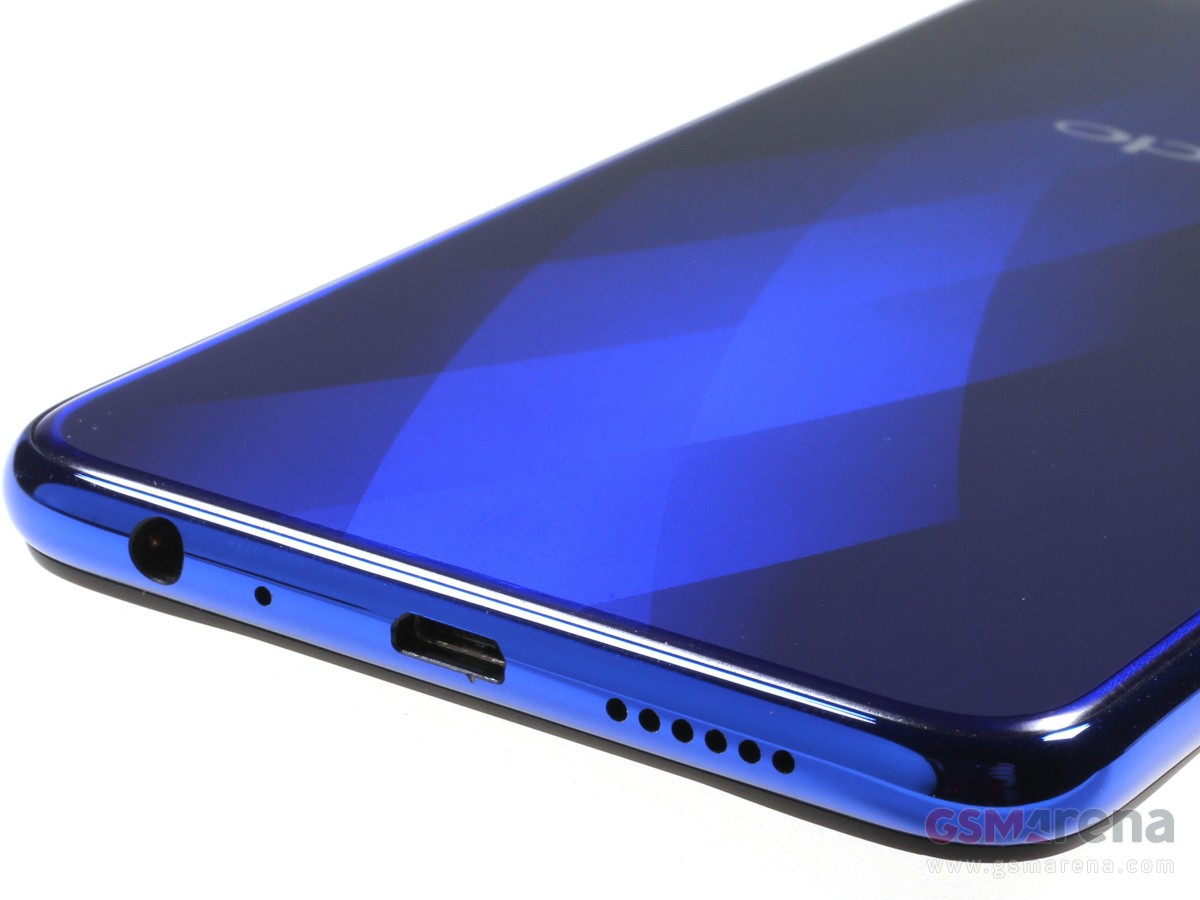
The Reno2 Z looks quite different from the other premium offerings in its price range. Where most tend to go overboard with the gradient design, the Reno2 Z’s gradient design is more muted, and I found it quite premium-looking. We received the Sky White variant which plays varying shades of blue highlighted along a central strip (where it’s written Designed for Reno) and along the edges. I liked the fact that the camera module is completely flushed to the body and there’s the tiny dot that keeps them from getting scratched on a flat surface. Rounded edges help in improving the ergonomics and it’s actually quite easy to use while on the go. It’s also well protected with Gorilla Glass 5 on both the front and the back. You even get a 3.5mm headphone jack, and a single speaker housed on the edge of the screen on top.
The Reno2 Z’s display stretches all the way to the edges with razor thin bezels on all sides except the bottom. The bottom chin is a bit too prominent. The panel itself is quite bright. We registered 693 lux of peak brightness and 7 lux at its lowest, which is quite impressive. The panel itself is AMOLED and can produce vibrant colours with high contrast. The touch response is also quite decent.
VERDICT
The Reno2 Z may not be the best performer in this segment, but it still manages to offer a hassle-free, premium experience.
The Reno2 Z is primarily aimed at those who desire a premium experience on a budget. The price is still on the higher side if you take into account phones like the Redmi Note 8 Pro and the Realme X2, but for that extra premium, you get a design that’s both easy to use and nice to look at. More than that, the camera performance will please any casual photographer while amateur mobile gamers will find gaming on this smartphone quite delightful. Overall, the Reno2 Z may not be the best performer in this segment, but it still manages to offer a hassle-free, premium experience.
The Oppo Reno 10x zoom is exceptionally looking glass-sandwich phone, building on the maker’s increasingly solid record of designing phones that stand out for the right reasons. It has a notch-less AMOLED at the front and a shark fin pop-up selfie camera that’s unlike anything we’ve seen before.
The triple camera over at the back is this Reno’s centerpiece, in case you somehow forgot about phone’s full model name. It has the large-sensor 48MP primary module, with bright and stabilized lens, an 8MP ultra-wide-angle snapper, and a 13MP snapper with periscopic lens for 5x optical and 10x hybrid zoom, ergo the Reno 10x zoom. That’s a setup very similar to the Huawei P30 Pro, which we found to be the most versatile cameraphone around, so color us intrigued.
The rest of the Reno is standard as flagships go these days – a Snapdragon 855 chipset with lots of RAM and storage, a 4,000+ mAh battery with VOOC fast charging, optical under-display fingerprint reader (spoiler alert: it’s blazing fast!), stereo speakers, and Android Pie with the newest Color launcher.
Oppo Reno 10x zoom specs
Body: Aluminum frame, Gorilla Glass 5 back, Gorilla Glass 6 front, 162×77.2×9.3mm, 210g; Ocean Green and Jet Black color schemes.
The Oppo Reno 10x zoom has a motorized pop-up selfie camera that makes it pretty much impossible to secure against water. Not that Oppo had IP-rated phones before that, but in case you were wondering – the Reno is neither water, nor dust protected officially. The teardowns are yet to reveal if there are some ingress sealings as was the case with the OnePlus 7, though we still would keep the phone away from water just in case.
Unboxing the Oppo Reno 10x zoom
We have to admit we are already spoiled by other Oppo phones and we always expect a rich retail package from each new Oppo flagship. The good news is the Reno 10x zoom‘s managed to deliver.
The Reno is bundled with a 20W VOOC charger and a VOOC-compatible USB-C cable. There is also a premium-looking pair of in-ear headphones ending on a USB-C jack. Some extra buds are supplied, too.
But that’s not all. Oppo is also throwing a very nice case and the Reno also comes with an applied screen protector.
Design
This year the pop-ups are thriving as the makers are getting rid of the unsightly notches. And while the Reno 10x zoom is hardly the first one to utilize a motorized pop-up, its solution represents a completely new take on the otherwise fast spreading technology.
The company has a rich history with moving parts starting with the manually rotating camera of the Oppo N1 in 2013 and the motorized rotating snapper of the Oppo N3 the year after that. The Find X and F11 Pro both have different kind of motorized pop-ups – the X’s entire top part slid up revealing all cameras, while the F11 Pro had a small pop-up for the selfie shooter only. And yet just a year later the Oppo Reno 10x zoom brings another novelty solution.
The phone looks like a regular glass-sandwich flagship. The front is all screen glass, no notch; the back is all frosty glass with many cameras; and a one metal frame holds everything together.
But the closer look reveals the maker’s own touches and its personal take on the design.
The whole front is occupied by a 6.6″ AMOLED with nicely rounder corners and minimalistic bezels. There are no eyesores around, be it a cutout or a punch hole. It’s as immersive as it can get these days.
Keeping the OLED panel safe is the latest Gorilla Glass 6, also known as the toughest glass on Earth as per Apple’s PR claims. It’s almost completely flat, aside from the almost unnoticeable 2.5D edges existing only ensure smooth sliding of your fingers towards the edges.
In the lower part of the screen is an optical fingerprint reader, which is the fastest we’ve tried to date. It’s super accurate and is a good match for the conventional sensors in terms of speed. We’d guess it’s the same one used on the OnePlus 7 Pro, though in our experience it behaves a little bit better on the Reno even if at this point the differences are small enough not to matter.
The pop-up piece has a triangular shape this time around and takes up most of the top part of the Reno. It holds the actual earpiece that also doubles as a speaker, the 16MP selfie camera, and a very-well disguised LED flash. Don’t worry though – you don’t need to raise the pop-up for every call as sound does seep in through almost invisible tiny gaps.
Interestingly, on the back of this pop-up is the another flash – the dual-LED used by the main camera. We can understand why Oppo has put it there – with all these new modes for shooting in the dark, the flash is seeing less usage and here it sits hidden from sight until needed.
The motor-driven pivoting module opens in 0.8s seconds – that’s quick enough to even be usable for face unlocking purposes although it’s hardly the quickest solution. Oppo guarantees up to 200,000 actuations without fail translating into 11 years of raising it 50 times a day, and that’s plenty.
The mechanism also has some smarts behind it and will retract automatically if the phone senses it’s falling, protecting the shark fin from impact. Additionally, it won’t try to open if it feels resistance and will instead try again a moment later.
The back of the Reno 10x zoom is really interesting as well. It’s made of Gorilla Glass 5 and is slightly curved towards its longer sides. Most of the glass on the Green model has this very familiar frosty finish, which we’ve grown to like for the past two generations of Oppo and OnePlus phones. It almost feels like metal, but it actually is glass and the feeling on touch is pretty cool and unique.
The Reno 10x is available in two colors – Ocean Green and Jet Black – only the first of those has the frosted finish we talked about, while the Black is just regular glossy black. Both options have some special layer that adds up for gradient effects under different light, so the Reno would be pretty cool either way.
There is no camera hump on the back of the Reno. All three snappers are sitting flush with the glass, which is such a rarity these days and we had to check this twice. You can easily notice the glossy accents around the snappers and the thin line with the Oppo logos. These interruptions work very well for the rear and even if we’ll never stop being amused by the “Oppo, designed by Oppo” labels, we find them to work well to diversify the back.
The camera setup itself includes a 48MP snapper on top, the an 8MP ultra-wide-angle shooter in the middle, and the end of the 130mm periscope lens for the 13MP sensor are the third thing you can see.
You’ve probably noticed the tiny circle surrounded by a green paint. We thought it’s purely for decoration, another design accent if you will, but we realized it does serve a purpose – it protrudes just enough to keep the camera glasses from scratching when the Reno is lying on a flat surface.
The frame of the Oppo Reno 10x zoom is made of metal and matches the green paint of the back. It has the same frosty finish and some sharper carvings, which not only boost the looks, but the grip as well.
The Oppo Reno 10x zoom has stereo speakers – the earpiece doubles as a loudspeaker, while the other one has a grille at the bottom of the phone, next to the USB-C port. Also at the bottom is the hybrid-SIM slot.
There is no 3.5mm audio jack on the Reno, nor an IR blaster.
The Reno 10x zoom measures 162 x 77.2 x 9.3 mm – about as compact as a phone with a 6.6″ screen. It’s 4mm taller and 4mm wider than the Huawei P30 Pro with its 6.47″ display. The Reno is quite heavy at 210g though, about 20g heavier than the P30 Pro.
The Oppo Reno 10x zoom is a large phone, no two words about that. But it also offers one of the most immersive experience you can get today thanks to its uninterrupted AMOLED screen.
Handling the Reno 10x zoom is reasonably comfortable with the frosted finish and sharper frame delivering a nice boost. Even without the supplied case, the Reno isn’t slippery and overall we never felt we’d drop it while shooting pictures, playing games or just browsing on it.
The Oppo R17 Pro or RX17 Pro as it’s known in Europe for trademark reasons is the latest arrival in our office. It offers a premium design and feel with a gradient color finish on the back that unlike anything else in the market. On this occasion we got the Emerald Green variant which looks a bit more conservative than the so-called Radiant Mist color.
A Snapdragon 710 chipset is ticking under the hood, so we expect great CPU performance combined with high power efficiency. You get 8GB of RAM with 128GB of internal storage and unlike the OnePlus 6T, which shares much of the design, the R17 Pro offers expandable storage if you sacrifice the second SIM slot.
A gorgeous 6.4-inch AMOLED display sits on the front with 1080 x 2340 pixel resolution (tall 19.5:9 aspect ratio) and a minimalist notch on the top. The bezels all around are super slim including the bottom chin.
A 25MP shooter sits on the notch with f/2.0 aperture while the back packs a rather unorthodox triple camera setup. The main module has variable aperture f/1.5-2.4 and a 12MP sensor with OIS. The secondary camera has 20MP resolution, but its usage mostly boils down to sensing.
The third unit is a 3D TOF (time-of-flight) stereo sensor that we’ve previously mostly seen in advanced face unlock implementations. However, putting it on the back means that’s not the case here – you get some Animoji-style gimmicks for now, while a precise ruler for the camera app is coming through a software update.
Yet, the two centerpiece features of the Oppo R17 Pro are certainly the optical in-display fingerprint reader and SuperVOOC fast charging that can top up the 3,700 mAh battery in just 35 minutes. The appropriate 50W charger is included in the retail package so you can enjoy the hard-to-believe charging speeds right out of the box.
The Oppo R17 Pro will now go through our extensive testing so we can make a better assessments of its market prospects.
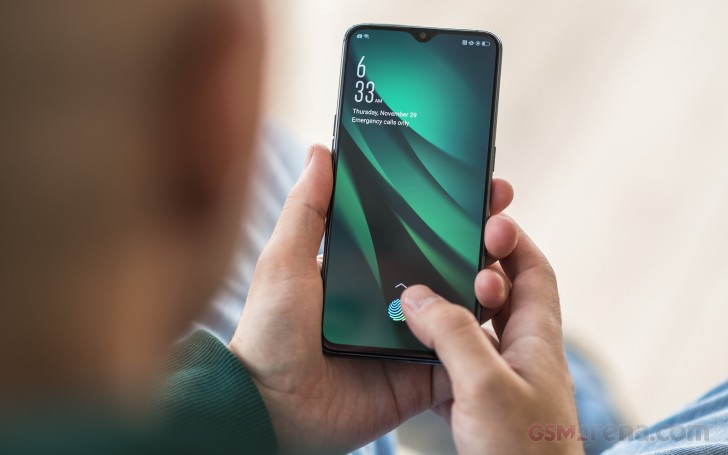
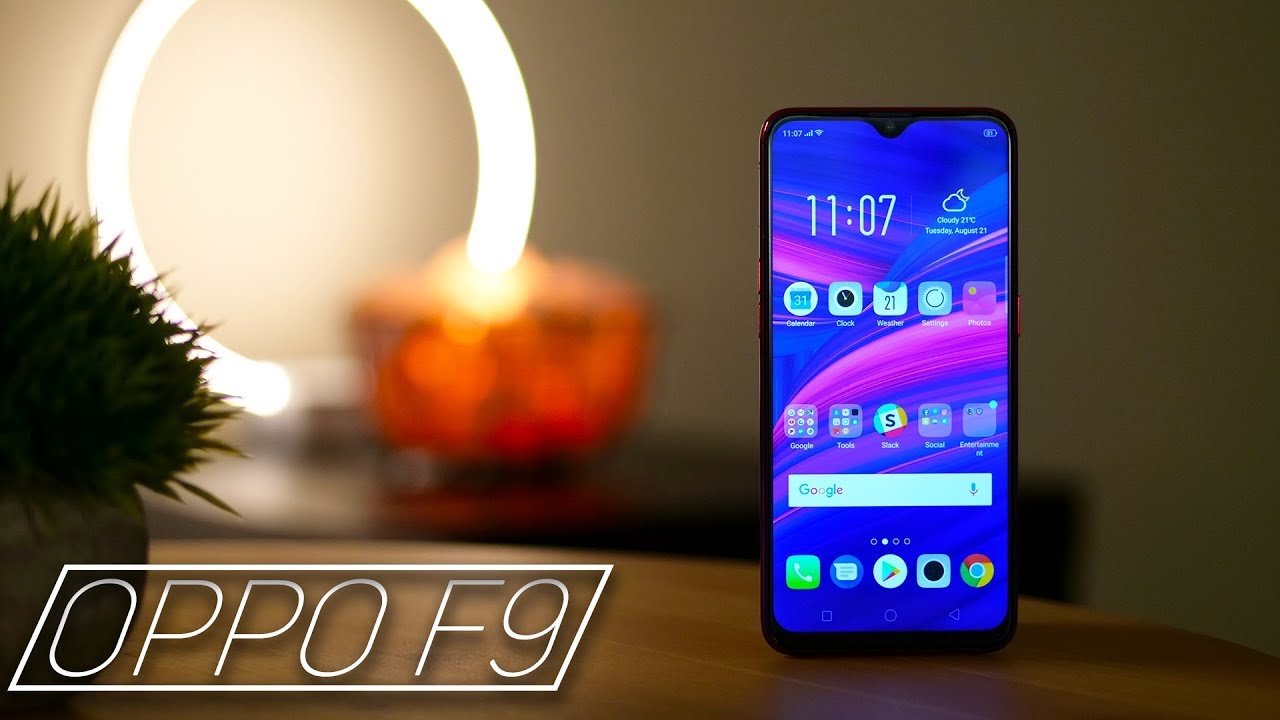
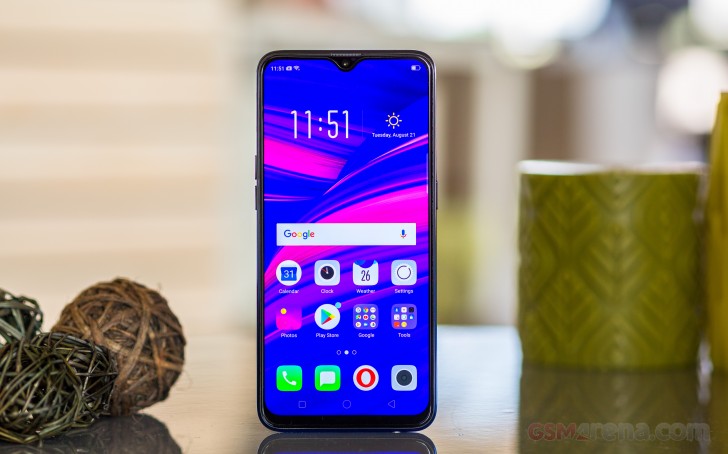
The Oppo F9/F9 Pro is yet another installment in the hugely popular Oppo mid-range series. It’s the first phone in the family with a dual-camera on the back and backtracks on the screen cutouts by moving to a tiny waterdrop notch.
You have probably noticed we are using the F9/F9 Pro inscription for this review and there is a reason for that. Oppo has chosen a rather awkward approach to the naming of its mid-ranger.
In India – one of the key markets for the F-series – the F9 is available in two versions. There is the F9 Pro with 6GB of RAM, a 25MP selfie camera and VOOC flash charging, and the regular Oppo F9 with 4GB of RAM, a 16MP selfie shooter, and no VOOC charging.
Yet in every other market Oppo is selling only the F9 but with specs matching the Indian pro version(6GB, 25MP, VOOC). So, the phone we got for review is called F9, but specs-wise it’s identical to the F9 Pro as seen in India. We hope this clears it up and we’ll refer to the phone as just F9 from here on.
Looking beyond the confusing naming, the Oppo F9 is actually a very attractive phone that comes with the trendy gradient paint jobs freshened with star or diamond patterns.
The internals are well chosen too – the Helio P60 chip has already proven as a solid mid-range performer, you get a dual-camera on the back with bright lens and a super high-res selfie snapper. Add the large battery with VOOC support and it looks like a great package. Sadly we are still seeing a dated microUSB port.
The Oppo F9 is also among the first to come with the latest and toughest to break Gorilla Glass 6. The new glass is shatter-proof for a dozen of drops from one meter, giving you some welcome peace of mind.
Oppo F9 (F9 Pro) specs:
Body: Gorilla Glass 6 body, plastic frame, 156.7 x 74 x 8 mm, 169g
Memory: 4 or 6 GB RAM, 64GB of storage, (dedicated) microSD slot
Camera: Dual: 16MP (f/1.8) + 2MP for depth sensing, phase detection autofocus; 1080p @ 30fps video
Selfie cam: 25MP (f/2.0), 1080p video
OS: Android 8.1 Oreo with ColoOS 5.2
Battery: 3,500 mAh, 20W VOOC flash charging
Connectivity: Dual Nano-SIM; microUSB (USB 2.0), Bluetooth 4.2, GPS, GLONASS, FM radio
Misc: Rear-mounted fingerprint sensor, bottom-firing loudspeaker, 3.5mm audio port
The Oppo F9 stopped short of implementing the under-display fingerprint reader of its vivo V11 cousin, but at this point of the development of the technology it’s unclear if we should count that against it. The F9‘s rear mounted sensor may lack the geeky appeal, but is always-on, accurate, and blazing-fast – three things you can’t say for the V11’s reader.
We have the cool Twilight Blue model of the Oppo F9 Pro for this review and it’s time we proceed to unbox it.
Unboxing the Oppo F9
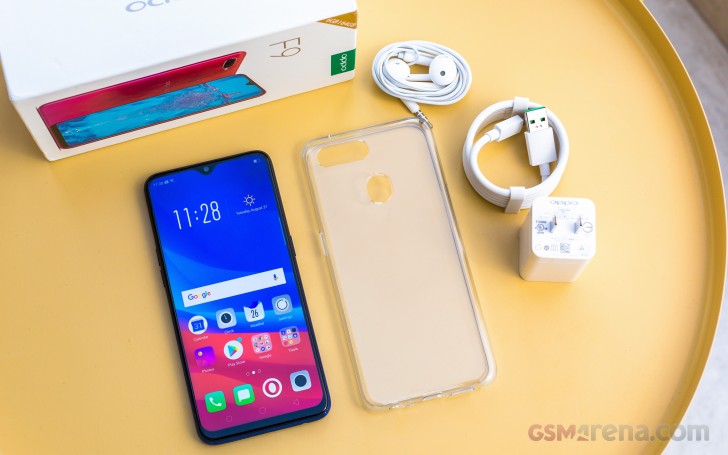
In addition to the Oppo F9 unit, you will be getting a VOOC-compatible microUSB cable, the 20W VOOC charger itself, and an EarPod-like headset. The non-VOOC supporting non-Pro Oppo F9 in India comes packed with a 10W regular charged instead.
Design
If your want a beautiful mid-range smartphone has to be beautiful and an instant eye-catcher, the Oppo F9 is the right device for the job.
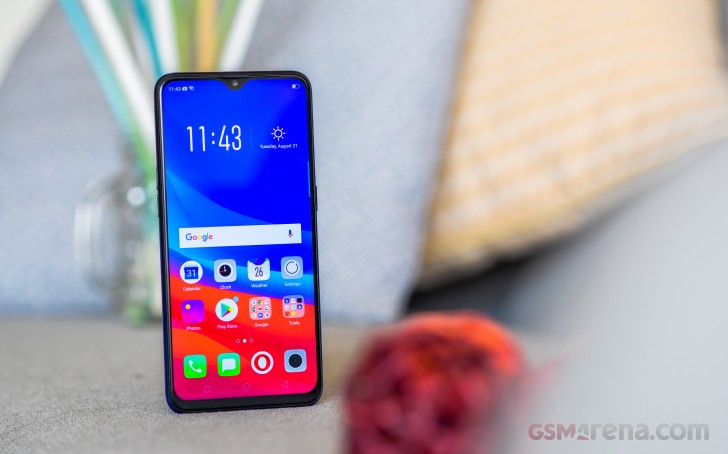
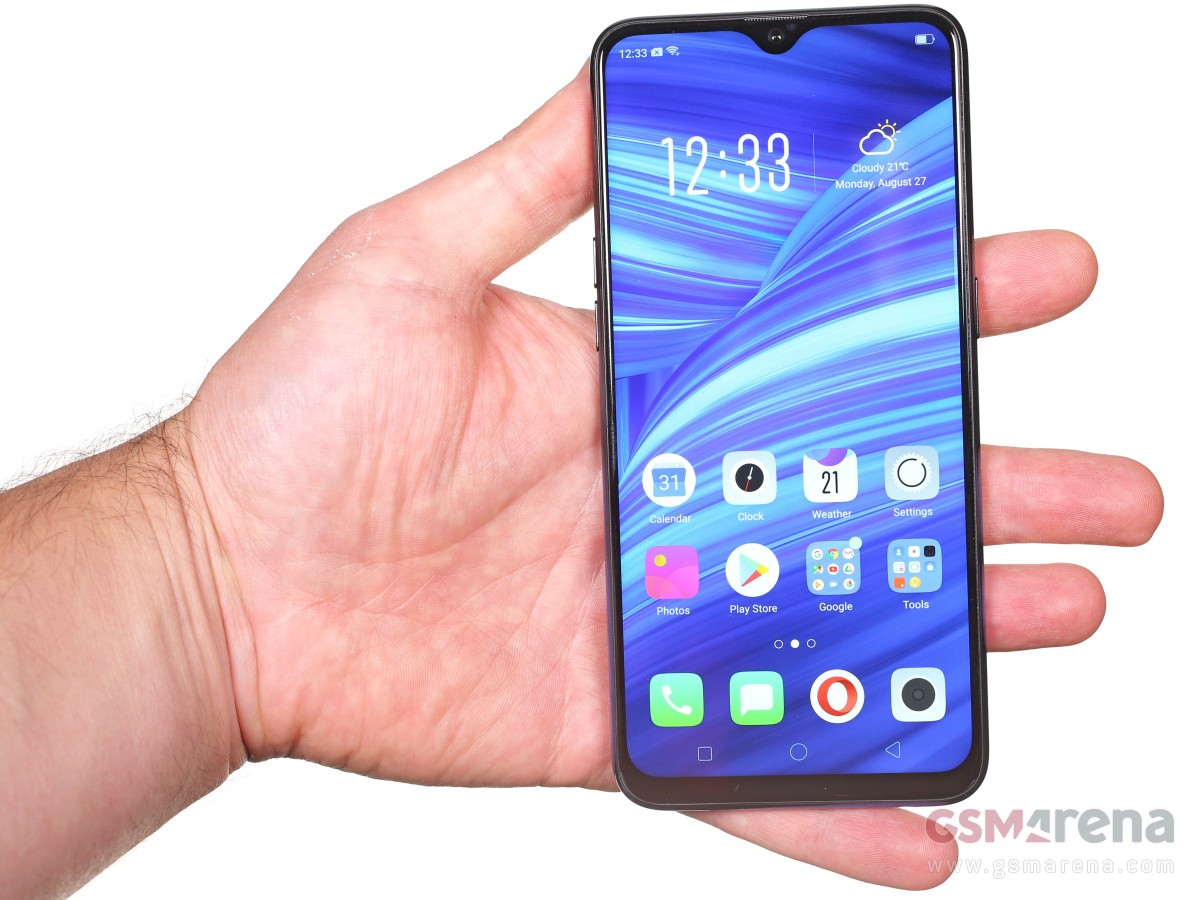
The almost bezelless front is a welcome sight and the waterdrop-like notch is far less objectionable than the large cutout on the F7. It wastes far less screen estate and some might even argue that it looks like a cool accent.
Just don’t put too much faith in those official press renders as they show the screen going nearly edge to edge, which is not quite the story in real life. Still, the F9 offers some of the highest screen-to-body ratios in the price range and that’s already a huge thing the phone has going for it.
Upon closer look next to the 25MP selfies camera you can also notice a tiny aperture for the proximity sensor.
The earpiece grille is almost invisible up at the top – in-between the frame and the display itself.
Moving on to the back, the Oppo F9 manages to impress again. A gradient paint job, a diamond-like pattern, and besides the Oppo logo – no inscriptions to spoil the looks.
The colors also change depending on the available light with our Twilight Blue model going from light cyan to dark blue and even black. The shimmering diamond pattern is clearly visible if sufficient is available but disappears almost completely in the dark.
The same is valid for the Sunrise Red model, though it looks a bit flashier with a palette of lilac, pink, orange and red.
The Starry Purple has a lot in common with the vivo V11 – it also has a gradient in the purple shades, but instead of a diamond pattern it has tiny dots, which look like thousands of stars.
The always-on fingerprint scanner and the dual-camera are the only things of real interest at the back. The snappers are accompanied by a single LED flash and while it all forms a small hump, it’s not big enough to make the phone wobble.
The Oppo F9 is among the first smartphones to make use of Corning’s toughest Gorilla Glass to date – the sixth revision. It’s supposed to survive a dozen of drops from up to one meter.
The frame holding those pieces of Gorilla Glass, is made of plastic but painted in the same cool gradient as the back, sans the diamond-pattern, of course. It has a glossy finish and is slippery, but its slightly curved shape and the bulging screen enclosure improve the depth of the phone and help provide decent overall grip.
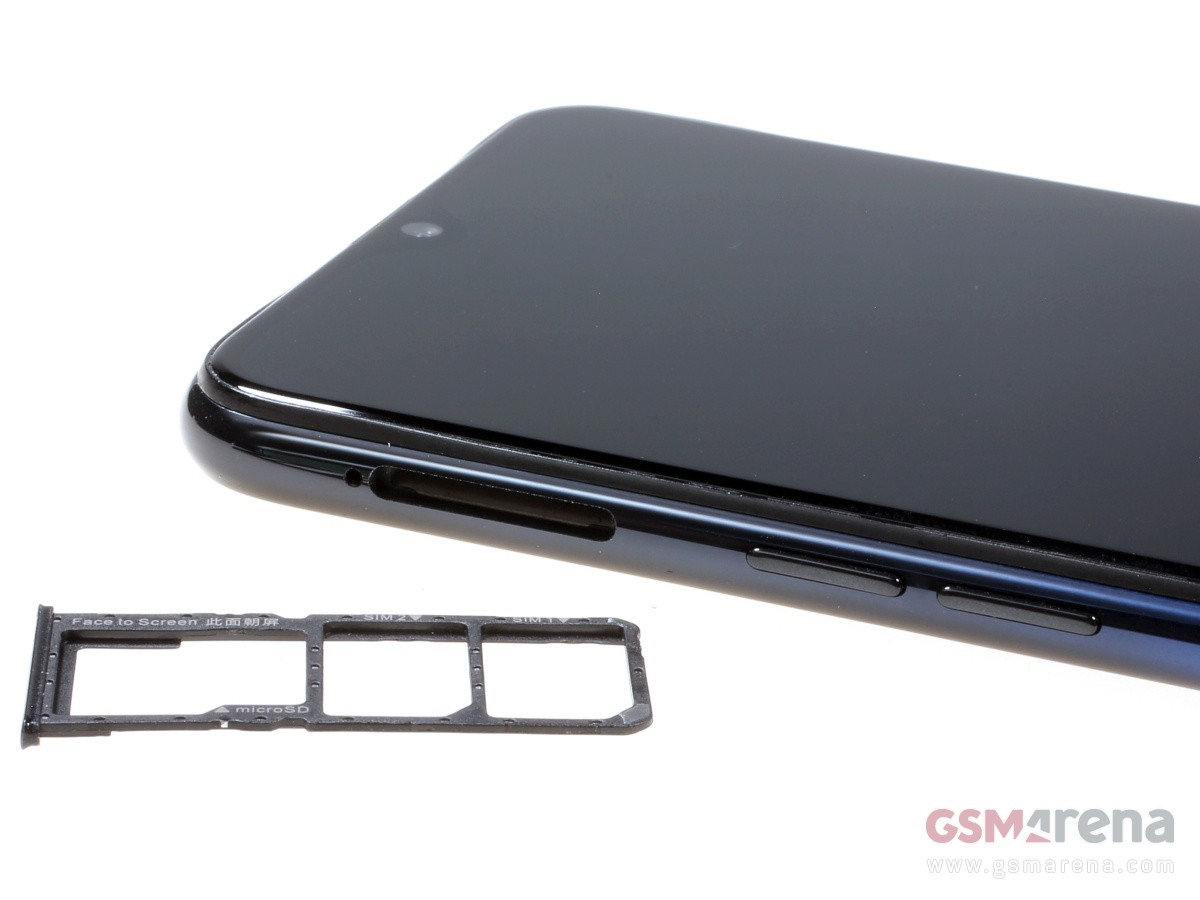
The Oppo F9 has everything as far as connectivity features are concerned – there is a 3.5mm audio port and it features a triple card slot. The latter accommodates two nanoSIMs and a microSD card slot, so you won’t have to choose between dualSIM functionality and memory expansion.
The only letdown is the old-school microUSB slot, but it supports VOOC flash charge, so at least from a functionality standpoint it’s not too bad.
The Oppo F9 spreads at 156.7 x 74 x 8 mm and weighs 169g – almost identical footprint to the F7, but 11g heavier.
Handling the Oppo F9 is a pleasure, but not as immersive as looking at it. You can tell the frame is plastic, and the grip is mediocre. The F9 is also a fingerprint magnet and it will be smudgy all the time – maintaining those great looks will take some effort, we are afraid.
Display
The Oppo F9 packs a 6.3″ IPS LCD screen of 1080p resolution with a very decent pixel density of 409ppi.
The native resolution is 1,080 x 2,340 – that’s 19.5:9 aspect – one of the tallest among the most recent smartphones. While we’ve seen other screens of such tall ratio, they typically have much larger notches, so the usable area is still close the 18:9 ratio of yesteryear. Here however the waterdrop notch leaves more of the height available to the UI.
The Oppo F9/F9 Pro display proved to be an excellent performer in our display test, pumping out north of 520 nits of maximum brightness. Combined with the deep blacks the F9’s display posted an excellent contrast of 1800:1. The minimum brightness level of 3.4 nits is also nice, meaning you can comfortably use it in complete darkness.
Display test
100% brightness
Black, cd/m2
White, cd/m2
Contrast ratio
Oppo F9
0.29
526
1814
Oppo F7
0.228
446
1956
Oppo R15 Pro
0
410
∞
vivo V11
0
418
∞
vivo V7+
0.289
515
1782
Xiaomi Mi A2
0.277
420
1516
Xiaomi Mi A2 Lite
0.385
488
1268
Honor Play
0.414
470
1135
Xiaomi Pocophone F1
0.314
461
1468
Oppo Realme 1
0.35
423
1209
Oppo Realme 2
0.286
411
1437
Xiaomi Redmi Note 5 AI Dual Camera
0.28
530
1893
The Oppo F9 did well in our sunlight legibility test, posting a fine score for an LCD panel. In real-world terms, the handset remains perfectly usable outdoors.
Sunlight contrast ratio
The color rendering is all over the place with an average deltaE of 6.9 and maximum deviation of 12.3 at point white – the screen has a noticeable blue tint and everything looks colder than it should be. If you set the color temperature all the way to Warmer end of the temperature slider, you’ll get one more accurate color presentation with an average deltaE of 4.9 and maximum deviation ot 7.8 at point white (still towards blue).
Battery life
The Oppo F9 is powered by a large 3,500 mAh battery. It offers Oppo’s custom solution called VOOC Flash Charging and requires using the bundled 20W charger and special cable combo, which can be limiting.
The 20W adapter can bring the Oppo F9 battery from 0% to about 57% in around 30 minutes, which is quite rapid.
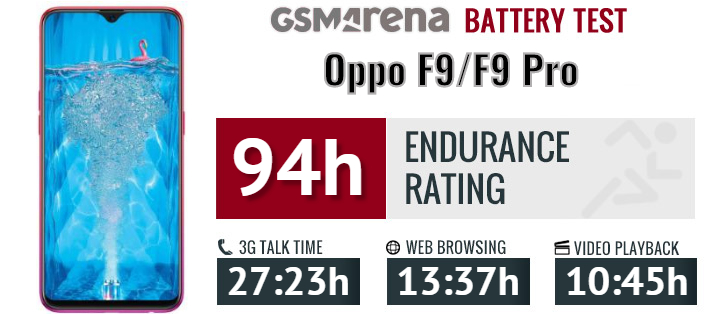
The Oppo F9 scored an excellent result in our battery test with a 94-hour Endurance rating. It did a great job in all tested scenarios – video playback, calls, web browsing and even stand-by
Our endurance rating denotes how long a single battery charge will last you if you use the Oppo F9 for an hour each of telephony, web browsing, and video playback daily. We’ve established this usage pattern, so our battery results are comparable across devices in the most common day-to-day tasks. The battery testing procedure is described in detail in case you’re interested in the nitty-gritties. You can also check out our complete battery test table, where you can see how all of the smartphones we’ve tested will compare under your own typical use.
Loudspeaker
There is one speaker on the Oppo F9, and it’s at the bottom. It posted a Very Good score in our loudness test – 2db shy of the Excellent mark. The sound quality is excellent with rich and deep sound.
Speakerphone test
Voice, dB
Pink noise/ Music, dB
Ringing phone, dB
Overall score
Honor Play
68.3
73.8
75.8
Good
vivo v7+
66.5
73.1
79.6
Very Good
Oppo R15 Pro
69.7
73.5
76.6
Very Good
Xiaomi Redmi Note 5 AI Dual Camera
68.4
71.6
84.8
Very Good
vivo V11
70.7
73.8
80.7
Very Good
Oppo Realme 2
66.4
71.6
87.2
Very Good
Oppo Realme 1
64.8
70.5
89.9
Very Good
Oppo F7
68.0
73.8
84.8
Very Good
Oppo F9
71.7
74.4
81.6
Very Good
Xiaomi Mi A2 Lite
70.6
74.0
86.1
Excellent
Xiaomi Pocophone F1
72.8
74.7
86.6
Excellent
Xiaomi Mi A2
89.5
72.2
89.8
Excellent
Audio quality
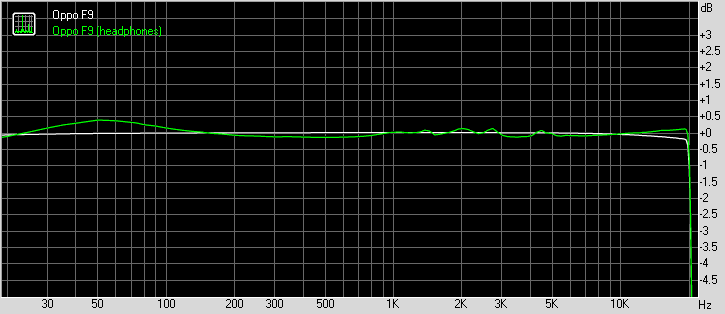
Oppo F9 did great when hooked to an active external amplifier – it delivered very loud output that was perfectly accurate too. There’s really little else we could want here.
Plugging in a pair of headphones delivered a blow to volume levels, which sunk to average levels. Some intermodulation distortion and a moderate amount of stereo crosstalk crept in too, so the performance is not really worth writing home about here. It should still do just fine if you are not a huge audiophile, though.
Test
Frequency response
Noise level
Dynamic range
THD
IMD + Noise
Stereo crosstalk
Oppo F9
+0.05, -0.07
-92.8
92.8
0.0016
0.0073
-92.1
Oppo F9 (headphones)
+0.19, -0.50
-92.0
91.8
0.0090
0.380
-51.9
vivo V11
+0.02, -0.06
-92.7
92.7
0.0014
0.0071
-92.1
vivo V11 (headphones)
+0.29, -0.18
-93.6
93.5
0.011
0.295
-54.9
Xiaomi Mi A2
+0.02, -0.06
-91.6
91.6
0.0018
0.014
-95.3
Xiaomi Mi A2 (headphones)
+0.08, -0.12
-92.6
92.6
0.0028
0.120
-69.0
Samsung Galaxy A6+ (2018)
+0.07, -0.03
-89.7
89.9
0.0060
0.201
-91.7
Samsung Galaxy A6+ (2018) (headphones)
+0.22, -0.21
-91.6
91.0
0.016
0.305
-56.2
Android Oreo and Color OS
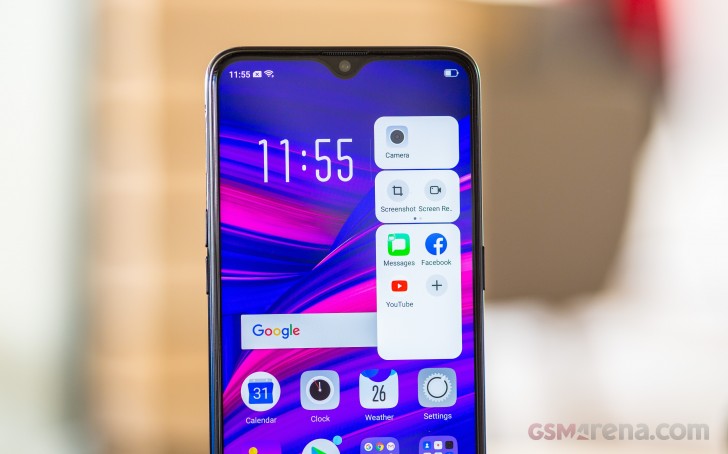
The Oppo F9 runs on ColorOS 5.2, based on Android 8.1 Oreo. The launcher benefits from a so-called AI engine with real-time translation, fast Face Unlock, navigation gestures, and split-screen multi-tasking. Introduced with v5.0 are also new app shortcuts (long tap), new security features including safe, and better gaming mode with WeChat integration.
ColorOS isn’t as bloated as it used to be, but it’s still very far from stock Android. It comes pre-loaded with social networking apps, a document editor, and some minor-footprint apps.
The so-called AI builds on-device user behavior models for faster app startups and better resource management. It also uses this behavior to show relevant information on the left-most homescreen pane – calendar appointments, quick shortcuts, weather, world clock, package tracking, flight info, among others. You can configure those, or just leave them to the “AI.”
The user interface is your typical Chinese manufacturer’s launcher familiar. There’s no app drawer on the default launcher. Instead, every app you install gets dumped onto the homescreen. A long tap on some of those app will reveal some quick shortcuts – a feature that failed to get momentum but many makers still decided to “borrow” from Apple.
The Lockscreen features a continually changing slideshow of images. You can subscribe to several different channels (e.g., photos of nature or cars or others) or provide your own imagery.
There is a proper fingerprint scanner on the back of the Oppo F9. It’s always-on, very fast and accurate. You can also set up face unlock in addition to it – it’s equally fast as the F9 wakes up the moment you pick it up.
As any other Oppo, you can spruce up the UI with Themes. The Theme Store features both whole themes and just wallpapers, sorted into categories (including free and paid ones).
The notification shade features notifications, quick toggles, and a brightness slider.
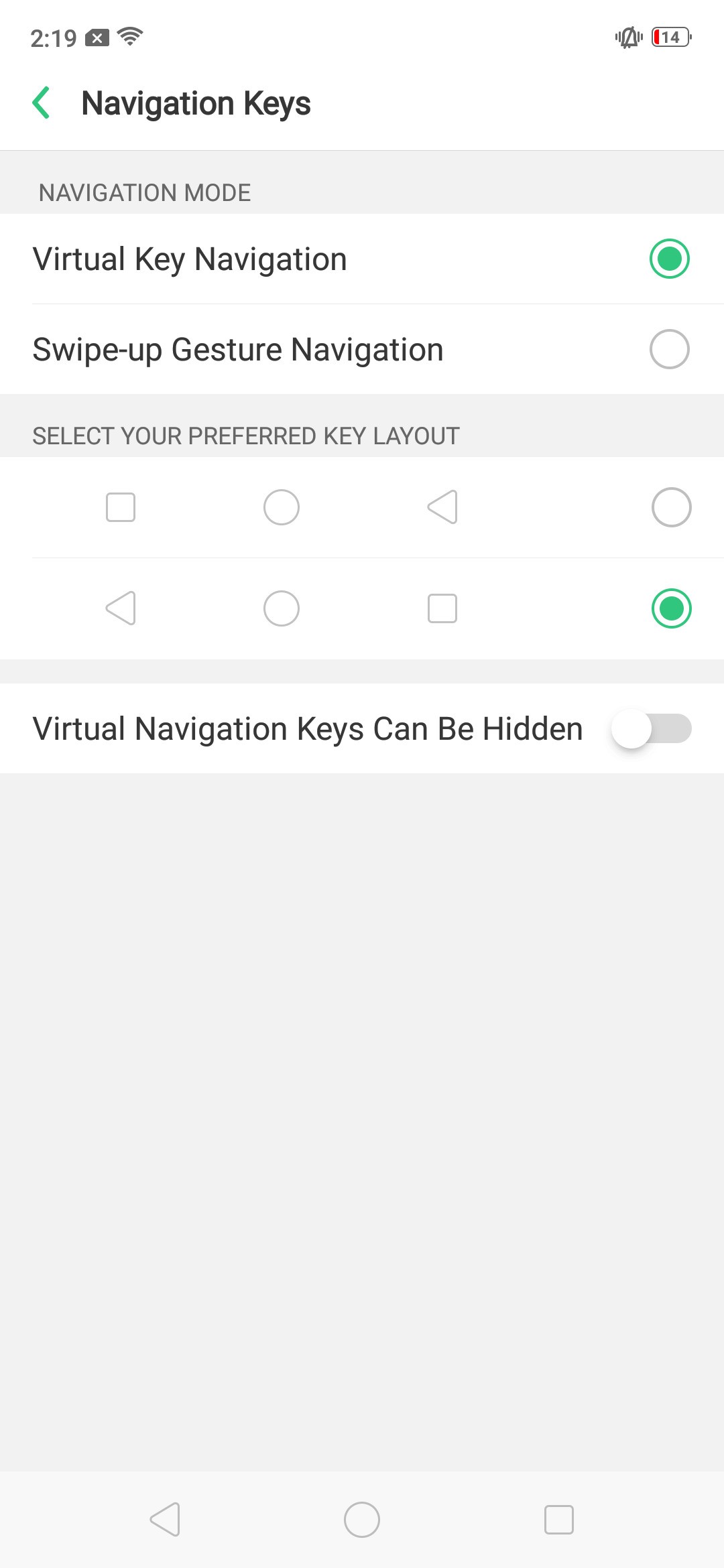
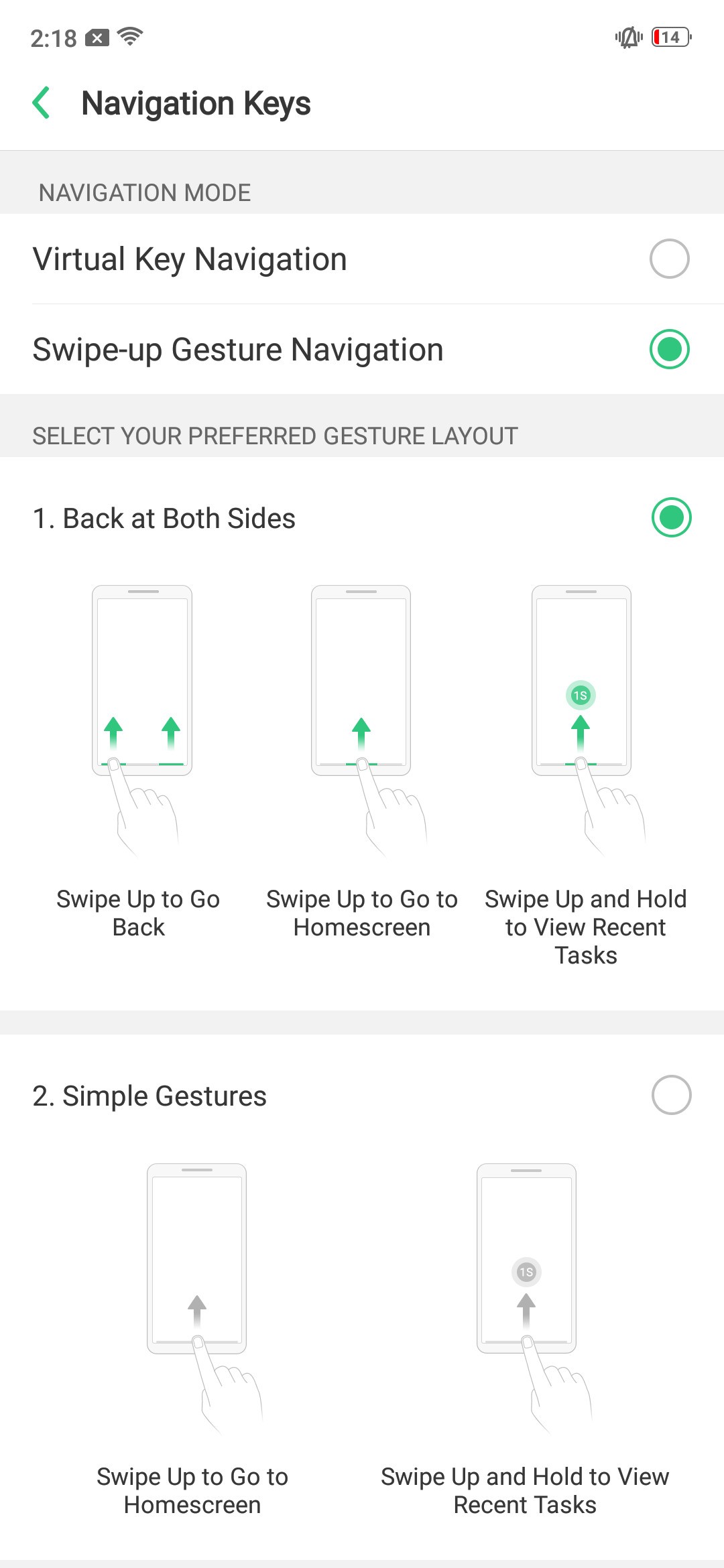
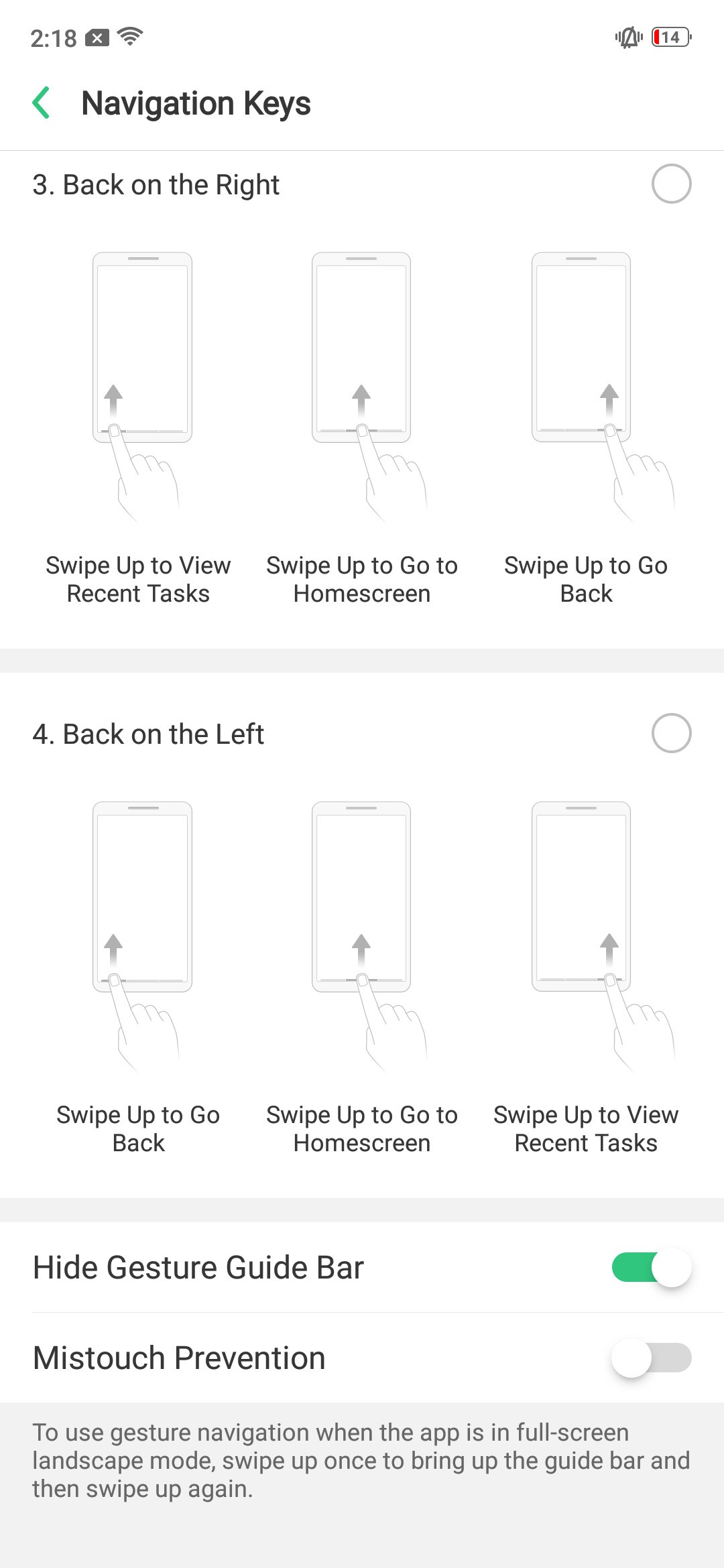
One of the most notable additions to Oppo‘s custom ROM has to be the Full-Screen Gesture model. Bigger display and diminishing bezels tend to cause some ergonomic issues and while the F9 might not be there yet, the company is already trying its best to get you used to what’s coming.
When enabled, Full-Screen Gesture navigation positions three small lines at the bottom of the UI but you can choose to hide those lines. Swiping up from the middle one acts like a home button but if you stop the gestures mid-way – you’ll summon the task switcher (like on the iPhone X). Swiping on the left or right ones acts as Back. You can change one of those to open the recent apps manager if you like – we sure did.
If you don’t want to go there you get the option of standard Android navigation bar to fall back to.
Clone apps and file safe functions are on board, as well as real-time translation thanks to an improved voice assistant.
There is a Phone Manager that handles memory cleaner functions, app permissions and encryption, and virus scanning.
Naturally, multimedia is handled by Oppo‘s default apps. There are feature-rich Gallery, Music player, Videos, and even FM radio.
An improved Game Center allows you to handpick which notifications to pass through when you are gaming. It now supports WeChat Voice integration, so no more switching to WeChat if you get a call.
Finally, there are various screen-off gestures available, allowing you to launch apps without even unlocking the phone. Those are hardly more than a gimmick though, particularly given how quickly the Oppo F9 unlocks.
Performance and benchmarks
The Oppo F9 employs the same chipset powering the Oppo F7 and R15 – the Helio P60. The MediaTek’s P60 packs an octa-core processor with 4x Cortex-A73 @2.0GHz cores and 4x Cortex-A53 @2.0GHz cores. The presence of A73 cores is a serious boost the Android’s day-to-day operations.
There is a triple-core Mali-G72 GPU to handle graphics. We already know this is not the best in the mid-range class, but it’s no disaster either.
The Oppo F9 comes with either 4GB or 6GB of RAM in India with the latter being sold as F9 Pro there. Outside India the F9 is available only with 6GB RAM much like our unit.
As usual we’ll start our benchmark tests with Geekbench. A single Cortex-A73 core ticking at 2.0GHz is only bested by the 2.4GHz A73 one inside the Honor Play’s Kirin 970, and the Kryo 385 inside the Pocophone’s Snapdragon 845.
GeekBench 4.1 (single-core)
Higher is better
Oppo F9 also has enough power for multi-core tasks. The only phone that’s noticeably faster than the F9 in its price range is again the Pocophone with its Snapdragon 845.
GeekBench 4.1 (multi-core)
Higher is better
The three of those Mali-G72 cores make up for a decent mid-range performer – its scores falls somewhere between the flagship graphics of the Honor Play with the same Mali-G72 GPU but with 12 cores, and the mediocre punch of the S625 (Mi A2 Lite). The GPU scores close to Snapdragon 660’s Adreno 512 (Mi A2, vivo V11).
GFX 3.1 Manhattan (onscreen)
Higher is better
GFX 3.1 Car scene (onscreen)
Higher is better
The F9 ranked lower in BaseMark OS, though its score is not much behind its key competitors.
Basemark OS 2.0
Higher is better
The benchmarks show the Helio P60 is a very decent performer for a mid-ranger. It has a great processor and adequate graphics, which is what we expected from it. We ran all kinds of games and we spotted almost no issues whatsoever with lag or graphics. Hiccups might occur here and there, but not often enough to ruin the overall experience.
The Android + Color OS combo duo runs blazing fast and the phone remained cool, even after extensive benchmarking. There were no signs of throttling as a result of that, which is nice.
All-round camera experience
The Oppo F9 packs a dual camera on its back, although the 16MP primary sensor behind bright f/1.8 lens does all of the lifting with the 2MP secondary unit being a mere depth sensor. Phase-detection autofocus is available, and there is a single LED flash next to those cameras.
The main sensor is nothing to phone home about really – 1/3.1″ in size with 1.0µm pixels. In fact it’s smaller than the 25MP selfie snapper with its 1/2.8″ size and 0.9µm pixels.
The camera app offers the so-called AI-boost, which is a fancy name for scene recognition. You’ll see a small icon when a scene is successfully recognized, and the software will tweak all settings accordingly. Food, snow, pets (dogs and cats), sunsets, grass, among other scenes, are identified mostly correctly.
The interface of the camera app has borrowed a lot from the iOS app. Most settings are on the left (or top, depending on the orientation), while different modes are selected on the right (or bottom) next to the shutter key.
The app offers two trendy modes – 2x telephoto zoom and blurred background. The 2x mode have a dedicated shortcut on the viewfinder, but the zoom is purely digital zoom. The Portrait Mode is on the rolodex and it uses the secondary 2MP cam for depth information.
There are a few settings, including location tagging and guidelines, separated out in their own menu in the phone’s settings. There is a total lack of any clear resolution control for stills. All you get is a choice of aspects, between the standard 4:3 one, 1:1 and 16:9. At first glance it’s unclear which aspect ratio is native to the sensor, and you have to go through some trial and error until you see that 4:3 shots give you the most resolution.
Expert mode is available for those seeking more manual controls. It comes with a handy horizon level and can change most settings on the primary camera (this mode doesn’t work with the selfie cam). The shutter speed control offers fine adjustment and it’s good mostly for very low-light shooting – it starts at 1s and increments at full stops to a maximum of 16s. Manual focus adjustment is present as well.
Image quality
In good light the Oppo F9 images turned out nice with enough resolved detail, excellent contrast, and accurate colors. The dynamic range is slightly above average – there are clipped highlights here and there, but nothing that the Auto HDR can’t fix. The noise is all well controlled – an improvement over the Oppo F7. The foliage presentation also got better since the F7, but the grass is still often smudgy.
The Oppo F9 offers you a 2x zoom shortcut in the camera app, even if it doesn’t have a telephoto lens. This means the 2x samples are just cropped and then digitally upscaled to 16MP, which means they have poor detail and are generally useless.
As we said, the Auto HDR mode is pretty good at catching the contrasty scenes and will fix those blown highlights for you at the expense of a minor decrease in contrast.
The 16MP camera on the Oppo F9 has bright f/1.8 lens and it does help the pictures at night but the lack if stabilization is taking its toll. Half of the low-light samples we took with the F9 came out blurry, while the usable ones are still far from spectacular – the noise-reduction algorithm wipes away most of the fine detail.
If you have a tripod or you can stabilize the Oppo F9, then you can snap pictures like these using the manual mode.
Feel free to pixel peep in our Photo compare tool – we’ve pre-selected a couple of phones we found relevant, but those can easily be replaced from the drop-down menus.
Portrait mode
The Portrait Mode spits high-res 16MP images. The photos are very good – subject separation works well, there aren’t many abrupt transitions from sharp to blurred, the bokeh is nice, and overall – those are among the better portraits we’ve seen.
The F9 offers a few Portrait Lightning modes if you are into that kind of effects.
Selfies
Oppo F-series phones used to go be self-named Selfie experts, but the company has dialed down on the use of that particular title. Despite this, the F9 features a high-res 25MP selfie cam identical to the one on the Oppo F7. It doesn’t have autofocus, which is rather disappointing though.
The Oppo F9 supports the so-called 3-HDR tech for the selfie camera. It’s a combination of tricks that results into better HDR selfies with the HDR effect applied in real-time and visible on the viewfinder. You can turn that off if you like (disable the HDR Auto), but we’d recommend leaving it on – it does a good job.
The 25MP resolution might sound impressive, but the actual resolved detail is hardly great and if you miss the sweet spot of the fixed focus, you’d get slightly blurred images. The colors and contrast are great, though. And whatever the shortcomings, those pictures would look perfect once downsampled to any other size thanks to the impressive 25MP resolution.
Video recording
Disappointingly, the Oppo F9 records videos in 1080p and 720p at 30fps. There is an always-available digital stabilization which does an excellent job in stabilizing the footage. Unfortunately, there is no option for 4K video capture.
The standard 1080p/30fps mode is encoded at about 17Mbps. Audio is recorded in stereo at 128Kbps – an improvement over the F7’s mono recording.
The resolved detail is low, and even if the colors and dynamic range aren’t bad, this is far from a stellar video recording phone.
The Oppo F9 has a 2x telephoto switch for videos, too, and it captures those with the same quality as the regular ones. The sensor is big enough to allow for lossless zoom in the 1080p videos.
As usual, we’ve provided unedited samples straight out of the camera for you to download – 1080p@30fps (10s, 22MB), and 1080@30fps telephoto (11s, 23MB).
You can also head over to our Video compare tool and see how the Oppo F9 stacks up against the competition.
The competition
The Oppo F9 is yet another smartphone trying to find its place in the crowded mid-range market. It’s a looker, which is a rather rare sights around these parts and has a new take on the notch that almost makes it a feature rather than an eye-sore. The 25MP selfie snapper and blazing-fast charging are also earning it a bunch of points and so does the impressive battery life.
Now, the F9 isn’t a huge upgrade over the F7 – and that’s hardly a surprise given that its predecessor is just six months old. We can’t see F7 owners jumping ship, but the F9 was never meant to entice those – instead it was meant to keep the line relevant in a segment where new competitors are coming in every week.
Here’s a quick overview of the most noteworthy alternatives.
The Pocophone F1 by Xiaomi clearly managed to shake things up around the mid-range, offering a flagship-grade Snapdragon 845 chipset without at an unbelievable price. You also get 4K video recording, an IR-camera-powered face unlock and stereo speakers, so if you are a power user it’s hard to ignore it. Yet, the F1 doesn’t come even close to matching the F9 looks, nor its 20W VOOC charging.
The Honor Play also costs the same as the Oppo F9 and is another handset obsessed with performance. It has metal to the F1’s plastic but again isn’t attractive in the same way the F9 is. Oh and the notches on that one, much like the Pocophone F1 is huge and unsightly, so it’s not just about the looks of the back.
The vivo V11, an in-house rival, has a better Super AMOLED screen with a similar notch and under-display fingerprint scanner to brag about, in addition to the equally cool body and arguably better camera. It misses on the Gorilla Glass 6 protection though, and that futuristic fingerprint reader is rather unreliable.
Finally, the Mi A2 is all about the stock Android experience. It’s got an equally capable chipset and better cameras on the back, but a far less imaginative design and no microSD card slot.
The verdict
The Oppo F9 is among the most attractive in the mid-range today. Unique with that waterdrop-like notch and beautiful with the gradient back with cool pattern underneath.
If you are a power user, you will certainly find better phones than the F9 for the same price, but if you also care about design Oppo’s latest will certainly fit the purpose better, while still providing a solid smartphone experience.
Pros
Gorilla Glass 6 protection for the screen
A large display with excellent contrast and beautiful notch
Excellent battery life, VOOC charging
The Helio P60 isn’t a beast, but it gets the job done
Need help with your new Oppo A57? Is Color OS alien to you? Well, here’s some tips and tricks to get you up and running without the need to struggle using the device.
Manage Notifications
This will enable you to customize how each app pushes notifications to your dropdown notification panel. Simply drag the notification panel down and tap on Manage Notifications then go to an app that you want to mute or prioritize in terms of notifying you of something.
Blue Light Filter
You can have a warmer hue of backlighting when you go to Eye Protection setting from the notification panel. Drag down the notification panel down and enable Eye Protection. This will give your display a much warmer feel to it so you won’t have to stay up late at night because of the blue light that is coming from your smartphone is preventing you from getting sleepy. You can also long tap on the Eye Protection quick setting so you can set the level to Low, Medium or High.
Lockscreen Magazine
You can have a different lockscreen magazine every time you wake up your device’s display. Enabling it in the settings (Settings -> Lockscreen Magazine and Wallpaper) will lead you to download, if you want, more lockscreen items that you can use. You can even add your own photos as the lockscreen so you won’t get bored of the default ones in case you don’t like them.
Dirac Audio Technology
You can enable high quality audio experience if you use the proprietary Oppo earphones that comes in the box. Dirac Audio Technology is a collaboration of Oppo and Dirac to deliver various presets and customizable channels for those people who want their audio well-suited to their audio taste.
Screen Off Gestures
These are gestures geared toward making actions even while the display is off or the phone is locked. You can double tap the display to wake it up. Draw an O to launch the camera. Draw a V to turn on the flashlight. Or you can have your own custom gesture to do a specific action.
Do you want to just clean off your Oppo A57 so you can sell it or give it away? Don’t want to do the button combinations that technicians do? Well, you can do it now via Settings. Here’s how.
You can simply unlock your device and follow the following instructions:
Go to Settings
Tap Additional Settings
Tap Backup and reset
Tap Factory data reset
Choose what you want to erase and retain. The choices are:
Erase All App Data and Apps That Can Be Uninstalled