Unboxing a Disaster: Restoring a Critically Damaged Samsung Z Fold 5

Unboxing a Disaster: Restoring a Critically Damaged Samsung Z Fold 5 + Ultimate Guide + 7 Steps
Introduction
Unboxing a critically damaged Samsung Z Fold 5 can feel like opening a disaster waiting to unfold. With its innovative foldable display and intricate hinge mechanism, this device combines the power of a smartphone and a tablet—but it also comes with unique vulnerabilities. Whether it’s a shattered screen, a misaligned hinge, or internal component damage, a critically damaged Z Fold 5 requires careful assessment and expert restoration.
In this comprehensive guide, we’ll walk you through everything you need to know—from diagnosing the extent of the damage, choosing genuine replacement parts, performing repairs safely, to preventing future mishaps. Whether you’re a tech enthusiast curious about foldable phone mechanics or someone facing a real repair challenge, this article will equip you with the knowledge and strategies to restore your Samsung Z Fold 5 to full functionality.
By following these steps, you’ll not only save your device but also extend its lifespan, ensuring it continues to deliver the seamless performance you expect from a premium foldable smartphone.
Understanding the Samsung Z Fold 5
The Samsung Z Fold 5 is a marvel of modern engineering, merging the functionality of a smartphone with the versatility of a tablet. Its foldable display, which uses ultra-thin glass (UTG) and flexible OLED technology, is designed to endure repeated folding cycles. However, this innovation also comes with unique vulnerabilities. Unlike traditional smartphones, the Z Fold 5 hinges, foldable screen, and slim profile create pressure points susceptible to cracks, touch errors, and hardware misalignment.
The device incorporates multiple layers: the main foldable AMOLED panel, the outer protective layer, and an intricate hinge system that allows the phone to fold seamlessly. Each of these components is crucial. Damage to even one layer can compromise the entire phone’s functionality.
Key Components at Risk
- Foldable Screen: The most delicate component; UTG can scratch or crack under pressure.
- Hinge Assembly: Exposed to stress and dust; misalignment can cause folding issues.
- Battery: Swelling from drops or heat can damage internal circuits.
- Motherboard & Chips: Shock and liquid exposure can fry internal electronics.
- Cameras & Sensors: Vulnerable to misalignment or shattering.
Protecting these parts during restoration is critical. Even minor errors can turn a repair into a total loss.
Common Causes of Critical Damage

- Accidental Drops: High-impact falls often crack the foldable screen or dislodge internal components.
- Liquid Exposure: Sweat, rain, or spills can corrode internal circuits.
- Pressure Points: Sitting with the phone in your back pocket can stress the hinge and screen.
- Manufacturing Defects: Rare, but misaligned hinges or weak bonding can worsen over time.
Real-Life Damage Scenarios
Imagine a Z Fold 5 slipped from a kitchen counter. The outer glass cracks, the hinge misaligns, and touch sensitivity vanishes. Or a commuter accidentally sits on the phone, causing both screens to flicker and hinge noises to develop. Critical damage often combines physical and functional failures—making restoration challenging yet possible with expert care.
Initial Assessment & Safety Precautions
Before attempting any repair:
- Power Off the Device: Prevent short circuits or data loss.
- Visual Inspection: Note cracks, bent frames, or screen discoloration.
- Avoid DIY Panic Fixes: Unlike standard phones, foldables are highly sensitive.
Tools & Equipment Needed
- Precision screwdrivers (Torx & Phillips)
- Suction cups & plastic spudgers
- ESD mat and anti-static wristband
- Magnifying glass or microscope
- Clean microfiber cloths
Proper tools prevent further damage and ensure a successful restoration.
Diagnosing Screen Damage
Outer vs. Inner Display
- Outer Display: Often protected but prone to shattering in drops.
- Inner Foldable Display: More delicate; pixel issues, color distortion, or unresponsive touch can occur.
Pixel & Touch Tests
Run diagnostic tests to identify dead pixels, ghost touches, or uneven brightness.
Hinge & Structural Integrity Check
- Flex Test: Open and close gently; listen for unusual clicks or resistance.
- Loosened Joints: Tighten carefully, but over-tightening can worsen misalignment.
Hinge issues are common in critically damaged Z Fold 5 devices.
Data Recovery Before Repair
Critical damage can make data access impossible. Prioritize:
- Cloud Backup: Samsung Cloud, Google Drive
- SD/External Storage: Transfer photos and files if accessible
- Professional Recovery Services: If screen is dead, a specialist can extract internal storage
Signs that professional intervention is needed include unresponsive touch, severe screen flicker, or battery swelling.
Step-by-Step Repair Process
- Disassemble Carefully: Remove back panel, battery, and screws methodically.
- Replace Foldable Screen: Use genuine Samsung UTG to prevent misalignment.
- Hinge Repair: Clean, lubricate, and align components.
- Battery & Internal Inspection: Replace if swollen or damaged.
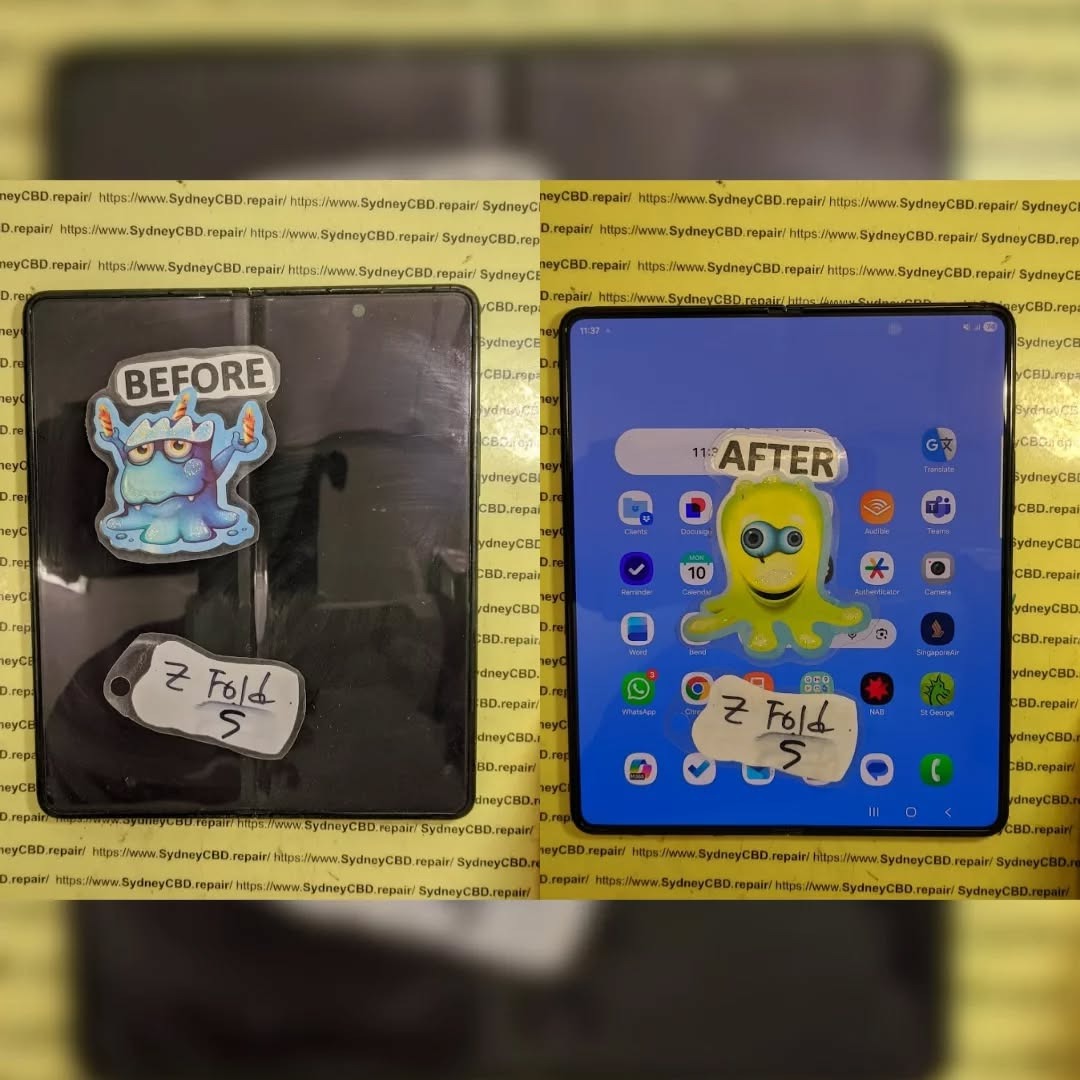
- Reassemble & Test: Ensure touch responsiveness, folding action, and camera alignment.
Choosing Genuine Parts
- Always source from certified Samsung distributors.
- Avoid cheap alternatives—they may fail within weeks.
- Genuine parts maintain warranty validity and resale value.
Software Calibration Post-Repair
After hardware restoration:
- Update firmware to the latest Samsung One UI.
- Calibrate touch sensitivity for smooth fold transitions.
- Test display brightness, color accuracy, and multi-tasking features.
Preventing Future Damage
- Use foldable-specific protective cases and screen protectors.
- Avoid excessive force when folding.
- Keep the device away from liquids and sharp objects.
Preventative care significantly extends the device’s lifespan.
Cost vs. Replacement Considerations
- Screen Replacement: High-end foldable UTG replacement can be costly.
- Hinge & Battery: Additional costs for multi-component restoration.
- Insurance & Warranty: Consider claiming if repair exceeds 50% of device value.
- Resale Value: Restored devices maintain more value with genuine parts.
FAQs
Q1: Can a Samsung Z Fold 5 survive a fall without screen damage?
A1: It’s possible with minor drops, but repeated or high-impact falls often result in cracks or hinge issues.
Q2: Is DIY repair recommended?
A2: Not for foldables; improper handling can cause irreversible damage.
Q3: How long does a professional repair take?
A3: Same-day service is available at experienced centers like Sydney CBD Repair Centre.
Q4: Are replacement parts covered by warranty?
A4: Only genuine Samsung parts usually retain warranty validity.
Q5: Can data be recovered from a dead Z Fold 5?
A5: Yes, but professional extraction is often required.
Q6: How can I prevent hinge issues in the future?
A6: Avoid putting pressure on the folded device, clean the hinge regularly, and use protective cases.
Conclusion

Restoring a critically damaged Samsung Z Fold 5 may seem daunting, but with methodical assessment, genuine parts, and professional expertise, it’s entirely possible. Taking proactive care, using protective accessories, and addressing minor damage early ensures your foldable remains functional for years. Remember, foldables are engineering marvels, and with proper attention, they can survive what seems like a disaster.
David from Sydney CBD Repair Centre – The Best place to fix mobile phones as 7 Years In A Row! Top Mobile Phone Repair In Sydney. More than 2000 Positive Reviews on Google and Same Day Repairs.
We take pride in delivering exceptional repair services for all major phone brands including Apple, Samsung, Google, and more. Our expert technicians use only genuine parts and offer 90days warranty on repairs. Located in the heart of Sydney CBD, we’re your one-stop solution for all mobile device repairs.
Our commitment to excellence has earned us the trust of thousands of satisfied customers. Whether it’s a cracked screen, battery replacement, or water damage repair, we handle it all with professional care and expertise. Walk in today and experience why we’re Sydney’s #1 choice for mobile phone repairs.
Visit us for:
✓ Same Day Express Repairs
✓ Genuine Parts Guarantee
✓ Professional Technicians
✓ Competitive Pricing
✓ 2000+ 5-Star Google Reviews
✓ 7-Time Award Winner for Best Phone Repairs
Sydney CBD Repair Centre – Where Quality Meets Reliability.
Call : +61280114119
Website: https://SydneyCBD.repair/locate-us