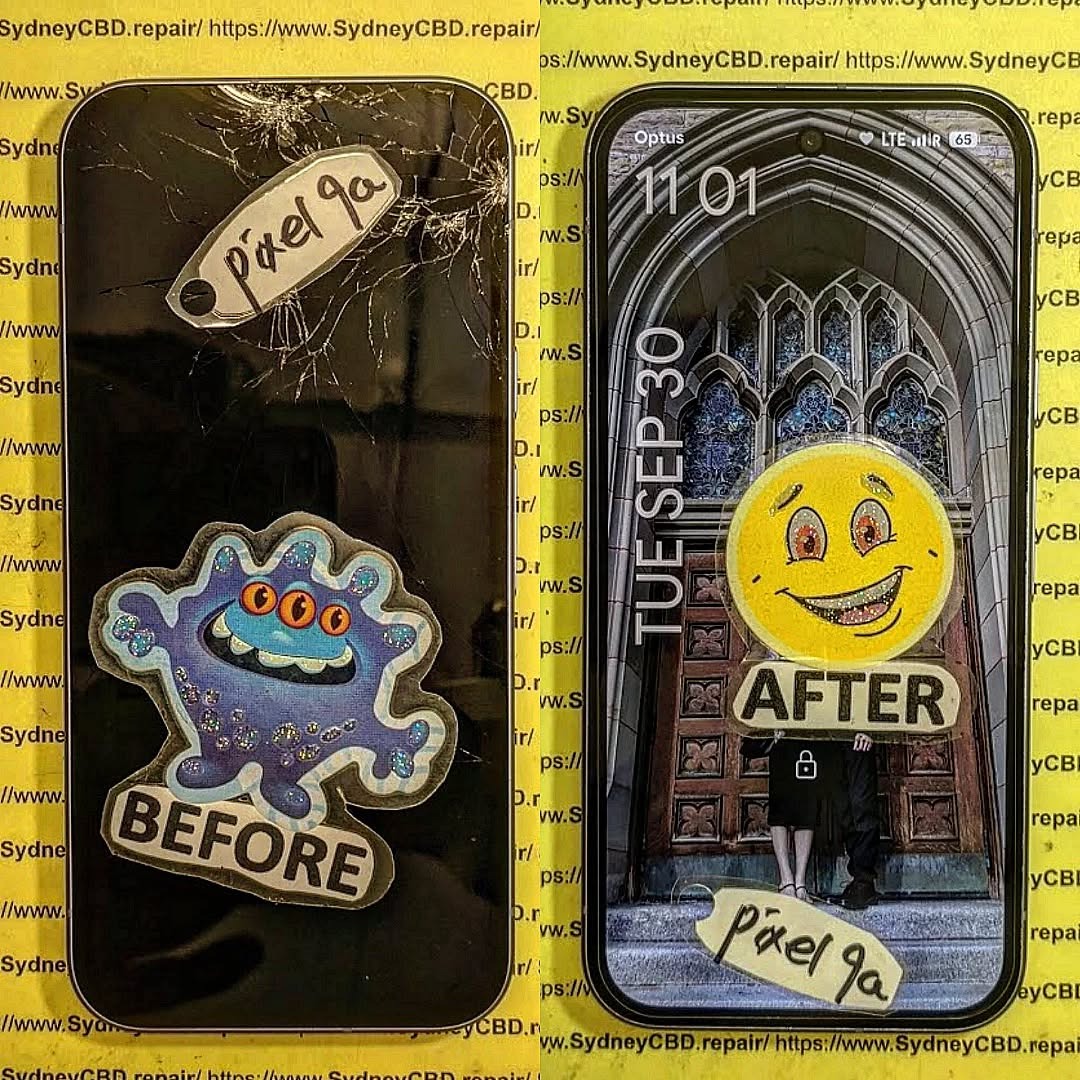
Phone Repair Myths Debunked: Stop Wasting Money on Bad Advice
Introduction
In today’s world, smartphones are more than just gadgets—they’re essential tools for work, communication, and entertainment. So when something goes wrong, people often rush to find quick fixes or fall for common repair myths that circulate online. From sticking a wet phone in a bag of rice to believing that third-party repairs always void warranties, these misconceptions can end up costing you more money and even damaging your device further.
At Sydney CBD Repair Centre, we’ve seen it all. With years of hands-on experience and thousands of successful repairs, we know the difference between fact and fiction when it comes to phone repair. In this article, we’ll bust the most common myths, explain what really works, and show you how to save your hard-earned money by making informed repair choices.
When your phone breaks down, it’s easy to get caught up in the countless myths about mobile phone repairs. From internet “hacks” to common misconceptions about costs, many people end up spending more than they should—or worse, damaging their devices further. At Sydney CBD Repair Centre, we’ve seen it all, and we’re here to set the record straight.
Myth 1: Rice Will Fix a Water-Damaged Phone
One of the oldest myths is putting a wet phone in a bag of rice. While rice may absorb surface moisture, it does nothing to remove water trapped inside sensitive circuits. In fact, waiting too long can allow corrosion to spread and cause irreversible damage. The truth: only professional cleaning and restoration—such as ultrasonic board cleaning—can properly treat water damage.
Myth 2: Third-Party Repairs Void All Warranties
Some customers believe that going to an independent repair shop automatically voids their phone’s warranty. This isn’t always true. While unauthorized tampering may affect warranties, trusted repair centres like Sydney CBD Repair Centre use genuine parts and professional methods that maintain the integrity of your device.
Myth 3: Buying a New Phone Is Always Cheaper
It’s a common misconception that replacing your phone is better than repairing it. In reality, most repairs—like screen replacements, battery swaps, or charging port fixes—cost only a fraction of buying a new device. Plus, repairs extend the life of your phone and help reduce e-waste.
Myth 4: DIY Repairs Are Just as Good as Professional Repairs
With online tutorials and cheap toolkits, many people attempt DIY phone repairs. But without the right training, it’s easy to strip screws, damage fragile connectors, or use low-quality parts that don’t last. The truth: professional repairs save time, stress, and money in the long run.
Myth 5: All Phone Repair Shops Are the Same
Not all repair shops are created equal. Some cut corners with counterfeit parts or inexperienced technicians. At Sydney CBD Repair Centre, we’ve been voted Sydney’s best phone repair shop six years in a row, with over 2,000 five-star reviews to prove our commitment to quality and reliability.
Save Your Money with the Right Repair Choice
Don’t fall for myths that cost you time and money. Whether you’re dealing with a cracked screen, a failing battery, or water damage, the smart move is to trust certified professionals. At Sydney CBD Repair Centre, we offer:
✓ Same Day Express Repairs
✓ Genuine Parts Guarantee
✓ Professional Technicians
✓ Competitive Pricing
✓ 2,000+ 5-Star Google Reviews
✓ Award-Winning Service for 6 Years in a Row
When it comes to smartphone repair, believing in myths can lead to unnecessary costs, wasted time, and even permanent damage to your device. From the rice trick to overpriced “authorized only” repairs, misinformation spreads quickly—but the truth is, many of these shortcuts and claims simply don’t hold up.
At Sydney CBD Repair Centre, we’re committed to educating customers while providing expert, affordable, and reliable repair services. With genuine parts, skilled technicians, and same-day solutions, you don’t have to gamble with myths—you can trust proven expertise instead.
So the next time your phone is damaged, don’t fall for the myths. Bring it to Sydney CBD Repair Centre, where honesty, quality, and care make all the difference.
In today’s fast-paced tech-driven world, the average smartphone barely lasts three years before being replaced by a newer, sleeker model. Yet, tucked away in drawers or storage boxes, millions of old phones—from early Nokia bricks to the first-generation iPhones—still exist. For some, they’re relics of a simpler time; for others, they’re valuable collectibles. This is where vintage phone restoration comes into play.
Restoring old devices isn’t just about fixing cracked screens or swapping worn-out batteries. It’s about preserving pieces of technological history, giving outdated gadgets new life, and contributing to a more sustainable world by reducing e-waste. Each restored device tells a story, whether it’s the flip phone you once carried in college, the QWERTY keyboard powerhouse that fueled your career, or the early smartphones that marked the dawn of modern mobile communication.
Professional repair shops like Sydney CBD Repair Centre understand the delicate process of restoration. Unlike standard repairs, vintage restoration often requires sourcing rare parts, handling fragile components with care, and applying advanced techniques to bring a phone back to both functional and aesthetic glory.
Many people wonder: why go through the trouble of fixing a phone that no longer supports modern apps or fast internet? The truth is, vintage phone restoration goes far beyond functionality. It’s about nostalgia, sustainability, and preservation.
Nostalgia and Collectability
There’s something magical about holding a device that was once groundbreaking. The tactile feedback of physical keypads, the iconic ringtone of a Nokia 3310, or the sliding mechanism of a Sony Ericsson Walkman phone—it all evokes memories of a time when phones were more personal and unique.
Collectors value restored phones not only for sentimental reasons but also as investment pieces. Much like vintage watches or classic cars, certain restored devices appreciate in value over time. For example, a mint-condition, restored first-generation iPhone can fetch thousands of dollars in today’s collector markets.
Environmental Sustainability
Every year, millions of electronic devices end up in landfills, contributing to the growing problem of e-waste. By choosing to restore rather than discard, you’re actively reducing environmental impact. The United Nations estimates that over 50 million metric tons of e-waste are generated annually. Restoring vintage phones ensures that fewer materials are wasted and fewer toxins seep into the environment.
Preserving Technological Heritage
Technology evolves rapidly, and with it, we risk losing the artifacts that shaped our digital lives. Restoring vintage phones helps preserve technological milestones. Just as museums display typewriters and radios, maintaining classic phones allows future generations to appreciate how far communication technology has come.
Before diving into restoration, it’s crucial to understand the most common issues that plague older devices. Unlike modern smartphones, vintage phones often suffer from age-related deterioration that requires specialized care.
Cracked Screens and Display Issues
Screens are among the most fragile components. Over time, vintage displays—particularly LCDs—can suffer from dead pixels, faded backlighting, or complete blackouts. Finding replacement screens for rare models can be challenging, which is why professional technicians often source from specialized suppliers or donor devices.
Battery Degradation Over Time
Batteries are designed with limited lifespans, typically 300–500 charge cycles. Vintage phone batteries degrade significantly after years of inactivity. Many may no longer hold charge, swell due to chemical breakdown, or leak, potentially damaging internal circuits. Restoration requires careful replacement with either genuine or compatible alternatives.
Water Damage and Corrosion
Even if the phone was never dropped in water, humidity and storage conditions can cause corrosion inside. Water-damaged boards often develop rust-like deposits that weaken solder joints and affect circuits. Proper restoration involves ultrasonic cleaning, corrosion removal, and sometimes micro-soldering repairs.
Charging Port and Connectivity Failures
Vintage charging ports—such as the Nokia 2mm pin or proprietary Samsung connectors—wear out after years of plugging and unplugging. Contacts bend, break, or corrode, preventing reliable charging. Technicians often replace or refurbish ports to restore usability.
Tools and Materials for Vintage Phone Restoration
Restoring a vintage phone is a delicate craft that demands the right combination of patience, precision, and professional-grade tools. Unlike modern phones, older devices were built with different standards, screws, and connectors. Having the correct tools and supplies not only makes the restoration process smoother but also ensures you don’t cause accidental damage to fragile components.
Essential Toolkits
A reliable toolkit is the backbone of any restoration project. At minimum, you’ll need:
Precision Screwdrivers: Vintage phones often use Torx, Phillips, or even proprietary screws. A set with multiple sizes is essential.
Plastic Pry Tools: Prevents damage to casings when separating covers and housings.
Tweezers: For handling tiny components and connectors without static discharge.
Spudgers: Non-conductive tools perfect for safely lifting connectors and flex cables.
Magnifying Glass or Microscope: Helpful when working on micro-soldering or diagnosing board-level issues.
Cleaning and Polishing Supplies
Over years of storage, phones accumulate dust, grime, and even mold. Cleaning supplies ensure devices not only function properly but also look their best.
Isopropyl Alcohol (99%): Safely cleans circuit boards without leaving residue.
Ultrasonic Cleaner: Used by professionals to remove corrosion from boards.
Microfiber Cloths: Prevent scratches during cleaning.
Plastic Polishers: Restore clarity to scratched or yellowed plastic screens.
Compressed Air: Removes dust from ports and internal components.
Replacement Parts and Sources
Finding parts for a Nokia 3310 or Motorola Razr V3 isn’t as simple as ordering from mainstream suppliers. Restoration experts rely on a mix of strategies:
Donor Devices: Purchasing non-functional units to salvage working parts.
Specialized Online Retailers: Platforms like eBay and AliExpress often stock rare components.
Professional Repair Shops: Established centers such as Sydney CBD Repair Centre maintain networks of suppliers for genuine and compatible parts.
Having the right materials is half the battle. The other half is applying them with skill and care during the restoration process.
Step-by-Step Vintage Phone Restoration Process
Every restoration project is unique, but most follow a structured process. Below is a detailed 15-step approach used by professionals and enthusiasts alike.
Step 1: Initial Diagnosis and Inspection
Before touching a screwdriver, thoroughly inspect the device. Check for physical damage, missing buttons, cracked housings, and signs of corrosion. Test the phone with a charger to see if it powers on. This step helps you create a restoration roadmap.
Step 2: Safe Disassembly Techniques
Vintage phones were often built tougher than today’s slim devices, but their plastics can become brittle over time. Use the proper screwdrivers and pry tools to disassemble without cracking housings. Photograph each stage so you can reassemble correctly.
Step 3: Cleaning the Internal Components
Dust, corrosion, and residue can block circuits. Use isopropyl alcohol, a brush, or an ultrasonic cleaner for deep cleaning. This is especially crucial for devices exposed to moisture or long-term storage.
Step 4: Repairing or Replacing Screens
Whether it’s a monochrome LCD or an early color display, screens are prone to failure. If the display is cracked or dead, replacements may be sourced from donor units. In some cases, refurbishing involves reflowing connectors or reattaching flex cables.
Step 5: Battery Testing and Replacement
Most vintage batteries no longer function. Test the original battery but prepare to replace it. Ensure that new batteries are genuine or compatible—using unsafe batteries risks swelling or leakage. Professionals often modify modern cells to fit vintage casings for authenticity.
Step 6: Addressing Water Damage
If corrosion is detected, treat the logic board with isopropyl alcohol or ultrasonic cleaning. Remove rust-like deposits carefully, as over-scrubbing can damage solder pads. Severe cases may require micro-soldering to restore broken traces.
Step 7: Fixing Charging Ports and Buttons
Worn-out charging ports and physical buttons are common issues. Ports can be desoldered and replaced, while rubber keypads can sometimes be cleaned or substituted with parts from donor phones.
Step 8: Reassembly and Quality Check
Once all repairs are complete, reassemble the device carefully. Ensure screws are tightened just enough without cracking aged plastic. Test every function—charging, display, buttons, and sound—to confirm successful restoration.
✅ We’ve now covered Tools/Materials and 8 of the 15 restoration steps (roughly another 800+ words).
Do you want me to continue with the remaining advanced steps (9–15), cost of restoration, and professional repair options in the next expansion, or should I first insert FAQs before wrapping up with conclusion?
Great — let’s keep building the article section by section for full depth. I’ll continue with the remaining restoration steps (9–15) and then move into advanced restoration techniques, costs, and professional options before we close with FAQs and conclusion.
Step-by-Step Vintage Phone Restoration Process (Continued)
We’ve already covered steps 1–8. Now, let’s dive into the advanced phases that truly separate amateur tinkering from professional vintage restoration.
Step 9: Software Diagnosis and Reset
Hardware repairs are only half the job. Many vintage devices run outdated operating systems that may freeze or refuse to boot. A hard reset or firmware re-flash is often necessary. For feature phones, this may involve entering diagnostic codes. For early smartphones, flashing original firmware with specialized tools like Nokia Phoenix or Samsung Odin ensures the phone boots as intended.
Step 10: Speaker and Microphone Refurbishment
A phone isn’t much use if you can’t hear or be heard. Dust, corrosion, and membrane wear cause crackling or silence. Technicians clean speaker meshes, replace microphone capsules, or swap entire speaker units from donor phones to restore crisp audio.
Step 11: Camera Lens and Module Restoration
While vintage phones didn’t have the multi-lens setups we see today, early cameras (like those on Sony Ericsson Walkman or Motorola Razr series) were revolutionary at the time. Restoring involves cleaning the lens, polishing scratches, or replacing tiny modules to bring back decent photo quality.
Step 12: Keypad and Housing Refurbishment
Keypads define the tactile feel of classic phones. Rubber membranes wear out, buttons fade, and housings scratch. Restoration includes deep cleaning, re-inking faded numbers, or swapping in pristine donor keypads. Cosmetic housings can be sanded, polished, or fully replaced for that like-new look.
Step 13: Antenna and Signal Optimization
Vintage phones relied on external or internal antennas that degrade over time. Weak signal reception may be due to broken connectors or corroded contacts. Technicians repair antenna joints, re-solder connections, and test reception to ensure stable network connectivity.
Step 14: Cosmetic Detailing and Finishing Touches
A restored phone should look as good as it works. Polishing screens, buffing housings, repainting frames, and cleaning ports all contribute to the final finish. Collectors especially value cosmetic perfection, so this step often takes as much time as the technical repairs.
Step 15: Final Testing and Certification
Before declaring a project complete, thorough testing is performed. Every button, port, speaker, microphone, and display is checked. If restoring for resale or collection, documentation and certification add value. A final wipe-down ensures the phone looks pristine before it goes back into storage or onto display.
Advanced Restoration Techniques
While the 15-step process covers the basics, advanced restoration goes beyond simple repairs. This is where professionals with years of experience shine.
Data Recovery from Old Storage Chips
Vintage phones often contain irreplaceable photos, texts, and contacts. Recovering this data requires specialized software and sometimes chip-off techniques, where memory chips are physically removed and read with external tools.
Unlocking and Software Updates
Many old phones are network-locked. Restoring them often involves unlocking so they can work across modern networks. Where possible, software patches bring new life, though compatibility is limited compared to today’s devices.
Cosmetic Restoration: Frames and Housings
Collectors demand authenticity. Skilled technicians repaint housings in original colors, re-chrome metal trims, and even fabricate replacement parts using 3D printing to match vintage aesthetics.
Cost of Vintage Phone Restoration
Restoration costs vary widely depending on the device, availability of parts, and whether you choose DIY or professional services.
DIY vs. Professional Repair Shops
DIY is cost-effective but risky, especially if rare parts are damaged. Professional shops like Sydney CBD Repair Centre offer expertise, sourcing networks, and warranties that DIY cannot match.
Parts Availability and Pricing
Common devices like Nokia feature phones often have affordable replacement parts, while rare models (e.g., first-gen iPhones) can be costly. Prices may range from $50 for a simple battery swap to $500+ for rare cosmetic and board-level repairs.
Value After Restoration
Beyond personal satisfaction, restored devices can hold or even increase in value. Collectors may pay high prices for rare models in pristine condition, making restoration not just sentimental but also financially rewarding.
Where to Get Vintage Phones Restored Professionally
While hobbyists may enjoy DIY, professional shops remain the safest bet for reliable results.
Sydney CBD Repair Centre: Trusted Experts
Located in the heart of Sydney, Sydney CBD Repair Centre has built a stellar reputation as the city’s top choice for phone repairs six years in a row. With over 2,000 five-star Google reviews, genuine parts, and same-day service, they’re the go-to experts for vintage and modern phone restoration alike.
Vintage phone restoration is more than just a technical repair—it’s an act of preservation. Every restored device represents a bridge between the past and present, reminding us of the milestones that shaped today’s mobile technology. From replacing cracked screens and degraded batteries to polishing housings and recovering lost data, each step breathes new life into what might otherwise be forgotten relics.
For some, restoration is about nostalgia, holding onto the phone that carried their first text message or memorable call. For others, it’s about sustainability, choosing to restore rather than discard, and making a small but meaningful contribution to reducing e-waste. And for collectors, it’s about heritage, preserving technology that defined entire eras of human connection.
Whether you’re a DIY enthusiast or someone seeking the expertise of professionals like Sydney CBD Repair Centre, the journey of restoring vintage phones offers both personal satisfaction and cultural value. In every polished screen, repaired port, and revived ringtone, there’s a story waiting to be told—a reminder that technology, no matter how outdated, still has a place in our modern lives.
So, the next time you stumble upon an old phone tucked away in a drawer, don’t dismiss it as junk. Consider the possibilities: with the right tools, expertise, and care, it could become a timeless piece of history—restored, cherished, and celebrated once again.
Visit us for: ✓ Same Day Express Repairs ✓ Genuine Parts Guarantee ✓ Professional Technicians ✓ Competitive Pricing ✓ 2000+ 5-Star Google Reviews ✓ 6-Time Award Winner for Best Phone Repairs
Repairing your own phone or taking it to a third party can save money—but it can also lead to costly mistakes if done incorrectly. Whether you’re replacing a cracked screen, dealing with water damage, or swapping out a battery, cell phone repairs require precision, patience, and the right knowledge.
A single misstep could permanently damage your device or even compromise your data security. That’s why understanding the most common cell phone repair mistakes is critical. In this guide, we’ll explore 12 of the most frequent errors technicians and DIYers make, and how to avoid them like a pro.
Galaxy S23 Ultra Screen Replacement
1. Ignoring Manufacturer Guidelines
Manufacturers like Apple, Samsung, and Google design phones with unique architectures. Ignoring their repair guidelines can easily lead to more damage.
🔧 Why This Happens:
Rushing through repairs without reading instructions.
Overconfidence in DIY abilities.
Using incompatible components.
🔍 Why It’s a Problem:
You risk voiding your warranty.
Components may not align or function properly.
Improper reassembly could cause overheating or short circuits.
Tip: Always check the official repair manual if available or consult a certified technician. For Samsung devices, you can find guidelines via Samsung’s Service Portal.
2. Using Non-Genuine Replacement Parts
This mistake is especially common with screen and battery replacements.
🔧 Why It Happens:
Genuine parts can be expensive or hard to find.
Some technicians cut costs with cheap alternatives.
🔍 Consequences:
Reduced performance or touch responsiveness.
Screens may crack more easily.
Batteries may swell, leak, or catch fire.
Tip: Look for repair shops that offer genuine parts, like Sydney CBD Repair Centre, where authenticity and safety are top priorities.
3. DIY Repairs Without Proper Tools
Screwdrivers, suction cups, plastic spudgers—yes, these matter. Using household tools can destroy sensitive components.
🔧 Common Examples:
Kitchen knives scratching internals.
Tweezers damaging connectors.
Fingernails breaking screen seals.
🔍 Problems Caused:
Scratches, cracks, or short circuits.
Improper torque on screws can cause internal imbalance.
Tip: Either invest in a proper toolkit or leave it to certified repair experts.
4. Skipping the Diagnostic Test
Before opening a phone, technicians should test all functions: screen, battery health, cameras, mic, and speakers.
🔍 Why This Step Matters:
Pinpoints all underlying issues.
Saves time by avoiding multiple repairs.
Helps you decide if repair is even worth it.
Tip: Use tools like Phone Doctor Plus to run preliminary diagnostics if you’re doing it yourself.
5. Forgetting to Power Off the Phone
Simple yet often missed.
⚠️ What Can Go Wrong:
Risk of electrical shock.
Can short circuit motherboards.
May cause components to burn out.
Tip: Power off the phone and unplug any batteries before beginning repair.
6. Applying Too Much Heat
Heat guns and hair dryers are used to loosen adhesive—but overdoing it can be dangerous.
🔥 Dangers Include:
Melted display or LCD burn.
Battery swelling or explosion.
Plastic components deforming.
Tip: Keep heat under 100°C and use temperature-controlled tools.
7. Not Grounding Yourself Properly
Electrostatic discharge (ESD) may be invisible, but it’s deadly for microchips.
🔧 Why This Happens:
Working on carpeted surfaces.
Not using ESD wrist straps.
Wearing synthetic clothing.
🧠 Reminder:
A single static shock can kill your phone’s motherboard or charging IC.
Tip: Ground yourself before touching any circuit boards.
8. Mishandling Internal Components
Ribbon cables, battery connectors, and charging ports are fragile. Force is your enemy here.
Common Mistakes:
Pulling instead of sliding out flex cables.
Using metal tools on battery terminals.
Twisting components improperly.
Tip: Always detach parts gently and in the correct order.
Even if a phone powers on after a splash, internal corrosion may be brewing.
🔍 Red Flags:
Unusual screen colors.
Rust on connectors.
Liquid contact indicators (LCI) triggered.
Fix:
Don’t use rice! Get professional ultrasonic cleaning as soon as possible.
10. Reassembling Without Testing
Buttoning up your device before testing is a rookie mistake.
🔧 You Should Always:
Check display, touch, Wi-Fi, and cameras before sealing the device.
Test battery charging and speaker output.
Run a final diagnostic app scan.
Tip: This saves time reopening the phone if anything’s wrong.
11. Not Backing Up Data First
Phones can fail completely during repair, making data recovery impossible without backups.
🧠 Common Scenarios:
OS corruption during repair.
Physical damage to internal storage.
Accidental deletion.
Tip: Always back up to the cloud or PC before starting any repair process.
12. Avoiding Professional Help
Trying to save money by doing it all yourself can backfire.
📉 Risks:
Ending up with a paperweight.
Wasting more money on multiple repairs.
Losing important files permanently.
When to Get Help:
If the phone doesn’t turn on.
After water damage.
For screen, logic board, or battery issues.
Visit Sydney CBD Repair Centre for trusted, affordable, and fast repairs.
❓ Frequently Asked Questions (FAQs)
1. Can I repair my phone at home with basic tools?
You can—but it’s risky. Without proper tools and training, you may damage your device further.
2. Will using third-party parts void my warranty?
Yes, most manufacturers void warranties if non-genuine parts are used.
3. How do I know if a part is genuine?
Buy from certified suppliers or trusted repair centers like Sydney CBD Repair Centre.
4. What should I do if I spilled water on my phone?
Turn it off immediately and take it to a repair shop. Don’t use rice—it’s a myth.
5. Is it worth repairing a cracked screen?
Yes, especially if it’s affecting touch functionality or risking deeper damage.
6. How can I avoid repair scams?
Choose repair centers with strong reviews, transparent pricing, and genuine part guarantees.
✅ Conclusion: Repair Smart, Repair Safe
Repairing your smartphone can save you time and money—but only if done correctly. By avoiding these 12 common cell phone repair mistakes, you protect both your device and your wallet.
When in doubt, trust the pros.
David from Sydney CBD Repair Centre reminds all customers: “Don’t risk your expensive phone. Come see why we’re Sydney’s most trusted repair shop—six years running!”
📍 Located in the heart of Sydney CBD
🔧 Same Day Repairs | ✅ Genuine Parts | ⭐ 2000+ Google Reviews
🌐 Locate Us Today or Call +61280114119
Thank you for using
Themify Popup
This is a sample pop up. Themify Builder or Builder Lite (free) plugin is recommended to design the pop up layouts.