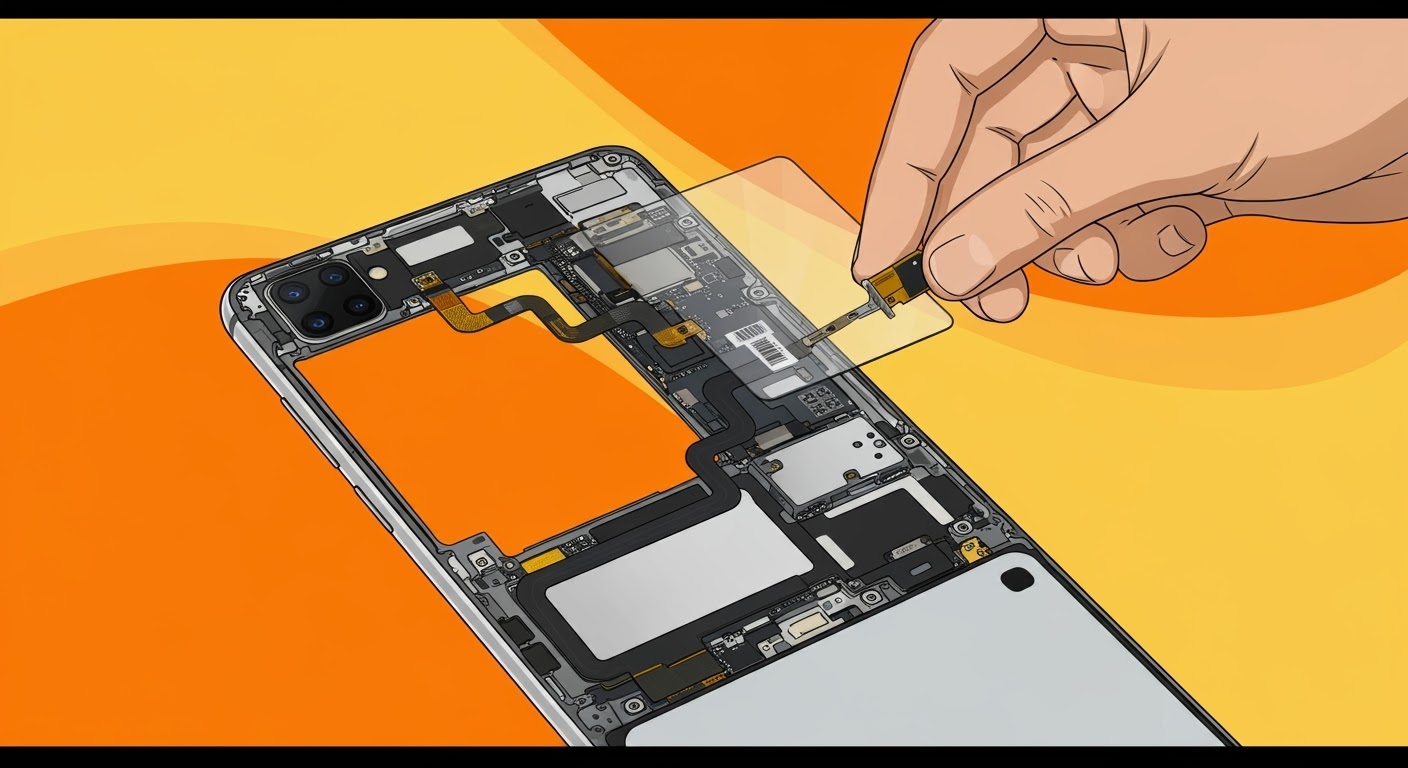
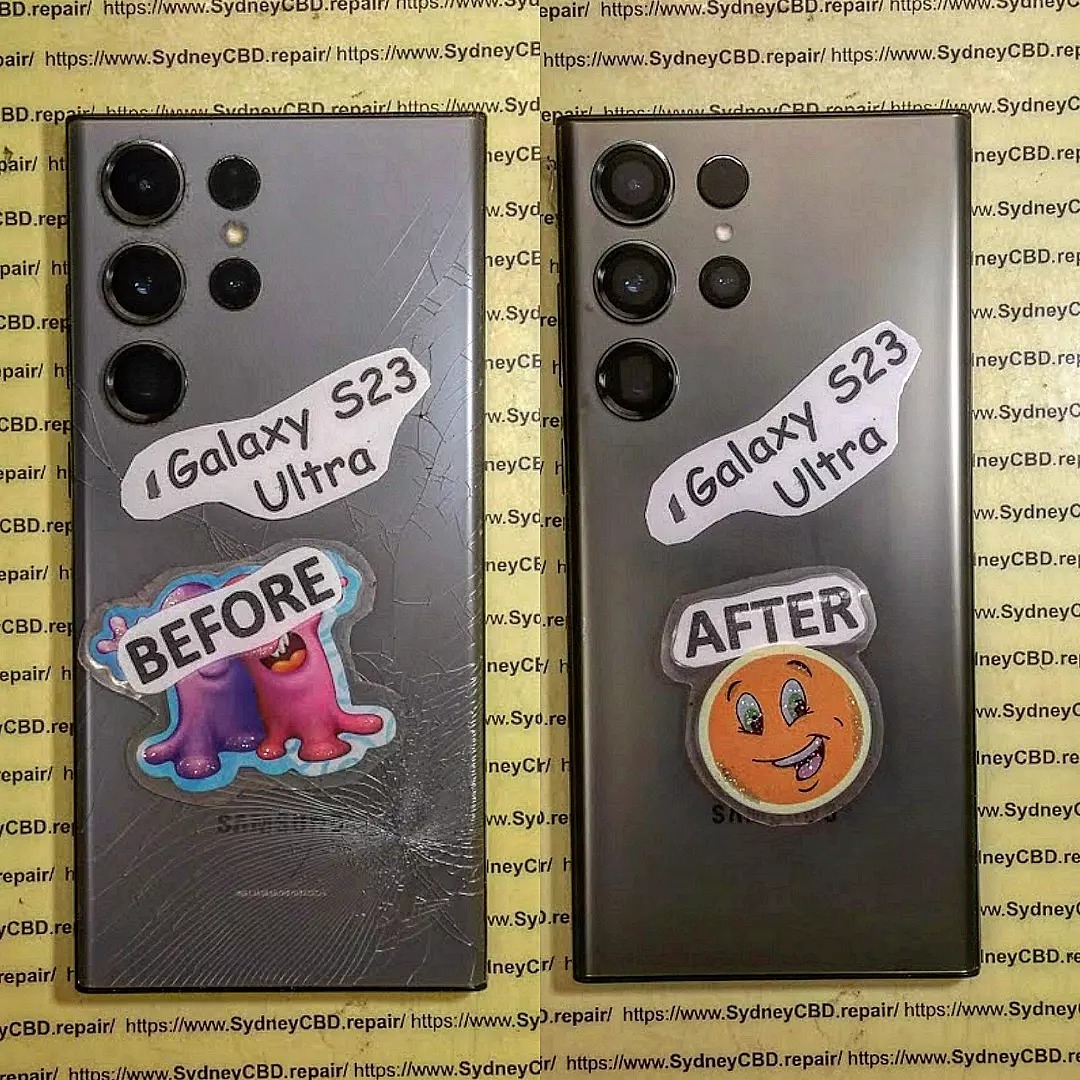
The Samsung Galaxy S23 Ultra is a beast of a smartphone—sleek, powerful, and packed with tech. But with all its advanced hardware and high-resolution AMOLED screen, repairs, especially screen replacements, are far from simple. A cracked S23 Ultra screen isn’t just cosmetic—it affects usability, fingerprint sensing, and even water resistance.
At Sydney CBD Repair Centre, we specialise in complex smartphone repairs, including the latest Galaxy models. Our technicians follow a precise teardown process and use genuine Samsung parts to ensure your S23 Ultra is restored to its factory quality.
Before replacing the screen, the phone must be safely disassembled. Here’s how we do it:
1. Heat and Open the Back Glass
The rear panel is secured with heavy-duty adhesive. We use a heat plate to loosen it, then carefully separate it with plastic picks to avoid cracking the back glass.
2. Disconnect Internal Components
Once inside, we remove:
Wireless charging coil
Battery connector
Cameras and motherboard screws
This allows full access to the internal display and frame.
3. Screen Separation
The screen is glued to the mid-frame. It’s heated and pried away gently to avoid damaging the curved OLED.
The under-display fingerprint sensor must be transferred carefully to preserve full functionality.
We clean and prep the frame, ensuring no glass shards remain.
A new, genuine AMOLED screen is aligned and bonded using OEM adhesive.
After reassembly, we run diagnostics to ensure:
Touch sensitivity
Brightness calibration
Fingerprint scanning
Display uniformity
⚠️ Why DIY Repair Isn’t Recommended
The S23 Ultra has a complex structure—missteps can result in:
Face recognition failure
Fingerprint sensor malfunction
Water resistance compromise
Total display loss
That’s why leaving it to professionals—like the team at Sydney CBD Repair Centre—is the safest option.
🏆 Why Customers Trust Us
David from Sydney CBD Repair Centre and his team have earned their reputation as Sydney’s top phone repair experts—six years in a row. With 2000+ 5-star reviews, customers know we deliver on:
✓ Same Day Express Repairs
✓ Genuine Parts Guarantee
✓ Certified Professional Technicians
✓ Affordable Pricing
✓ 90-Day Warranty
✓ Convenient Sydney CBD Location
How to Replace Samsung Galaxy S23 Ultra Back Glass – Step-by-Step Guide for a Professional Repair
📱 Introduction
The Samsung Galaxy S23 Ultra is a flagship masterpiece, but its sleek glass back, while stunning, is vulnerable to drops and cracks. If the rear glass is shattered, scratched, or coming loose, it’s more than a cosmetic issue—it could affect your phone’s water resistance and internal components.
This guide explains how to replace the back glass of your Samsung S23 Ultra, the tools you need, risks of DIY, and why professional repair might be your best bet.
🧩 Why Back Glass Replacement is Important
The back glass serves more than aesthetic purposes. It:
1. How long does it take to replace the back glass of the S23 Ultra?
Typically 30–60 minutes if done by a professional repair shop.
2. Will the repair affect wireless charging?
Not if you use genuine parts and follow proper installation steps. All features remain functional.
3. Is the S23 Ultra still waterproof after the repair?
The IP68 seal can be compromised if not resealed correctly. We apply water-resistant adhesive, but water resistance is not guaranteed post-repair.
4. Can I use a skin or case after back glass replacement?
Absolutely. In fact, it’s recommended to prevent future damage.
5. Can the camera glass also be replaced?
Yes, the camera lens covers can be replaced separately if damaged.
6. Do I need to back up my phone before the repair?
It’s good practice, though back glass repair doesn’t affect internal data.
✅ Conclusion
Replacing the Samsung Galaxy S23 Ultra’s back glass might seem simple, but it involves delicate steps that, if done incorrectly, could lead to more costly repairs. Whether you’re aiming to restore functionality, preserve wireless charging, or maintain the premium feel of your device, it’s best done by professionals.
Trust Sydney CBD Repair Centre—we’ve repaired thousands of Samsung devices with care, speed, and expertise.
Thank you for using
Themify Popup
This is a sample pop up. Themify Builder or Builder Lite (free) plugin is recommended to design the pop up layouts.