


Reviving water-damaged phones: DIY vs. Pro Repair!

Reviving Water-Damaged Phones: DIY vs. Pro Repair! (Top Tips & Expert Guide)
Introduction
Spilling water or dropping your phone in the sink — it happens to the best of us. Water damage is one of the most common smartphone problems worldwide, yet it remains one of the trickiest to fix. Whether you’re tempted to try a DIY water damage repair or wondering if it’s worth heading to a professional, understanding your options is key.
In this article, we’ll explore how to revive a water-damaged phone, compare DIY vs. professional repair, and share expert insights from Sydney CBD Repair Centre, Sydney’s #1 choice for mobile phone repairs.
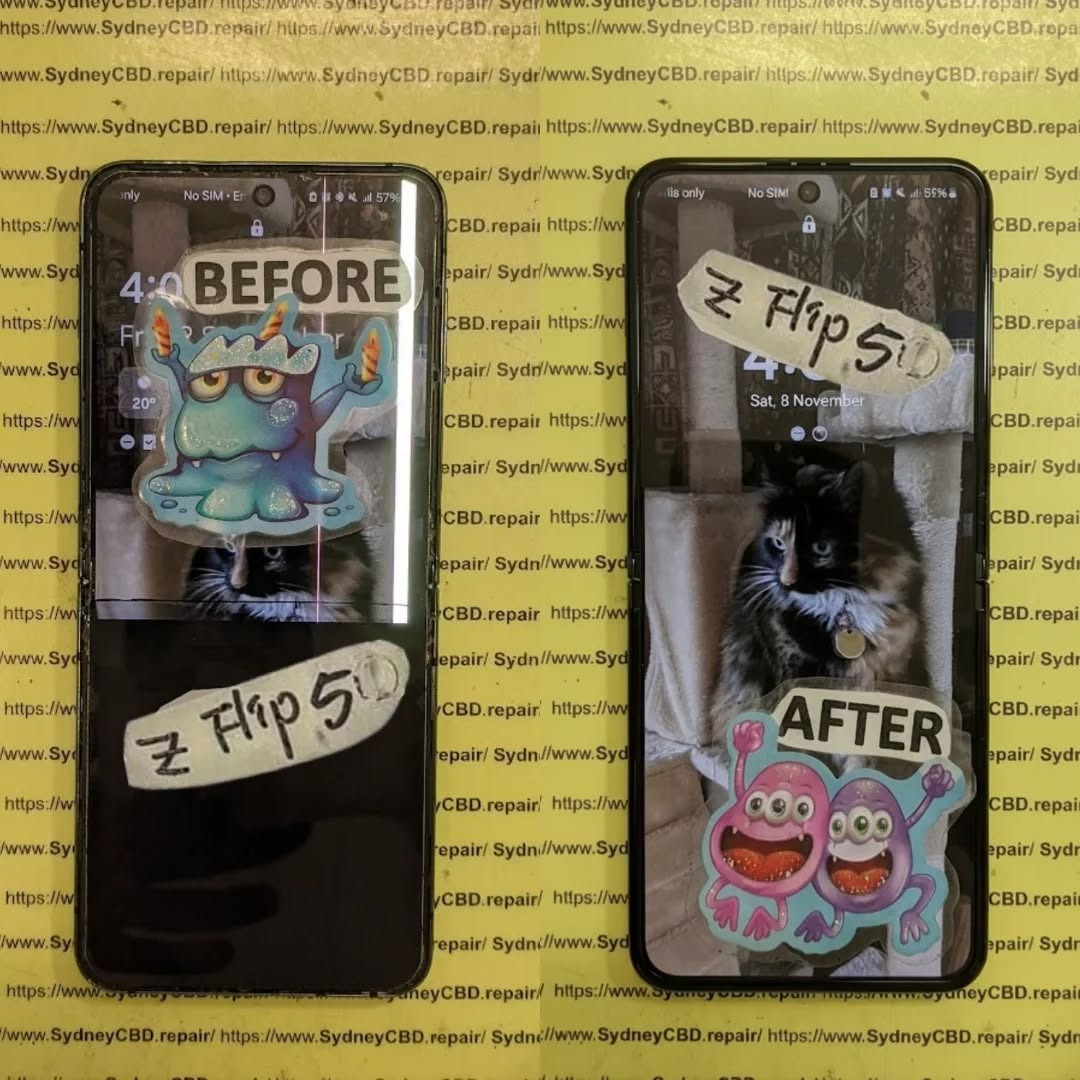
Understanding Water Damage in Smartphones
What Happens When Water Enters Your Phone
When water seeps into your smartphone, it can cause short circuits, corrosion, and component failure. Modern phones may be marketed as “water-resistant,” but that doesn’t mean waterproof. Even a quick dip in the pool or splash from a drink can trigger internal damage that isn’t immediately visible.
Common Signs of Water Damage
- Screen flickering or discoloration
- Unresponsive touch screen
- No sound or distorted audio
- Battery draining faster than usual
- Overheating or sudden shutdowns
If you notice any of these symptoms, turn off your device immediately — keeping it on can worsen the damage.
First Aid Steps After Water Exposure
What You Should Do Immediately
- Turn off your phone right away.
- Remove any cases or accessories.
- Take out the SIM and memory cards.
- Dry the surface gently with a lint-free cloth.
- Use a fan or cool air to evaporate moisture — avoid heat sources.
What to Avoid After Water Damage
- ❌ Don’t use a hair dryer or microwave.
- ❌ Don’t plug it into a charger.
- ❌ Don’t press buttons excessively — this may push water deeper inside.
DIY Water Damage Repair – Step-by-Step Guide

While DIY repair can be tempting, it comes with risks. If you’re confident enough, follow these safe steps.
Tools and Materials You’ll Need
- Small screwdriver set
- Isopropyl alcohol (90% or higher)
- Microfiber cloths
- Silica gel or moisture-absorbing packets
Drying and Cleaning Process
- Open the phone carefully if possible.
- Clean corroded parts with isopropyl alcohol using a soft brush.
- Let the phone dry in an airtight container with silica gel for at least 48 hours.
- Reassemble and test your device.
Common Mistakes to Avoid in DIY Repairs
- Using rice (it traps moisture rather than removing it)
- Skipping internal cleaning
- Ignoring hidden corrosion
- Not replacing damaged parts like the battery or connectors
Professional Water Damage Repair Explained
Diagnostic Process Used by Experts
Professional technicians use specialized tools to detect moisture, corrosion, and short circuits. At Sydney CBD Repair Centre, each water-damaged phone undergoes:
- Board-level inspection
- Ultrasonic cleaning
- Drying under controlled temperatures
- Functional testing before delivery
Benefits of Professional Phone Repair
- Genuine parts replacement
- Expert diagnostics and cleaning
- Better success rate than DIY
- Data recovery options available
Cost and Warranty Considerations
While DIY repairs seem cheaper initially, professional repairs protect your warranty and ensure long-term device stability. Sydney CBD Repair Centre even offers a 90-day warranty on all repairs.
DIY vs. Pro Repair – Detailed Comparison Table
| Factor | DIY Repair | Professional Repair |
|---|---|---|
| Cost | Low (tools only) | Moderate to high |
| Time | 2–3 days drying | Same-day service |
| Success Rate | 40–60% | 85–95% |
| Risk | High (may worsen damage) | Minimal |
| Warranty | None | 90-day guarantee |
| Skill Required | High | None (done by experts) |
Long-Term Effects of Water Damage
Corrosion and Component Failure Risks
Even if your phone powers back on after drying, corrosion may continue to eat away at internal circuits. Over time, this can cause random reboots or total device failure.
Battery and Screen Issues Over Time
Water exposure often leads to battery swelling or ghost touches due to screen connector oxidation. Only a certified technician can properly address these hidden issues.
How to Prevent Water Damage in the Future
Waterproof Cases and Protective Accessories
Invest in IP68-rated cases, port plugs, or waterproof pouches if you often use your phone near water.
Safety Tips for Everyday Use
- Avoid charging near wet areas
- Store your phone in a dry bag at the beach or pool
- Schedule periodic professional maintenance
6 FAQs About Water-Damaged Phones
1. Can rice really fix a wet phone?
No. Rice absorbs surface moisture but not internal water. Use silica gel instead.
2. How long should I dry my phone after water exposure?
At least 48 hours in a moisture-absorbing environment.
3. Can water damage be fully repaired?
Yes, but only with professional ultrasonic cleaning and diagnostics.
4. Is water damage covered by warranty?
Most manufacturers exclude it unless you have specific insurance coverage.
5. Why did my phone work fine for a week then die?
That’s delayed corrosion — internal parts slowly deteriorate after exposure.
6. Should I go to a repair shop even if my phone still works?
Absolutely. Early intervention can save you from permanent damage.
Conclusion

Reviving a water-damaged phone requires quick action and the right approach. While DIY methods can offer temporary relief, professional repair ensures safety, reliability, and long-term functionality.
At Sydney CBD Repair Centre, we specialize in restoring water-damaged phones using state-of-the-art equipment and genuine parts — ensuring your device gets a second life.
About Sydney CBD Repair Centre
David from Sydney CBD Repair Centre — the best place to fix mobile phones, six years in a row!
We take pride in offering exceptional repair services for all major brands — Apple, Samsung, Google, and more.
✅ Same-Day Repairs
✅ Genuine Parts Guarantee
✅ Professional Technicians
✅ 2000+ 5-Star Google Reviews
✅ 90-Day Warranty
📞 Call: +61 2 8011 4119
🌐 Website: https://SydneyCBD.repair/locate-us

