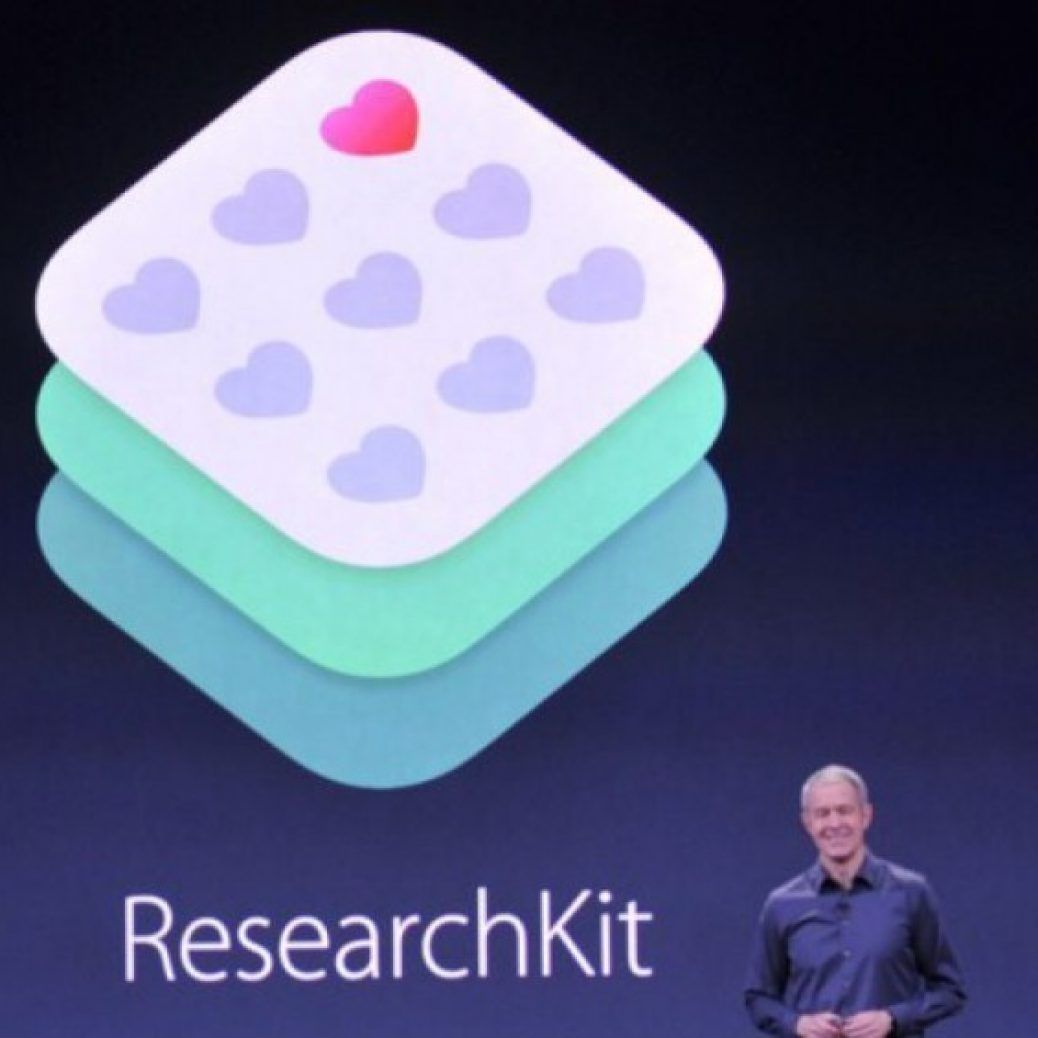
Apple wanted to make data gathering easier for medical researchers with ResearchKit. According to the company, since the launch of the open-source platform earlier this year, over 100,000 participants have already shared their health data with a host of apps that study asthma, diabetes, breast cancer and more. The Kit’s ever-increasing list of studies will now include autism, epilepsy and melanoma.
Duke University has introduced “Autism & Beyond”, an app that uses an emotion detection algorithm to track visible signs of autism in children. The team wants to use the front-facing iPhone camera to see if a user’s reactions to videos can be used to make an early diagnosis. Another app, from Oregon Health & Science University, will look at iPhone images to study moles and melanoma. Participants from all parts of the world will be able to contribute to the research by documenting their mole growth with pictures over time. Based on these collections of photographs, the goal is to build an algorithm that will potentially detect and screen melanoma.
Johns Hopkins, on the other hand, has moved away from the iPhone. Their app, the EpiWatch, will use and test the wearable sensors on the Apple Watch to see if they can predict and detect seizures. The first leg of this epilepsy study will allow users quick, one-touch access to the app that will collect data from both the accelerometer and heart rate sensors in the watch, while it simultaneously alerts a designated contact or caregiver. EpiWatch will maintain a log of the epileptic episodes and will also allow patients to compare notes with other participants. For millions of epilepsy patients across the country, this app hopes to find a way to monitor seizures.
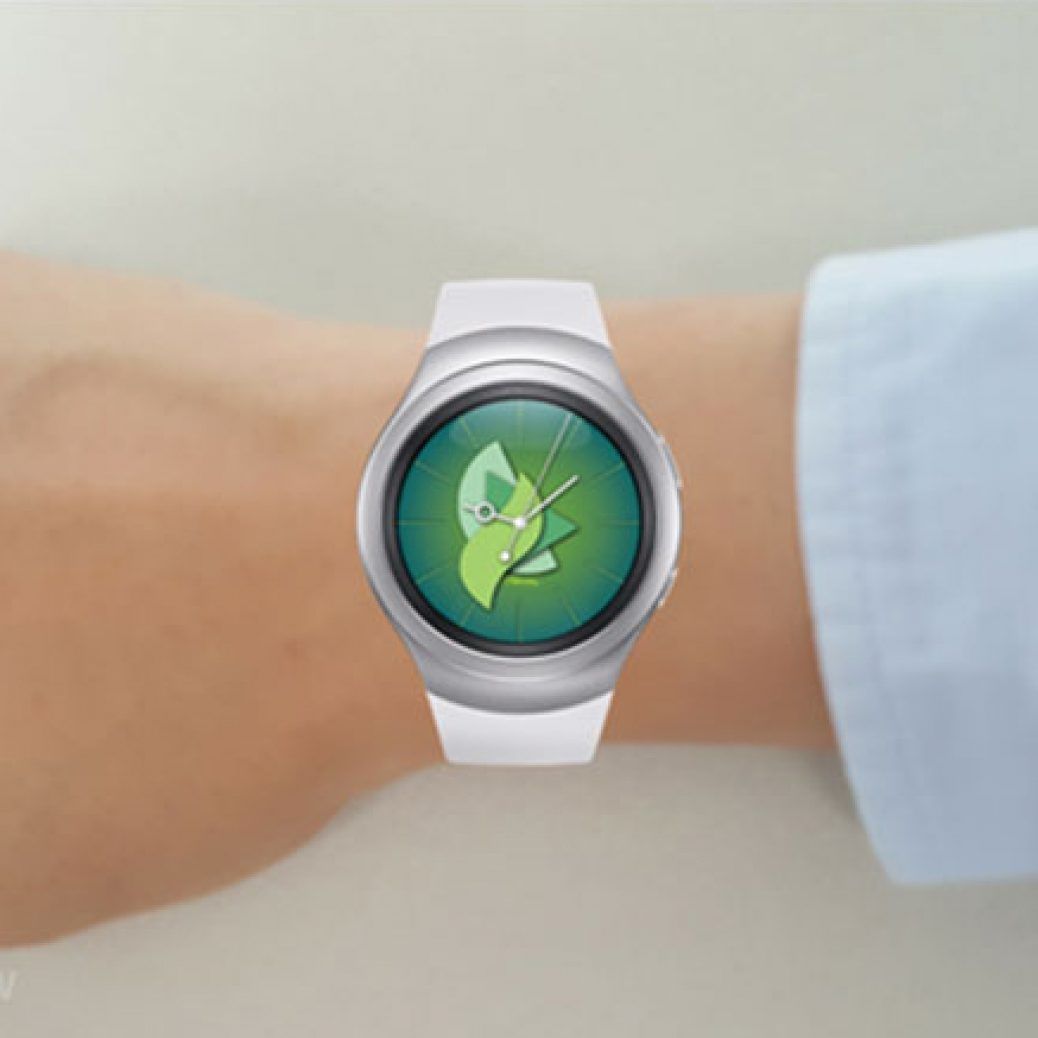
If you want to prepare your new Gear S2 for Halloween, check out this brand new watch face for Samsung’s latest smartwatch. The Trick or Treat watch face from Gear O’Clock shows Halloween themed watch face along with the date indicator. It is compatible with the Gear S2, the Gear S2 classic, and the Gear S2 3G.
It also shows animated spiders and bats on while showing the time, and there’s a new notifications indicator as well. It displays a vampire whenever you lift up your wrist to check out the time. You can download this watch face from the Gear Apps store by searching for Gear O’Clock or Belvek.
Samsung Z3, the company’s second Tizen-based smartphone was officially announced last week in India, and the device is now available for purchase in the country for INR 8,399 (~ $130) exclusively from Snapdeal. Now, the South Korean smartphone giant has released a promotional video that touches all the important features of the Z3.
The promotional video showcases the Z3′s sleek design with curved back panel with matte finish and metallic-finised sides, a 5-inch HD Super AMOLED display, Tizen UI, My Galaxy and MixRadio apps, Ultra Data Saving mode, an 8-megapixel primary camera, and a 5-megapixel secondary camera. Go ahead and check out the video that’s embedded below.
Samsung Electronics announced the Samsung Z3, an advanced Tizen-based smartphone that offers powerful performance and easy customization via exclusive, localized features including “My Galaxy” for easy access to nearby rewards and benefits.
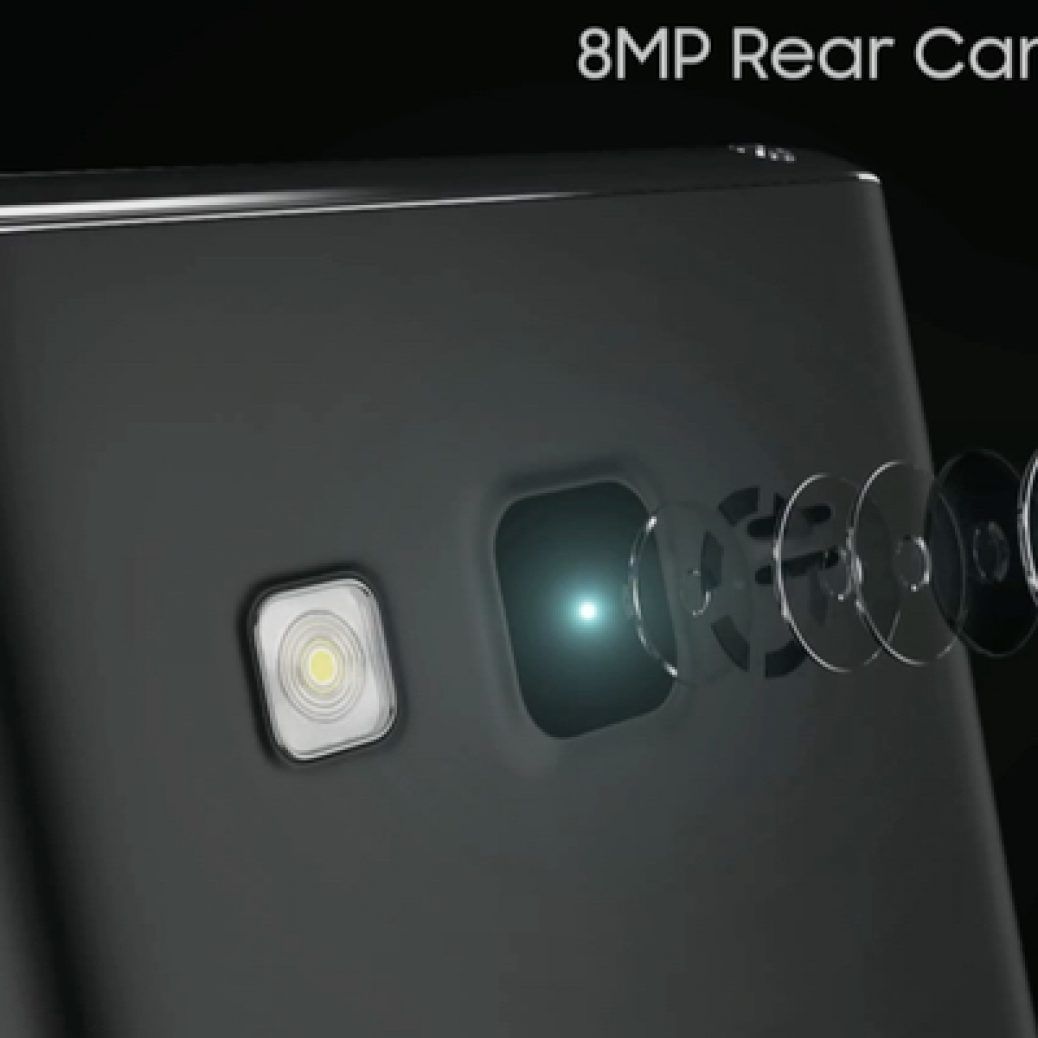
Built with a crisp 5-inch HD resolution display, the Samsung Z3 delivers the ultimate viewing experience with its Super AMOLED technology for clearer and deeper images, along with an advanced 8 megapixel Bright Lens camera to capture more detailed and higher quality images. In addition, the Samsung Z3 features an ‘Ultra Data Saving Mode’ that minimizes mobile data usage as well as ‘Ultra Power Saving Mode’ for continuous performance with low battery life.
“As a pioneer of Tizen platform, we have continuously introduced Tizen-based mobile devices, including Samsung Z1 and Samsung Gear S2, in our commitment to develop the Tizen ecosystem”, said JK Shin, CEO and Head of IT & Mobile Business at Samsung Electronics. “We developed the Samsung Z3 to provide the features that will help consumers capitalize on the growing Tizen ecosystem and make the most out of their personal mobile experience.”
Advanced Viewing and Camera Capabilities
The Samsung Z3 features a superior 5-inch HD screen, made with Samsung’s advanced Super AMOLED technology that delivers clear images and excellent contrast ratio for true-to-life colors. The device is also equipped with an 8 megapixel Bright Lens F2.2 rear-facing camera that captures more light for visibly clearer and more detailed images, as well as a 5 megapixel front-facing camera for advanced selfie capabilities. The Samsung Z3 camera offers ‘Automatic Selfie’ for seamless selfies with facial recognition, ‘Beauty Face Mode’ that automatically retouches images for flawless skin and ‘Wide Selfie’ to capture up to 120 degrees of the users’ surroundings for the perfect group selfie shot.
Long Battery Life and Optimized Data Usage for Indian Consumers
The Samsung Z3 supports a long-lasting 2,600mAh battery complemented by ‘Ultra Power Saving Mode,’ which allows users to operate on standby for up to 33 hours with less than 10 percent of battery life. The device also features ‘Ultra Data Saving Mode,’ providing data compression and management capabilities for up to 40 percent less mobile data usage.
Designed specifically for the Indian market, Samsung Z3 comes preloaded with ‘My Galaxy’ app that offer consumers various exclusive services, local deals, entertainment content, continuous value on extensively used categories like recharge, travel, movies, fashion etc and post purchase assistance. The Samsung Z3 additionally features the ‘Mix Radio’ app, available exclusively for Samsung consumers. Mix Radio is the world’s most personalized free music streaming service with over 35 million songs to choose from, including extensive local catalogue of over 10 genres of Indian music.
The Samsung Z3 is priced at INR 8490 and will be available in India from October in Gold, Black and Silver.
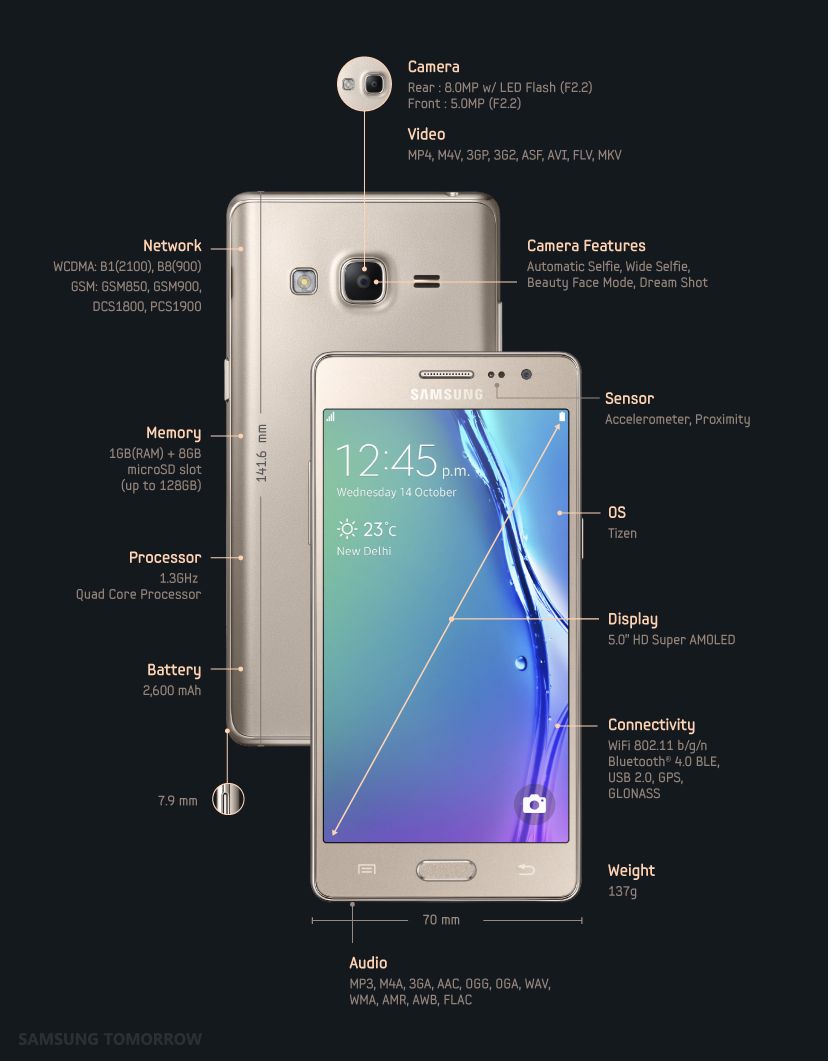
WiFi 802.11 b/g/n, Bluetooth® 4.0 BLE, USB 2.0, GPS, GLONASS
Sensor
Accelerometer, Proximity Sensor
Memory
1GB(RAM) + 8GB
microSD slot (up to 128GB)
Dimension
70 x 141.6 x 7.9mm, 137g
Battery
2,600 mAh
*All functionality, features, specifications and other product information provided in this document including, but not limited to, the benefits, design, pricing, components, performance, availability, and capabilities of the product are subject to change without notice or obligation..
Improved battery life is the most notable part of the changelog – the Note 5 already has respectable battery life despite the not-so-large battery inside, and this update should make things better. It’s currently rolling out in Singapore with build number N920IDVU2AOJ4, and it shouldn’t be long before we see it making its way to the device in other markets (which is a short list since the phone hasn’t been launched in quite a few major markets around the world.) This doesn’t seem to be the major update that our insiders said the Note 5 and other recent Samsung devices will be getting, but it’s still an important one nonetheless.
If you own a Galaxy Note 5, watch out for the notification that signals the update’s arrival. We have the entire firmware available in our firmware database for a manual upgrade, and you can mash the Update now button in the Settings » About device » Software updatemenu if you don’t wish to take the manual route.
How many credit cards do you carry in your wallet? How often do you use each of them? Commerce has come a long way and the forms of “money” have evolved. The credit card has played an important role for people to shop more convenience and safer over recent years, however, it can be replaced to new payment service in the near future. Mobile payment is a burgeoning phenomenon in the world of retail and commerce.
At the moment, mobile payment systems fall into two categories. One method is based on near field communication (NFC) technology. The other relies on magnetic secure transmission (MST) technology, which sends the payment card information to a magnetic card reader wirelessly, using magnetic signals.
NFC is the most widely used payment system, however, it has a critical shortcoming—fewer than 3 percent of retail shops in the world have the NFC readers needed to support it. Despite the technology applying NFC for payment systems being a decade old, retailers have been slow to purchase and install NFC readers, even in Europe, where NFC cards and IC cards are more widely available. Without a doubt, its acceptance will spread, but the pace appears to be somewhat slow.
On the other hand, most retail shops already have magnetic card readers, which are compatible with MST technology. So a mobile payment system that supports both NFC and MST would have the widest level of acceptance—and the only such service is Samsung Pay.
Technology always takes time to be accepted. For example, HD TVs have been around for more than a decade, but there are still a lot of people who watch in standard resolution. As an engineer, I believe we need to follow the lead of our customers. We cannot force people to accept new technologies before they’re ready. Instead, we need to help ease that change naturally.
The Key Is Convenience
Nowadays, we can find WiFi everywhere. But how many people understand how Wi-Fi works, or know the various standards? Most do not. What people care about is being able to access their email easily and safely. The important thing for consumers is convenience.
Recently, one company released an application that shows users where they can use mobile payment services. In my opinion, that gets things totally backward it is a complete flop. People use mobile payment services where they shop; they do not go shopping to where they can use mobile payment services. Convenience drives consumer acceptance, not the technology.
With this philosophy in mind from the beginning, Samsung Electronics applied MST technology to mobile payments together with NFC. I think debating which technology is better, NFC or MST, is pointless. What is essential is making mobile payment convenient for consumers, so they can pay for things without thinking about the technology. If consumers cannot use a mobile payment service in most shops, they will not use it nor accept it. Embracing a technology means being able to use it easily, anytime, anywhere.
I have not used a plastic credit card in over a month. It’s so easy to pay for anything wherever I go, I don’t even worry about my credit cards anymore. I know I do not need them. Even if something did go wrong, finding a solution would just lead to better service, which is essential for mobile payments being accepted.
Comparing MST and NFC Today
The global average NFC penetration rate stands at 15 percent. Here is Korea, it is less than 2 percent. But because MST has a success rate of more than 80 percent, it is essential for today’s consumers.
In the years to come, the number of transactions using NFC will grow steadily, but MST is going to continue to be significant in retail. Even after the percentage of shops using only MST drops to a small number, we cannot just ignore them. The right approach is to support both systems.
Having conducted thousands of tests around the world, I am sure that Samsung Pay will be a success. It is a product that can change the market and provides real benefits to users. No, it isn’t perfect, but it works so often that I haven’t been tempted to return to my credit cards. Most people have the same thinking—they are not going to use mobile payments just for the novelty, but only if they are convenient.
Information Safe and Secure Through Tokenization
To ensure people’s security and privacy, mobile payments on Samsung Pay do not pass along actual credit card information. Instead, they use something called “tokenization.” Using a token means people’s information is encrypted using our propriety technology and kept secure. Even if a transaction was intercepted, all the personal information would be protected.
Another benefit of using tokens is that it allows us to use the existing payment infrastructure that was developed for plastic credit cards. A token service provider (TSP) server performs the exchange between a token and the actual credit card number, so credit card issuers and merchants can just use their existing systems.
Samsung Pay Will Transform the Future of Mobile Payments
Mobile payments can handle the functions of physical credit cards, but as they grow and develop, many predict they will bring deeper changes to banking, money and society. Mobile payments are more flexible than cards and can do more. In Korea, Samsung Pay enables you to withdraw cash from ATMs, allowing the service to also replace debit cards. They are always “on” and can also interact with the phone, offering credit card issuers new opportunities to connect with users and create additional services.
This is the start of a real paradigm shift—but it all depends on people embracing mobile payment services. That is why I want to emphasize that convenience and ubiquity are at the core of technological acceptance. The arrival of new payment services is not far off and I believe that Samsung Pay will play a leading role in these exciting changes. And the root of all this is Samsung’s dedication to placing the needs of consumers first, so change can come naturally and conveniently.
Samsung has previously introduced apps to enable users to experience and learn about new devices indirectly before the purchase. The Galaxy S5 experience app and the Galaxy S6 experience app were each downloaded more than 1 million times, giving people the useful opportunity to try out the new devices in a mobile simulation.
Now, with the release of the Gear S2, which is earning widespread praise for its elegant design and innovative rotating bezel UX, Samsung is introducing the Gear S2 Experience app. Available in three languages—English, Chinese and Korean—the Gear S2 Experience app lets anyone, anywhere, check out the wearable device’s unique design and UX. It’s a hands-on feel, even when you cannot get your hands on a Gear S2 in real life.
Here’s a look at the five main features of the Gear S2 Experience app, and how they can help you get to feel for the Gear S2 and its special features.
Aesthetic and Elegant Design
If you’re going to wear a wearable, you need the device to look stylish. Calling up this option brings up a Stylish Smart Gear screen, which provides more details about the Gear S2’s sleek, fashionable design—a durable, stainless steel body that fits your wrist just right. Clicking “Experience” then brings up a Gear S2 that you can check out in 360 degrees. Get an immersive, complete view of the Gear S2 in three style, dark gray and silver for the Gear S2, and the black of the Gear S2 classic. It’s a convenient way of getting to know the Gear S2’s harmonious combination of technology and design.
Intuitive Experience
One of the most defining parts of the Gear S2 is its rotating bezel UX that controls many of the device’s functions. It’s a unique and intuitive way of using a smartwatch, and the Gear S2 Experience app gives you a good taste for what that experience is really like.
Once again, after you select this feature, select “Experience” to bring up the simulator. There, the app guides you in how to rotate the bezel to achieve various effects. First it guides you in moving the bezel to the left and right, followed by rotating to scroll vertically, select options or to control volume.
Healthier Lifestyle
The Gear S2 Experience app also shows how health-related features are integrated into the device. You can try out how the Gear S2’s Auto Tracking detects your movements, exercise and heart rate automatically. Or pretend to go for a run on the treadmill, selecting the jogging feature and then taking several strides in a mini-run.
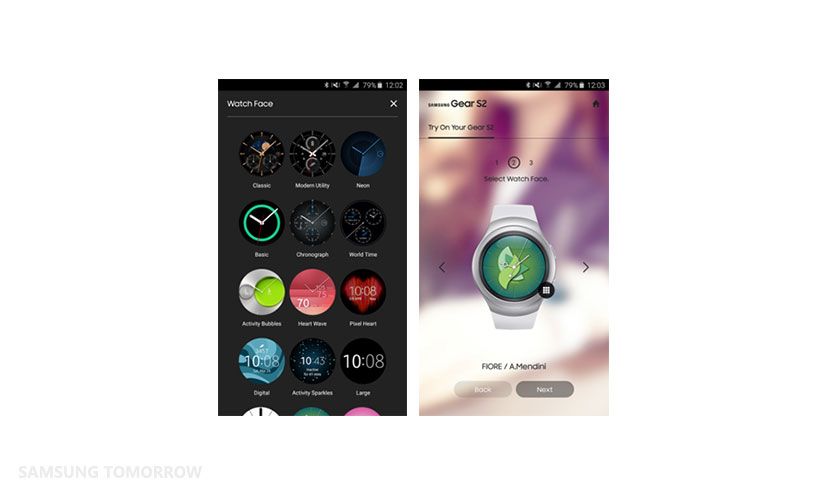
You can also try out the various Healthy Clock faces, like Activity sparkles (they shine as your move more), Activity bubbles (the circles grow as you exercise), Pixel Heart (a heart shape changes color depending on your heart rate) and Heart Wave (measures maximum, minimum and average heart rates).
Convenience & More
This field lets you explore a wide range of the Gear S2’s other functions, like notifications, Samsung Pay and accessories. Notifications lets you try out checking your messages and sending preset replies, leaving voice messages and more. Samsung Pay lets you try out the tap & pay system that makes Samsung Pay so convenient. And Additional Features gives you a rundown of the Gear S2’s many other functions, like 3G connectivity, wireless charging and compatibility with other Android devices (running 4.4O/S or higher, with at least 1.5GB of RAM).
Try On
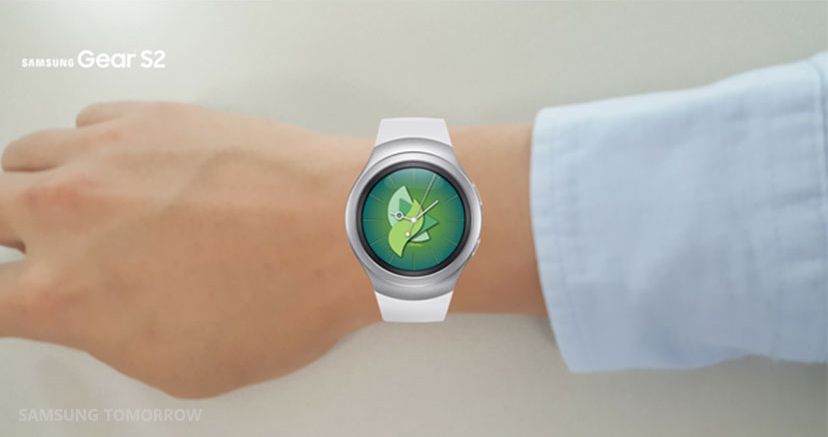
Throughout your use of the Gear S2 Experience app, you are given many opportunities to wear a Gear S2 virtually, using Try On. Once again, you begin by pressing “Experience.” Then you choose a watch face (dark gray or silver for the Gear S2 or black for the Gear S2 classic), followed by one of 16 watch faces. Once you’ve picked your combination, you select “Try On”, where you can use your camera to take a picture of your customized Gear S2 on your arm, and share the photo with friends using your choice of email, social media or other apps.
All told, the Gear S2 Experience app is a great way to get a deeper sense of what Samsung’s latest wearable is all about. Nothing compares to the real thing, but the Gear S2 Experience app comes pretty close. You can download the English version of the Gear S2 Experience app at the Galaxy Apps store or Google Play.
Samsung Electronics’ exciting new wearable device, the Samsung Gear S2, has introduced unprecedented style and functionality, with its rotating bezel and revolutionary UX (User eXperience) interface.
But a great device needs more than just design and technology. Partners and apps are vital aspects to creating a device that maximizes usability and functionality—and the Gear S2 has put together a strong list of partners that take it to the next level.
From early on, Samsung emphasized the importance of its partners, as seen in the early announcement of the Software Development Kit (SDK) for the Gear S2. Usually, an SDK is released after a new product announcement, but for the Gear S2, early access was provided back in April, months before the device was unveiled at IFA in Berlin in September.
“We made sure to put in as much time as needed to optimize the applications for the new circular design and UX,” said Joohyung Jeong of Product Planning Team of IT & Mobile Communications Business division. “We wanted to offer a great variety of useful applications to the users at the time of launch, which was made possible with the early announcement of the SDK.”
Because of the Gear S2’s unique, rotating bezel and a circular display, Samsung’s partners were eager to create apps for the smartwatch. The new wearable shape meant all the apps had to be redesigned, and Samsung provided all the design resources needed by our partners. But, in fact, optimizing apps for the rotating bezel turned out to be easier and more intuitive than the touch menus used by many wearables. It was also more convenient creating messaging services and notifications using the new interface.
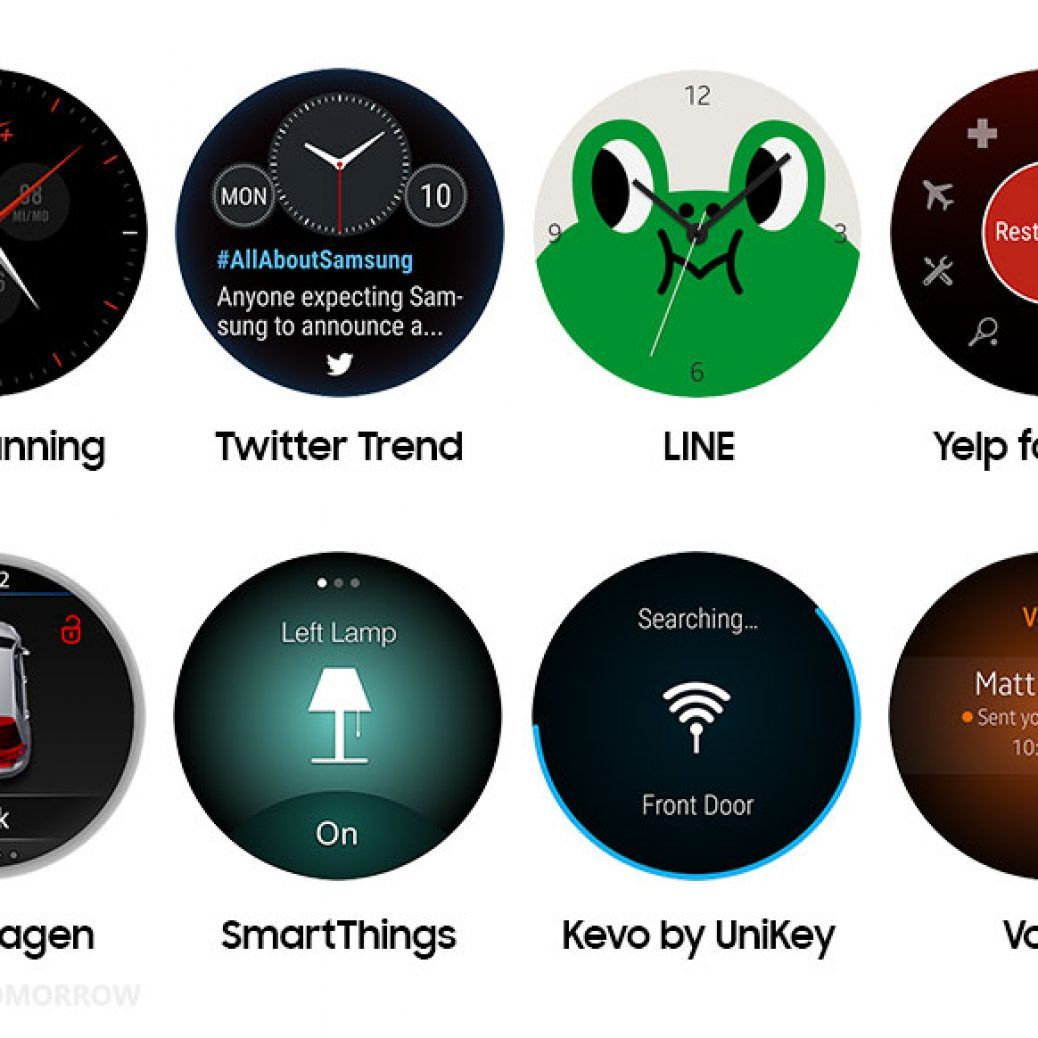
The other thing which makes the Gear S2 so special is Samsung introduces special watch faces with many partners besides a customized app. These watch faces provide important information depending on your needs. You can check the latest trends on Twitter, or see stock updates on Bloomberg, or sports scores on ESPN.
With hundreds of apps available for the Gear S2 already, let’s take a look at eight of the most popular, for making people’s lives easier and more empowered.
Nike+ Running
With Nike + Running, you can keep track of your jogging regime, including how far you went, the pace and for how long you were running. Nike + Running can help organize and motivate you to make your fitness goals and live healthier.
Twitter Trends
Twitter comes to your wearable, bringing all the trending topics, fun tweets and conversations, and hottest news from around the world.
Line
The popular and free messaging app Line is also available for the Gear S2. In addition to being fast and easy-to-use, Line comes with an array of cute cartoon characters you can use as the face for your Gear S2.
Yelp for Gear
As a wearable device, the Gear S2 is designed for people on the go. And one of the most popular apps for people on the go is Yelp, the review site that rates just about everything in the world around you, like restaurants, flights, coffee shops, and stores.
Volkswagen
Whether it’s called Car-Net (in the United States) or e-Remote (in Europe), the Volkswagen app gives you access to your car, no matter how close or far you may be. You can check to see if the doors are locked, start the air-conditioning before you get to your car or stop it from charging (if it’s an electric car).
SmartThings
SmartThings turns your home into an IoT Smart Home, and the SmartThings app lets you check on your home from wherever you are. Are your doors closed? Are the lights on? Do you want your home to get ready for your arrival, based on any preset routine you like? The SmartThings app can do all that and more.
Kevo by UniKey
Kevo is the smartlock security system that puts the safety of your home right onto your mobile devices. No more fumbling with keys, now your Gear S2 can lock and unlock your doors. Kevo can send eKeys to anyone else, family or guests, so your family is safe, and you have maximum control over your own home.
Voxer
A messaging platform for sending voice messages, texts, photos, and videos. But what makes Voxer different is that you can also send audio live, like a walkie talkie, to instantly communicate with your friends and contacts.
And that’s just the start. Just as partners in Korea have prepared a special transportation app, with which users can simply tag their Gear S2 on the card readers at the gates of the subway and bus stations, many different specialized apps will be introduced to fit the needs of the local consumers.
As we reported earlier, Samsung is working on a bunch of Galaxy A series smartphones that could be released in the coming months. This includes the Galaxy A9, the Galaxy A3X, the Galaxy A5X, and the Galaxy A7X. Now, specifications of the upcoming Galaxy A9 have surfaced on the Internet.
According to the AnTuTu benchmarks that we’ve stumbled upon, the Android 5.1.1 Lollipop running Galaxy A9 (SM-A9000) will feature a 5.5-inch Full HD Super AMOLED display, a Snapdragon 620 processor (MSM8976) with Adreno 510 GPU, 3GB RAM, and 32GB internal storage. There are no details regarding the camera on the upcoming device; but we should see at least a 16-megapixel primary camera considering the A9 will be a sequel to the Galaxy A8.
Samsung recently imported components of the Galaxy A9 to India for testing but not the actual device, which makes us think that it might still be at least three or four months away from being officially announced. In any case, we will report more details about the device as and when we get them.