




Disassembling a Foldable Phone for Internal Cleaning

Disassembling a Foldable Phone for Internal Cleaning: 10 Expert Tips for Safe and Effective Maintenance
Introduction: Why Internal Cleaning Matters for Foldable Phones
Foldable phones are some of the most innovative devices in today’s mobile technology landscape. With sleek designs, flexible hinges, and cutting-edge displays, they bring futuristic functionality into our hands. But as advanced as they are, foldable phones are more vulnerable to dust, debris, and internal grime compared to traditional smartphones.
Over time, tiny particles can accumulate in the hinge mechanism and internal components, leading to reduced performance, hinge stiffness, or even permanent damage. That’s why internal cleaning—done correctly—is essential to prolonging your foldable phone’s life.
In this guide, we’ll walk you through 10 expert steps for safely disassembling and cleaning a foldable phone. Whether you’re a tech-savvy DIYer or just curious about the process, this detailed tutorial will help you understand what’s involved and when to seek professional assistance.
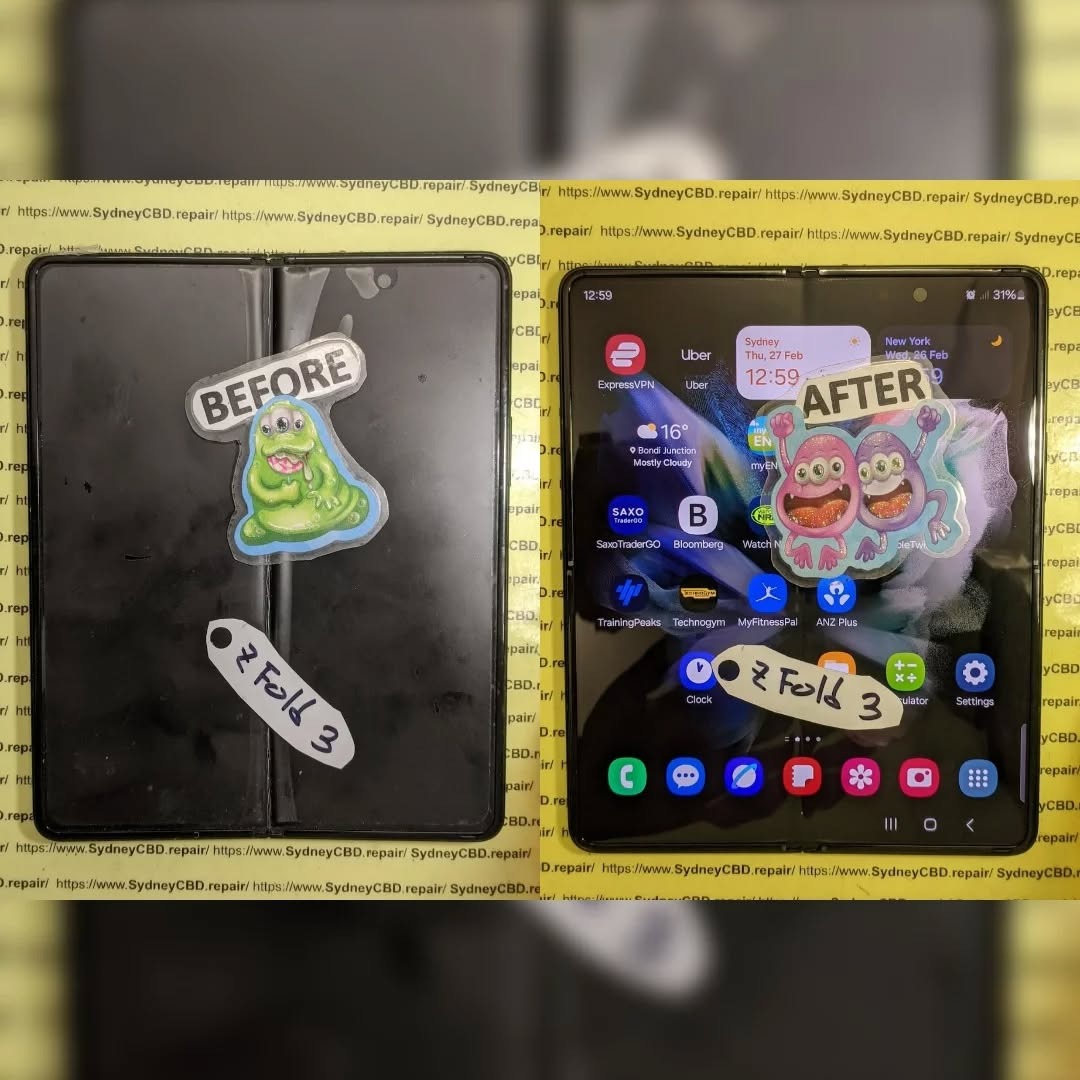
Tools You’ll Need Before Starting
Before you even think about prying open your foldable device, gather the right tools. Using improper equipment can cause irreparable damage.
Essential Repair Tools
- Precision screwdriver set (Phillips, Torx, pentalobe)
- Plastic spudger and opening picks
- Suction cup handle for glass removal
- Anti-static tweezers
Cleaning Materials
- 99% isopropyl alcohol (safe for electronics)
- Anti-static brush
- Compressed air canister or rubber air blower
- Microfiber cloth
Safety Gear
- Anti-static wrist strap to prevent electrostatic discharge
- Protective gloves for handling delicate components
- Heat-resistant mat for working surface
Having these ready ensures a smoother and safer disassembly process.
Step 1: Backing Up Your Data
Disassembling a foldable phone involves disconnecting critical components, which risks data loss or corruption. Always back up your device before starting:
- Use cloud services like Google Drive, iCloud, or OneDrive.
- Create a full backup on your computer via cable connection.
- Double-check that contacts, photos, and important files are synced.
This simple precaution saves you from unexpected headaches if something goes wrong.
Step 2: Powering Off and Preparing the Work Area
Shut down your device completely. Never attempt to open or clean a powered-on phone. Prepare your workspace by:
- Using a clean, flat, well-lit surface.
- Laying down an ESD-safe mat.
- Organizing tools within easy reach.
- Setting up a magnetic tray or small containers for screws.
A neat setup reduces the chance of losing tiny screws or damaging sensitive parts.
Step 3: Removing the SIM Tray and External Accessories
Before internal access, remove all external parts:
- Eject the SIM and SD card trays.
- Detach protective cases or skins.
- Remove stylus pens (if applicable).
This step clears the way for safe disassembly without obstruction.
Step 4: Heating the Adhesive for Back Cover Removal
Most foldable phones have glass backs secured with strong adhesive. Applying controlled heat helps loosen it.
Safe Heat Application
- Use a heat gun or phone heating pad.
- Keep the temperature around 80–90°C.
- Move heat evenly across the surface.
Risks of Excess Heat
- Overheating may warp plastic parts.
- Prolonged exposure can damage internal adhesive seals.
- Glass may crack if heated unevenly.
Patience is key—never rush this step.
Step 5: Carefully Detaching the Back Cover
With adhesive softened, use a suction cup and plastic picks to gently lift the back cover.
- Start from a corner and slide along edges.
- Avoid metal tools—they scratch and crack glass.
- Be extra cautious near the hinge area, where flex cables may be located.
Once lifted, place the back cover on a clean cloth to prevent dust contamination.
Step 6: Disconnecting the Battery Safely
Always disconnect the battery before touching internal components.
- Locate the battery connector and use a plastic spudger to lift it.
- Never use metal tweezers to pry connectors.
- For glued batteries, apply small amounts of isopropyl alcohol to loosen adhesive.
This prevents short circuits during cleaning.
Step 7: Accessing the Hinge Mechanism for Cleaning
The hinge is the heart of any foldable phone—and the most prone to dust intrusion.
Dust and Debris Risks in Hinges
- Dust buildup causes stiffness or uneven folding.
- Foreign particles may scratch the display.
- Excess pressure can damage internal gears.
How to Clean Without Damage
- Use a soft anti-static brush to sweep debris.
- Blow gently with a rubber air blower.
- Avoid lubricants—oil attracts more dust and may seep into the screen.
Step 8: Cleaning Internal Components
Once the hinge is clear, inspect other components like speakers, charging ports, and motherboard.
Using Isopropyl Alcohol
- Apply with lint-free swabs.
- Only a few drops—never soak components.
- Helps dissolve oily grime without leaving residue.
Safe Brush and Blower Techniques
- Brush gently over circuit boards.
- Blow air at an angle to avoid pushing dust deeper.
- Wipe connectors with microfiber cloth.
This step restores airflow and prevents overheating.
Step 9: Inspecting for Wear and Tear
While inside, look for signs of damage:
- Swollen or degraded batteries.
- Burn marks on circuits.
- Loose or frayed ribbon cables.
- Cracks near hinge or frame.
Early detection of these issues saves you from future breakdowns.
Step 10: Reassembling the Device Correctly
When reassembling:
- Reconnect the battery last.
- Replace screws in original locations.
- Reapply adhesive strips or double-sided tape.
- Snap the back cover firmly without forcing it.
Double-check all connections before powering on.
Common Mistakes to Avoid During Disassembly
- Using metal tools near sensitive components.
- Skipping the data backup step.
- Overheating the glass back.
- Forgetting screw placement.
- Touching internal parts with bare hands (oils cause corrosion).
Avoiding these mistakes can mean the difference between a successful clean and a costly repair.
Professional Help vs. DIY: When to Call an Expert
Not everyone should attempt foldable phone disassembly. You should seek professional repair if:
- Your phone is still under warranty.
- The hinge feels unusually stiff.
- You notice screen delamination.
- Internal damage is beyond simple dust cleaning.
Sydney CBD Repair Centre offers expert foldable phone services with same-day repairs, genuine parts, and a 90-day warranty. With over 2000 5-star reviews, it’s the trusted choice for Australians needing safe, reliable phone maintenance.
Read more about foldable phone repair safety from iFixit.
FAQs
1. How often should I clean my foldable phone internally?
Ideally once a year, or sooner if you notice hinge stiffness or dust accumulation.
2. Can I use a hair dryer instead of a heat gun?
Yes, but use low heat and caution. A proper heating pad or gun is safer.
3. Will cleaning void my warranty?
DIY disassembly may void warranties. Check your manufacturer’s policy first.
4. Is compressed air safe for foldable phones?
Yes, if used at a safe distance and angle. Avoid high-pressure bursts.
5. What if I damage the back glass during removal?
You’ll need a replacement part. Professional shops like Sydney CBD Repair Centre can replace it quickly.
6. Can hinge lubrication extend phone life?
No. Most manufacturers design hinges to work dry. Lubricants attract dust.
Conclusion: Keep Your Foldable Phone Running Smoothly

Disassembling a foldable phone for internal cleaning is not a beginner task. It requires the right tools, patience, and precision. By following these 10 expert tips, you can safely maintain your device, reduce dust-related issues, and extend its lifespan.
However, if you’re unsure or don’t have the right tools, trust professionals who handle these delicate repairs daily.
Sydney CBD Repair Centre – Where Quality Meets Reliability
David from Sydney CBD Repair Centre – The Best place to fix mobile phones as 6 Years In A Row!
Top Mobile Phone Repair in Sydney with 2000+ Positive Reviews on Google and Same Day Repairs.
We repair all major brands including Apple, Samsung, Google, and more using genuine parts with a 90-day warranty.
📍 Located in the heart of Sydney CBD.
📞 Call: +61280114119
🌐 Website: https://SydneyCBD.repair/locate-us
Come in today and experience why thousands trust us for phone repairs.

