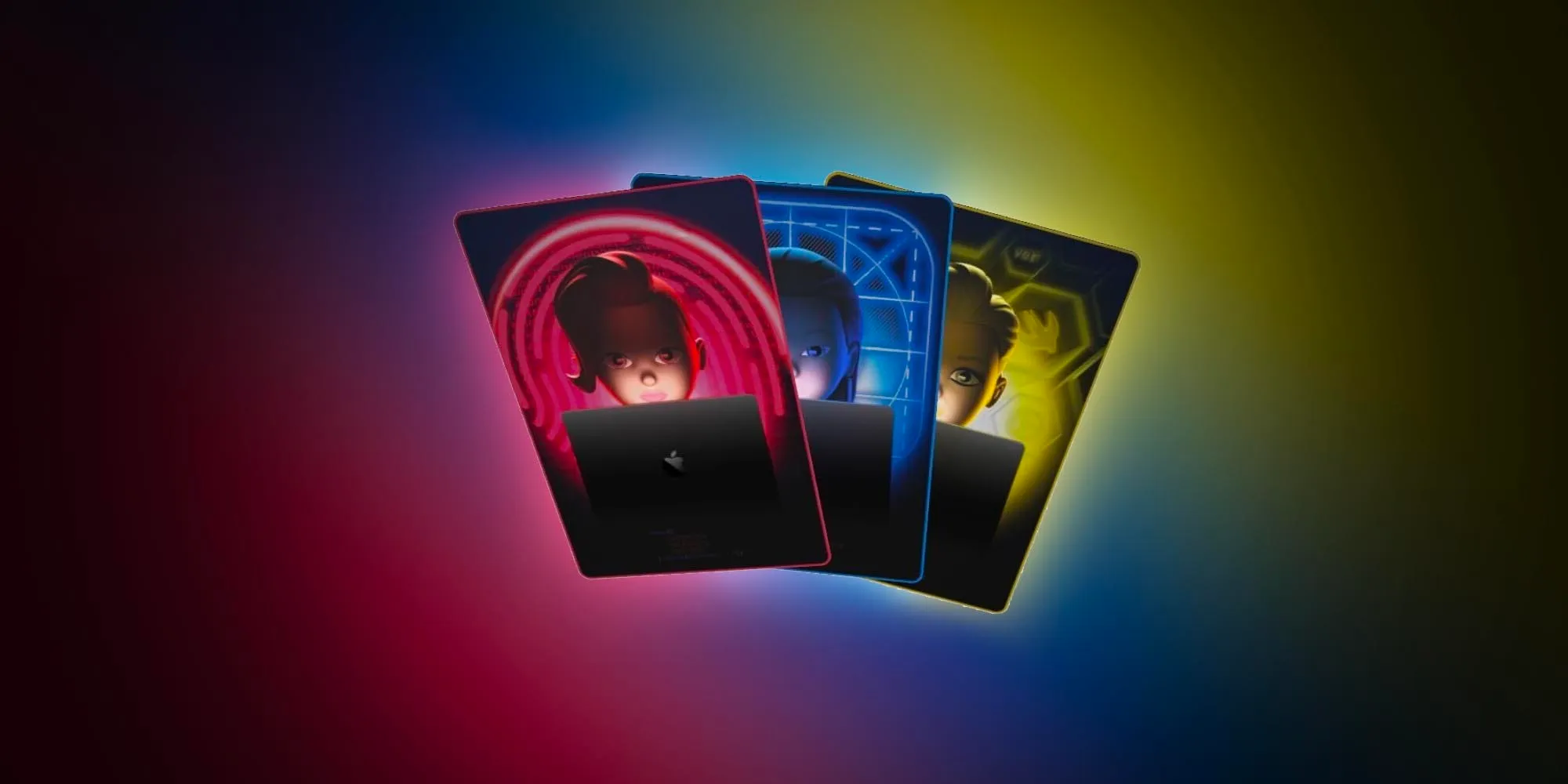
WWDC 2024 is just a week away, as Apple has set the conference’s opening event for Monday, June 10. Ahead of the event, the company has now confirmed that it will stream the WWDC 2024 opening keynote on YouTube alongside livestreams on its website and Apple TV app.
Watch WWDC 2024 live on YouTube
Of course, while the live streaming page is already up on Apple’s YouTube channel, you won’t be able to watch it until next Monday. “Join the worldwide developer community for a week of technology, community and creativity. Set a reminder now, and we’ll notify you before showtime,” the description of the live event on YouTube reads.
It’s been a while since Apple has been broadcasting its special events on YouTube in addition to its own platforms. This year, Apple will also share WWDC sessions on YouTube via the new Apple Developer channel.
Since 2020, all Apple events have been pre-recorded – so it’s likely that the WWDC 2024 opening keynote will follow suit. During the event, the company is expected to announce iOS 18, iPadOS 18, macOS 15, visionOS 2, and more with a huge focus on artificial intelligence (AI). No new hardware is expected for this year’s conference.
The keynote will take place at 10 a.m. PDT ( 3 a.m. AEST ) and be streamed live on apple.com, the Apple Developer app, the Apple TV app, and the Apple YouTube channel. Apple invited the press and some developers to watch the event from Apple Park.
Throughout the week, developers will have access to experts at Apple who are available to assist with implementing all the latest features and technologies of the coming software platforms into their apps.
Entire conference available online for all developers, with a special event at Apple Park on June 10
Apple announced it will host its annual Worldwide Developers Conference (WWDC) online from June 10 through 14, 2024. Developers and students will have the opportunity to celebrate in person at a special event at Apple Park on opening day.
Free for all developers, WWDC24 will spotlight the latest iOS, iPadOS, macOS, watchOS, tvOS, and visionOS advancements. As part of Apple’s ongoing commitment to helping developers elevate their apps and games, the event will also provide them with unique access to Apple experts, as well as insight into new tools, frameworks, and features.
“We’re so excited to connect with developers from around the world for an extraordinary week of technology and community at WWDC24,” said Susan Prescott, Apple’s vice president of Worldwide Developer Relations. “WWDC is all about sharing new ideas and providing our amazing developers with innovative tools and resources to help them make something even more wonderful.”
Developers and students will be able to discover the latest Apple software and technologies by tuning into the keynote, and they can experience WWDC24 throughout the week on the Apple Developer app, Apple Developer website, and YouTube. This year’s conference will include video sessions and opportunities to engage with Apple designers and engineers and connect with the worldwide developer community.
WWDC24 will include an in-person experience on June 10 that will provide developers the opportunity to watch the keynote at Apple Park, meet with Apple team members, and take part in special activities. Space will be limited, and details on how to apply to attend can be found on the Apple Developer site and app.
Apple is proud to support the next generation of developers through the Swift Student Challenge, one of many Apple programs that seek to uplift the next generation of developers, creators, and entrepreneurs. On March 28, this year’s applicants will be notified of their status, and winners will be eligible to apply for the in-person experience at Apple Park. Fifty Distinguished Winners, who are recognized for outstanding submissions, will be invited to Cupertino for a three-day experience.
Apple will share additional conference information in advance of WWDC24 through the Apple Developer app and website.
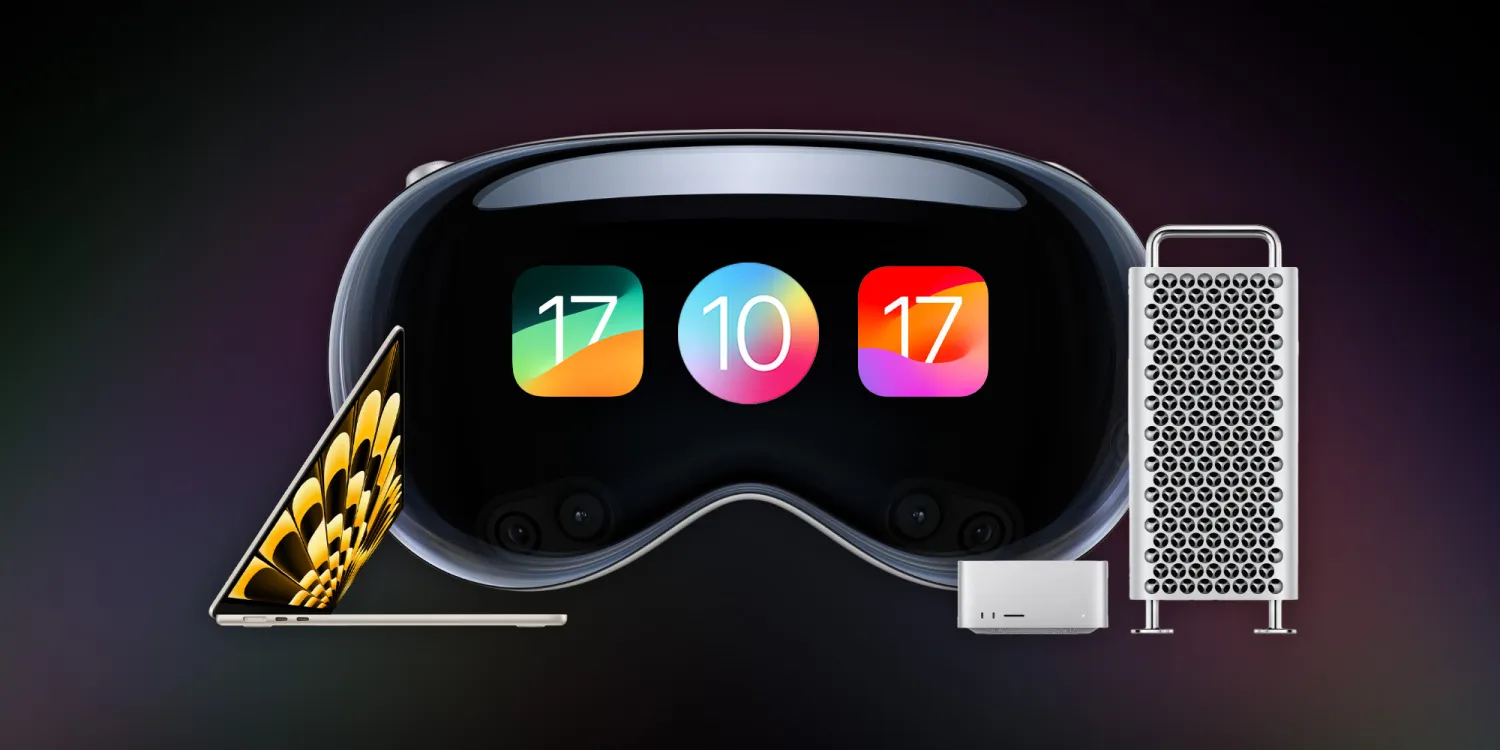
WWDC 2023 has officially come to a close, and it was one of the biggest events in Apple’s history. This year, Apple unveiled its new Vision Pro headset and visionOS software platform, alongside new Mac hardware, iOS 17, macOS Sonoma, and much more.
15-inch MacBook Air
We kicked things off this week with the new 15-inch MacBook Air powered by the M2 chip inside. This new MacBook Air features a 15.3-inch display with two Thunderbolt ports and MagSafe for charging. Apple touts that it’s 40% thinner and half a pound lighter than the average 15-inch PC.
The 15-inch MacBook Air is available to order now for $1,299, and the first shipments will start arriving next week. Along with the introduction of this new 15-inch MacBook Air, Apple also cut the price of the 13-inch MacBook Air powered by the M2 chip to $1,199. The M1 MacBook Air is also still in the lineup at $999.
Hands-on with the new 15-inch MacBook Air [Gallery]
Apple unveils 15-inch MacBook Air, available to order today for $1299
15-inch MacBook Air vs 13-inch Air: What’s the same, what’s changed?
Apple officially drops M2 13-inch MacBook Air price
Mac Studio
Apple’s desktop lineup of Macs also received some love during WWDC this year. First off, the Mac Studio has seen its first upgrade since its launch last year and is now available in M2 Max and M2 Ultra configurations. Apple says the new Mac Studio with M2 Max is up to 50 percent faster than the previous-generation Mac Studio.
Meanwhile, the Mac Studio with M2 Ultra offers twice the performance and capabilities of M2 Max. It is up to 3x faster than the previous-generation Mac Studio with M1 Ultra.
The new Mac Studio is available to order now and starts at $1,999. The first orders will arrive next week.
Mac Studio gets its first hardware update with M2 Max and the new M2 Ultra chip
2023 Mac Pro versus 2023 Mac Studio? Ports, PCI cards, vents, and wheels
Mac Pro
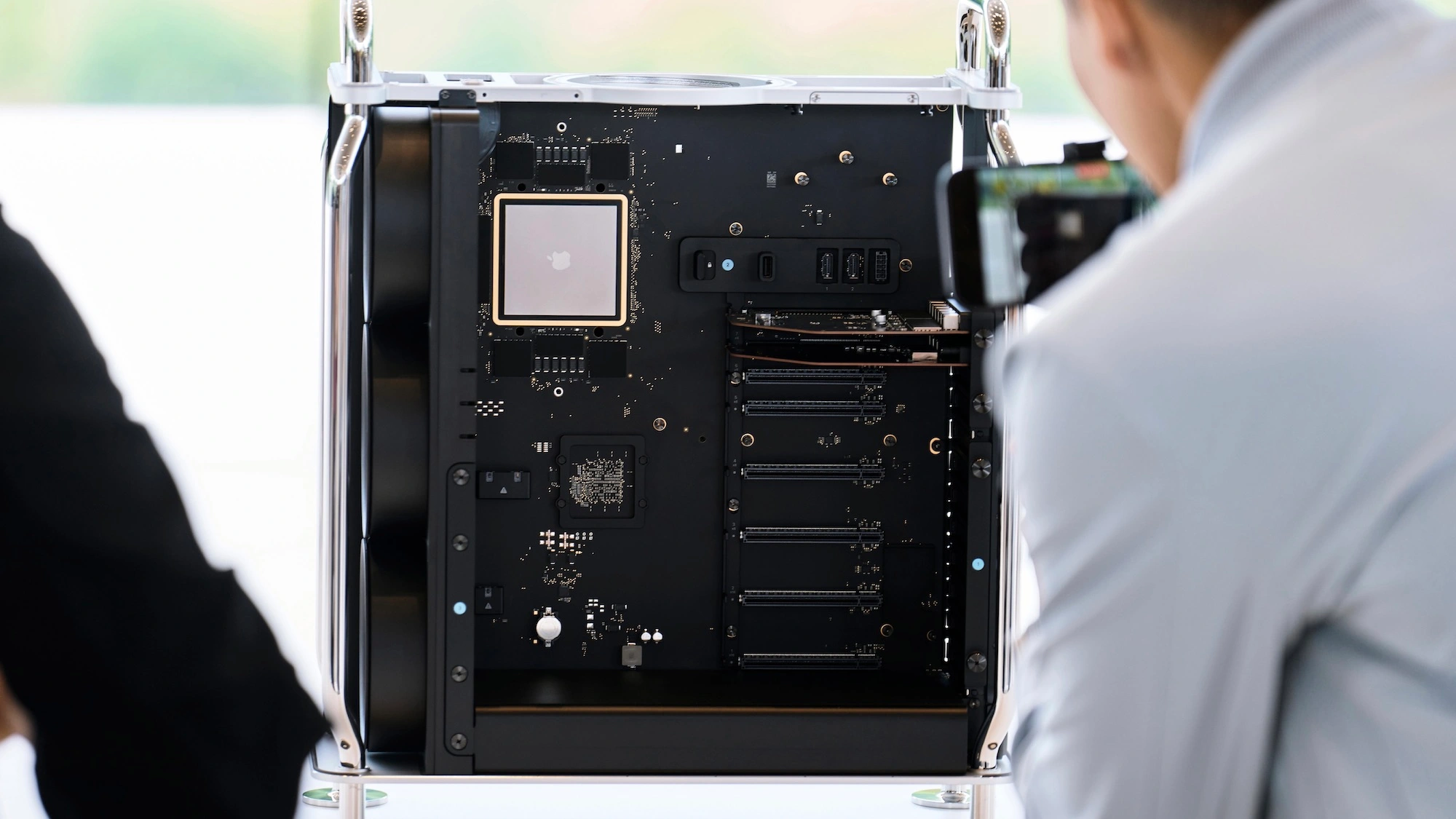
The Mac Pro also got its long-awaited upgrade to Apple Silicon. The new Mac Pro features a design that’s nearly identical to the previous generation, but inside, you’ll find the M2 Ultra chip. The Mac Pro is also the first Apple Silicon Mac with PCIe expansion, featuring seven expansion slots inside.
Other specs of the new Mac Pro include eight built-in Thunderbolt ports, a 24-core CPU, up to 192GB of memory, up to a 76-core GPU, and much more.
The Mac Pro’s switch to Apple Silicon officially marks the end of the Intel transition. This means Apple no longer sells any Macs powered by Intel. The new Mac Pro is available to order now, starting at $6,999. The first orders will arrive next week.
Apple announces new Mac Pro powered by M2 Ultra: PCI expansion, $6999 starting price
2023 Mac Pro versus 2023 Mac Studio? Ports, PCI cards, vents, and wheels
Fully-specced Apple silicon Mac Pro more affordable than last version that maxed out at over $50,000
iOS 17
Next up, Apple introduced iOS 17, its forthcoming software update that will launch to iPhone users later this year. Here’s a rundown of some of the new features in iOS 17:
Phone and FaceTime:
Personalized contact posts that appear when someone calls you
Live Voicemail that gives you voice-to-text transcription before answering
FaceTime voicemails
Messages:
Improved search
Swipe on a message to reply and start a thread
Transcription for audio messages
In-line location sharing
Redesigned access to iMessage apps
Upgrades to stickers
Check In: A new feature for notifying family when you arrive safely; automatically recognizes when you don’t make progress or respond and shares update with family
AirDrop:
NameDrop allows you to share your phone number and email between nearby iPhones
Sharing media is also redesigned, and long media transfers can continue over the internet
SharePlay API adding AirDrop integration
Autocorrect
The keyboard now leverages “transformer language model” to improve predictions
Craig Federighi: “When you just want to type a ducking word, it’ll learn”
Predictions personalized by your words and usage
Improved and more accurate dictation
Journal:
An all-new app that encourages you to journal and provides prompts for things like photos, workouts, and interactions
Uses on-device machine learning to create personalized suggestions
Standby:
New full-screen smart display-like experience that displays information in landscape mode
Can be personalized to show data like clocks, photos, widgets, weather, Home controls, and third-party widgets
Supports Live Activities
Siri works in Standby with a special landscape user interface
And more:
New one-word “Siri” prompt for triggering the voice assistant
Widgets are now interactive
Health app adds new mental health features: mood logging, depression and anxiety assessments, momentary emotion tracking, and more
Sharing passwords and passkeys through iCloud Keychain
AirTags can be shared with up to five other people
Apple Music adds collaborative playlists, crossfade, and new CarPlay queuing features
iOS 17 is available to developer beta testers now, and a public beta will launch in July. The update will be available to everyone sometime later this fall. iOS 17 supports the iPhone XS and newer, dropping support for the iPhone X.
Apple announces iOS 17 with Journal, Standby, FaceTime voicemail, more
iOS 17: Here’s the list of which features will work with your iPhone
iOS 17 StandBy feels like an experiment for a new home device
CarPlay in iOS 17: Apple Music SharePlay, design updates, new wallpaper
iOS 17 drops support for iPhone 8 and X
iOS 17 automatically removes tracking parameters from links you click on
Personal Voice on iPhone: Set up in iOS 17
iOS 17 finally makes it easier to scan and tap QR codes
iOS 17 drops the ‘Hey’ for Siri commands, but here’s how to disable it
Apple Podcasts has a slightly refreshed interface in iOS 17
iOS 17 will add support for recurring payments to Apple Cash
Download the new iOS 17 wallpaper right here
iOS 17: Apple Notes adds a hard-to-find way to link other notes, wiki style
iMessage improves group chats with Android in iOS 17
iOS 17 iPhone Standby: How to use and customize
iOS 17 DockKit API integrates camera apps with motorized stands
iOS 17 adds real-time charging availability info for EV drivers
Apple adds pronoun fields with privacy focus to Contacts app on iOS 17
iOS 17: How to download and use offline maps with Apple Maps
iPadOS 17
iPadOS 17 is coming to iPad users later this year with its own share of new features.
Customizable Lock Screen with widgets, new wallpapers, new font and color options, and more
Live Activities are now available on the iPad via the Lock Screen
Interactive widgets for things like playing a song, marking a reminder as complete, and more.
Improvements to PDF editing thanks to machine learning, which is used to identify fields in a PDF to make them easier to edit and fill out
The Health app is now available on iPad
Stage Manager updated with more flexibility for positioning and sizing windows
New video calling effects in FaceTime
iPadOS 17 is supported by the iPad (6th generation and later), iPad mini (5th generation and later), iPad Air (3rd generation and later), 12.9-inch iPad Pro (2nd generation and later), 10.5-inch iPad Pro, and 11-inch iPad Pro (1st generation and later).
iPadOS 17 new features: Lock Screen customization, Health, more
iPadOS 17: Here’s a first look at the customizable Lock Screen
iPadOS 17 adds support for USB webcams and microphones
macOS Sonoma
Here’s a rundown of what’s new in macOS Sonoma for Mac users this fall:
Interactive widgets are now available on the macOS desktop, including iPhone widgets that can pull data right from your nearby iPhone
New video calling effects in FaceTime and third-party apps like Zoom and WebEx
Safari adds user profiles, updates to Private browsing, the ability to save web apps to your Dock, and more
Apple TV-style aerial screensavers come to the Mac
Game Mode: smoother and more consistent performance by making sure games get the highest priority on the CPU and GPU
A new game porting toolkit that makes it significantly easier for developers to bring games from other platforms to the Mac
macOS Sonoma is compatible with the following Macs:
MacBook Pro: 2018 and later
MacBook Air: 2018 and later
Mac mini: 2018 and later
iMac: 2019 and later
iMac Pro: 2017
Mac Studio: All models
Mac Pro: 2019 and later
macOS Sonoma will launch later this fall.
Apple announces macOS Sonoma with aerial screensavers, Game Mode, and more
Download the macOS Sonoma and MacBook Air wallpapers
These are the macOS Sonoma features that aren’t available to Intel Macs
macOS Sonoma lets developers port Windows games to the Mac
Apple releases first macOS Sonoma beta to developers
macOS Sonoma brings new Lock Screen with aerial wallpapers
Which Macs support macOS 14? Mostly only Apple Silicon models. Here’s the list …
How to use ‘Add to Dock’ in Safari to turn websites into Mac apps
Intel Macs may not get macOS updates for much longer
iPadOS 17: Here’s a first look at the customizable Lock Screen
iPadOS 17 adds support for USB webcams and microphones
watchOS 10
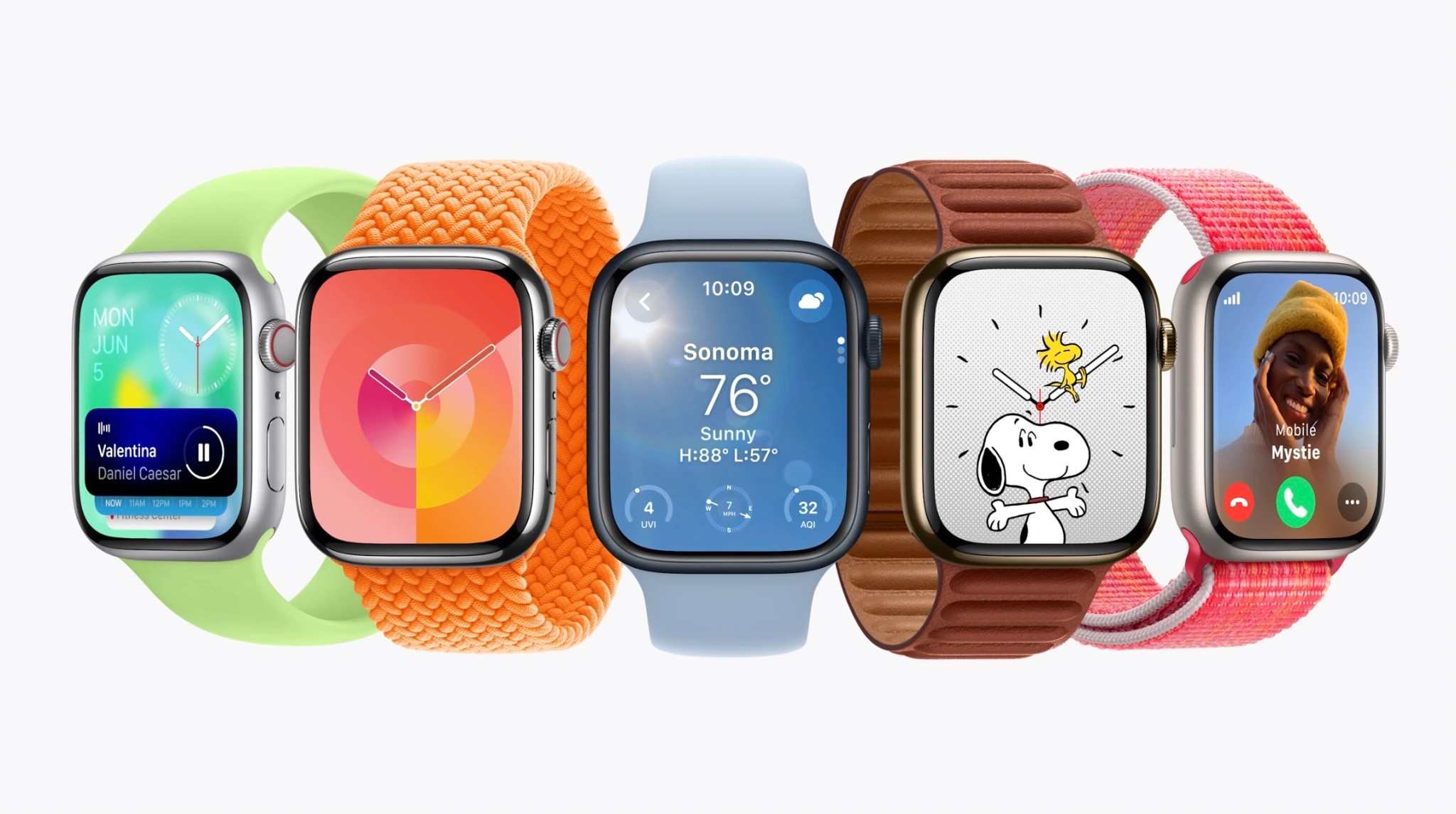
Watch face:
Any watch face now reveals widgets in a smart stack; this lets watch faces without complications more informative with just a spin of the Digital Crown
Widgets can also include groups of complications
Two new faces: Pallete, a color-focused face, and Snoopy & Woodstock from Peanuts
Apps:
World Clock now includes background colors based on time of day
Workout app includes new trophy case and full-screen videos for each Activity ring
Third-party apps are being redesigned with full-screen layouts
Workout:
Apple Watch can connect to cycling power accessories over Bluetooth to improve workout tracking
Power zones based on FTP are coming to cycling workout tracking
Cycling workouts become a Live Activity on iPhone when tracked from Apple Watch; tapping the Live Activity takes over iPhone display to view speed and workout metrics while cycling
Hiking experience upgraded with Compass; cellular connection waypoint shows last connection to cellular; emergency waypoint shows where you can call from any carrier network; 3D view of waypoints
Maps on Compass enhanced with trail routes and topographical view
Workout APIs for developers allows third-party apps to access high-frequency motion data to improve golf and tennis tracking
Health:
Mental health focus with state of mind logging on iPhone and iPad in Health app; data from watch can put this into better context
Standardized assessments will help discover risk of anxiety and depression that can be shared with care providers
Vision health is the other focus with myopia front-and-center; time outdoors can be measured with ambience sensors and stored in Health app
Screen distance on iPhone and iPad can use TrueDepth camera to measure distance while reading to reduce digital eyestrain and discover vision constraints
More:
Group FaceTime audio
watchOS 10 will be available later this fall and supports the Apple Watch Series 4 and newer.
watchOS 10 tidbits: Apple Watch widgets, Control Center, watch face changes, more
watchOS 10 for Apple Watch officially unveiled
watchOS 10: These are the compatible Apple Watch models
watchOS 10 brings automatic Night Mode to the Apple Watch Ultra
Apple TV
For Apple TV users, tvOS 17 brings the following new features:
Redesigned Control Center
Support for VPNs
FaceTime app
Denser Home Screen layout
A new Find My Remote feature for the Siri Remote
tvOS 17 will be available later this year for the 2015 Apple TV and newer.
Apple announces tvOS 17: redesigned Control Center, Find my Remote, FaceTime app
Vision Pro and visionOS
Last but not least, Apple unveiled its brand new “spatial computing” platform in the form of Vision Pro and visionOS.
Apple has officially unveiled Apple Vision Pro, it’s new augmented reality platform in the form of a mixed reality headset.
Apple calls this the first device you look through, not at.
The device blends digital content into the space around us, according to Apple.
The company calls this new technology spatial computing.
Here’s a closer look:
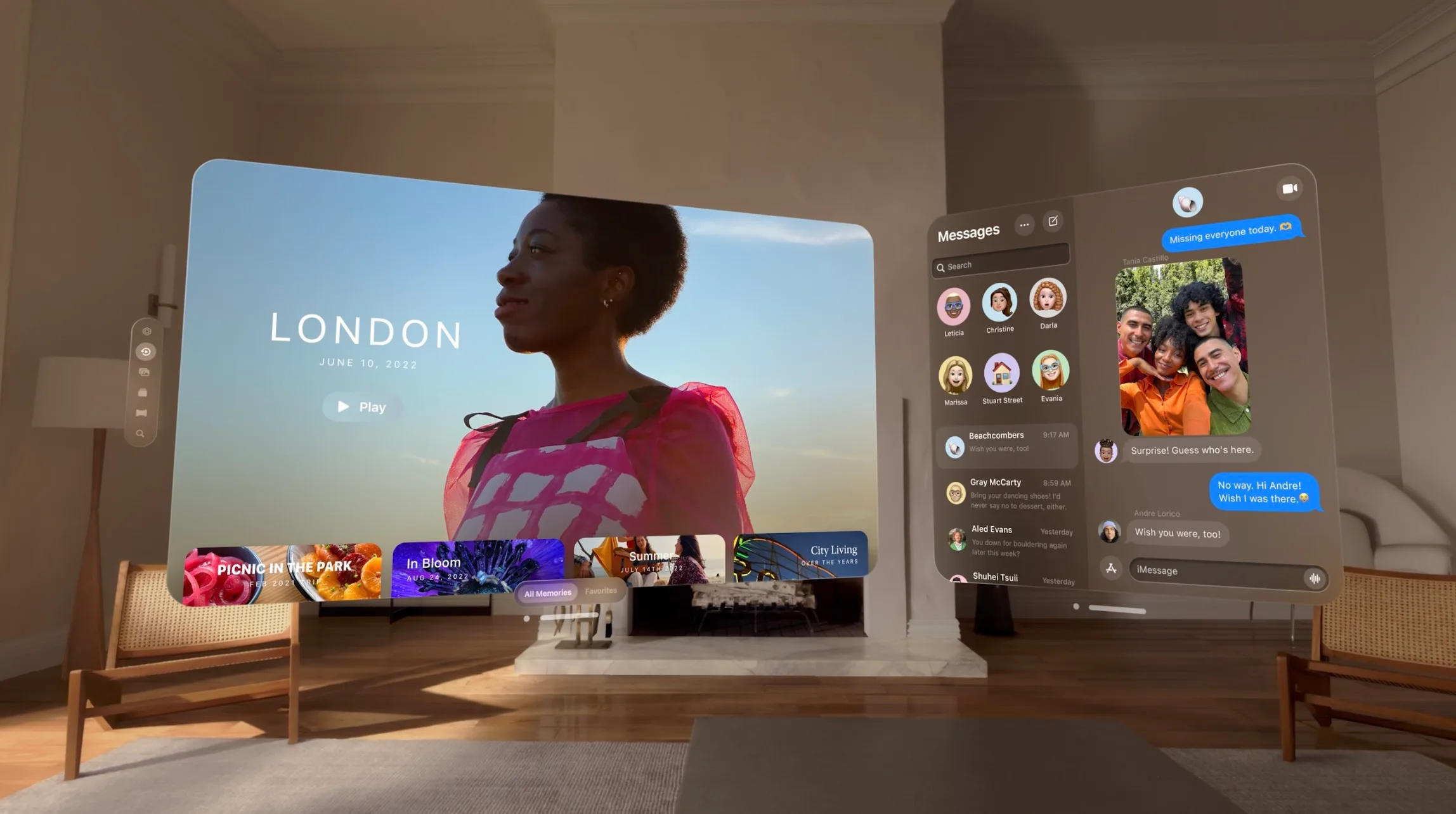
Vision Pro is driven by your eyes, hands, and voice. Tap your fingers to select, flick to scroll.
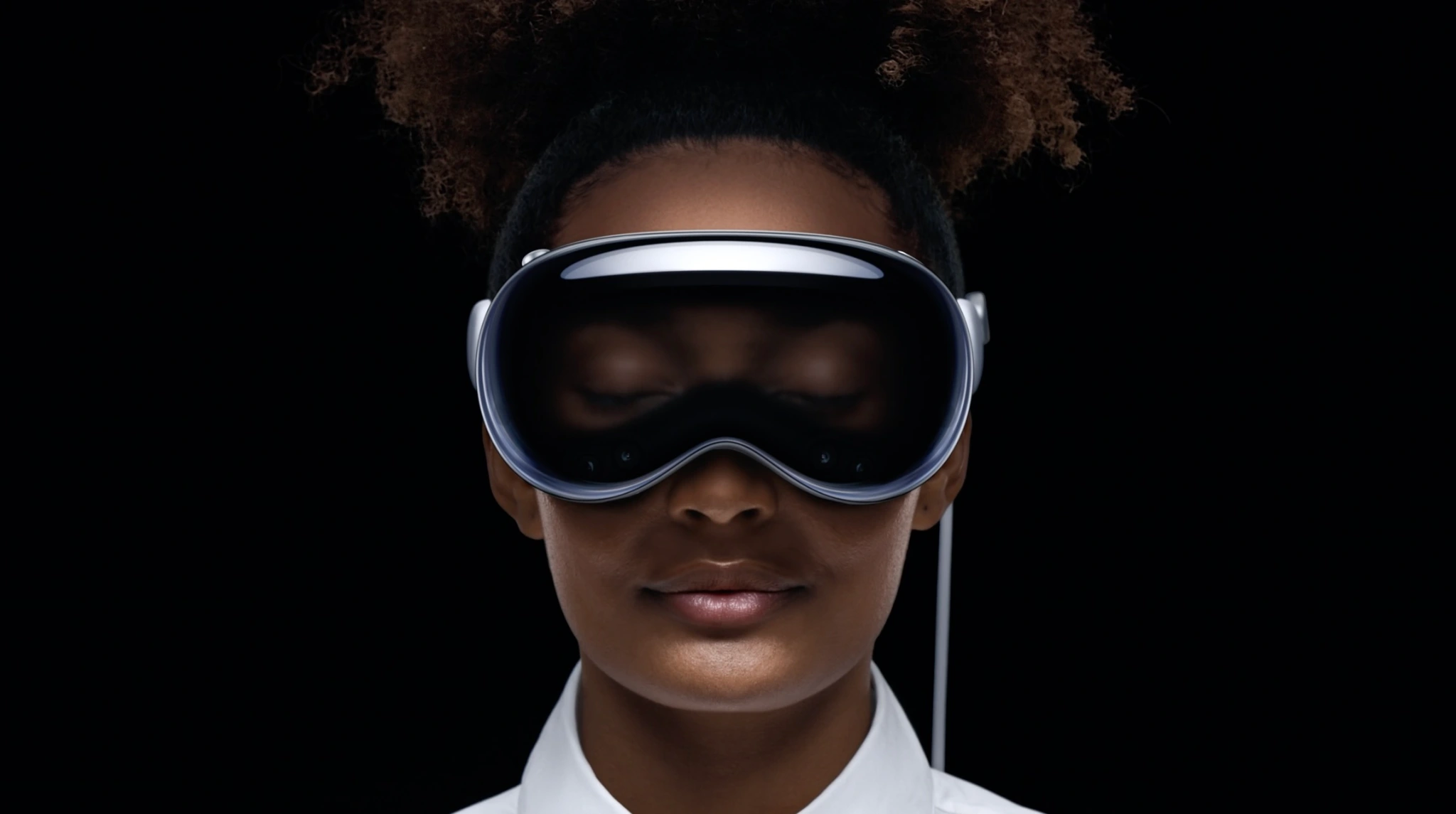
A design goal of Vision Pro is not being isolated. EyeSight displays your eyes and expressions through the outer display. While you’re in a fully immersed experience, it shows a different animation. If someone is nearby, they’re revealed through passthrough, and your eyes reappear.
Apple Vision Pro will be available early next year.
Vision Pro works with the Mac wirelessly. Mac peripherals also work with the headset.
FaceTime works with group calls and expands spatially. SharePlay lets you share apps that you view in large windows next to video tiles.
The headset is powered by an M2 chip with a custom media co-processor.
Vision Pro can capture spatial photos and videos. It can also simulate a dark theater in a bright room.
Editor’s note: Vision Pro is hard to write about. It’s like everything your Apple devices can do, but different. OK, back to the product…
We’re told No Man’s Sky will be on the headset. Those who have tried it for hours have said it is not heavy or hot.
Now Bob Iger says you can go to Disney World on the headset. Sports, concerts, under the ocean – all through VR.
Vision Pro is compatible with custom optical inserts that magnetically attach to the lenses, made by Zeiss, for those who wear glasses.
Battery life up to 2 hours with external battery, or all-day use – when plugged in. The display uses microLED, includes 23 million pixels across two panels (or more pixels than a 4K TV per eye.
That M2 chip we discusses earlier? It’s paired with a new R1 chip to create a dual-processor.
Vision Pro runs visionOS. The headset creates a digital avatar that looks human and realistic, not like a cartoonish Memoji.
As for apps, Microsoft and Zoom apps are already optimized for visionOS. Hundreds of thousands of iPad and Mac apps will automatically be available at launch.
Vision Pro has a new biometric security method as well: Optic ID. Like. Touch ID and Face ID, but for your eyes.
OKAY AND FINALLY THE PRICE: $3,499 AND IT COMES EARLY NEXT YEAR. That’s the “starts at” price which probably considers the cost of corrective lenses for me and Tim Cook and everyone else who needs glasses. Wonder if my insurance company covers that…
Finally, there’s an ad for the Vision Pro (please send $3500 + the price of corrective lenses) that will hype the device before its launch next year.
Introducing Apple Vision Pro: Apple’s first spatial computer
CUPERTINO, CALIFORNIA Apple today unveiled Apple Vision Pro, a revolutionary spatial computer that seamlessly blends digital content with the physical world, while allowing users to stay present and connected to others. Vision Pro creates an infinite canvas for apps that scales beyond the boundaries of a traditional display and introduces a fully three-dimensional user interface controlled by the most natural and intuitive inputs possible — a user’s eyes, hands, and voice. Featuring visionOS, the world’s first spatial operating system, Vision Pro lets users interact with digital content in a way that feels like it is physically present in their space. The breakthrough design of Vision Pro features an ultra-high-resolution display system that packs 23 million pixels across two displays, and custom Apple silicon in a unique dual-chip design to ensure every experience feels like it’s taking place in front of the user’s eyes in real time.
“Today marks the beginning of a new era for computing,” said Tim Cook, Apple’s CEO. “Just as the Mac introduced us to personal computing, and iPhone introduced us to mobile computing, Apple Vision Pro introduces us to spatial computing. Built upon decades of Apple innovation, Vision Pro is years ahead and unlike anything created before — with a revolutionary new input system and thousands of groundbreaking innovations. It unlocks incredible experiences for our users and exciting new opportunities for our developers.”
“Creating our first spatial computer required invention across nearly every facet of the system,” said Mike Rockwell, Apple’s vice president of the Technology Development Group. “Through a tight integration of hardware and software, we designed a standalone spatial computer in a compact wearable form factor that is the most advanced personal electronics device ever.”
Extraordinary New Experiences
Apple Vision Pro brings a new dimension to powerful, personal computing by changing the way users interact with their favorite apps, capture and relive memories, enjoy stunning TV shows and movies, and connect with others in FaceTime.
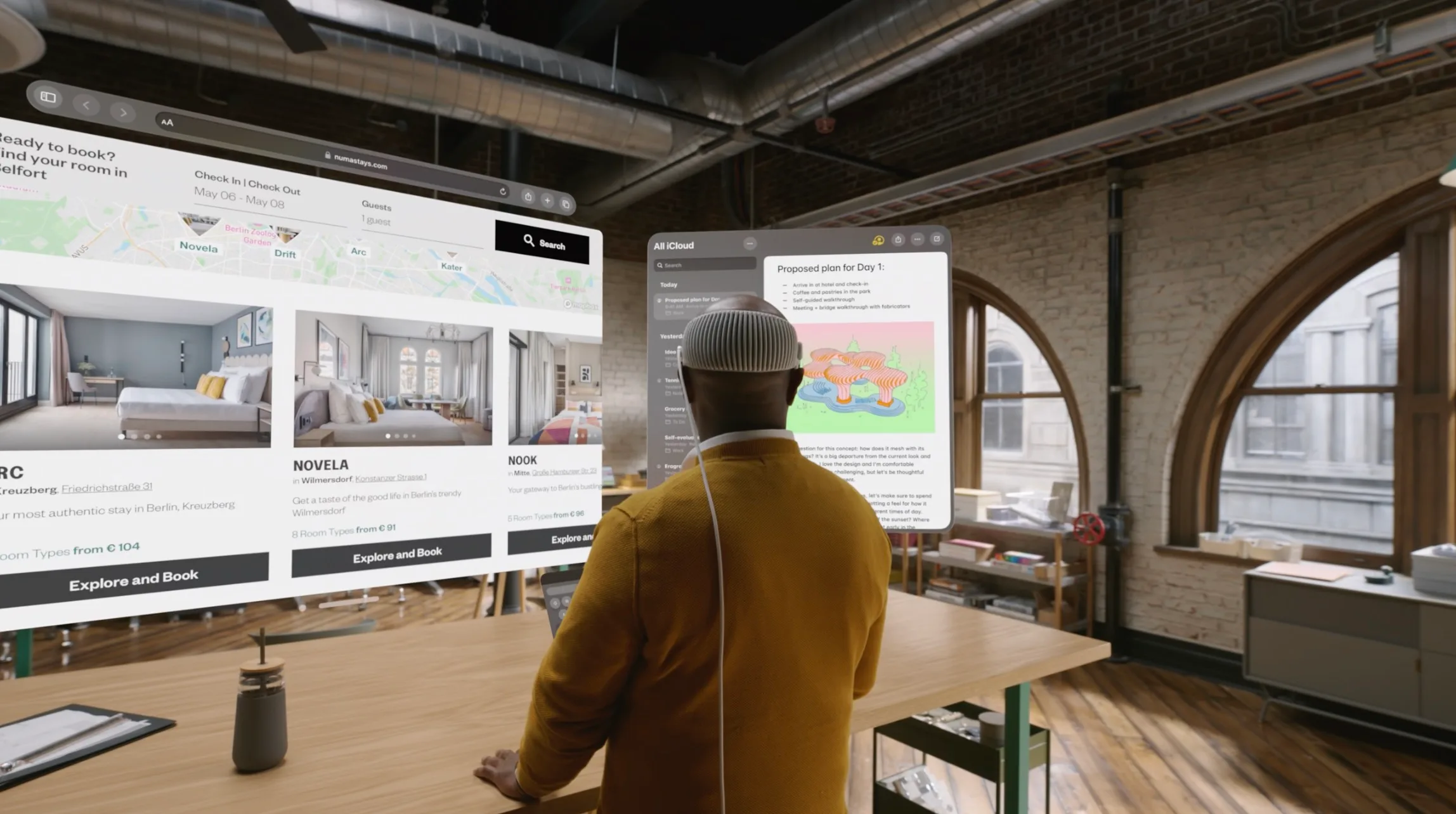
An infinite canvas for apps at work and at home: visionOS features a three-dimensional interface that frees apps from the boundaries of a display so they can appear side by side at any scale. Apple Vision Pro enables users to be even more productive, with infinite screen real estate, access to their favorite apps, and all-new ways to multitask. And with support for Magic Keyboard and Magic Trackpad, users can set up the perfect workspace or bring the powerful capabilities of their Mac into Vision Pro wirelessly, creating an enormous, private, and portable 4K display with incredibly crisp text.
Engaging entertainment experiences:With two ultra-high-resolution displays, Apple Vision Pro can transform any space into a personal movie theater with a screen that feels 100 feet wide and an advanced Spatial Audio system. Users can watch movies and TV shows, or enjoy stunning three-dimensional movies. Apple Immersive Video offers 180-degree high-resolution recordings with Spatial Audio, and users can access an exciting lineup of immersive videos that transport them to entirely new places.
Spatial computing makes new types of games possible with titles that can span a spectrum of immersion and bring gamers into all-new worlds. Users can also play over 100 Apple Arcade games on a screen as large as they want, with incredible immersive audio and support for popular game controllers.
Immersive Environments:With Environments, a user’s world can grow beyond the dimensions of a physical room with dynamic, beautiful landscapes that can help them focus or reduce clutter in busy spaces.A twist of the Digital Crown lets a user control how present or immersed they are in an environment.
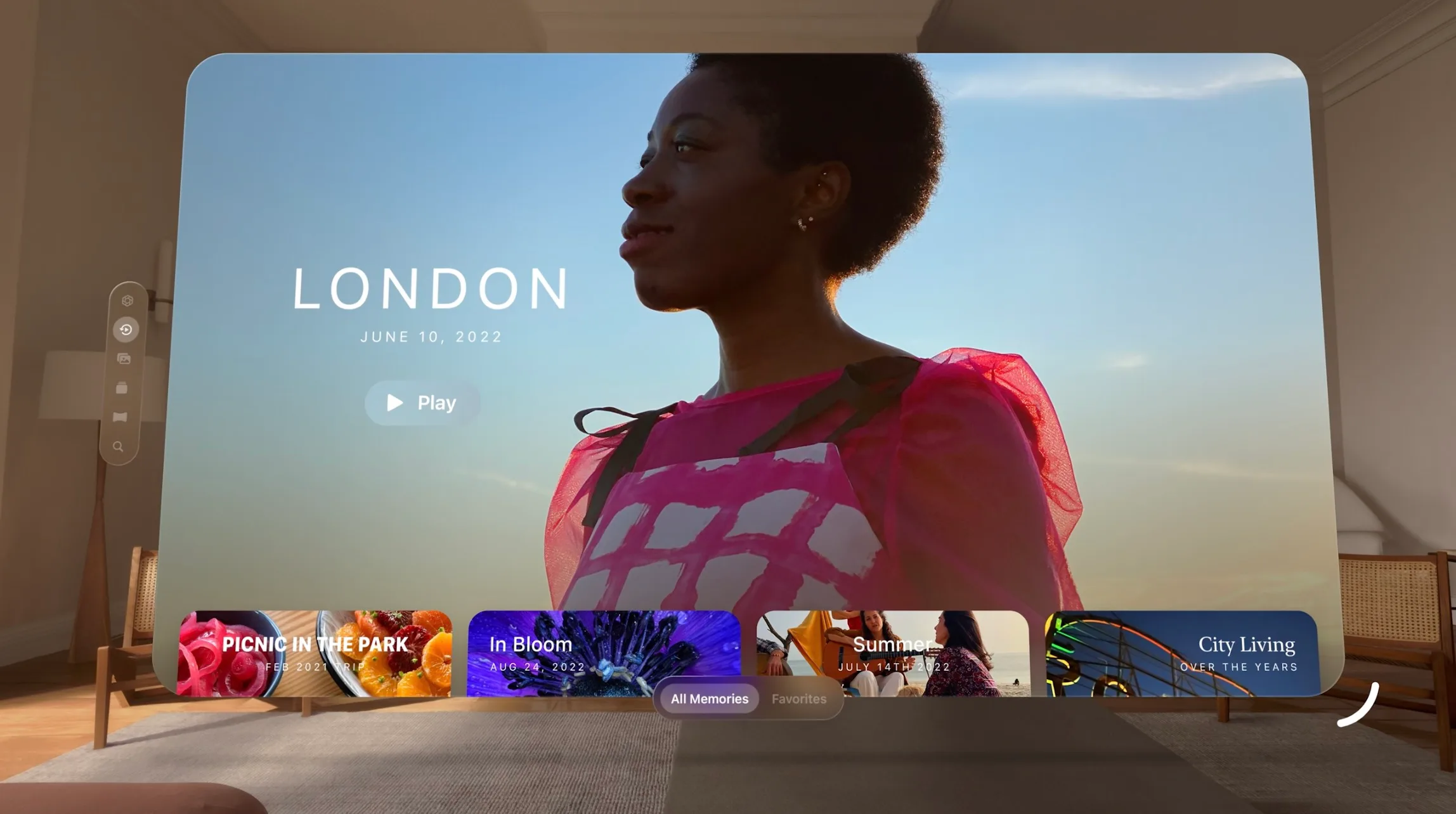
Memories come alive: Featuring Apple’s first three-dimensional camera, Apple Vision Pro lets users capture, relive, and immerse themselves in favorite memories with Spatial Audio. Every spatial photo and video transports users back to a moment in time, like a celebration with friends or a special family gathering. Users can access their entire photo library on iCloud, and view their photos and videos at a life-size scale with brilliant color and spectacular detail. Every Panorama shot on iPhone expands and wraps around the user, creating the sensation they are standing right where it was taken.
FaceTime becomes spatial:With Apple Vision Pro, FaceTime calls take advantage of the room around the user, with everyone on the call reflected in life-size tiles, as well as Spatial Audio, so it sounds as if participants are speaking right from where they are positioned. Users wearing Vision Pro during a FaceTime call are reflected as a Persona — a digital representation of themselves created using Apple’s most advanced machine learning techniques — which reflects face and hand movements in real time. Users can do things together like watch a movie, browse photos, or collaborate on a presentation.
Even more app experiences: Apple Vision Pro has an all-new App Store where users can discover apps and content from developers, and access hundreds of thousands of familiar iPhone and iPad apps that run great and automatically work with the new input system for Vision Pro. Apple’s developer community can go even further and take advantage of the powerful and unique capabilities of Vision Pro and visionOS to design brand-new app experiences, and reimagine existing ones for spatial computing.
A Revolutionary Operating System and User Interface
Built on the foundation of decades of engineering innovation in macOS, iOS, and iPadOS, visionOS was designed from the ground up to support the low-latency requirements of spatial computing. The result is a revolutionary operating system that delivers powerful spatial experiences that can take advantage of the space around the user, unlocking new opportunities at work and at home.
visionOS features a brand-new three-dimensional interface that makes digital content look and feel present in a user’s physical world. By responding dynamically to natural light and casting shadows, it helps the user understand scale and distance. To enable user navigation and interaction with spatial content, Apple Vision Pro introduces an entirely new input system controlled by a person’s eyes, hands, and voice. Users can browse through apps by simply looking at them, tapping their fingers to select, flicking their wrist to scroll, or using voice to dictate.
Apple Vision Pro also features EyeSight, an extraordinary innovation that helps users stay connected with those around them. When a person approaches someone wearing Vision Pro, the device feels transparent — letting the user see them while also displaying the user’s eyes. When a user is immersed in an environment or using an app, EyeSight gives visual cues to others about what the user is focused on.
Breakthrough Design
Apple Vision Pro builds on Apple innovation and experience designing high-performance products like Mac, iPhone, and wearables like Apple Watch, culminating in the most advanced personal electronics device ever. To achieve ambitious goals for performance, mobility, and wearability, Apple utilized the most advanced materials possible.
Apple Vision Pro has an astonishing amount of technology in a compact design. A singular piece of three-dimensionally formed and laminated glass is polished to create an optical surface that acts as a lens for the wide array of cameras and sensors needed to blend the physical world with digital content. The glass flows into the custom aluminum alloy frame that gently curves around the user’s face, while the modular system allows for a tailored fit to accommodate a wide range of people. The Light Seal is made of a soft textile, and comes in a range of shapes and sizes, flexing to conform to a user’s face for a precise fit. Flexible straps ensure audio remains close to the user’s ears, while a Head Band — available in multiple sizes — is three-dimensionally knitted as a single piece to provide cushioning, breathability, and stretch.1 The band is secured with a simple mechanism, making it easy to change to another size or style of band.
Unrivaled Innovation in Hardware
Apple Vision Pro is designed to deliver phenomenal compute performance in a compact wearable form factor. Featuring a breakthrough ultra-high-resolution display system built on top of an Apple silicon chip, Vision Pro uses micro-OLED technology to pack 23 million pixels into two displays, each the size of a postage stamp, with wide color and high dynamic range. This technological breakthrough, combined with custom catadioptric lenses that enable incredible sharpness and clarity, delivers jaw-dropping experiences. Users with vision correction needs will use ZEISS Optical Inserts to ensure visual fidelity and eye tracking accuracy.2
An advanced Spatial Audio system is core to the Apple Vision Pro experience, creating the feeling that sounds are coming from the environment around the user and matching the sound to the space. Two individually amplified drivers inside each audio pod deliver Personalized Spatial Audio based on the user’s own head and ear geometry.3
In addition to creating a breakthrough display and advanced audio experiences, the high-performance eye tracking system in Apple Vision Pro uses high-speed cameras and a ring of LEDs that project invisible light patterns onto the user’s eyes for responsive, intuitive input.
These groundbreaking innovations are powered by Apple silicon in a unique dual-chip design. M2 delivers unparalleled standalone performance, while the brand-new R1 chip processes input from 12 cameras, five sensors, and six microphones to ensure that content feels like it is appearing right in front of the user’s eyes, in real time. R1 streams new images to the displays within 12 milliseconds — 8x faster than the blink of an eye. Apple Vision Pro is designed for all-day use when plugged in, and up to two hours of use with its external, high-performance battery.
Industry-Leading Privacy and Security
Apple Vision Pro is built on a strong foundation of privacy and security, and keeps users in control of their data.
Optic ID is a new secure authentication system that analyzes a user’s iris under various invisible LED light exposures, and then compares it to the enrolled Optic ID data that is protected by the Secure Enclave to instantly unlock Apple Vision Pro. A user’s Optic ID data is fully encrypted, is not accessible to apps, and never leaves their device, meaning it is not stored on Apple servers.
Where a user looks stays private while navigating Apple Vision Pro, and eye tracking information is not shared with Apple, third-party apps, or websites. Additionally, data from the camera and other sensors is processed at the system level, so individual apps do not need to see a user’s surroundings to enable spatial experiences. EyeSight also includes a visual indicator that makes it clear to others when a user is capturing a spatial photo or video.
Pricing and Availability
Apple Vision Pro starts at $3,499 (U.S.), and will be available early next year on apple.com and at Apple Store locations in the U.S., with more countries coming later next year. Customers will be able to learn about, experience, and personalize their fit for Vision Pro at Apple Store locations. For more information about Vision Pro, visit apple.com/apple-vision-pro.
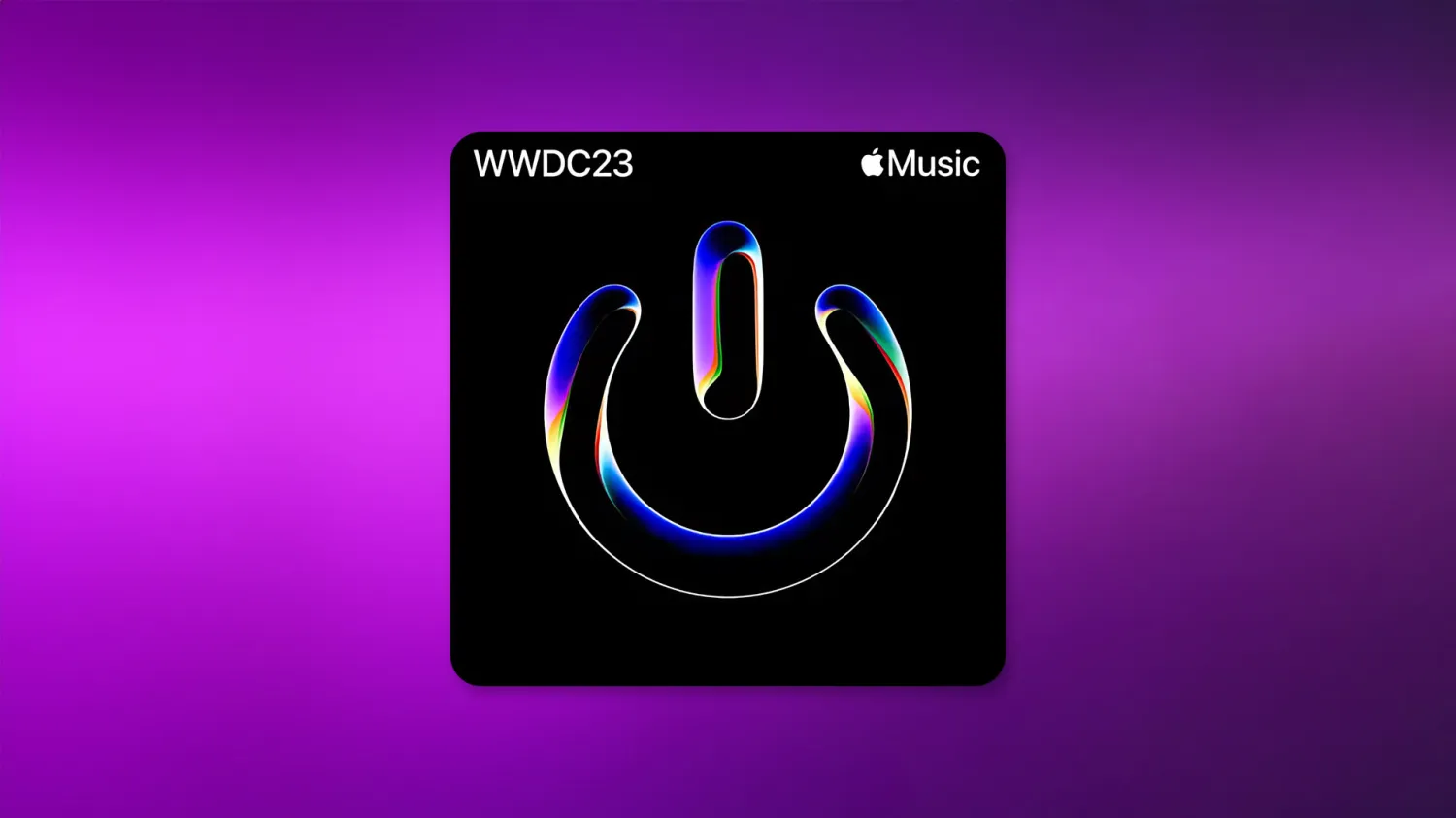
Apple has been hyping WWDC 2023 with new campaigns on social media as the conference kicks off next Monday with a special keynote. Now the company has created an Apple Music playlist to promote the event and keep users engaged with it until the keynote. But more than that, Apple has been teasing that “a new era begins” on Monday.
Official WWDC 2023 playlist on Apple Music
The “WWDC23 Power Up” playlist is now available to Apple Music subscribers and includes 25 songs. Among them are “Flowers” by Miley Cyrus, the recently released “Dance the Night “by Dua Lipa, “Eyes Closed” by Ed Sheeran, and “Summer Baby” by the Jonas Brothers. Apple says the playlist helps developers kick off WWDC and the summer “with the biggest artists of the season.”
The playlist has been unveiled via an official tweet from Apple promoting the keynote on Monday. Those who like the tweet will receive a reminder to watch the online event on June 5, as well as a thank-you tweet with a link to the Apple Music playlist.
A new era begins. Join us for #WWDC23 on June 5 at 10 a.m. PT.
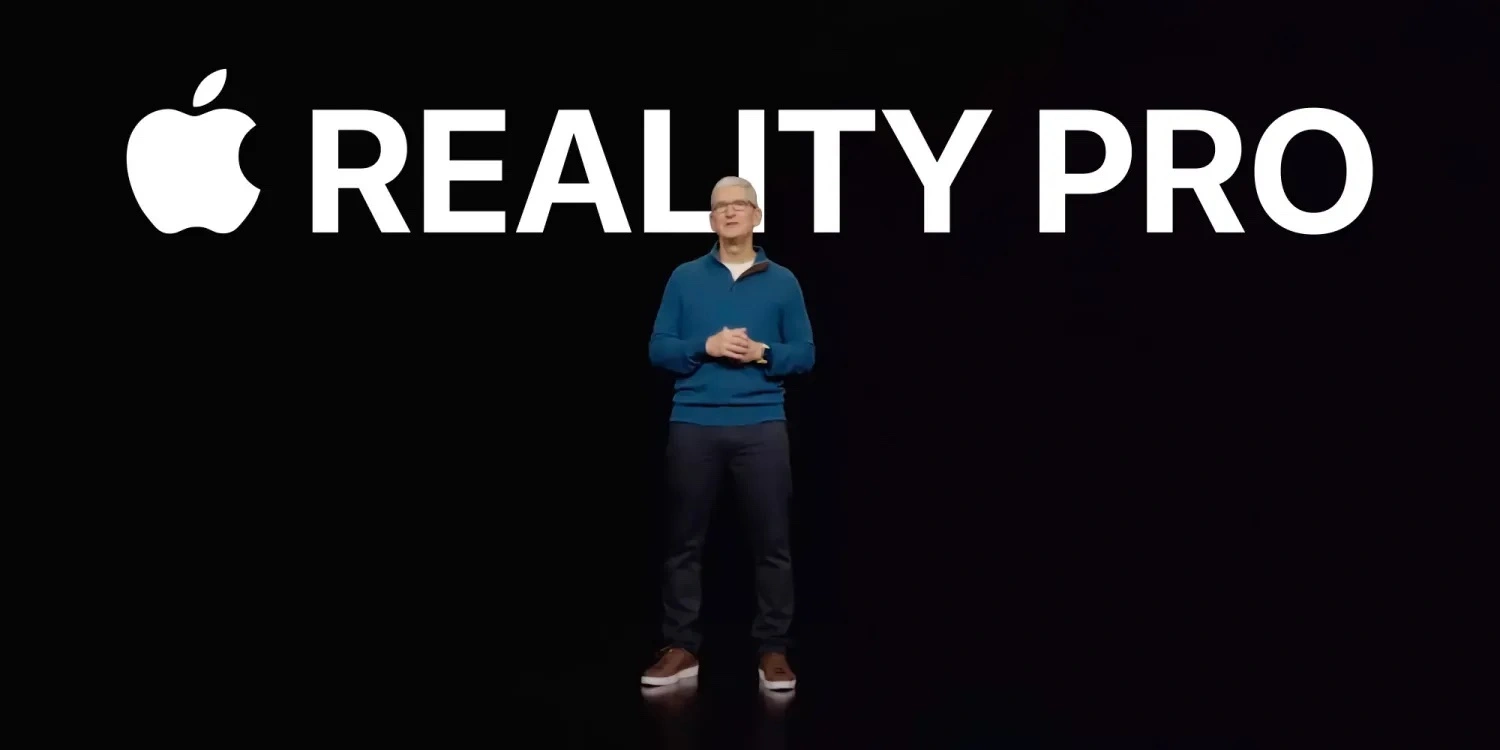
But interestingly, the tweet teases that a “new era begins” on Monday. Earlier this week, the company updated the WWDC webpage to include the tagline “code new worlds.” In another tweet, Apple mentions a “count down to the big day.” These could be references to Apple’s mixed reality headset, or Apple Reality Pro, rumored to be unveiled at the event.
Apple’s first Reality Pro headset is expected to be an ultra-premium product priced at around $3,000. It will feature top-of-the-line specifications, including an “innovative three-display configuration” with two 4K Micro-LED panels. The Reality Pro headset will allow users to switch between AR and VR modes, a feature that will be integral to the xrOS software.
Report: Apple’s upcoming AR/VR headset will feature ‘innovative three-display configuration’
While rumors about Apple’s upcoming AR/VR headset are only heating up, DSCC published a paper with 10 predictions for the display industry in 2022, which includes this upcoming product.
According to the Display Supply Chain paper, Apple is expected to release in the second half of 2022 an AR/VR headset with both VR and passthrough AR modes.
We predict that Apple’s headset will have an innovative display configuration, with three display modules; two Micro OLED displays and one AMOLED panel.
According to DSCC, Sony is expected to be the Micro OLED supplier with a 4K display with 1.4″ in diagonal. For the AMOLED screen, DSCC believes “Apple will use the AMOLED panel for low-resolution peripheral vision, thereby enabling a foveated display system.”
The paper corroborates with a previous report by Bloomberg saying that this product will come at a “high price.” DSCC thinks Apple’s AR/VR headset will cost “several thousand dollars.”
Our assumption is that the first-generation headset will be a high-end device targeted at professionals and developers to expand Apple’s ecosystem in AR/VR, The device will also have multiple cameras enabling hand tracking and possibly a LiDAR sensor, according to rumors. Apple will likely include a powerful mobile CPU and GPU in the headset.
Apple AR headset or AR/VR headset?
According to multiple sources, Apple will hold a number of workshops for developers to expand their understanding of xrOS. This includes topics such as creating apps for the headset, strategies to port apps from iOS onto the headset, design guidelines for a compelling virtual reality experience, and more.
As of now, rumors point in different directions. So far Bloomberg has reported that Apple’s AR headset can show text, emails, maps, games, and other things through holographic displays built into the lens. In 2020, Mark Gurman revealed that the company has two strategies for its augmented reality devices, one being the AR glasses and the other a more robust AR/VR headset.
The latest rumors suggest that the device will be targeted at advanced users as it will feature two 8K displays to show ultra-high resolution images. Ming-Chi Kuo believes that Apple’s AR/VR headset will be equipped with advanced 3D sensors capable of not only detecting objects in a scene, but also identifying gestures made by the user’s hands.
The analyst expects the AR/VR headset to heavily rely on the iPhone, while the AR headset will have an advanced chip to operate without a phone nearby, which will be one of his greatest sale points.
Right now, the most likely scenario is that Apple’s headset will hit stores in late 2022, but it’s unclear whether will be the AR/VR headset first or only the AR headset. Another tidbit is that the company has recently hired Meta’s augmented reality communications lead, which at least suggests Apple could be readying something toward this direction.
xrOS for Apple’s Reality Pro headset: Apps, features, and more
At WWDC in June, Apple is expected to announce its highly anticipated headset with virtual reality and augmented reality features. Alongside the actual hardware for the so-called “Reality Pro” headset, however, Apple will also announce the product’s underlying software platform. This software will reportedly be called xrOS, and it marks Apple’s first major new software platform since it unveiled watchOS for the Apple Watch.
xrOS will include a number of revolutionary features for the Reality Pro headset, such as immersive media consumption, macOS integration, and more.
What does xrOS mean?
According to Bloomberg, Apple initially referred to the software for its Reality Pro headset as realityOS. Sometime late last year, however, it rebranded the name to xrOS as it inched closer to the public release.
xrOS is believed to stand for “extended reality,” which aligns with Apple’s goals that the headset does not completely cut people off from the outside world. The Reality Pro headset itself, for instance, will reportedly have outward-facing cameras to allow users to see around them.
Apple has registered various different trademarks for xrOS around the world in the lead-up to the Reality Pro headset’s announcement. There’s still a chance that the company opts for something like “realityOS,” but as it stands right now, all signs point to xrOS being the company’s final choice.
xrOS features
xrOS will be how users and developers of the Reality Pro headset interact with the device. Similar to how iOS powers the iPhone and macOS powers the Mac, xrOS is what will power Apple’s long-awaited Reality Pro headset. xrOS will receive software updates with new features and changes, offer an App Store for third-party developers, and more.
Apple has a number of different features in mind for the first version of the Reality Pro headset and the xrOS software. Bloomberg, for example, has reported that Apple’s plans are wide-ranging and include things like gaming, watching sports, consuming TV shows and movies, fitness and meditation, and more.
One of the biggest questions is how exactly we will interact with xrOS and the Reality Pro headset. Apple’s focus will be on voice input via Siri, as well as support for interfacing using a nearby iPhone, iPad, or Mac. In fact, the use of Siri has reportedly been a point of contention inside Apple. According to one report, the team working on Apple’s Reality Pro headset reportedly became so frustrated with Siri that it considered “building alternative methods” for controlling the headset with voice technology.
iPad apps will also be part of Apple’s strategy to increase the number of apps available via xrOS. Apple is reportedly planning to let Reality Pro headset users access existing iPad apps via the xrOS interface. This means that users will be able to access their favorite iPad apps via the Reality Pro headset, even if the developer hasn’t specifically adapted the app to run in virtual reality.
For Mac users, xrOS will reportedly be able to interface with macOS such that the Reality Pro headset can serve as a display for your Mac. This will allow users to see their Mac’s display in virtual reality and interface with it using their traditional trackpad or mouse and keyboard.
According to The Information, xrOS will also include the ability for anyone to create a so-called AR “app” using Siri without having to do everything from scratch. This is similar to features already offered by headsets from Meta. The Quest headsets, for example, have an app called Horizon Worlds that allows users to build 3D environments without coding.
Communication via FaceTime will be a central aspect of the initial version of xrOS, according to Bloomberg. Apple has reportedly developed a new version of FaceTime for the headset that will “realistically render a user’s face and full body in virtual reality.”
Apple’s headset will allow users to toggle via AR and VR modes, which will be a key aspect of the xrOS software as well. When in VR mode, the xrOS experience will be fully immersive. When using the Digital Crown-style toggle on the Reality Pro headset itself, however, xrOS will gradually transition to AR mode to allow users to see the real environment around them.
Other features rumored for xrOS include:
Health and wellness features
Gaming
Immersive books and storytelling
VR versions of apps for Safari, Photos, Mail, Messages, the App Store, Apple TV, and more
Immersive video and audio, including Dolby Atmos and more
Bloomberg: A feature designed to make Reality Pro users feel as if they are watching a movie on a dedicated screen in another world, such as a “desert or outer space”
Support for productivity features such as Keynote, Pages, and Numbers
The future of xrOS
At WWDC next month, Apple will hold a variety of different sessions and labs for developers to learn more about xrOS. This will include things like developing apps for the headset, learning how to bring apps from other platforms to the headset, best design practices for a virtual reality experience, and more.
The key thing to keep in mind when Apple unveils xrOS next month is that this is only version one. Internally, Apple is reportedly well aware that there are compromises it had to make to get this initial version of the Reality Pro headset and software out the door. Expect the company to make rapid changes to the experience, especially as it starts receiving feedback from the general public.
xrOS will be announced at WWDC on June 5, alongside the Reality Pro headset itself and updates to existing software platforms like iOS 17, macOS 14, tvOS 17, watchOS 10, and more.
Entire conference available online for all developers, with a special in-person experience at Apple Park on June 5
Submissions for the Swift Student Challenge are open now through April 19
pple has officially announced WWDC 2023. The event will take place at Apple Park with a keynote address, the State of the Union, and more. The entire conference will also be available online for developers who aren’t able to or aren’t chosen to attend WWDC in person in California.
At WWDC this year, Apple will unveil the “latest iOS, iPadOS, macOS, watchOS, and tvOS advancements.” This includes iOS 17, iPadOS 17, macOS 14, watchOS 10, and tvOS 17.
WWDC 2023 officially announced:
Apple says:
Apple today announced it will host its annual Worldwide Developers Conference (WWDC) in an online format from June 5 through 9, 2023, with an opportunity for developers and students to celebrate in person at a special experience at Apple Park on opening day.
Free for all developers, WWDC23 will spotlight the latest iOS, iPadOS, macOS, watchOS, and tvOS advancements. As part of Apple’s ongoing commitment to helping developers create innovative apps, the event will also provide them with unique access to Apple engineers, as well as insight into new technologies and tools to help them realize their visions.
Apple will host a special all-day event for developers and students on June 5 at Apple Park. At Apple Park, developers and students will watch the keynote and State of the Union videos, attend the Apple Design Awards ceremony, and more.
In addition to the in-person component of WWDC 2023 at Apple Park, Apple says that the entire conference will be available online for all developers. There is no cost for WWDC, whether you attend online or in person.
It sounds like the WWDC 2023 keynote will be pre-recorded, as has been the case every year since 2020. Apple says that developers who attend in-person will “watch the keynote and State of the Union videos together.”
Developers interested in attending WWDC 2023 at Apple Park can submit their requests via the links below. Apple says invitations will be allocated by a random selection process. Those chosen to attend will be notified by April 5 at 6:00 p.m. PDT.
Swift Student Challenge winners (2020 to 2022)2023 Challenge applicants can opt in to be included in a separate random selection process for winners when they submit their app playground.
Every year at WWDC, Apple announces its latest software updates with new features and changes. This year, that will include iOS 17, iPadOS 17, macOS 14, watchOS 10, and tvOS 17.
Apple is also expected to unveil its first Reality Pro headset at WWDC this year. After numerous delays, the headset is reportedly set for an official unveil at WWDC, alongside new software platforms and developer tools.
Finally, Apple is currently developing an updated version of the MacBook Air with an M3 chip inside. An all-new 15-inch MacBook Air is also in the works. Both of these products are potential candidates for a WWDC announcement, especially given that the M2 chip was announced at WWDC 2022.
Apple announced it will host its annual Worldwide Developers Conference (WWDC) in an online format from June 5 through 9, 2023, with an opportunity for developers and students to celebrate in person at a special experience at Apple Park on opening day. Free for all developers, WWDC23 will spotlight the latest iOS, iPadOS, macOS, watchOS, and tvOS advancements. As part of Apple’s ongoing commitment to helping developers create innovative apps, the event will also provide them with unique access to Apple engineers, as well as insight into new technologies and tools to help them realize their visions.
“WWDC is one of our favorite times of the year at Apple because it’s an opportunity to connect with the talented developers from around the globe who make this community so extraordinary,” said Susan Prescott, Apple’s vice president of Worldwide Developer Relations. “WWDC23 is going to be our biggest and most exciting yet, and we can’t wait to see many of you online and in person at this very special event!”
Along with announcements shared from the keynote and State of the Union presentations, this year’s online program will include sessions, one-on-one labs, and opportunities to engage with Apple engineers and other developers. Developers and students will also have the opportunity to attend a special day at Apple Park on June 5 to watch the keynote and State of the Union, alongside the global online community. Space for this in-person event will be limited, and details on how to apply to attend can be found on the Apple Developer site and app.
WWDC23 is also an opportunity to support student developers through the Swift Student Challenge, one of many Apple programs that seek to elevate developers and learners of all ages who love to code. With the help of Swift Playgrounds — a revolutionary app for iPad and Mac that makes learning the Swift programming language interactive and fun — students from around the world are invited to create an app playground on a topic of their choice. Submissions for this year’s challenge are now open, and students can submit their work through April 19. For more information, visit the Swift Student Challenge website.
Apple Store is down ahead of WWDC Apple event: iOS 16, new MacBook Air, and more
The Apple Store is down ahead of Apple’s WWDC 2022 keynote later today, with a new placeholder page that reads ‘Developing news’. The ceremonial store-going-down dance usually indicates that Apple is preparing to announce new hardware products.
Of course, the main star of the show today will be on the operating system updates; we expect Apple to unveil major new features for iOS 16, iPadOS 16, macOS 13, watchOS 9 and tvOS 16. Some new hardware announcements are also in the cards …
iOS 16 will be the star of the show, featuring new lock-screen widget functionality, updates to Messages and Health apps, and more. iPadOS updates are expected to include significant advancements when it comes to multitasking multiple apps at a time, perhaps adding desktop-style resizable windows for the first time.
Betas for iOS 16 and other Apple operating systems will be made available to developers today. A release date for public beta testing will likely come next month, with a public release set for the fall.
Although WWDC is usually thought of as a software event, Apple periodically uses the event to announce new hardware too.
This year, the rumor mill is expecting Apple to unveil a new generation MacBook Air, perhaps featuring second-generation Apple Silicon ‘M2’ chip, thinner screen bezels and an enclosure redesign reminiscent of the 2021 MacBook Pro models. Availability of the new laptops is expected to be severely constrained due to ongoing supply chain production shortages.
We also expect Apple to preview the Apple Silicon Mac Pro today. The new Mac Pro probably won’t go on sale until the end of the year, though. Both the 2013 and 2019-generation Mac Pro models were also unveiled first at WWDC as a sneak peek, before a winter release.
Other M2-revved product launches are possible, such as a base model M2 13-inch MacBook Pro and M2 Mac mini. The M2 will build upon the tremendous performance and energy efficiency of the Apple-designed M1 chip, which first debuted in October 2020.
WWDC 2022 kicks off with tours of the new Apple Developer Center; here’s a look inside
WWDC 2022 officially kicks off tomorrow, but developers who were invited to the event are getting a head start as Apple is offering tours of its all-new Developer Center, which is located on the Apple Park Campus. Images posted to Twitter have offered our first look inside the Developer Center, which features different rooms named after macOS releases, the Big Sur Theater, and much more.
The Apple Developer Center had been somewhat of a mystery until now. Apple’s Phil Schiller first teased the new building during his testimony in the Apple vs. Epic Games legal trial last year. It was then revealed that WWDC 2022 would mark the grand opening of the Developer Center, at least for the developers lucky enough to earn an invite through Apple’s lottery system.
While WWDC 2022 officially starts tomorrow, developers already in Cupertino can attend a special Open House event at the Developer Center today. Developer Paul Hudson has been sharing a slew of pictures from inside the Developer Center on Twitter, and it appears to be as impressive as you’d expect any building on the Apple Park campus to be.
As you can see in the images posted by Hudson below, the Developer Center features different rooms that are all named after macOS releases, including Panther, Tiger, Leopard, and El Capitan. Inside those rooms, developers will find a wide array of technology as well as whiteboards, TVs, and more for meetings and sessions.
One of the highlights of the new Developer Center is the Big Sur Theater, which appears to be a scaled-down version of Steve Jobs Theater — but equally as impressive. There’s a large stage with a massive screen, plush seating for developers, and more.
Throughout the rest of the Developer Center, Hudson says you can find a variety of easter eggs, pieces of classic Apple hardware, and more. Developers also received a swag package consisting of a T-shirt, a hat, a water bottle, and a collection of enamel pins.
You can view all of the pictures from Hudson below. The Developer Center will be open for those developers already at Apple Park until 6 p.m. local time tonight. It will also be where John Gruber will host his annual The Talk Show Live event, likely featuring an interview with Apple executive(s). The Talk Show Live is slated for Tuesday, June 7.
They went to *extraordinary* lengths to add fun little things throughout the building, including Easter eggs to unlock, classic pieces of equipment, and more. A fun tour! #WWDC22pic.twitter.com/jVy4cqtYSi
We’re just under one week away from WWDC 2022 kicking off and Apple has continued its tradition of augmented reality Easter eggs as it has listed the keynote on its Events landing page. The latest AR surprise features a virtual card pack you can open to reveal special developer Memoji.
Apple first started its AR Easter egg tradition back with the Apple Watch Series 6 and iPad event, then iPhone 12 launch. It continued on with the M1 Mac event, 2021 Spring Loaded, September’s iPhone 13 event, the Unleashed event, and this year’s Peek performance event.
Now just ahead of WWDC 2022’s keynote slated for June 6, Apple revealed its latest AR Easter egg. To view it, head to the Apple Events webpage on iPhone or iPad and tap the Memoji at the top.
You’ll see a virtual card pack appear with the phrase “Code on, code all.” If you tap the pack, it will open to reveal several Memoji cards that match the colorful animated developer theme Apple has been using for WWDC 2022. You can also tap each card to reveal the backside with another animation of each character. The AR experience also includes a link to add the WWDC22 keynote to your calendar.
Notably, different cards appear each time you load/reload the AR experience, there’s even a rare rainbow Craig Federighi card. And if you look closely at the bottom right corner of each card, there are code snippets that translate to emoji.
Oh man there’s an ultra rare rainbow Craig card. And the code snippet is “hair force one” in emoji! https://t.co/x98g5M0nBX
Apple’s yearly developer conference is set to begin Monday, June 6 with the anticipated keynote kicking everything off. Follow along for how to watch the WWDC keynote on any device.
During the WWDC keynote, we should get our first look at iOS 16, iPadOS 16, watchOS 9, macOS 13, and tvOS 16. There’s also the possibility of seeing new hardware at the event.
WWDC 2022: What to expect, iOS 16, new operating systems, redesigned MacBook Air, more
Download WWDC 2022 inspired wallpapers for your iPhone right here
Apple teases WWDC 2022 with AR Memoji card pack Easter egg
WWDC is mostly virtual again this year, but there is a special in-person event for June 6 at Apple Park. While the lottery-based limited event was at first promoted by Apple as a keynote viewing, it later unveiled it is a full-day worth of activities including breakfast, lunch, open house at the Apple Developer Center, special tours around Apple Park, and viewings for the keynote, Platforms State of the Union, and Apple Design Awards.
WWDC 2022 in-person attendees granted special access to tour Apple Park hills, fitness center, or Caffè Macs
You can check out the full WWDC 2022 opening day schedule plus all of the details on sessions, labs, digital lounges, and more on Apple’s Developer website.