


Foldable Fixes Decoding the Z Flip 6’s Touchscreen Mystery

Foldable Fixes: Decoding the Z Flip 6’s Touchscreen Mystery + 10 Expert Solutions
Introduction
The Samsung Z Flip 6 has taken the world of foldable smartphones by storm, blending sleek design with cutting-edge technology. Its compact form factor, combined with the innovative foldable AMOLED touchscreen, offers users a unique and versatile mobile experience. However, like all advanced devices, the Z Flip 6 is not immune to technical challenges. One of the most common issues reported by users is touchscreen unresponsiveness, ranging from minor delays to complete touch failure.
Understanding the intricacies of the Z Flip 6 touchscreen is essential for both troubleshooting and preventive care. With a delicate balance between hardware and software, even small glitches can affect performance. Whether caused by software conflicts, physical stress on the foldable display, or environmental factors, touchscreen issues can disrupt daily usage and cause frustration.
This comprehensive guide, Foldable Fixes: Decoding the Z Flip 6’s Touchscreen Mystery, will explore the root causes of touchscreen problems, provide expert solutions, and offer practical tips to maintain optimal performance. By the end of this article, users will not only learn how to fix common issues but also discover how to extend the lifespan of their foldable device while keeping it responsive and reliable.
In addition to step-by-step solutions, this guide integrates preventive measures, real-world examples, and FAQs to ensure that every Z Flip 6 owner can confidently handle touchscreen challenges and enjoy a smooth foldable experience.
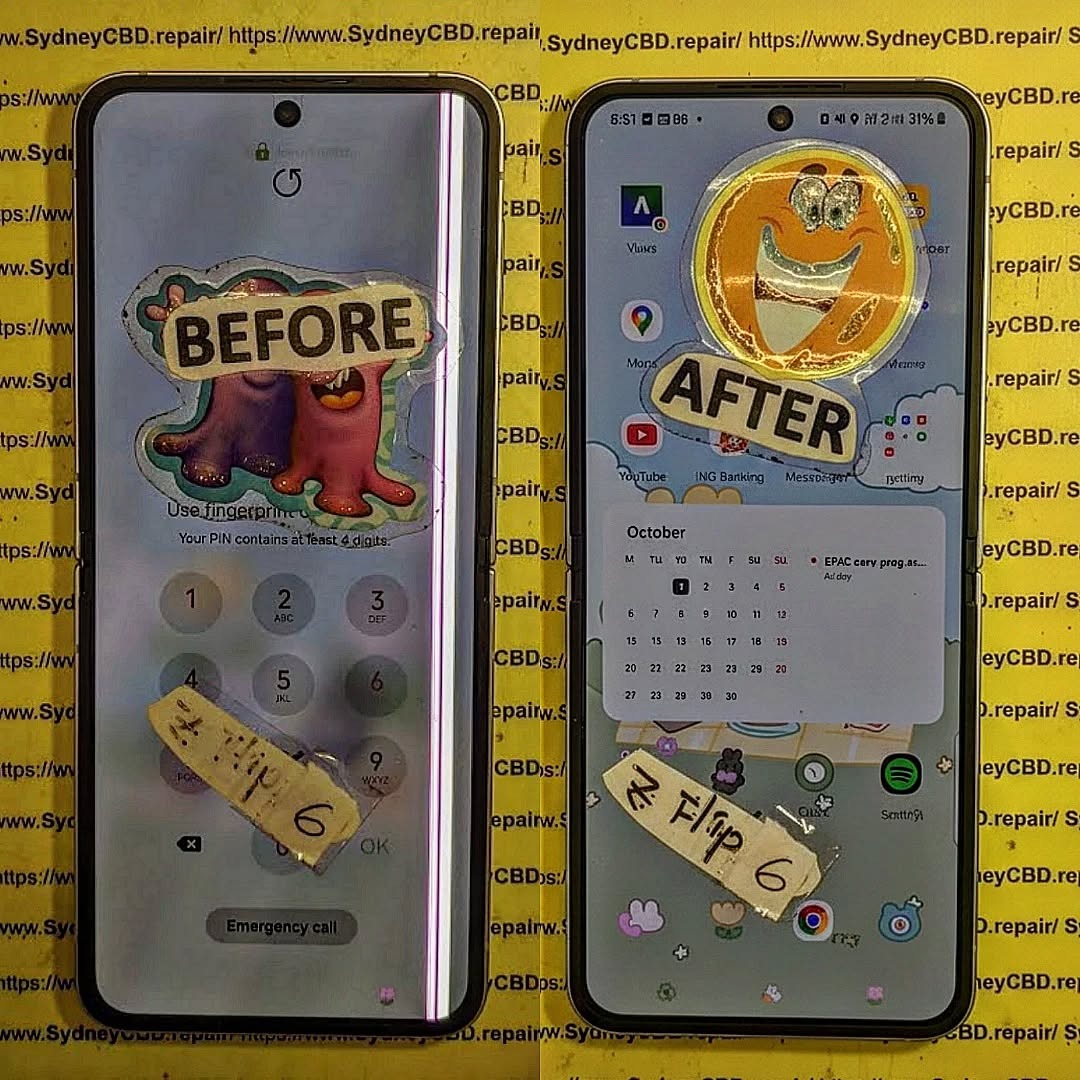
Understanding the Z Flip 6 Touchscreen
The Samsung Z Flip 6 represents the pinnacle of foldable smartphone technology. Its dynamic AMOLED display folds seamlessly, allowing for a compact design without compromising functionality. Unlike traditional smartphones, foldables rely on flexible substrates and multiple layers to maintain both durability and touch sensitivity.
The Foldable AMOLED Display Explained
The Z Flip 6 features a flexible AMOLED panel that bends at the hinge without causing pixel damage. This screen uses an ultra-thin glass layer with a plastic cover, making it more susceptible to pressure and scratches than conventional glass phones. While revolutionary, this design comes with unique challenges that can affect touch responsiveness.
Common Touchscreen Issues
Users often report:
- Unresponsive or “dead” touch areas
- Ghost touches (screen reacts without contact)
- Delay in gesture recognition
- Issues after software updates or environmental exposure
These problems may stem from hardware vulnerabilities, software conflicts, or environmental factors like dust and moisture.
Why Your Z Flip 6 Touchscreen Isn’t Responding
Software Glitches
One of the most frequent causes of touchscreen issues is software glitches. Conflicting apps, firmware bugs, or corrupted cache files can temporarily impair touch functionality. Regular updates are critical to maintaining responsiveness.
Hardware Damage
Physical impacts, accidental drops, or pressure near the hinge can disrupt the touch layer. Even minor creases or scratches on the ultra-thin glass may interfere with the screen’s sensitivity.
Environmental Interference
Foldable devices are sensitive to extreme temperatures, high humidity, and debris. Using the phone in such conditions can cause temporary touch failures or long-term damage.
10 Expert Solutions to Fix Z Flip 6 Touchscreen Issues

Solution 1: Restart and Reset
Restarting your device can resolve temporary glitches. For persistent problems, a soft reset may help recalibrate the touch sensors.
Solution 2: Update Software
Check for the latest Samsung One UI updates. Updates often include bug fixes that enhance touchscreen stability.
Solution 3: Calibrate Touchscreen
Although Android devices lack a native calibration tool, third-party apps can help recalibrate touch sensitivity, improving responsiveness.
Solution 4: Clear Cache
System cache can become corrupted, leading to touch lag. Clearing the cache from recovery mode restores performance without erasing personal data.
Solution 5: Remove Problematic Apps
Some apps can conflict with system processes. Identifying and removing them often solves ghost touch issues.
Solution 6: Factory Reset
When all else fails, a factory reset can resolve software-related touch problems. Backup important data beforehand.
Solution 7: Check for Physical Damage
Inspect the screen for scratches, dents, or hinge issues. Even subtle damage can disrupt the touch layer.
Solution 8: Professional Repair Services
Certified repair centers like Sydney CBD Repair Centre provide genuine replacement parts and professional expertise.
Solution 9: Use Screen Protectors Wisely
Not all screen protectors are foldable-friendly. Use compatible films to avoid interference with touch sensitivity.
Solution 10: Environmental Awareness
Avoid exposing your Z Flip 6 to extreme heat, moisture, or dust. Store it properly and avoid over-tight folding.
Preventive Measures to Maintain Touchscreen Longevity
Regular Cleaning Techniques
Use microfiber cloths and gentle cleaning solutions. Avoid harsh chemicals that can degrade the ultra-thin glass.
Proper Folding Habits
Fold gently and avoid pressing hard near the hinge. Consistent care prevents stress on the foldable layers.
Software Maintenance Tips
Regularly update software, remove unused apps, and clear cache to maintain optimal performance.
FAQs About Z Flip 6 Touchscreen Issues
1. Why does my Z Flip 6 screen sometimes not respond to touch?
Software glitches, physical damage, or environmental factors can cause temporary unresponsiveness.
2. Can a factory reset fix touchscreen problems?
Yes, a factory reset often resolves software-related issues but should be used as a last resort.
3. Are foldable screens more fragile than regular smartphones?
They are more sensitive due to the flexible layers and ultra-thin glass, though modern designs are increasingly durable.
4. How do I prevent ghost touches?
Keep the screen clean, update software, remove problematic apps, and avoid environmental extremes.
5. Can screen protectors affect touch sensitivity?
Yes, always use protectors designed for foldable devices to maintain responsiveness.
6. Where can I get professional Z Flip 6 repairs?
Certified centers like Sydney CBD Repair Centre offer reliable repairs with genuine parts.
Conclusion

The Z Flip 6 is a marvel of foldable technology, but its touchscreen requires careful handling. Combining preventive care, software maintenance, and expert repairs ensures longevity and responsiveness. By understanding the causes and solutions for touchscreen issues, users can enjoy a seamless foldable experience for years to come.
David from Sydney CBD Repair Centre – The Best place to fix mobile phones as 6 Years In A Row! Top Mobile Phone Repair In Sydney. More than 2000 Positive Reviews on Google and Same Day Repairs.
We take pride in delivering exceptional repair services for all major phone brands including Apple, Samsung, Google, and more. Our expert technicians use only genuine parts and offer 90days warranty on repairs. Located in the heart of Sydney CBD, we’re your one-stop solution for all mobile device repairs.
Our commitment to excellence has earned us the trust of thousands of satisfied customers. Whether it’s a cracked screen, battery replacement, or water damage repair, we handle it all with professional care and expertise. Walk in today and experience why we’re Sydney’s #1 choice for mobile phone repairs.
Visit us for:
✓ Same Day Express Repairs
✓ Genuine Parts Guarantee
✓ Professional Technicians
✓ Competitive Pricing
✓ 2000+ 5-Star Google Reviews
✓ 6-Time Award Winner for Best Phone Repairs
Sydney CBD Repair Centre – Where Quality Meets Reliability.
Call : +61280114119
Website: https://SydneyCBD.repair/locate-us

