



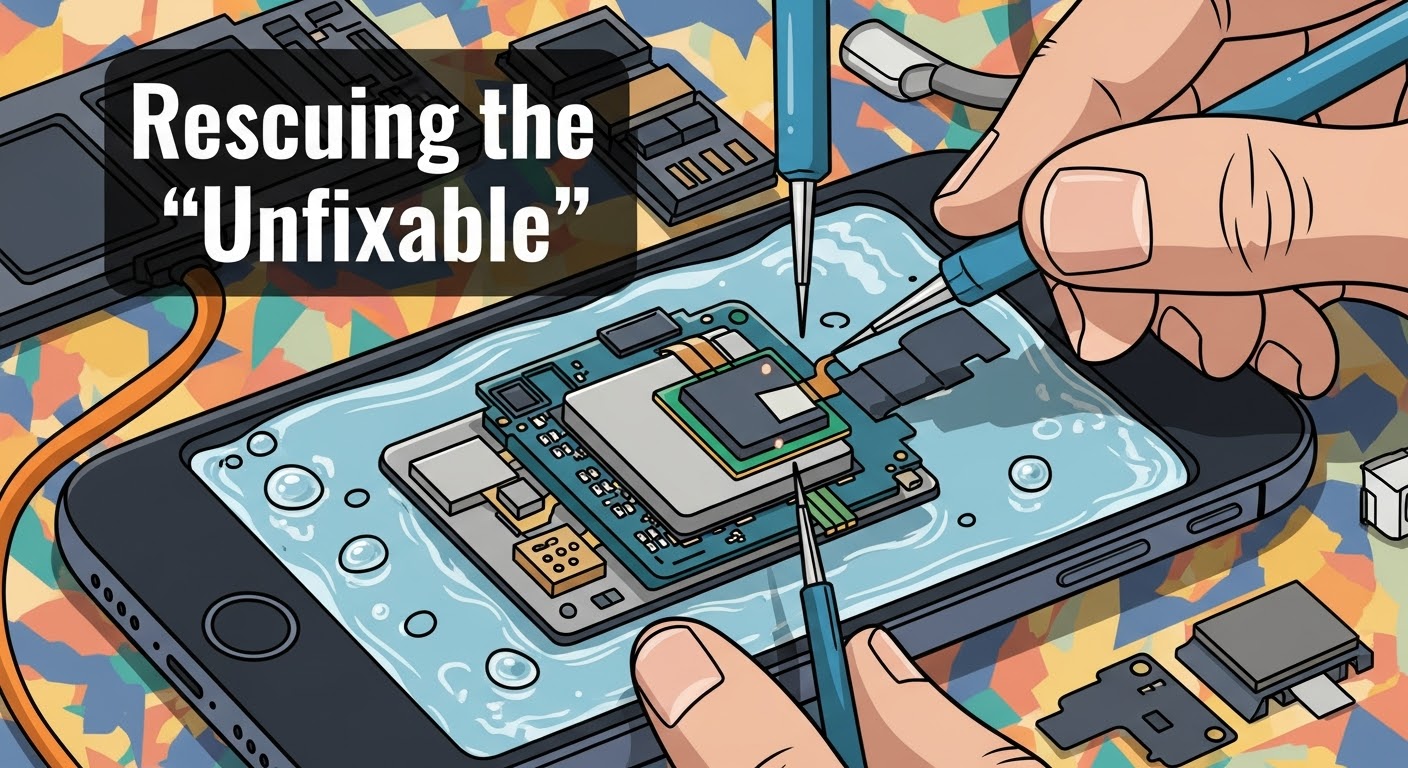
Rescuing the “Unfixable”: CPU Reballing a Water-Damaged Phone

Rescuing the “Unfixable”: CPU Reballing a Water-Damaged Phone – How Experts Bring Dead Devices Back to Life
Understanding the Impact of Water Damage on Modern Smartphones
When a smartphone takes an unexpected swim, the internal damage can be far more severe than what meets the eye. Water, especially when mixed with minerals or salt, causes corrosion and short circuits that affect sensitive components.
Even with quick drying or rice-bag tricks, moisture can linger under the CPU, leading to oxidation that disrupts critical electrical connections.
In modern devices with complex integrated circuits, this often results in permanent malfunction—unless advanced repair methods like CPU reballing are performed.
Why CPU Reballing Becomes Necessary After Liquid Exposure
A smartphone’s Central Processing Unit (CPU) handles virtually every operation. When water seeps into the logic board, solder balls under the CPU (which connect it to the board) can corrode or detach.
CPU reballing is the process of removing the CPU, cleaning it, and replacing the old solder balls with new ones, effectively restoring connectivity between the CPU and the motherboard.
Without it, even the best drying and cleaning won’t help — the phone remains “dead” or stuck in a boot loop.
The Role of CPU in a Smartphone’s Functionality
The CPU is the “brain” of your phone. It processes instructions, runs applications, and manages data flow. When water damages this core component, your device might:
- Fail to turn on
- Show no display
- Overheat abnormally
- Get stuck in recovery mode
These symptoms often signal that CPU reballing is the only path to revival.
Step-by-Step Process of CPU Reballing a Water-Damaged Phone
Reballing is an intricate micro-soldering procedure requiring both skill and precision. Here’s how professionals at Sydney CBD Repair Centre approach it.
Step 1: Diagnosis and Initial Inspection
Technicians begin by disassembling the device and inspecting the motherboard under a microscope. They identify corrosion, burnt areas, and potential short circuits.
Step 2: Board Cleaning and Short Detection
Using an ultrasonic cleaner and specialized cleaning agents, the logic board is purified of contaminants. Next, power-line testing detects any shorted components that could prevent booting.
Step 3: CPU Removal and Preparation
The CPU is gently heated and lifted using hot air rework stations. The old solder balls are removed, and both the CPU and board pads are carefully cleaned.
Step 4: Reballing the CPU with Precision
Fresh solder balls are applied through a stencil, evenly distributed, and reheated to form perfect, rounded joints. This delicate step re-establishes each microscopic connection.
Step 5: Reinstallation and Testing
The CPU is reattached, the board reassembled, and power tested. If successful, the device powers on, restoring full operation.
Tools and Equipment Used in Professional CPU Reballing

Professional CPU reballing requires advanced instruments, including:
- BGA rework station
- Infrared preheater
- Microscope (up to 1000x)
- Hot air soldering station
- Flux and solder paste
- Ultrasonic cleaner
- Thermal camera (for heat mapping)
Each tool ensures accuracy, heat control, and component safety — key factors that separate expert technicians from DIY attempts.
Signs That Your Water-Damaged Phone May Need CPU Reballing
You may need CPU reballing if your phone:
- Doesn’t turn on despite a new battery
- Gets unusually hot when charging
- Stays stuck on the logo screen
- Has backlight but no display
- Doesn’t detect SIM or Wi-Fi
If any of these occur after water exposure, professional inspection is crucial.
Common Mistakes to Avoid When Handling Water-Damaged Devices
- Don’t turn on the phone immediately – it can short-circuit.
- Avoid charging it – electricity and moisture don’t mix.
- Skip the rice myth – it delays proper drying.
- Don’t open the device without training – you may cause further damage.
Instead, bring it to a trusted repair centre immediately.
Why DIY Reballing Is Risky for Average Users
CPU reballing requires precise temperature control and micro-soldering under magnification. One wrong move can destroy the CPU or motherboard permanently.
DIY tutorials may look simple, but without proper tools, you risk:
- Melting nearby components
- Overheating the PCB
- Incomplete solder connections
Always trust certified technicians for high-risk repairs like this.
Benefits of Professional CPU Reballing Services
Cost-Effectiveness Compared to Full Replacement
Replacing a CPU or motherboard can cost as much as buying a new phone. Reballing offers a more affordable solution, especially for high-end models like iPhones, Samsungs, or Pixels.
Data Recovery and Device Longevity
Reballing not only revives your phone but can recover vital data stored on internal memory chips — a priceless benefit for users with irreplaceable photos or documents.
How Sydney CBD Repair Centre Masters CPU Reballing Repairs
Sydney CBD Repair Centre stands out for its expert micro-soldering services, genuine parts, and 6 consecutive awards for best phone repairs in Sydney.
Skilled Technicians and Advanced Tools
Their team specializes in BGA rework and chip-level diagnostics, handling complex repairs with pinpoint accuracy.
Genuine Parts and Warranty Guarantee
Every repair includes genuine components, a 90-day warranty, and same-day turnaround for most cases — proof of their unmatched commitment to quality.
👉 Learn more: https://SydneyCBD.repair/locate-us
Preventing Future Water Damage — Pro Tips from Experts
- Use IP68-rated waterproof cases for added protection.
- Never charge a wet phone.
- Keep silica gel packs nearby for emergencies.
- Schedule regular cleaning and diagnostics for exposed devices.
Preventive care always beats costly repairs.
FAQs About CPU Reballing and Water-Damaged Phones
Q1: Can all water-damaged phones be repaired with CPU reballing?
Not all — if corrosion reaches internal chip layers, replacement may be required.
Q2: How long does a CPU reballing repair take?
Typically 1–2 days, depending on damage severity and model complexity.
Q3: Is CPU reballing worth it for older devices?
Yes, especially if you need data recovery or have a flagship model.
Q4: Will reballing affect performance?
No. When done correctly, it restores full functionality.
Q5: What’s the success rate for CPU reballing at Sydney CBD Repair Centre?
Over 90% success for devices without deep internal corrosion.
Q6: Does the repair come with warranty coverage?
Yes, every repair includes a 90-day warranty for peace of mind.
Conclusion — Restoring Hope for “Dead” Phones

CPU reballing transforms “unfixable” water-damaged phones into working devices again. Through expert diagnosis, precision micro-soldering, and advanced tools, technicians like those at Sydney CBD Repair Centre prove that no device is truly beyond repair.
So, before giving up on your water-damaged phone — bring it to the experts who’ve revived thousands of devices across Sydney.
Experience genuine care, authentic parts, and trusted expertise — all under one roof.
We’ve been Sydney’s #1 phone repair shop for six years straight, with over 2000 glowing reviews from satisfied customers. Whether it’s a cracked screen, battery issue, or water damage — trust us to handle it right, the first time.
✅ Same-Day Express Repairs
✅ Genuine Parts Guarantee
✅ 90-Day Warranty on All Repairs
✅ 6-Time Award Winner
✅ 2000+ 5-Star Google Reviews
📞 Call us today: +61280114119
🌐 Visit: https://SydneyCBD.repair/locate-us

