A Mac can easily be connected to a Bluetooth speaker system, offering a convenient and wireless method of enjoying audio from the computer.
Using a Bluetooth speaker system on a Mac is quite simple, and the only real requirement is that the Mac has Bluetooth actively enabled, and the Speaker system is within range. Beyond that, MacOS is able to connect to virtually any Bluetooth speaker, whether it’s a fancier stereo or a simple portable speaker.
If you’ve never synced a Bluetooth device to a Mac before, or you’re new to connecting Bluetooth speakers to various devices, the walkthrough below should be helpful to you as it demonstrates the entire process of a Mac connecting to a Bluetooth speaker.
How to Connect Bluetooth Speaker to Mac
Turn on the Bluetooth speaker, and place it into discovery mode (typically a power button and/or Bluetooth icon button) if applicable
Pull down the Apple menu and choose “System Preferences”
Select the “Bluetooth” preference panel
Turn Bluetooth on if it isn’t enabled already, then when you see the Bluetooth speaker show up in the Bluetooth devices list choose “Connect”
Wait a moment and the Bluetooth speaker should connect, as indicated by the faint small “Connected” text
Once the Bluetooth speaker is connected to the Mac, adjust the volume on both the speaker and/or the Mac so they can be heard, and test out the sound. An easy way to test that audio is working is by opening iTunes and playing any music, or going to any video with audio on YouTube and listening for the sound to play from the Bluetooth speakers.
In the example here, a Retina MacBook Air is connected to a Tribit XSound Go which is a pretty good cheap portable speaker that greatly improves upon the built-in speakers experienced on a Mac laptop.
How to Disconnect / Remove Bluetooth Speakers from a Mac
One simple way to disconnect the audio output to a Bluetooth speaker from a Mac is to turn off the Bluetooth speaker, though when the speaker comes back on the Mac will automatically attempt to pair with it.
If you don’t want to turn the speaker off (perhaps you want to connect the Bluetooth speaker to an iPhone or iPad instead now), then you’ll need to use the menu bar or the Bluetooth control panel to disconnect and remove the device from the Mac.
Pull down the Bluetooth menu bar and select the Bluetooth speaker
Choose “Disconnect” from the submenu that appears alongside the Bluetooth speaker in the dropdown
You can also turn disconnect the Bluetooth speaker by turning off Bluetooth on the Mac, though that’s not practical if you use a Bluetooth keyboard, mouse, or other accessories with the Mac.
How to Remove a Bluetooth Speaker from Mac
You can also remove the Bluetooth speaker from the Mac, so that it is no longer paired or found by the Mac when discovering Bluetooth devices:
Pull down the Apple menu and choose “System Preferences”
Select the “Bluetooth” preference panel
Click the small (X) button next to the speaker devices name
Confirm that you want to remove the connected speaker from the Mac
Once the Bluetooth speaker is disconnected and removed, the Bluetooth speakers would need to be added again using the same instructions to connect the speaker in the first place.
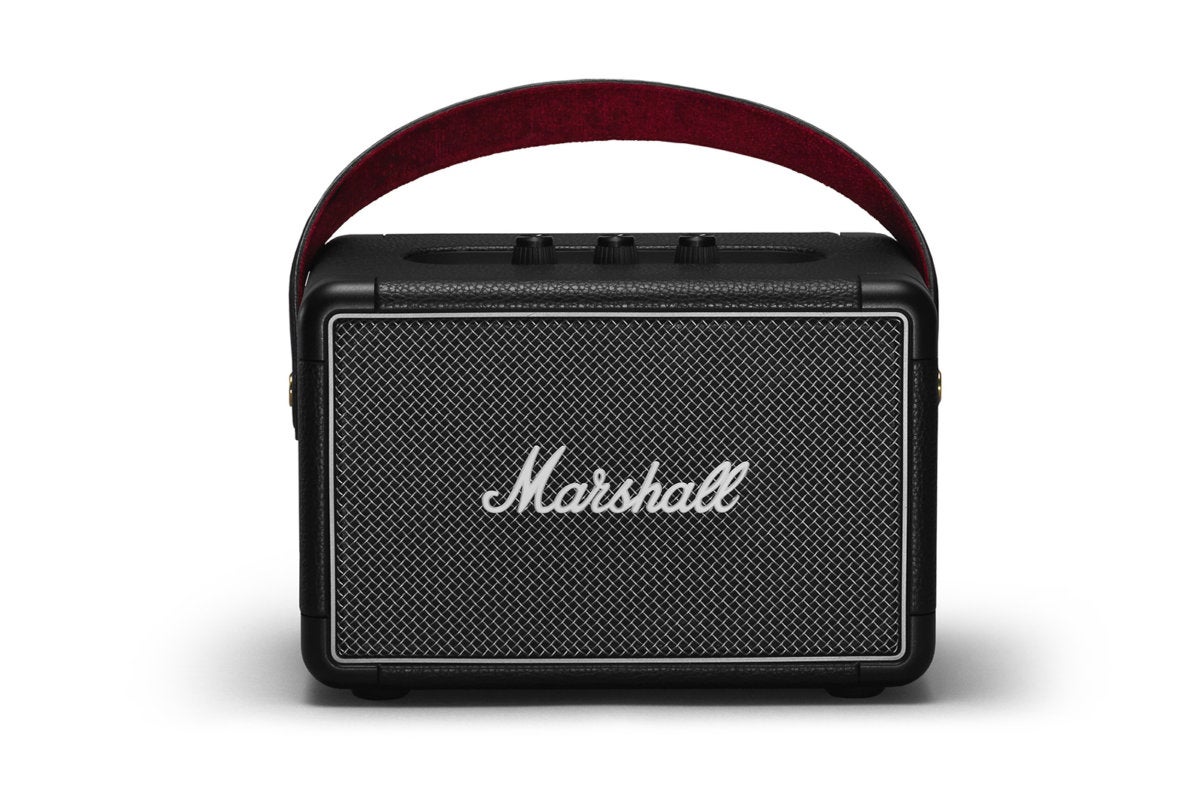
I’m always skeptical about nostalgia-branded products, including Bluetooth speakers modeled after famous guitar amps. But I found myself quite liking the $300 Marshall Kilburn II. I like its simplicity; I like its sound, which is well above average; I like its rugged construction; and I like the comfortable carrying handle. All that said, I’d like it more if it were a bit cheaper.
Down memory lane
The Marshall Kilburn II measures approximately 10 inches wide, 6 inches high, and 5 inches deep, and it weighs around 5.5 pounds. It differs a bit in appearance from its predecessor. The first Kilburn’s tweed speaker cover goes hand in hand with the Marshall image, where the Kilburn II has a more practical metal grill. I think the new model looks even better. And in the end, the Tolex covering, the protective corner pieces, and the Marshall logo do the trick. The speaker fairly shouts Marshall stack! Okay, Marshall combo amp.
The Kilburn II is solidly constructed and its IPX2 rating means it’s mildly water resistant; i.e., you don’t need to worry about a few sprinkles at a picnic. Just don’t try floating it in the pool.
The Marshall Kilburn II is ported for excellent bass response. It directs some higher frequencies to the rear as well.
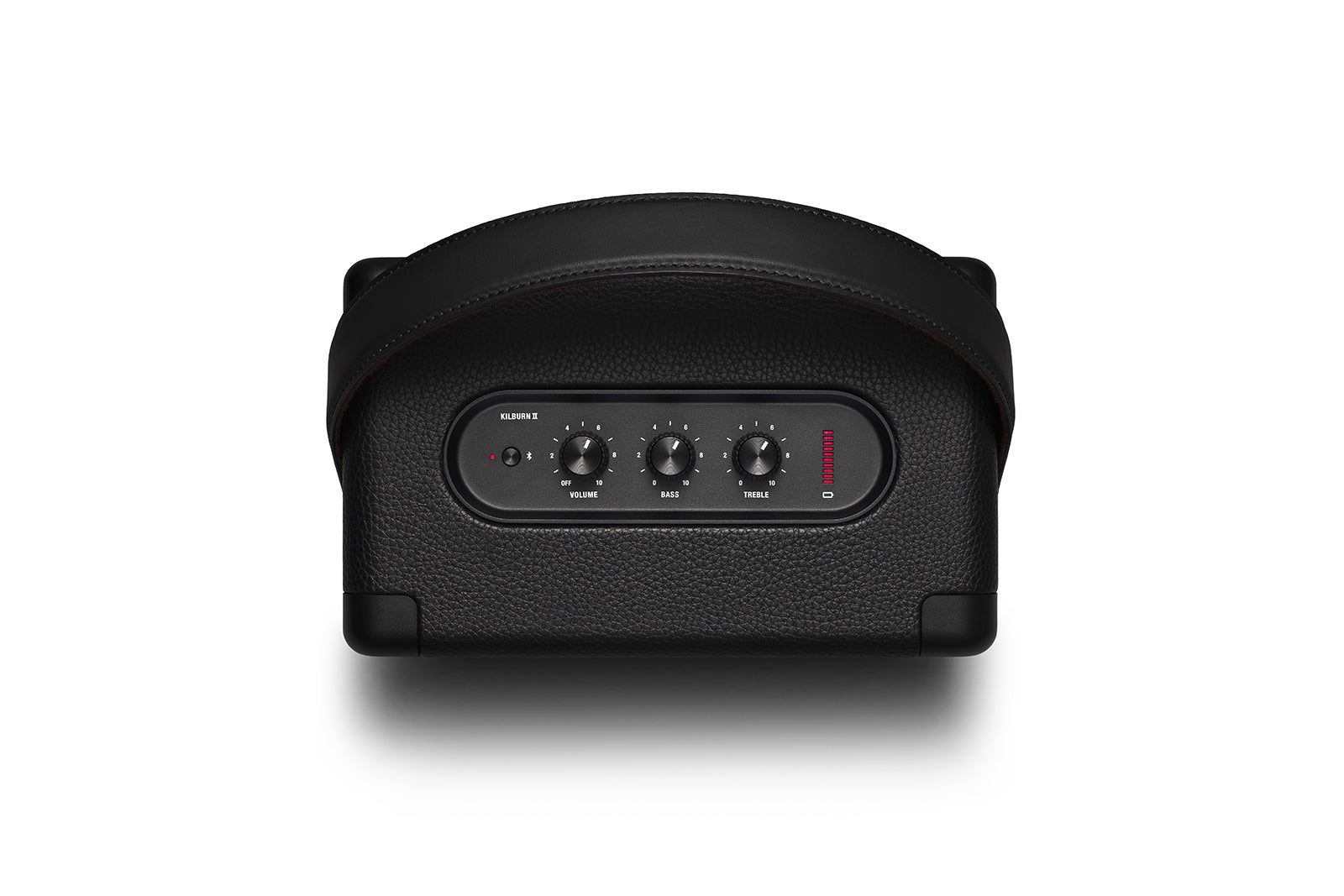
On top, recessed for protection, are the Bluetooth pairing button; amp-style pots (potentiometer/rotary controls) for on/off/volume control, bass, and treble; and the battery status indicator. On the back are a 3.5mm auxiliary input, AC jack (with a captive rubber cover), bass port, and another port that allows higher frequencies from the tweeters to escape and bounce off any acoustic surfaces behind the Kilburn II.
Bluetooth pairing is easy, and connections were quickly created with all my devices, which is not always the case. The Kilburn II allows multiple devices to connect and always responds to the latest request; that is, the device that most recently pressed play. There’s potential for bad behavior there, but I’ve always preferred this type of operation to lockouts. Switching is pretty quick, certainly short enough to keep folks on the dance floor while you and your friends battle over the next tune.
Special kudos to the Kilburn II’s designers for the wide, comfortable carrying strap. It seems to be made from faux leather with a velvet liner, but whatever the material, it doesn’t cut blood flow as so many modern handles or straps will, and it spreads the weight nicely.
Marshall claims 20 hours of run time, and that’s around what I saw over several days, though I played the Kilburn II at relatively low volumes. Regardless, it should last for the entire party, and quite a bit beyond. Note that the Kilburn II’s AC transformer is internal and it uses a common, easily replaced two-prong AC cord. There’s no wall wart.
The large comfy carrying strap and the simple, old-school knob controls are shown here. The modern touch is a plasma-style battery-charge indicator.
Sound
While not studio monitor or high-end bookshelf speaker quality, the Kilburn II does sound at least as good as Fender’s Monterey and better than the Fender Newport, the other two guitar-nostalgia Bluetooth speakers I’ve reviewed. And in the grand scheme of things Bluetooth, that puts it in pretty good company overall. The only other Bluetooth speakers I’d rate higher for sound aren’t portable.
Though the Kilburn II is a single enclosure, there is some mild right/left separation evident, due to the dual-tweeter/single-woofer design. The aforementioned bass and treble ports help create oomph and radiate the sound to the rear. The tweeters themselves have very wide frequency range for the breed. Indeed, I was able to add more high end than I actually wanted, and the porting allows enough bass to satisfy all but the most ardent subwoofer aficionados.
As to the one woofer thing: Bass is generally perceived by humans as non-directional, so that’s no big whoop with only a single enclosure in play.
But the best thing about the Kilburn II is that it starts off sounding musical at low volumes and neutral EQ settings, and it remains so no matter how you tweak the knobs–all the way to its loudest level. If there’s anything that I can see complaints about, it’s that said loudest level is not incredibly loud. Certainly louder than I care to listen to, but I don’t throw a lot of dance parties. That would be none, actually.
As to the science behind the volume, the subwoofer is driven with 20 watts, while 8 watts is provided for each tweeter. As usual, I’d like to point out that taste in sound varies. In my book, however, the Kilburn II, is versatile enough to suit just about anyone.
Pricey, but worthwhile
Once again, the Kilburn II is a very nice-sounding portable Bluetooth speaker. That makes any recommendation merely a question of value. As with Fender’s Monterey, you’re still paying a lot for appearances. If you’re okay with that, I’m sure you’ll be satisfied with the Kilburn II’s design and performance.
There was a time when Bluetooth speakers were like jelly beans: They were cheap, they all looked the same, and they were invariably of dubious quality. Times have changed. Every major audio manufacturer has at least one model on the market today, and most have several. If you haven’t listened to a Bluetooth speaker lately, you’re in for a very pleasant surprise.
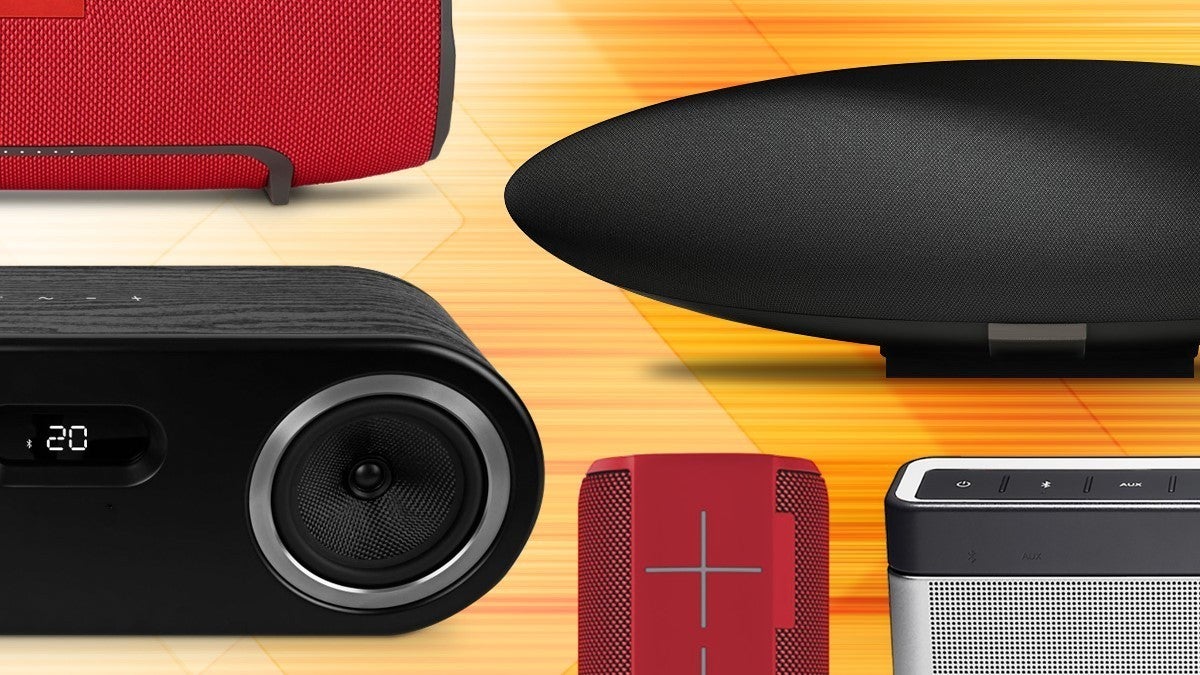
The industry’s progress doesn’t mean that every Bluetooth speaker justifies its price tag, no matter how inexpensive it might be. There’s still plenty of dreck floating around. Don’t worry, we’re here to help you steer clear of the junk and point you to the best speakers at the price range that fits your budget. To that end, we’ve picked the best Bluetooth speakers in four broad price ranges: budget, mid-range, high-end, and—yes, there are ultra-high-end Bluetooth speakers—price is no object. We also added an outdoor category to our coverage, with Soundcast’s VG7 the first to win our praise, with the Bose Soundlink Revolve+ taking the runner-up spot.
Our reviews go into some depth, so we encourage you to follow the links to read them in their entirety. You’ll also find a guide to the most-important features you should look for in your next Bluetooth speaker, as well as links to the rest of our latest Bluetooth speaker reviews, at the bottom of the page.
Our recommendations will change over time as new products come in for testing.
This article was updated November 20, 2017 to add our review of the 808 Audio Hex TLS Bluetooth speaker. We like its anodized aluminum enclosure and its bass thump, but it’s not a stereo speaker and you can’t pair two of them to produce a stereo soundstage. As a result, it doesn’t change any of our top picks in this category.
Best budget Bluetooth speaker
Anker is best known for its battery accessories, but the SoundCore A3102 demonstrates it knows a thing or two about building inexpensive—but not cheap—speakers as well. While this little box won’t blow you away with its audio prowess, it won’t give you a headache either. And while it’s not at all weatherized, its $25.49 price tag is amazing.
Best $100 Bluetooth speaker
JBL’s Flip 4 would be remarkable enough for the sound it delivers at this price point, but this portable speaker also delivers another killer feature: Its IPX7 rating means it can be submersed in up to three feet of water for as long as 30 minutes without suffering any damage. You can also connect two Flip 4’s and operate them as a stereo pair, or connect up to 100 JBL Connect+ speakers and stream music to all of them from the same source at the same time.
Best mid-priced Bluetooth speaker
Oppo has been crafting some fabulous audio products lately, and its Sonica Wi-Fi is a prime example. More than just a Bluetooth speaker, you can also stream music over your Wi-Fi network—it has a dual-band adapter just for that purpose. And if that’s not flexible enough for you, it supports Apple’s AirPlay technology, too.
Most importantly, the Sonica Wi-Fi sounds superb. Capable of decoding audio files with up to 24-bit resolution and sampling rates as high as 192kHz, it’s easily the best powered speaker in its price range.
Mid-priced runner up
Here’s another Bluetooth speaker that can withstand the elements. The Ultimate Ears Megaboom boasts an IPX7 code, which means it’s rated to withstand submersion in up to three feet of water for a full 30 minutes. But it doesn’t make this list for that reason alone. This speaker delivers sound that will fill the typical backyard; it will be the life of the party.
Best high-end Bluetooth speaker
Bowers & Wilkins has never failed to impress us, but they’ve long been associated with Apple having entered the all-in-one speaker market with the Zeppelin iPod dock. That changed with the third-generation Zeppelin, the Zeppelin Wireless, which lost the physical dock in favor of Bluetooth, Wi-Fi, and Apple’s AirPlay technology.
B&W didn’t stop with Bluetooth. They also opted to support the aptX codec to deliver the highest quality audio that Bluetooth is capable of delivering. And if you’re a Spotify subscriber, you’ll appreciate this speaker’s support for Spotify Connect. The one down side: B&W stubbornly refuses to develop an Android app. But that’s a minor inconvenience that will bug you only when during first-time setup.
High-end runner-up
The product of an incredibly successful crowd-funding campaign, Mass Fidelity’s Core wowed us with it uncanny ability to produce a stereo image no matter where you’re sitting—or standing—in the room. This speaker is also incredibly powerful for its diminutive dimensions, and you can add a wireless subwoofer if you want more low end. You can also wirelessly network up to eight Cores for a multi-room audio system, though Apple fans might be disappointed to learn that AirPlay is not supported.
Best outdoor Bluetooth speaker
This is the best powered outdoor speaker we’ve heard since Soundcast introduced its Outcast speaker nearly 10 years ago. It’s built like a tank; splash resistant, so you can use it poolside or at the beach; and it delivers outstanding battery life. Most importantly, however, it sounds fantastic. Expensive, but worth it.
Runner-up outdoor speaker
As great as it sounds, the Soundcast VG7 won’t fit everyone’s budget. And while the Bose Soundlink Revolve+ isn’t exactly inexpensive at $300, it delivers exceptionally good audio from a much smaller and lighter package. Highly recommended.
Best price-is-no-limit Bluetooth speaker
You should expect a lot at this price, and Naim Audio doesn’t disappoint. This speaker is larger and more powerful than B&W’s Zeppelin and like that speaker, it gives you just about every option you could ask for: Bluetooth, of course (with both Android and iOS apps), but also Wi-Fi, AirPlay, hardwired ethernet, a USB port, 24/192 support, Spotify Connect, aptX, optical digital input, and multi-room audio support with other Naim components. And the sound? Exquisitely precise.
Features to look for in a Bluetooth speaker
Not convinced the picks we’ve listed above are exactly right for you? This guide will help you sort through the facts, figures, and specs to determine which speaker will best meet your needs. Your first decision will be to choose between mobile and stationary form factors. The majority of Bluetooth speakers are portable because they get paired with mobile phones, but more and more manufacturers are introducing models designed to remain inside the home.
Choosing a portable model gives you the best of both worlds in some respects, but a stationary speaker is more apt to blend into your home’s decor. And while we’ve heard some pretty spectacular portable Bluetooth speakers, a plug-in model is more likely to produce the sound you’re looking for if fidelity is priority one in your book.
Here are the features you’ll want to evaluate in a Bluetooth speaker:
Theo Nicolakis
App support: Companion apps can provide lots of additional features to a speaker that wouldn’t be possible with just physical buttons on the speaker itself. The app might enable more than one person to be the DJ, queuing up songs to play on the speaker. An app might enable you to create customized EQ curves for different styles of music, create wake-up alarms, or power the speaker on and off remotely.
aptX support: Bluetooth audio must be squeezed down in order to stream over the airwaves, and the default codec use lossy compression that throws some of the musical data away. Qualcomm’s aptX codec is lossless, so none of the musical detail is lost in the process. But aptX must be present at both ends of the stream, in the playback device and in the speaker. Most Android devices support aptX, but Apple devices do not.
aptX HD support: This version of Qualcomm’s codec supports high-resolution audio files, but it’s hard to find even in the highest-end Bluetooth speakers right now. As with its sibling, the codec must be supported on both the audio source and the speaker in order to work.
Battery: Next to fidelity, a portable speaker’s most important feature is how long it can operate when it’s not plugged into the wall. You should expect a battery to last 10 to 20 hours, but remember that the bigger the battery, the heavier the speaker will be.
Michael Brown
Charging options: If your speaker has a battery, it will need to be charged. Speakers that charge their batteries via a USB port are more convenient than models that require an AC adapter, but larger batteries might not offer that option. Some speakers also let you plug in a USB cable to tap their battery to charge your smartphone.
DSP: An onboard digital signal processor (DSP) lets you electronically change how the speaker is driven in order to compensate for speaker placement or the acoustical properties of your room, among other things.

Mounting options and accessories: A portable speaker should be easy to take with you. While some Bluetooth speakers count on their size to make them easy to grip, others provide a lanyard, carabiner clip, or a shoulder strap. It’s even more handy when the manufacturer provides standardized sockets and accessories for mounting the speaker to an object, such as your bike’s handlebars.
Altec Lansing
Some portable Bluetooth speakers are small enough that you can grip them in your hand, but it provide thread mounts so you can attach them
Speakerphone: Some Bluetooth speakers have built-in microphones that enable you to use the speaker as a speakerphone in concert with your smartphone. The sound quality will be much better than what you’ll get from your phone, and you’ll be able to turn the volume up much higher. This can be very handy for conference calls.
Stereo pairing: Some speakers let you create a left/right stereo pair with two speakers (this works best, of course, when the two speakers are identical).
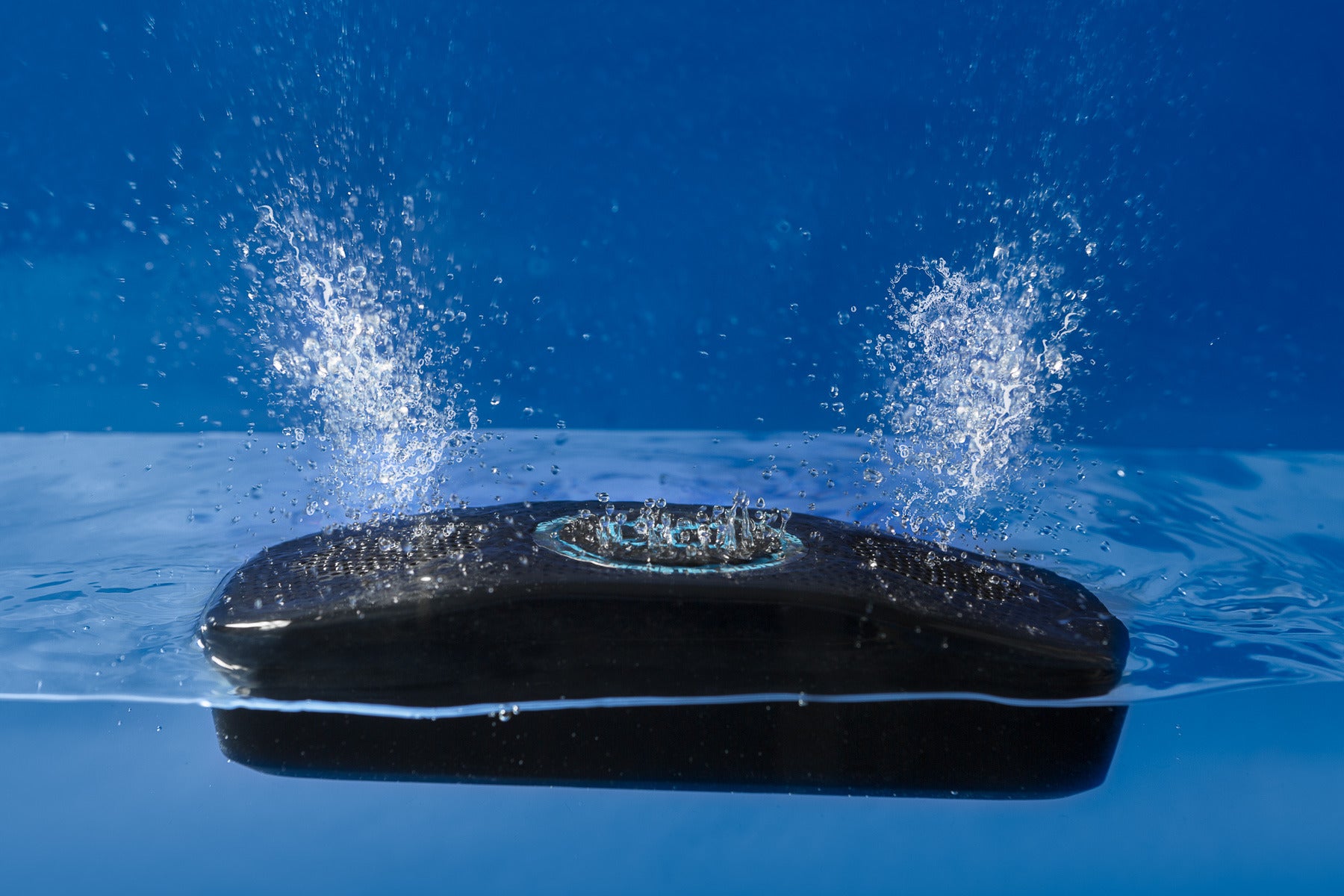
Weatherization: Portable Bluetooth speakers can be used indoors and out, so the best models provide some protection from the elements. Ideally, the manufacturer will let you know just how much protection you can expect by providing an IP (International Protection) marking. The first digit rates the enclosure’s protection from particulate matter (e.g., dust) and the second digit rates its protection against liquids.
An IP64 code, for instance, indicates that the speaker is completely protected from dust (6) and from water splashed onto it (4). The higher the numbers, the more protection you can expert If either digit is replaced by an X—IPX4, for example—the code indicates that the speaker isn’t rated for protection from particles (this doesn’t necessarily mean that it’s not protected from things like dust, just that the manufacturer doesn’t rate its protection).
Wi-Fi: Higher-priced Bluetooth speakers also provide the option of connecting to your Wi-Fi network, so that you can stream music from a NAS box. Wi-Fi streams will offer higher fidelity than Bluetooth, even if the speaker supports the aptX codec. A speaker that provides for a hardwired network connection is all the more versatile.
Wireless range: A Bluetooth speaker’s range depends on the power class of its radio, and it can vary widely and is impacted by the environment that it’s operating in. A Class 1 radio offers range of approximately 100 meters, but the number of walls between the Bluetooth source and the speaker and the type of materials in those walls will have a significant impact on range. It’s much easier for radio waves to pass through drywall than masonry, for instance. Objects in the signal path, such as large metal appliances, will reduce that range even further.
Our latest Bluetooth speaker reviews
To comment on this article and other TechHive content, visit our Facebook page or our Twitterfeed.