Published on YouTube: Fixing a Samsung Galaxy Z Flip 4 [GALAXY Z FLIP 4] | Sydney CBD Repair Centre

Galaxy Z Flip 4 Screen Repairs: Your Go-To Guide in Sydney CBD
Are you dealing with a cracked or malfunctioning screen on your Galaxy Z Flip 4 Screen ? Don’t fret! Sydney CBD Repair Centre has got you covered. In this article, we’ll explore the ins and outs of screen repairs for this innovative foldable device.
Why Choose Professional Repair Services?
When it comes to fixing your Galaxy Z Flip 4’s screen, professional help is crucial. The unique design of this foldable phone requires specialized knowledge and tools. Therefore, entrusting your device to experts is always a wise choice.
Common Screen Issues with Galaxy Z Flip 4
Before diving into repairs, let’s look at some frequent screen problems:
- Cracked displays
- Dead pixels
- Touch sensitivity issues
- Discoloration or bleeding
These issues can significantly impact your user experience. Luckily, most of them are fixable with the right expertise.
The Repair Process of Z Flip 4 Screen at Sydney CBD Repair Centre
At Sydney CBD Repair Centre, screen repairs follow a systematic approach. First, technicians assess the damage carefully. Then, they determine the best course of action. This process ensures optimal results for your beloved device.
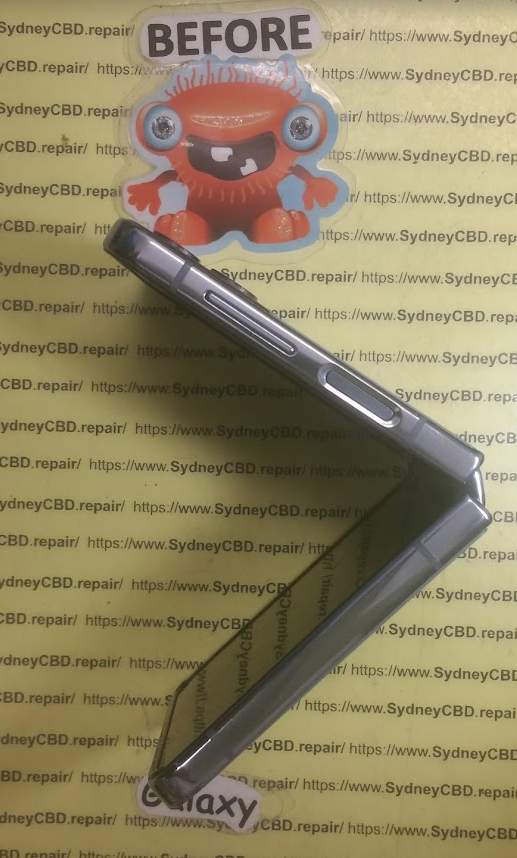
Benefits of Choosing Sydney CBD Repair Centre
Opting for Sydney CBD Repair Centre comes with several advantages. For starters, they use high-quality replacement parts. Moreover, their technicians are highly skilled in handling foldable devices. As a result, you can expect top-notch service and reliable repairs.
Timeframe for Galaxy Z Flip 4 Screen Repairs
Wondering how long the repair will take? In most cases, Sydney CBD Repair Centre completes screen repairs within a day. However, more complex issues might require additional time. Rest assured, they strive to return your device as quickly as possible.
Cost Considerations for Screen Repairs
The cost of repairing your Galaxy Z Flip 4’s screen can vary. Factors such as the extent of damage and required parts influence the price. Nevertheless, Sydney CBD Repair Centre offers competitive rates without compromising on quality.
Preventive Measures for Screen Protection
After your repair, you’ll want to protect your screen from future damage. Consider investing in a high-quality screen protector. Additionally, using a sturdy case can provide extra security for your device.
Why Timely Repairs Matter of Z Flip 4 Screen
Addressing screen issues promptly is crucial. Delaying repairs can lead to further damage and higher costs. Therefore, it’s best to seek professional help as soon as you notice any problems with your screen.
Warranty and After-Service Support of Z Flip 4 Screen
Sydney CBD Repair Centre stands behind their work. They offer warranty on their repairs, giving you peace of mind. Furthermore, their after-service support ensures that any post-repair concerns are addressed promptly.
In conclusion, when it comes to Galaxy Z Flip 4 screen repairs in Sydney CBD, professional services are your best bet. With their expertise and commitment to quality, Sydney CBD Repair Centre ensures that your foldable device is in good hands. Don’t let screen issues hinder your mobile experience. Get your Galaxy Z Flip 4 fixed today and enjoy your device to its fullest potential.
Fixing a Samsung Galaxy Z Flip 4 [GALAXY Z FLIP 4] | Sydney CBD Repair Centre
We do Samsung #ScreenReplacement in #SydneyCBDRepairCentre!
#Samsung #Galaxy #ZFlip4
Visit our site: https://ift.tt/PoAkwqM
Visit our shop: https://ift.tt/tCg8KVi
We offer professional, guaranteed, and same day screen replacement on Samsung Galaxy Z Flip 4.
You can visit our shop or you can send us your smartphone for repair if you’re outside Sydney, Australia.
Here’s our complete address.
Suite 201, Level 2, 661 George St, Haymarket, NSW 2000
▶ Share, Support, Subscribe!!!
▶ Let’s Connect:
▶ Facebook: https://ift.tt/woeJNiO
▶ Instagram: https://ift.tt/A4yY6cE
▶ Youtube: https://www.youtube.com/c/SydneyCBDrepairCentre
▶ Google My Business: https://goo.gl/maps/XfQydpdvhT2bGANv7
▶ Website: https://ift.tt/EXWmeOU
The Samsung Galaxy Z Flip 4 is a revolutionary smartphone that features a foldable screen. While the durability of the device has been greatly improved compared to its predecessors, accidents can still happen, and you may find yourself in need of a screen replacement. In this ultimate guide, we will walk you through the process of replacing the screen on your Samsung Galaxy Z Flip 4.
Firstly, it is important to note that attempting to replace the screen yourself may void your warranty.
It is always recommended to contact Samsung or an authorized service center for professional assistance. However, if you are confident in your technical skills and want to proceed with the replacement yourself, here are the steps to follow:
1. Gather all necessary tools: Before starting the replacement process, make sure you have all the required tools at hand. These may include a small screwdriver set, tweezers, a heat gun or hairdryer (to soften adhesive), and a plastic opening tool.
2. Power off and remove SIM card: To avoid any potential damage during the replacement process, power off your device and remove the SIM card tray.
3. Heat up adhesive: Use a heat gun or hairdryer on low heat to warm up the edges of your device’s screen. This will help soften the adhesive holding it in place.
4. Pry open with plastic tool: Gently insert a plastic opening tool into one of the edges where you heated up the adhesive. Slowly work your way around, applying pressure to release any clips holding down the screen.
5. Disconnect cables: Once you have successfully removed enough clips and loosened the screen from its frame, carefully disconnect any cables connecting it to other components inside your device.
6. Remove old screen: With all cables disconnected, lift up and remove the old broken screen from your Samsung Galaxy Z Flip 4.
7. Install new screen: Take your new replacement screen and carefully attach it by reconnecting all the cables and aligning it with the frame. Make sure it sits securely in place.
8. Reassemble and test: Once the new screen is properly installed, reverse the steps to reassemble your device. Insert the SIM card tray and power it on to test if the replacement was successful.
Remember, replacing a screen requires precision and patience.
If you feel unsure at any point during the process, it is highly recommended to seek professional help or contact Samsung’s customer support.
In conclusion, while replacing a screen on your Samsung Galaxy Z Flip 4 may seem daunting, following these steps can help you successfully replace a damaged or broken screen. However, always be cautious of potential warranty issues and consider seeking professional assistance if needed.
via YouTube https://www.youtube.com/watch?v=ni7AEIkVKEY
Based on the meeting notes, the identified action items and their assignments are as follows:
1. Create a detailed guide for Samsung Galaxy Z Flip 4 screen replacement – Assigned to Technical Team
2. Update the website with the new screen replacement service information – Assigned to Web Management Team
3. Share the YouTube tutorial link on social media platforms – Assigned to Marketing Team
I hope this addresses your query. Let me know if you need further assistance.
The Samsung Galaxy Z Flip 4 is a revolutionary smartphone with a foldable screen.
While the device’s durability has improved, accidents can still occur, necessitating a screen replacement. However, it’s important to note that attempting a self-repair may void the warranty. It’s always advisable to seek professional assistance from Samsung or an authorized service center.
If you choose to proceed, here are the steps: Gather necessary tools, power off the device and remove the SIM card, heat up adhesive, pry open with a plastic tool, disconnect cables, remove old screen, install new screen, reassemble, and test. Precision and patience are crucial. Seek professional help or contact Samsung’s customer support if unsure at any point in the process.
#SamsungGalaxyZFlip4 #GalaxyZFlip4Repair #SydneyCBDRepairCentre #PhoneFixingTips
- How to repair Galaxy Z Flip 4 screen
- DIY Galaxy Z Flip 4 screen repair
- Galaxy Z Flip 4 screen replacement steps
- Galaxy Z Flip 4 screen repair kit
- Galaxy Z Flip 4 broken screen fix
- Replace Galaxy Z Flip 4 screen at home
- Best Galaxy Z Flip 4 screen repair tools
- Galaxy Z Flip 4 repair shop near me
- Best Galaxy Z Flip 4 repair service
- Affordable Galaxy Z Flip 4 screen repair
- Galaxy Z Flip 4 screen repair warranty
- Authorized Galaxy Z Flip 4 repair services
- Fast Galaxy Z Flip 4 screen replacement
- Certified Galaxy Z Flip 4 repair technicians
- Galaxy Z Flip 4 cracked screen repair