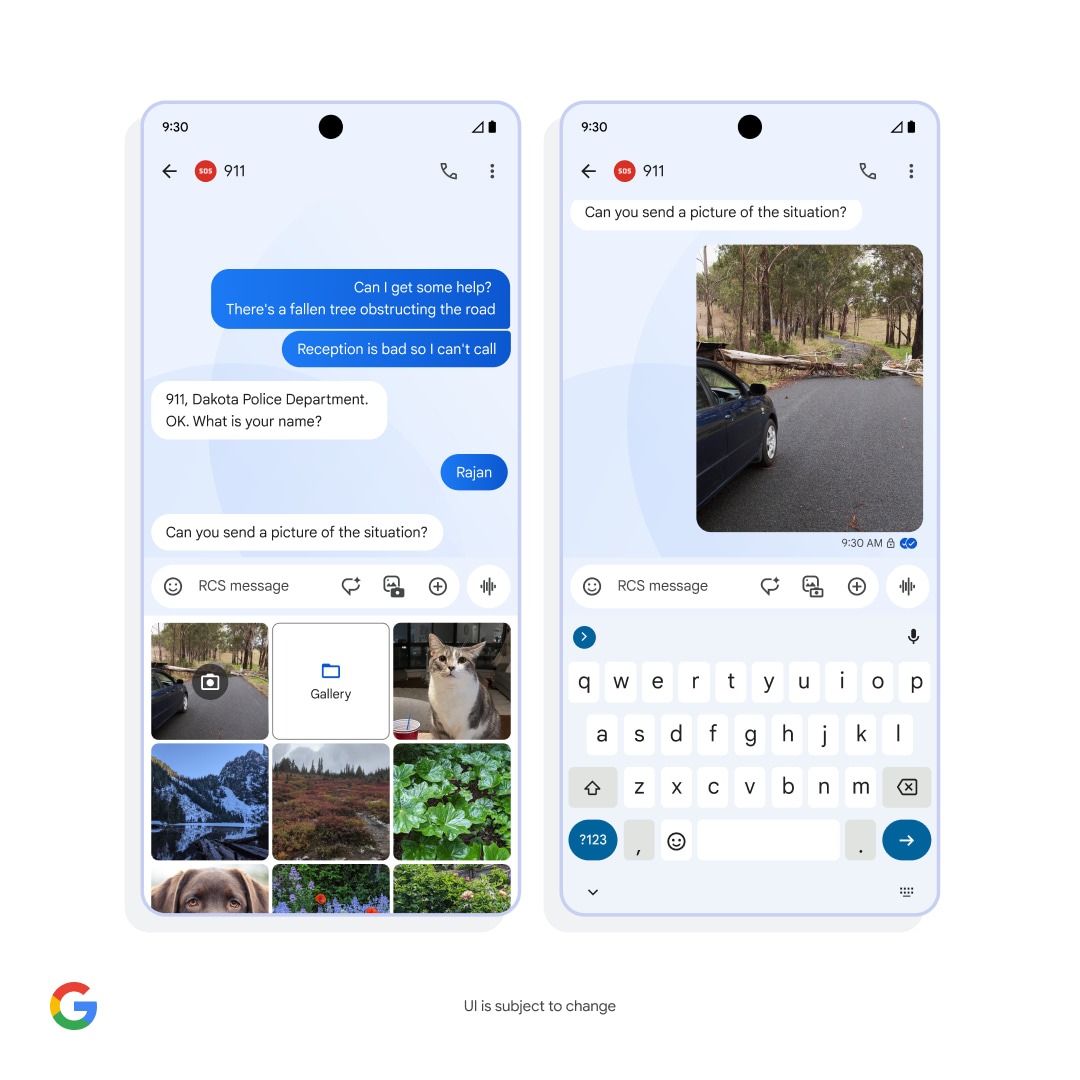
On June 06,20204 Googleannounced a partnership that will allow Android users to message 911 through RCS. The capability is set to start rolling out this winter.
Communicating with 911 over SMS is possible in “some locations” today, but it’s not widespread. In fact, it’s “only available for around 53% of U.S. emergency responder call centers.”
Using Google Messages, those on Android will be able to text 911 using Rich Communication Services. This will let you see read receipts and typing indicators from emergency responders, thus eliminating the “uncertainty of waiting to see if your messages went through.”
Compared to SMS, RCS will allow you to send pictures and videos. Google says high-resolution media could “aid a faster and more effective response from emergency service providers.”
The last benefit is the ability to “share your precise location and additional information automatically through Android Emergency Location Service.” This can include your “language settings and opt-in Medical Information, so emergency responders know exactly where to go and can get helpful details from you even if you’re unable to reply.”
Google is partnering with emergency technology company RapidSOS on this launch. RCS support will “gradually roll out” to “emergency call centers across the U.S. starting this winter.” RapidSOS says that “Google’s RCS to 911 service will be made available at no cost to every 911 agency in the United States.”
More broadly, Google has a goal of making “RCS the standard for emergency services texting everywhere.”
As part of our commitment to user safety, we’re actively working with partners across the industry to expand access to emergency services through RCS.
On a different note, look at the tweaked media gallery in that “UI is subject to change” mockup. Instead of a large camera card, you get a consistent grid for the live preview, Gallery/Folders, and seven other images. You get to see more of your camera roll before having to scroll.
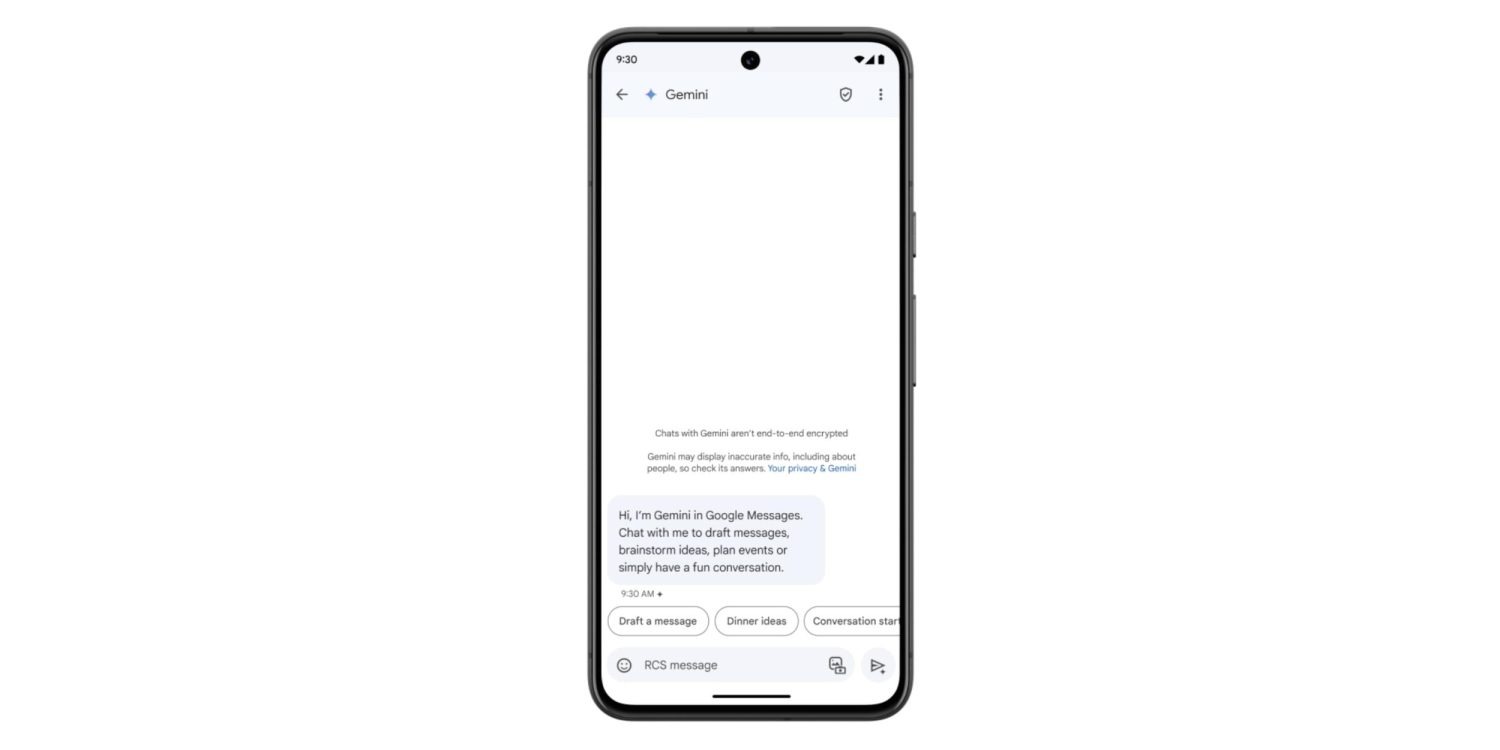
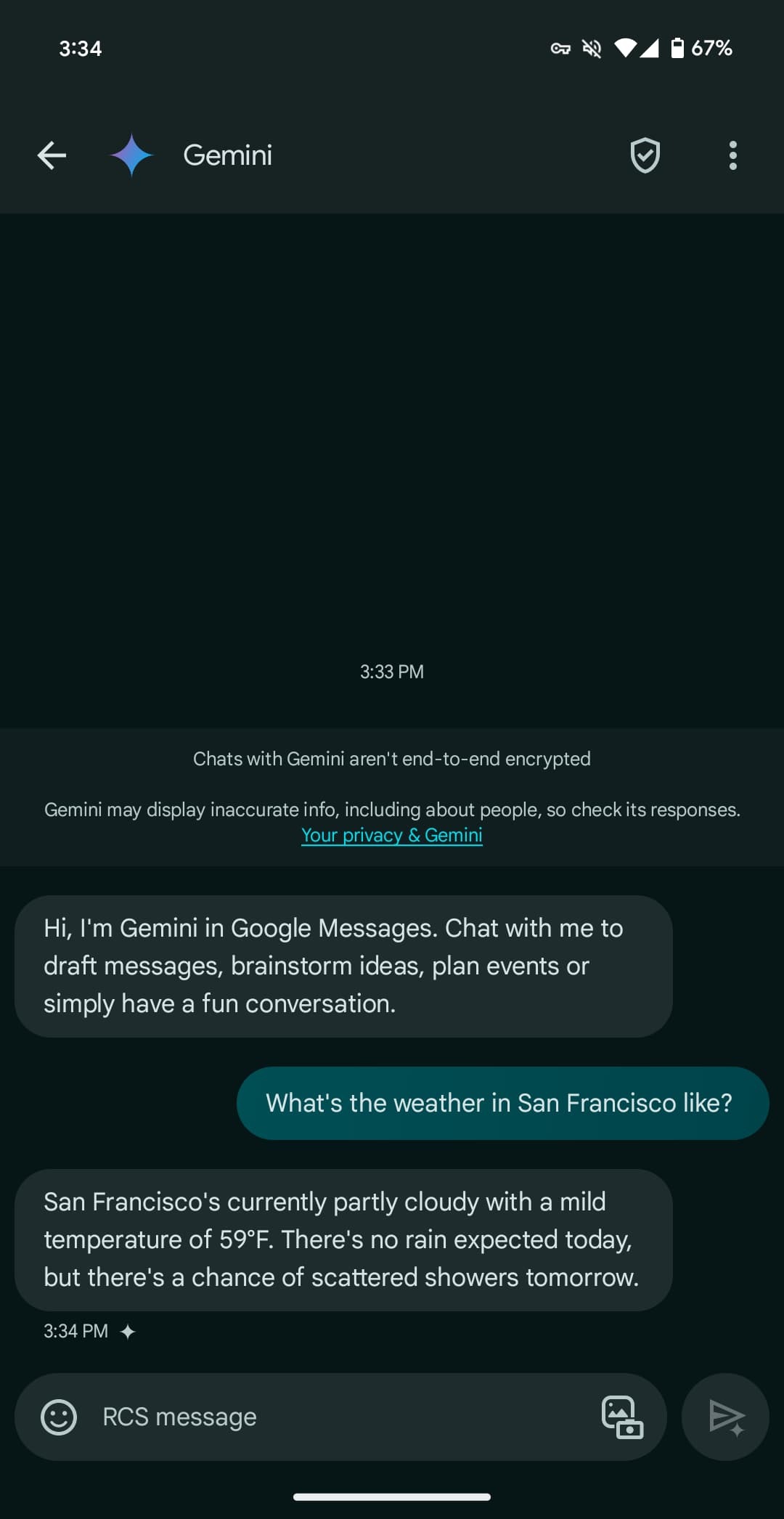
Following the announcement at I/O 2024, Gemini in Google Messages has been widely rolling out to stable users over the past few days. It joins recent launches like Gemini 1.5 Pro in Gemini Advanced and the YouTube Music Gemini Extension.
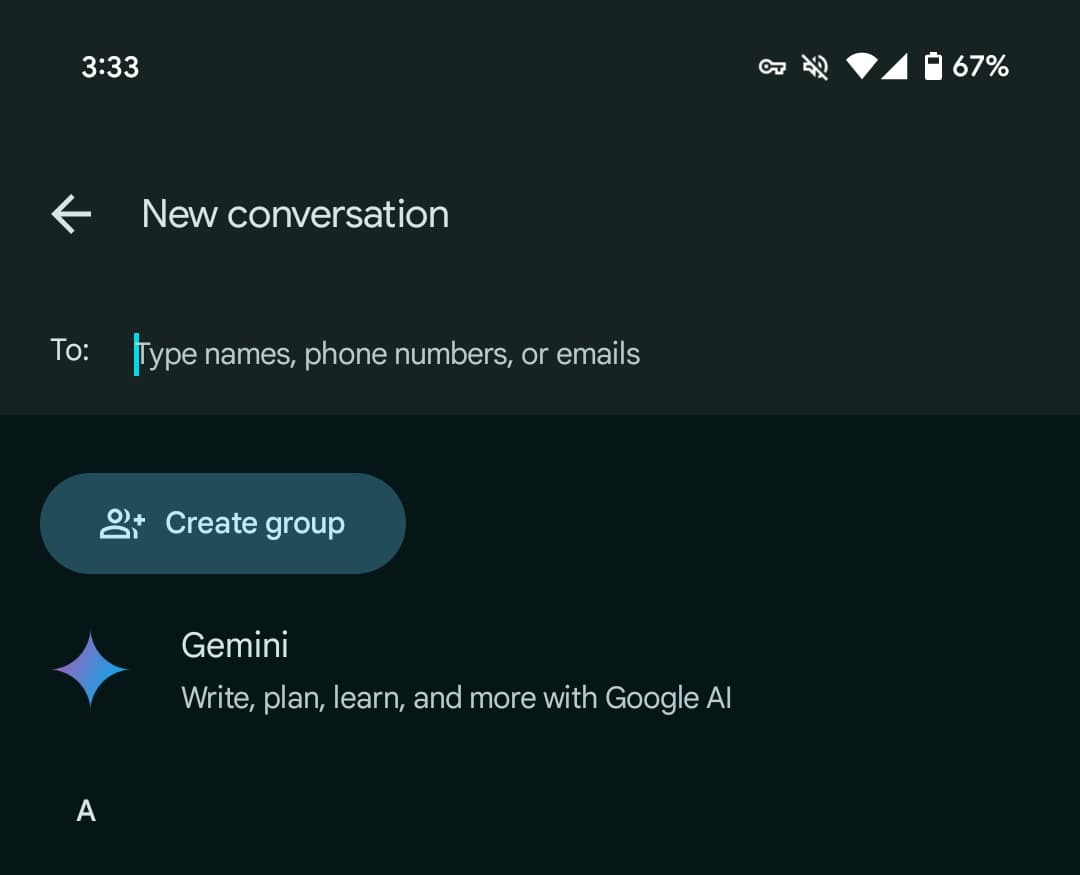
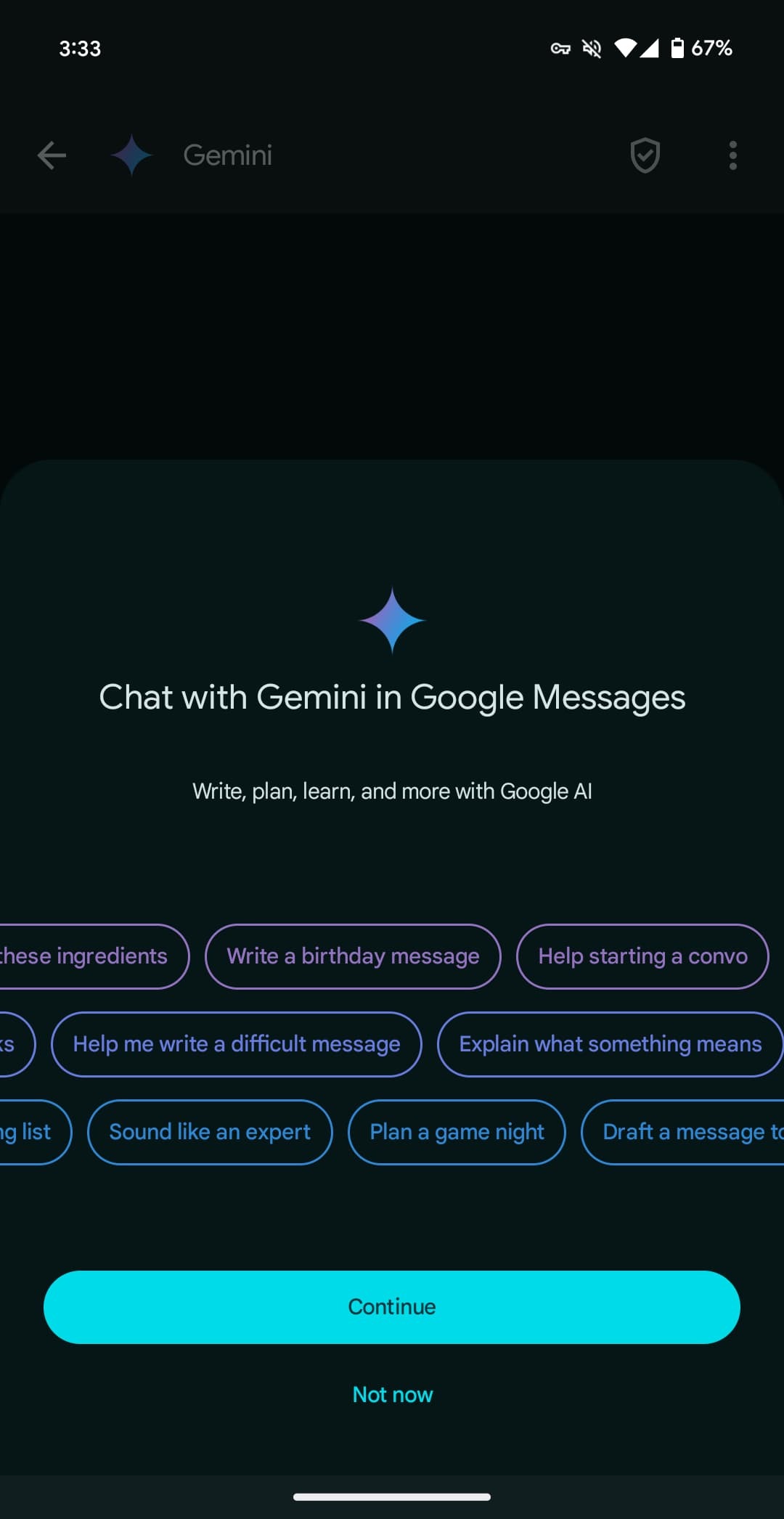
Once available, Gemini will appear as the first contact in the Start chat FAB > New conversation list. After agreeing to some terms, you’re taken to a fairly standard messaging UI. You have emoji and the gallery in the text box, with the ability to upload images for the prompt but not audio memos.
Gemini here can be used to “draft messages, brainstorm ideas, plan events, or simply have a fun conversation.” It has been optimized to deliver more concise responses.
You’re having a direct 1:1 conversation with Gemini, which cannot be pulled into other conversations, like Assistant in Google Allo years ago.
There’s support for Gemini Extensions, like Workspace (@Gmail, etc.), @YouTube, and @GoogleMaps, but the “YouTube Music extension isn’t available in Gemini in Google Messages.”
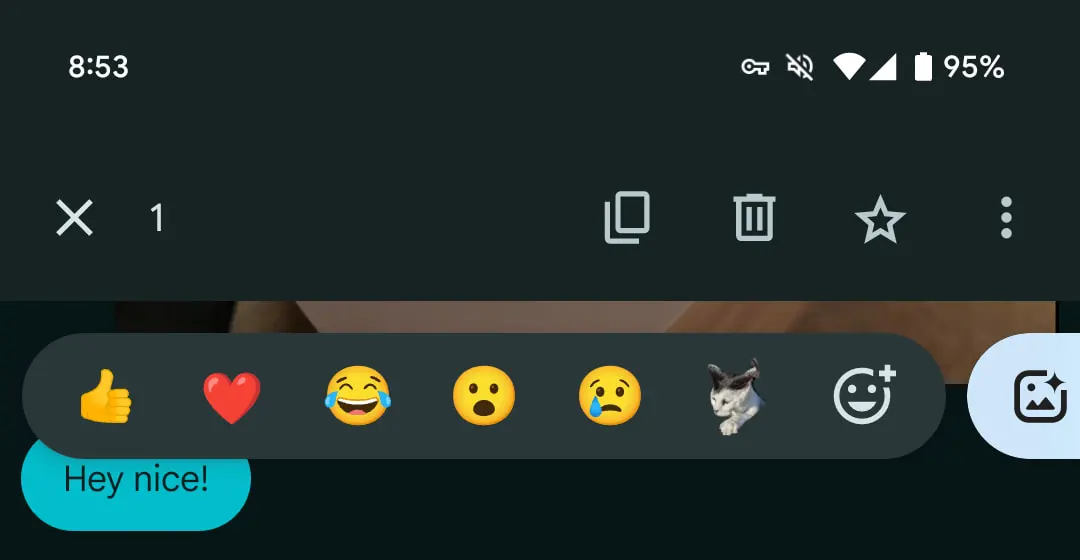
You can long-press on a response to leave thumbs up/down feedback, with the ability to star and forward also available. Conversations are happening over RCS, which has to be generally enabled, but they are not end-to-end encrypted. Gemini cannot be accessed usingmessages.google.com/web or the Wear OS app (where the chat won’t even appear).
Gemini in Google Messages is rolling out globally — except to the EEA, UK, Switzerland, or India — with support for English and French in Canada. It has been available to betausers since March.
Google Messages is rolling out its own camera UI that replaces your phone’s default viewfinder.
You can access the built-in camera from within a conversation or the shortcut that appears on the homescreen next to search.
Previously, Google Messages just used the system camera app. On Pixel devices, you could adjust Exposure, White Balance, and set a Timer.
This new viewfinder, which is built with Compose, is more basic. You can still adjust the zoom level with three defaults above the shutter and pinch to zoom beyond that, but the only other settings are flash in the top-right corner and switching between the front and rear-facing cameras. There are unfortunately no grid options.
One new feature is directly switching between the Photo and Video modes from the bottom of the camera. Previously, Google Messages made you choose before entering the fullscreen UI.
This just started rolling out via a server-side update and we’re seeing it with the latest beta version (20240312_00_RC00) .
A custom UI should allow Google Messages to add more expressive features down the road, but the loss of camera controls by not using the default view is unfortunate.
How Google Messages will let you edit recent sends
While we wait for a slew of existing features to roll out, Google Messages is working on the ability to edit what you’ve recently sent.
It’s a staple of modern messaging services at this point. Long-press on a message you sent and a new “Edit” pencil icon — as shown by AssembleDebug — will appear in the toolbar at the top next to copy, delete, star, and overflow. Editing is available to messages sent in the last 30 minutes.
This will place that message in the compose field for you to edit, with a checkmark in place of the send button.
Strings in the latest beta today (version 20240213_01_RC00) indicate that Google will note the “Original message” in addition to what it was “Edited to”:
<string name=”edited_message_title”>”Edited to: “</string>
From what was enabled by AssembleDebug today, something you’ve edited is sent as a new message for those that don’t have the feature active. What could be happening behind-the-scenes is that the receiving Google Messages client is more or less interpreting that edit and seamlessly displaying it to the recipient. This would be similar to how emoji reactions work today with the iPhone.
Meanwhile, this beta also reveals that the double tap gesture will also work to remove a reaction.
Google Messages might be switching to double tap to react
Following the wide rollout of Photomoji a few weeks ago, Google Messages is readying a small change wherein you double tap to react.
About APK Insight: In this “APK Insight” post, we’ve decompiled the latest version of an application that Google uploaded to the Play Store. When we decompile these files (called APKs, in the case of Android apps), we’re able to see various lines of code within that hint at possible future features. Keep in mind that Google may or may not ever ship these features, and our interpretation of what they are may be imperfect. We’ll try to enable those that are closer to being finished, however, to show you how they’ll look in case that they do ship. With that in mind, read on.
Now, you long-press on a text or chat to get the tray of emoji and Photomoji options. The latest Google Messages beta (version 20240208_00_RC00) adds a promo string detailing how double_tap_to_react is coming. This change is not yet live.
It remains to be seen whether you still press and hold to access copy, delete, star, share, forward, and view details from the top toolbar. Divorcing how you react in Google Messages and that menu makes some sense. That said, I’m not sure there will be much of a time savings.
Meanwhile, this beta release renames various Bard strings to Gemini now that the rebrand is live. It would suggest Google is proceeding with this one-to-one chatbot inside Messages.
Google Messages rolls out text field redesign with shortcuts bar [U]
2023 Google Messages is rolling out a redesign of the compose text field that features a dedicated shortcuts bar.
Update 1/30: Over the past few days, this redesign has widely rolled out to the stable channel (version 20240116_01_RC04).
Update 1/27/24: The redesigned RCS and Text message field is starting to appear for those not enrolled in the Google Messages beta.
Compared to the other features announced in late November, Google never detailed this change. At the start of this month, Photomoji and Magic Compose exited beta. (Animated emoji is also widely available.) Other capabilities like Custom Bubbles, Voice Moods with a redesigned recorder, and Profiles are not widely available yet.
Despite the standalone button, the redesigned voice recorder with Voice Moods is not yet rolled out for most users. The same can be said of Custom Bubbles and Profiles.
Original 12/2: Historically, the RCS/Text message field takes up the right two-thirds of your screen and expands to hide the “plus,” gallery, and Magic Compose buttons as you enter more text. At the other end, you get emoji and voice memo shortcuts.
I don’t like it. I like the text box more to the right with the icons on the left. I don’t have this change yet and I’m not looking forward to to. Also, the voice recording button doesn’t work for me and if I tap it then the other buttons on the left like emoji and add picture stop working. It took me a while to figure out that’s why the other buttons weren’t working. I have to close and reopen the keyboard to fix it.
Google Messages is now switching to a left-aligned text field with an emoji button up first. You then get Magic Compose, gallery (which has a new icon), and the plus, which is now on the opposite end. The voice recorder, which is getting thoroughly revamped with Moods, is now its own separate button outside the pill.
As some have pointed out, it’s somewhat odd that the text field is aligned to the left when the messages you send continue to appear at the right.
Meanwhile, when you start typing, there’s a new UI that’s split into two lines. The text field is at the top, while a bar keeps all the shortcuts on the same strip. This makes for a slightly more complex/heavy interface that might take some time to adjust to.
Some users in the Google Messages beta are already seeing this text field redesign with the dedicated bar, but it is not yet widely rolled out, which is also the case with the other functionality Google announced last November 2023.
End users just called it “Google Messages,” and that’s now the name in the Play Store listing. The new branding is also reflected in yesterday’s blog post:
To celebrate our one billion milestone, Google Messages is introducing seven fun new ways to express yourself when communicating and connecting with other Android users – from shared themes and screen effects to AI-powered reactions.
Before this, the big homescreen redesign paired the four-color “G” with “Messages” in the top-left corner of the app bar.
The application is still just called “Messages” on Android. It remains to be seen whether “Phone by Google” will be getting a similar update to “Google Phone.”
Meanwhile, here’s a look at the upcoming Custom Bubbles feature that we enabled. From a conversation’s overflow menu, you’ll find a new “Change colors” option. Including the default, there are nine themes in total, with the picker providing a preview. The color you or the recipient selects will remain synced. It is not yet widely rolled out for beta users.
Google is all-in on Rich Communication Services (RCS) as its main consumer messaging strategy. That said, Google Messages is working on the ability to have video usually sent over MMS be sent using Google Photos instead.
About APK Insight: In this “APK Insight” post, we’ve decompiled the latest version of an application that Google uploaded to the Play Store. When we decompile these files (called APKs, in the case of Android apps), we’re able to see various lines of code within that hint at possible future features. Keep in mind that Google may or may not ever ship these features, and our interpretation of what they are may be imperfect. We’ll try to enable those that are closer to being finished, however, to show you how they’ll look in case that they do ship. With that in mind, read on.
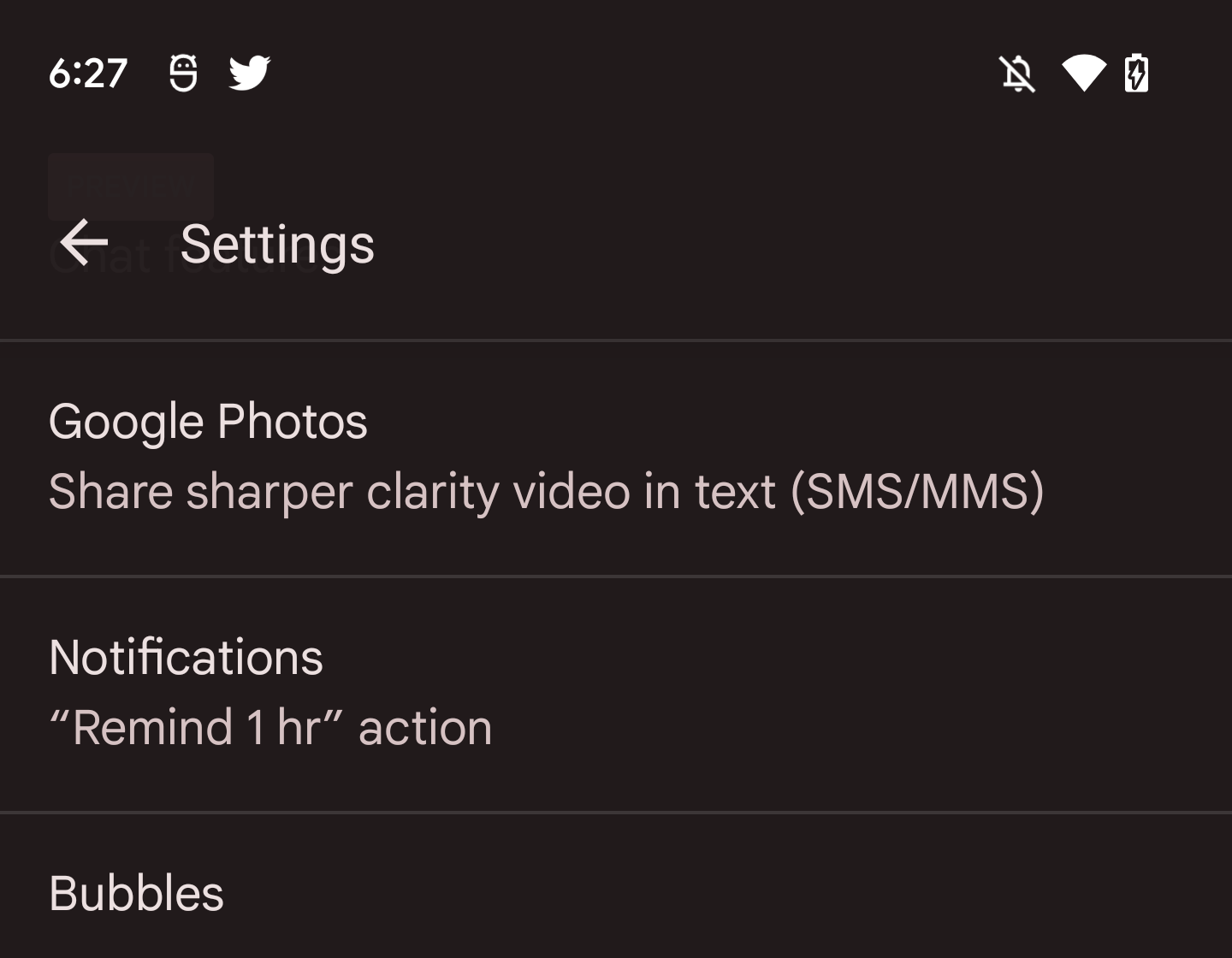
The Google Messages 10.4 beta reveals work, which looks to just be getting underway, on this capability. We’ve enabled a new preference in Settings called “Google Photos”:
Share sharper clarity video in text (SMS/MMS)
From that brief description, it seems that users will be able to send a video over Google Photos instead of using MMS when in a text/SMS conversation. This will presumably involve the video being uploaded directly to Google Photos with the other user receiving a link, rather than the video itself going over the SMS/MMS network.
There could be some integration where the clip plays directly in the Messages app instead of taking users to Photos, or it could be the standard Photos sharing URL. Another question is how integrated this experience will be in regards to sharing permissions and avoiding duplicate uploads. For instance, will videos sent via Messages appear in the Google Photos “Sharing” tab?
With RCS adoption increasing in the future, this capability, if it launches, makes for an interesting stopgap measure. When you send images and videos as “chats,” they are uploaded to the cloud, and the recipient, behind the scenes, receives a link that automatically loads/plays in Messages. Quality is already a solved problem in RCS.
Then again, MMS video quality is quite bad, and any improvement would be a meaningful upgrade for users.
Thank you for using
Themify Popup
This is a sample pop up. Themify Builder or Builder Lite (free) plugin is recommended to design the pop up layouts.