


❤ Some changes on iOs 18 official public release

New Control Center in iOS 18 will have multiple pages, here’s what that means for you
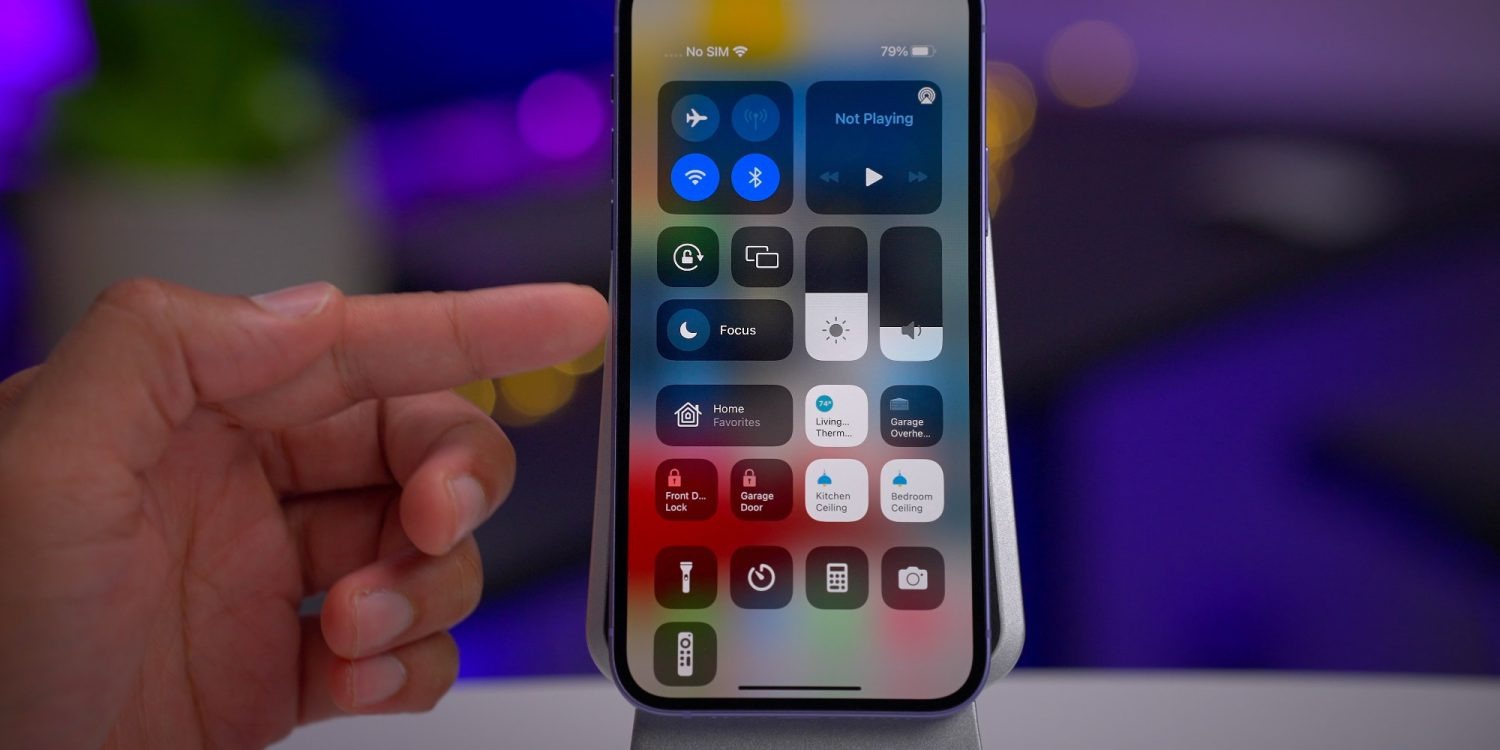
iOS 18 will be fully unveiled today at the WWDC keynote. According to one of the late breaking rumors, the iPhone update will introduce a redesigned Control Center.
One core feature of the new Control Center is the ability to place controls on multiple separate pages, rather than the single-page view currently available. Here’s what that means for you.
Control Center gets more powerful than ever
Mark Gurman writes for Bloomberg:
Control Center…will get an updated interface that allows shortcut buttons to be rearranged within the Control Center view itself and placed across multiple pages. It will also have a new music widget and an updated interface for controlling smart home appliances.
All the way back in iOS 10, Apple introduced a version of Control Center that spanned multiple pages. You could swipe between three different sets of controls. Unfortunately, those controls were not at all customizable.
What Apple has planned for iOS 18 will, in a small way, harken back to that long-forgotten design. Mostly though, it will be a brand new thing that’s more powerful than ever.
Creating your own multi-page Control Center in iOS 18
Currently in iOS 17, Control Center has some customization options. You can open Settings ⇾ Control Center and modify which particular controls show up in Control Center. But certain controls can’t be adjusted—elements like the Now Playing, Focus, and connectivity controls are all static. Their location can’t be changed, and they can’t be removed.
In iOS 18, reports like Gurman’s indicate that a lot more customization power is coming to users.
Consider what Apple has done with the iOS widget system over the past few years. Widgets can be placed and organized on your Home screen and Lock screen to provide exactly the controls you care about most.
It sounds like something similar is coming to Control Center.
Like when you enter ‘jiggle mode’ on the iPhone’s Home screen, in iOS 18 you will be able to rearrange, add, and delete controls right from the Control Center interface. No more going into Settings first.
A core component of this newfound freedom will be the ability to create multiple pages of controls. Unlike the static options in iOS 10’s design, with iOS 18 you should be able to create fully customizable pages that suit your needs—just like you can with Home screen pages using apps and widgets.
This additional screen real estate should pair nicely with the reported changes to the Now Playing and Home controls, which could take up more space than before. Apple could also stop hiding extra control layers behind a long-press. This would benefit not only the Now Playing and Home controls, but also Focus, volume controls, and more.
Will third-party apps be able to tap into Control Center?
This may be a bit radical, but it would be amazing to see Apple open Control Center up to third-party developers, too, so apps can offer up their own custom controls there.
Building on the foundation established by widgets, enabling third-party controls makes a ton of sense. It’s very much in line with what the company has done in recent years with widgets.
Wrap-up
I’m really excited about the possibilities for Control Center in iOS 18.
Apple could promote this newly capable, redesigned Control Center as part of a broader push toward greater customization options for iPhone users. You’ll be able to customize your Home screens in more ways than ever in iOS 18, so why not Control Center too?
Report: iOS 18 will tint iPhone app icons in dark mode, allow users to lock apps behind Face ID
On the day before WWDC, we have a couple more reports about some non AI-related iPhone software, which Apple will officially announce tomorrow as part of iOS 18.
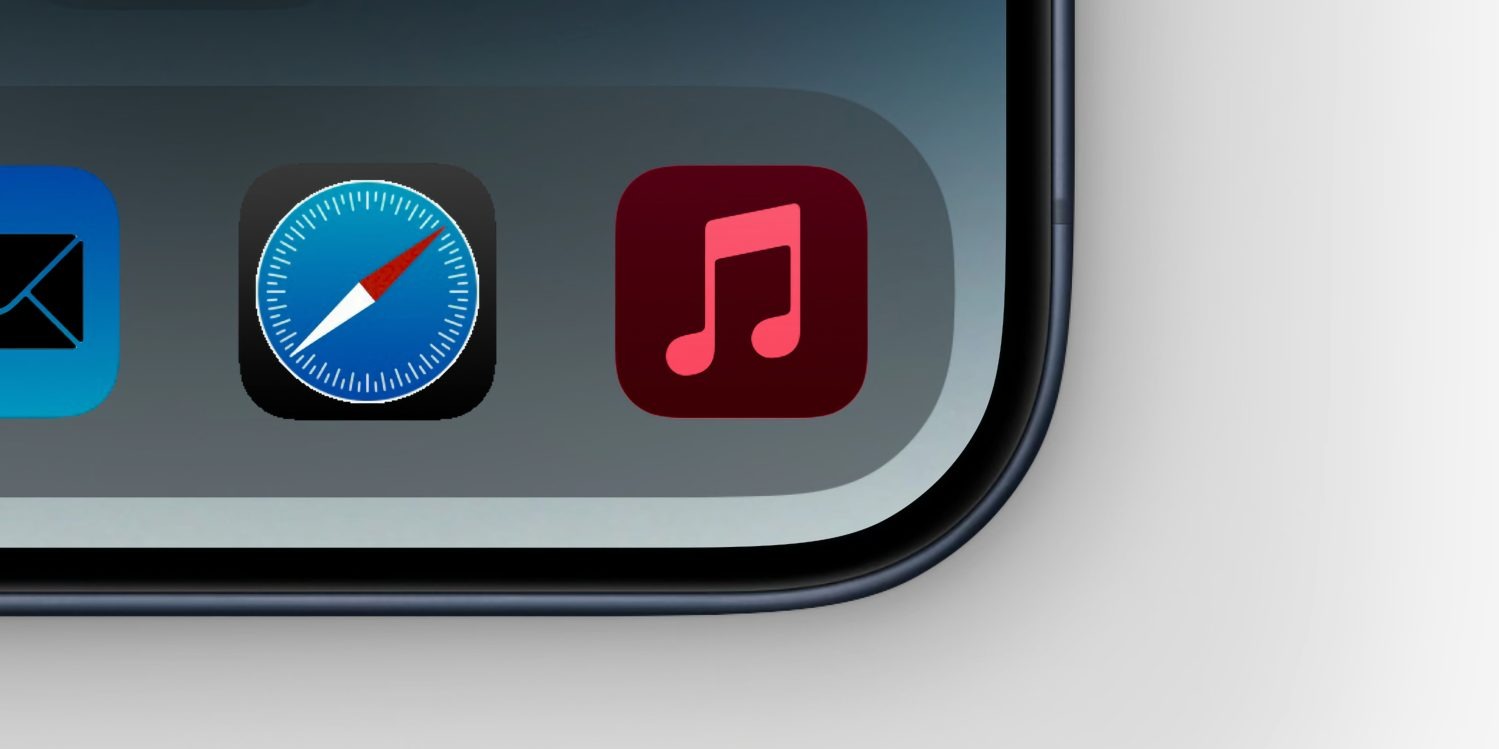
MacRumors reports that app icons will change color in Dark Mode for the first time, with a dark tint to match the darkened system chrome. The site also reports that the system will gain the ability to lock access to apps behind Face ID or Touch ID biometrics, on every app launch.
The idea of recoloring app icons has already been rumored for iOS 18, in the context of it being presented to the user as an option to personalize their device, as part of wider some screen layout changes.
What MacRumors suggests is that apps may also be able to opt-in to automatically changing their icon when the phone is in its Dark Mode appearance. The exact implementation method is not known. Perhaps developers will be able to choose a light icon and a dark icon, and the OS automatically switches when the system Appearance setting changes. Or, maybe the OS uses the single asset and renders a dark theme tint to it programatically, like changing the white background on many app icons to black.
MacRumors talks about the feature in the context of Apple’s app like Music and Mail, but presumably there would also be a way for third-party developers to support the feature as well.
Locking apps behind biometrics authentication or a passcode has been a feature on Android for a long time. It allows people to hand off their unlocked phones to others — perhaps to show them a website or a photo they just took — without fear of prying eyes.
Up to now, Apple has implemented this concept in select apps. For instance, with iOS 17, Private Browsing mode in Safari can prompt for Face ID authentication to access, as well as the ‘Recently Deleted’ and ‘Hidden’ album in the Photos app. Individual notes in Notes can also be locked with biometrics/passcode.
For iOS 18, it sounds like Apple will move on from this piecemeal approach to instead offering a system feature that allows users to choose which apps will require an additional authentication step before they will open. It’s currently unclear if this feature will only work with the built-in Apple apps, or if third-party apps from the App Store will also be able to be locked down.
We’ll know for sure today, when Apple’s WWDC keynote event kicks off at 10 AM Pacific Time ( 3:00 AM Monday, in Sydney NSW, Australia ). Expect iOS 18, watchOS 11, tvOS 18, visionOS 2 and a new version of macOS to be unveiled. A big theme of the event will be AI, with Apple launching a combination of on-device and cloud-powered artificial intelligence features under the collective brand of ‘Apple Intelligence‘.

