


CRITICAL iPHONE 11 SCREEN REPAIR: WHAT WENT WRONG?

CRITICAL iPHONE 11 SCREEN REPAIR: WHAT WENT WRONG? (7 Common Mistakes You Must Avoid)
Introduction
Cracked screens, unresponsive touch panels, and dull displays — these are some of the most common issues iPhone 11 users face. While the iPhone 11 is known for its durability and vibrant display, even the most careful users can’t always avoid accidental drops or impacts. When that happens, the first instinct is to get the screen fixed quickly and cheaply. But here’s the catch — not all screen repairs are created equal.
Many iPhone 11 owners learn this the hard way: after a poorly done repair, their device may develop new issues such as Face ID failure, flickering screens, color inaccuracy, or loss of water resistance. What was supposed to be a simple fix turns into an expensive and frustrating experience.
In this article, we’ll uncover what often goes wrong during iPhone 11 screen repairs, explore the most common mistakes made by DIY enthusiasts and unqualified technicians, and show you how to avoid these pitfalls. You’ll also discover why choosing a trusted and certified service provider — like Sydney CBD Repair Centre, a six-time award-winning repair shop — ensures your iPhone gets back to perfect working condition safely and efficiently.
Whether you’re considering a DIY replacement or searching for a reputable Sydney repair shop, this guide will help you make informed decisions, protect your investment, and keep your iPhone 11 looking and functioning like new.
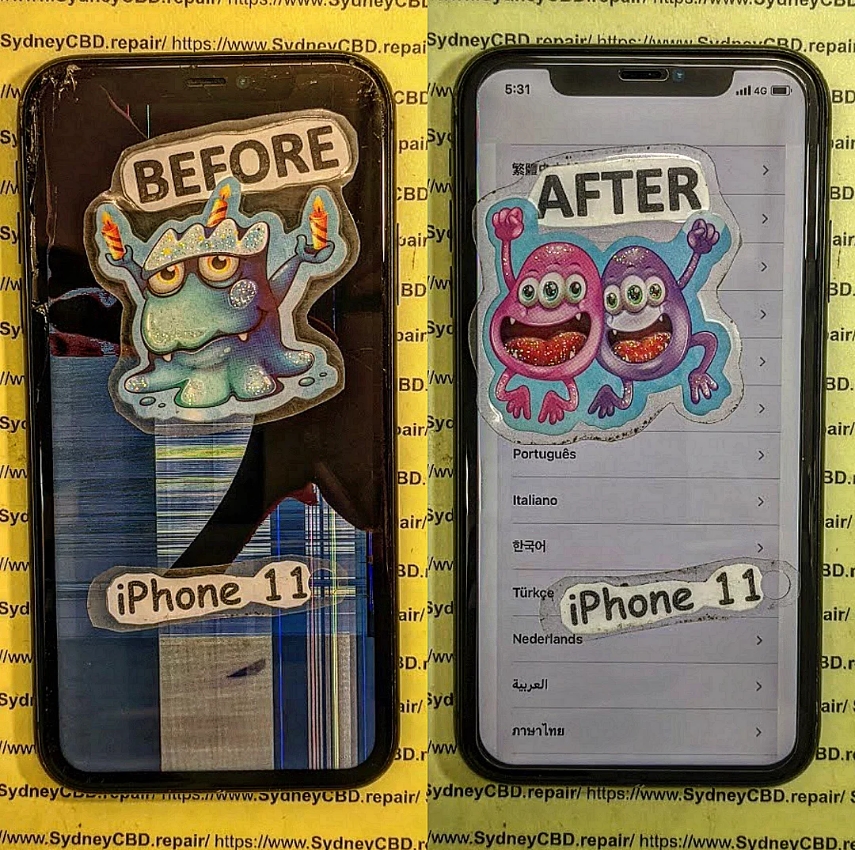
🧩 Critical iPhone 11 Screen Repair: What Went Wrong?
When your iPhone 11 screen cracks or stops responding, the urge to fix it immediately is understandable. However, a quick or cheap repair often leads to further damage, especially when the technician isn’t trained or uses non-genuine parts. The iPhone 11 is a high-precision device, and its screen system includes sensors, cameras, and complex connectors that require expertise to handle.
This article reveals the 7 most common mistakes people make during iPhone 11 screen repairs — and how you can avoid them by choosing professional repair services like Sydney CBD Repair Centre, Sydney’s top-rated phone repair shop six years in a row.
🧠 Understanding iPhone 11 Screen Complexity
Unlike older iPhone models, the iPhone 11’s screen integrates several high-tech components:
- OLED or Liquid Retina Display (LCD) technology
- True Tone and Haptic Touch features
- Face ID sensors and front camera module
- Water-resistant adhesive seals
Because of this complexity, replacing an iPhone 11 screen isn’t just about removing glass. It’s about maintaining display accuracy, water resistance, and functionality. That’s why professional handling is critical.
🔍 OLED vs LCD – Why It Matters
Apple’s iPhone 11 uses a Liquid Retina HD (LCD) display, unlike its Pro models that feature OLED. But both screen types are sensitive to improper repairs.
| Feature | OLED | LCD |
|---|---|---|
| Display Type | Organic Light-Emitting Diode | Liquid Crystal Display |
| Color Accuracy | Superior | Very Good |
| Repair Cost | Higher | Moderate |
| Durability | Slightly lower | Better resistance |
| Common Issue | Burn-in risk | Backlight bleeding |
Choosing the wrong screen type or using low-quality third-party panels often results in dull colors, poor brightness, or dead pixels — problems that only worsen over time.
⚠️ Common Mistakes During iPhone 11 Screen Repairs

Even small repair errors can cause irreversible damage. Below are seven critical mistakes every iPhone 11 owner should know.
⚙️ Mistake #1: Using Cheap Replacement Screens
While it’s tempting to save money, cheap screens lack Apple’s calibration and quality control. These parts often:
- Display inaccurate colors
- Reduce touch sensitivity
- Fail True Tone detection
- Break more easily under slight pressure
A genuine iPhone screen may cost more upfront but saves money long-term by lasting longer and maintaining resale value.
🌈 Mistake #2: Ignoring True Tone Calibration
True Tone automatically adjusts color temperature based on ambient lighting. When you replace your screen, this calibration is lost unless transferred correctly using specialized tools.
Untrained technicians often skip this step, causing the screen to appear unnaturally blue or yellow, especially in low light.
😷 Mistake #3: Damaging the Face ID Module
The iPhone 11’s Face ID sensor sits dangerously close to the display flex cables. If mishandled during a screen swap, it can disable Face ID permanently.
Repairing Face ID damage often requires logic board work, which is expensive and complex — something only expert technicians like those at Sydney CBD Repair Centre can handle safely.
💧 Mistake #4: Poor Adhesive Application
Apple uses precision waterproof adhesives to maintain water resistance. Incorrect or uneven application leads to:
- Gaps around the frame
- Dust or moisture ingress
- Reduced structural integrity
A professional repairer uses factory-grade adhesive strips and presses to ensure a perfect seal, keeping your device resistant to spills and rain.
⚡ Mistake #5: Static Discharge and Motherboard Damage
Static electricity can fry delicate components on the iPhone’s logic board. Many DIY repairers forget ESD (electrostatic discharge) precautions. A single spark can destroy touch controllers or cause ghost-touch problems.
Professional shops use anti-static workbenches, gloves, and grounded mats to prevent this.
🧰 Mistake #6: Incorrect Tools Used
Using screwdrivers or pry tools not designed for Apple devices often strips screws or cracks internal glass shields. Precision tools like tri-point and pentalobe drivers are essential to avoid permanent damage.
🔄 Mistake #7: Skipping Post-Repair Testing
Some repairs end with screen replacement but skip diagnostics. Without testing:
- Proximity sensors might fail
- Display may flicker or freeze
- Face ID might not align
A professional repair shop conducts a complete 15-step diagnostic before returning your iPhone — ensuring every feature functions properly.
🧩 The Importance of Genuine Parts
Genuine parts not only fit perfectly but also maintain Apple’s color accuracy, responsiveness, and durability.
Non-genuine screens often lead to:
- Shorter lifespan
- Uneven brightness
- Overheating issues
Sydney CBD Repair Centre sources authentic and OEM-grade parts, ensuring your device performs just like new. That’s backed by their 90-day repair warranty.
📍 Choosing the Right Repair Shop in Sydney
With so many repair options available, it’s vital to choose a service that guarantees transparency and reliability.
🧾 Certification, Warranty, and Reviews
Before trusting your iPhone to any repairer, check:
- Certifications for Apple or electronic repair standards
- Warranty coverage on parts and labor
- Google Reviews and local reputation
A trustworthy repair shop should provide clear pricing, a written warranty, and same-day repair options.
🏆 Why Sydney CBD Repair Centre Excels
Located in the heart of Sydney, Sydney CBD Repair Centre has:
- 2000+ verified 5-star Google reviews
- 6-time “Best Mobile Phone Repair” award
- Expert Apple-certified technicians
- Genuine parts guarantee
- Same-day express repairs
They’ve built their reputation on transparency, quality, and trust, making them the go-to repair centre for iPhone 11 screen replacements.
👉 Visit: https://SydneyCBD.repair/locate-us
🛡️ Preventing Future Screen Issues
Once repaired, you can extend your iPhone 11 screen’s life by:
- Using a tempered glass protector
- Avoiding exposure to heat or moisture
- Keeping the device in a protective case
- Cleaning the display with a microfiber cloth
- Getting minor cracks repaired immediately before spreading
Simple precautions go a long way toward keeping your device in top shape.
❓ FAQs About iPhone 11 Screen Repair
1. How long does an iPhone 11 screen repair take?
Most professional repairs, including testing, take under 1 hour at Sydney CBD Repair Centre.
2. Does replacing the screen affect Face ID?
Not if done correctly by experts. Mishandling flex cables, however, can cause Face ID failure.
3. Is the new screen water-resistant?
Yes, when installed with original-grade adhesives by certified technicians.
4. Can I keep True Tone after a screen replacement?
Absolutely — if your repair shop uses data transfer tools to copy True Tone calibration.
5. Why does my new screen look dimmer?
This usually happens with cheap aftermarket panels that lack Apple’s brightness specs.
6. What warranty does Sydney CBD Repair Centre offer?
All repairs come with a 90-day warranty covering workmanship and parts.
🏁 Conclusion: Professional Repair for Peace of Mind

Your iPhone 11 deserves the best care. Avoiding cheap parts, untrained technicians, and improper repairs ensures long-lasting performance and perfect display quality.
Trust Sydney CBD Repair Centre — Sydney’s most reviewed and award-winning mobile repair shop — for your next screen replacement.
📞 Call: +61280114119
🌐 Website: https://SydneyCBD.repair/locate-us
David from Sydney CBD Repair Centre – The best place to fix mobile phones for six years in a row!
Top-rated mobile phone repair in Sydney with 2000+ positive reviews, genuine parts, and same-day repairs.



