


REPAIR SHOP SECRETS: The Most Common Phone Damage

REPAIR SHOP SECRETS: The Most Common Phone Damage You Must Know + Expert Tips + 7 Shocking Facts
Introduction: Why Phone Damage is More Common Than You Think
In today’s fast-paced digital world, our smartphones are more than just gadgets—they’re our lifeline to work, family, and entertainment. Yet, despite how advanced these devices have become, phone damage is still one of the most common frustrations faced by millions of users worldwide. From cracked screens to failing batteries, accidents happen more often than people realize.
At Sydney CBD Repair Centre, we’ve repaired thousands of devices and witnessed firsthand the most frequent types of phone damage. Many of these issues are preventable with the right habits and protective measures. In this article, we’ll uncover the 7 most common phone damages, why they happen, how to avoid them, and when it’s best to leave the fix to professionals.
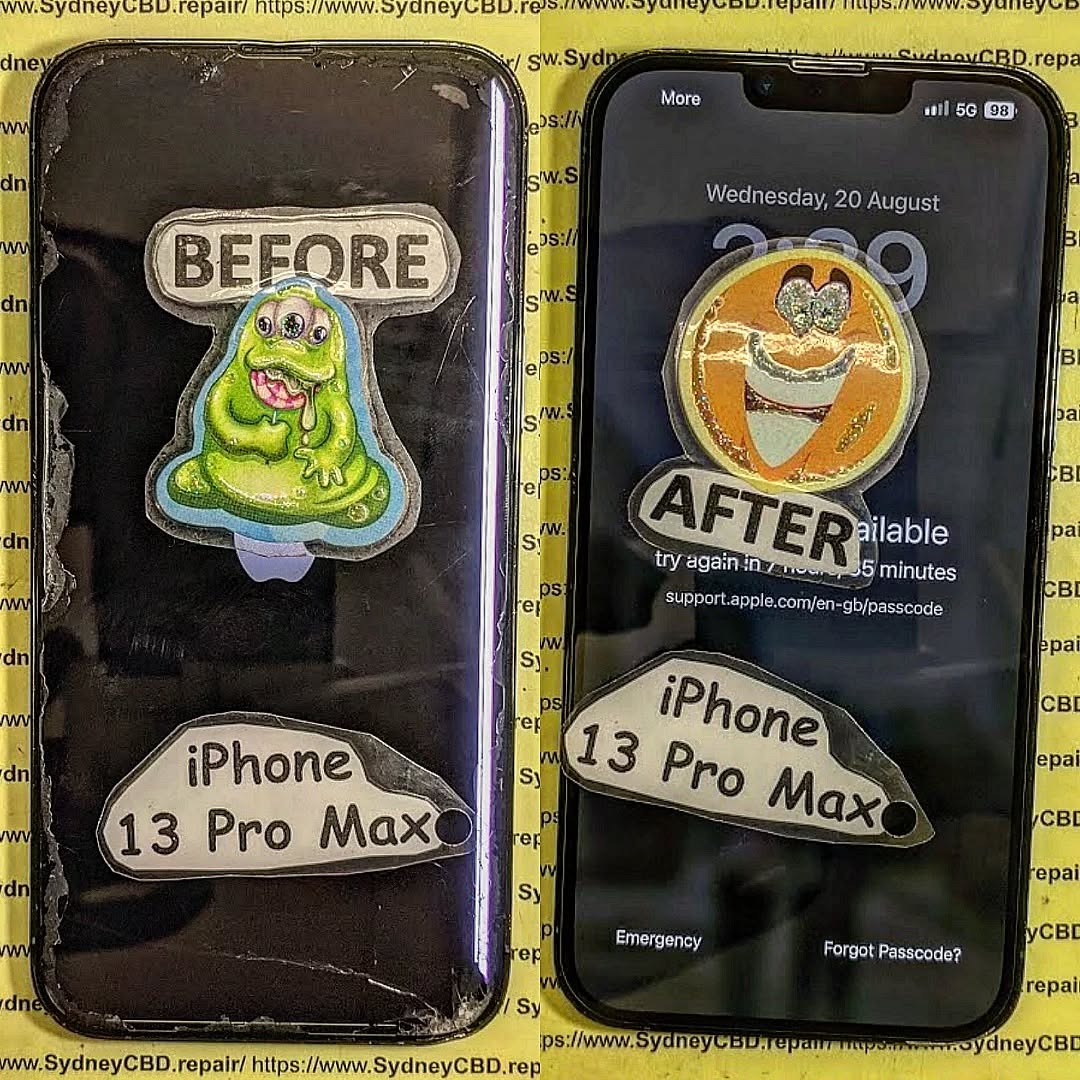
Cracked Screens – The Most Frequent Repair Case
If you’ve ever dropped your phone and picked it up with a cracked screen, you’re not alone. Screen damage is by far the most common phone issue brought to repair shops.
Causes of Cracked Screens
- Accidental Drops: The number one culprit, whether it’s from your hand, table, or pocket.
- Pressure Damage: Sitting on your phone or keeping it in a tight bag.
- Cheap Screen Protectors: Low-quality glass doesn’t absorb impact effectively.
Prevention Tips for Screen Protection
- Invest in a high-quality tempered glass protector.
- Use a durable phone case with shock absorption.
- Avoid placing your phone in your back pocket or under heavy items.
- Handle your phone with a secure grip when multitasking.
Even with the best precautions, accidents still happen. The good news is that screen repairs are one of the fastest and most affordable fixes, especially when handled by professionals using genuine parts.
Battery Damage – The Silent Phone Killer
A phone’s battery is like its heart—without a healthy one, the device can’t function properly. Yet, battery degradation often goes unnoticed until it becomes severe.
Signs of Battery Damage
- Rapid battery drain
- Phone shutting down unexpectedly
- Overheating during regular use
- Swelling of the battery casing
Extending Battery Life with Smart Habits
- Avoid charging your phone overnight regularly.
- Keep your phone between 20%–80% battery levels when possible.
- Reduce screen brightness and background apps.
- Use certified charging cables and adapters only.
Replacing a damaged battery can restore your phone’s performance and extend its life by years. At Sydney CBD Repair Centre, we use genuine batteries that maintain factory-grade performance and come with warranty.
Charging Port Issues – Why Your Phone Won’t Charge
One of the most frustrating problems is when your phone refuses to charge, even though your charger works fine.
Common Causes of Charging Port Failure
- Dust, lint, or debris clogging the port
- Frequent bending or tugging of the charging cable
- Water or liquid damage inside the port
- Loose or broken internal connectors
When to Replace vs Repair the Charging Port
- Minor Issues: Cleaning the port often resolves charging problems.
- Serious Damage: If pins are broken or corroded, professional replacement is necessary.
Trying to fix charging ports at home can worsen the damage. Professional repair ensures your phone charges safely without risking further motherboard issues.
Water Damage – The Repair Shop’s Worst Nightmare
Smartphones and water rarely mix well. Even with waterproof ratings, liquid exposure remains one of the trickiest repairs.
Signs Your Phone Has Water Damage
- Screen flickering or discoloration
- Phone won’t turn on after exposure
- Speakers producing muffled sound
- Fog or condensation under camera lens
What to Do Immediately After Water Exposure
- Turn the phone off right away.
- Avoid pressing buttons—it can push water deeper inside.
- Don’t use rice—it’s ineffective compared to professional drying.
- Bring your device to a repair centre within 24–48 hours for the best chance of recovery.
Water damage requires specialized ultrasonic cleaning and component inspection, something only experienced technicians can do effectively.
Camera Malfunctions – Blurry Photos & More
Smartphone cameras have replaced traditional cameras for most people, but when they fail, the experience is frustrating.
Why Smartphone Cameras Fail
- Physical damage to the lens
- Moisture inside the module
- Faulty image stabilization
- Software glitches interfering with camera function
Repair vs Replacement: Which is Best?
- Repair: Lens cleaning, calibration, or fixing loose connectors can restore clarity.
- Replacement: If the camera sensor is damaged, replacing the module is often more cost-effective.
Speaker & Microphone Damage – The Overlooked Problem
You can’t fully enjoy your smartphone if people can’t hear you, or if your calls sound distorted.
Causes of Sound Issues in Phones
- Dust or lint blocking speaker grills
- Water damage corroding audio components
- Loose internal connections
- Software misconfigurations
Professional Fixes for Clear Audio
- Cleaning or replacing speaker grills
- Re-soldering broken microphone components
- Testing and restoring audio IC chips when needed
Software Glitches – Not Always a Hardware Issue
Not all phone problems are physical. Sometimes, software errors mimic hardware failure.
When to Suspect Software vs Hardware
- Apps crashing frequently
- Phone freezing or restarting randomly
- Bluetooth/WiFi issues without visible hardware damage
Best Practices for Preventing Glitches
- Keep your OS updated
- Avoid installing unverified apps
- Perform regular system reboots
- Back up and reset when glitches persist
The Cost of Phone Repairs – What Customers Should Expect
Many people avoid repairs because they fear high costs. The truth is, repair prices vary depending on several factors.
Factors Affecting Repair Prices
- Phone brand and model
- Type of damage (screen vs motherboard)
- Availability of genuine parts
- Labour complexity
Hidden Costs to Watch Out For
- Shops using cheap third-party parts
- Short warranties that leave customers unprotected
- Overcharging for simple fixes
At Sydney CBD Repair Centre, pricing is transparent and always includes genuine parts plus a 90-day warranty.
DIY vs Professional Repair – Which is Smarter?
With so many YouTube tutorials, DIY repairs are tempting. But are they worth the risk?
Risks of DIY Fixes
- Potential to damage delicate components
- Voiding manufacturer warranties
- Using low-quality replacement parts
Benefits of Professional Repairs
- Expert handling of sensitive hardware
- Use of genuine parts with warranty
- Faster and safer turnaround times
How to Choose the Right Phone Repair Shop
Not all repair shops are created equal. Choosing wisely can save you money and stress.
What to Look for in a Trusted Repair Centre
- Genuine parts guarantee
- Experienced technicians
- Transparent pricing
- Warranty on all repairs
- Positive customer reviews
Red Flags to Avoid
- No warranty offered
- Suspiciously cheap pricing
- Poor customer service
- Lack of physical address
👉 You can check out Sydney CBD Repair Centre (Locate Us Here)—a trusted repair shop with 2000+ 5-star reviews and a 6-year streak as Sydney’s top repair centre.
FAQs – Answering Your Most Common Questions
Q1: How long do most phone repairs take?
Most common repairs like screen or battery replacements can be done within the same day.
Q2: Are third-party parts safe to use?
No. They often degrade performance and can cause further damage. Always insist on genuine parts.
Q3: Can water-damaged phones be fully repaired?
It depends on the extent of damage. Early intervention improves the chances of recovery.
Q4: How can I make my phone last longer?
Use protective accessories, charge smartly, and avoid exposing your phone to extreme heat or moisture.
Q5: Do repair shops back up data before fixing?
Professional shops advise customers to back up data before service, though some may assist with recovery if needed.
Q6: Is it better to repair or replace my phone?
If the cost of repair is less than 40% of the price of a new phone, repair is often the smarter choice.
Conclusion – Protecting Your Phone for the Future

Phone damage is common, but most of it can be prevented with the right care. From cracked screens to battery issues, knowing the risks and taking proactive steps can save you time, stress, and money.
For those inevitable accidents, trust the experts at Sydney CBD Repair Centre. With over 2000 positive Google reviews, same-day service, and a genuine parts guarantee, we’ve earned our reputation as Sydney’s #1 mobile phone repair shop.
📍 Visit us today: Sydney CBD Repair Centre
📞 Call: +61280114119
Because when it comes to keeping your phone safe and reliable—we’ve got your back.

