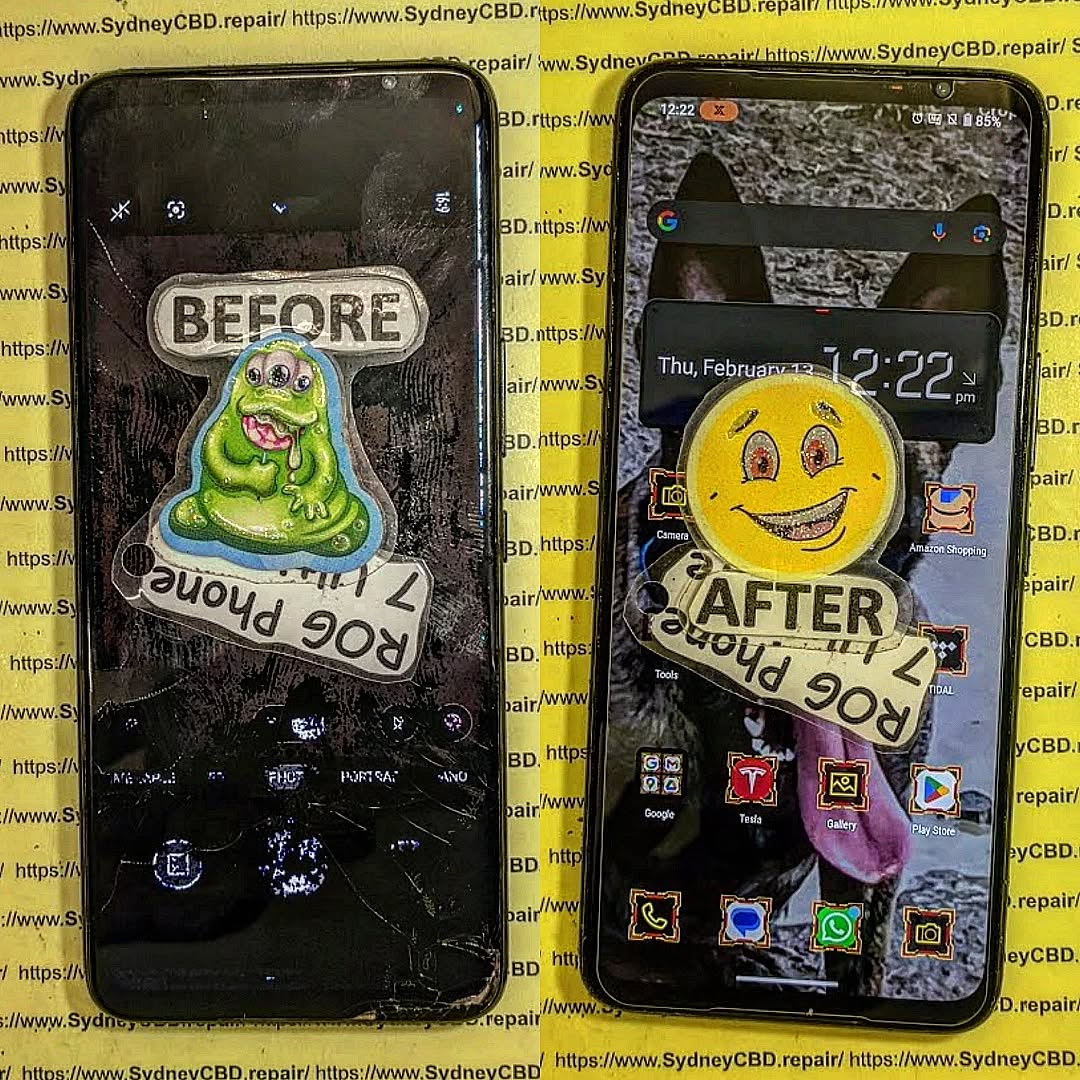
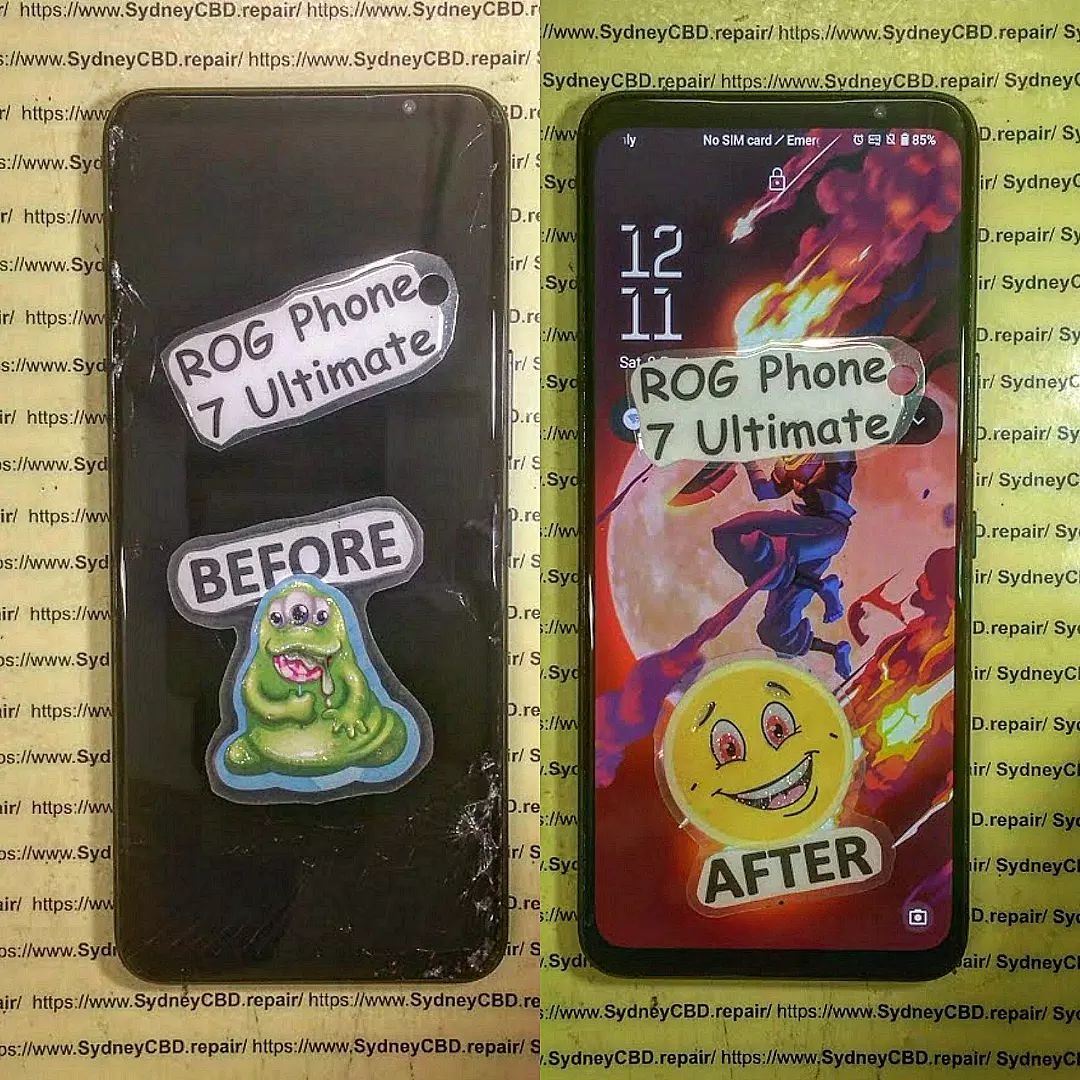
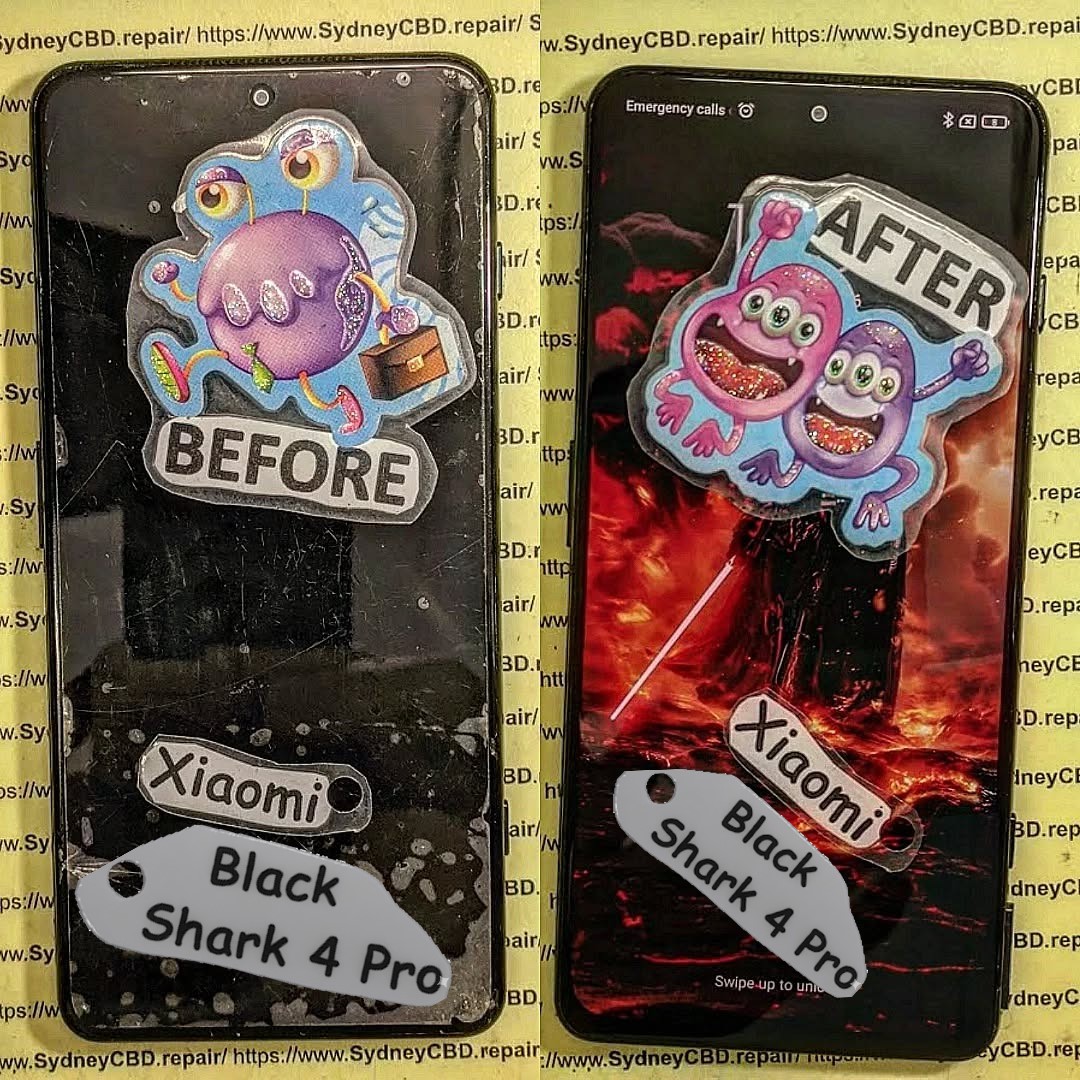
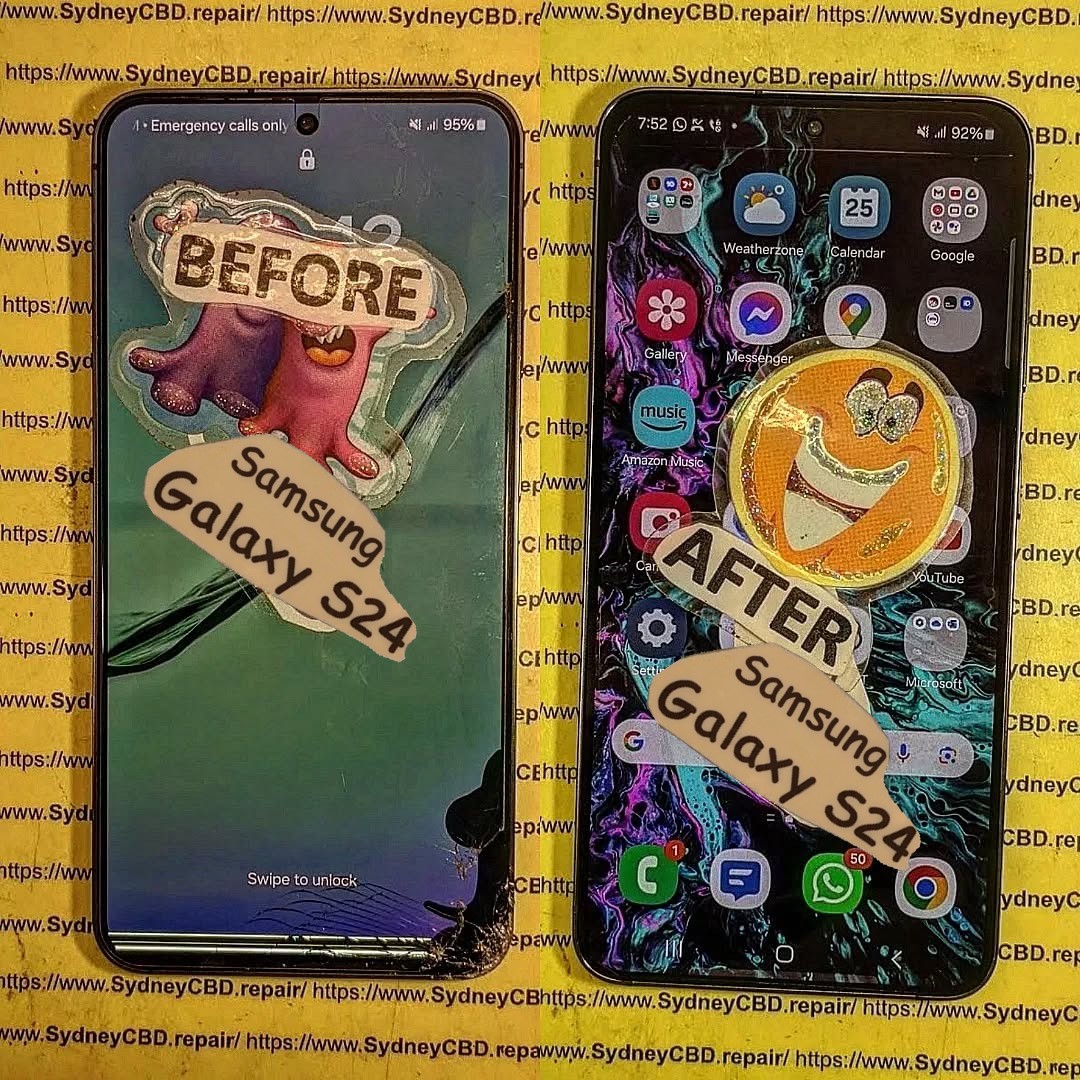
BEYOND THE SCREEN! Unseen Phone Repair Centre Tours
Introduction: A Look Inside the World of Phone Repairs
Most people drop off their phones at a repair shop and wait for a call saying, “It’s fixed!” But very few ever get to see what goes on behind the counter. Modern smartphones are intricate pieces of technology, and repairing them is as much an art as it is a science.
At Sydney CBD Repair Centre, we’ve been trusted by thousands of customers for over six years in a row as the #1 mobile phone repair shop in Sydney. With more than 2000+ positive Google reviews, our customers know we deliver speed, quality, and reliability. But today, we’re taking you on a special behind-the-scenes tour to uncover what really happens inside a professional phone repair centre.
The journey begins at the front desk, where our friendly staff listens to your concerns. Whether it’s a cracked screen, water damage, or a stubborn battery problem, we start by carefully diagnosing the issue. Transparency is key—so you’ll always know the repair cost, the parts we’ll use, and the estimated time.
Before any repairs begin, our technicians run comprehensive diagnostic tests. This includes checking the:
Screen responsiveness
Battery health
Internal sensors
Camera alignment
Audio and charging ports
This ensures we’re not just fixing the visible problem but also catching hidden issues before they cause trouble.
Step 3: Precision Repairs in the Workshop
Here’s where the magic happens. Behind the glass doors, our technicians work in a dedicated repair workshop with specialized tools.
Screen replacements are done with genuine OLED or LCD panels.
Battery swaps use manufacturer-grade batteries for maximum lifespan.
Micro-soldering work saves phones many shops would consider unfixable.
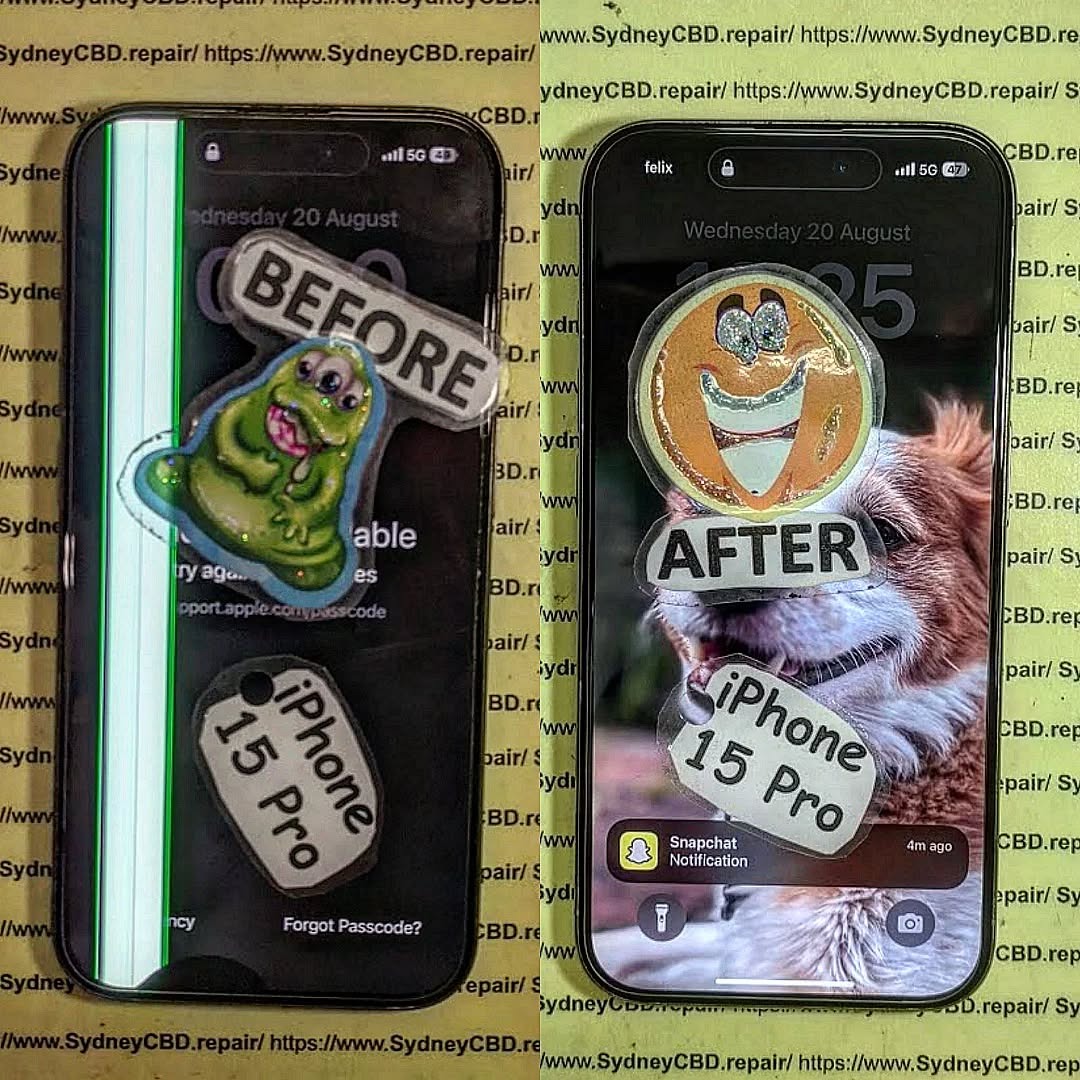
Every repair is done with steady hands and microscope precision, ensuring your phone leaves in like-new condition.
Step 4: Quality Assurance and Testing
After the repair, the device goes through multiple rounds of testing. We check touch sensitivity, screen clarity, charging speed, and even Wi-Fi connectivity. Nothing leaves our centre until it passes quality control.
Step 5: Customer Pickup
Finally, the best part—handing the device back to its owner. With same-day express repairs available for most issues, customers are often surprised at how quickly their device is restored. Along with the repair, we provide a 90-day warranty for peace of mind.
Why Choose Sydney CBD Repair Centre?
✅ Same Day Express Repairs
✅ Genuine Parts Guarantee
✅ Professional Technicians
✅ Competitive Pricing
✅ 2000+ 5-Star Google Reviews
✅ 6-Time Award Winner for Best Phone Repairs
Located in the heart of Sydney CBD, we’re the city’s most trusted repair destination.
Conclusion: More Than Just a Repair Shop
Behind every repair lies a story—of saved photos, restored devices, and relieved customers. At Sydney CBD Repair Centre, we’re not just fixing phones; we’re restoring connections, memories, and peace of mind.
So next time you walk into our shop, you’ll know the unseen process that keeps Sydney’s smartphones running smoothly.
The Samsung Galaxy S24 is one of the most advanced smartphones on the market, known for its Dynamic AMOLED 2X display, vibrant colors, and sharp resolution. Yet, even with cutting-edge technology, screen issues like a dead screen, flickering, or total blackout can still occur.
When your Galaxy S24 screen suddenly stops working, panic sets in. Is it a software glitch? Is it hardware damage? Or is it time to consider professional repair? Understanding the root cause and exploring the right solutions is crucial to avoid permanent damage and high repair costs.
This article will give you a complete breakdown of why Galaxy S24 screens fail, how to troubleshoot the problem at home, and when to seek professional help from trusted repair experts like Sydney CBD Repair Centre, Sydney’s #1 mobile phone repair shop for six years in a row.
Before labeling your phone as completely dead, check for these warning signs:
Phone vibrates but screen stays black
Faint lines, flickers, or discoloration
Touch responsiveness disappears
Overheating during charging without display output
Screen goes black after software update
If you notice one or more of these symptoms, it’s time to take action before the damage worsens.
DIY Troubleshooting Before Professional Repair
While a dead screen is frustrating, you can try some safe DIY steps before seeking professional help.
Forced Restart Method
Press and hold the Power + Volume Down buttons simultaneously for at least 10 seconds. This can reboot the phone if the screen is frozen.
Safe Mode Boot
Booting into Safe Mode helps determine if a third-party app is causing the problem:
Hold down the Power Button.
Tap and hold Power Off until Safe Mode appears.
If the screen works in Safe Mode, uninstall recently added apps.
Charging and Cable Check
Plug in your Galaxy S24 with a genuine Samsung charger.
Wait 15–30 minutes.
If the charging icon does not appear, test with another certified charger.
If these steps don’t restore your display, move on to advanced fixes.
Advanced Fixes for Persistent Dead Screens
When simple troubleshooting doesn’t work, advanced methods may help revive your Galaxy S24.
Recovery Mode and Factory Reset
Entering recovery mode allows you to wipe cache or factory reset:
Press Power + Volume Up.
Select Wipe Cache Partition.
If unresolved, select Factory Reset (warning: erases data).
Firmware Update or Reinstallation
Sometimes corrupted firmware causes dead screen issues. Use Samsung Smart Switch or Odin software to reinstall firmware.
Professional Screen Calibration
In rare cases, calibration issues may prevent the display from powering on correctly. Authorized technicians can recalibrate the screen using diagnostic tools.
Why Genuine Parts Are Crucial for Galaxy S24 Repairs
Using cheap, counterfeit parts might save money in the short term but can:
Reduce screen brightness and clarity
Cause touch sensitivity issues
Shorten display lifespan
Void Samsung warranty
At Sydney CBD Repair Centre, only genuine Samsung parts are used, ensuring your S24 works like new after repairs.
Professional Repair vs. DIY: Which is Better?
DIY Repairs – Suitable for minor software fixes, but risky for hardware. Mistakes can cause permanent damage.
Professional Repairs – Safe, reliable, and backed by warranty. Expert technicians use tools and diagnostic equipment that aren’t available to regular users.
For Galaxy S24 display repairs, professional service is always the safer choice.
Cost of Galaxy S24 Screen Repair in Sydney
Screen replacement costs depend on:
Extent of screen damage (glass-only vs. AMOLED replacement)
Availability of genuine parts
Technician expertise
At Sydney CBD Repair Centre, customers benefit from:
Competitive pricing
Same-day service
Warranty on all repairs
How Sydney CBD Repair Centre Solves Galaxy S24 Display Issues
As Sydney’s most trusted mobile phone repair shop, Sydney CBD Repair Centre delivers:
Same-Day Repairs
Walk in and get your Galaxy S24 screen repaired within hours.
Genuine Samsung Parts
Your device gets only original screens and components.
Warranty and Reliability
Every repair comes with a 90-day warranty for peace of mind.
📍 Located in the heart of Sydney CBD, the repair centre has over 2000+ 5-star Google reviews and is a 6-time award winner for best phone repairs.
Preventing Future Galaxy S24 Screen Failures
Always use a protective case and screen protector
Avoid exposing the phone to extreme temperatures
Use genuine Samsung chargers
Regularly update software to fix bugs
Don’t delay professional repairs if damage occurs
FAQs: Galaxy S24 Dead Screen Problems
Q1: Why does my Galaxy S24 screen go black but the phone is still on?
A: This usually indicates display connector issues, AMOLED failure, or a system crash.
Q2: Can I fix a dead screen without replacing it?
A: Sometimes yes—if it’s software-related. If the AMOLED is physically damaged, replacement is necessary.
Q3: How much does Galaxy S24 screen repair cost in Sydney?
A: Prices vary, but Sydney CBD Repair Centre offers affordable, competitive rates with genuine parts.
Q4: Is it safe to repair the Galaxy S24 screen at home?
A: Not recommended. The device’s design is complex, and improper repairs can cause permanent damage.
Q5: How long does it take to repair a Galaxy S24 screen?
A: At Sydney CBD Repair Centre, most screen repairs are completed the same day.
Q6: Will repairing my Galaxy S24 screen affect its water resistance?
A: Professional technicians reseal your device properly to maintain water resistance, but DIY attempts may compromise it.
Conclusion: The Reliable Galaxy S24 Display Solution in Sydney
A dead Galaxy S24 screen doesn’t have to mean the end of your smartphone. With the right troubleshooting, advanced solutions, and professional help, you can restore your phone to perfect working order.
At Sydney CBD Repair Centre, you’ll find expert technicians, genuine Samsung parts, and fast, reliable service that Sydney residents have trusted for over six years. Don’t let a black screen stop your productivity—walk into the Sydney CBD Repair Centre today and experience award-winning service.
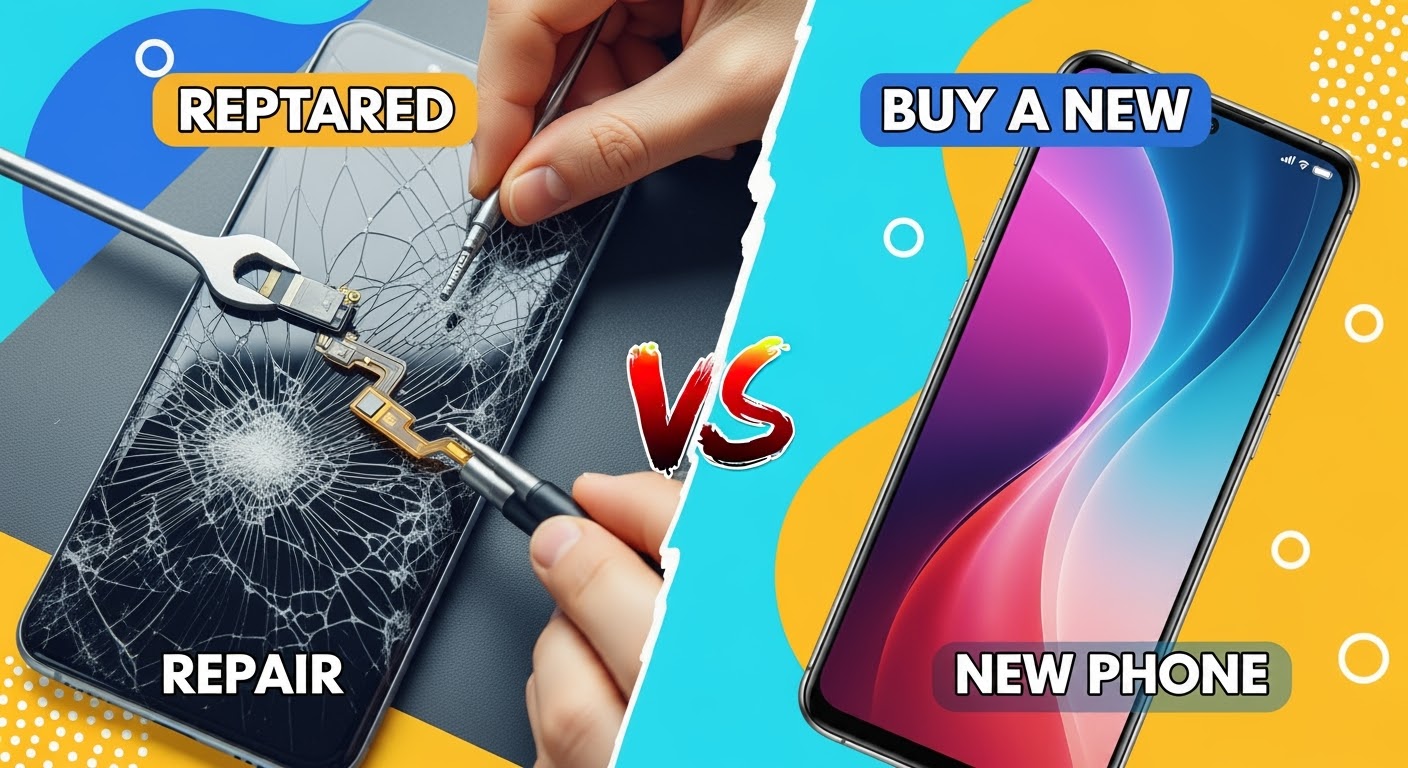
Smashed Curved Screens: Repair vs. New Phone! The Ultimate Guide with 10 Expert Insights
Introduction: The Growing Challenge of Curved Screens
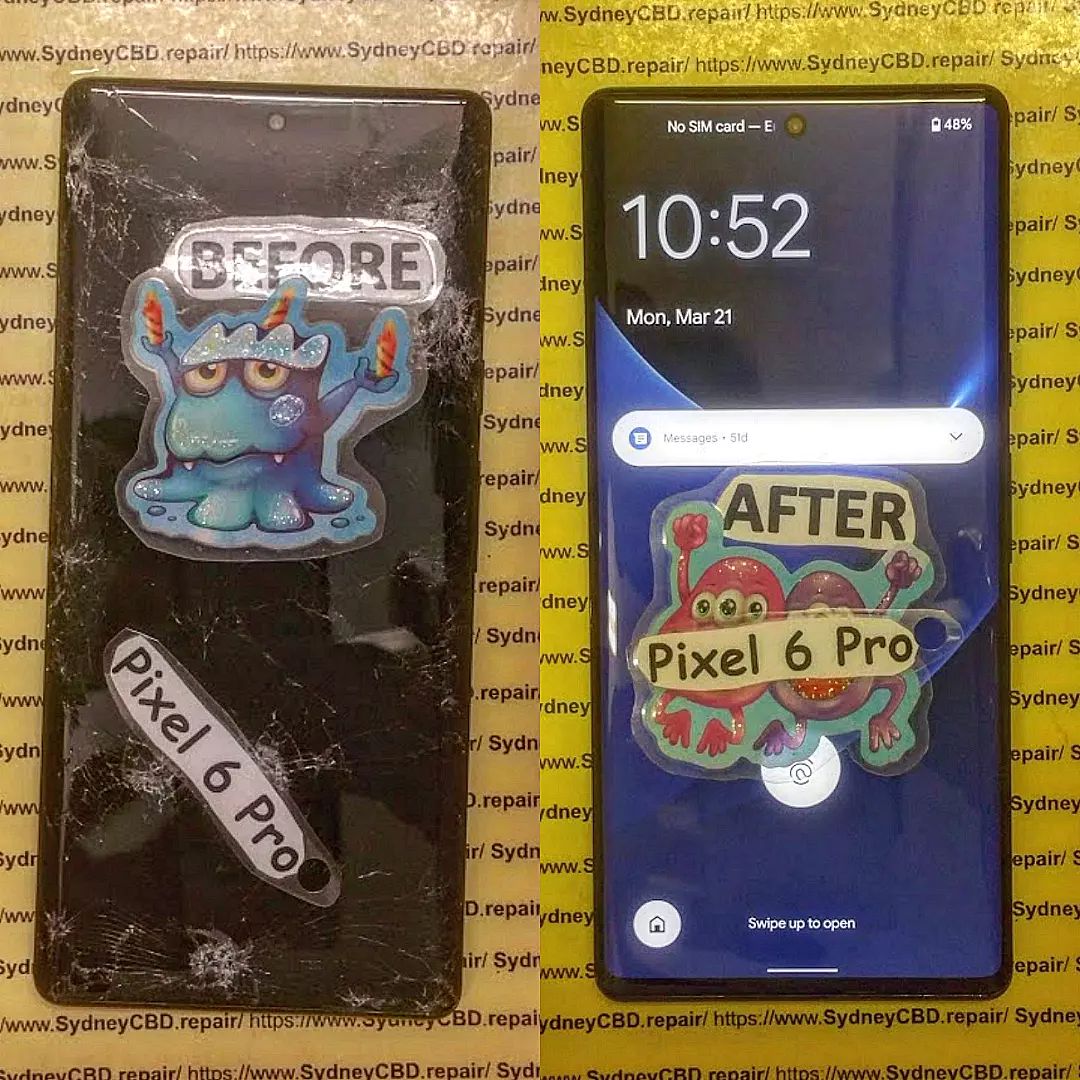
Smartphones have evolved far beyond simple communication devices. Today, they’re fashion statements, productivity tools, entertainment hubs, and digital lifelines. Among the most striking innovations is the curved screen, a sleek design choice that makes modern phones like Samsung Galaxy, Google Pixel, and premium Huawei models stand out.
But here’s the catch—curved screens are not just beautiful; they’re also more fragile, harder to repair, and costlier to replace. Once smashed, the dilemma begins: Do you repair the curved screen or buy a new phone altogether?
This guide dives deep into that very question, offering expert insights, cost comparisons, and practical advice to help you make an informed decision.
Curved displays maximize viewing angles and aesthetics, but the curved edges create weak points. A minor drop can cause cracks to spread faster than on flat screens. Unlike older models, modern phones often fuse the screen and digitizer, which makes repairs more complex.
Repair Costs Compared to Flat Screens
Flat screens are generally cheaper and easier to fix. Curved screens require specialized parts and expert technicians, which is why the cost of repair is often higher. However, this doesn’t automatically mean replacement is the better option—repairing is often more cost-effective than splurging on a brand-new device.
The most common type of damage. Even small cracks can spread over time, making the screen unsafe or harder to use.
Dead Pixels and Display Malfunctions
A smashed curved screen might not only crack but also affect the OLED or AMOLED display underneath, leading to black spots, lines, or rainbow distortions.
Touch Sensitivity Issues
Because the curved edge integrates with the touchscreen sensors, damage can result in loss of touch accuracy, making swipes, typing, or even unlocking the phone frustrating.
Repair vs. Replacement: Key Considerations
Cost Analysis: Repair vs. Buying New
Repair Costs: Depending on the brand and model, repairing a curved screen may cost anywhere from $300 to $700.
Replacement Costs: A new flagship smartphone can set you back $1,500 or more in Australia.
Clearly, repairing can save hundreds, especially if the rest of your device functions well.
Environmental Impact of Repairing
Repairing extends your phone’s life, helping reduce e-waste and environmental damage. Choosing repair over replacement is not only cost-efficient but also eco-friendly.
Warranty and Insurance Factors
If your device is still under warranty (or covered by Samsung Care+, AppleCare, etc.), replacement may be partially or fully covered.
Third-party repair shops like Sydney CBD Repair Centre often provide a 90-day warranty on parts and labour, ensuring peace of mind.
Advantages of Repairing a Smashed Curved Screen
Cost Savings in the Short Term
Repairing is significantly more affordable than buying a new flagship device outright.
Retaining Familiar Device Settings
Why start from scratch when you can keep your photos, apps, and personalized settings intact? Repairing saves you from the hassle of transferring everything.
Professional Repairs with Genuine Parts
At Sydney CBD Repair Centre, technicians use only genuine replacement screens, ensuring your phone works and looks as good as new.
When Buying a New Phone Makes More Sense
Major Internal Damage Beyond the Screen
If your phone has suffered water damage, motherboard failure, or battery swelling alongside a cracked screen, replacement might be wiser.
When Repairs Cost More Than the Phone’s Value
For older models, a repair may cost 50% or more of the phone’s resale value. In such cases, upgrading may be a smarter long-term decision.
Upgrading for Better Features
Sometimes, damage is an excuse to treat yourself to better performance, upgraded cameras, or longer battery life.
The Hidden Costs of Buying a New Phone
Data Transfer and Backup Hassles
Switching devices isn’t seamless—backups, restores, and lost app logins can eat up hours.
Accessory Replacement Costs
New models often require new cases, screen protectors, or chargers, adding to the expense.
The Learning Curve with a New Device
Adapting to new gestures, layouts, or operating systems can be frustrating, especially for users accustomed to their current setup.
Expert Opinions: Repair Shops vs. Manufacturer Services
Sydney CBD Repair Centre’s Approach
Located in the heart of Sydney, we’ve been voted the best mobile repair shop for 6 years in a row. With 2,000+ positive reviews, same-day service, and genuine parts, we’ve proven that independent repair shops can rival manufacturer services at a fraction of the cost.
Manufacturer Repairs vs. Independent Experts
Manufacturer Repairs: Typically more expensive and time-consuming.
Independent Experts: Faster turnaround, affordable pricing, and just as reliable when done by certified technicians.
How to Choose a Trusted Repair Shop
Look for Genuine Parts
Always ask if the repair shop uses original manufacturer parts.
Warranty on Repairs
A solid repair shop should offer at least a 90-day warranty.
Customer Reviews and Reputation
With 2,000+ 5-star Google reviews, Sydney CBD Repair Centre is proof that customer satisfaction speaks volumes.
DIY Fixes: Myths vs. Reality
Risks of DIY Screen Replacement
Attempting to replace a curved screen at home can lead to further damage or void warranties.
Why Professional Tools Matter
Proper tools and heat equipment are essential to safely remove and replace curved glass without damaging the OLED display.
The YouTube Tutorial Trap
What looks easy online often ends in frustration and a half-broken phone in real life. Leave it to the professionals.
Preventing Future Screen Damage
Using Screen Protectors and Cases
Invest in high-quality curved screen protectors and impact-resistant cases.
Handling Foldables and Curved Screens Safely
Be cautious when folding, unfolding, or carrying your device without protection.
Investing in Insurance and Warranties
Coverage plans provide peace of mind and lower out-of-pocket costs for future repairs.
FAQs
1. How much does it cost to repair a curved screen in Sydney?
Curved screen repairs usually range from $300 to $700, depending on the phone model and damage severity.
2. Is it worth repairing a phone with a smashed curved screen?
Yes, if the phone is relatively new, functional, and valuable. Repairs are generally cheaper than replacement.
3. Can I repair a curved screen myself at home?
Technically yes, but it’s highly risky. Without professional tools and experience, you risk damaging the phone beyond repair.
4. How long does a curved screen repair take?
At Sydney CBD Repair Centre, most repairs are done same day, often within an hour.
5. Will repairing my curved screen affect waterproofing?
Professional shops reseal phones properly, but waterproof integrity may not be 100% restored after third-party repairs.
6. Should I choose an independent repair shop or manufacturer service?
Independent shops like Sydney CBD Repair Centre are faster, cheaper, and use genuine parts—making them the smarter choice for most users.
Conclusion: Making the Smart Choice Between Repair and Replacement
Deciding between repairing a smashed curved screen or buying a new phone depends on cost, damage severity, and personal preference. For most people, professional repair offers the best balance of affordability, convenience, and reliability.
If you’re in Sydney and facing this dilemma, Sydney CBD Repair Centre is your trusted partner. With genuine parts, expert technicians, and a track record of excellence, you can extend your phone’s life without burning a hole in your wallet.
David from Sydney CBD Repair Centre – The Best place to fix mobile phones as 6 Years In A Row! Top Mobile Phone Repair In Sydney. More than 2000 Positive Reviews on Google and Same Day Repairs.
We take pride in delivering exceptional repair services for all major phone brands including Apple, Samsung, Google, and more. Our expert technicians use only genuine parts and offer 90 days warranty on repairs.
📍 Visit us today:
Sydney CBD Repair Centre – Where Quality Meets Reliability
Call: +61280114119
Website: https://SydneyCBD.repair/locate-us
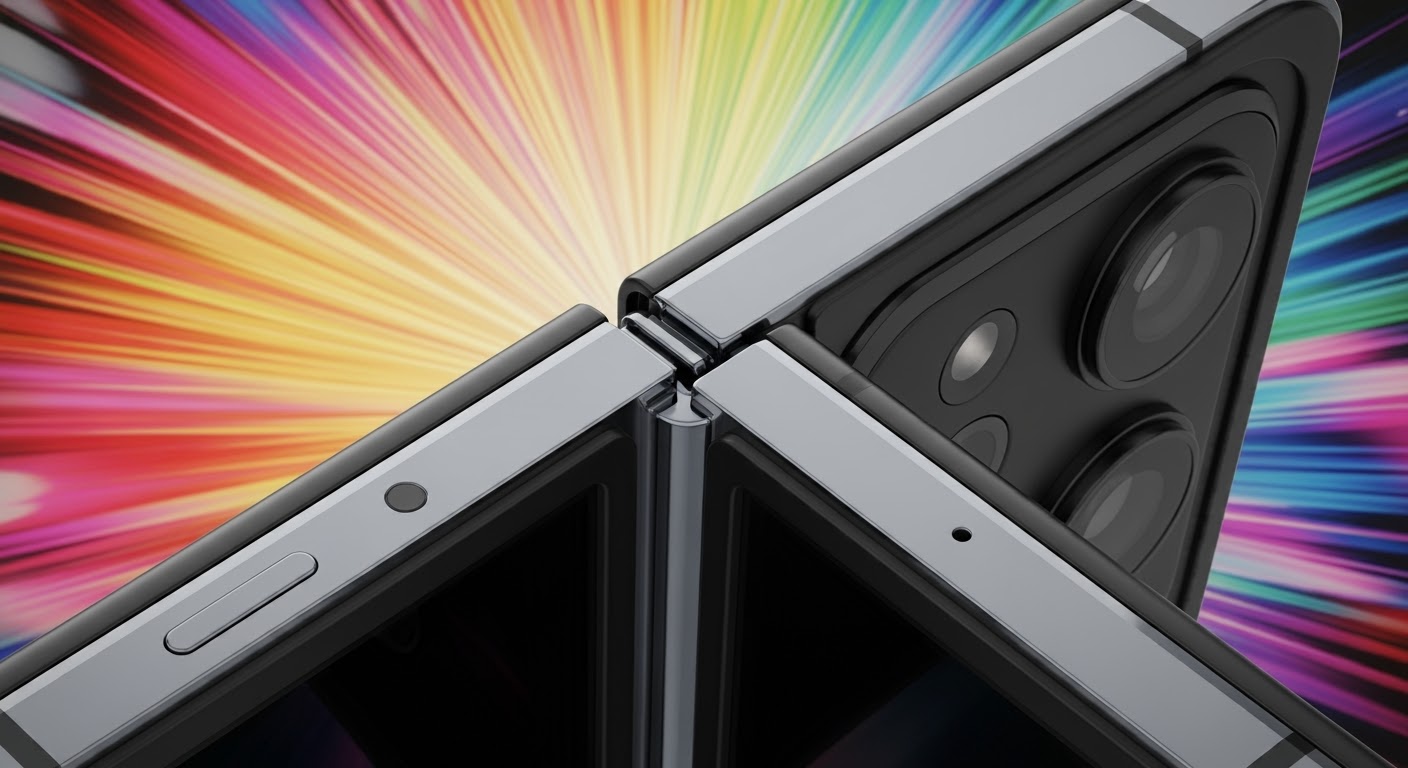
Inside the Foldable Phone Hinge: Durability Deep Dive + 10 Insights That Will Surprise You
Introduction: Why the Foldable Phone Hinge Matters
Foldable smartphones have gone from futuristic concepts to mainstream devices in just a few years. At the heart of these cutting-edge gadgets lies their most complex and vulnerable component: the hinge. This tiny yet powerful piece of engineering determines whether a foldable phone lasts a few months or many years. Without a reliable hinge, even the most advanced display becomes useless.
Consumers are increasingly asking the same question: “Are foldable phone hinges durable enough for daily use?” That’s where this deep dive comes in. By examining engineering breakthroughs, stress testing methods, and real-world performance, we’ll uncover 10 surprising insights into how hinges are built, tested, and maintained.
In this article, we’ll explore:
The history and evolution of foldable hinges.
How manufacturers like Samsung, Huawei, and Motorola approach durability.
The most common hinge issues users face.
Practical tips to extend the life of your foldable phone.
When the first foldable phone prototypes appeared, they captured attention but quickly revealed flaws. Hinges often cracked, misaligned, or failed under basic stress tests. Dust infiltration was another common culprit, as early designs didn’t include protective mechanisms to prevent debris from damaging moving parts.
Manufacturers initially overpromised on durability, claiming thousands of folds when, in reality, many devices couldn’t survive six months of normal usage. The infamous first release of the Samsung Galaxy Fold in 2019 highlighted these issues—review units failed due to hinge malfunctions, forcing the company to delay its launch and redesign critical components.
Modern Advancements in Engineering
Fast forward to today, and hinge technology has dramatically improved. Modern foldables use multi-layer hinge designs reinforced with aerospace-grade materials. Many models now include protective bristles, sealed enclosures, and self-lubricating coatings to keep dust and debris out.
Samsung, for example, introduced a “sweeper technology” in its Z Flip and Z Fold series, which uses microfibers to brush away dust with every fold. Huawei took a different route, designing hinges with fewer visible gaps to minimize particle entry. Motorola focused on a waterdrop-style hinge to reduce screen stress and crease depth.
These innovations show how manufacturers are learning from past mistakes, making foldable phones more practical for everyday users.
Understanding the anatomy of a foldable phone hinge is like looking under the hood of a high-performance car. It’s a marvel of micro-engineering, where dozens of moving parts work together to create smooth, precise motion. The hinge is not just a simple joint — it’s a complex assembly that balances flexibility with rigidity.
Key Components and Materials
A modern foldable hinge typically consists of:
Hinge plates – the main structural arms that support the folding mechanism.
Rotational shafts – allow smooth, controlled folding and unfolding.
Support brackets – distribute pressure evenly across the foldable display.
Protective seals and brushes – prevent dust and debris from damaging internal parts.
Lubricants or nano-coatings – reduce friction and extend hinge life.
Most manufacturers use aerospace-grade aluminum alloys, stainless steel, or titanium to ensure strength without adding excessive weight. Some even integrate carbon-fiber composites for added durability.
Stress Points and Weak Zones
Despite being built to last, foldable hinges have natural stress points:
Central rotation axis – This is where torque is highest and most likely to wear down over time.
Outer housing edges – Constant friction can cause micro-cracks or warping.
Display connection points – The hinge must synchronize perfectly with the foldable screen to avoid creating creases or misalignments.
The key challenge is striking a balance: the hinge must be stiff enough to hold the phone open at various angles, but flexible enough to fold smoothly without damaging the display. This balancing act is why hinge engineering remains the most critical factor in foldable phone durability.
Testing Foldable Hinges for Durability
Foldable phone manufacturers know consumers won’t invest in fragile technology. That’s why hinges undergo some of the most rigorous durability testing in the smartphone industry.
Lab-Based Fold Cycles
Companies often advertise that their phones can withstand 200,000+ folds. But what does that really mean? In labs, robotic machines repeatedly fold and unfold devices under controlled conditions. A figure like 200,000 folds translates to around 5 years of daily use if you fold your phone 100 times per day.
Samsung, for instance, subjects its Galaxy Z series hinges to stress tests that simulate extreme folding conditions — including folding at different speeds and angles. Huawei and Motorola follow similar protocols, ensuring their devices survive beyond typical user habits.
Real-World Everyday Stress Tests
Lab tests are impressive, but the real world is much harsher. Factors such as:
Dust in pockets and bags
Accidental drops
Temperature fluctuations (hot cars, cold weather)
Moisture exposure from sweat or humidity
…all impact hinge longevity. That’s why many independent reviewers and durability testers put foldable phones through real-world torture tests — dropping them, exposing them to dust, and folding them thousands of times under different conditions.
The verdict? While modern foldables are significantly more durable than their early predecessors, no hinge is completely immune to wear and tear.
Top 10 Insights on Hinge Durability
Foldable hinges might look simple from the outside, but their long-term performance depends on dozens of engineering details. Here are 10 insights that reveal why hinge durability matters more than you think.
1. Why Material Choice Is Critical
The metals and alloys inside a hinge determine its lifespan. Manufacturers often use aerospace-grade aluminum or stainless steel because they resist bending and corrosion. Lower-quality metals can warp, causing misalignment that directly affects the screen.
2. Impact of Dust and Debris
No matter how carefully you handle your phone, dust finds its way in. Even a grain of sand can jam the hinge or scratch internal parts. That’s why modern foldables like Samsung’s Z Fold and Flip series use “sweeper technology” bristles to brush dust away every time you fold.
3. Temperature and Humidity Factors
Extreme heat can expand metal parts, while cold can make them brittle. Humidity introduces moisture, which leads to corrosion if seals fail. That’s why most foldable phones aren’t fully waterproof — their hinge design makes achieving high IP ratings challenging.
4. User Handling Habits
Hinge life is directly tied to how you treat your phone. Forcing the hinge shut, opening it too quickly, or twisting it at odd angles accelerates wear. Smooth, deliberate folding significantly extends hinge performance.
5. Wear and Tear Over Time
Even the best hinge won’t last forever. Over thousands of folds, lubricants dry out, friction increases, and alignment shifts. This often leads to creaking noises, stiffness, or looser hinge resistance — subtle signs of mechanical fatigue.
6. Manufacturer Durability Claims
When companies say “200,000 folds,” it sounds impressive, but keep in mind these are lab-controlled conditions. Real-life variables like dust, sweat, and accidental drops mean actual durability can be lower. Always take these figures as a guideline, not a guarantee.
7. The Role of Lubricants and Coatings
Special nano-coatings and lubricants reduce friction and prevent wear. Without them, metal-on-metal contact would quickly damage the hinge. However, lubricants can dry out or wear away over years of use, making servicing or replacement inevitable.
8. Repairability of Hinges
One of the biggest downsides of foldables is hinge repairability. Replacing a broken hinge usually requires professional technicians and often involves screen replacement as well. Unlike traditional phones, DIY hinge repair is almost impossible.
9. Cost of Hinge Replacement
Hinge repairs aren’t cheap. Depending on the brand, replacing a hinge (often bundled with a display) can cost anywhere from $500 to $900 AUD. This makes hinge reliability a key consideration before purchasing a foldable device.
10. The Future of Hinge Technology
The next generation of hinges will be thinner, stronger, and more flexible. Some companies are experimenting with liquid metal alloys, magnetic hinges, and even solid-state fold mechanisms with fewer moving parts. These innovations could eliminate today’s weaknesses and make foldables as durable as standard smartphones.
Conclusion:
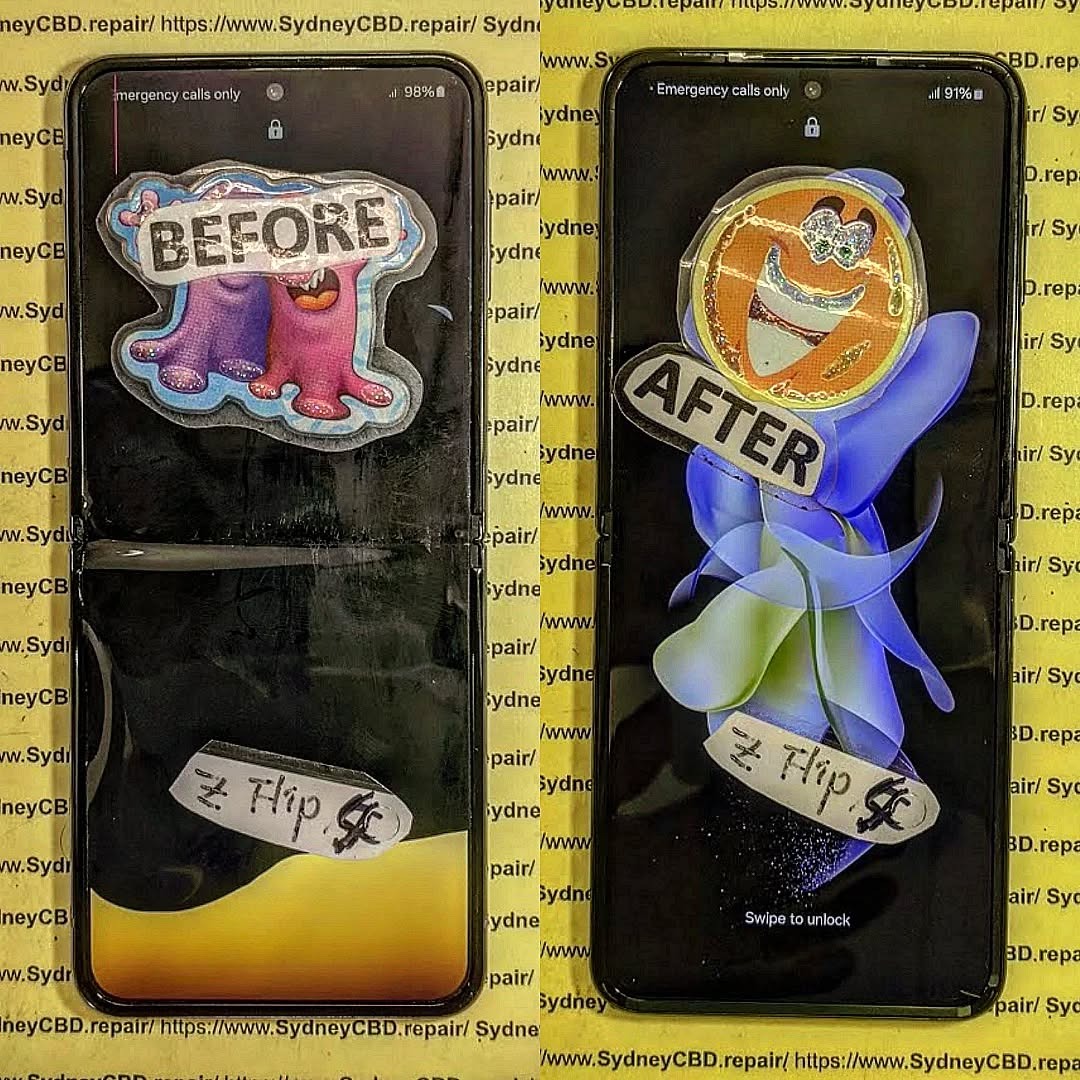
The foldable phones is a stunning piece of technology, but when it breaks, the costs can add up quickly. From screen replacements to hinge repairs, expenses vary based on part quality, technician expertise, and warranty coverage.
By choosing a trusted repair centre like Sydney CBD Repair Centre, you not only get transparent pricing but also genuine parts, expert workmanship, and peace of mind. For anyone facing foldable issues, investing in professional repair is the smartest decision.
📞 Call to Action – Sydney CBD Repair Centre Contact Information
David from Sydney CBD Repair Centre – The Best place to fix mobile phones as 6 Years In A Row! 🏆 Top Mobile Phone Repair In Sydney 🌟 More than 2000 Positive Reviews on Google ⚡ Same Day Repairs Available
In today’s world of rapid smartphone upgrades, electronic waste (e-waste) has become a growing concern. Millions of devices are discarded each year, many of which could still serve users if repaired properly. One of the most advanced repair techniques gaining attention is the PCB (Printed Circuit Board) transplant—a process that breathes new life into damaged phones.
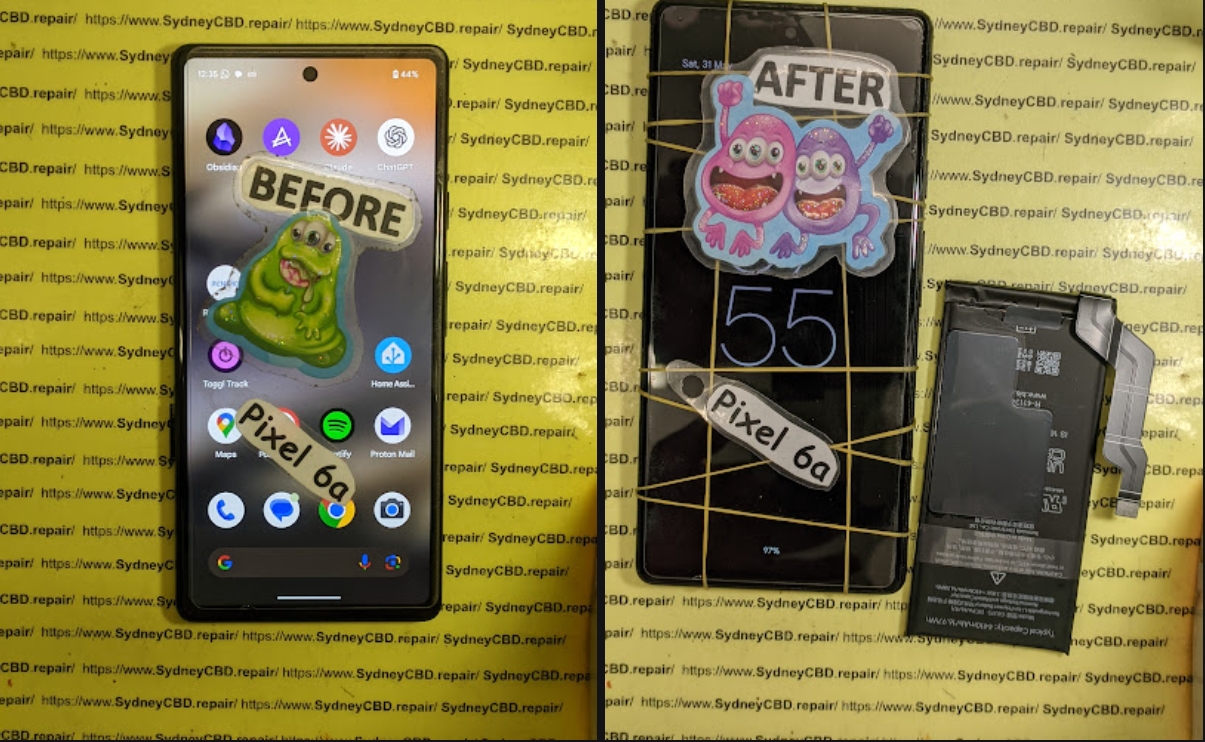
At Sydney CBD Repair Centre, our technicians recently tackled a challenging yet rewarding project: performing a PCB transplant on a Google Pixel 6a. This case demonstrates how expert-level repairs can save devices from landfills and give them a second chance at life.
The PCB (Printed Circuit Board) is the “brain” of your smartphone. It holds critical components like the CPU, memory, and storage. When the board is damaged—whether due to water exposure, power surges, or physical impact—the phone becomes unusable.
Instead of replacing the entire phone, a PCB transplant involves moving the working board (or salvaging working chips from a donor phone) into another functional frame. This process requires:
Our client’s Google Pixel 6a suffered severe motherboard damage after water exposure. The device refused to power on, but other components like the screen, camera, and battery were still intact.
Instead of declaring the phone “dead,” our team located a donor Pixel 6a with a cracked display but a perfectly functional PCB. This made it an ideal candidate for a board transplant procedure.
The Step-by-Step Repair Process
At Sydney CBD Repair Centre, here’s how we carried out the Pixel 6a transplant:
A PCB transplant is one of the most complex but rewarding smartphone repairs. The Pixel 6a revival at Sydney CBD Repair Centre shows that even when phones seem beyond repair, skilled technicians can give them a second life.
By choosing repair over replacement, you’re not only saving money but also helping the planet by reducing e-waste.
📞 Call us today: +61280114119
📍 Drop by our Sydney CBD store for expert phone repair services.
Smartphones are no longer just gadgets—they’re lifelines. From storing memories to managing work, our devices do it all. But when disaster strikes—like a cracked screen or a dead battery—repair costs can leave people puzzled. Knowing what to expect helps you avoid overpaying and ensures your phone gets the care it needs.
At Sydney CBD Repair Centre, we’ve spent years helping thousands of customers make smart choices about their repairs. This breakdown gives you real insight into costs, repair options, and when it might be smarter to upgrade instead of repair.
Apple users pay premium prices. Genuine iPhone screens range from $250–$600 depending on model.
Samsung & Google Pixel Screen Repair Costs
Samsung Galaxy S22/S23/S25 Ultra: $300–$550
Google Pixel 8/9: $250–$400
Is It Worth Replacing a Screen?
If the device is less than 3 years old, replacing the screen is usually worth it. For older models, weigh the repair against buying a new mid-range device.
Battery Replacement Costs: Extending Your Phone’s Life
iPhone Battery Replacement
Apple charges around $160–$250 for genuine batteries.
Samsung & Pixel Battery Replacement
At Sydney CBD Repair Centre, expect $120–$200 with genuine parts and a 90-day warranty.
Water Damage Repair: Can It Be Saved?
What Happens When Water Hits Your Phone
Water corrodes internal parts, damaging circuits and screens.
Repair vs. Replacement Costs for Water Damage
Minor clean & restore: $200–$300
Major motherboard issues: $400+
Sometimes replacement makes more sense if damage is severe.
Charging Port and Button Repairs
Fixing Charging Ports
USB-C and Lightning port replacements average $120–$180.
Power & Volume Button Repair Costs
Small parts, big price. Expect $90–$150 for button repairs.
Camera Repair: Selfie & Rear Lens Fixes
Camera module repairs range $150–$400. Rear cameras on flagship phones cost the most due to multiple lenses and stabilization hardware.
Comparing Authorized Service vs. Third-Party Repairs
Pros and Cons of Apple & Samsung Official Repair Centers
✅ Use of genuine parts
✅ Warranty honored
❌ Long wait times
❌ Expensive pricing
Why Independent Shops Like Sydney CBD Repair Centre Stand Out
DIY kits might look affordable, but without skill, you risk damaging your phone further. Most users end up paying double after failed DIY attempts.
FAQs
Q1: Is it cheaper to repair or replace my phone?
It depends on age and damage severity. If your phone is under 3 years old, repair is usually more cost-effective.
Q2: How long do repairs usually take?
At Sydney CBD Repair Centre, most repairs are done same-day.
Q3: Do third-party shops use genuine parts?
Reputable ones do. Always ask. Sydney CBD Repair Centre guarantees genuine parts.
Q4: Will water damage always ruin my phone?
Not always. Quick professional repair can save most devices.
Q5: Can I replace a phone screen myself?
Technically yes, but most DIY jobs fail due to complexity.
Q6: Do repairs affect resale value?
Yes, but having genuine parts installed preserves resale better than leaving damage unfixed.
Conclusion: Making the Smartest Repair Decision
Repair costs vary, but being informed saves money and stress. Whether it’s a cracked screen, water damage, or battery issue, choosing the right repair shop makes all the difference.
At Sydney CBD Repair Centre, we combine expertise, genuine parts, and award-winning service to deliver repairs you can trust. Don’t let damage slow you down—repair smart, repair right.
Battery Replacement Cost: Samsung, Pixel, and More
Introduction: Why Battery Health Matters
Your smartphone’s battery is the heart of the device. Without it, the most advanced hardware won’t function. Over time, batteries lose capacity due to charge cycles, heat, and aging, making replacement inevitable.
The big question for most users: How much does it cost to replace a phone battery? Let’s break down the costs across Samsung, Google Pixel, iPhone, and other brands to help you decide if replacing your battery is worth it.
Genuine: Safer, longer-lasting, optimized for performance
Aftermarket: Cheaper but risk overheating and poor lifespan
Repair centre expertise
Skilled technicians ensure proper installation without damaging other components.
Warranty coverage
Some manufacturers offer reduced costs if your phone is still under warranty or AppleCare/Samsung Care+.
Why Choose Genuine Phone Batteries
Safety benefits
Genuine batteries meet strict safety and thermal standards, reducing fire hazards.
Performance reliability
They deliver consistent power, ensuring smooth performance.
Longer lifespan
Genuine replacements often last 2–3 years longer than cheap aftermarket options.
FAQs on Battery Replacement
Q1: How often should I replace my phone battery?
Typically every 2–3 years, depending on usage.
Q2: How long does a battery replacement take?
Most repairs take 30 minutes to 1 hour.
Q3: Is it worth replacing the battery in an older phone?
If the phone is less than 4 years old and works well, yes. For very old models, replacement may not be cost-effective.
Q4: Can I replace my own phone battery?
DIY is risky and may damage internal components. Professional repair is always safer.
Q5: Does replacing the battery affect my phone’s data?
No, but it’s recommended to back up your device before repair.
Q6: Is battery replacement covered under warranty?
Yes, if the battery is defective within the warranty period. Otherwise, it’s a paid repair.
Conclusion: Is Replacing Your Phone Battery Worth It?
Replacing your smartphone battery is one of the most cost-effective ways to extend your device’s life. Compared to buying a new phone that can cost over $1,200, a $150–$200 battery swap is a smart investment.
At Sydney CBD Repair Centre, we provide genuine battery replacements for Samsung, Google Pixel, iPhone, and more. With same-day service, expert technicians, and over 2000+ 5-star reviews, we’re Sydney’s trusted repair destination.
Genuine vs. Aftermarket Phone Screens: The Ultimate Comparison
Introduction: Why Screen Quality Matters
Your phone’s screen isn’t just for display—it’s the window to your entire digital life. Whether you’re scrolling through photos, working remotely, or streaming videos, screen quality impacts everything.
When your screen breaks, you’ll face a key decision: Should you repair with a genuine screen or save money with an aftermarket option? This comparison explores the differences, benefits, and drawbacks of each so you can make an informed decision.
Grade A++: Closest to genuine in look and performance
Grade B: Lower quality, less durable
Cheap copies: Poor clarity and touch response
Why some users choose them
Lower cost
Immediate availability
Acceptable for older, secondary phones
Key Differences Between Genuine and Aftermarket Screens
Display brightness and clarity
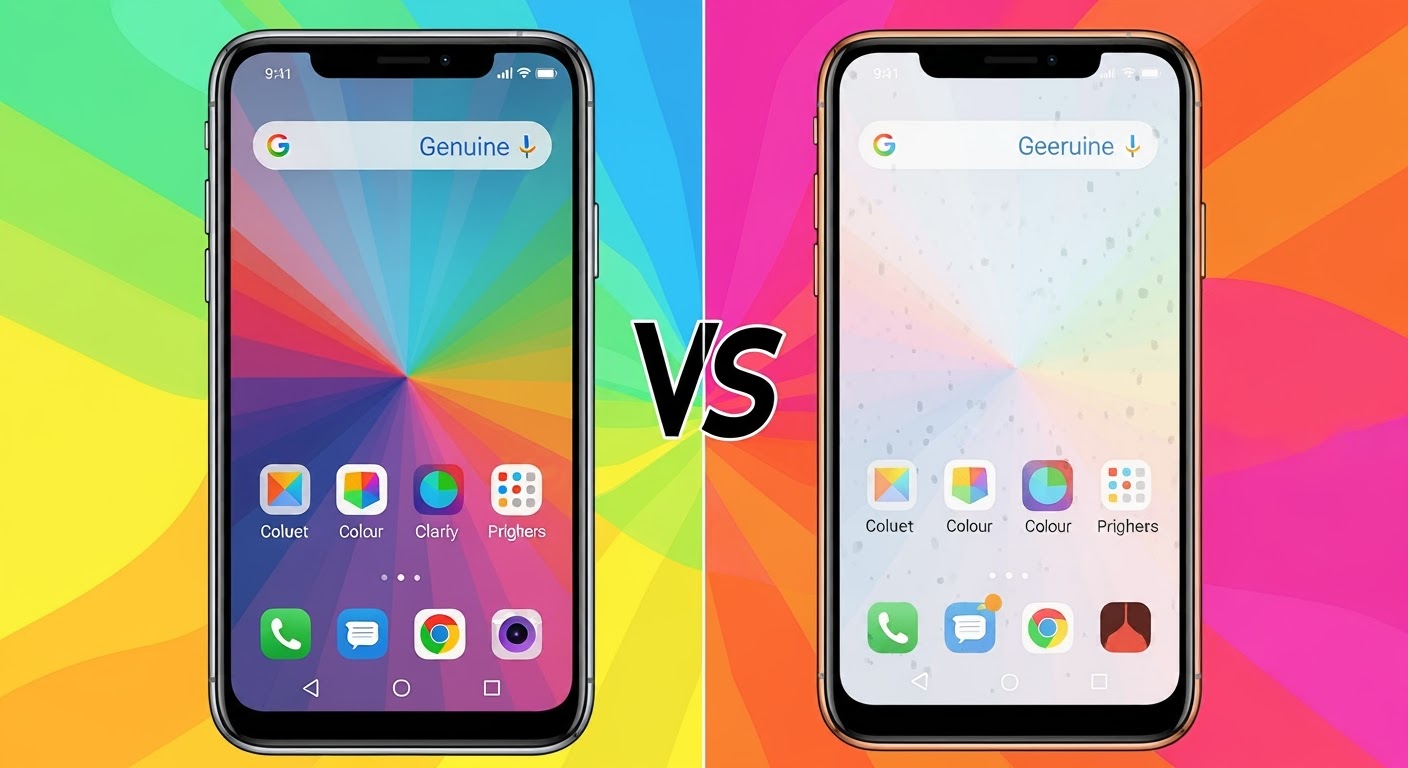
Genuine screens use premium OLED or LCD panels, while aftermarket versions may appear dimmer or washed out.
Touch sensitivity and response
Original displays offer smooth, precise touch response. Aftermarket parts sometimes lag or misread touches.
Durability and material quality
Genuine screens resist scratches and impacts better, lasting longer.
Compatibility with software updates
Manufacturers design updates for genuine hardware. Aftermarket parts may cause glitches or errors.
Pros and Cons of Genuine Phone Screens
Pros:
Best performance and longevity
Maintains warranty and resale value
Superior color and brightness
Cons:
Higher repair cost
Sometimes limited availability for older models
Pros and Cons of Aftermarket Phone Screens
Pros:
Lower upfront cost
Widely available
Adequate for temporary fixes
Cons:
Reduced touch accuracy
Poorer color reproduction
Higher chance of breaking again
Can void manufacturer warranty
Cost Comparison: Genuine vs. Aftermarket
Average repair costs for different models
Model
Genuine Screen (AUD)
Aftermarket Screen (AUD)
iPhone 14 Pro Max
$500–$600
$250–$350
Samsung Galaxy S23 Ultra
$450–$550
$200–$300
Google Pixel 7 Pro
$350–$450
$180–$250
Long-term value considerations
While aftermarket screens are cheaper, they often need replacing again sooner—making genuine screens more cost-effective over time.
Risks of Choosing Aftermarket Screens
Warranty issues
Using aftermarket screens may void your manufacturer’s warranty.
Safety concerns
Cheap copies can overheat, flicker, or fail unexpectedly.
Shortened device lifespan
Poor-quality displays can stress internal components, reducing your phone’s usable life.
When to Choose Genuine Over Aftermarket
Newer flagship phones
If you own a high-end phone less than 3 years old, genuine screens are the best choice.
Devices under warranty
Stick with genuine parts to avoid losing warranty coverage.
High-resale value phones
Genuine screens help maintain your phone’s second-hand market value.
FAQs on Genuine vs. Aftermarket Phone Screens
Q1: Can I tell if my screen is genuine?
Yes. Genuine screens have factory-level brightness and smooth touch. Aftermarket ones may look slightly different.
Q2: Are aftermarket screens really that bad?
Not always. High-grade aftermarket screens can work fine, but they won’t fully match genuine quality.
Q3: Do genuine screens last longer?
Yes. With proper care, they can last as long as the phone itself.
Q4: Will an aftermarket screen affect face recognition or fingerprint sensors?
Possibly. Genuine screens are calibrated for built-in sensors, while aftermarket ones may cause issues.
Q5: Is it worth paying extra for genuine screens?
Yes—especially for new, flagship, or resale-worthy devices.
Q6: Can I replace my own phone screen?
DIY is risky. Professional repair ensures proper installation and avoids further damage.
Conclusion: Making the Right Screen Choice
While aftermarket screens may look attractive due to their price, they often compromise performance, safety, and long-term value. Genuine screens, on the other hand, deliver the best durability, compatibility, and user experience.
At Sydney CBD Repair Centre, we recommend genuine screens for most devices—especially newer flagship phones. With 6 years as Sydney’s best repair shop, 2000+ 5-star Google reviews, same-day service, and a genuine parts guarantee, we ensure your device is restored to factory quality.
Top 5 Phone Repairs: Is it Worth It? Expert Guide to Save Money and Time
Introduction: The Growing Need for Phone Repairs
Smartphones are no longer a luxury—they’re a necessity. From staying connected with loved ones to managing businesses on the go, our devices are lifelines. But as technology advances, repair costs also rise. The question is: Are phone repairs really worth it, or should you just buy a new device?
At Sydney CBD Repair Centre, we see thousands of devices each year. Some repairs cost less than half the price of a new phone, while others may not be worth pursuing. This article will break down the Top 5 most common phone repairs and help you decide whether fixing your phone is a smart investment.
Modern phones use large, edge-to-edge glass displays. Even with Gorilla Glass, one accidental drop can lead to cracks.
Cost vs. replacement considerations
Screen repairs can cost 20–40% of a new device’s price.
High-end models (like iPhone Pro series or Samsung Galaxy Ultra) have OLED displays that are more expensive to replace.
When is repair better than buying new?
If the rest of the phone works fine, a screen replacement is almost always worth it. It restores usability, preserves resale value, and costs far less than buying new.
Q1: Is repairing a cracked screen worth it?
Yes, if the phone is under 3 years old and works fine otherwise.
Q2: How long does a battery replacement take?
Most shops (like Sydney CBD Repair Centre) offer same-day service.
Q3: Can water-damaged phones be fully restored?
Yes, but success depends on damage severity and how quickly it’s repaired.
Q4: How do I know if my charging port is faulty?
If cables work on other devices but not yours, the port is likely the issue.
Q5: Do third-party repairs void warranty?
Yes, for phones under manufacturer warranty. For out-of-warranty devices, repairs are safe and cost-effective.
Q6: Are genuine parts really necessary?
Absolutely. Genuine parts ensure longer durability and safety.
Conclusion: Making the Smart Repair Decision
Phone repairs are almost always worth it—if done by professionals using genuine parts. From cracked screens to charging ports, fixing your phone can save money, extend its lifespan, and protect the environment.
At Sydney CBD Repair Centre, we’ve been trusted for 6 years in a row as Sydney’s top phone repair service. With 2000+ 5-star Google reviews, same-day express repairs, and a genuine parts guarantee, we’re here to make sure your device is restored to its best.
DIY Smartphone Repair: When NOT to Try It – 7 Critical Mistakes to Avoid
Introduction: The Rise of DIY Smartphone Repair
Smartphones have become an extension of ourselves. From work to personal life, they store our memories, help us communicate, and even manage our finances. So, when they break, the first instinct for many is to get them fixed as quickly (and cheaply) as possible. This is where DIY smartphone repair comes into play.
Fueled by thousands of YouTube tutorials, repair kits sold online, and forums where users swap tips, DIY repair has become a popular trend. It gives people the sense that they can handle something once considered “too technical.”
But here’s the catch: while some repairs may look easy, attempting the wrong type of DIY fix could leave your phone permanently damaged. In fact, many cases that arrive at Sydney CBD Repair Centre come from failed DIY attempts, where a simple issue became a costly repair.
The key takeaway? DIY repairs are not always the smartest move. Knowing when to step back and let professionals handle the job can save you money, time, and frustration.
Before diving into the dangers, it’s important to understand why DIY smartphone repair has gained traction.
Saving Money: A Common Motivation
Most people try fixing their own devices because they want to save money. Screen replacements, battery swaps, or charging port repairs can feel expensive. Watching a video and spending $20 on a kit sounds appealing compared to a professional repair bill.
But the hidden costs—like buying low-quality parts, voiding your warranty, or damaging other components—often make DIY more expensive in the long run.
The Influence of Online Tutorials
Platforms like YouTube and TikTok are full of “easy phone repair” guides. They make it look simple: unscrew, swap, reassemble. What these videos don’t show is the precision, steady hands, and knowledge required to avoid further damage.
Sense of Accomplishment
For tech enthusiasts, there’s a sense of pride in fixing something with their own two hands. While that’s admirable, smartphones are compact devices with delicate components. One wrong move could leave you with a paperweight instead of a functioning phone.
Many smartphone owners underestimate the risks. DIY phone repairs may seem harmless, but they can cause:
Lack of Proper Tools
A butter knife is not a pry tool. Yet, many people use household items to open their phones. Without specialized tools, you risk snapping connectors, damaging flex cables, or cracking the screen further.
Risk of Permanent Damage
A misstep in handling components like the motherboard, display, or fingerprint sensor can lead to irreversible damage. Unlike swapping batteries in a TV remote, phone components are fragile and tightly packed.
Safety Concerns with Batteries
Lithium-ion batteries are volatile. Puncturing or bending them during DIY repair can cause swelling, leakage, or even fires. Trained technicians follow strict safety protocols to avoid these risks.
7 Situations Where You Should Never Attempt DIY Repairs
Here are the most common cases where DIY smartphone repair is not recommended:
1. Water Damage
Water can corrode circuits quickly. DIY “rice fixes” don’t work and often delay proper cleaning. Only professional ultrasonic cleaning can truly restore a water-damaged phone.
2. Advanced Motherboard Issues
If your phone doesn’t turn on, it could be a motherboard issue. DIY soldering attempts usually make the problem worse. Micro-soldering requires specialized training and equipment.
3. Face ID & Fingerprint Sensor Repairs
Biometric components are fragile and security-linked. Mishandling them could permanently disable authentication features.
4. OLED/AMOLED Screen Replacement
Replacing a cracked OLED screen isn’t just about swapping glass. It requires precision heat application and alignment. One mistake can damage the display panel.
5. Charging Port Micro-Soldering
A loose charging port is a common issue, but it’s not as simple as swapping parts. Ports are soldered onto the motherboard. A DIY mistake could fry the entire board.
6. Data Recovery Attempts
When people try DIY software tools for data recovery, they often overwrite important files permanently. Professionals use advanced systems that preserve data.
7. Software & Firmware Corruption
Installing the wrong firmware can “brick” your phone. In many cases, only professional-level tools can restore the software.
DIY vs. Professional Phone Repairs: A Cost Comparison
Many people assume professional repairs are overpriced. In reality, they often provide better long-term value.
Short-Term Savings vs. Long-Term Costs
DIY may save money upfront, but failed attempts often lead to additional costs. For example:
DIY screen replacement = $80 parts + risk of failure
Professional repair = $150 with warranty and expert fitting
Warranty Considerations
Opening your phone typically voids the manufacturer’s warranty. Authorized repair shops preserve your coverage.
Quality of Replacement Parts
Cheap parts online may not be genuine. They often have poor touch sensitivity, weak brightness, or short lifespan. Professional repair centers, like Sydney CBD Repair Centre, use genuine parts backed by warranty.
Expert Insights: Why Professional Repairs Are Safer
There are clear reasons why experts are the better option.
Certified Technicians and Training
Professionals undergo training to understand device architecture, repair protocols, and safety standards.
Use of Genuine Parts
Shops like Sydney CBD Repair Centre source original parts, ensuring the repaired phone functions like new.
Repair Warranty & Customer Protection
Most professional services include repair warranties—giving you peace of mind that your money is well spent.
FAQs on DIY Smartphone Repair
Can I replace my phone screen at home?
Technically, yes—but it’s not recommended. Without the right tools, you risk damaging connectors, sensors, and waterproof seals.
Is it safe to fix my phone battery myself?
No. Lithium-ion batteries are dangerous if punctured or bent. Always have a professional handle replacements.
Does opening my phone void the warranty?
Yes. In most cases, breaking manufacturer seals voids the warranty.
Why are phone parts online cheaper than repair shop parts?
Because many online parts are counterfeit or low quality. Repair shops prioritize genuine, reliable components.
What DIY phone repairs are actually safe?
Simple ones, like replacing a phone case, applying a new screen protector, or cleaning charging ports with compressed air.
Should I trust YouTube repair tutorials?
They can be educational but misleading. What looks simple on video often requires years of skill.
Conclusion: Knowing When to Call the Experts
DIY smartphone repair is tempting, but not always wise. Some fixes are safe for beginners, but others require advanced knowledge and equipment. Attempting repairs like water damage cleaning, motherboard fixes, or screen replacements can lead to irreversible damage.
If you’re unsure, it’s always better to seek professional help. At Sydney CBD Repair Centre, we provide fast, affordable, and reliable services with genuine parts and warranties. Instead of risking your phone with DIY, trust experts who’ve been voted Sydney’s Best Phone Repair Shop for 6 years in a row.
👉 Visit us today for:
✓ Same Day Express Repairs
✓ Genuine Parts Guarantee
✓ Professional Technicians
✓ Competitive Pricing
✓ 2000+ 5-Star Google Reviews
✓ 6-Time Award Winner for Best Phone Repairs