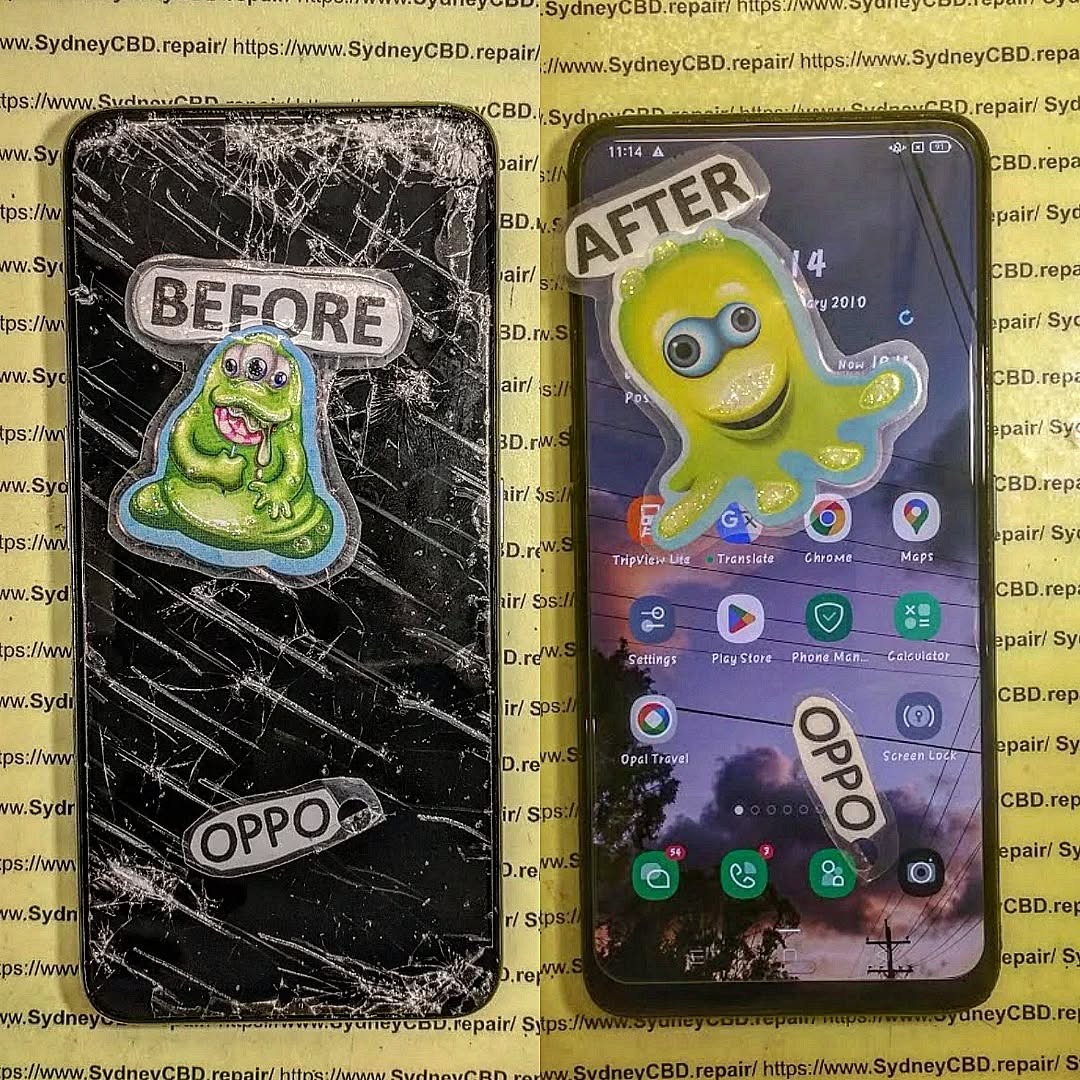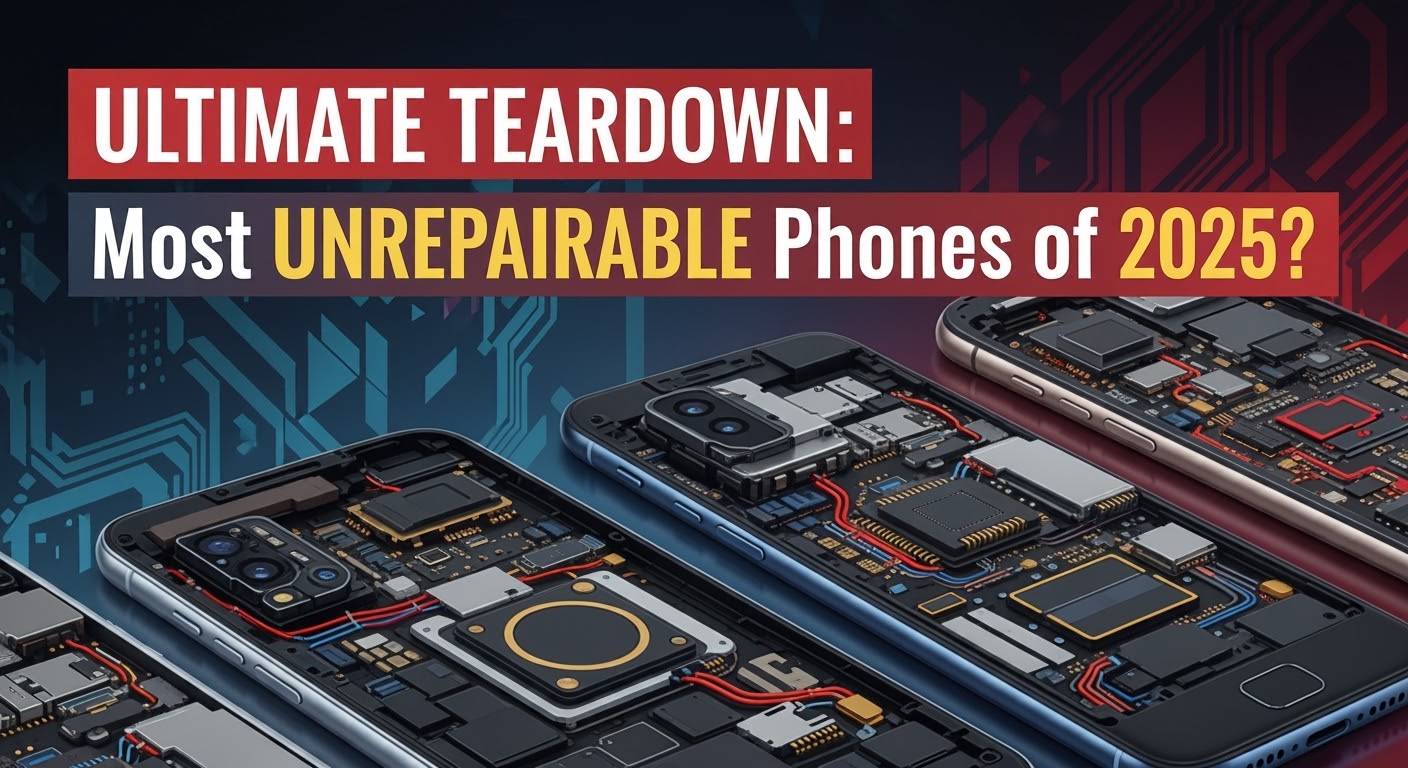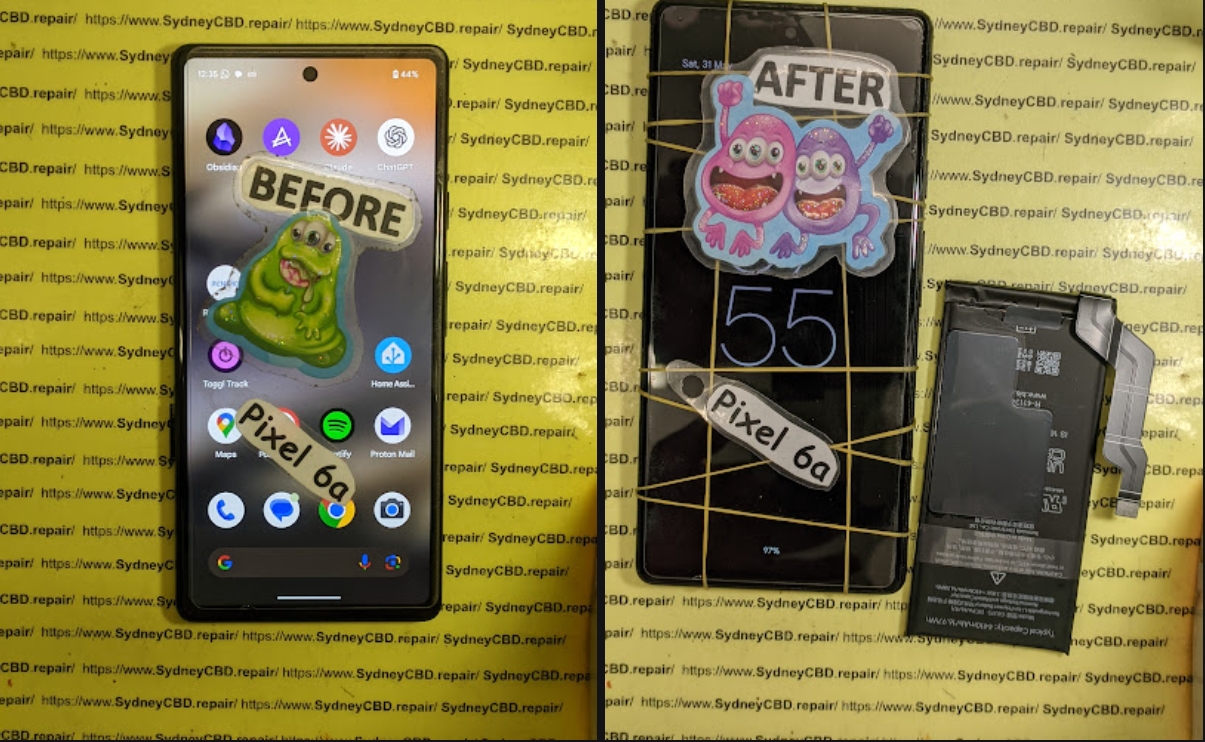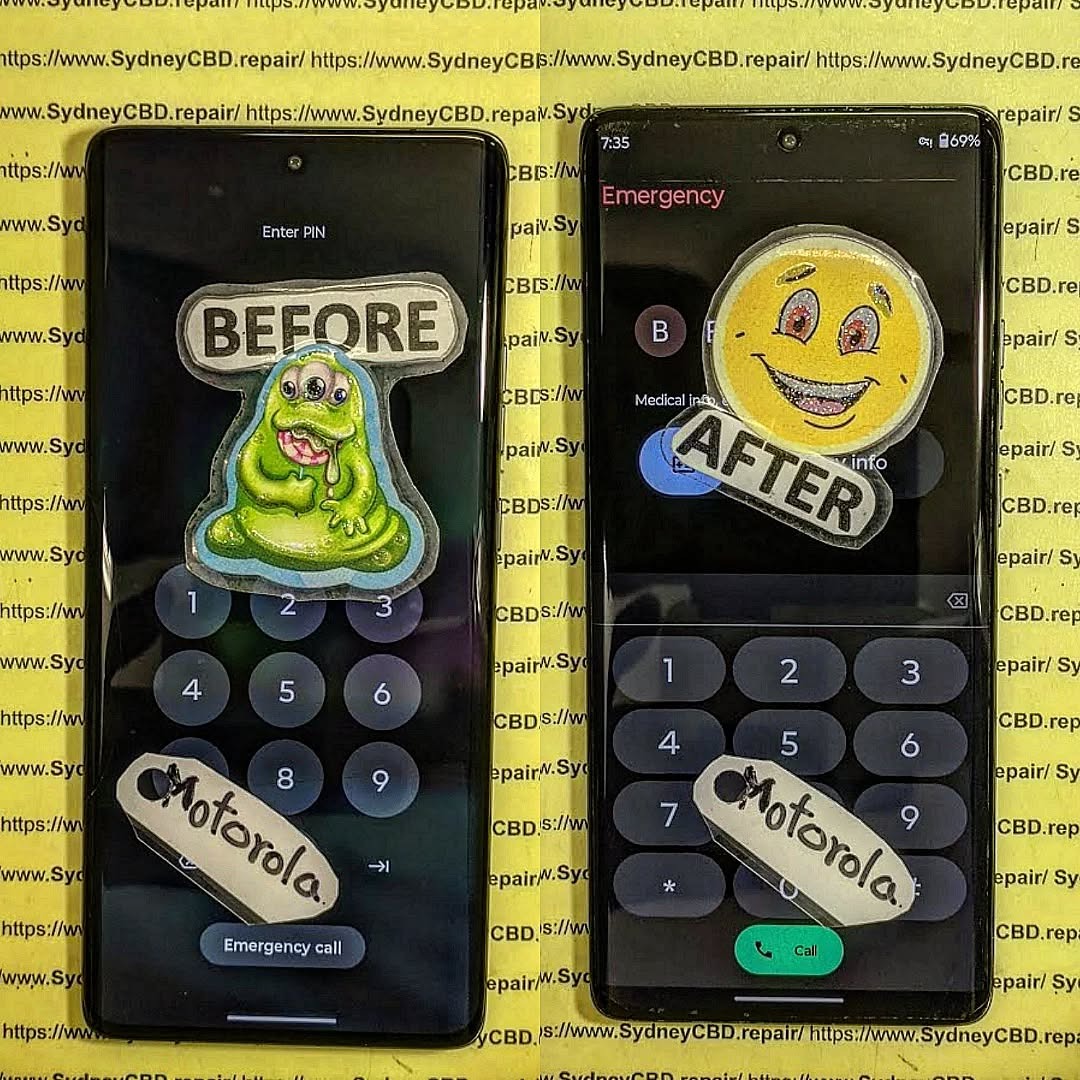
Screen Module vs. Screen Replacement: What’s Best?
Introduction
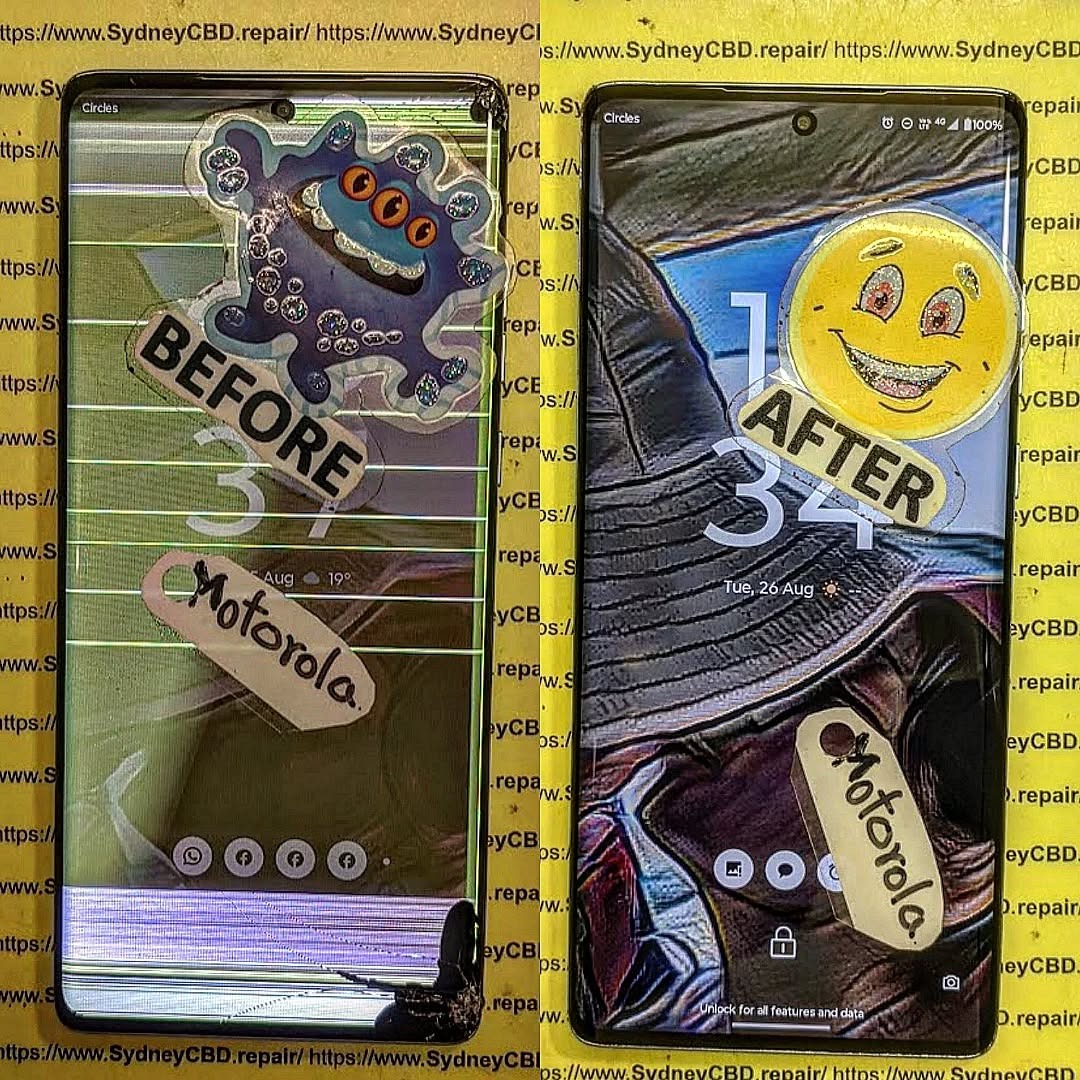
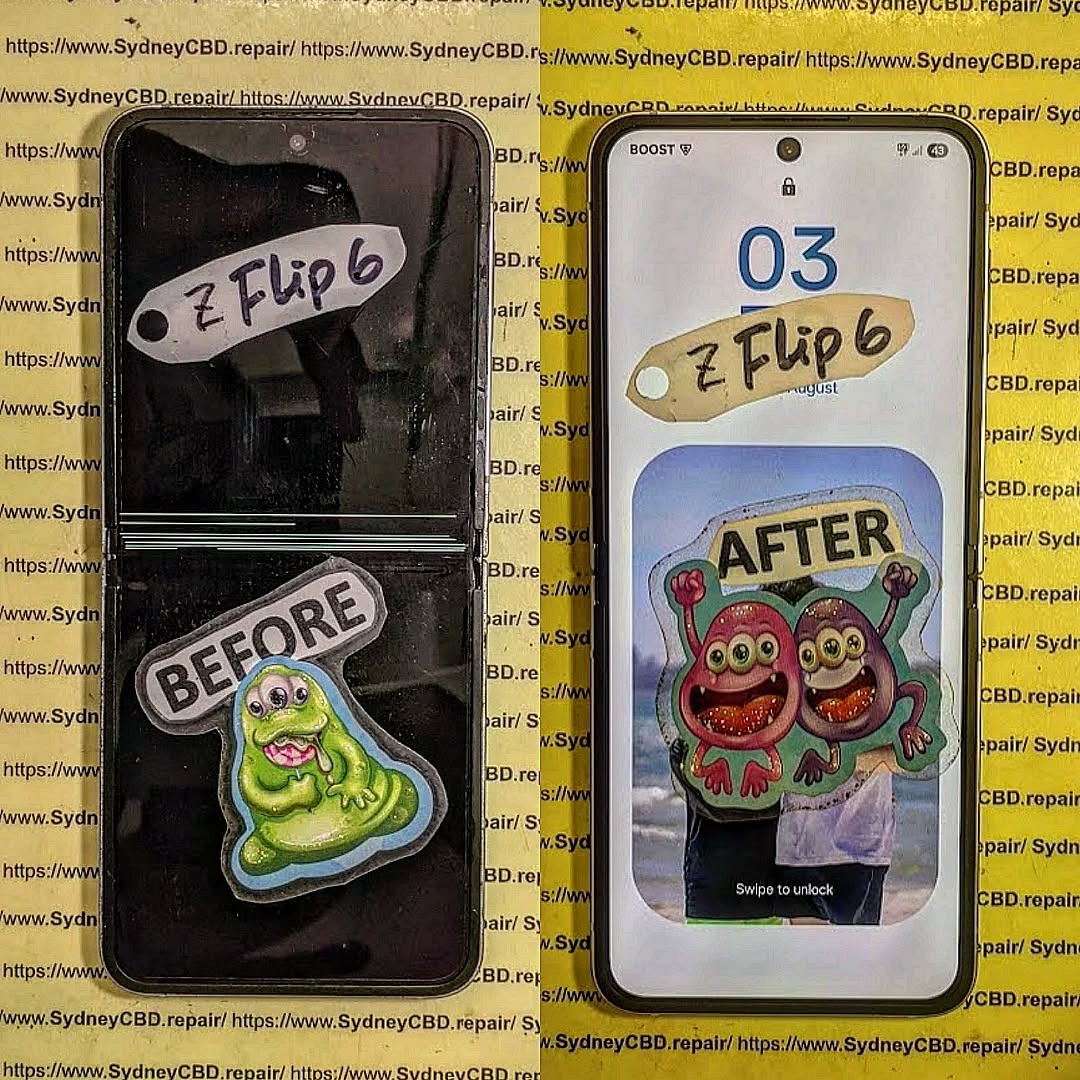
Cracked or malfunctioning screens are among the most common smartphone problems. When it happens, you usually face two options: screen module replacement or screen-only replacement. But which is the better choice? The answer depends on your phone model, the extent of the damage, and your budget.
At Sydney CBD Repair Centre, we’ve seen thousands of cases where customers struggle to choose between the two. This article will break down the differences, costs, pros, and cons so you can make the best decision for your device.
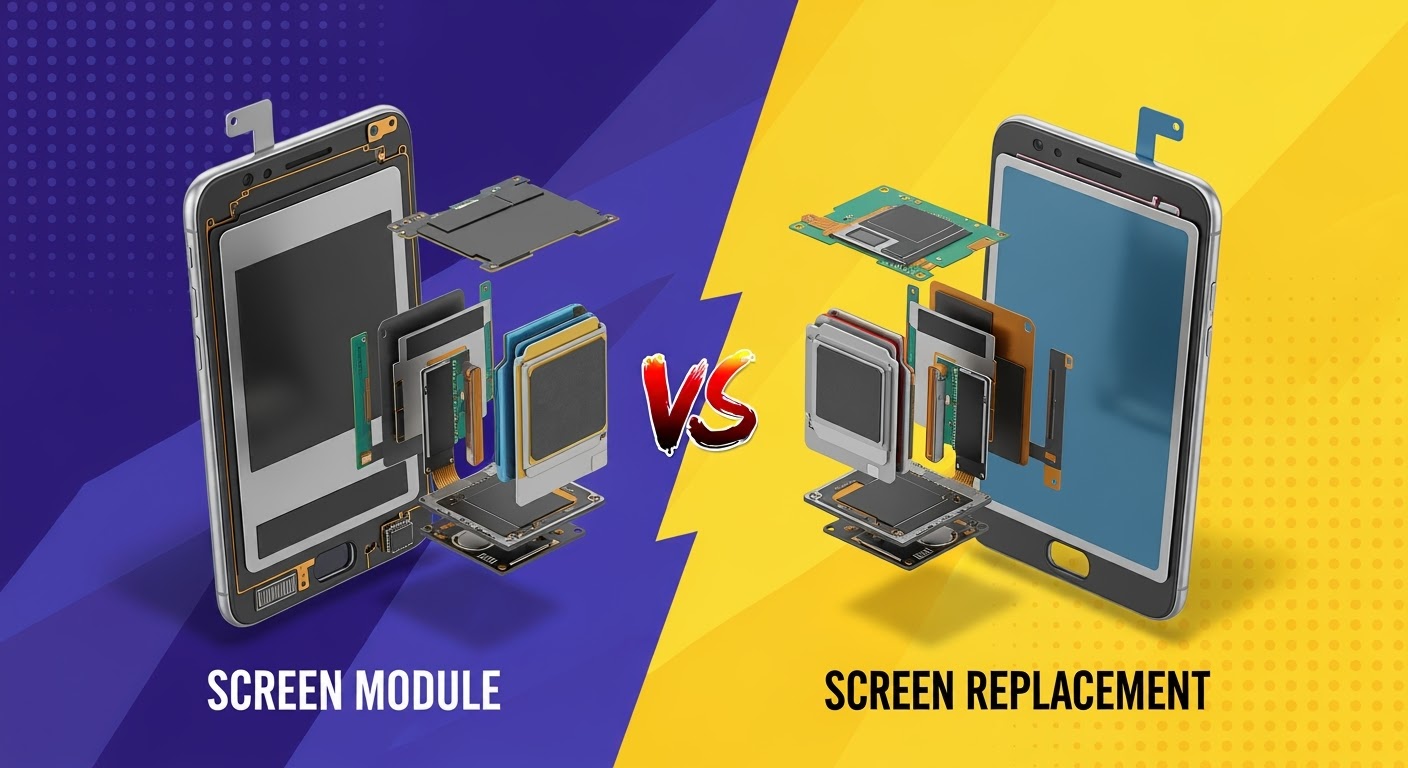
A screen module replacement means replacing the entire set—glass, touch digitizer, and display panel—as a single unit.
✅ Pros:
Faster and safer repair
Guarantees new display quality
Ideal if touch screen or display is faulty
❌ Cons:
More expensive than glass-only replacement
May not be necessary for minor cracks
Cost Comparison
Repair Type
Typical Cost (AUD)
Best For
Screen-Only Replacement
$120 – $200
Minor cracks, touch still works
Screen Module Replacement
$250 – $450
Severe cracks, display damage, unresponsive touch
💡 Prices vary depending on phone model and part availability.
Which One Should You Choose?
Choose Screen-Only Replacement if your phone only has surface cracks and the display is still fully functional.
Choose Screen Module Replacement if your display shows black spots, discoloration, unresponsive touch, or severe shattering.
Why Professional Repair Matters
While DIY kits are available, screen repairs are delicate and risky without proper tools. A professional repair ensures:
Genuine parts are used
Your phone’s water resistance (if any) is preserved
Proper adhesive and alignment for durability
Conclusion
Both screen-only and screen module replacements have their place. If you’re on a budget and your display is working fine, a screen-only replacement is the smart option. But if your display is faulty or you want a reliable long-term fix, a screen module replacement is worth the investment.
And if you’re in Sydney, trust Sydney CBD Repair Centre—with 2000+ 5-star Google reviews and a 6-time award-winning team, we’ll help you choose the right repair option for your phone.
Sydney CBD Repair Centre – Where Quality Meets Reliability
David from Sydney CBD Repair Centre – The Best place to fix mobile phones as 6 Years In A Row! Top Mobile Phone Repair In Sydney. More than 2000 Positive Reviews on Google and same-day repairs.
We take pride in delivering exceptional repair services for all major phone brands including Apple, Samsung, Google, and more. Our expert technicians use only genuine parts and offer a 90-day warranty on repairs.
✓ Same Day Express Repairs
✓ Genuine Parts Guarantee
✓ Professional Technicians
✓ Competitive Pricing
✓ 2000+ 5-Star Google Reviews
✓ 6-Time Award Winner for Best Phone Repairs
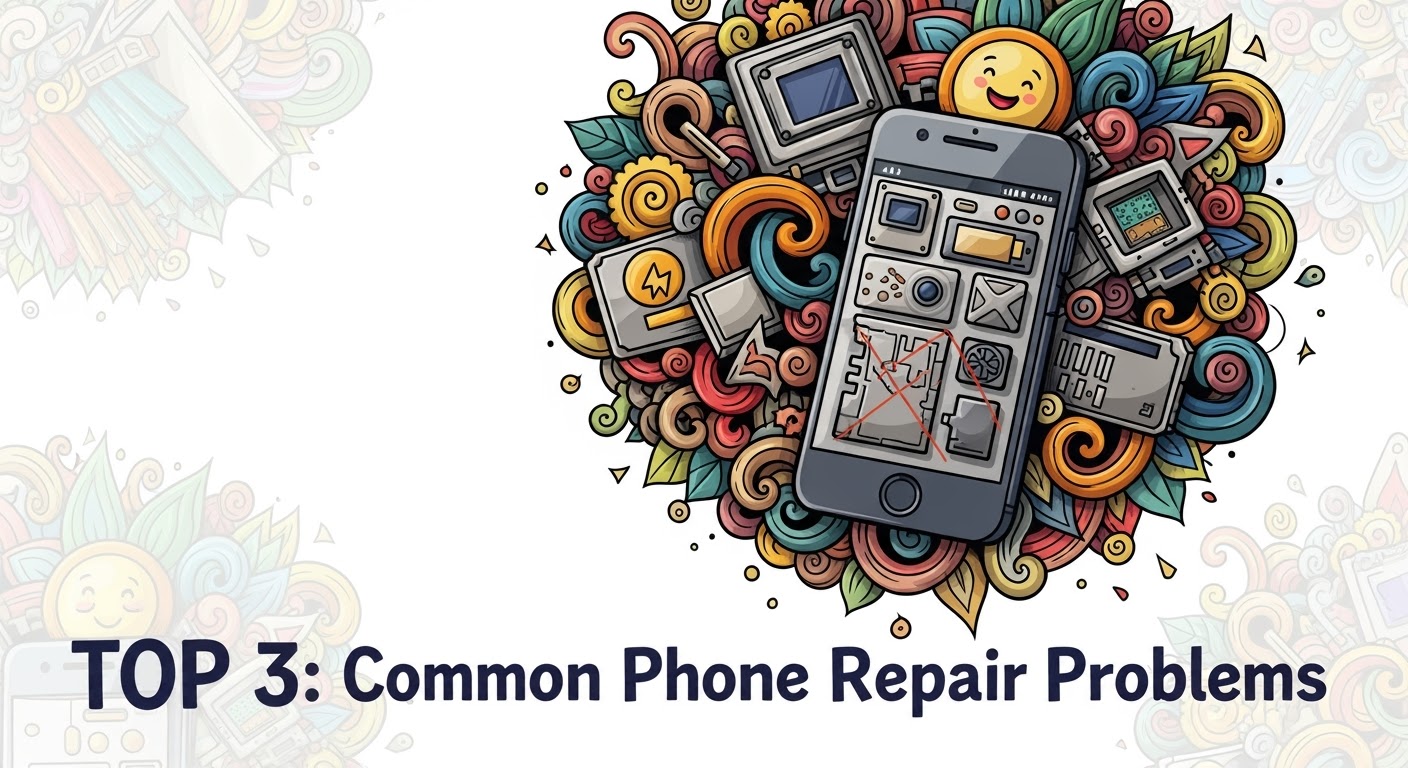
When it comes to smartphones, even the most durable models eventually face issues. At Sydney CBD Repair Centre, we’ve seen it all—from cracked screens to water damage—and some problems are far more common than others. Here are the Top 3 most frequent phone repair problems we handle every day.
This is by far the most common phone repair problem. A single drop can leave your screen covered in cracks, making it difficult to use or even unsafe due to sharp glass edges. While screen protectors and cases can help, accidents still happen.
Why it happens:
Accidental drops
Pressure in pockets or bags
Weakening of glass over time
Our Solution:
We offer same-day screen replacements using genuine parts, ensuring your phone looks and feels brand new again.
2. Battery Problems
Smartphone batteries naturally degrade over time. After a year or two, you may notice your device doesn’t hold a charge as well as it used to—or worse, it shuts down unexpectedly.
Signs your battery needs replacement:
Rapid battery drain
Overheating during normal use
Phone shutting down at 20–30% charge
Battery swelling
Our Solution:
Our technicians provide professional battery replacement with a 90-day warranty, restoring your phone’s performance and extending its lifespan.
3. Water Damage
Water and electronics don’t mix. Whether it’s a phone dropped in the sink, toilet, or pool, liquid damage is a serious problem that can affect screens, speakers, and internal components.
Why it’s dangerous:
Causes corrosion inside the phone
Leads to short circuits
May permanently damage the motherboard
Our Solution:
We perform water damage diagnostics and repairs, often saving devices that customers thought were beyond repair. The sooner you bring it in, the higher the chance of recovery.
Final Thoughts
Cracked screens, failing batteries, and water damage are the top 3 most common phone repair issues faced by smartphone users worldwide. The good news? Sydney CBD Repair Centre has the expertise, tools, and genuine parts to fix them quickly and professionally.
The Samsung Galaxy S Ultra series has become the pinnacle of smartphone innovation—combining sleek design, powerful performance, and cutting-edge technology. Yet, many tech enthusiasts, bloggers, and even some repair shops label these phones as “unrepairable.”
But is that really the case? The truth is, while Samsung’s flagship devices are complex and delicate, they are far from unfixable. With the right techniques, specialized equipment, and experienced professionals, even the most “impossible” Samsung S Ultra repairs can be successfully carried out.
This guide will debunk the myths, uncover the real challenges, and reveal 10 secrets to repairing the so-called “unrepairable” Samsung S Ultra phones.
Samsung’s Galaxy S Ultra models are built with slim bezels, tightly glued glass panels, and intricately layered components. This makes disassembly challenging without causing further damage.
Specialized Components
Unlike budget smartphones, the S Ultra uses custom parts—from the AMOLED panels to the Snapdragon/Exynos chipsets—making replacements costly and harder to source.
Fragile Materials
The premium Gorilla Glass Victus panels and ultra-thin flexible wiring inside the device can crack or tear during even the smallest repair attempts, which fuels the “unrepairable” label.
Common Samsung S Ultra Failures That Seem Impossible to Fix
Even though these phones are powerful, they’re not immune to common smartphone problems:
Cracked Display and Touch Issues
The 6.8-inch AMOLED display is both the highlight and Achilles heel of the S Ultra. Dropping it often results in cracked glass or unresponsive touch panels.
Battery Swelling and Rapid Drain
Despite large battery capacity, users often report overheating, swelling, or rapid battery drain after a year or two.
Charging Port Malfunctions
Daily plugging and unplugging can wear down the USB-C charging port, leading to charging failures.
Water and Liquid Damage
Although marketed as water-resistant, extended exposure or severe drops in water can still seep through seals, damaging internal components.
Motherboard & IC Failures
When chips like the Power IC or Charging IC fail, many believe the phone is beyond repair. However, microsoldering techniques can restore life.
10 Secrets to Repairing the “Unrepairable” Samsung S Ultra
1. Professional Diagnostic Tools
Specialized equipment like thermal cameras, multimeters, and ultrasonic cleaners allow technicians to pinpoint issues beyond what the naked eye can detect.
2. Using OEM & Genuine Parts
Counterfeit screens or batteries often worsen the problem. Genuine Samsung parts ensure longevity and compatibility.
3. Advanced Microsoldering Techniques
For damaged motherboards or IC chips, microsoldering can reconnect circuits at the microscopic level.
4. Screen Refurbishment vs. Replacement
Instead of replacing the whole display, experts can separate cracked glass from working OLED panels, saving customers hundreds of dollars.
5. Specialized Heat and Separation Equipment
Removing glued glass requires precisely controlled heat machines to avoid cracking the OLED panel underneath.
6. Battery Recalibration & Replacement
Sometimes rapid battery drain isn’t just a failing cell—recalibration can restore function before replacement becomes necessary.
7. Reflow & IC Chip-Level Repair
When chips loosen from the board due to heat, reflowing solder joints can restore full performance.
8. Data Recovery from Damaged Boards
Even when a phone is “dead,” professionals can extract data by working directly with the storage chips.
9. Waterproofing Restoration
Replacing seals and adhesives restores IP68 water resistance after major repairs.
10. Preventive Maintenance & Care
Encouraging users to use protective cases, charge properly, and avoid overheating extends the device’s lifespan.
Cons: Risk of permanent damage, no warranty, lack of proper tools.
Advantages of Professional Repairs
Guaranteed use of genuine parts.
Advanced diagnostic and soldering equipment.
Warranty and after-service support.
Higher success rates with complex repairs.
How Sydney CBD Repair Centre Masters the “Unrepairable”
Our Tools and Techniques
At Sydney CBD Repair Centre, we use OEM parts, thermal diagnostic systems, reflow stations, and ultrasonic cleaners to bring dead Samsung S Ultra phones back to life.
Case Studies of Successful Samsung S Ultra Repairs
A Galaxy S22 Ultra with a dead motherboard restored using microsoldering.
A Galaxy S23 Ultra with a cracked AMOLED display repaired with glass-only replacement, saving the client 40%.
Multiple water-damaged devices revived using ultrasonic cleaning and part-level replacements.
Q1: Can a cracked Samsung S Ultra screen be repaired without full replacement?
Yes, in some cases technicians can replace only the outer glass if the OLED is intact.
Q2: How long does a typical Samsung S Ultra repair take?
Most repairs can be completed within 1–2 hours, especially at professional shops like Sydney CBD Repair Centre.
Q3: Is water damage really fixable?
Yes, if treated early. Ultrasonic cleaning and part replacement can restore functionality.
Q4: Why is it important to use genuine parts?
Genuine parts ensure long-term reliability, preserve resale value, and maintain waterproofing.
Q5: Is DIY repair a good idea for Samsung S Ultra models?
Not recommended unless you have proper tools and expertise. Mistakes can cause irreparable damage.
Q6: Do professional repair shops offer warranty?
Yes, Sydney CBD Repair Centre offers a 90-day warranty on all repairs for peace of mind.
Conclusion: Turning the “Unrepairable” into Repairable
The Samsung S Ultra series may look intimidating to repair, but with advanced tools, genuine parts, and skilled technicians, even the most complex issues can be solved. Whether it’s a cracked screen, swollen battery, or a dead motherboard, there’s always a solution in the right hands.
If your Samsung Galaxy S Ultra has been deemed “unrepairable,” don’t give up hope. At Sydney CBD Repair Centre, we specialize in breathing life back into devices others have written off.
ULTIMATE TEARDOWN: Most UNREPAIRABLE Phones of 2025?
Every year, smartphones get sleeker, faster, and more feature-packed. But while manufacturers push the boundaries of design, they often make repairability an afterthought. In 2025, we’ve seen a new wave of beautiful but notoriously difficult-to-fix devices—some so complex that even seasoned technicians take a deep breath before opening them.
At Sydney CBD Repair Centre, we’ve handled hundreds of repairs this year. Here’s our insider list of the most unrepairable phones of 2025, based on design complexity, part availability, and sheer teardown frustration.
Foldables are beautiful—but they’re repair nightmares. The Z Fold 6 combines multiple fragile display layers with a hinge mechanism that’s almost impossible to disassemble without damage.
Why it’s hard to repair:
Flexible AMOLED screen that can tear if mishandled.
Tiny hinge parts that can misalign during reassembly.
Adhesive seals that require precision heating to remove.
Typical issues: Inner screen creases, hinge stiffness, dust ingress.
3. Google Pixel Fold 2
Google’s 2025 foldable has improved durability, but its parts are scarce and pricey.
Why it’s hard to repair:
Display cables run through the hinge, making replacements tedious.
Back glass removal is risky due to tight adhesive.
Software calibration needed for display replacements.
Typical issues: Flickering screens, hinge misalignment, back panel cracks.
4. Oppo Find N4 Flip
This stylish flip phone hides ultra-compact internal components that require surgical precision to replace.
Why it’s hard to repair:
Minimal spare part supply outside Asia.
Foldable display damage risk during disassembly.
Proprietary battery design.
Typical issues: Screen damage from drops, battery swelling.
5. Xiaomi Mi Mix Alpha 2025 Edition
A phone that’s all screen, all around—and almost impossible to fix without replacing the entire display wrap.
Why it’s hard to repair:
Display covers 360° of the device.
Sensors embedded directly into the screen.
Non-modular components soldered to the mainboard.
Typical issues: Screen cracks, dead touch zones, frame damage.
Why These Phones Are So Hard to Repair
Manufacturers chase slimness, waterproofing, and premium aesthetics, often at the expense of modular, repair-friendly designs. Features like glue-heavy assembly, non-removable batteries, and proprietary screws make DIY and third-party repairs increasingly difficult.
The Sydney CBD Repair Centre Difference
Even with the most challenging 2025 devices, we’re equipped to handle:
Same-Day Repairs for common issues.
Genuine Parts with a 90-Day Warranty.
Skilled technicians trained on the latest foldable and flagship devices.
When most people think of phone repairs, cracked screens come to mind first. But in reality, some of the most serious and overlooked issues happen beyond the screen—such as battery bloat and back glass damage.
At Sydney CBD Repair Centre, we’ve seen it all—swollen batteries pushing screens out of place, shattered back glass that makes holding a phone risky, and devices that could have been saved if addressed early. In this article, we’ll explore what causes these problems, why they’re dangerous, and how we fix them with precision and care.
Battery bloat occurs when a phone battery swells due to chemical breakdown, overheating, or overcharging.
Signs of battery bloat include:
Screen lifting or separating from the frame
Phone body bulging
Difficulty pressing buttons or closing the back cover
Sudden shutdowns or overheating
Why It’s Dangerous
A swollen battery isn’t just a cosmetic issue—it’s a safety hazard. The battery’s internal chemical reaction produces gas, increasing pressure inside the phone. Left untreated, it could leak, rupture, or in extreme cases, catch fire.
At Sydney CBD Repair Centre, we replace swollen batteries with genuine manufacturer-approved units to restore both performance and safety.
Steps we follow:
Careful Disassembly – We open the device without causing further damage to the screen or frame.
Safe Battery Removal – Swollen batteries are fragile; we handle them with proper tools to avoid puncture.
Genuine Battery Installation – Only original batteries are used for optimal safety and lifespan.
Full Device Check – We test charging, performance, and temperature stability.
With same-day repairs and a 90-day warranty, you can get back to using your phone without worrying about hidden risks.
Back Glass Damage – More Than Just Aesthetic
Modern smartphones like iPhones, Samsung Galaxy, and Google Pixel models often feature sleek glass backs. While they look premium, they’re prone to cracking on impact.
A cracked back glass:
Exposes internal components to dust and moisture
Weakens structural integrity
Can cause cuts or discomfort while holding your phone
How We Fix Back Glass Damage
Our back glass replacement is done using professional-grade laser separation technology—the same method used by manufacturers.
Our process includes:
Precision Glass Removal – Using a laser machine to soften adhesive without damaging internal components.
Frame Cleaning – Removing all residue for a perfect fit.
Original Back Glass Installation – Matching your phone’s exact model and colour.
Quality Check – Ensuring wireless charging, cameras, and antennas function properly.
Whether it’s battery bloat that’s pushing your screen out or shattered back glass making your phone unsafe to hold, we’ll restore it to like-new condition—quickly, professionally, and with genuine care.
📱 Genuine vs. Aftermarket Phone Screens: The Truth + Expert Comparison + 6 Key Differences
📖 Introduction: Why This Matters More Than You Think
Your smartphone’s screen is more than glass and pixels—it’s your digital window to the world. When it cracks or breaks, you’ll likely need a replacement fast. But here’s the big question: Do you go for a genuine screen or an aftermarket one?
At Sydney CBD Repair Centre, we get asked this every single day.
And the truth? Not all screens are created equal. The screen you choose not only affects how your phone looks and feels—it also impacts performance, resale value, and long-term durability.
Let’s break it down so you can make the right choice for your device and your peace of mind.
A genuine screen is sourced directly from your phone’s original equipment manufacturer (OEM)—be it Apple, Samsung, or Google. These components are designed to meet the same quality control standards as the screen that originally came with your device.
OEM vs. Genuine Screens
OEM (Original Equipment Manufacturer): Often used interchangeably with “genuine,” these are made by the same manufacturers that supply parts to the phone brands.
Genuine: These are brand-labeled screens with all the logos, features, and specs intended by the original brand.
Bottom line: Genuine means true-to-original, both in performance and appearance.
Aftermarket screens are manufactured by third-party companies not affiliated with the phone brand. They may look similar on the surface, but differences quickly become apparent when you start using the device.
These screens vary widely in:
Build quality
Color calibration
Touch sensitivity
Adhesive strength
Why They’re Cheaper (and Riskier)
Aftermarket parts are less expensive because:
They’re produced in bulk without strict QA
They use lower-grade materials
They cut corners on compatibility checks
While the savings can be tempting, the hidden costs—from screen malfunctions to device damage—can outweigh the initial discount.
🆚 Key Differences Between Genuine and Aftermarket Screens
1. Display Brightness and Color Accuracy
Feature
Genuine Screen
Aftermarket Screen
Brightness
High, factory-calibrated
Dull or overly bright
Color Accuracy
True-to-life
Often oversaturated or washed out
Viewing Angles
Excellent
Limited or uneven
2. Touch Sensitivity and Responsiveness
Genuine: Seamless, low-latency response that mimics the original device.
Aftermarket: May lag, misread touches, or suffer from “ghost touch” issues.
3. Durability and Material Quality
Genuine screens use Gorilla Glass or similar strengthened glass.
Aftermarket screens often use generic, brittle glass that cracks more easily.
4. Compatibility and Software Issues
Some aftermarket displays can cause:
Face ID / Fingerprint sensor malfunctions
Incompatibility with brightness auto-adjust
OS update issues
5. Warranty and Support
Genuine parts often come with a 90-day to 1-year warranty.
Most aftermarket repairs offer little to no guarantee.
6. Long-Term Device Health
Aftermarket screens may strain other components, like:
Battery life (due to inefficient power draw)
Display connectors (due to mismatched pin alignments)
🧪 How We Test Screen Quality at Sydney CBD Repair Centre
Visual Calibration Tools
We use colorimeter and pixel checkers to ensure color accuracy and brightness levels match OEM standards.
Real-World Stress Testing
Phones are tested for:
Touch response in games
Sunlight visibility
Multi-touch precision
These checks ensure your device feels and behaves like new after screen replacement.
When you invest in quality, you’re also investing in your device’s longevity.
📊 Cost Breakdown: Is the Extra Price Worth It?
Let’s break it down:
Screen Type
Upfront Cost
Likely Re-Repair Cost
Total Value Over 2 Years
Genuine
$200
$0
High
Aftermarket
$120
$90–$150
Low
The takeaway? Aftermarket might seem cheaper today, but it often costs more in the long run.
📋 What to Ask Before Getting Your Screen Replaced
Part Origin and Supplier Details
Ask your technician:
“Is this a genuine screen?”
“Where do you source your parts from?”
Warranty Terms and Installation Practices
A reputable repair shop should:
Offer a written warranty
Be transparent about their installation process
🔒 How Sydney CBD Repair Centre Guarantees Genuine Parts
Our Supply Chain Transparency
We only work with certified distributors and verify part origins before stocking them.
In-Shop Verification Practices
Every screen repair includes:
Serial number cross-checks
Post-installation diagnostics
Customer verification at pickup
With over 2000 five-star Google reviews, our reputation is built on authenticity and trust.
🙋♂️ Frequently Asked Questions (FAQs)
1. How can I tell if my screen is genuine?
A genuine screen has high brightness, accurate colors, smooth touch, and seamless fit. If the display looks off or touch feels sluggish, it may be aftermarket.
2. Are aftermarket screens always bad?
Not necessarily—but quality varies wildly. Unless you trust the brand and supplier, you’re taking a risk.
3. Will Face ID or Fingerprint work with aftermarket screens?
Often, no. Many third-party screens interfere with biometric sensors, especially on newer iPhones and Samsung devices.
4. Do genuine screens come with a warranty?
Yes. At Sydney CBD Repair Centre, all genuine screen repairs include a 90-day warranty.
5. Is the price difference worth it?
Absolutely. With longer lifespan, better performance, and fewer issues, genuine screens save you money and frustration over time.
6. Can I request a genuine screen for my old phone?
Yes! We stock genuine parts for both new and older models, including legacy iPhones and flagship Androids.
🏁 Conclusion: Choose Wisely, Repair Right
The screen is the most-used part of your phone. Don’t gamble with its quality.
At Sydney CBD Repair Centre, we believe in doing things right the first time—with genuine parts, certified technicians, and a commitment to excellence.
Stop by our shop in the heart of Sydney CBD or visit our website to book your repair. With us, your phone gets the screen it deserves—and you get the service you can trust.
S24 Ultra Screen Troubleshooting: White Screen Fix – 7 Expert Tips to Restore Display Function
📱 Introduction: The White Screen Dilemma on S24 Ultra
The Samsung Galaxy S24 Ultra boasts a stunning Dynamic AMOLED 2X display, yet like all smartphones, it’s not immune to faults. One of the more frustrating issues users face is the white screen problem — where the device powers on, but only a blank white screen appears. No touch response. No visible interface. Just… white.
Whether caused by a hardware issue or a software glitch, the white screen of death is a common problem reported by users — especially after accidental drops, liquid exposure, or DIY repair attempts.
At Sydney CBD Repair Centre, we’ve restored countless S24 Ultra devices with this exact issue using our 7-step troubleshooting process. Read on to learn what causes the white screen and what you can do about it — both at home and with expert help.
Before jumping to conclusions, try these at-home troubleshooting steps:
Soft Reset and Safe Mode
Press and hold the Power + Volume Down buttons for 10 seconds until the phone restarts.
Once restarted, immediately press and hold the Volume Down key until the lock screen appears — this boots into Safe Mode.
If the white screen disappears in Safe Mode, it’s likely a third-party app is causing the issue.
Booting into Recovery or Download Mode
Recovery Mode:
Hold Power + Volume Up to enter recovery.
From here, you can wipe cache partition or perform a factory reset.
Download Mode:
Hold Power + Volume Down + Bixby (if available) to enter download mode.
This can be used for firmware flashing via Odin (best done by professionals).
♻️ 3. When a Factory Reset Might Work (And When It Won’t)
If you can access recovery mode, a factory reset might help — especially if the white screen is caused by corrupted software. However, this will erase all data, so proceed cautiously.
It won’t help if:
The screen remains white even in recovery mode
The issue began after a drop or liquid exposure
Touchscreen is completely unresponsive
In those cases, it’s almost certainly a hardware issue that needs repair.
Inside every phone is a network of flex cables connecting the screen to the logic board. If the phone was dropped or poorly repaired, these can:
Dislodge slightly, breaking the signal
Tear, especially near the connector
Burn out from short circuits
A simple re-seat might fix it — but only trained technicians should attempt this, as it involves opening the device.
Screen Assembly Not Aligned Properly
Low-quality third-party repairs may not install the screen assembly with the correct bezel or adhesive, causing:
Pressure misdistribution
Display flickering or full failure
White or blank screen symptoms
That’s why we always recommend genuine screen assemblies with bezel at Sydney CBD Repair Centre.
💡 5. Display Replacement: When the Screen is Truly Damaged
Using Genuine AMOLED Panels
Samsung S24 Ultra uses a high-resolution, curved-edge AMOLED screen. Aftermarket panels often fail to match brightness, color accuracy, and touch responsiveness — and some don’t even support the in-display fingerprint sensor.
At Sydney CBD Repair Centre, we only use OEM or premium-quality AMOLED screens that are 100% compatible with your device.
Why Bezel Matters in Reassembly
A properly aligned bezel ensures that the screen is seated evenly. When missing, screens are more likely to:
Lift from corners
Detach over time
Misalign with sensors
Always ensure your replacement includes a bezel, or your repair may not last.
🧠 6. Logic Board Problems: The Hardest Diagnosis
Backlight Circuit Failure
If the phone is on, but the screen is white or extremely dim, the backlight circuit may have failed. This tiny system of micro-components powers your display’s lighting layer. A single burnt capacitor or IC can knock it out.
GPU Signal Malfunction
The graphics processing unit (GPU) on your motherboard is responsible for sending visual data to the screen. If it’s damaged, the screen may:
Show a solid white image
Flicker or ghost
Freeze entirely
Our team at Sydney CBD Repair Centre is trained in micro-soldering repairs, capable of replacing faulty components on the motherboard — a level of repair very few shops offer.
🧰 7. How Sydney CBD Repair Centre Fixes the White Screen Issue
Our Diagnostic Process
Initial inspection – visual and functional tests
Connector check – we open the device and inspect internal connections
Screen test – we plug in a known working screen
Board diagnostics – we measure voltage at key points to check for logic board failure
Component-level repair – if needed, we replace chips and reflow solder joints
Every repair ends with a multi-point quality test, ensuring your phone is safe, functional, and aligned with OEM specs.
Real Customer Repair Story
A client brought in a Galaxy S24 Ultra with a pure white screen after a fall. Other shops said it was a lost cause. Our team diagnosed a damaged display flex and minor board burn — and repaired it the same day using OEM parts.
The customer walked out with their original data intact, a new display, and peace of mind.
❓ FAQs
1. Why is my S24 Ultra screen white but the phone is still on?
This is likely due to either a screen failure or a logic board issue affecting the display signal. A professional diagnosis is needed.
2. Can I fix the white screen myself?
You can try a soft reset or boot into recovery, but if that doesn’t work, internal hardware is likely damaged — and DIY attempts may worsen the problem.
3. How much does it cost to fix a white screen on a Galaxy S24 Ultra?
At Sydney CBD Repair Centre, we offer competitive pricing with genuine parts. The cost depends on whether it’s a display replacement or board repair. Contact us for a free quote.
4. How long does the repair take?
Most screen-related repairs are done same-day, and logic board issues may take 1–3 days depending on complexity.
5. Is my data safe during the repair?
Yes. We take data protection seriously. Unless a factory reset is required (you’ll be informed), your data will be preserved.
6. Do you offer a warranty?
Absolutely. All our repairs come with a 90-day warranty covering parts and workmanship.
✅ Conclusion: Get Your Display Working Again
The white screen issue on the S24 Ultra may seem like a dead end — but with the right expertise, it’s often fully repairable. Whether it’s a loose flex, a faulty AMOLED, or a board-level failure, our technicians at Sydney CBD Repair Centre are ready to bring your phone back to life.
Don’t gamble with DIY solutions or budget repairs that skip the bezel or use low-quality screens. Trust the shop with over 2000 five-star Google reviews and a reputation for same-day, expert-level repairs.
Avoid These Mistakes: Screen Replacement Without Bezel – Top 7 Reasons Why It Matters
🧠 Introduction: Why Screen Replacements Need the Bezel
If you’re getting your phone screen replaced and someone offers a “cheap” fix that skips the bezel, pause and think. While it might seem like a good deal upfront, replacing a screen without its original bezel can lead to misalignment, poor adhesion, and even internal component damage. Many customers don’t realise how crucial the bezel is — until their new screen starts lifting, cracking, or becoming unresponsive.
At Sydney CBD Repair Centre, we’ve seen this problem too many times: customers coming in with a second repair needed because someone else cut corners. That’s why we always stress the importance of genuine parts — including the bezel.
The bezel is the frame or edge that surrounds the screen of your smartphone. It provides critical support by securing the display to the phone’s body and keeping internal components safe from dust, moisture, and pressure.
When omitted during a screen replacement, you’re effectively weakening the entire structural integrity of the device.
Bezel vs. Bezel-less Designs
Modern phones appear bezel-less, but that’s often an illusion. There’s still a minimal bezel integrated under the glass or frame to maintain rigidity and alignment. Skipping this element entirely in a replacement causes warping, screen lifting, and vulnerability to damage.
When a technician tries to fit a screen without the bezel, there’s usually less surface area for adhesives to grip, meaning the screen isn’t anchored firmly. This leads to misalignment and eventual lifting.
Improper Adhesion Leading to Screen Lifting
Using generic glue instead of precise adhesives that bond with a bezel results in weak adhesion. Without the structural frame, even slight pressure or heat can cause the screen to shift or lift from its place.
💸 3. The Cost of Cutting Corners: Long-Term Damage
Display Delamination
Delamination happens when the screen layers start to separate, often because of uneven pressure or improper sealing — both common when there’s no bezel involved. It’s a slow, silent issue that leads to screen failure.
Touch Sensitivity Issues
Without the bezel keeping components aligned, the digitizer (touch layer) may not make proper contact. This results in delayed response, dead zones, or ghost touches — all signs that your phone was poorly repaired.
🔧 4. Genuine Parts vs. Aftermarket: The Bezel Factor
OEM Components: Why They Include the Bezel
Original Equipment Manufacturer (OEM) parts come pre-assembled with bezels to guarantee fit and performance. They’re made to exact specifications and tested for durability.
Why Cheap Replacements Often Skip the Bezel
Some budget repair shops use aftermarket LCDs that don’t include the bezel to cut costs. While you may save $50 upfront, the potential for failure is much higher — and you’ll likely end up paying more later.
📍 5. Real-World Examples from Sydney CBD Repair Centre
Customer Case Study: Samsung Galaxy S22 Ultra
A customer brought in an S22 Ultra that had a screen replaced without the bezel. Within weeks, the screen was separating from the body. Our team replaced it with a genuine screen + bezel assembly, restoring both functionality and durability.
iPhone 13 Pro: Repaired Right the First Time
Another client had their iPhone 13 Pro screen replaced at our centre using a complete assembly, including the bezel. One year later, the screen is still perfectly aligned — a testament to quality work done by skilled technicians.
🛠️ 6. Why Skilled Technicians Always Replace the Bezel
Structural Integrity and Fit
A screen and bezel are designed to fit together like puzzle pieces. Skipping the bezel creates gaps that expose your device to moisture, dust, and accidental impact.
Professional Standards in Phone Repairs
At Sydney CBD Repair Centre, we never skip the bezel. It’s part of our commitment to OEM-standard repairs, and it’s why we can confidently offer a 90-day warranty on all screen replacements.
👀 7. How to Know If Your Repair Includes a Bezel
What to Ask Your Repair Shop
“Are you using a full-screen assembly with bezel?”
“Is the part OEM or aftermarket?”
“Do you offer a warranty?”
If they hesitate or can’t answer clearly, it’s a red flag.
Red Flags of Bezel-Free Screen Replacements
Screen looks raised or uneven
Display feels loose when pressed
Touchscreen misbehaves
No warranty offered
🙋♂️ FAQs
1. What is the bezel, and why is it so important in screen replacement?
The bezel is the structural frame around the screen that ensures proper fit, protection, and adhesion. It prevents the screen from lifting and keeps internal components safe.
2. Can I save money by skipping the bezel in screen repair?
While it might be cheaper initially, it leads to issues like screen detachment, poor touch response, and even further damage — costing more in the long run.
3. Do all OEM screen replacements come with the bezel?
Yes, genuine OEM screen assemblies always include the bezel to ensure proper installation and longevity.
4. What happens if my screen was replaced without a bezel?
You may experience screen lifting, misalignment, and reduced touch sensitivity. Over time, this can lead to full screen failure.
5. How do I know if my repair technician included the bezel?
Ask directly if it’s a full-screen assembly. You can also visually inspect the edge — a poorly fitted or raised screen often means the bezel was skipped.
6. Is there a warranty for screen replacements that include the bezel?
At Sydney CBD Repair Centre, we offer a 90-day warranty because we use genuine parts, including the bezel, ensuring a lasting repair.
✅ Conclusion: Choose Repairs Done Right
Your phone is too valuable to trust with shortcuts. When it comes to screen replacement, always choose a full assembly that includes the bezel. It ensures the integrity of your device, keeps components safe, and gives you peace of mind with a longer-lasting repair.
At Sydney CBD Repair Centre, we don’t cut corners. We use genuine parts, follow professional repair standards, and back our work with a 90-day warranty. Don’t risk a second repair — get it right the first time.
📱 ASUS ROG Phone 8 Screen Repair Deep Dive: Ultimate Fix Guide + 12 Power Tips
🧠 Understanding the ASUS ROG Phone 8 Display
The ASUS ROG Phone 8 is a powerhouse made for gamers — and its screen reflects that high-performance focus. Featuring an AMOLED display, 165Hz refresh rate, HDR10+ support, and Corning Gorilla Glass Victus, it’s not your average smartphone screen.
But even a display this tough can’t always survive a harsh drop.
These specs make it one of the best screens on the market — and also one of the most expensive to replace. That’s why screen repair for the ROG Phone 8 should be handled with extra care.
Even the best displays have vulnerabilities. Some of the most frequent problems reported by ASUS ROG Phone 8 users include:
Cracked or shattered glass from drops
Ghost touches or phantom screen taps
Display not turning on, despite full battery
Lines or black spots appearing on the screen
Screen flickering or rapid dimming
These issues are often caused by physical damage, pressure stress, or internal component failures linked to the screen assembly.
🛠 Can You Repair the ROG Phone 8 Screen Yourself?
Short answer: Yes, but it’s not recommended unless you’re experienced.
The ROG Phone 8’s compact internal structure and adhesive-based assembly mean you’ll need a careful hand and proper tools. ASUS does not make it particularly easy for DIYers to replace components like screens — mainly to protect device integrity.
That said, a screen replacement is technically possible at home. You just need to be aware of what you’re getting into.
🧰 Tools You’ll Need for DIY Repairs
If you’re still set on a DIY route, here’s your toolkit checklist:
Precision screwdriver set (PH00, T2, etc.)
Suction cup and plastic opening tools
Heat gun or hair dryer
Anti-static mat and gloves
Replacement AMOLED screen (genuine or OEM)
Adhesive strips or liquid adhesive
Isopropyl alcohol and microfiber cloth
⚠️ Important: One misstep can cause motherboard damage, ruin touch sensitivity, or void your warranty. Always weigh the risk before proceeding.
🔧 Step-by-Step Guide to Replacing the Screen
If you’ve got steady hands and the right tools, follow these general steps to replace the ASUS ROG Phone 8 screen. Note: This is a simplified overview. Always consult a professional guide or video tutorial for exact steps.
✅ Screen Replacement Steps:
Power Off and Remove SIM Tray
Hold the power button until the device turns off completely.
Remove the SIM tray to avoid damage during disassembly.
Soften the Adhesive
Use a heat gun or hair dryer to warm the screen edges.
Apply even heat to loosen the strong adhesive holding the display.
Pry Open the Screen
Insert a plastic opening tool between the frame and the screen.
Carefully work your way around the edges — avoid using metal tools.
Disconnect the Battery
Once the back cover or screen is loosened, carefully unplug the battery connector to prevent shorts.
Remove Broken Display
Unclip the display flex cable(s) from the motherboard.
Carefully lift and remove the damaged screen.
Install New Screen
Connect the new screen’s flex cable.
Test the screen functionality before sealing.
Reassemble the Phone
If the screen works, apply new adhesive or double-sided tape.
Re-seal the phone, making sure it’s tightly closed.
⚠️ Pro Tip:
Don’t forget to test touch response, brightness, and color accuracy before finalizing the reassembly.
⚠️ Risks of DIY Repairs on Gaming Phones
Gaming phones like the ASUS ROG Phone 8 come with added complexity — including high-refresh displays, internal vapor chambers, and tuned speakers. DIY repairs can risk:
Thermal misalignment (impacting cooling systems)
Broken flex cables
Touchscreen calibration issues
Waterproofing failure
Void warranty or resale value
Unless you’re highly experienced or the screen damage is superficial, you’re better off trusting a professional repair service.
🧑🔧 When Should You See a Professional?
Let’s be real — if your screen is cracked, unresponsive, or has deep discoloration, you need professional help. A certified technician can:
Diagnose secondary damage (e.g., to digitizers or motherboard)
Use original OLED/AMOLED replacement panels
Ensure waterproofing is re-applied
Offer repair warranties
For Sydney locals, the Sydney CBD Repair Centre offers same-day repairs and has 2000+ five-star reviews. That’s the kind of peace of mind you want with a $1500+ gaming phone.
💸 Cost Breakdown: DIY vs Professional Repair
Let’s compare the typical costs for ROG Phone 8 screen replacement:
At Sydney CBD Repair Centre, most screen replacements for the ASUS ROG Phone 8 are completed within the same day — sometimes in under 2 hours if you book ahead.
Factors That Affect Repair Time:
Availability of parts
Extent of internal damage
Device model and complexity
Current workload at the repair centre
For walk-ins, you can still expect fast service — but we recommend calling ahead at +61280114119.
🛡️ Why Choose Sydney CBD Repair Centre?
David and his expert team have been voted the #1 phone repair shop in Sydney for 6 consecutive years. Here’s why they stand out:
✅ Use of 100% genuine parts
✅ Repairs by trained technicians
✅ More than 2,000 5-star Google reviews
✅ 90-day warranty
✅ Award-winning service
They specialize in Samsung, Apple, ASUS, OPPO, Huawei, and more — and they handle gaming phones with extra care.
🧩 Benefits of Using Genuine Parts
When it comes to high-performance displays, using genuine parts is non-negotiable. Here’s why:
🔁 Perfect compatibility
🎮 Preserves refresh rate (165Hz)
🌈 No color distortion or brightness issues
🤳 Touch sensitivity remains accurate
💧 Water-resistance is retained
Third-party or fake screens might cost less, but you’ll pay more in the long run with glitches, screen burns, or early failure.
🧾 Warranty and Aftercare for Screen Repairs
At Sydney CBD Repair Centre, you get a 90-day warranty on all screen replacements.
What the warranty covers:
Screen malfunctions not caused by new drops
Touch/display failures due to faulty installation
Warranty claims processed within 1 business day
They also offer helpful aftercare like:
Screen protectors
Free diagnostics if issues reoccur
Repair receipt for warranty proof
🛡️ Protecting Your ROG Phone 8 Post-Repair
After your screen has been replaced, keep it safe! Here’s how:
Post-Repair Tips:
Install a premium screen protector (tempered glass preferred)
Use a rugged case that supports heat dissipation
Avoid extreme temperatures
Enable touch sensitivity mode if using thicker protectors
Back up data regularly — just in case
Your ROG Phone 8 is a gaming beast — treat it like one.
🙋 Frequently Asked Questions (FAQs)
1. How do I know if my ROG Phone 8 needs a screen replacement?
If the display is cracked, unresponsive, flickering, or has lines — it likely needs replacement. A professional can diagnose it quickly.
2. Is the screen covered by ASUS warranty?
Physical damage isn’t covered by standard ASUS warranty. Only manufacturing defects are included.
3. Can I use any screen or does it have to be OEM?
Using OEM (original equipment manufacturer) or genuine parts ensures performance, compatibility, and longer lifespan.
4. Is it safe to repair my phone at Sydney CBD Repair Centre?
Yes. They’re an award-winning repair shop with 2000+ verified reviews and a reputation for quality and speed.
5. Will my phone still be water-resistant after the repair?
Yes, if the repair is done professionally with proper sealing adhesives — like at Sydney CBD Repair Centre.
6. Can I walk in for a screen replacement or do I need an appointment?
Walk-ins are welcome, but appointments help you get faster service. Call ahead to secure a same-day repair.
✅ Conclusion: Your Screen, Restored with Confidence
The ASUS ROG Phone 8 deserves premium care — and whether you attempt a DIY fix or go to a professional, knowing your options matters. For most users, the safest, most cost-effective route is to get it repaired by experts who specialize in high-performance devices.
💼 If you’re in Sydney, Sydney CBD Repair Centre offers everything you need:
OnePlus 13 Screen Repair: First Look, Pro Tips & 7 Must-Know Facts
🧠 Introduction to the OnePlus 13
The OnePlus 13 has captivated Android fans with its powerful hardware, sleek design, and cutting-edge display. But even the most premium smartphones are prone to screen damage. Whether it’s a cracked front panel or a flickering screen, repair becomes inevitable.
As one of the most trusted phone repair experts in Sydney, we’re here to give you an in-depth look at OnePlus 13 screen repair—including tips, cost breakdowns, and common myths busted.
The leading cause of screen cracks is still the good ol’ oops-it-fell. Even with a protective case, a sharp edge or a bad angle can cause major damage.
⚙️ Manufacturing Flaws or Defects
In rare cases, screen malfunctions can occur due to internal hardware or factory faults—especially with new models like the OnePlus 13.
☀️ Environmental Stress Factors
Exposing your phone to extreme heat, moisture, or pressure (e.g., sitting on it in your back pocket) can compromise the screen integrity.
Unresponsive Touchscreen: Delays or dead zones when swiping
Discoloration or Flickering: Indicates internal display issues
Visible Cracks or Lines: Structural damage beneath the glass
Ghost Touches: When your phone reacts without being touched
If you notice any of these, a screen repair is not just optional—it’s urgent.
🌈 Understanding OnePlus 13 Display Technology
🖥️ AMOLED Panel Features
The OnePlus 13 uses a 6.8-inch QHD+ AMOLED panel with HDR10+ and a 120Hz refresh rate. This high-end tech offers vibrant colors but is sensitive to impact.
🔐 In-Display Fingerprint Sensor
Another reason why only expert repairs should be trusted: the under-display fingerprint reader can be permanently disabled by improper handling.
🧰 DIY vs Professional Repair: What’s Best?
While DIY kits seem tempting, they often cause:
More damage
Loss of IP rating
No warranty coverage
At Sydney CBD Repair Centre, we use specialised tools and genuine OnePlus parts, ensuring your phone functions like new.
🧩 Why Choose Genuine Parts Only
Cheap third-party screens may:
Dim over time
Lose touch sensitivity
Drain your battery faster
That’s why genuine OnePlus parts are essential for screen replacements, protecting your investment long-term.
🔧 Step-by-Step: Our OnePlus 13 Screen Repair Process
Initial Assessment – Identify all damage
Disassembly – Carefully open the device using specialized heat tools
Screen Replacement – Fit and bond a new OEM screen
Testing – Confirm display and touch accuracy
Final QA – Ensure water resistance is maintained
We complete this entire process in under 2 hours for most repairs.
⏱️ How Long Does a OnePlus 13 Repair Take?
With same-day express service, most screen replacements take between 45 to 90 minutes, depending on part availability and device condition.
💸 Pricing Breakdown: OnePlus 13 Screen Repair in Sydney
Service Type
Estimated Cost (AUD)
Screen Replacement (OEM)
$399 – $499
Express Repair Fee
Included
Warranty
90 Days
Pricing varies by model and damage extent. Contact us for a quick quote!
🛡️ Warranty and What It Covers
We offer a 90-day warranty that covers:
Touchscreen functionality
Display quality
Defective part replacement (if OEM-related)
However, physical damage after repair is not covered—so grab that screen protector!
🔒 Top 5 Tips to Prevent Future Screen Damage
Use a Tempered Glass Screen Protector
Invest in a Shockproof Case
Avoid Extreme Heat or Cold
Keep Your Phone in a Separate Pocket
Never Sleep with Your Phone on the Bed
These small changes go a long way toward prolonging your screen’s life.
🏆 Why Choose Sydney CBD Repair Centre for OnePlus Repairs?
🛠️ 6-Time Award-Winning Service
Recognised 6 years in a row as Sydney’s Top Mobile Repair Centre, our excellence speaks for itself.
🌟 2000+ Google Reviews and Counting
With thousands of 5-star reviews, we’re trusted by locals, travelers, and tech enthusiasts alike.
❓ Frequently Asked Questions (FAQs)
1. Can I replace the OnePlus 13 screen myself?
You can, but it’s risky. Without proper tools and experience, you may cause more damage or void the warranty.
2. Is the OnePlus 13 screen water-resistant after repair?
Yes—if repaired professionally with resealing. DIY repairs usually break this seal.
3. How do I know if my screen is genuinely OnePlus-certified?
We provide documentation with every OEM part used. Always ask your repairer for proof.
4. Will my fingerprint sensor still work?
Absolutely. We carefully preserve and recalibrate the in-display sensor during reinstallation.
5. Is there a walk-in option available?
Yes! We offer walk-in repairs at our Sydney CBD shop—no booking needed.
6. Do you offer postal repair services?
Yes. Send your phone via mail, and we’ll return it repaired, fully tested, and insured.
✅ Conclusion
If your OnePlus 13 screen is cracked, unresponsive, or flickering, don’t wait. Trust Sydney CBD Repair Centre for professional, fast, and genuine repairs. With thousands of satisfied customers, OEM parts, and award-winning service, we’re your go-to destination in Sydney.