One of the most attractive features of the popular password manager LastPass is that, if you choose to, you can use it pretty effectively without paying a dime. That comes to an end in March, as LastPass has just announced that its free tier will be restricted to only one device type starting next month.
LastPass works across nearly every platform, from Android to iOS to Windows to Mac, and that’s what makes it useful. For the most part, the services we use today are available on multiple platforms, so being able to use the service on both your mobile phone and your desktop/laptop computer is crucial to most users.
Starting on March 16, 2021, LastPass will start restricting its free service to only one device type, meaning those who sign up will be required to pick between accessing the service on their computer or their smartphone. The latter also includes LastPass access on tablets (iPads) and smartwatches. You’ll pick an “active device type” to decide on where you’ll use the service. For current free users, the first device type you log in to after March 16 will set your active type. You’ll have three chances to pick between device types before the choice is locked in. After that, you’ll need to sign up for LastPass Premium to access the service on two different platforms.
As a Free user, your first login on or after March 16 will set your active device type. You’ll have three opportunities to switch your active device type to explore what’s right for you. Please note, that all of your devices sync automatically, so you’ll never lose access to anything stored in your vault or be locked out of your account, regardless of whether you use computer or mobile devices to access LastPass.
Further, LastPass will also restrict some support options starting on May 17. Email support, most notably, will be restricted only to Premium customers and those with a LastPass family account. Free users will then be limited only to the LastPass Support Center for self-help resources.
Changes to LastPass Free
You’re spending more time online than ever before. Work. School. Connecting with family and friends. Each week, millions of LastPass users add millions of new passwords, notes, files, payment cards and more to their encrypted vault. We love being a part of the security routines of more than 20 million users across the world. As our community of users continues to grow, we need to adapt our offerings to keep up with the constantly evolving digital world. With that, we have some changes to our LastPass Free offering.
Here’s What’s Changing
We’re making changes to how Free users access LastPass across device types. LastPass offers access across two device types – computers (including all browsers running on desktops and laptops) or mobiledevices (including mobile phones, smart watches, and tablets). Starting March 16th, 2021, LastPass Free will only include access on unlimited devices of one type.
To further clarify what we mean by active device type, we’ve included two examples below:
Sarah is a Free user with Computers as her active device type. She can use LastPass on her laptop, desktop and her dad’s laptop (anyone’s computer!), but she can’t use LastPass on her phone, tablet, or smart watchunless she upgrades to LastPass Premium, which has unlimited device type access.
Steve is a Free user with MobileDevices as his active device type. He can use LastPass on his iPhone, Android work phone, tablet, and smart watch, but he can’t use LastPass on his desktop or laptop unless he upgrades to LastPass Premium, which has unlimited device type access.
As a Free user, your first login on or after March 16th will set your active device type. You’ll have three opportunities to switch your active device type to explore what’s right for you. Please note, that all of your devices sync automatically, so you’ll never lose access to anything stored in your vault or be locked out of your account, regardless of whether you use computer or mobile devices to access LastPass. Learn more about device types in our Support Center.
In addition to this change, as of May 17th, 2021, email support will only be available for Premium and Families customers. LastPass Free users will always have access to our Support Center which has a robust library of self-help resources available 24/7 plus access to our LastPass Community, which is actively monitored by LastPass specialists. Free users will continue to receive email support for technical issues until May 16th to assist through the transition of selecting an active device type. Learn more about our customer support offerings in ourSupport Center.
LastPass Premium is your single and secure one-stop shop to your digital life. It includes dark web monitoring, emergency access, unlimited device type access, a security score dashboard, dedicated personal support, advanced multi-factor authentication and more. At only $3 per month (billed annually), LastPass Premium enables you to not only store your passwords but also protect your digital life, which is more important than ever in this new era of working from anywhere. As a current Free user, you can upgrade to Premium now for an exclusive, limited time discount and receive Premium for $2.25 per month (billed annually). *
Next Steps for Free Users
We understand how much you rely on LastPass in your daily life, so we wanted to let you know well in advance and give you resources to make this adjustment easier. Here’s what you need to know:
Whether you continue using LastPass Free on one device type, or across all your devices types with LastPass Premium, we’re committed to offering you a best-in-class password management experience. We sincerely thank you for continuing to be part of our LastPass community.
*Additional Terms and Conditions: Advertised price valid for new users on their first year of LastPass Premium. Price not valid for renewals or existing customers and cannot be used for other LastPass plans, products or services.
Google is set to release its next major version of Android — Android 12 — later this year, following a series of Developer Previews and Betas that will likely start rolling out later this month. Ahead of the stable release, Google shares documentation and source code with its major partners in order to give them time to prepare for the release. Today, an alleged early draft of a document that Google made to summarize changes in Android 12 leaked online, and screenshots showcasing the new UI and functional changes were extracted from the document. While we can’t fully confirm the authenticity of these screenshots, we have seen evidence that the document in question is, in fact, real, and furthermore that these screenshots indeed came from said document. With that in mind, here’s what we’re seeing right now.
One of the alleged Android 12 screenshots showcases a new notifications panel UI. The transparency is gone and replaced with an opaque light beige background, though the color likely depends on the current theme and/or whether or not Dark Mode is enabled. The separation between the “conversations” section with the rest of the notifications is still there, and the rounded corners of each notification are now more pronounced. The number of Quick Settings tiles that are shown when the notification panel is partially expanded has been reduced from 6 to 4, causing each icon to become larger. The positions of the date and clock have been swapped, while there are also new privacy indicators in the top right-hand corner.
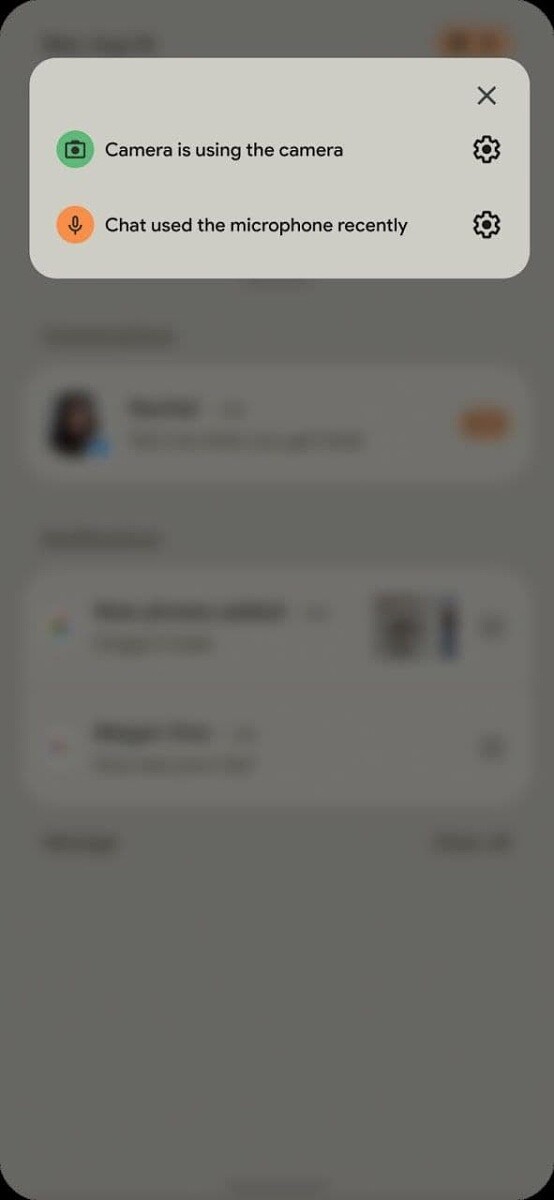
Speaking of which, it seems that Google may add new privacy features in Android 12. In the new Android version, you may receive a warning in the form of status bar indicators whenever an app is using the camera or microphone. Tapping on these status bar icons may show a pop-up at the top of the screen that tells you exactly which app(s) are using the camera or microphone. Google has been testing these privacy chips for over 2 years now, so it would be nice to see them finally make an appearance in Android 12.
Related to this change is an alleged revamp to the “Privacy” settings in Android 12. The new Privacy settings may contain toggles to disable the camera and mute the microphone entirely, in addition to toggling location access. You can already disable all sensors on your device by using the “sensors off” Quick Setting tile, but this tile can only be shown once you enable Developer Options. Android 12 may make these sensor toggles more user-accessible by placing them in the Privacy settings.
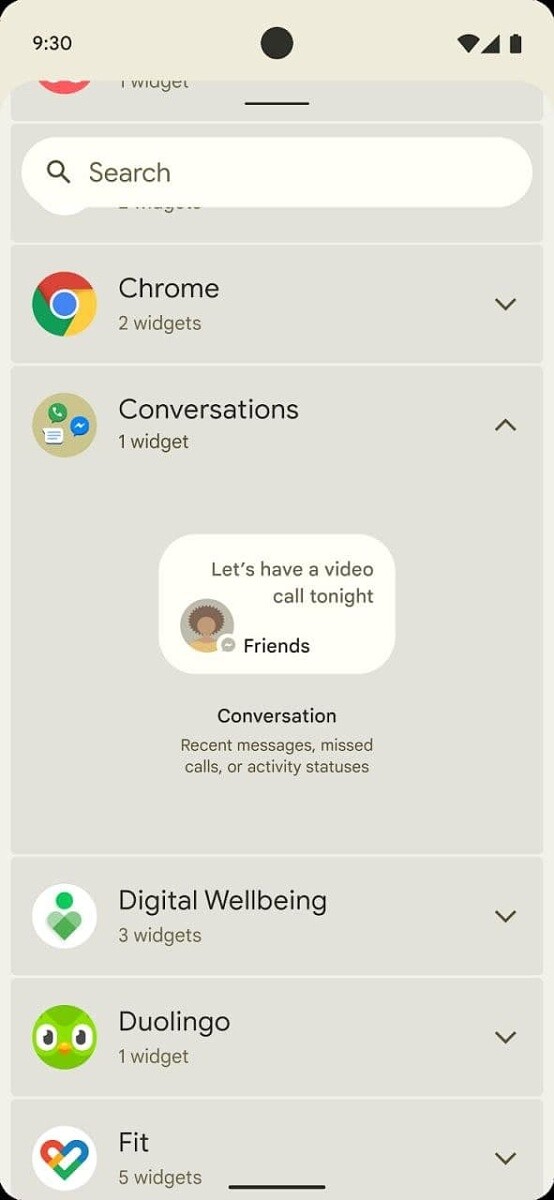
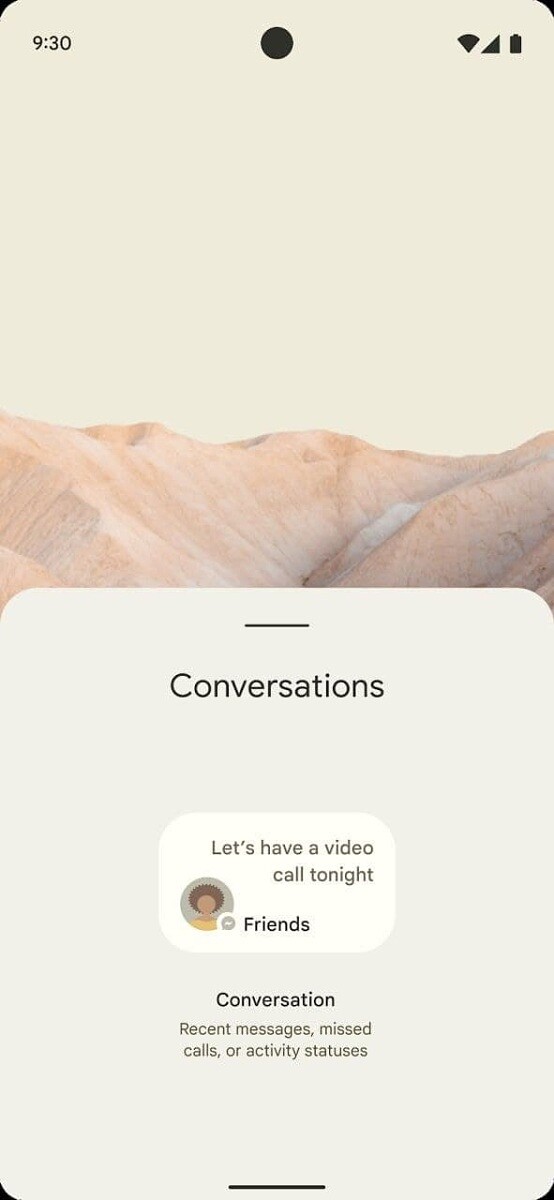
Lastly, we have what appears to be a new addition to Android’s widget selection. When Apple recently added widgets to iOS, we argued that they’re better than Android’s implementation in some ways. While we don’t know if Google is planning a major overhaul of widgets, it does look like they at least plan to make a few changes. In a few screenshots, we can see an alleged new “Conversations” widget in Android 12 that may highlight recent messages, missed calls, or activity statuses. The widget that’s shown is small and only seems to be big enough to accommodate showing one message/call/status at a time in its smallest size.
One of the documents we viewed shortly after the publication of this article reveals that Google plans to make “conversation widgets” a mandatory feature for all Android 12 devices. These widgets provide access to “People Shortcuts” which contain an avatar, name, notification content, and status information, all set in the PeopleManager class.
According to a screenshot of the document we viewed, Google is also planning to mandate the inclusion of camera and microphone indicators in Android 12. These indicators must be shown prominently at the top of the screen, always be visible whenever the camera or microphone is being accessed, and must have the same color across the ecosystem. We don’t know what other changes will be mandated until we get our hands on the full Compatibility Definition Document (CDD) for Android 12.
Again, since we haven’t received the full document in question, we can’t 100% verify the authenticity of these images. However, the screenshot we received of the document comes from a trusted source who has, in recent times, shared other confidential documents with us. If we receive more evidence corroborating these alleged screenshots of Android 12, we’ll follow-up in a separate post. We also asked Google to comment on this leak and will update this article if we hear back.
If you’re interested in learning more about what’s in store in the next major Android release, check out XDA Android 12 tag. We expect there’ll be a better theming system, decoupled emojis, an app hibernation feature, and many more features that have yet to be uncovered. When Google unveils its first Developer Preview in the next few weeks, don’t expect to see all of these changes show up. That’s because the builds that Google releases prior to its I/O developer conference tend to miss out on a lot of the more interesting user-facing features.
Thanks to XDA Senior Member RKBD for bringing these images to our attention, and thanks to their tipster (who wishes to remain anonymous) for their help in corroborating these images!
Global technology leader Xiaomi today introduced a brand new form of charging – Mi Air Charge Technology. Revolutionizing the current wireless charging methods, Mi Air Charge Technology enables users to remotely charge electronic devices without any cables or wireless charging stands. Today, we enter a true wireless charging era.
Mi Air Charge Technology – 5W remote charging
The core technology of Xiaomi’s remote charging lies in space positioning and energy transmission. Xiaomi’s self-developed isolated charging pile has five phase interference antennas built in, which can accurately detect the location of the smartphone. A phase control array composed of 144 antennas transmits millimeter-wide waves directly to the phone through beamforming.
On the smartphone side, Xiaomi has also developed a miniaturized antenna array with built-in “beacon antenna” and “receiving antenna array”. Beacon antenna broadcasts position information with low power consumption. The receiving antenna array composed of 14 antennas converts the millimeter wave signal emitted by the charging pile into electric energy through the rectifier circuit, to turn the sci-fi charging experience into reality.
Currently, Xiaomi remote charging technology is capable of 5-watt remote charging for a single device within a radius of several meters. Apart from that, multiple devices can also be charged at the same time (each device supports 5 watts), and even physical obstacles do not reduce the charging efficiency.
Future living rooms will be fully wireless
In the near future, Xiaomi’s self-developed space isolation charging technology will also be able to work with smart watches, bracelets and other wearable devices. Soon our living room devices, including speakers, desk lamps and other small smart home products, will all be built upon a wireless power supply design, completely free of wires, making our living rooms truly wireless.
This is a revolutionary innovation of wireless charging.
This is also a bold attempt to turn the whole house wireless.
It’s not science fiction, it’s technology.
This is Xiaomi’s self-developed remote charging technology.
The Galaxy A-series have grown so much in the last couple of years and Samsung is keeping the family afloat with a couple of successful models despite the fierce Chinese competition in the mid-range. Well, it appears that the Galaxy A lineup is mature enough to introduce a flagship smartphone of its own – the Galaxy A90.
What makes a flagship device flagship-worthy? Good screen, performance, cameras and features are all integral part of a true flagship device and the Galaxy A90 appears to have most of them in its checklist. So in a sense, it’s a flagship Galaxy A smartphone by mid-range standards.
Of course, Samsung isn’t trying to sell you a flagship phone with the Galaxy A90 but instead, it’s trying to bring 5G to the masses. As of now, not many SoCs support 5G and all of them are high-end chips so the best way to do it is to put one of them in a ready and somewhat successful mid-range formula – in this case the Snapdragon 855 in a Galaxy A70.
As you go across the specs sheet real quick, you will see that the Galaxy A70 is an almost identical device to the Galaxy A90 5G. The only difference is in the chipset and the main camera – the Galaxy A90 gets the popular 48MP sensor while the A70 settles for the 32MP one.
Samsung Galaxy A90 specs
Body: Gorilla Glass 6 front and back panel, aluminum side frame
Screen: 6.7″ Super AMOLED, 1080x2400px resolution, 393 ppi.
But we can’t shake off the feeling that the it’s a bit early for this phone. The 5G adoption is too small for now and anyone looking to be an early adopter will be aiming for the premium segment anyway. And besides, the Galaxy S10 is selling for roughly the same price, which is a true flagship phone, minus the 5G.
Design
Expectedly, there’s virtually no difference between the Galaxy A70 and A90 in terms of design. Since the screen measures 6.7″ in diagonal, it’s easy to assume that it’s unwieldy, to say the least. It’s one of the biggest Galaxies around so users will small hands will struggle.
The curved back and the thin side bezels do help with the overall handling while the top and the bottom bezels are considerably slim too. It does give the impression of a high-end smartphone when looking at it from the front.
Interestingly, the Galaxy A90 uses glass for its back instead of plastic like its cheaper sibling, the Galaxy A70. The glass panel features geometric patterns giving it a more distinct look and the available colors are Black and White. The patterns themselves do look a lot different from what we’ve seen before.
The glass back is also a home to the triple-camera setup tucked away in the upper-left corner. It’s vertically stacked but the bump isn’t as prominent as one would expect. Perhaps it’s because the Galaxy A90‘s chassis is 0.5mm thicker than the A70’s making the camera bulge less prominent.
Unfortunately, we don’t have any information regarding the device’s frame but since Samsung didn’t say anything specific about it, we’d assume it’s plastic.
Hardware and features
This is not the first smartphone we’ve seen with Snapdragon 855 so we know what to expect in terms of performance. The SoC is paired with 6GB of RAM and 128GB of internal storage as a base offering and you can upgrade to the 8GB/128GB configuration. Strangely, microSD card support applies only to the 6GB model. The modem inside is Qualcomm’s X50, which is also found on the range-topping Galaxy S10 5G.
The device is built around a 6.7-inch Super AMOLED panel with a U-shaped notch. An extra tall 20:9 aspect ratio (1080 x 2400px resolution) makes the phone ideal for videos, web browsing and multi-tasking. It’s just a few pixels shy of the 21:9 cinematic experience offered on some phones.
On the camera front, we’ve got a 48MP main one with a rather small f/2.0 aperture and PDAF, 8MP ultra wide-angle lens with f/2.2 and a 5MP depth sensor. The notch houses a 32MP shooter and just like the main one, it supports native quad-pixel technology and outputs 8MP images.
This is one of the few Samsung devices with the 48MP sensor and our two main complaints are the narrow f/2.0 opening of the lens – rarely can you find even a midranger with a smaller than f/2.0 aperture – and the lack of OIS. The exact same camera can be found on the Galaxy A80.
Then again, the more advanced ISP on the Snapdragon 855 chipset could mean some minor improvements here and there. Speaking of the Snapdragon 855, it brings a couple of camera-related features that are only available on the Galaxy flagship handsets. Thus, the Galaxy A90 can shoot Super Steady videos (like the S10s and the Note10s), makes use of the Scene Optimizer and Flaw Detector. Of course, 2160p video recording in 30fps is also possible.
Additionally, for the first time, Samsung is bringing DeX support for its mid-range A-series with the Galaxy A90. Most probably hardware limitations have kept the PC-like experience away from the series but with the Snapdragon 855, DeX is now available over the USB-C connector.
While on the subject of connectors, the Galaxy A90 seems to be missing the 3.5mm audio jack from the equation. Strangely, the Galaxy A70 has one.
Lastly, the whole hardware sips from a generous 4,500 mAh battery supporting 25W fast charging in compliance with the Power Delivery standard. But don’t hold your breath for that one because the Galaxy A70’s charging times were far from the ones we got when testing the Galaxy Note10+.
Battery life should be stellar, given that the Snapdragon 855 has proven to be a remarkably efficient SoC and should be in the same ballpark as the Galaxy A70. However, when 5G is involved, since the Snapdragon 855 doesn’t have an integrated modem, the X50 is expected to draw more power too.
Wrap-up
As we already pointed out, Samsung isn’t aiming at the premium-seeking users with the Galaxy A90 but instead, it tries to deliver a semi-flagship experience with 5G connectivity at a more reasonable price point, as far as 5G phones go. It’s by far the cheapest 5G option out there and it’s already out in Korea for roughly €685.
The price is surely steep and it begs the question of how bad you want to be an early 5G adopter? For the same price (even a few bucks less), you can snatch a full-fledged flagship like the Samsung Galaxy S10 or the considerably cheaper S10e. Of course, both are limited to 4G support and have considerably smaller screens. If 5G and big screen are a necessity for you, the A90 is the only option you have and that’s what Samsung is aiming for.
Ever since Android 11 rolled out, users have been facing issues while trying to connect a gaming controller with their smartphones. According to the reports, phones running Android 11 are either not able to recognize controllers as input devices or they don’t let users map their keys properly.
As per a thread regarding the bug on the official Android Issue Tracker, several Pixel users and beta testers are facing the issue and they’re not able to use Bluetooth game controllers like the Xbox One controller, Sony’s DualShock 4, and even Google’s own Stadia controller with their devices. While a vast majority of the reports are from Google 2, Pixel 3, Pixel 3a, Pixel 4, and Pixel 4a owners, a few Samsung and OnePlus users running Android 11 builds have also reported similar behavior.
As of now, there is no confirmation as to what exactly is causing the issue. But it’s worth noting that Google had already acknowledged the issue back in August 2020, right when the initial Android 11 builds started reaching users. Currently, it seems that the development team is still trying to figure out the underlying cause and is working to bring a solid solution.
While Google hasn’t figured out a solution yet, some users have shared temporary workarounds. According to a few reports, the issue can be fixed by turning off certain accessibility options. For instance, a user suggests, “Can confirm, there’s a certain accessibility service that, if I disable it, controller immediately starts working, no reboot or anything. I can actually task switch back and forth from Stadia back to Settings, disable that one service on Accessibility, back to Stadia, and controller works; switch back to Settings, enable, back to Stadia, it’s suddenly dead just like before. That’s with no rebooting, no pairing or conn/disconnecting controllers, nothing.”
In case you’re facing the issue, you can try the workaround mentioned above. Until then, all we can do is wait for Google to address the issue and release a fix in a future update.
Android 11 has been out for over a month now and OEMs have already started working on their in-house OS updates.
However, the latest OS update brings along its own set of issues and Google Pixel devices appear to be the most affected for the time being.
It was reported recently that Pixel users were experiencing excessive battery drain and performance issues after the Android 11 update.
Now, several Pixel users and beta testers are reporting issues related to Bluetooth game controllers like Google Stadia, Nvidia GeForce Now, and more after updating their devices to Android 11.
Reports clearly indicate that users are unable to connect and use game controllers via Bluetooth and the devices are getting listed as other devices.
Multiple Pixel 2, Pixel 3, and Pixel 4 series users have reported on Google IssueTracker that such issues occurred only after the Android 11 update.
While the game controller issues have been to the developers, it is unclear how long it will take to fix these problems.
However, it is good to see that the OEM has promptly acknowledged these issues on a wider scale, hence, fixes will also arrive accordingly.
In the meantime, a Pixel user has posted a temporary workaround for the connectivity problems on Reddit which seems to have fixed the issues for them.
The user has stated that after some manual troubleshooting they simply switched off the Magnification gestures on their Android 11 powered Pixel device which fixed the game controller issues.
Also, several other users have posted similar workarounds on Google IssueTracker suggesting that tweaking the Accessibility settings seems to be doing the trick.
Nevertheless, a proper fix will still be required and Pixel users running Android 11 will have to wait till Google addresses these issues.
Meanwhile, you can check out our Google Android 11 update and bug trackers to get the latest updates on the topics.
Moreover, we have curated a consolidated Android 11 update tracker for all major OEMs and carriers so be sure to go through it as well.
It appears that Samsung and OnePlus users who have installed the Android 11 update on their devices are also facing similar issues with gaming controllers. We’ve shared some a couple of reports from users below:
I am not able to use my PS4 controller on ONEPLUS 8T. I have managed to pair the controller and phone with Bluetooth but the phone won’t recognise any input. (Source)
I updated my note20 to android 11! Since the update I can’t connect my ps4 controller to call of duty mobile anymore and all so I’m having screen trouble (Source)
Google recently rolled out the January patch for supported Pixel phones, however, there is no indication that the problem was fixed. Therefore, it seems users may have to wait a bit longer before the problem is addressed.
How many of you don’t particularly like have to carry a key fob around for your car? Much like how you can store all of your payment cards in a digital wallet and then make payments on the go with your phone, what if it was possible to leave your car keys at home but still be able to drive off?
That’s a question that standards bodies like the Car Connectivity Consortium and the FiRa Consortium have been pondering. Samsung wants in on the action as well. It announced new partnerships today which will enable you to unlock your Audi, BMW, Ford or Genesis car with a Galaxy S21.
Samsung is harnessing the power of UWB to get rid of your key fob
Samsung announced during its Galaxy S21 launch event today that the company is working with these auto manufacturers to bring the digital key functionality to the Galaxy S21. The feature is expected to go live later this year.
Since there are industry-backed standards bodies working on the tech, the digital keys will be shareable across smartphones, regardless of the brand or platform. So you could, in theory, share the digital key for your car with a friend who uses an iPhone.
Samsung is also embracing the ultra-wideband technology (UWT) for the digital car keys that will allow cars and phones to communicate with one another.
The company’s description of the feature suggests that it will utilize UWB or Ultra Wide Band technology. The handset would recognize pulses of low-power energy from UWB-equipped cars to unlock the doors exactly when you reach it. NFC would most likely be the fall back and it would require taking the phone out of the pocket and tapping it to the car.
The AR viewfinder for UWB-equipped phones and cars.
The UWB tech will also make it easier to locate your car in a parking lot, a very useful feature for those who tend to forget where they parked. Samsung is bringing an augmented reality-powered viewfinder to its UWB-equipped devices for this purpose. Samsung’s UWB-equipped phones include the Galaxy S21+ and Galaxy S21 Ultra, the Galaxy Z Fold 2 and the Galaxy Note 20 Ultra.
Samsung has also expanded their SmartThings functionality to cars that allows drivers of compatible vehicles to start and stop their car as well as adjust the climate control system.
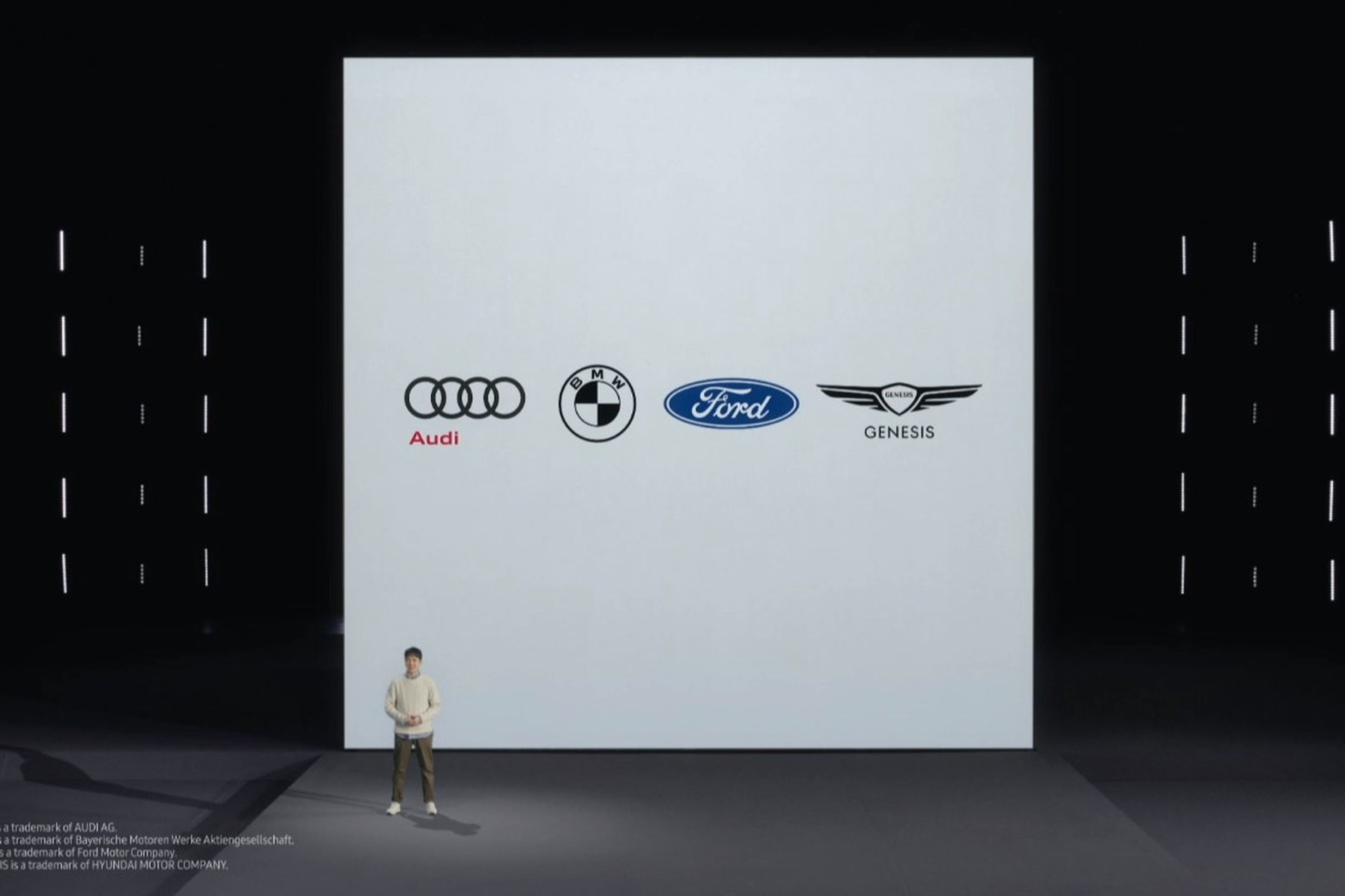
During its digitally hosted Galaxy Unpacked event, Samsung announced that it has partnered with Audi, BMW, Ford and Genesis to introduce digital car key feature that allows unlocking of the car door using the Samsung mobile phone. The feature may be available as soon as August 2021.
The digital key can also be shared across mobile devices, regardless of brand of platform. One will be able to share car keys digitally when a friend or family member with just a few taps on the phone.
Near-field communication (NFC) technology used on the devices enables owners to ‘tap’ their phone near the door handle to unlock the car. The electronics company is also embracing the ultra-wideband technology (UWT) for the digital car keys that will allow cars and phones to communicate with one another. The car will unlock itself as soon as the driver reaches the door.
Samsung has also expanded their SmartThings functionality to cars that allows drivers of compatible vehicles to start and stop their car as well as adjust the climate control system. Using the car’s display, drivers can also control smart home functions such as temperature setting, vacuum cleaning and washing machine operation.
As Samsung and Google have worked closely together to improve the Android Auto experience, the in-car interface has become much more enhanced, supporting a whole lot of smart and remote functionalities.
The dream of using your phone to unlock your car door (instead of carrying around a bulging key fob) may be one step closer today: Samsung has announced partnerships with Audi, BMW, Ford, and Genesis to do just that, saying the feature may be available as soon as August 2021. And excitingly, those digital car keys should work with Apple iPhones and across other Android brands, too.
That’s because Samsung is part of multiple standards bodies that are working on the tech, including the the FiRa Consortium and the Car Connectivity Consortium, of which Apple is also a leading member. “You’ll even be able to share your digital key across smartphones, regardless of brand or platform,” Samsung’s Kevin Chung announced during the company’s Galaxy S21 event today.
Samsung says it’s trying to add additional car companies, too: “We’re actively working to expand our automobile partnerships with the goal of offering this feature across a wide variety of car makes and models,” the company added in a statement early this evening.
Unfortunately, it’s not yet clear which automakers will support the coolest, securest version of this tech: UWB. It uses small, standardized beacon-like pulses of low-power energy, preferably from multiple parts of your car at once, to figure out exactly where you are in relation to your car’s handle from a sizable distance away.
Samsung says with the new digital keys, “you’ll be able to unlock your car door when you reach it, no sooner, no later,” but I’m pretty sure it’s only referring to UWB there. The fallback is NFC, where you’d likely need to pull your phone out and tap it to your car, like you do with tap-to-pay NFC transactions today.
Samsung also showed off how the tech can let you find your car in a crowded parking lot, with an augmented reality viewfinder it says it’s bringing to Samsung phones — but the fine print says it only works with UWB-equipped cars and UWB-enabled phones.
Every iPhone 11 and iPhone 12 comes with UWB now, but Samsung says only the Galaxy Z Fold 2, the new S21 Plus and S21 Ultra (so, not the S21?), and the “Galaxy Note 20+” (presumably referring to the Note 20 Ultra, which has UWB) will support the AR viewfinder.
Apple is also waiting for carmakers to adopt UWB and had to roll out its own version of digital car keys with NFC to start, and only on the 2021 BMW 5 Series. But BMW announced earlier today that it’ll support UWB, branded as “Digital Key Plus,” with the electric BMW iX.
Samsung’s also introducing a UWB-based tracking tag for finding your lost gadgets later this year, though — like the car keys — it’s starting off with a less impressive Bluetooth version instead that won’t let you locate them as precisely.
Whether a $499 smartphone can qualify as “budget-friendly” is up for debate. But after extensive testing, what’s not up for debate is that the Google Pixel 4a 5G is the absolute best budget smartphone you can find in the price range. A 3,800mAh battery, a better-than-decent camera, a sleek design, and a powerful processor help catapult the Pixel over most of its competitors.
In fact, it’s got most of the same features as the $699 Pixel 5, though they diverge in several small but meaningful ways. It’s not water-resistant, it doesn’t have wireless charging, the battery is a tad smaller, and its display is 0.2 inches larger. It also sports a polycarbonate body, while the Pixel 5’s is aluminum. Despite the weird official naming, the Google Pixel 4a 5G is a totally different – and much better – phone than the Pixel 4a. The 4a is physically smaller, with a smaller battery, a slower processor, and (obviously) doesn’t have access to 5G.
While Google did release a “flagship” Pixel 5 this year, I think the more budget-friendly Pixel 4a 5G has stolen its thunder. The sleeper-hit is basically a bigger Pixel 5 that’s missing a few features, but $200 cheaper. That means skipping out on an IP rating, 90Hz display, a bit of RAM, and a metal (ish) build, but you get a bigger screen and a headphone jack, paired with with the same camera, internals, and the Pixel software experience. At just $500, this is my favorite phone of 2020.
The Pixel 4a 5G was announced on September 30, 2020, alongside the Pixel 5, the Google Nest Audio, and the latest Chromecast.
The Pixel 4a 5G is, in essence, the 5G-enabled version of the regular Pixel 4a, which came out on August 3. However, there are more upgrades to the Pixel 4a 5G. The phone has a bigger screen, features a faster Snapdragon 765G processor, and comes with a bigger battery.
Pixel 4a 5G is a value-oriented phone made for people who don’t want or need a flashy high-end phone. Like the Pixel 4a, the 4a 5G model’s strong points are its cameras, smooth software, and rock-solid update policy.
Google Pixel 4a 5G – Design and Features
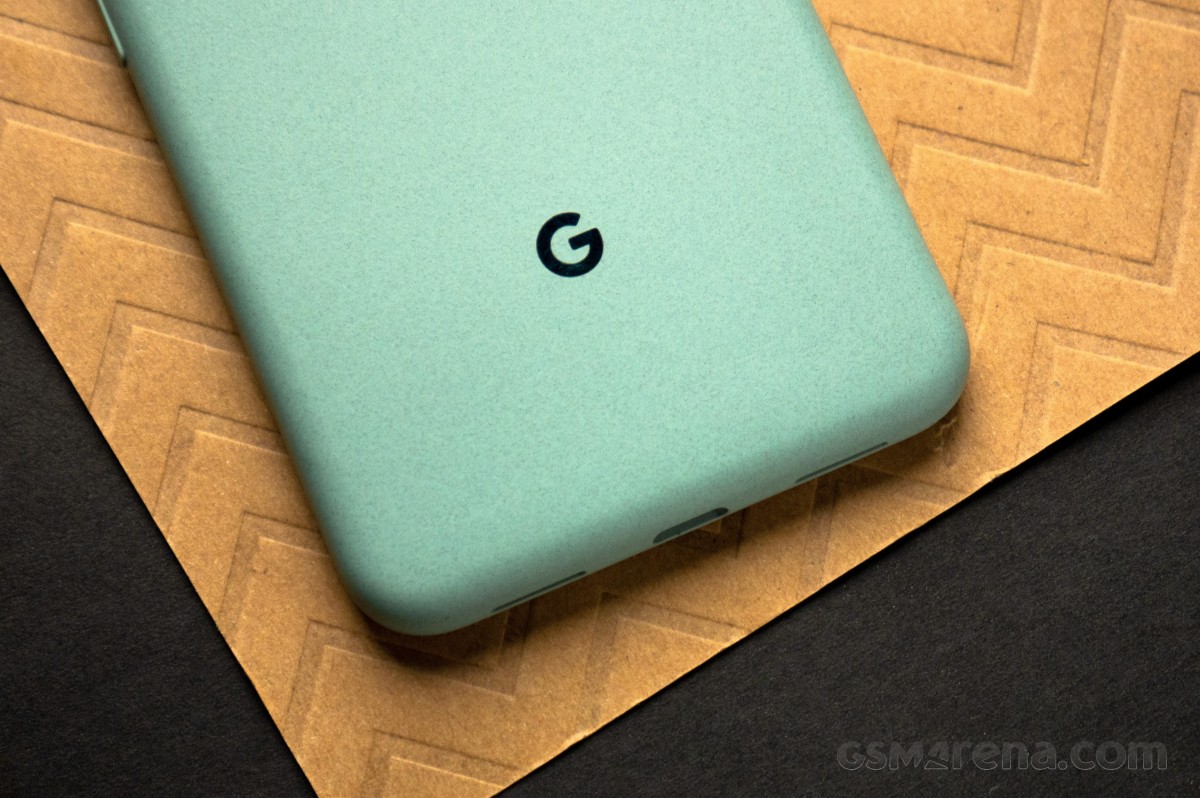
It might sound a bit hyperbolic, but the Pixel 4a 5G is one of the best feeling phones I’ve ever held. The size is perfect for my hands. At 2.9 x 0.3 x 6.1 inches (W x D x H), it’s on the larger side – a full half-inch taller than the iPhone 11 Pro. But the Pixel 4a 5G can hide its size behind a weirdly sleek plastic frame, one that makes it feel sturdy, relatively high-quality, and much grippier than something like the aforementioned iPhone.
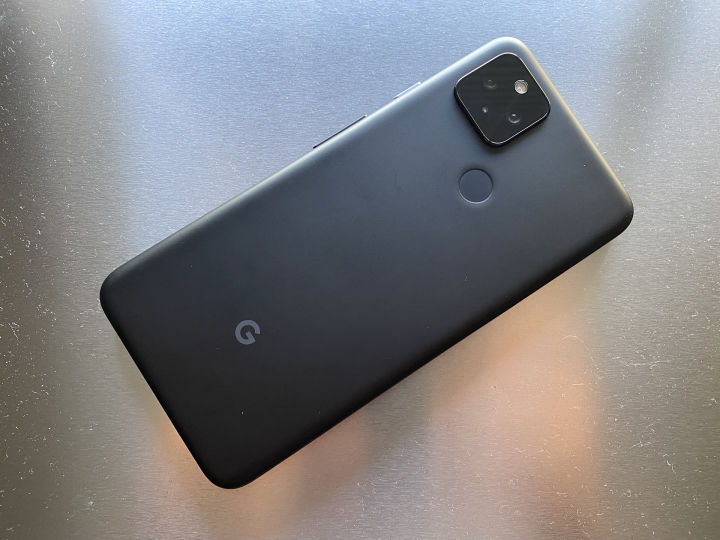
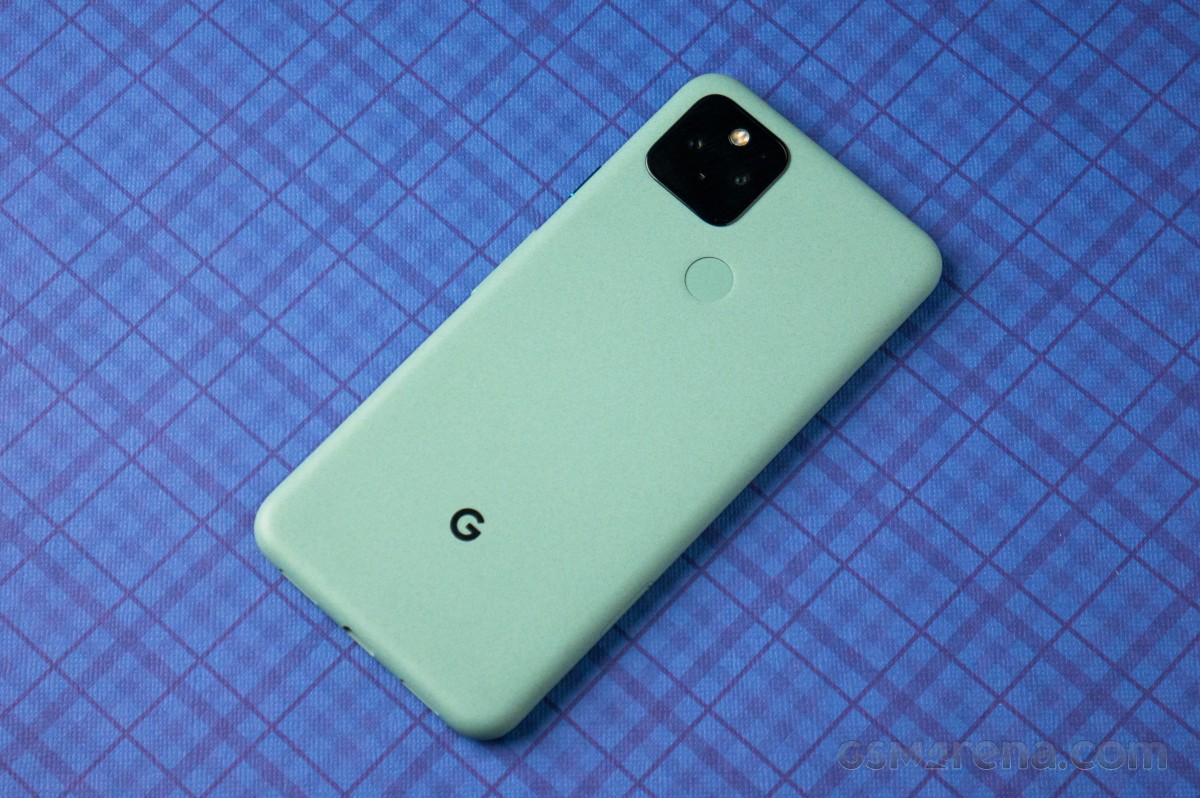
The Pixel 4a 5G could be confused with the smaller Pixel 4a at a glance. It has the same matte plastic unibody design, rear capacitive fingerprint sensor, hole-punch front-facing camera, and even identically sized bezels. The cutouts for microphones and speakers on the top and bottom, buttons on the right, SIM tray on the left, and ports on the bottom are all in exactly the same positions as the smaller phone. It’s impressively consistent. However, there are a few key changes, like the wider camera hump, which houses an extra wide-angle camera module, and the overall larger design.
As with the smaller phone, the Pixel 4a 5G’s matte plastic finish is a bit too finely textured and easily picks up oils from your hands. Though the plastic seems durable enough, it does accrue wear more quickly than metal or glass would; mine’s already marked up with a handful of barely-visible scratches from normal use in the last week. The fingerprint sensor itself is also too shallow when the phone is naked, though that’s probably a non-issue, because you’ll use a case. Outside that, it was entirely reliable.
The 4a 5G has a good heft to it, with a similar feeling of density in-hand when compared to the smaller Pixel 4a. The curved edges yeild a comfortable and ergonomic shape to hold, even for extended periods, though it’s a little less easily gripable than the smaller phone. I’d consider this the upper-limit of easy one-handed use.
Mid-range phones always have to strike a balance when they cut corners, and screens usually get the short end of the stick. Even last year’s Pixel 3a and 3a XL had pretty mediocre panels. But this year, Google seriously stepped up the quality of its displays. Like the smaller Pixel 4a, I have no complaints about the screen in the 4a 5G. It gets bright enough outside, dim enough at night, it’s visually quite sharp, and it doesn’t have any issues with uneven backgrounds or “green tint” in dark themes. Google tells us it hits up to 700 nits of brightness at peak and 2 nits at its dimmest, though there are a lot of ways to measure that which makes it hard to compare numbers with other phones. Sure, I’d prefer if it had a higher refresh rate or greater than 1080p resolution, but at this price, it’s hard to get too picky.
Like the Pixel 4a, you don’t have any IP-rated water resistance. While there are gaskets in its design, like around the SIM tray, there’s no way to know how aggressive the ingress protection is throughout the phone without an actual rating, so better to err on the side of caution and refrain from underwater photography or phone calls in downpours.
The stereo speakers work as usual via the top earpiece and bottom-firing speaker, and they sound slightly different compared to the 4a, just a little less shrill/treble-heavy with a more rounded sound and marginally more bass (though these are smartphone speakers and they’ll never thump). Haptics aren’t the best that Google‘s done, and a clear step back compared to the Pixel 4, but they’re marginally better and stronger than the 4a. At least, as a non-“flagship,” you get an actual headphone jack — score one over the more expensive Pixel 5.
In fact, I think it might make more sense to compare the Pixel 4a 5G to the Pixel 5, even though it shares a name with the Pixel 4a. It’s equipped with the same Snapdragon 765G and dual-camera configuration with a new wide-angle secondary. While the outward design and materials resemble the Pixel 4a, inside, this is basically a Pixel 5. Google even has a separate mmWave version of the 4a that will be sold by Verizon, bringing it almost to network parity with the Pixel 5 model sold in the US (minus a handful of Sub-6 bands). From a particular perspective, the phone would be better named the “Pixel 5 Lite.”
In more pure hardware terms, you get 6GB of RAM, and 128GB of storage, which is good enough for a mid-range phone to last a few years. I’m glad that Google has stepped up and realized that’s the minimum these days, and I hope other manufacturers follow in its footsteps.
In the box, you get an 18W USB PD Type-C charger, a three-foot cable, a Type-C to Type-A adapter, a SIM-ejector tool, and the usual warranty cards and manuals.
Software, performance, battery life
Some disagree, but consider Google‘s vision of Android on the Pixels among the best out there, especially on Android 11. With the number of exclusive features Pixels get, we can’t quite say it’s “stock” anymore, but it’s probably the closest you can get with the deep changes most manufacturers implement now. And while it’s very, very hard to express why I like Pixel software so much, I’ll try.
First: The Google Assistant. I’m not as all-in when it comes to smart home hardware as my fellow Android Police editors — I don’t have any Nest cameras (yet) or thermostats — but I still use the Assistant daily on smart speakers, displays, and my phone to control lighting, play music, remotely harass my roommate, and enjoy a remote-free TV life. While I can do all that regardless of the phone in my pocket, Google‘s extra Pixel-exclusive Assistant features are so useful, I’d probably pay a subscription to get them on other phones.
Automatic call screening is among my favorite features. While some of the folks calling me don’t like it too much, spam calls are still a serious issue regardless of whatever progress carriers claim to be making. So the fact that the Assistant can automatically screen calls that come my way and filter out the junk is fantastic, saving me from multiple interruptions a day.
The Pixels also get Google’s snazzy “new” Assistant, with faster on-device recognition and Continued Conversation. That last feature means, once you’ve triggered the Assistant, you can issue follow-up contextual commands and not have to preface them with the hotword either. I use it quite a lot while driving, and I miss it on other devices; although it’s weird Google still doesn’t turn it on during setup.
Beyond the Assistant itself, there are other software perks to Pixel ownership. Google’s Recorder app, for example, comes in handy for us bloggers when taking notes at an in-person event (if we ever have those again). But if you’re the sort that likes dictating notes to yourself, it can just as easily be used for that. The Pixel Launcher is so simple and good I go out of my way to install an improved clone of it on other phones. And, from my perspective, Pixels are mostly free of bloatware; every app they come with is something I’d install myself on another device anyway because I’m so deeply integrated into Google’s ecosystem.
While Google’s software design can still be a little inconsistent across first-party apps (I can’t believe YouTube still refuses to fit in), it’s generally more cohesive than most other Android skins, and it meshes better with third-party apps since many follow Google’s Material guidelines. In total, that makes for a less jarring or disruptive visual experience when you use a Pixel compared to almost any other phone.
There are only a few things I don’t like about the Pixel software experience. For one, Google seems to have re-tuned things like animations to favor higher framerate displays, and something feels just a little bit off on the 60Hz screen on the 4a 5G. (We touched on the same thing in our Pixel 4a review.) I may be alone in this, but I also dislike the effect the hole-punch camera cutout has on software. Google pads it with enough space that its latest Pixels have the largest status bars I’ve seen in years — it’s even bigger than the Essential PH-1. It doesn’t need so much wasted space, and as tall as the screen is already, I don’t like giving it up more of it to empty padding.
Performance on the 4a 5G struck me as odd. The phone is clearly faster than the smaller Pixel 4a — side-by-side with last year’s Pixel 4, which has a higher-end chipset, it loads most apps in almost the same time — but it’s simultaneously more prone to so-called Android “jank” for me, dropping frames more often than the less capable Pixel 4a feels like it does. We know from experience with other phones that the Snapdragon 765G is a capable chipset, and yet something still feels off at times. I have to assume that it’s a software issue, and other curiosities like too-small resolutions for the first-party hole-punch wallpapers imply to me that we might see a sweeping bug-fix update land soon (we’ll update our coverage if and when that changes).
But outside that “jank” — imaginary or otherwise — the phone was plenty fast. The GPU may not be the most powerful, but it was strong enough for some light Fortnite as well as more casual titles. Day-to-day performance was also generally good, and I didn’t notice any issues with app slowdowns or freezes.
5G remains mostly useless, and I usually get slower speeds on T-Mobile’s 5G here in Boston than I do on LTE. If and when 5G becomes truly relevant, the 4a 5G will support it — though there’s 5G and then there’s 5G. While Verizon will be getting a version of the phone with mmWave, the “standard” unlocked version only supports sub-6Ghz 5G. That’s the 5G that actually matters for most of us, but it’s also the 5G that will make the least difference to things like speeds. Ultimately, there’s really no reason to go out of your way to buy a 5G phone right now unless it happens to come with it, but the 4a 5G does.
The 3,800mAh battery in the 4a 5G may not be the biggest you can get in a phone this size, but Google manages to stretch it out to last all day — and then some. While I look forward to putting it through its paces in more circumstances, the phone managed just over eight hours of screen-on time over two days, and this was in mixed use with a few hours of GPS navigation as a standalone Android Auto screen, browsing, reading, and taking photos across Wi-Fi, LTE, and 5G connections. I even tested this on Google Fi, which is notorious for wrecking battery life. I wouldn’t be surprised to hear that the 4a 5G may break 10 hours of screen-on time in a single day in certain use cases. In short: this is an even bigger battery champion than the smaller Pixel 4a was.
That’s good, because it’s not the most convenient phone to charge. While it can top up at 18W with the universal Power Delivery standard, and that’s enough for the majority of us that plug a phone in overnight, it lacks wireless charging for convenient topping-up during the day, and it doesn’t have an ultra-fast high-wattage charging mode for emergencies. Personally, I think 18W is still fine at this price, but more powerful specs like OnePlus’ Warp Charging have saved my butt in emergencies, and I’d like to see more phones support faster charging speeds.
Camera
Google‘s Pixels are known for having some of the best smartphone cameras you can get. Even with an older sensor, that remains true today — proof that software matters more than hardware in this era of computational photography. While I still prefer the utility of a telephoto, Google did convince me that the wide-angle camera can actually be useful with the Pixel 4a 5G.
The primary camera’s performance seems about equivalent to the Pixel 4, 4a, and prior Pixel phones. That makes sense, It’s using the same sensor and probably the same lens configuration. But there is one notable difference compared to last year’s Pixel 4: Camera processing takes a little longer. I’m told the Pixel 5 suffers the same behavior. It’s not a deal-breaker, but it is noticeable. Otherwise, you get the same hyper-real photos with great clarity, sharpness, and a tendency to favor slight underexposure (which makes for attractive contrast). Some super detailed, super high-contrast scenes can look a bit muddy on a very close crop (like the photo looking through the branches of a downed tree in the gallery above), but Google generally does an exceptional job preserving detail.
This, in tandem with the Pixel 5, is the first time Google has done a wide-angle camera in a Pixel, and it delivered. My biggest complaint is that its minimum focus distance is too far out, somewhere around two feet. That’s not unexpected, but it does mean I can’t use it for quite as many fun shots as I’d hoped. Though I did notice some very slight chromatic aberration (i.e., “purple fringing”) with leaves against the sky, it wasn’t too noticeable or distracting outside a crop, and I was stunned at the dynamic range.
Usually, the smaller aperture you get on wide-angle cameras means worse performance indoors or in poor lighting, and that isn’t the case here. Google’s wide-angle camera is equally good indoors our outdoors, and it even does okay in low-light. It’s definitely noisier in challenging circumstances than the primary, and even a tiny bit muddy with certain textures, but it does a great job. Although overall results are sharp enough, it’s also a little soft on a crop, and more likely to lose fine detail (like the leaves on the forest floor in some of the photos above). While both the primary and wide-angle suffer some unavoidable lens flare if bright lights like the sun are in scene, the long shape of the flare on the wide-angle camera is less pleasing and unexpected. Color balance between lenses in the same scene changed a little more than I hoped, but it was much more consistent than some manufacturers accomplish. For all I know, Google may actually be doing it intentionally to take a better shot.
The Google camera also has a couple new features like portrait light, that lets you dynamically adjust lighting for a portrait photo after the fact. It’s technically very cool, but I know I’ll never use it.
While I still lament it, the loss of the telephoto isn’t the end of the world. Google’s Super Res Zoom is probably the best software zoom solution out there, and it plugs the gap well enough. Paired with the wide-angle, the camera is now objectively more versatile, even if I know I would use a telephoto more often, myself.
Night Sight and Astrophotography are both still great features, and they both work with the wide-angle camera, though results are noisier and a bit streaky.
In short, Google made another amazing camera here, wide-angle and all. When the day finally comes for Google to switch to a bigger, more modern sensor in Pixels, the results will probably be incredible. But for now, it still takes the Android crown unless you need a sharper telephoto or wider wide-angle.
The more I ruminated on it over the last few days as I sat down to write this review, the harder I struggled to find things to complain about with this phone, and that’s weirdly high praise. When things are great, and nothing is really wrong, that’s a neutral state for a tool; it’s just doing what it should. It’s when things are bad, or something breaks, you can feel bothered or even frustrated. But the Pixel 4a 5G didn’t leave me complaining — and that’s enough to call it great in my mind.
Buy it if:
You want a Pixel 5 on a budget — it’s basically a bigger, “lite” version.
Camera performance, battery life, and price are your biggest concerns.
You’re so deeply integrated into Google’s services that you honestly can’t see a way out please help me.
Don’t buy it if:
You want The Real Flagship Experience™ and need more power, a smoother screen, and an IP rating.
Budget constraints are either narrower or looser — there are better values at both ends of the spectrum between the baby Pixel 4a and Samsung Galaxy S20 FE.
Google has taken a drastically different approach with the Pixel lineup. They’ve focused on providing a great user experience without maxing out the specs on the processor or the screen. The Pixel 5 maybe this year’s Google‘s flagship, but it’s not a flagship device as we know it.
Google did away with the finnicky radar sensors that enabled Motion Sense features on the Pixel 4 and 4 XL. Motion Sense wasn’t really as useful as the advertisements made it out to be. Because of this, the fingerprint scanner is back. Next, we don’t have the latest Snapdragon chipset on the Pixel, but we do get the capable Snapdragon 765G with support for 5G networks. Finally, the Pixel 5 swaps out the 2X telephoto from last year in favor of a new ultra-wide camera.
The overall form factor is far more manageable with a 6-inch display with a punch-hole selfie camera cut out and compact size. The Pixel 5‘s design is largely based on the Pixel 4a that came just weeks before it, but it comes with the slimmest bezels we’ve ever seen on a Pixel phone. It also has a beefier 4080mAh battery compared to the Pixel 4 XL’s 3,800 mAh. Combined with the power-efficient Snapdragon 765G, the Pixel 5 should also see improvements in battery life, but we’ll get to that.
Google Pixel 5 specs:
Body: 144.7 x 70.4 x 8 mm; 151g; Gorilla Glass 6 front, recycled aluminum enclosure reinforced with plastic; Colors: Just Black and Sorta Sage; IP68
The Pixel 5 does achieve something new. It’s got a housing made of recycled aluminum. However, it still supports wireless charging (and even supports reverse charging this year) – proving that smartphone makers don’t need to make fragile glass sandwiches to achieve the popular feature. Google did this by putting the charging coil on the outside of the housing before applying the texturized coating and ran the coil through holes cut out of the back of the chassis.
We can’t help but think that Google is taking a step backwards with the Pixel 5. However, its lower price and focus on experience may be in Google’s favor. The need for a cheaper headlining 5G smartphone is more urgent than in the past and its price point pins it up against the recently announced iPhone 12 Mini, the OnePlus 8T, and the Samsung Galaxy S20 FE.
The camera hardware stays the same on paper, but we’re curious to see if the software has allowed advancements in imaging. We’ll keep an open mind and let you know if Google has solidified its software and camera experiences with the Pixel 5. Let’s move into the box and see what’s inside.
Unboxing
On the exterior, the Pixel 5‘s box shows the phone’s picture with the chosen coat of color. Our model is the “Sorta Sage”. The Pixel 5 comes with the bare necessities inside the box, which prominently features the #teampixel hashtag and 5G logos.
The phone comes with some documentation, a SIM tool, USB “Quick Transfer adapter”, 18W USB-C PD adapter, and USB-C charging/data cable. Google only included earbuds once with the Pixel 3 (XL) but later removed them for the Pixel 4 (XL) in the US.
Design
The Google Pixel 5 is not your average glass sandwich as it’s got a body made of recycled aluminum. In fact, Google deserves praise for proving that phone makers don’t need to use plastic or glass to get a smartphone to support wireless charging. You see, aside from wireless charging, having a smartphone with glass on the back makes it much easier for RF signals to pass through and makes it more prone to damage. This metal body also makes the Pixel 5 the first 5G-enabled smartphone with a metal body construction (even if it’s partially metal).
As Google explains, the Pixel 5‘s charging coil is placed right on the outside of the aluminum chassis before the assembly is placed in an injection mold. The wiring for the coil passes through the metal shell before getting a layer of “bio-resin,” which is basically a thin plastic layer. After that, the body is smoothened out and coated with either the “Just Black” or “Sorta Sage” exterior coating.
Google says you won’t be able to feel the coil behind the coating and its reasoning for going with this structure of materials over plastic or glass is to keep the phone thin. This coating feels unlike any other Android smartphone. It feels like granite or sandstone that’s been smoothened out and soft to the touch. The grip here is superb and certainly better than that of any glass.
The 6-inch screen is protected by Gorilla Glass 6, and just like the Pixel 4a, the 5 has a punch-hole cutout for the selfie camera. Under strong light, we can faintly see the proximity sensor behind the display, just below the earpiece. We appreciate these little touches that help keep the bezels slimmer than ever.
Compared to the Pixel 4’s 5.7-inch display, the Pixel 5 has got a larger 6-inch screen that fits in a device that’s slimmer in every dimension, even shaving off some weight. This is due to the extra bulk that the radar sensors took up in the previous-gen Pixels. The Pixel 5 weighs 151g and measures 144.7 x 70.4 x 8 mm, and is rated IP68 water resistance.
On the left side is a SIM card tray with space for a single nanoSIM. Remember that the Pixel 5 also supports an internal eSIM for dual SIM connectivity. The right side has a volume rocker and ultra-shiny power key. The accented power key on the Sorta Sage Pixel isn’t painted in a different color as Google has done in the past. It has made this button and the “G” logo on the back shiny, giving them a nice contrast to the soft, textured exterior coating.
The fingerprint scanner can be seen and felt easily at the back. Meanwhile, although there’s a camera hump present, it doesn’t protrude enough to cause the phone to rock back and forth on a table.
There’s no headphone jack on the Pixel 5, just the one USB-C connector at the bottom. The left port is a microphone, and the right port is one of two loudspeakers. There’s also a tiny microphone hole in the camera square on the back.
The overall design very closely mimics the Pixel 4a but with a slightly larger display and, of course, the dual cameras. We are content with the rounded sides and high-grip material on the back of the Pixel 5. We are glad to see more phone makers revert to more compact form factors as things have been getting a little out of hand, pun intended.
Competition
The Google Pixel 5‘s price point positions it in the same space as the newly-announced iPhone 12 mini, the Samsung Galaxy S20 FE, and the vivo X50 Pro. Although all of them are around the same price, some offer more value than others depending on your needs.
Then other packages offer the same or more for a lower price. The first device that comes to mind is the OnePlus Nord, which has twice as many cameras and runs the same chipset for less. The Nord even has faster Warp Charging, but it does omit wireless charging. The OnePlus 8T is priced like the Pixel 5 but offers high-end performance and 120Hz smoothness.
The iPhone 12 and iPhone 12 Mini are just arriving on the market, and this is the first year that these iPhones will offer 5G support. Their preliminary reviews reveal that battery life is weaker than their predecessors. Still, the iPhone cameras are top-tier, and iOS is smooth and responsive.
The Pixel 5 has improved video recording this year with its processing tweaks and new stabilization modes. Suppose you’re after something that’s going to give you an even more advanced video recording experience. In that case, the vivo X50 Pro has a micro gimbal built into the camera assembly with some nifty controls and shooting modes.
The LG Wing is an entirely different class. Aside from having a higher price, it’s experimental T-shaped form factor brings a fresh way to interact with a smartphone. Both it and the vivo X50 Pro are running the same Snapdragon 765G chipset with support for 5G networks.
Verdict
The Google Pixel 5 is an evolution of the kind of smartphone that Google wants to offer. It solves the battery life issue that’s plagued all Pixel phones before it, and it’s taken a decision to switch up the hardware materials while keeping Google’s obsession with using non-standard textures and an understated design and overall look. We are also glad to see something more compact and pocketable arriving in a sea of super long glass slabs.
Google was creeping up on $1000 territory with the Pixel 4 XL but pumped the brakes with the Pixel 5 while cutting corners in just the right areas that don’t compromise the overall experience. The midrange processor might be a turn-off for some who would instead go with a cutting-edge chipset, which both Samsung and OnePlus will gladly sell you for the same price. In any case, performance is adequate for a smartphone in this day in age (as my colleague Prasad would attest), and the Snapdragon 765G will age gracefully.
Then there’s the camera, which feels more like a side-step than advancement. Although Google is adamant about the features and improvements to the camera, the software side of photography can only improve so much. We feel that this ceiling has been reached, and Google is due to put out a new Pixel with a more advanced camera. The Pixel 2’s camera was ahead of its time, but today the Google Pixel 5 is really just playing catch-up with the new ultra-wide camera. The selfie camera is also due for an update.
Google’s implementation of Android 11 on the Pixel 5 is smooth and consistent – perhaps the best stock Android has ever gotten. It will be interesting to see Google’s next step from here, but the Pixel 5 is a great first move for a lineup that’s bound to benefit from a future high-end Pixel 5 “Pro” model if there ever is one.
Pros:
Less bezel, more screen, more pocketable
Plastic-reinforced metal build with two-directional wireless charging
Much-improved display brightness over Pixel 4
Speakers are loud
Superb battery endurance
Pixel-only features like Hold for Me and Robo Call-screening
Finally, an ultra-wide camera on a Pixel
Cons:
Snapdragon 765G performance is severely handicapped in this phone
Recycled main camera hardware with incremental improvements to image quality
When it came to note-taking apps on mobile, Evernote was one of the earlier entrants. They helped popularize the idea behind the ability to sync your notes and also collaborate with other people on the same note in real-time, but this does not necessarily mean that the app is for everyone.
Some of you might have different needs and maybe you’re seeking an alternative to Evernote. If you are, you’ve come to the right place because here are some worthy Evernote alternatives that you can check out for Android and iOS.
Notion
Notion might not necessarily be an app that you have heard of, but it doesn’t detract from the app’s value and potential. In addition to being a decent note-taking app, Notion pulls double and triple duty by being an app that can help manage your workflow through Kanban-styled boards, timeline views, and more.
OneNote is an app developed by Microsoft that’s designed to be a note-taking app. It is a pretty straightforward app and comes with some features that Evernote users might actually be familiar with, but that’s a good thing. It can also sync over Microsoft’s OneDrive cloud service, so if you have an account, it can back it up to the cloud quickly and easily and you’ll be able to access it from other devices like a computer.
If you don’t need a full-fledged word processor like Google Docs and want something small and simple to jot down your notes, it would be remiss of us if we did not include Google Keep on this list. Given that this is a Google product, it quite easily integrates across Google’s other services, so if you’re tied into the Google ecosystem, this is a no-brainer.
Dropbox made a name for themselves as being a cloud storage service, but the company has been slowly expanding on its offerings and Paper is one of them. If you’re someone who uses Dropbox quite a bit, then using Paper would make a lot of sense as not only does it allow users to take down notes, but they can also sync it and collaborate with other users.
Simplenote, as the name implies, is a very simple and straightforward note-taking application. If you’re just looking for something that takes down notes well and can sync across a multitude of platforms (it’s also available on Linux), then Simplenote is a great alternative to Evernote.
These days as we work from home, being able to collaborate digitally and virtually is slowly becoming a necessity, and Notejoy excels in that regard. Users can quickly make changes to their notes and documents that can then be synced with other users in the team. There is also the ability to include reactions, threaded discussions, note views, and more.
If you’re looking to take your note-taking and productivity to the next level, there’s a good chance that you might have heard of the Todoist app. This is not only a note-taking app, but a planner, project manager, and reminder app all in one. You can use it to track your goals for your current projects, collaborate with other users, and it also integrates with other apps and services like Gmail, Slack, and more.
Motorola has announced which of its phones will receive an update to Android 11, along with some of the new features to expect. The list of phones is long; if you purchased a Motorola device in the past 12 months or so, chances are you’re covered.
Here’s the full list:
motorola razr 5G
motorola razr 2019
motorola edge
motorola edge+
motorola one 5G
motorola one action¹
motorola one fusion
motorola one fusion+
motorola one hyper
motorola one vision
moto g 5G
moto g 5G plus
moto g fast
moto g power
moto g pro
moto g stylus
moto g9
moto g9 play
moto g9 plus
moto g9 power
moto g8
moto g8 power
Lenovo K12 Note
According to Motorola, Moto users should expect features like Chat Bubbles, streamlined device and media controls, and improved privacy settings. We also confirmed earlier this month that as part of Motorola’s Android 11 update, some of its phones will support a new Desktop Mode.
It’s unclear which Motorola devices will support the new mode, but we got a brief glimpse at it possibly running on the Moto G 5G Plus. Either that or it was the company’s upcoming Snapdragon 865-powered “nio” handset.
The plan right now is for Motorola to roll out Android 11 “in the coming months.” Unfortunately, we have no exact dates, and Motorola warned that its current plans could change. “This information communicated is not a commitment or an obligation to deliver any product, product feature, software update or functionality and Motorola Mobility reserves the right to change the content and timing of any product, product feature or software release,” Motorola wrote in a blog post.
Motorola said that the rollout of Android 11 is also influenced by partner support. Hopefully, we’ll see Motorola release Android 11 sooner rather than later. There’s a long list of devices expected to get the update, and we’re hoping Motorola can hit every one on the list.
Motorola released a list devices it plans to update to Android 11.
All of the phones on the list came out in either 2019 or 2020.
After all the disappointment 2020 brought with it, you might have hoped a company like Motorola would have tried to end the year on a high note. But that’s not to be the case. The company shared its Android 11 upgrade plans, and they’re no better than anything Motorola has put together over the past couple of years.
As you can see from the list below, if you own a Motorola phone that came out before 2019, don’t expect the company to push the latest version of Google’s operating system to your device. What’s more, even if you own a Moto phone from 2019 or 2020, you may end up waiting a while to get anything. Motorola says it will begin rolling out Android 11 “starting in the coming months, pending partner support.” In other words, expect a potentially long wait, particularly if you don’t own one of the higher-end devices on the list like the Razr 5G or Edge.
If you happen to own a Motorola One Action you bought in North America, you’re also out of luck. Motorola only plans to update the Latin American and European variants of that phone to Android 11 since it’s included in Google’s Android One program in those places. Even by Motorola’s lacklustre support standards, this is not a great showing for the company.
Thankfully, update lists like the one above may become less common in the future. Google and Qualcomm recently announced a partnership to deliver four years of support to future Snapdragon-equipped devices. That pledge is likely to help low-end and mid-range devices the most.