Ahead of the Pixel 9 keynote on Tuesday, Google has posted the livestreams for Made by Google 2024, with the Android channel on YouTube also broadcasting it.
Since the early event was announced in June, Google has emphasized the role of Android and Gemini at this upcoming Pixel event. It reflects how Google this year merged the Android (Platforms & Ecosystems, including Chrome) and hardware (Devices & Services) teams into Platforms & Devices, with Rick Osterloh leading.
Of note this year is how the Android YouTube channel will also be livestreaming the #MadeByGoogle ‘24: Keynote: “Watch now for updates on Google AI and the newest Pixel devices, including the #Pixel9 Pro and Pixel 9 Pro Fold.”
There’s an identical stream on the Made by Google channel, which is the usual home and has more subscribers at 1.64 million subscribers (versus 1.03M). MbG is also responsible for the:
Last year, the main Google channel (12.2 million subscribers) also mirrored it.
Meanwhile, you’ll find a live countdown at the top of the Google Store.
The Made by Google 2024 keynote starts at 10:00 a.m. PT on August 13 or 3:00 a.m. AU Time. This will be streamed live from the Google headquarters in Mountain View, California. It will be followed by an “After Party.”
After on and off testing over the past few years, Google looks to have widely rolled out simultaneous app downloads and installs on the Play Store in a nice quality of life improvement.
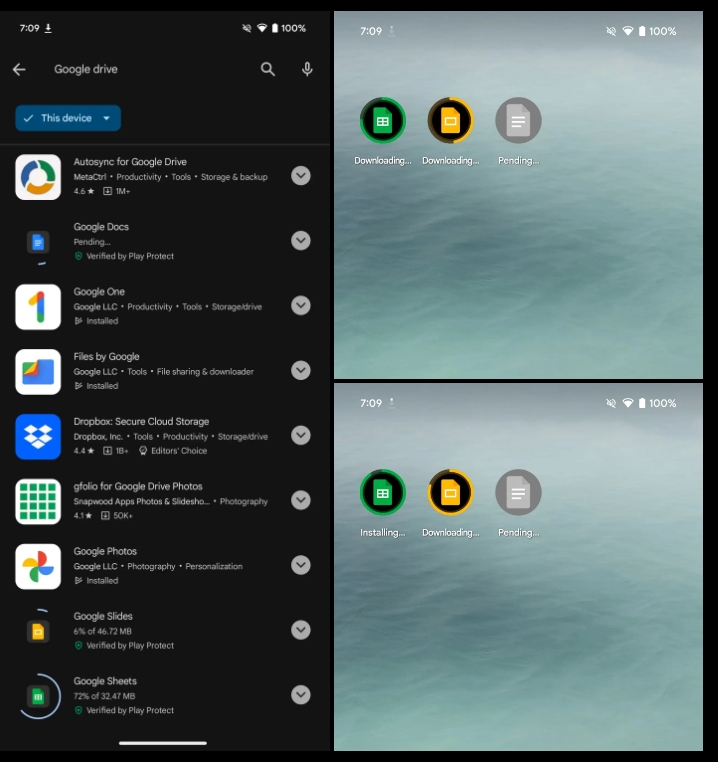
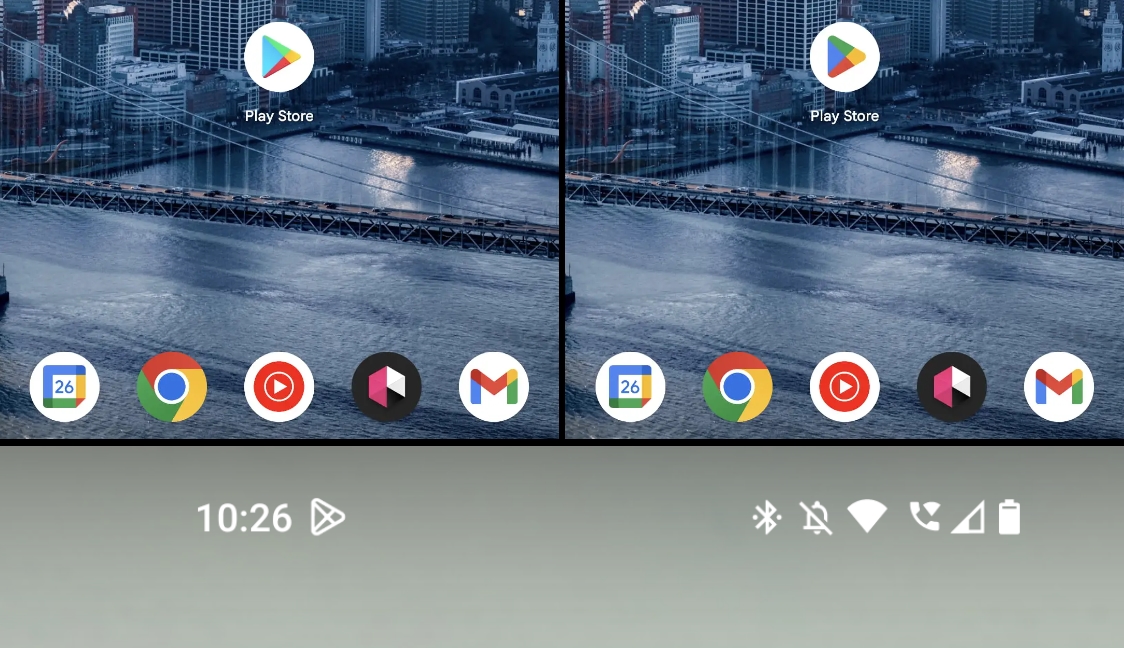
To see it in action, install two apps — pick bigger downloads, like Google Docs, Sheets, and Slides — and see how they download and then install concurrently instead of first waiting for one to complete. You can monitor their progress inside the Play Store and on your homescreen as seen in the screenshots below.
This updated behavior only triggers on new installs, while it just works with two apps at a time. (You can see how a third download remains “Pending” until something from the first pair finishes.) For comparison, the iOS App Store can handle three concurrent downloads and installs.
As of today, Google Play’s simultaneous downloads do not apply to application updates, which would be more useful as updating is more common than fresh installs. Hopefully, this is just a case of Google Play starting small before expanding. Where this change will be useful is when setting up a new Android phone or tablet.
We are seeing this change on several Pixel phones and tablets we tested running Android 14 and version 40.6.31 of the Play Store.
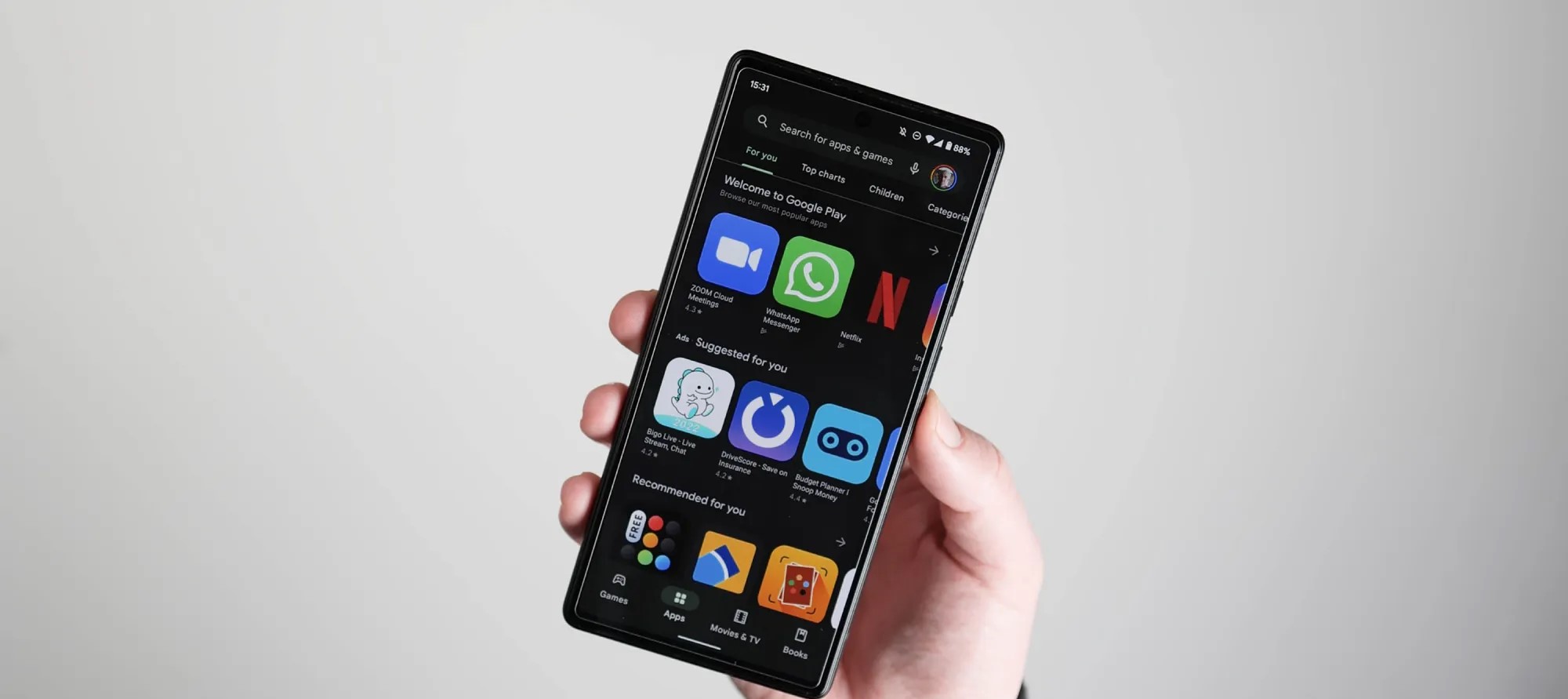
Ads already appear throughout the Play Store, and Google is now showing them when you start a search alongside other visual tweaks.
When you tap the Google Play search bar at the top of the app, you previously just saw your last four queries. Now, you might see up to three “limited-time events as well as sponsored suggestions,” with past searches appearing below that.
Limited-time events are an existing tool used to promote streaming apps that might have a particularly interesting sporting match later in the day or in-game events. They often appear as cards in the Play Store’s main feeds. They are now surfaced in search history with app name, icon, rating, and download count.
Additionally, Google Play is also showing “sponsored suggestions” that are explicitly labeled as an “Ad,” though some users would consider limited-timed events to be essentially the same thing. Both types disappear as you start typing your search.
Moving search history further down the list is unfortunate and telling in terms of company priorities. Meanwhile, a small tweak sees more prominent icons next to past queries for easier sorting.
This change was announced in the April Google System Updates changelog and has been rolling out in recent weeks. (first spotted a variant of it in November 2022.) Google this week also detailed other Play Store additions, including “key app and game highlights from what others are saying” in Play search results.
You can also get “apps and games to download over cellular data from the download notification while waiting for Wi-Fi.”
April Google System Updates: Play Store gets easier cell data downloads, more [U]
The Google System Updates for April 2023 bring improvements to the Play Store, including making it easier to download apps over cellular data.
There’s so much more to an Android smartphone than just the base operating system, as anyone who’s used a phone without Google apps can tell you. The “smarts” that Google brings to mobile devices primarily come from two crucial apps – Google Play Services and the Play Store – and Android’s monthly “Play system updates.”
Each month, the company rounds up the patch notes for these three components and collectively refers to them as “Google System Updates.” Over the course of the month, as new updates are released, the company will fill in the notes with more details. We do our best to monitor the additions and explain the most important aspects, so be sure to check back throughout the month.
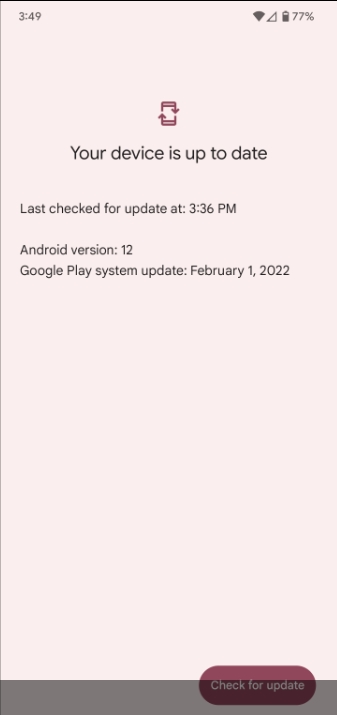
The easiest way to check whether you need to update Google Play Services on your phone is to follow a direct link to the app’s Play Store listing and update from there, if available. To update the Play Store, tap your avatar in the corner, then “Settings.” Under the “About” section, you’ll see an option to “Update Play Store.” Meanwhile, Google Play system updates can be found through the Settings app, under About phone > Android version > Google Play system update.
g an option in the app. In the near future (sometime after the Play Store v35.0 update), the option to download over mobile data will also, conveniently, appear in the active download notification.
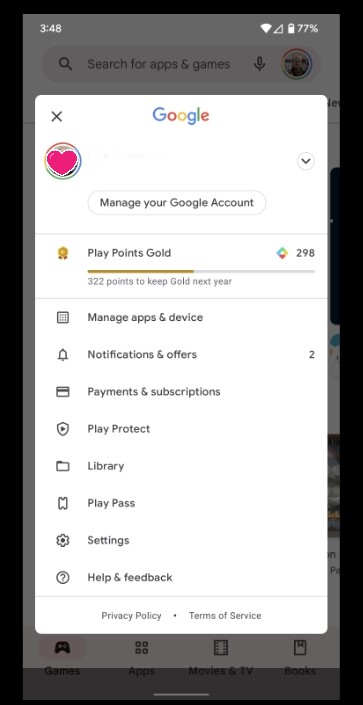
Meanwhile, another update to the Play Store (version 35.2) should offer “direct access” to Google’s “My Ad Center,” where you’re able to change your advertising privacy settings and/or adjust the kinds of ads that you see. The changelog doesn’t mention where this shortcut will appear, but the Google Account menu (opened by tapping your avatar in the top-right corner) is a likely bet.
While April may have ended, Google’s patch notes for the month have not. This afternoon, the company shared numerous new features and tidbits.
The biggest highlight is what the notes refer to as “support for Fido2 on the Android Platform.” In practice, this is support for the new “passkey” login for Google Accounts and other supported apps. It seems you’ll need to have Google Play Services version 23.14 to use these.
Nearby Share is getting a small tweak, adding some new instructions to help troubleshoot why your intended recipient may not be appearing.
In the Play Store, the search experience has gotten a revamp. When beginning a new search, your recent search history will also show suggested apps with “limited-time events” as well as “sponsored suggestions.” Meanwhile, the search results page will show useful highlights for some apps/games, including quotes from other people’s reviews.
It’ll also soon be a bit easier to search for apps from the Play Store. An update to Play Services should allow the “All apps” search bar in your app drawer to show results from the Play Store. If done right, this could make it easier to download an app you thought you already had installed.
Lastly, Wear OS watches should see a small boost in battery life after an update to Play Services that tweaks “system management services.”
Google Play System Updates for April 2023
Account Management
[Auto, Phone, TV, Wear] String improvements to Google sign-in screen shown on enterprise devices.
Device Connectivity
[Phone] Helpful instructions to discover Nearby receiving device.
Developer Services
[Phone] New developer features for Google and third party app developers to support Maps & Device Performance related developer services in their apps.
Google Play Store
New Features to help you discover the Apps & Games you love.
Optimizations allowing faster and more reliable download and installation.
Continuous improvements to Play Protect to keep your device safe.
Various performance optimizations, bug fixes and improvements to security, stability and accessibility.
[Auto, PC, Phone] Users can allow apps and games to download over cellular data from the download notification while waiting for Wi-Fi.
[Phone] With this update, you will have direct access to My Ad Center.
[Phone] When starting a search, you can now see suggestions for apps with limited-time events as well as sponsored suggestions next to your past searches.
[Phone] On your search results, you can now see key app and game highlights from what others are saying.
Security & Privacy
[Phone] Adding support for Fido2 on the Android Platform.
Utilities
[Phone] New developer features for Google and third party app developers to support Utilities related processes in their apps.
System Management
[Wear] Updates to system management services that improve Battery Life.
[Phone] New functionality allowing users to search for Play Store apps from the All Apps search box on Android devices.
[Auto, PC, Phone] Updates to system management services that improve Privacy and Stability.
[Phone] Bug fixes for System Management & Diagnostics related services.
The Google System Updates for April 2023 bring improvements to the Play Store, including making it easier to download apps over cellular data.
There’s so much more to an Android smartphone than just the base operating system, as anyone who’s used a phone without Google apps can tell you. The “smarts” that Google brings to mobile devices primarily come from two crucial apps – Google Play Services and the Play Store – and Android’s monthly “Play system updates.”
Each month, the company rounds up the patch notes for these three components and collectively refers to them as “Google System Updates.” Over the course of the month, as new updates are released, the company will fill in the notes with more details. We do our best to monitor the additions and explain the most important aspects, so be sure to check back throughout the month.
The easiest way to check whether you need to update Google Play Services on your phone is to follow a direct link to the app’s Play Store listing and update from there, if available. To update the Play Store, tap your avatar in the corner, then “Settings.” Under the “About” section, you’ll see an option to “Update Play Store.” Meanwhile, Google Play system updates can be found through the Settings app, under About phone > Android version > Google Play system update.
Updating Google Play Services
Despite the month of April being nearly over, Google has only just now shared the first details of this month’s updates. In fact, the company continued to update the March patch notes for weeks after that month had ended.
The first tidbits shared are all focused on the Google Play Store. For starters, if you attempt to install a new app while disconnected from Wi-Fi, depending on your Play Store settings, the download may not begin until you connect to Wi-Fi. In that instance, you can manually choose to begin the download via cellular data, using an option in the app. In the near future (sometime after the Play Store v35.0 update), the option to download over mobile data will also, conveniently, appear in the active download notification.
Meanwhile, another update to the Play Store (version 35.2) should offer “direct access” to Google’s “My Ad Center,” where you’re able to change your advertising privacy settings and/or adjust the kinds of ads that you see. The changelog doesn’t mention where this shortcut will appear, but the Google Account menu (opened by tapping your avatar in the top-right corner) is a likely bet.
Google Play System Updates for April 2023
Google Play Store
New Features to help you discover the Apps & Games you love.
Optimizations allowing faster and more reliable download and installation.
Continuous improvements to Play Protect to keep your device safe.
Various performance optimizations, bug fixes and improvements to security, stability and accessibility.
[Auto, PC, Phone] Users can allow apps and games to download over cellular data from the download notification while waiting for Wi-Fi.
[Phone] With this update, you will have direct access to My Ad Center.
Google has already acknowledged the issue of Pixel 6 Pro screen flickering and has promised to address the problem via a forthcoming software update. In conclusion, while the issue of Pixel 6 Pro screen flickering is an inconvenience, it is still too early to say whether it will be a more significant problem that will impact the device’s overall performance. However, users have reported an issue with the device’s screen flickering, leaving many wondering if this is a major problem that needs to be addressed by Google.
Many Pixel 6 Pro owners have reported observing a flickering issue, which causes the display to blink or flicker in certain scenarios.
Some users claim that the flickering problem affects the entire screen, while others have reported that it is limited to specific parts. The flickering ultimately makes it difficult to use or read any content on the display, and some users have even claimed to feel dizzy or disoriented due to the flickering. It’s promising that Google is addressing the issue with an upcoming software update and is taking user feedback seriously. The issue seems to be mostly happening while scrolling through apps, using certain apps, or when the user activates or deactivates the phone screen.
As one of the most anticipated smartphones of 2021, the Google Pixel 6 Pro boasts a range of impressive features. However, users have reported an issue with the device’s screen flickering, leaving many wondering if this is a major problem that needs to be addressed by Google.
Many Pixel 6 Pro owners have reported observing a flickering issue, which causes the display to blink or flicker in certain scenarios. Some users claim that the flickering problem affects the entire screen, while others have reported that it is limited to specific parts.
The issue seems to be mostly happening while scrolling through apps, using certain apps, or when the user activates or deactivates the phone screen. The flickering ultimately makes it difficult to use or read any content on the display, and some users have even claimed to feel dizzy or disoriented due to the flickering.
While this problem is concerning to users, it’s important to note that it is not uncommon for electronic devices to have some issues when they first launch. In most cases, these issues can be resolved through software updates and bug fixes.
Google has already acknowledged the issue of Pixel 6 Pro screen flickering and has promised to address the problem via a forthcoming software update. However, this hasn’t prevented users from voicing their frustration, and many have taken to social media to express their disappointment with the device.
In conclusion, while the issue of Pixel 6 Pro screen flickering is an inconvenience, it is still too early to say whether it will be a more significant problem that will impact the device’s overall performance. It’s promising that Google is addressing the issue with an upcoming software update and is taking user feedback seriously. Until then, Pixel 6 Pro owners can only wait and hope that the issue will be fixed.
Como uno de los teléfonos inteligentes más esperados de 2021, el Google Pixel 6 Pro cuenta con una gama de características impresionantes. Sin embargo, los usuarios han reportado un problema con la pantalla del dispositivo, dejando a muchos preguntándose si este es un problema importante que necesita ser abordado por Google.
Muchos Pixel 6 Los dueños de Pro han reportado observar un problema que hace que la pantalla parpadee o parpadee en ciertos escenarios. Algunos usuarios afirman que el problema de la presentación afecta a toda la pantalla, mientras que otros han informado que se limita a partes específicas.
El problema parece estar sucediendo principalmente mientras se desplaza a través de aplicaciones, utilizando ciertas aplicaciones, o cuando el usuario activa o desactiva la pantalla del teléfono. En última instancia, es difícil utilizar o leer cualquier contenido en la pantalla, y algunos usuarios incluso han afirmado sentirse mareados o desorientados debido a la manipulación.
Si bien este problema es relativo a los usuarios, es importante señalar que no es raro que los dispositivos electrónicos tengan algunos problemas cuando se lanzan por primera vez. En la mayoría de los casos, estos problemas pueden resolverse mediante actualizaciones de software y correcciones de errores.
Google ya ha reconocido el tema de la pantalla Pixel 6 Pro y ha prometido abordar el problema a través de una próxima actualización de software. Sin embargo, esto no ha impedido a los usuarios expresar su frustración, y muchos han tomado a las redes sociales para expresar su decepción con el dispositivo.
En conclusión, si bien el problema de la pantalla Pixel 6 Pro es un inconveniente, todavía es demasiado pronto para decir si será un problema más significativo que impactará el rendimiento general del dispositivo. Es prometedor que Google está abordando el problema con una próxima actualización de software y está tomando la información de los usuarios en serio. Hasta entonces, Pixel 6 Pro propietarios sólo pueden esperar y esperar que el tema sea arreglado.
While the most noteworthy updates for Android devices generally arrive on an annual or quarterly basis, Google has steadily worked to make more of Android upgradeable without needing a full-on system update. Rounding up the parts of Android OS updated in each month’s “Google Play system updates,” improvements to the Play Store, and new features of Play Services, Google offers monthly patch notes for what changes on Android devices each month. The company refers to improvements to this particular trio as “Google System Updates.”
The easiest way to check whether you need to update Google Play Services on your phone is to follow a direct link to the app’s Play Store listing and update from there, if available. To update the Play Store, tap your avatar in the corner, then “Settings.” Under the “About” section, you’ll see an option to “Update Play Store.” Meanwhile, Google Play system updates can be found through the Settings app, under About phone > Android version > Google Play system update.
Out of the first batch of Google System update notes, the most interesting aspect that the company has shared is that the notification for Nearby Sharing (Android’s AirDrop competitor) is now pinned when it’s shown. As has typically been the case, Google will likely add more patch notes as the month of February progresses.
Google Play System Updates for February 2023
Device Connectivity
[Phone] Pin Nearby Sharing heads up notification to screen when shown.
Google Play Store
New Features to help you discover the Apps & Games you love.
Optimizations allowing faster and more reliable download and installation.
Continuous improvements to Play Protect to keep your device safe.
Various performance optimizations, bug fixes and improvements to security, stability and accessibility.
Developer Services
[Phone] New developer features for Google and third party app developers to support Machine Learning & AI related developer services in their apps.
A member of the Senate Intelligence Committee has called on both Apple and Google to remove TikTok from their respective app stores.
The demand follows growing concerns about the Chinese-owned app, with the video sharing app already banned from US federal government devices, along with those in more than half of US states …
Background
TikTok is no stranger to controversy. In fact, the app has come under fire on so many fronts, that it’s hard to succinctly summarize them – but here’s our best attempt …
Things date back to the previous presidency, with an executive order banning US companies from doing business with the company, then another requiring the app to be sold to a US company or be banned. The deadline for this quietly lapsed, and President Biden later rescinded the order.
But the app came under fresh scrutiny after overtaking Facebook to become the most-downloaded app back in 2020, with teenagers the main user-base. It wasn’t long before it was accused of having inadequate privacy protection for teenage users, and was forced to make changes.
Next up was failing to properly fact-check user-posted content. Ripping off kids, with in-app currency. Unauthorized use of personal data. Failing to prevent bullying. Trying to bypass App Tracking Transparency rules. Damaging the self-esteem of teenage girls. Taking users down dangerous rabbit holes. Showing irresponsible mental health advice videos. Facilitating drug deals. Enabling grooming by child abusers. Being used for spying by the Chinese government.
Did I forget anything? Oh yeah: encouraging dangerous stunts that kill children. I knew there was something else.
Remove TikTok from app stores, says senator
It is cybersecurity concerns that have received the most attention, though: fears about the personal data of US citizens ending up in the hands of the Chinese government. This has already led the app to be banned from federal government devices, with more than half of US states imposing equivalent rules for their devices.
But CNN reports that one senator wants to take things further.
A member of the Senate Intelligence Committee is calling on Apple and Google to remove TikTok from their app stores over concerns about national security, in the latest indication of mounting scrutiny on the short-form video app from members of Congress.
In a letter sent to the two tech giants on Thursday, Colorado Democratic Sen. Michael Bennet calls TikTok “an unacceptable threat to the national security of the United States.”
Beyond data leaks, Bennet also sees darker possibilities.
“We should accept the very real possibility that [China] could compel TikTok, via ByteDance, to use its influence to advance Chinese government interests,” Bennet wrote, “for example, by tweaking its algorithm to present Americans content to undermine U.S. democratic institutions or muffle criticisms” of China’s handling of Hong Kong, Taiwan or ethnic minorities.
It’s not the first time Apple and Google have been asked to remove TikTok from their app stores: the FCC commissioner made the same request last year.
Apple and Google alike didn’t respond to a request for comment, and nor are they likely to. Much as Bennet might like to hand off responsibility to the decision to the tech giants, this is properly a matter for the US government.
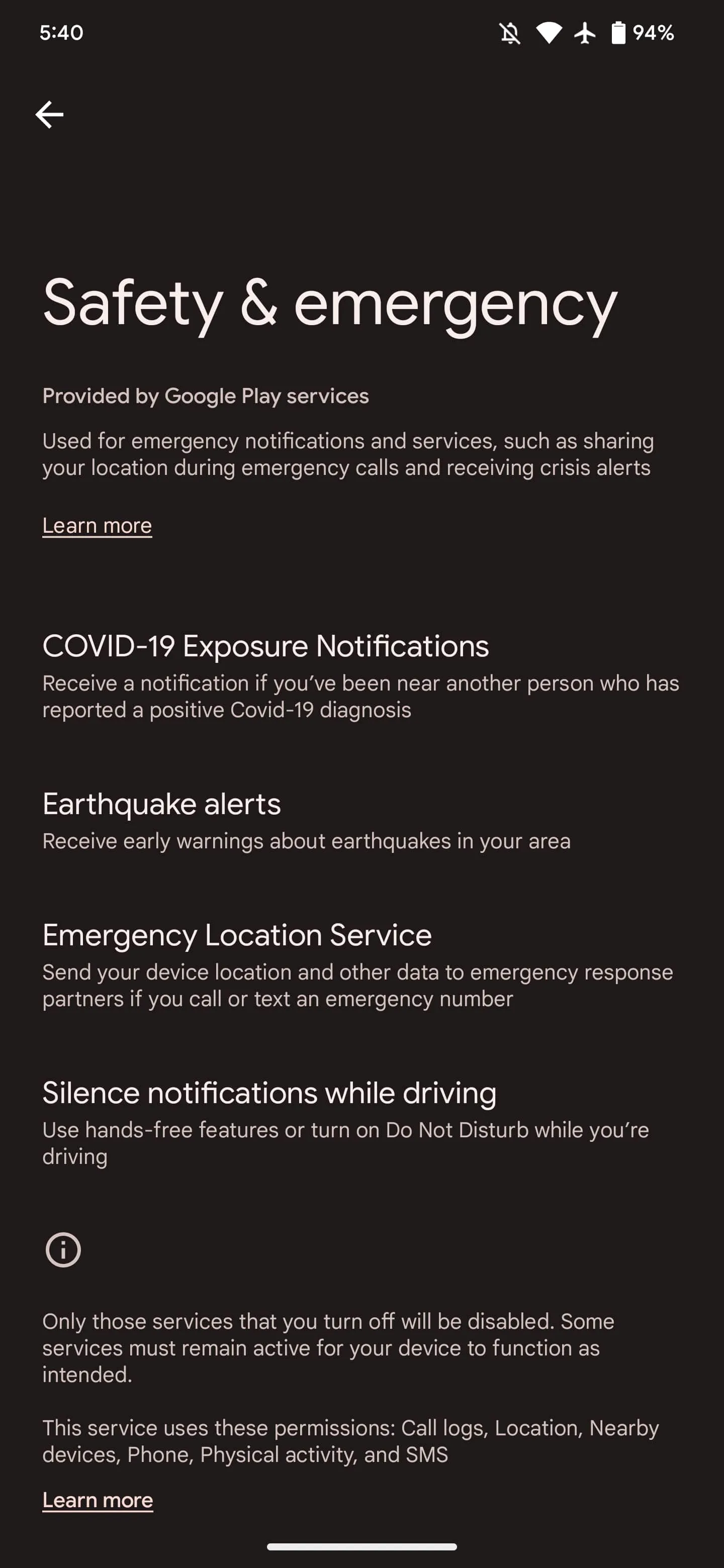
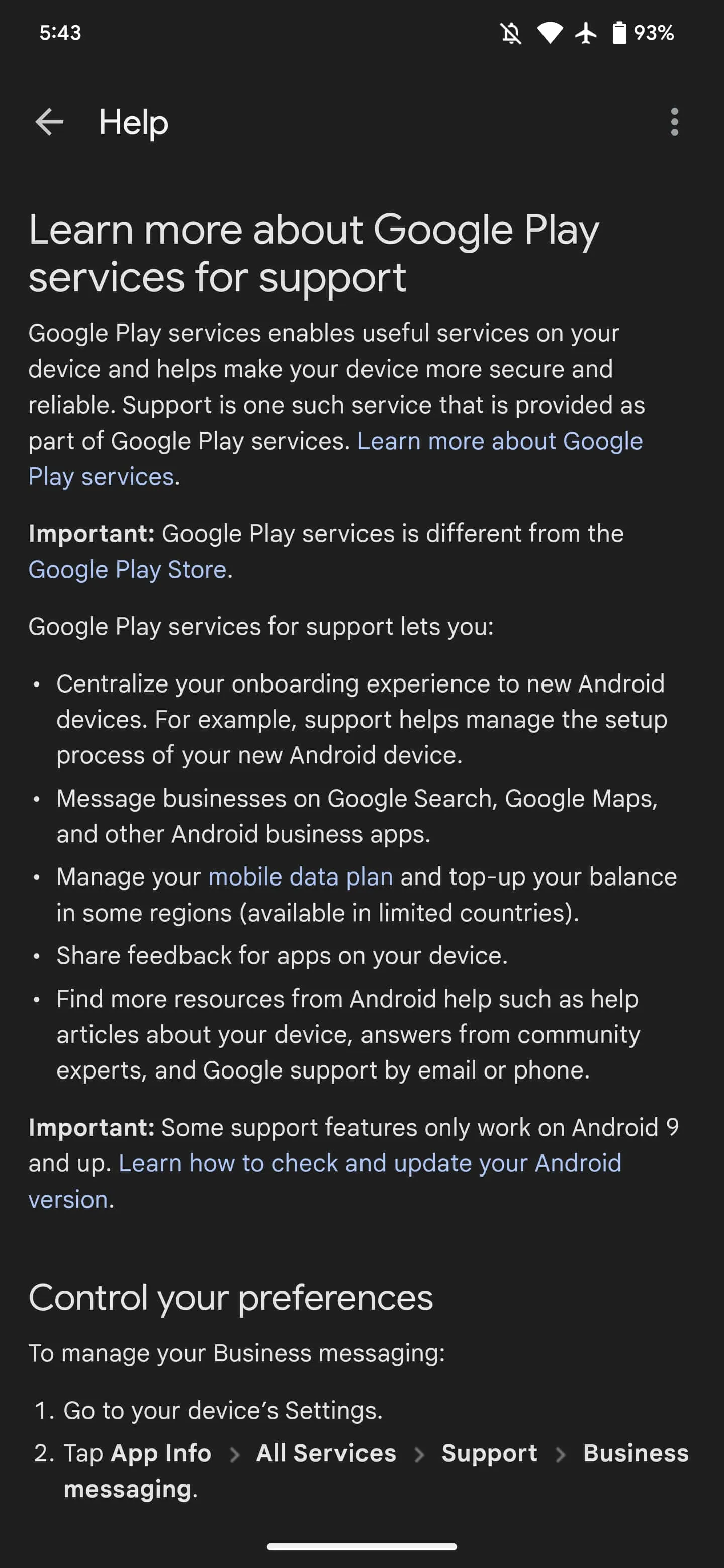
Google Play services powers many key features on Android devices that might not be obvious to end users, and Google is now offering an explanation directly on your phone as part of a new approach.
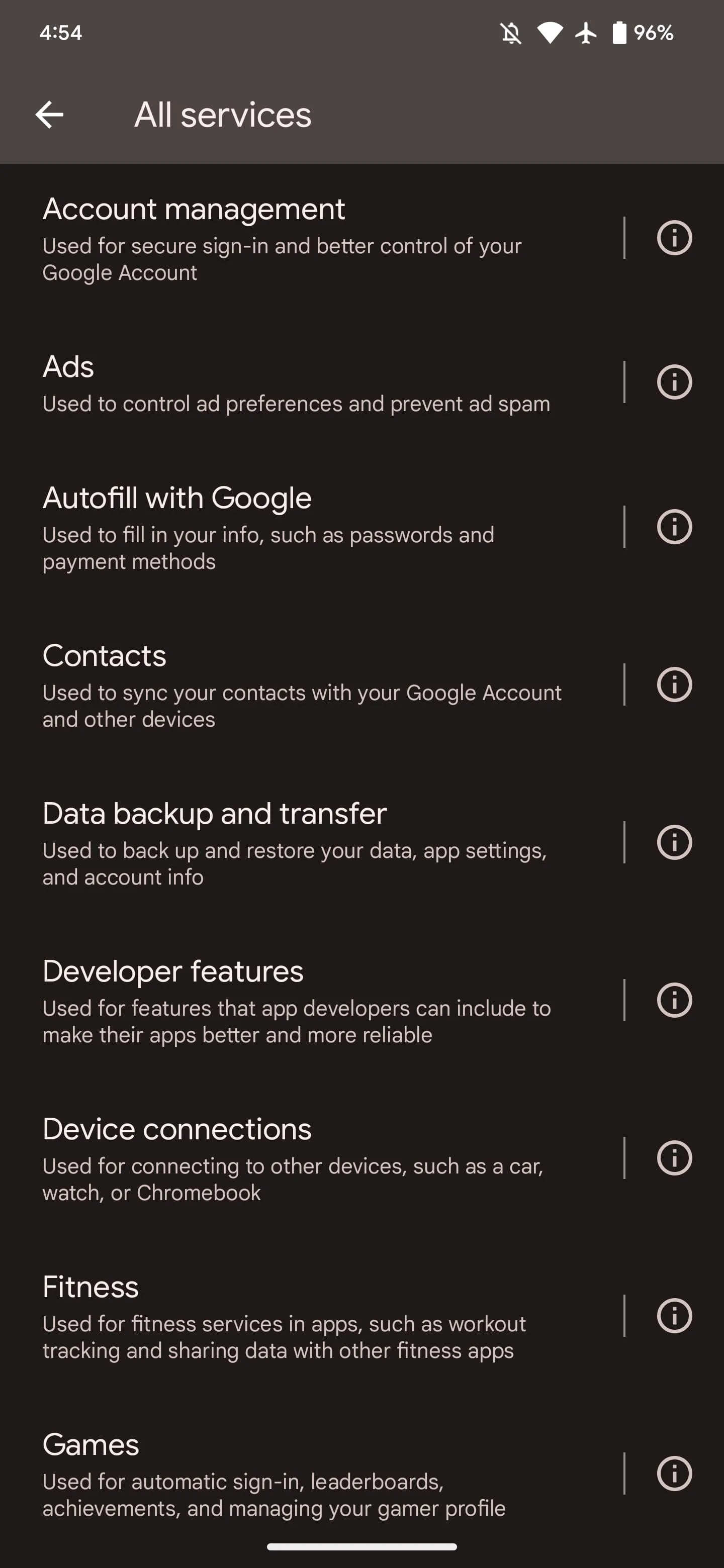
If you go to Settings > Apps > See all > Google Play services, you’ll see a new “All Services” item as the first thing in the App info list underneath Disable and Force stop. Tapping lets you “See details about the services used on your device.” Google’s high-level explanation of Play services follows:
Google Play services helps to make your device more secure and reliable. It’s an important part of many of the features on your device, and it’s different from the Play Store app.
Keep in mind that turning off services can impact the way your device works.
The last line makes explicit reference to how some people disable it. Google specifically highlights 17 capabilities. Tapping takes you to settings pages, while the Info button next to things takes you to various support/help articles.
Of the devices we checked today, this is only appearing on Android 13 Pixel phones. The capability that lets Play services add this “All services” page to App info requires the latest version of the OS.
Account management: Used for secure sign-in and better control of your Google Account
Links to settings for: Device phone number and Google Account
Ads: Used to control ad preferences and prevent ad spam
Lets you: Reset advertising ID, Delete advertising ID, or Enable debug logging for ads
Also shows device advertising ID
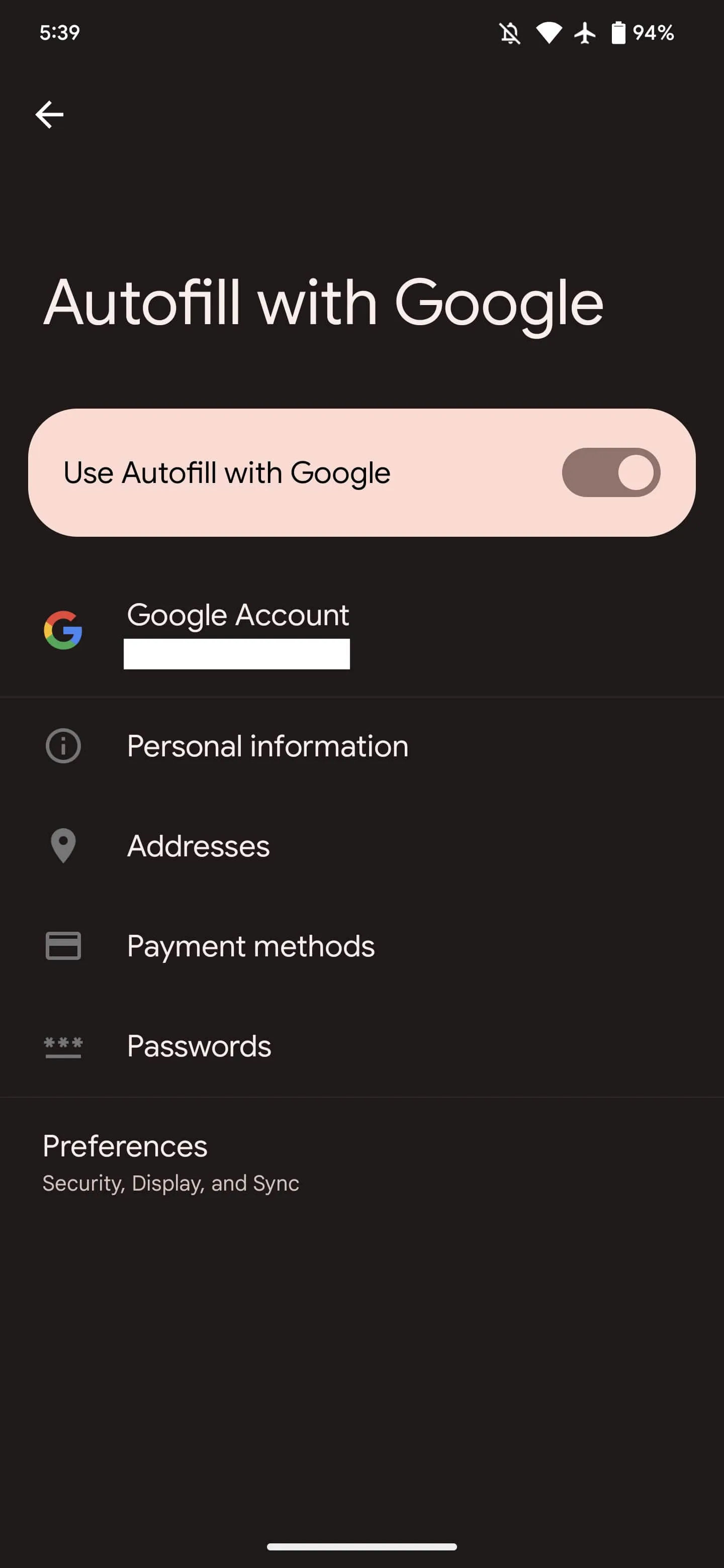
Autofill with Google: Used to fill in your info, such as passwords and payment methods
Shows settings to enable/disable Autofill with Google
Links to your saved Personal information, Addresses, Payment methods, and Passwords, as well as Preferences
Contacts: Used to sync your contacts with your Google Account and other devices
Links to settings for: Google Contacts sync and Restore contacts
Data backup and transfer: Used to back up and restore your data, app settings, and account info
Links to settings for: Settings > System > Backup
Developer features: Used for features that app developers can include to make their apps better and more reliable
Google Play Store not showing all your ‘Recently updated’ Android apps
Google recently addressed an issue where version numbers disappeared from the Play Store, and a similar problem in that vein has now appeared involving the “Recently updated” list.Since yesterday (August 23), Google Play has not consistently shown all the Android apps that you have “Recently updated,” which is the default view/filter for the “Manage” tab in “Manage apps & device.” You might have one or two appear but the vast majority are missing. In the example below, Google Docs, Sheets, and Slide are missing, while Apple Music was also updated yesterday in addition to on Monday. There are countless other examples across a handful of devices we checked, though not all users say they are affected. The issue continues into today with Google Pay (Tez) showing up but not Google Maps or Twitter for me.
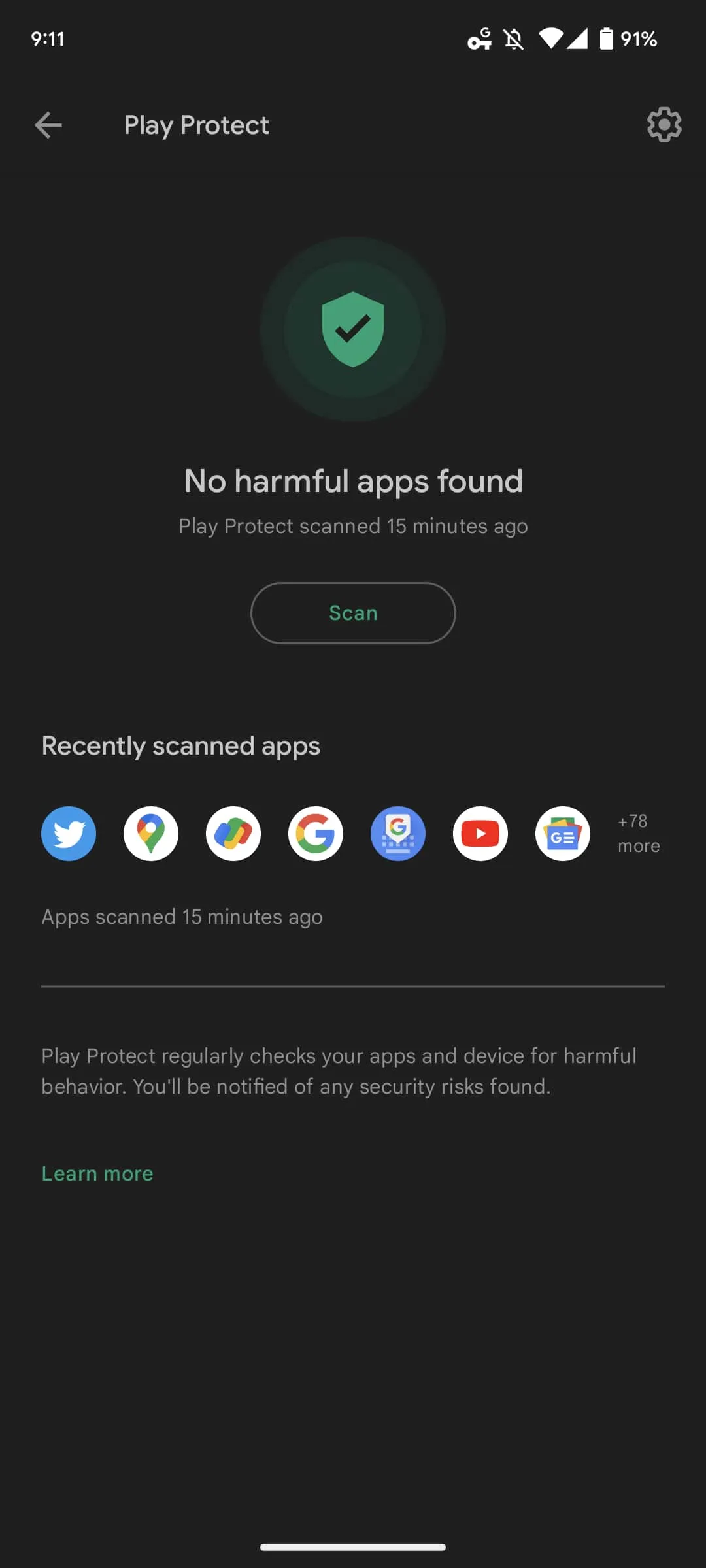
One way of seeing what apps are missing is by comparing that list to the “Recently scanned apps” row shown on the Play Protect page. We’re encountering this issue on both the latest stable release (31.9.1) of the Play Store and newer versions that are still rolling out.
The new Google Play Store logo goes live on Android [U]
Google last changed the Play icon in 2016 when Play Movies & TV, Music, and Newsstand were still vibrantly kicking. Over six years later, the Google Play Store is getting a new logo.
Update 7/27: The new logo is starting to appear on Android with version 31.6.13-21 of Google Play. It’s a pretty straightforward replacement with not a lot changing in terms of proportions or triangle size. There’s also a new outline-style status bar icon with bold lines.
That update is not yet widely rolled out, but it has already appeared on one of our devices.
Update 7/26: Following the official 10th anniversary announcement yesterday, the new logo is live on play.google.com , as well as the developer site. It’s meant to better reflect the “magic of Google and matches the branding shared by many of our helpful products — Search, Assistant, Photos, Gmail and more.”
blue (#4285F4), red (#EA4335), yellow (#FBBC04), and green (#34A853)
Of course, most users will encounter it when the Android app is updated and the homescreen icon changes.
Update 7/16: Additional proof that Google Play is getting a new logo comes from the US Patent and Trademark Office. We see the more rounded triangle with updated coloring in much higher-resolution, though it’s still somewhat blurry. The company officially describes it as such:
The mark consists of a triangle comprised of rounded corners, divided in four colored sections; the color blue appears at left; the color green appears at top; the color yellow appears at right; and the color red appears at bottom.
Original 7/6: Before the 2016 redesign, which also placed everything in triangles, the icon had more shadows.
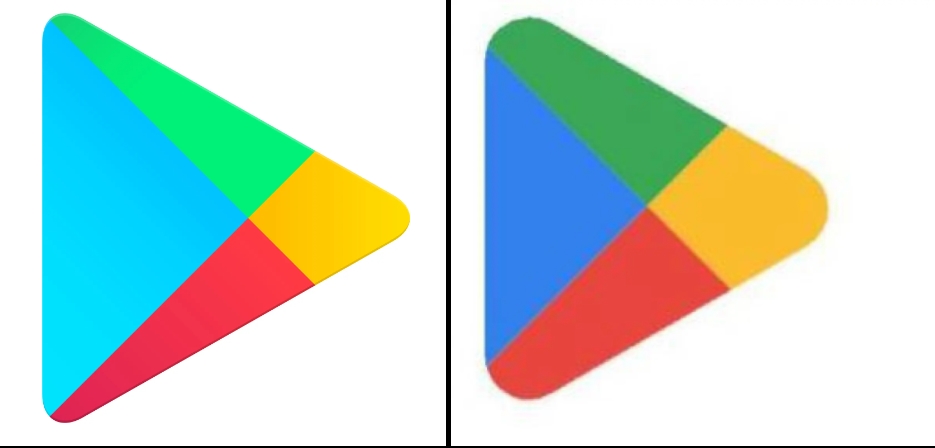
This new Google Play logo is still a triangle, but notice how the corners are much more rounded compared to the current one. Meanwhile, the four colors in use are more closely aligned with that of the four Google colors, which is the clear trend and mandate of recent revamps. That said, we can’t help but note how muted and dark the icon is compared to other first-party services.
Blue and green are definitely less vibrant, while the internal partition has been tweaked so that the parts are more equal in size. Today, the blue triangle is oversized compared to the other three components.
Current vs. upcoming
Only a low-resolution version of this icon is available today. It can be found in both GPay and Google Pay – soon Wallet – when you make a Play Store transaction, like adding credit to your account, as the merchant icon. There’s no obvious indication when it was updated.
It’s not live anywhere in the Play Store app or play.google.com, which was just redesigned. That would have been an optimal time to unveil it.
At this point, it’s not clear when Google will introduce the new Play Store logo. Google Play did just remove the Movies & TV tab, while the likely exit of Play Books to make the Play Store entirely focused on Android apps makes eventual sense. Meanwhile, the fate of the “Play” in Play Games is slightly more solid given the big push into Android gaming on Windows. However, the future of the dedicated Android app is not as firm.
Thank you for using
Themify Popup
This is a sample pop up. Themify Builder or Builder Lite (free) plugin is recommended to design the pop up layouts.