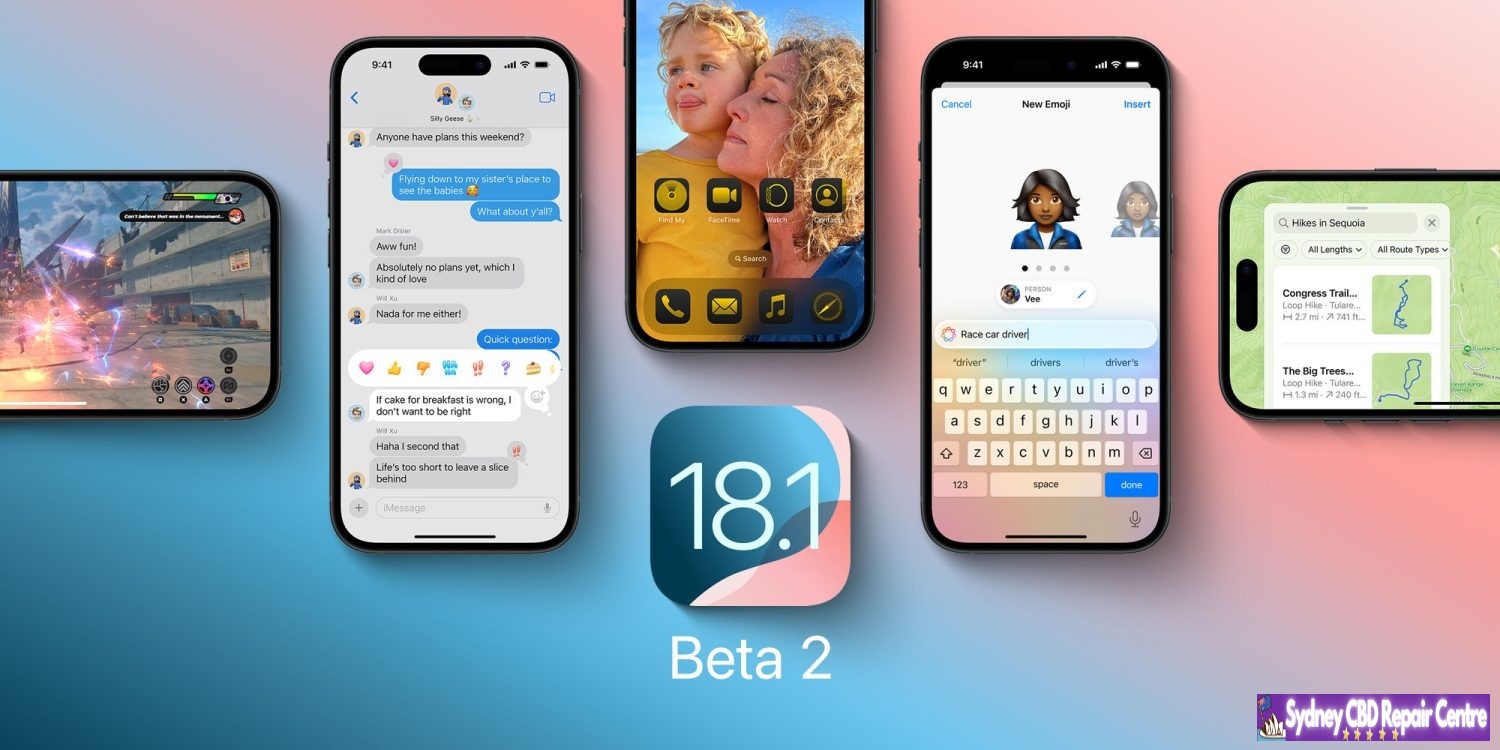
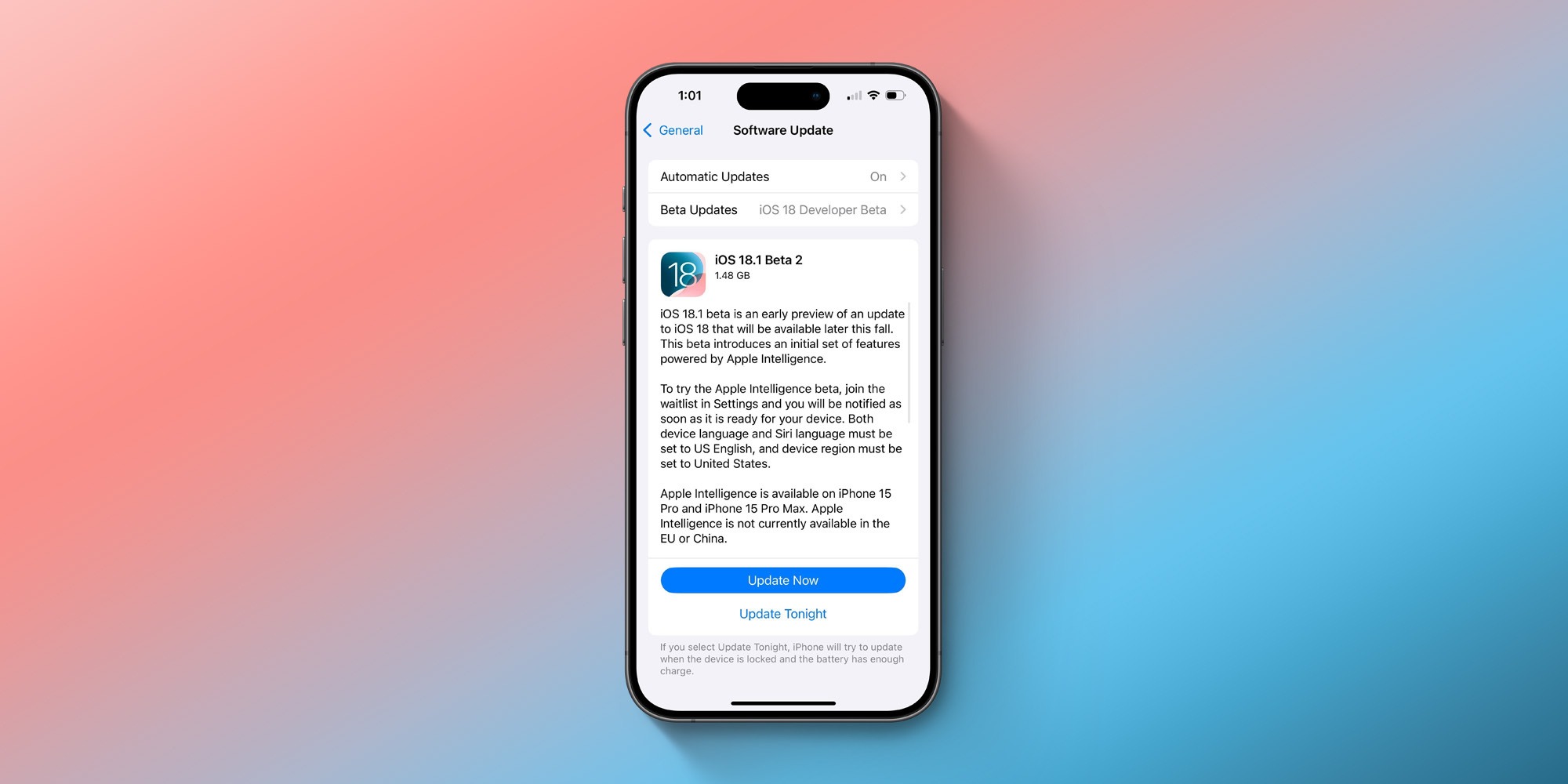
Apple is now rolling out iOS 18.1 beta 2 to developers, two weeks after it began iOS 18.1 beta testing. iOS 18.1 includes the first set of Apple Intelligence features, including a redesigned Siri, Writing Tools, and more.
Here’s everything you need to know about the current iOS 18 beta cycle…
iOS 18.1: Everything you need to know
iOS 18.1 beta 2 is available to developer beta testers with build number 22B5023e. There is no public beta available, and there’s no timetable for when that will change. Additionally, iOS 18.1 only available for iPhone 15 Pro and iPhone 15 Pro Max, the only two iPhone models that support Apple Intelligence.
Meanwhile, iPadOS 18.1 is available to any iPad with an M1 chip or newer, as those are the requirements to run Apple Intelligence on the iPad.
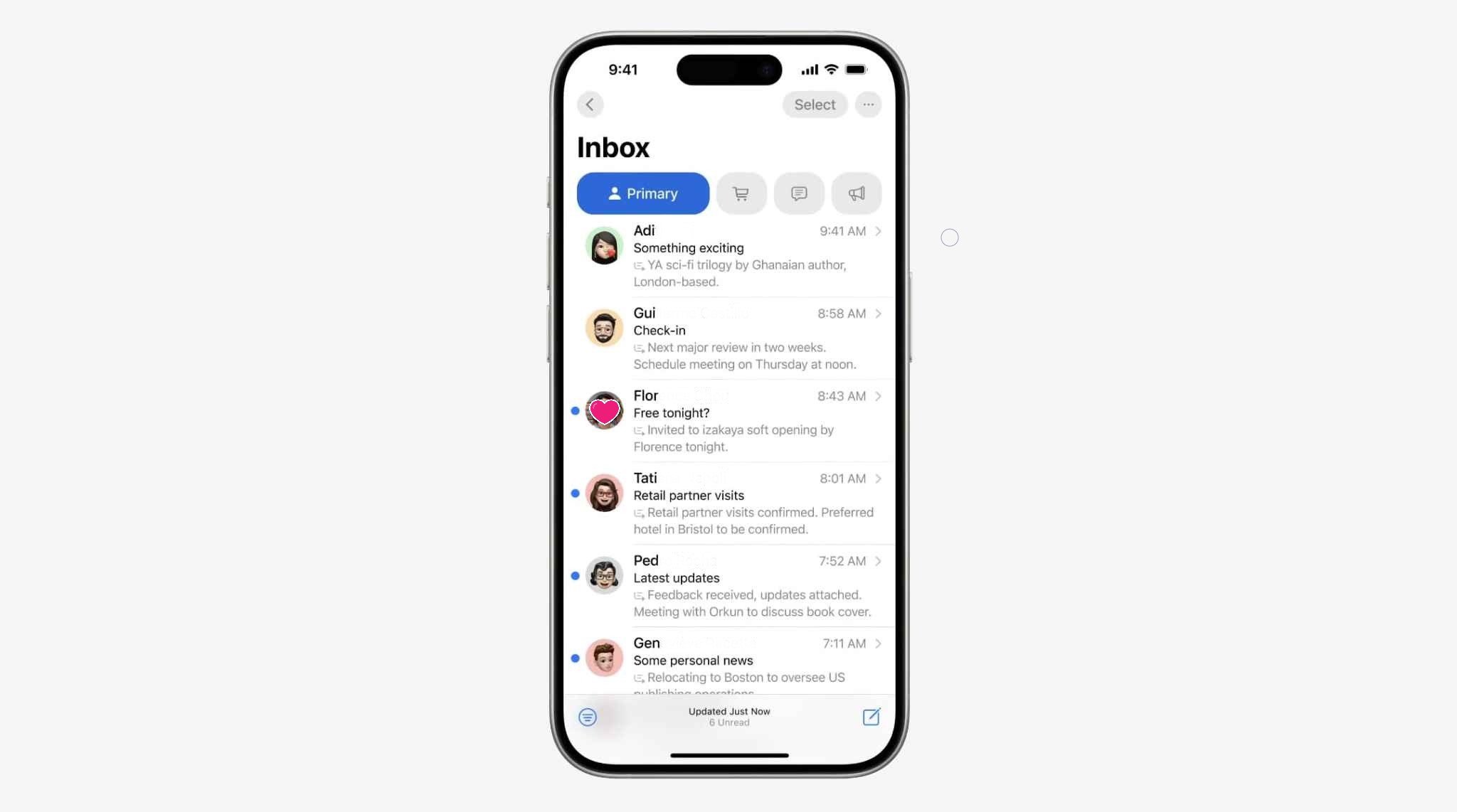
iOS 18.1 includes the first set of Apple Intelligence features, such as Writing Tools for rewriting, proofreading, and summarizing text. Siri has also been completely redesigned and now supports the ability to type to Siri. There are new features in the Mail app, including messages summaries, priority sorting, and Smart Reply. iOS 18.1 also adds a new Reduce Interruptions Focus mode, which uses AI to surface only the notifications that might need immediate attention.
Finally, iOS 18.1 adds new AI-powered features to the Photos app, including natural language search, the ability to search in videos, and support for creating Memories on demand. There are a number of Apple Intelligence features not included in iOS 18.1, such as Genmoji, Image Playgrounds, and ChatGPT integration.
Apple is also continuing to beta test iOS 18.0 with developers and public beta users. Apple released iOS 18.0 beta 5 last week, bringing changes to the Photos app redesign and a new Distraction Control feature for Safari. These features currently aren’t available in iOS 18.1 and it remains to be seen whether today’s release of iOS 18.1 beta 2 changes that.
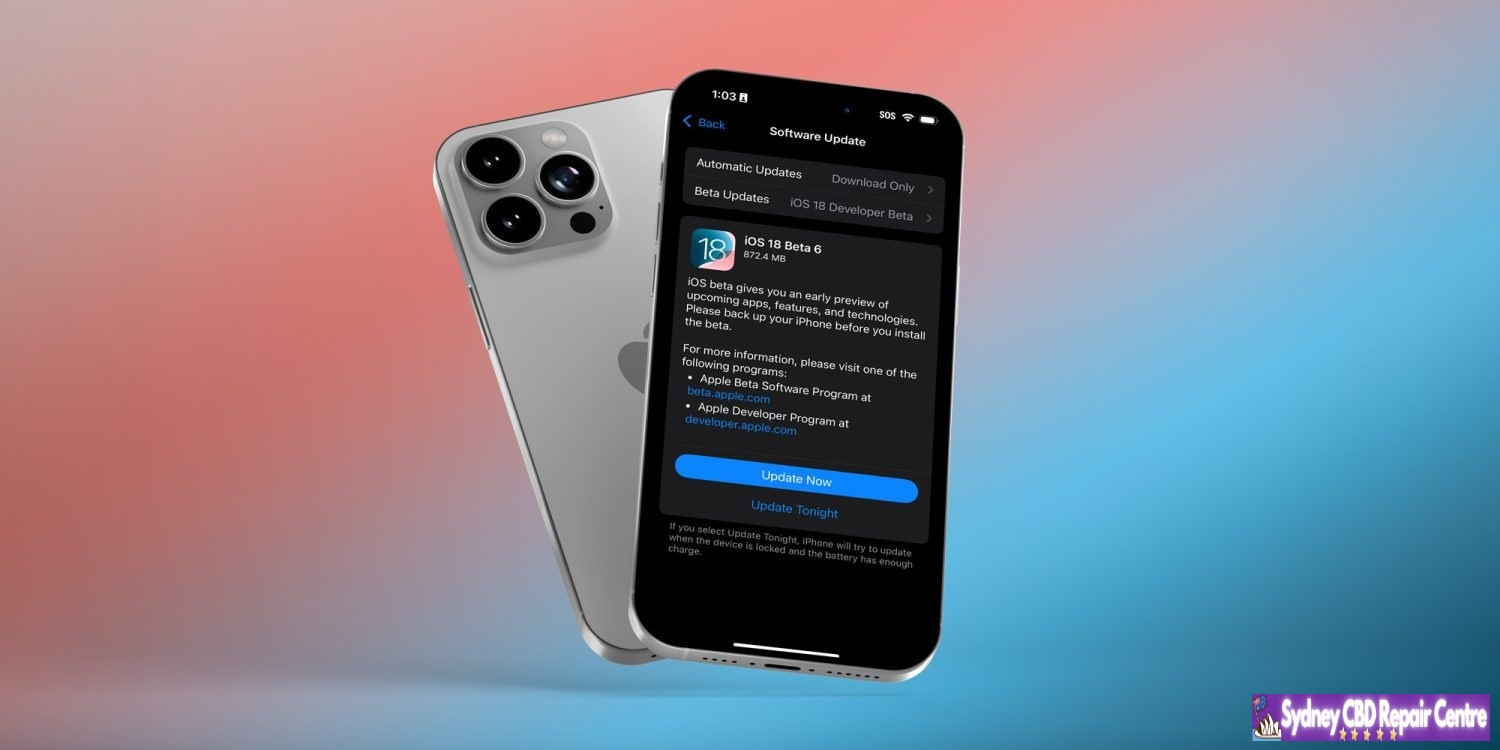
iOS 18 developer beta 6 now available
Apple has released the latest developer beta for iOS 18. Beta 6 comes less than a week after beta 5 debuted, and confirms releases are ramping up leading into the fall.
iOS 18 developer beta 6 is the newest beta for developers running iOS 18.0. Apple also released a new beta for iOS 18.1 users today with Apple Intelligence features.
Leading up to Apple’s September introduction of the iPhone 16, Apple is working on finalizing iOS 18 for public release. As a result, changes in today’s beta are likely to be few.
The focus of beta 6 is likely on bug fixes and performance improvements.
Apple typically releases weekly betas throughout the month of August. The public launch of iOS 18 should then arrive in mid-September shortly after the iPhone 16 is unveiled, and shortly before it arrives in users’ hands.
We will cover any updates and changes discovered in beta 6. But expect the focus here to be on unseen changes that help your iPhone run more smoothly.
Last week’s beta 5 introduced changes to the redesigned Photos app, a new Safari feature called Distraction Control, and more.
The iOS 18 public beta is now rolling out for download. This means anyone can now try out iOS 18 and all of its new features. The update includes a broad range of new features for iPhone users, such as new customization options, upgrades to Messages, a completely redesigned Photos app, and much more.
Head below for our full recap of everything new in iOS 18…
How to install iOS 18 public beta
If you’re interested in signing up for Apple’s public beta testing program, you can do so via Apple’s website right here. Apple’s new software version will be complete in the fall, at which point it will be released to the general public. For the time being, testers should still expect performance and stability issues when running the iOS 18 public beta on primary devices.
What’s new in iOS 18?
Home screen customization
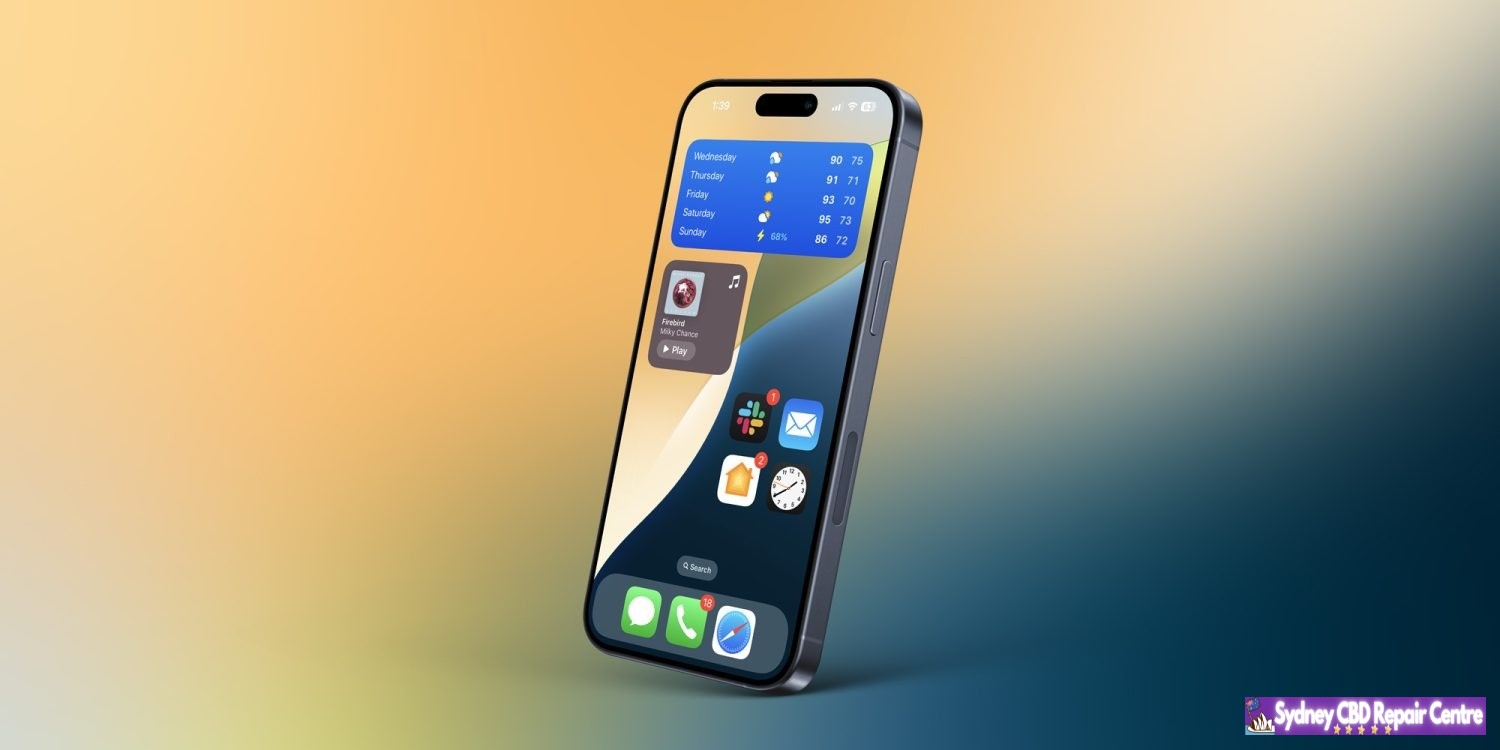
iOS 18 adds multiple new ways for users to customize their iPhone’s Home Screen. You can now place app icons and widgets anywhere on your Home Screen grid. This allows you to leave blank spaces and have full control over where your icons and widgets appear.
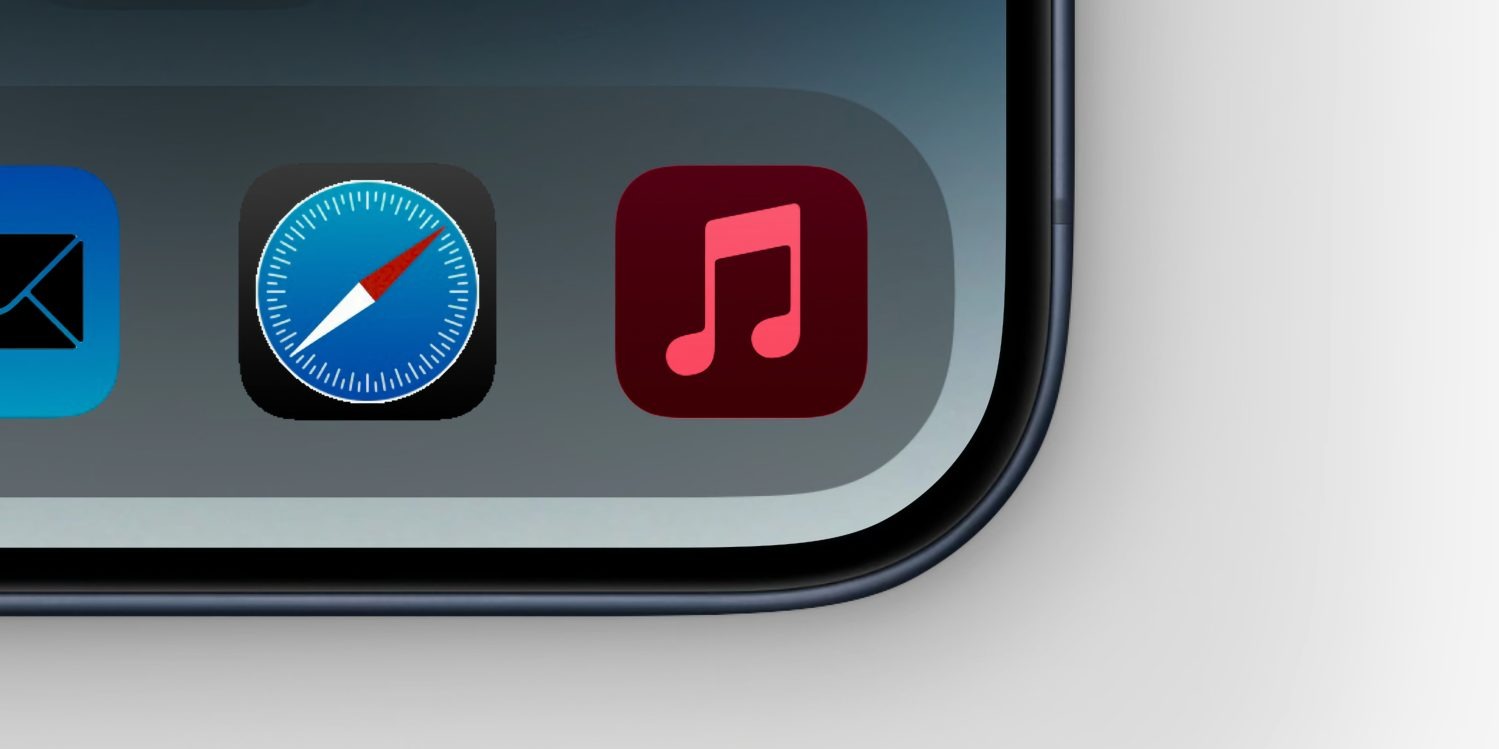
iOS 18 also now lets you tint your Home Screen app icons and widgets. You can choose any color you want, or opt for a new dark mode option that turns almost all of Home Screen app icons dark.
New Control Center features
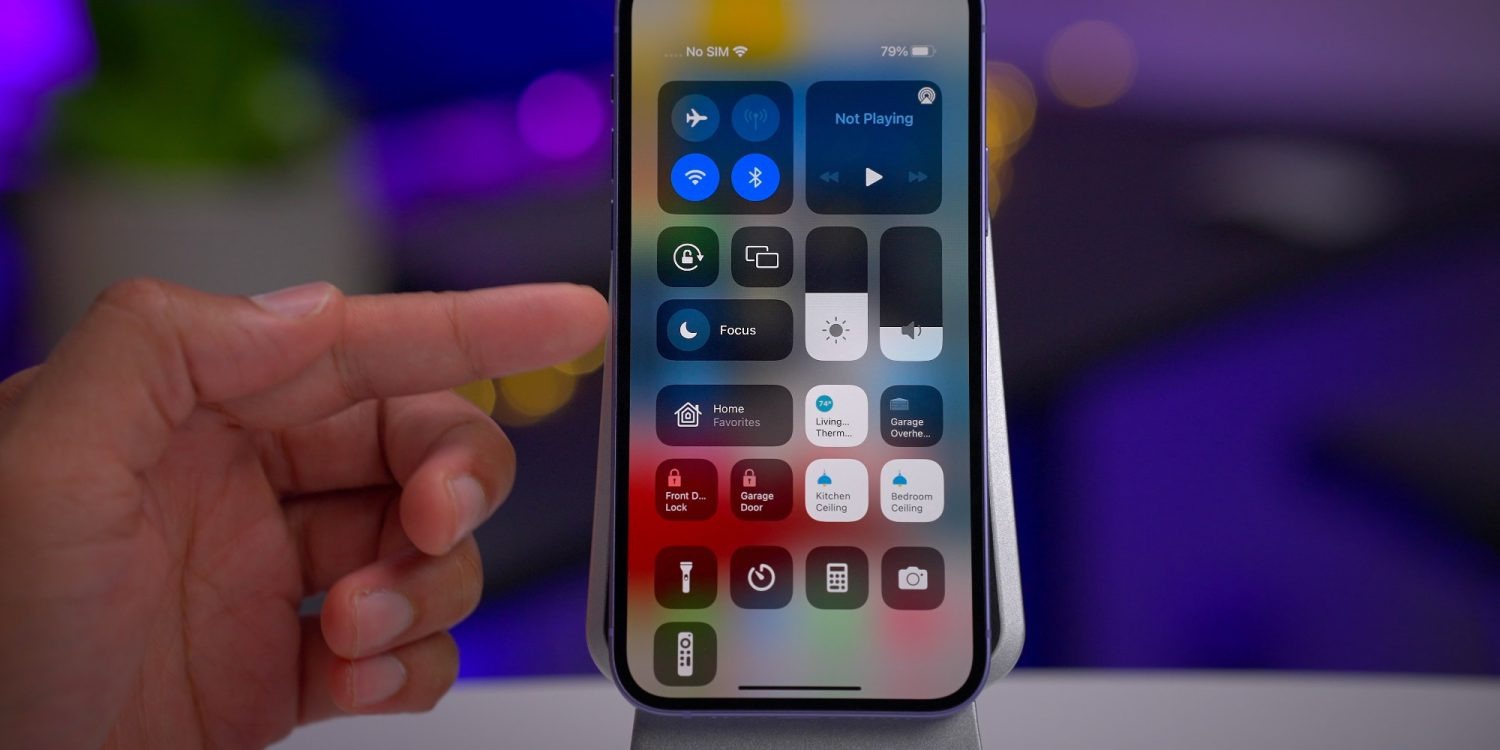
Control Center has gotten a significant overhaul in iOS 18, giving you full control (ha) over the layout and organization of your experience. You can have multiple pages in Control Center, which you can easily swipe between.
There is also a new API that allows third-party apps to donate controls to the new Control Center interface. For example, the Ford app could adopt this API and offer Control Center controls for things like starting your car, opening your trunk, and more.
Change Lock Screen controls
As part of the new Control Center revamp, iOS 18 now lets you customize the two controls that appear on your iPhone’s Lock Screen. You can replace the flashlight and camera buttons with any of the new Control Center controls, even including third-party controls.
All of these controls can also be assigned to the Action button on the iPhone 15 Pro.
New Messages features
iOS 18 includes multiple new features for the Messages app. First, there are new text effects that can be applied to individual words in messages. These options include big, small, shake, nod, explode, ripple, bloom, and jitter. You can also now add formatting like bold, underline, italics, and strikethrough to any letter, word, or phrase in iMessage.
The Tapbacks system has been revamped in iOS 18, so you can react to messages using emojis or stickers.
Scheduled messages are also now supported in Messages with iOS 18. You can write a message and then choose to have it delivered in the future, such as when you know the other person will be awake.
RCS support
Speaking of the Messages app, iOS 18 includes support for RCS messaging for the first time. RCS unlocks better cross-platform communication between iPhone and Android devices. This includes things like read receipts, typing indicators, better group chat support, high quality photos and videos, and more.
RCS support will vary from carrier to carrier around the world. Availability will likely expand as we get closer to iOS 18’s general release in September.
iPhone Mirroring
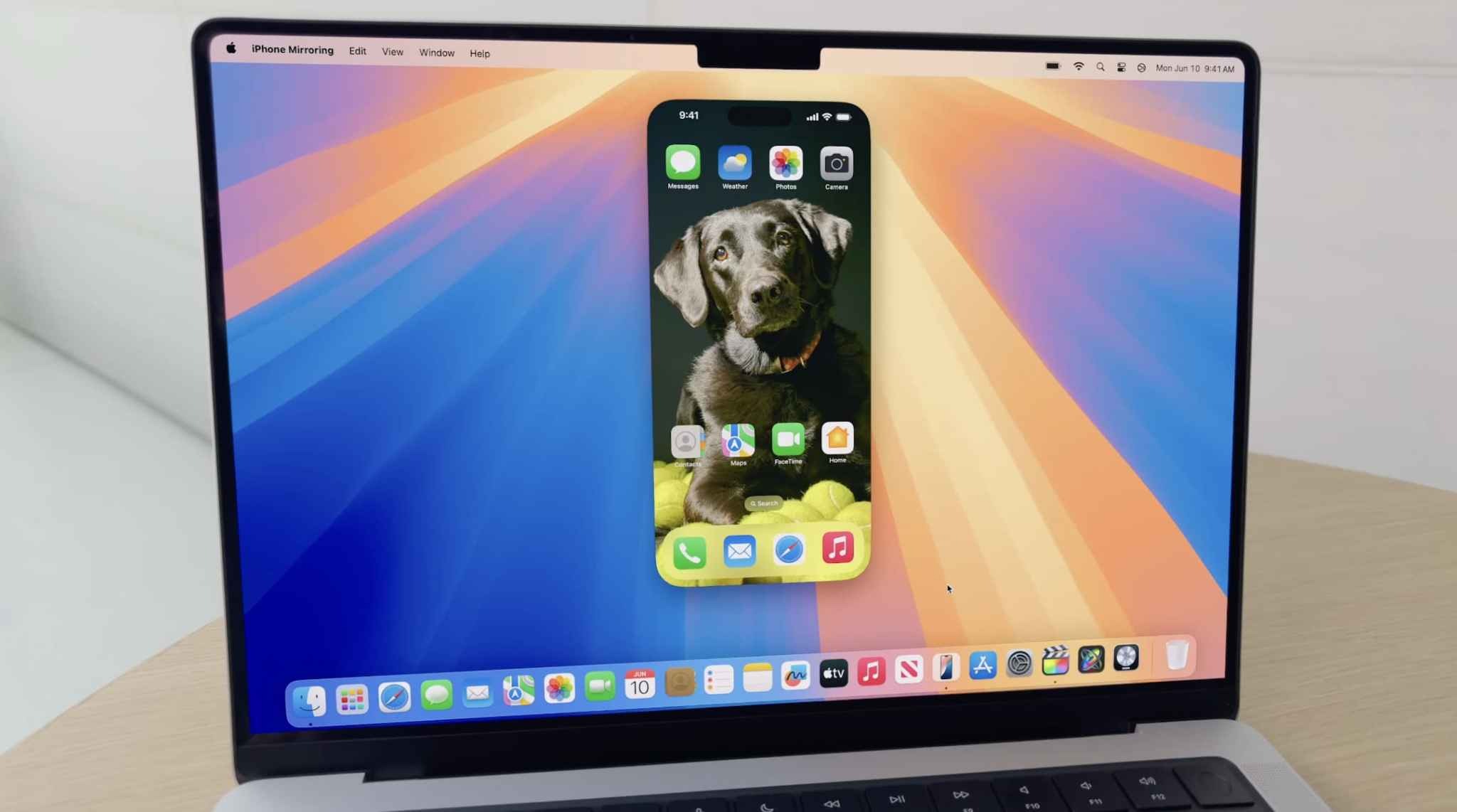
In conjunction with macOS Sequoia (which is also now available in public beta), iOS 18 adds a new iPhone Mirroring feature for accessing your iPhone via your Mac. This feature allows you to interact with your iPhone, receive push notifications, and move files between both devices.
iOS 18 revamps the experience of using screen sharing with SharePlay. Now, you can draw on someone’s screen so they can see what you can do on theirs, or you can control their screen and take actions yourself.
If you provide a lot of iPhone or iPad tech support, this feature will be a lifesaver for you.
All-new Photos app
The Photos app is getting a major revamp in iOS 18, with Apple describing this as the biggest-ever update to the app. There are no more tabs at the bottom of the Photos app, and instead, it features a unified layout that has been simplified into a single view.
One tent pole of the Photos app is a series of collections. Apple explains that your library is organized by theme, letting you browse by Recent Days, People & Pets, Trips, on a map, and more. The new Photos app is also highly customizable, so you can rearrange and pin different Collections, filter out specific types of content (like screenshots), and more.
The search functionality in the iOS 18 Photos app has been completely revamped as well. You can now search by combinations of people, places, and more.
New features in Safari
iOS 18 brings a new Highlights feature to Safari, which Apple says uses machine learning to surface key information from the webpage you’re visiting:
Summary: Review a summary of an article to get the gist before reading on.
Location: See the location of a restaurant, hotel, or landmark.
People: Expand your knowledge about a person you’re reading about.
Music: Listen to an artist’s hit track right from an article about the song or album.
Movies and TV shows. Check out a movie or TV show or add it to your watch list.
New Passwords app
Apple has finally given us a dedicated Passwords app. This new app, included in iOS 18, iPadOS 18, macOS Sequoia, and visionOS 2, gives easy access to all of your passwords, passkeys, and other login information. The app also stores your Wi-Fi passwords.
New features for Apple Notes
The Notes app has added a number of new features with iOS 18:
In-line math support: Enter an expression and have it solved instantly while typing.
Collapsible sections: Simplify and hide text with collapsible section headers, making it easy to manage your most text-heavy notes.
With the new highlight style feature, it’s easier to quickly mark up your notes and make text stand out.
Gaming improvements
Apple continues its efforts to make the iPhone a gaming powerhouse with iOS 18:
Maximize gameplay performance: Game Mode minimizes background activity to sustain consistently high frame rates for hours of continuous gameplay.
More responsive AirPods and controllers: Game Mode dramatically reduces audio latency with AirPods, and makes wireless game controllers incredibly responsive.
Apple Wallet upgrades
The Wallet app is getting noticeably better with iOS 18 this year. These upgrades are headlined by a new Tap to Cash feature. By simply bringing your phone close to a friend’s iPhone, you can send money instantly – transferring from your Apple Cash account to theirs.
Apple Wallet’s support for event tickets has also been redesigned in iOS 18, as Apple explains:
Event tickets in Apple Wallet receive their greatest transformation ever, with a beautiful new design and richer experience for fans. Tickets in Wallet can put key event information at users’ fingertips, such as a map of the venue and parking details; useful services like in-seat food delivery; recommended playlists from Apple Music; local forecasts from Weather; and easy access to location sharing to help fans find their friends when they arrive.
A new Tap to Provision feature coming to Apple Wallet this year. When available, this feature will let you add new credit or debit cards to Apple Wallet by simply tapping your card on the back of your iPhone.
Apple Pay is also coming to Chrome and other third-party web browsers and computers with iOS 18. Apple says you will just need to scan a code from the website using your iPhone and then complete the payment.
Finally, Apple Pay and Apple Wallet are also adding new integrations with rewards and installment payments from banks. Perhaps most notably, Apple says that users in the United States will be able to apply for loans directly through Affirm when they check out with Apple Pay.
New Home app and HomeKit features
In the Home app with iOS 18, you can now grant specific controls with guest access. This will help you better manage how and when people can enter your home. You have the flexibility to give access to things like garage openers, alarm systems, and door locks only at specific times.
iOS 18 also adds hands-free unlock support for HomeKit smart locks. The idea is that UWB support will make the process truly hands-free, using proximity to automatically lock and unlock doors as you arrive and depart. Unfortunately, you’ll need a UWB-enabled smart lock for this to work, and those don’t exist yet.
You can now set a preferred Home Hub in iOS 18. In the past, the Home app has attempted to automatically select the best Apple TV or HomePod in your house to serve as your Home Hub, but this gives you direct control over which is used.
New privacy features
As usual, iOS 18 includes a number of new privacy and security features for iPhone users. First, you can now lock any app behind Face ID, Touch ID, or a passcode. This means no one will be able to open the app without your authentication.
More than that, iOS 18 also includes support for hidden apps. The app name and icon are hidden on the Home Screen and in search, and you won’t receive notifications from the app. Instead, the app is only accessible via a new hidden apps folder in the App Library and requires Face ID, Touch ID, or your passcode to be opened.
More new privacy features:
Improved Contacts sharing: Choose which contacts to share with an app, instead of giving an app access to all your contacts.
Accessory Setup Kit: A new way to pair Bluetooth accessories without giving the app visibility of other devices on your network.
Settings app changes: A redesigned Privacy & Security interface in the Settings app makes it easier to manage what information you’re sharing with apps.
Accessibility
Here are some of the new Accessibility features in iOS 18:
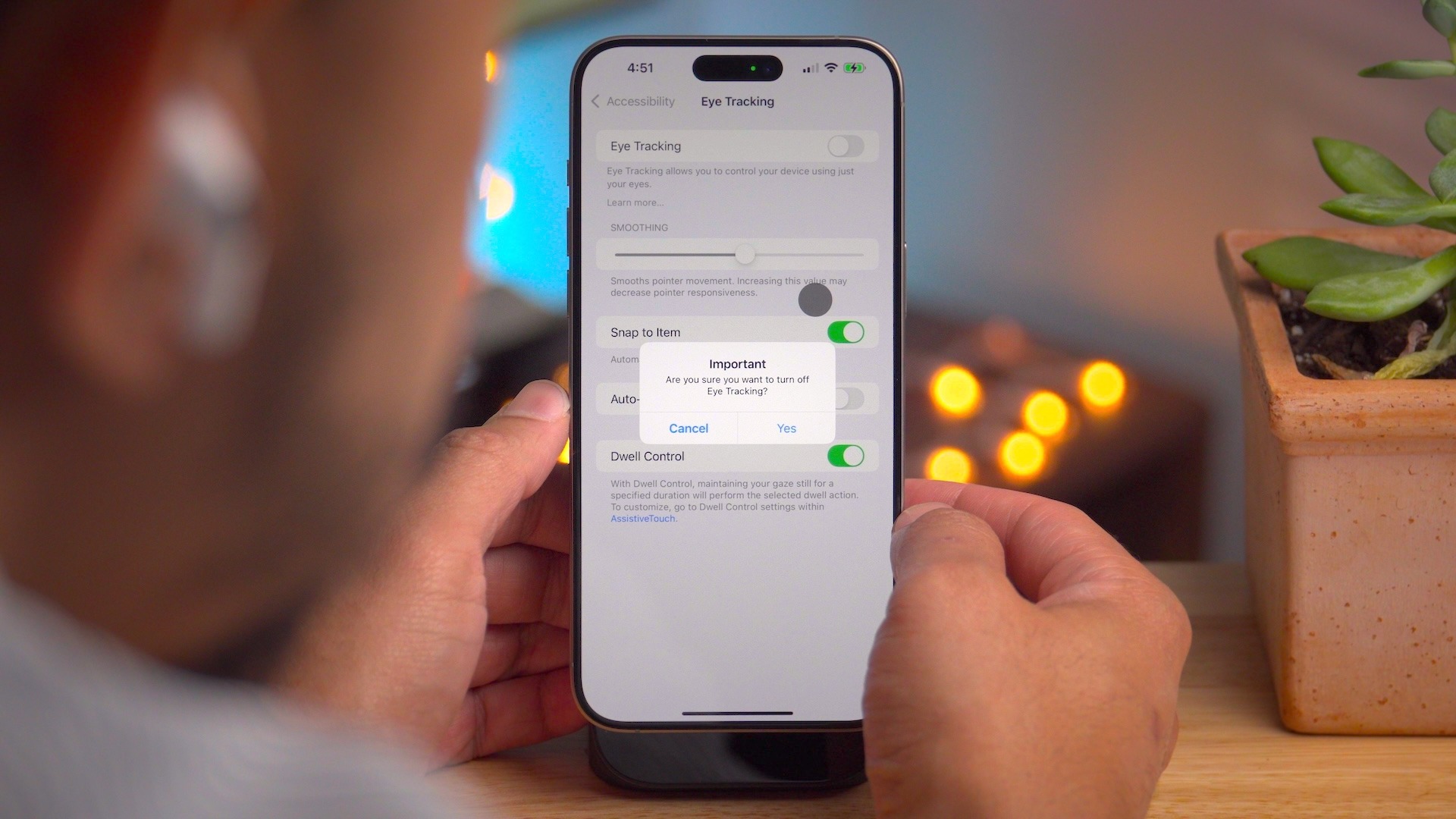
Eye Tracking gives users a built-in option for navigating iPad and iPhone with just their eyes.
Music Haptics is a new way for users who are deaf or hard of hearing to experience music on iPhone. The Taptic Engine in iPhone plays taps, textures, and refined vibrations to the audio of the music.
With Vocal Shortcuts, iPhone and iPad users can assign custom utterances that Siri can understand to launch shortcuts and complete complex tasks.
Vehicle Motion Cues is a new experience for iPhone and iPad that can help reduce motion sickness for passengers in moving vehicles.
Accessibility features coming to CarPlay include Voice Control, Color Filters, and Sound Recognition.
And much more…
Outside these headlining features, iOS 18 includes many other changes and new features.
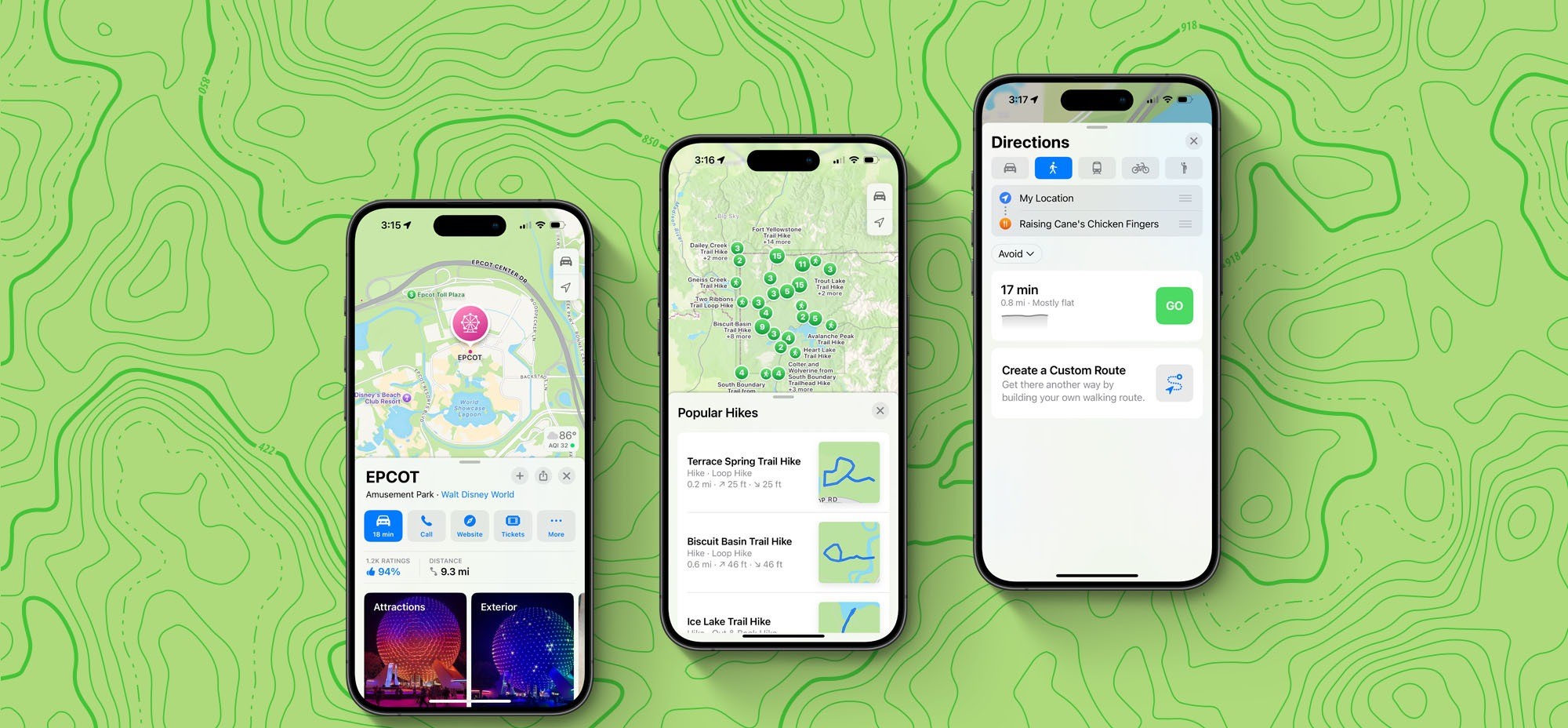
Apple Maps:
Topographic maps
Browse a selection of hikes available at national parks across the United States
Create and save custom walking and hiking routes
Get turn-by-turn navigation for hiking and walking routes.
Journal:
Log your state of mind and mood directly in the Journal app.
New “insights” feature for keeping track of your journaling goals like streaks and stats
New widgets for your Home Screen or Lock Screen
Search and sort support
Phone:
Record phone calls, with a notification to both parties that the call is being recorded. Recorded transcriptions are automatically saved to the Notes app.
Keypad search with T9 dialing support
Call history search
Automatic Mic Mode selection
Calendar:
A redesigned month view makes it easier to get an overview of your month ahead.
You can create, view, edit, and complete reminders from the Reminders app right in Calendar.
Freeform:
Scenes allow you to organize and present your board section by section.
Share a copy of your board with anyone using a simple link.
The enhanced diagramming mode simplifies forming connections on your canvas.
Align your board content precisely by snapping items to the grid.
More tidbits:
Emergency SOS live video: Share streaming video and recorded media during emergency calls
Calculator: Access the all-new Math Notes calculator, a new portrait orientation for the scientific calculator, and other new features like unit conversion and history.
Apple’s Weather app gets two new features in iOS 18
iOS 18’s new ‘dynamic’ wallpaper option changes colors automatically
Apple TV+ InSight feature now live with iOS 18 and tvOS 18 beta 3
iOS 18 adds a much-needed new feature for Apple Maps search
Apple Music in iOS 18 gets two new features that are flying under the radar
Your iPhone is getting a dedicated Game Mode in iOS 18
iOS 18 will show you what time it is even when your iPhone is dead
iPhone flashlight iOS 18: How it works
Coming later: Apple Intelligence
These are just some of the new features in iOS 18 available today. A number of new features, including Apple Intelligence, will roll out over the next year.
As reported before, Apple Intelligence is Apple’s suite of AI features that it says will revolutionize how people use their Apple devices. This includes a set of Writing Tools for proofreading and rewriting your text. A new Priority Notifications feature powered by AI will surface your most important notifications first.
Apple Intelligence also includes Genmoji, a new feature for creating your own emoji using natural language right from your keyboard. Image Playground is a new feature where you can create original images that can be used anywhere.
Siri is also getting a dramatic revamp as part of Apple Intelligence and iOS 18:
Powered by Apple Intelligence, Siri becomes more deeply integrated into the system experience. With richer language-understanding capabilities, Siri is more natural, more contextually relevant, and more personal, with the ability to simplify and accelerate everyday tasks. It can follow along if users stumble over words and maintain context from one request to the next. Additionally, users can type to Siri, and switch between text and voice to communicate with Siri in whatever way feels right for the moment. Siri also has a brand-new design with an elegant glowing light that wraps around the edge of the screen when Siri is active.
Again, none of the Apple Intelligence features are available in the iOS 18 public beta. These features will be released over the months to come.
iOS 18 device compatibility
iOS 18 is compatible with the following iPhone models:
Apple is now rolling out updated builds of iOS 18 beta 3 and macOS Sequoia beta 3. The revised builds come a week after the original beta 3 was released and are a strong indication that the company is gearing up to launch the first iOS 18 and macOS 15 public betas.
New iOS 18 beta 3 and macOS 15 beta 3 build
For instance, the current build number for iOS 18 beta 3 is 22A5307f, while the new one is 22A5307i. For macOS Sequoia, the new build number is 24A5289h, while the previous one was 24A5289g. It’s unclear at this point whether there’s anything new in these updated builds, but it’s likely that they just bring some additional bug fixes.
There’s a lot of anticipation about when Apple will enable Apple Intelligence features in the iOS 18 beta and macOS Sequoia beta. So far, none of the AI-related stuff is available to beta users. The company said that some features would be available later this summer, while others are not expected until 2025.
With iOS 18 beta 3, Apple has introduced a new variant of the system’s default wallpaper that changes color during the day. The update also refines the new Photos app and the redesigned flashlight interface on iPhones with Dynamic Island. The update also enabled RCS on the iPhone for more carriers around the world.
Apple’s public beta program is gearing up for its busiest season. Any day now, Apple is expected to release the first public betas for iOS 18, macOS Sequoia, and several other major updates.
Ahead of the public beta’s release, Apple lets you pre-enroll in the beta program so your device is ready and able to install the new software as soon as it becomes available. Here’s how to do it.
Public beta enrollment available now
If you plan to install the iOS 18 public beta on your iPhone—or any of the other beta releases for another device—you’ll first need to enroll in Apple’s public beta program.
Enrollment is quick and easy, and available now at beta.apple.com. Here’s what you need to do:
Sign in with your Apple Account (formerly called Apple ID)
Read the Beta Software Program Agreement
Hit the blue ‘Agree’ button
Follow the device-specific guides for getting beta updates on that device
After you’ve followed these instructions, your device will be set for the public betas’ impending release.
These are the public beta releases coming soon
Public betas will be available for nearly all of Apple’s devices—but not quite all. The following public betas are expected to be available:
iOS 18
iPadOS 18
macOS Sequoia
watchOS 11
tvOS 18
HomePod software 18
Each of these has its own specific instructions for installing the public beta, which you can find here.
While just about every platform offers a public beta, the one notable exception is the Vision Pro. Apple has never offered a public beta for Vision Pro, limiting its betas to developers only. That unfortunately will still be the case this summer with visionOS 2.
iOS 18 beta 3 is now available for developers. The update comes two weeks after iOS 18 beta 2 was released and a month after WWDC.
The build number for iOS 18 beta 3 is 22A5307f . There’s no word on what’s new, but we’ll dive in to the update and have more details soon.
Each new iOS 18 beta is expected to introduce numerous changes, bug fixes, and additional features. Apple closely monitors feedback from iOS 18 beta testers, with each successive beta addressing complaints, bug reports, and performance issues.
iOS 18 beta 2 brought a number of changes and new features, including the addition of iPhone Mirroring and SharePlay screen sharing upgrades. The update also started the process of rolling out RCS support to iPhone users.
The iOS 18 beta is currently only available to registered developer beta testers. The update will launch to public beta testers sometime this month, followed by a release to the general public in September. For the time being, testers should still expect performance and stability issues when running the iOS 18 beta on primary devices.
Spot any changes in today’s release of iOS 18 beta 3 or iPadOS 18 beta 3? Let us know in the comments below.
iOS 18 offers more customization than ever and one of the new options is the ability to change Lock Screen controls on iPhone. There are over 50 options to replace the Flashlight and Camera buttons. But one trick gives you access to almost unlimited possibilities. Here’s how to change Lock Screen buttons plus some related tips and tricks.
The new iOS 18 option to change Lock Screen controls lets you change the bottom buttons to everything from launching apps, accessibility features, changing settings, and more.
However, the most powerful and flexible way to use the new Lock Screen customization is by placing a Shortcuts button for one or both controls.
That means you can effectively create a button to do anything you can think of with the Shortcuts app.
The new Lock Screen control flexibility is a great addition to Lock Screen widgets and the Action button on iPhone 15 Pro/Max.
How to change Lock Screen controls on iPhone in iOS 18
Make sure you’re running the iOS 18 beta on your iPhone.
Long-press on your iPhone Lock Screen
Tap Customize under the Lock Screen you’d like to change
Now tap Lock Screen
Tap the Flashlight or Camera icon to remove them
Now tap the + icon to add a new Lock Screen control
Tap Done in the top right corner to set your new controls
For those with an iPhone 15 Pro/Max with an Action button, you can find a new Controls option in Settings > Action Buton that includes many of the new Lock Screen button options
If you still want quick camera access but want to change the Camera Lock Screen button, you can still swipe from right to left to instantly launch it (or program your Action button for Camera on iPhone 15 Pro/Max)
Here’s how it looks to change Lock Screen controls on iPhone:
After you tap the Flashlight and Camera with the minus icon, you can tap the + icon to add your new controls.
You can swipe through the 61 options or use the handy search bar at the top.
After you make your choices, tap Done in the top right corner, then tap your Lock Screen one last time, you’re all set!
Along with letting users customize app colors, organize them anywhere, and more natively, iOS 18 brings a subtle new feature that cleans up the Home Screen. Here’s how to hide app names on iPhone in iOS 18.
iOS 18 takes iPhone customization further with new options to natively create a theme, a more robust and versatile Control Center, and more.
And joining the ability to place apps and widgets anywhere on your screen, you can create a more minimal aesthetic by choosing to hide app names on your Home Screen which also apply to widgets and folders.
Apple first hid names for apps in the Dock starting with iOS 11. But now you can have all apps, widgets, and folders with the same minimal look no matter where they’re placed.
How to hide app names on iPhone with iOS 18
Make sure you’re running the iOS 18 beta on your iPhone.
Long-press on a blank space on your Home Screen
Tap Edit in the top left corner
Choose Customize
Now tap Large
Tap on the screen to leave the Customize menu
That’s it!
There doesn’t appear to be a way to hide app names while keeping the default small icon size for now. But we’ll be keeping our eye out.
Here’s how it looks to hide app names on iPhone:
After you tap Edit and Customize, look at the bottom of your iPhone.
Tap the Large button (just above the app color buttons):
Do you think you’ll hide app names in iOS 18 or are you already? Or do you prefer to keep them?
WWDC this year was packed with new features for Apple’s suite of software platforms. The company introduced a lot of enhancements coming this fall in iOS 18, visionOS 2, macOS Sequoia, and more.
Apple also showcased features that are not coming this fall. But it wasn’t always clear what will arrive in 18.0, and what’s being saved for later this year or even some time in 2025.
Here’s the full list of features we know won’t arrive until iOS 18.1 or later.
New Siri’s on-screen awareness and in-app actions
Apple Intelligence’s fall arrival will bring with it a new Siri interface and select new capabilities, but some of the most powerful Siri upgrades will be added some time over the coming year.
Siri abilities coming later include having on-screen awareness of what you’re doing at any given time so that you can say, for example, “Use this as their contact photo” and it will understand the context and perform the action accordingly.
Similarly, Siri’s deeper knowledge of in-app functions and ability to, say, play the podcast that your significant other sent you, won’t arrive until some time in the year ahead.
Apple Mail upgrades
Apple has big updates coming for popular apps like Notes and Messages this fall. Another core app getting some nice upgrades is Mail, with new features like the auto-categorization of messages in your inbox. Unlike those other apps though, Mail’s improvements won’t arrive until later in the year.
Vision Pro enhancements including Mac Virtual Display
This one shouldn’t be too surprising, since the Vision Pro first launched just a few months ago, but some of the best visionOS 2 features won’t arrive until later this year.
Here are the features coming in visionOS 2.1 or 2.2:
Upgraded Mac Virtual Display: A fan favorite feature, Mac Virtual Display is getting better with the ability to have an Ultrawide view that provides the equivalent of having two 4K displays side by side.
Multiview: Sports fans will be able to watch up to five different games at the same time using the Apple TV app, each with their own dedicated view.
Spatial video editing: This is partially a macOS feature, but the ability to import your spatial video to the Mac, edit it there in Final Cut Pro, and export it back to your Vision Pro won’t arrive until late 2024.
New emoji, including the best exhausted face
Compatible devices will be able to create custom emoji (Apple calls them Genmoji) when iOS 18 debuts in the fall. But every year there is a set of new built-in emoji added to iOS, and this year’s additions were recently previewed but they won’t arrive on your devices until later in 2024 or early in 2025.
Non-beta versions of Apple Intelligence
The biggest news for Apple’s software this year is Apple Intelligence. While the core Apple Intelligence features are set to arrive this fall as part of iOS 18 and more, it’s important to know that Apple is labeling this initial AI release as a beta feature. So expect issues and inconsistencies to get worked out in the weeks and months following the fall release.
Drag and drop from your iPhone to Mac, and vice versa
A tentpole feature of macOS Sequoia is the ability to mirror your iPhone on your Mac and interact with it there. But one feature of this new ability won’t arrive until later: the ability to seamlessly drag and drop files and photos between your two devices. Once it debuts, this feature is set to be an even quicker way to transfer files than AirDrop is, but we’ll have to wait just a bit longer.
Home app improvements
The Home app in iOS 18 is getting some nice upgrades, but most of them won’t arrive until later. The two main features coming later this year are support for adding robot vacuum cleaners as compatible devices, and the ability to view your home electricity use inside the app.
New Control Center in iOS 18 will have multiple pages, here’s what that means for you
iOS 18will be fully unveiled today at the WWDC keynote. According to one of the late breaking rumors, the iPhone update will introduce a redesigned Control Center.
One core feature of the new Control Center is the ability to place controls on multiple separate pages, rather than the single-page view currently available. Here’s what that means for you.
Control Center…will get an updated interface that allows shortcut buttons to be rearranged within the Control Center view itself and placed across multiple pages. It will also have a new music widget and an updated interface for controlling smart home appliances.
All the way back in iOS 10, Apple introduced a version of Control Center that spanned multiple pages. You could swipe between three different sets of controls. Unfortunately, those controls were not at all customizable.
What Apple has planned for iOS 18 will, in a small way, harken back to that long-forgotten design. Mostly though, it will be a brand new thing that’s more powerful than ever.
Creating your own multi-page Control Center in iOS 18
Currently in iOS 17, Control Center has some customization options. You can open Settings ⇾ Control Center and modify which particular controls show up in Control Center. But certain controls can’t be adjusted—elements like the Now Playing, Focus, and connectivity controls are all static. Their location can’t be changed, and they can’t be removed.
In iOS 18, reports like Gurman’s indicate that a lot more customization power is coming to users.
Consider what Apple has done with the iOS widget system over the past few years. Widgets can be placed and organized on your Home screen and Lock screen to provide exactly the controls you care about most.
It sounds like something similar is coming to Control Center.
Like when you enter ‘jiggle mode’ on the iPhone’s Home screen, in iOS 18 you will be able to rearrange, add, and delete controls right from the Control Center interface. No more going into Settings first.
A core component of this newfound freedom will be the ability to create multiple pages of controls. Unlike the static options in iOS 10’s design, with iOS 18 you should be able to create fully customizable pages that suit your needs—just like you can with Home screen pages using apps and widgets.
This additional screen real estate should pair nicely with the reported changes to the Now Playing and Home controls, which could take up more space than before. Apple could also stop hiding extra control layers behind a long-press. This would benefit not only the Now Playing and Home controls, but also Focus, volume controls, and more.
Will third-party apps be able to tap into Control Center?
This may be a bit radical, but it would be amazing to see Apple open Control Center up to third-party developers, too, so apps can offer up their own custom controls there.
Building on the foundation established by widgets, enabling third-party controls makes a ton of sense. It’s very much in line with what the company has done in recent years with widgets.
Wrap-up
I’m really excited about the possibilities for Control Center in iOS 18.
Apple could promote this newly capable, redesigned Control Center as part of a broader push toward greater customization options for iPhone users. You’ll be able to customize your Home screens in more ways than ever in iOS 18, so why not Control Center too?
Report: iOS 18 will tint iPhone app icons in dark mode, allow users to lock apps behind Face ID
On the day before WWDC, we have a couple more reports about some non AI-related iPhone software, which Apple will officially announce tomorrow as part of iOS 18.
MacRumors reports that app icons will change color in Dark Mode for the first time, with a dark tint to match the darkened system chrome. The site also reports that the system will gain the ability to lock access to apps behind Face ID or Touch ID biometrics, on every app launch.
The idea of recoloring app icons has already been rumored for iOS 18, in the context of it being presented to the user as an option to personalize their device, as part of wider some screen layout changes.
What MacRumors suggests is that apps may also be able to opt-in to automatically changing their icon when the phone is in its Dark Mode appearance. The exact implementation method is not known. Perhaps developers will be able to choose a light icon and a dark icon, and the OS automatically switches when the system Appearance setting changes. Or, maybe the OS uses the single asset and renders a dark theme tint to it programatically, like changing the white background on many app icons to black.
MacRumors talks about the feature in the context of Apple’s app like Music and Mail, but presumably there would also be a way for third-party developers to support the feature as well.
Locking apps behind biometrics authentication or a passcode has been a feature on Android for a long time. It allows people to hand off their unlocked phones to others — perhaps to show them a website or a photo they just took — without fear of prying eyes.
Up to now, Apple has implemented this concept in select apps. For instance, with iOS 17, Private Browsing mode in Safari can prompt for Face ID authentication to access, as well as the ‘Recently Deleted’ and ‘Hidden’ album in the Photos app. Individual notes in Notes can also be locked with biometrics/passcode.
For iOS 18, it sounds like Apple will move on from this piecemeal approach to instead offering a system feature that allows users to choose which apps will require an additional authentication step before they will open. It’s currently unclear if this feature will only work with the built-in Apple apps, or if third-party apps from the App Store will also be able to be locked down.
We’ll know for sure today, when Apple’s WWDC keynote event kicks off at 10 AM Pacific Time ( 3:00 AM Monday, in Sydney NSW, Australia ). Expect iOS 18, watchOS 11, tvOS 18, visionOS 2 and a new version of macOS to be unveiled. A big theme of the event will be AI, with Apple launching a combination of on-device and cloud-powered artificial intelligence features under the collective brand of ‘Apple Intelligence‘.
Apple will reveal its AI cards on June 10 at WWDC, and Siri is surely going to be a key component. Generally, people want Siri to get good. You can’t just replace Siri intelligence with generative AI, however, but the two technologies make a powerful combination. What we want to see from an AI-infused Siri is actually simple.
Siri as it exists today is actually good at certain specific things.
We use Siri daily to send messages, make calls, create reminders, add things to my shopping list, play music, control lights, check the weather, check sports scores, start navigation, make voice memos, and much more.
Those are all rock solid. Siri is less reliable at summoning information. When kids ask knowledge questions all the time, and Siri should be the smoothest way to find the answer. We know in our bones that Siri is hit or miss on finding answers.
A simple test for Siri in iOS 18 is if it can eliminate punting to the web for search results as the answer. That’s where large language models excel. LLMs can be like hyper focused search engines that provide answers and not search results.
If Siri can provide more answers and less redirection, We can consider that a solid start.
Some other thoughts on this topic:
Siri is good about sourcing information when it does provide answers.
LLMs, on the other hand, will provide plausible answers that may be inaccurate.
Siri, Amazon Alexa, and Google Assistant competed on feature parity before; now the competition is over how best integrates generative AI.
Humane, the startup behind the Ai Pin hardware, has shown how generative AI should work with a voice assistant.
However, Ai Pin’s limited capabilities around actions shows where Siri + AI can excel.
Separately, the Rabbit R1 bespoke AI hardware has a different approach to actions that looks competitive.
In sum, throwing out Siri and starting over from scratch is not a serious solution. Instead, Siri should maintain its functionality while using generative AI to patch its weak spots.