Apple released iOS 18 beta 5 for developers last August 5, 2024. The update is headlined by a new Safari feature and updates to the Photos app. There are also a few smaller changes throughout, which you can read more about below.
iOS 18 beta 5 is currently available for developer beta testers and is expected to roll out to public beta users sometime within the next week. Early beta versions can be unpredictable, meaning that features working in iOS 18 beta 5 may not function in iOS 18 beta 3. As always, proceed with caution.
iOS 18 beta 5 features and changes
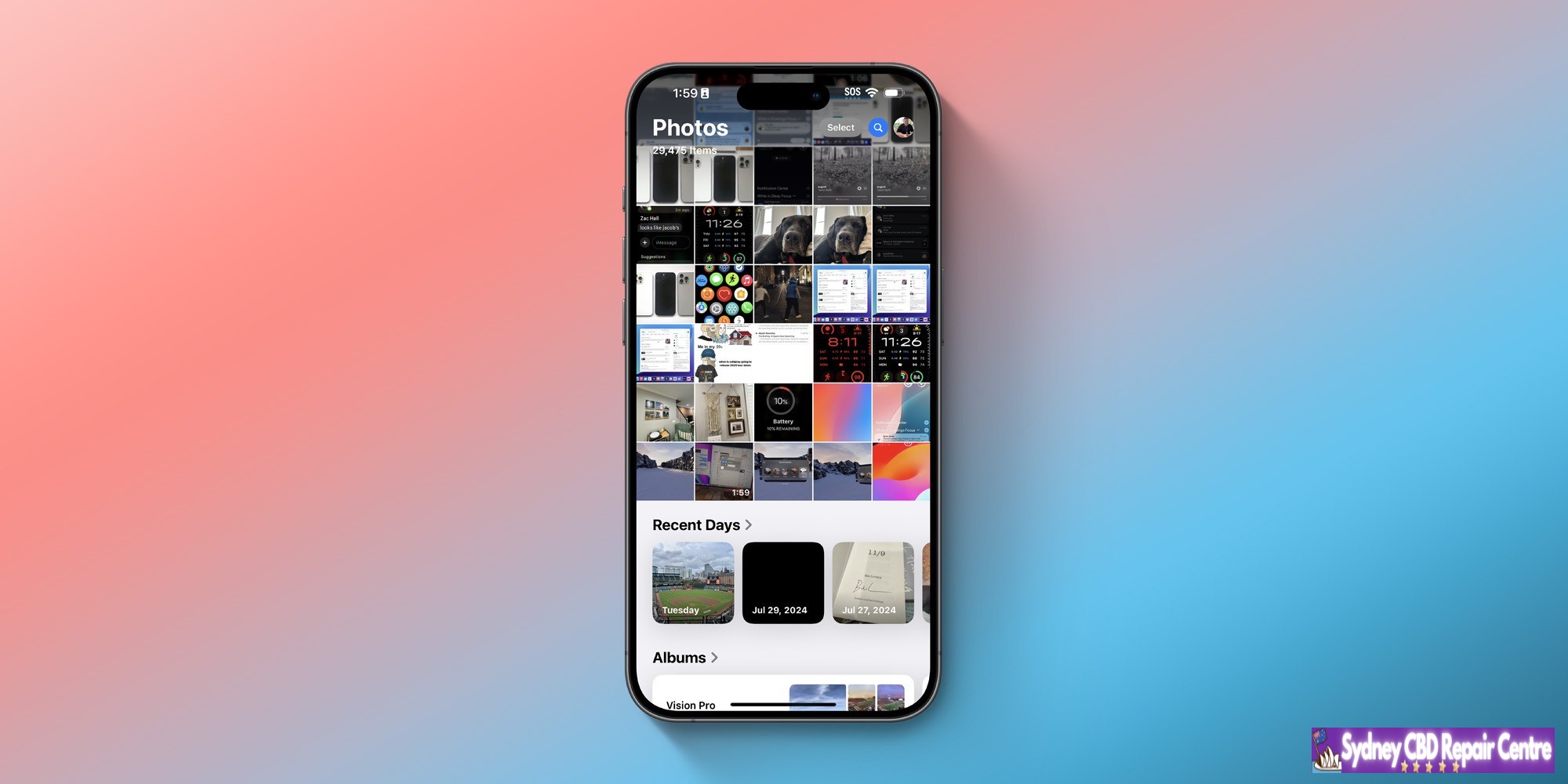
Apple has made several tweaks to the Photos app in response to user feedback. These include removing the Carousel interface, making it easier to access albums, and increasing the visibility of the “All Photos” grid.
iOS 18 beta 5 includes a new Distraction Control feature in Safari, which allows users to selectively block certain elements on web pages, such as sign-in popups and other content overlays.
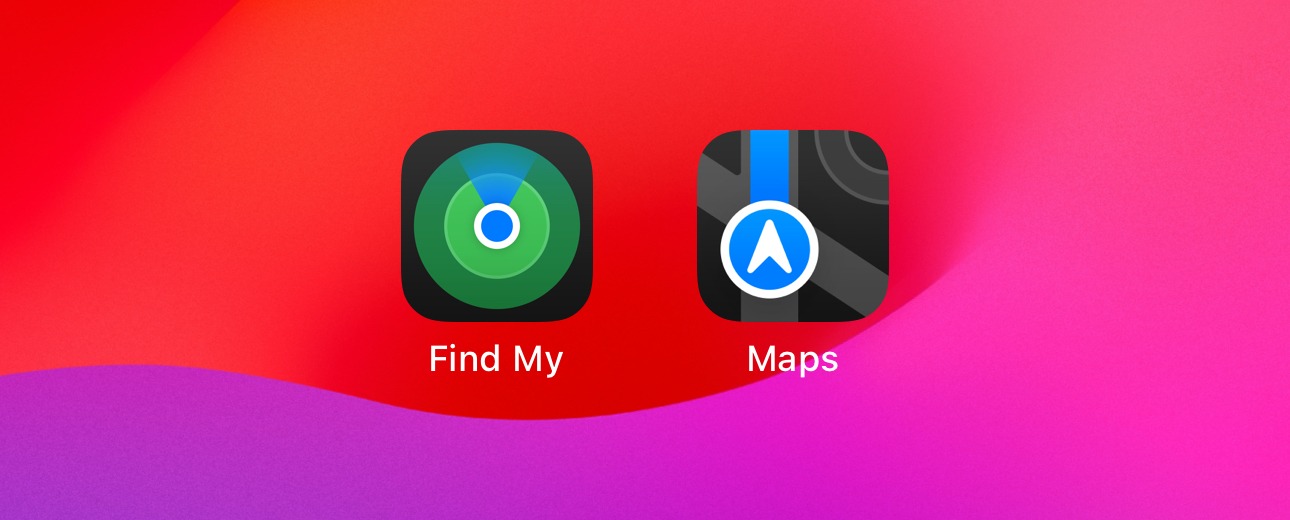
There are new dark mode icons for Find My and Maps.
Multiple Control Center icons have been redesigned, including Screen Mirroring and Cellular Data.
In the Settings app, Stolen Device Protection can now be managed via the Privacy & Security menu. It’s also still available via the Face ID & Passcode screen.
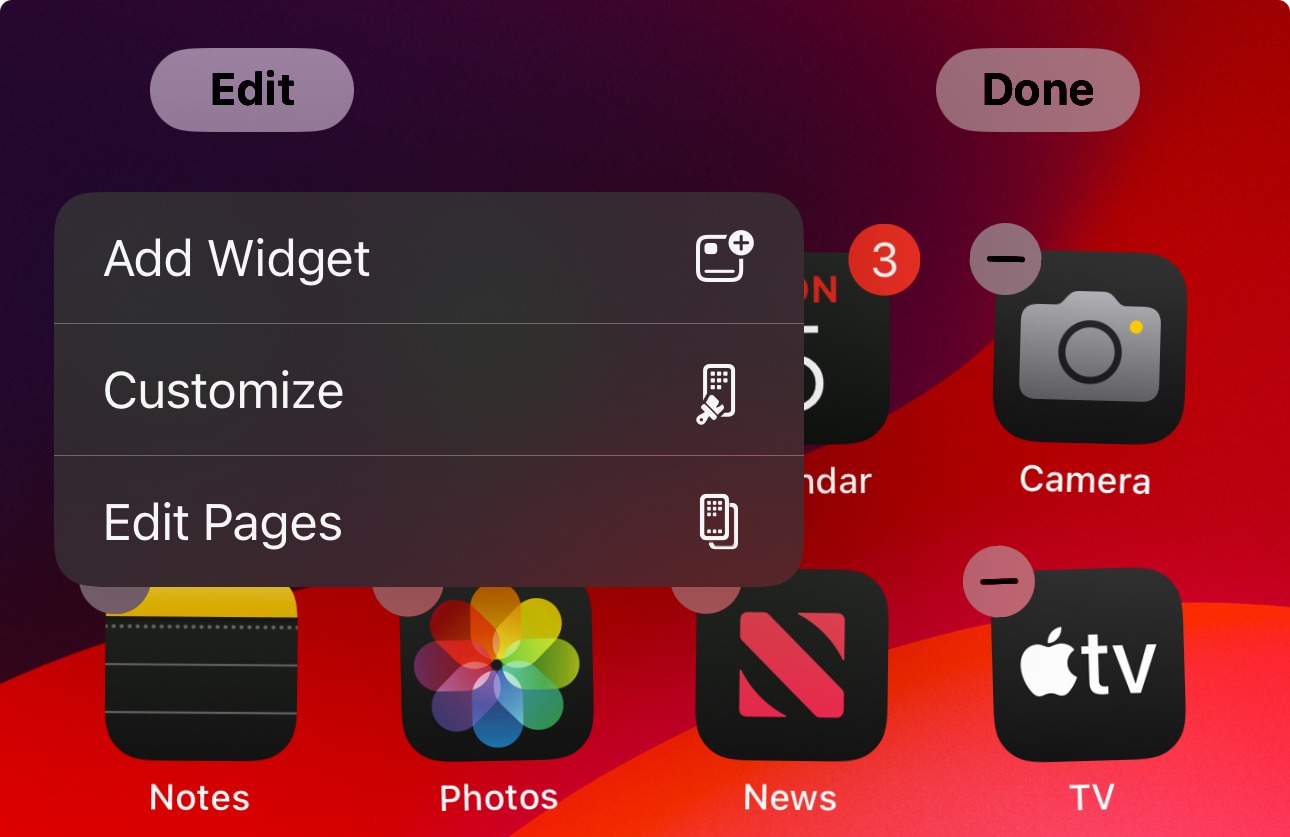
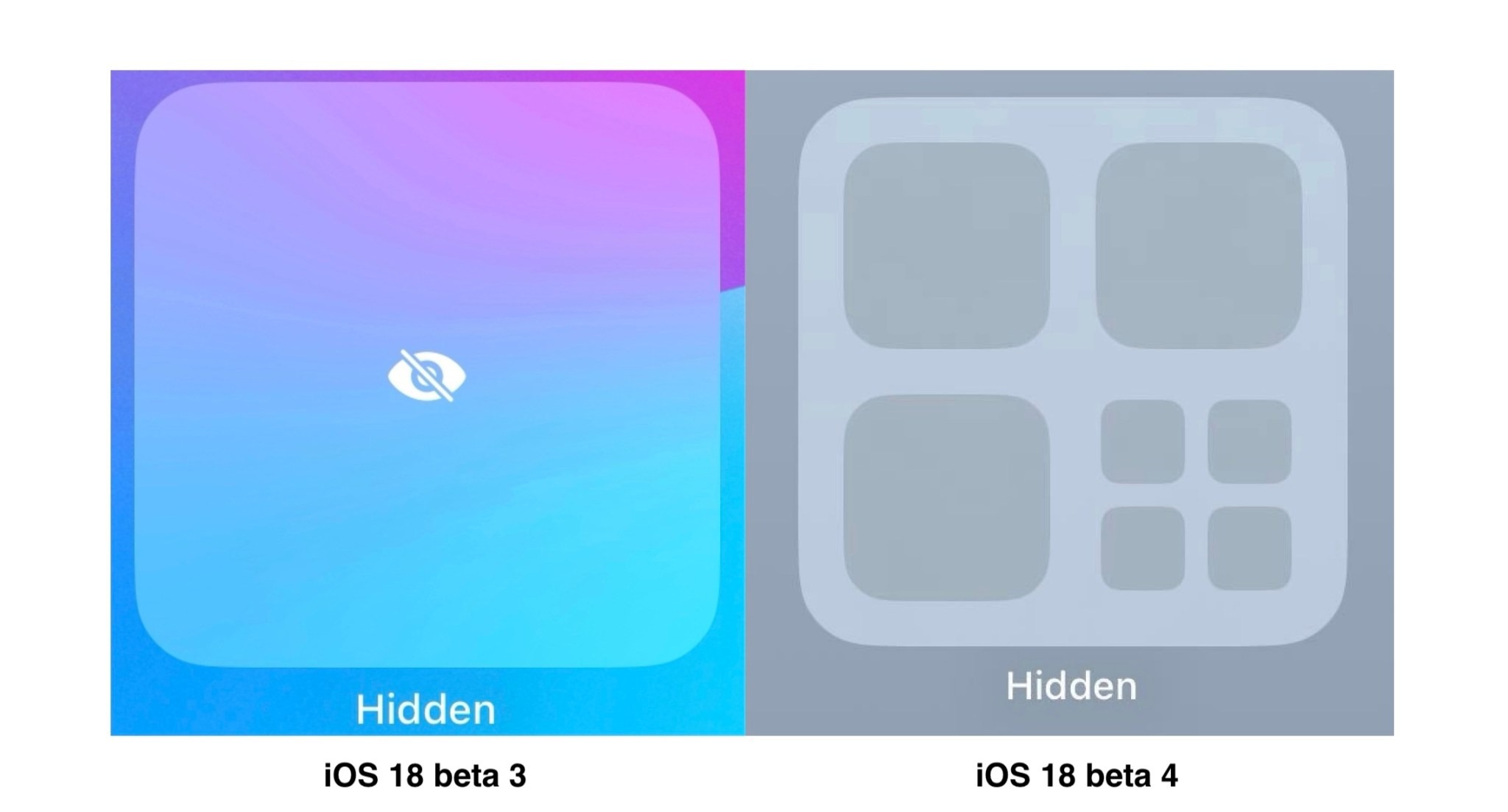
When you long-press on your iPhone’s Home Screen and tap “Edit,” there’s a new “Edit Pages” button. This takes you straight to the multi-page view where you can select and hide select Home Screen pages.
As you can see, the changes in iOS 18 beta 5 are relatively minor outside of the Photos app and Safari.
Apple released iOS 18 beta 4 to developer testers today. Even though Apple Intelligence is still missing, there are a few notable changes in today’s beta. Head below for a roundup of everything we’ve found in iOS 18 beta 4 so far.
iOS 18 beta 4 is currently available for developer beta testers and is expected to roll out to public beta users next week. Early beta versions can be unpredictable, meaning that features working in iOS 18 beta 3 may not function in iOS 18 beta 4. As always, proceed with caution.
iOS 18 beta 4 changes and features
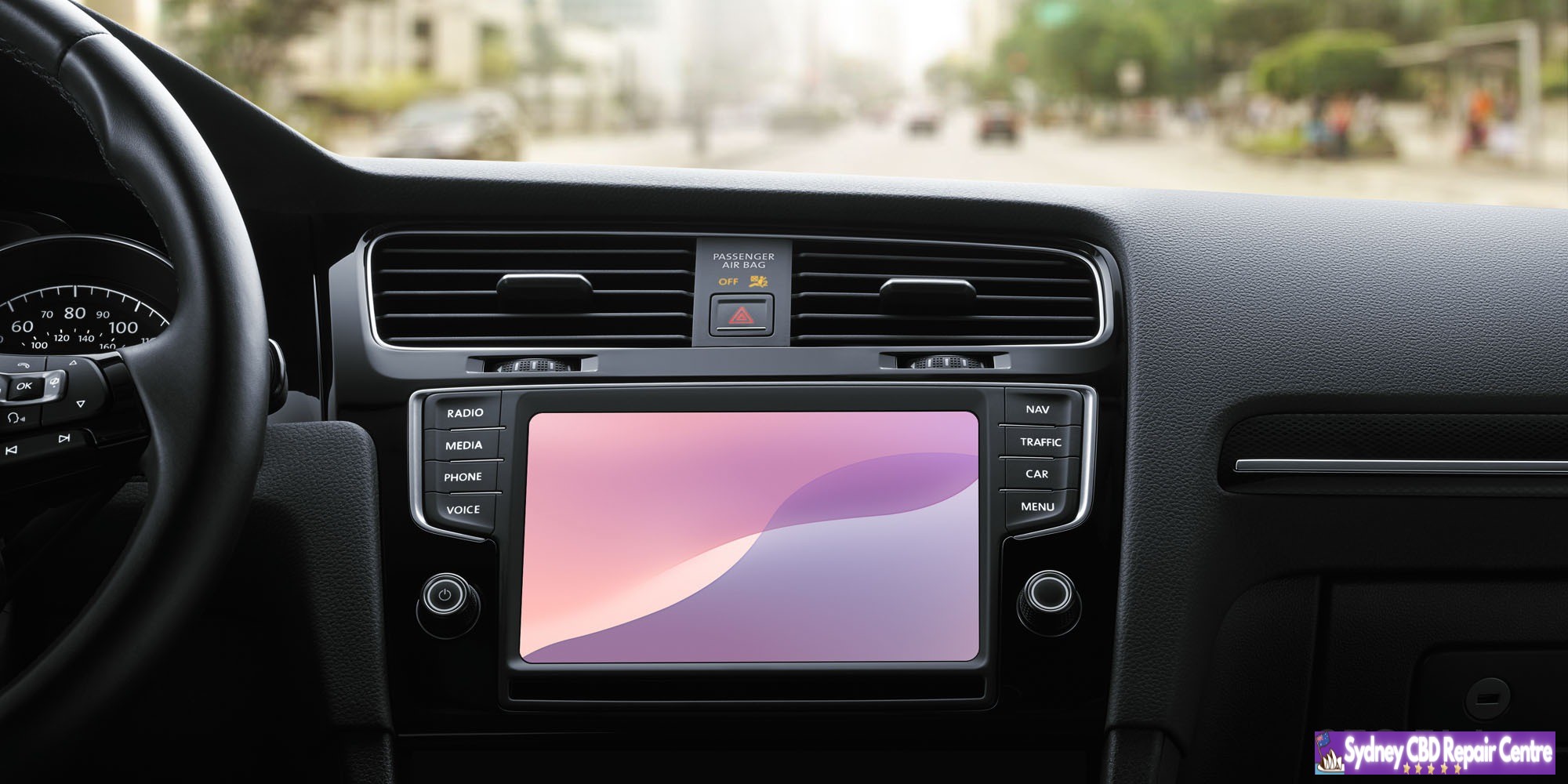
iOS 18 beta 4 includes eight new light mode and dark mode wallpapers for CarPlay. These new wallpapers are inspired by the new iOS 18 wallpapers for iPhone users.
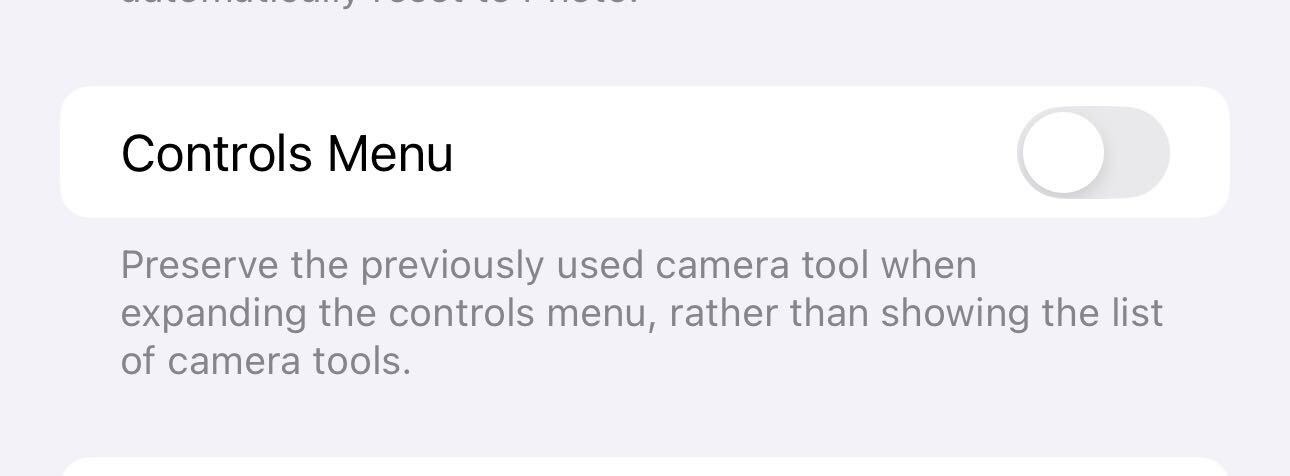
There’s a new option in the Settings app for the Camera app: “Controls Menu.” Apple explains: “Preserve the previously used camera tool when expanding the controls menu, rather than showing the list of camera tools.”
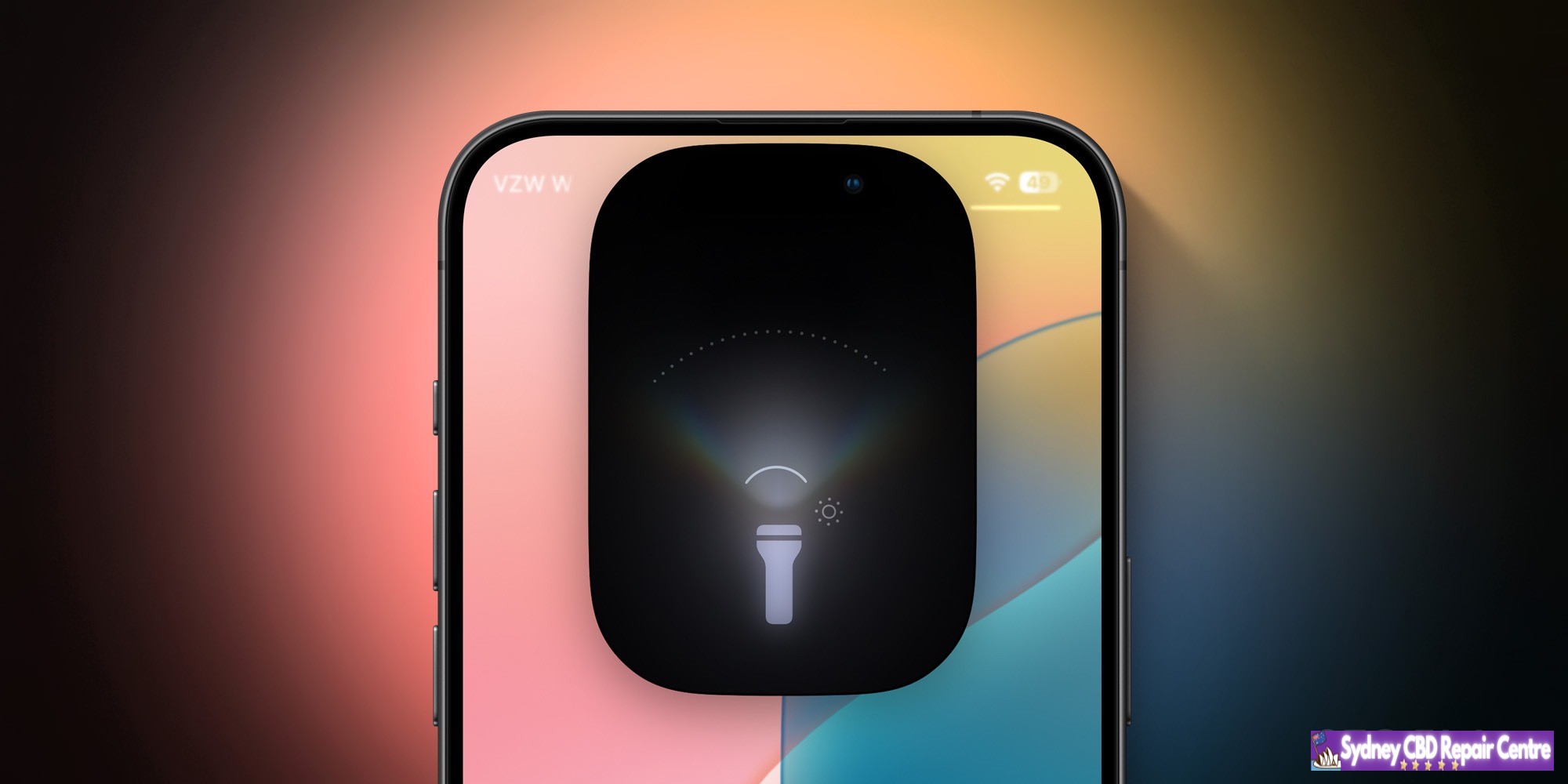
The new flashlight UI, previously exclusive to the iPhone 14 Pro and iPhone 15 Pro, is now available on the iPhone 15 and iPhone 15 Plus.
The Books app has a small interface tweak: books in the “Continue” section now have a black background.
The icon on the Lock Screen has been redesigned when iPhone Mirroring is in use.
iOS 18 beta 4 adds a new animation to the controversial iCloud "subscriber edition" icon pic.twitter.com/6qJyc00PKQ
The iOS 18 public beta is now rolling out for download. This means anyone can now try out iOS 18 and all of its new features. The update includes a broad range of new features for iPhone users, such as new customization options, upgrades to Messages, a completely redesigned Photos app, and much more.
Head below for our full recap of everything new in iOS 18…
How to install iOS 18 public beta
If you’re interested in signing up for Apple’s public beta testing program, you can do so via Apple’s website right here. Apple’s new software version will be complete in the fall, at which point it will be released to the general public. For the time being, testers should still expect performance and stability issues when running the iOS 18 public beta on primary devices.
What’s new in iOS 18?
Home screen customization
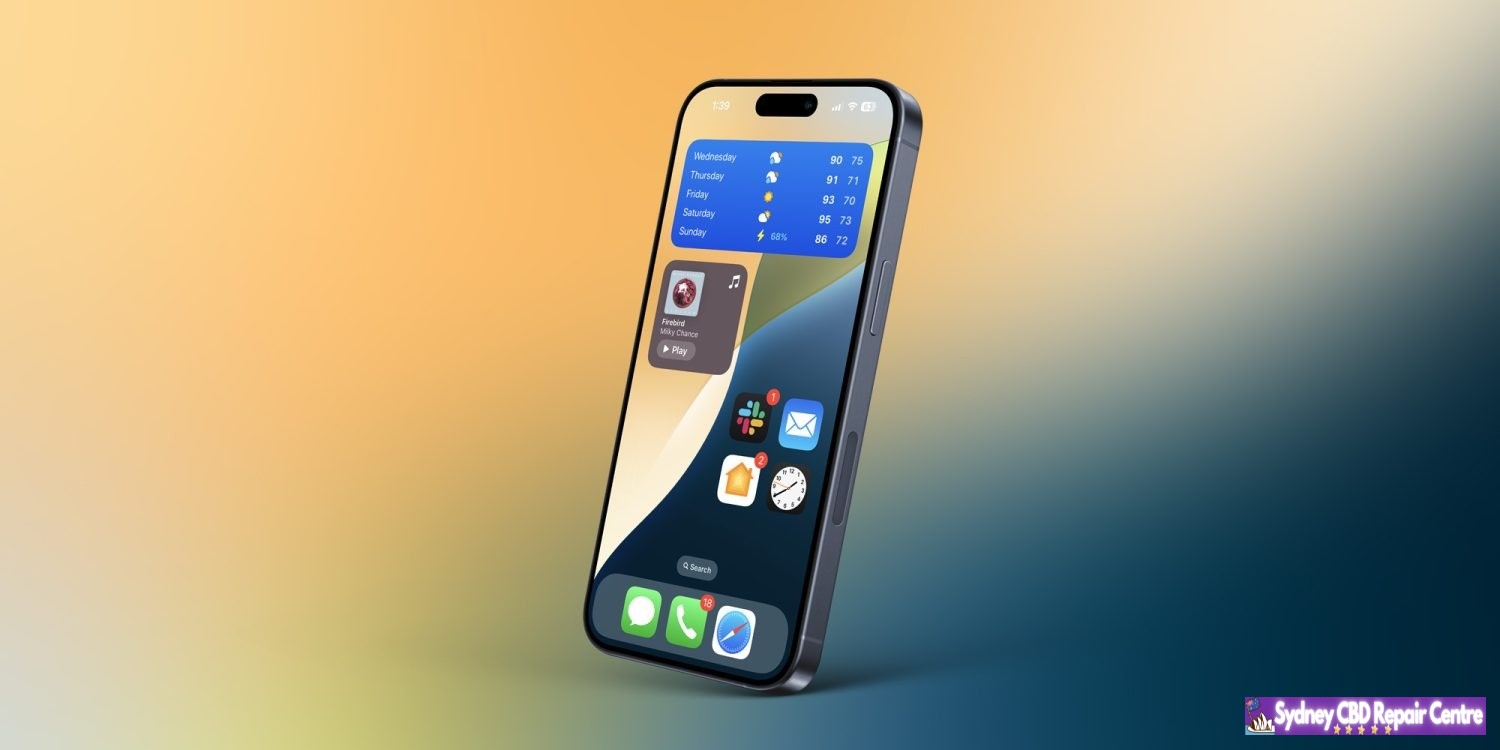
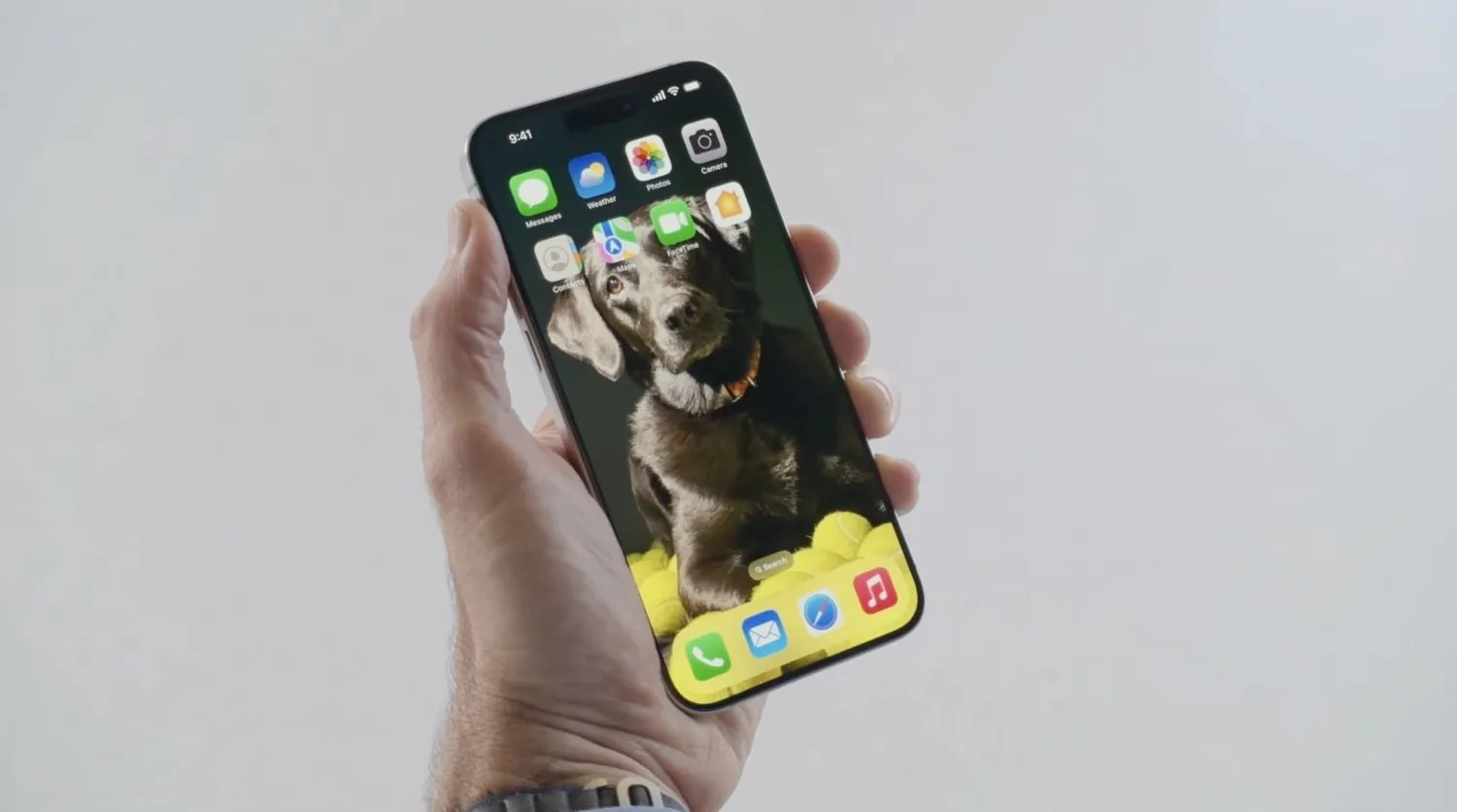
iOS 18 adds multiple new ways for users to customize their iPhone’s Home Screen. You can now place app icons and widgets anywhere on your Home Screen grid. This allows you to leave blank spaces and have full control over where your icons and widgets appear.
iOS 18 also now lets you tint your Home Screen app icons and widgets. You can choose any color you want, or opt for a new dark mode option that turns almost all of Home Screen app icons dark.
New Control Center features
Control Center has gotten a significant overhaul in iOS 18, giving you full control (ha) over the layout and organization of your experience. You can have multiple pages in Control Center, which you can easily swipe between.
There is also a new API that allows third-party apps to donate controls to the new Control Center interface. For example, the Ford app could adopt this API and offer Control Center controls for things like starting your car, opening your trunk, and more.
Change Lock Screen controls
As part of the new Control Center revamp, iOS 18 now lets you customize the two controls that appear on your iPhone’s Lock Screen. You can replace the flashlight and camera buttons with any of the new Control Center controls, even including third-party controls.
All of these controls can also be assigned to the Action button on the iPhone 15 Pro.
New Messages features
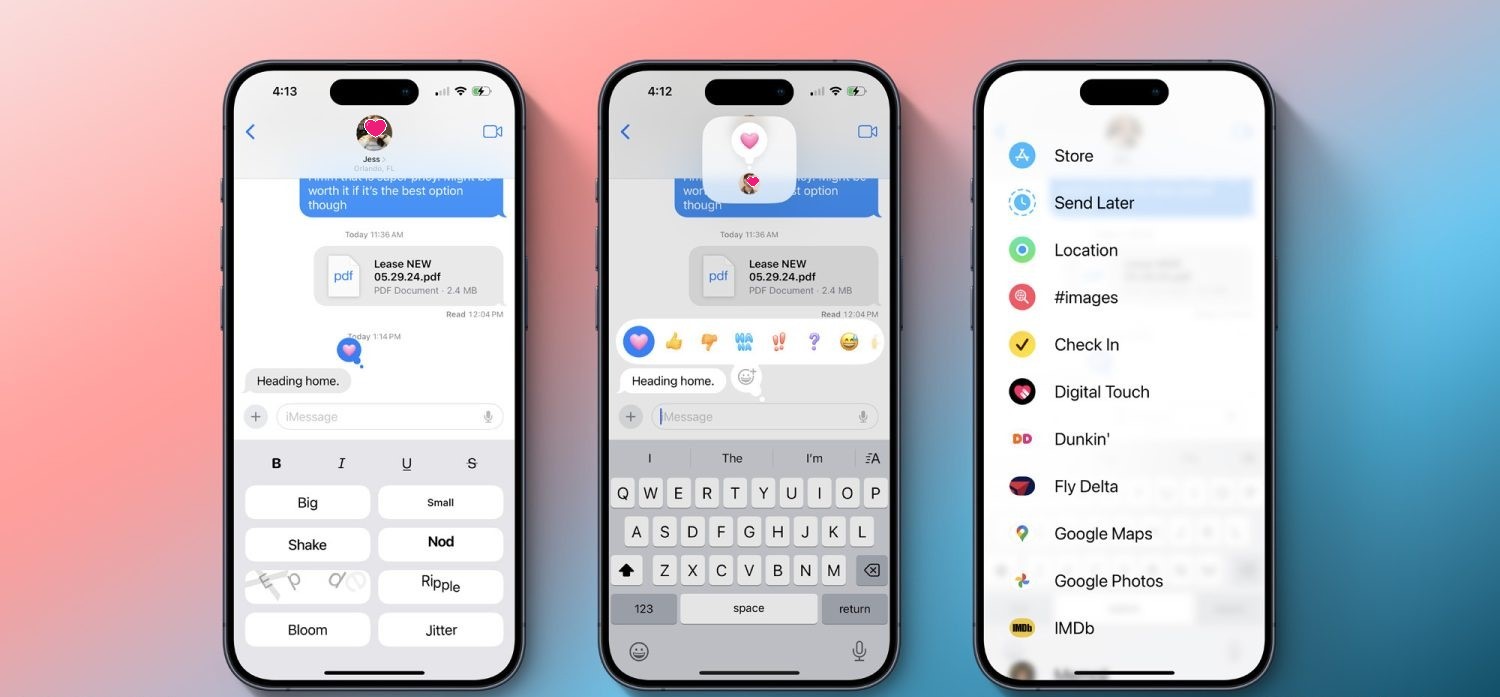
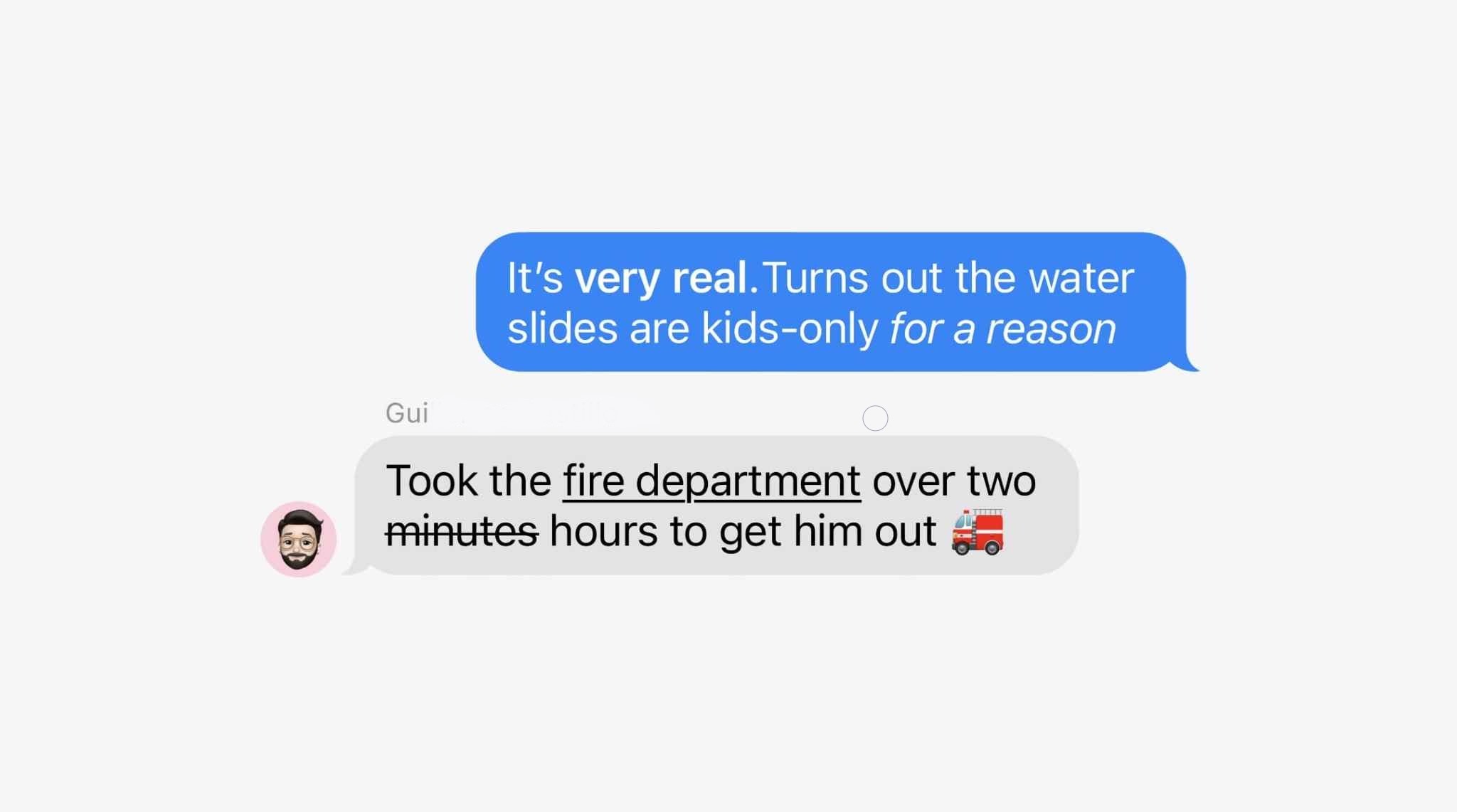
iOS 18 includes multiple new features for the Messages app. First, there are new text effects that can be applied to individual words in messages. These options include big, small, shake, nod, explode, ripple, bloom, and jitter. You can also now add formatting like bold, underline, italics, and strikethrough to any letter, word, or phrase in iMessage.
The Tapbacks system has been revamped in iOS 18, so you can react to messages using emojis or stickers.
Scheduled messages are also now supported in Messages with iOS 18. You can write a message and then choose to have it delivered in the future, such as when you know the other person will be awake.
RCS support
Speaking of the Messages app, iOS 18 includes support for RCS messaging for the first time. RCS unlocks better cross-platform communication between iPhone and Android devices. This includes things like read receipts, typing indicators, better group chat support, high quality photos and videos, and more.
RCS support will vary from carrier to carrier around the world. Availability will likely expand as we get closer to iOS 18’s general release in September.
iPhone Mirroring
In conjunction with macOS Sequoia (which is also now available in public beta), iOS 18 adds a new iPhone Mirroring feature for accessing your iPhone via your Mac. This feature allows you to interact with your iPhone, receive push notifications, and move files between both devices.
iOS 18 revamps the experience of using screen sharing with SharePlay. Now, you can draw on someone’s screen so they can see what you can do on theirs, or you can control their screen and take actions yourself.
If you provide a lot of iPhone or iPad tech support, this feature will be a lifesaver for you.
All-new Photos app
The Photos app is getting a major revamp in iOS 18, with Apple describing this as the biggest-ever update to the app. There are no more tabs at the bottom of the Photos app, and instead, it features a unified layout that has been simplified into a single view.
One tent pole of the Photos app is a series of collections. Apple explains that your library is organized by theme, letting you browse by Recent Days, People & Pets, Trips, on a map, and more. The new Photos app is also highly customizable, so you can rearrange and pin different Collections, filter out specific types of content (like screenshots), and more.
The search functionality in the iOS 18 Photos app has been completely revamped as well. You can now search by combinations of people, places, and more.
New features in Safari
iOS 18 brings a new Highlights feature to Safari, which Apple says uses machine learning to surface key information from the webpage you’re visiting:
Summary: Review a summary of an article to get the gist before reading on.
Location: See the location of a restaurant, hotel, or landmark.
People: Expand your knowledge about a person you’re reading about.
Music: Listen to an artist’s hit track right from an article about the song or album.
Movies and TV shows. Check out a movie or TV show or add it to your watch list.
New Passwords app
Apple has finally given us a dedicated Passwords app. This new app, included in iOS 18, iPadOS 18, macOS Sequoia, and visionOS 2, gives easy access to all of your passwords, passkeys, and other login information. The app also stores your Wi-Fi passwords.
New features for Apple Notes
The Notes app has added a number of new features with iOS 18:
In-line math support: Enter an expression and have it solved instantly while typing.
Collapsible sections: Simplify and hide text with collapsible section headers, making it easy to manage your most text-heavy notes.
With the new highlight style feature, it’s easier to quickly mark up your notes and make text stand out.
Gaming improvements
Apple continues its efforts to make the iPhone a gaming powerhouse with iOS 18:
Maximize gameplay performance: Game Mode minimizes background activity to sustain consistently high frame rates for hours of continuous gameplay.
More responsive AirPods and controllers: Game Mode dramatically reduces audio latency with AirPods, and makes wireless game controllers incredibly responsive.
Apple Wallet upgrades
The Wallet app is getting noticeably better with iOS 18 this year. These upgrades are headlined by a new Tap to Cash feature. By simply bringing your phone close to a friend’s iPhone, you can send money instantly – transferring from your Apple Cash account to theirs.
Apple Wallet’s support for event tickets has also been redesigned in iOS 18, as Apple explains:
Event tickets in Apple Wallet receive their greatest transformation ever, with a beautiful new design and richer experience for fans. Tickets in Wallet can put key event information at users’ fingertips, such as a map of the venue and parking details; useful services like in-seat food delivery; recommended playlists from Apple Music; local forecasts from Weather; and easy access to location sharing to help fans find their friends when they arrive.
A new Tap to Provision feature coming to Apple Wallet this year. When available, this feature will let you add new credit or debit cards to Apple Wallet by simply tapping your card on the back of your iPhone.
Apple Pay is also coming to Chrome and other third-party web browsers and computers with iOS 18. Apple says you will just need to scan a code from the website using your iPhone and then complete the payment.
Finally, Apple Pay and Apple Wallet are also adding new integrations with rewards and installment payments from banks. Perhaps most notably, Apple says that users in the United States will be able to apply for loans directly through Affirm when they check out with Apple Pay.
New Home app and HomeKit features
In the Home app with iOS 18, you can now grant specific controls with guest access. This will help you better manage how and when people can enter your home. You have the flexibility to give access to things like garage openers, alarm systems, and door locks only at specific times.
iOS 18 also adds hands-free unlock support for HomeKit smart locks. The idea is that UWB support will make the process truly hands-free, using proximity to automatically lock and unlock doors as you arrive and depart. Unfortunately, you’ll need a UWB-enabled smart lock for this to work, and those don’t exist yet.
You can now set a preferred Home Hub in iOS 18. In the past, the Home app has attempted to automatically select the best Apple TV or HomePod in your house to serve as your Home Hub, but this gives you direct control over which is used.
New privacy features
As usual, iOS 18 includes a number of new privacy and security features for iPhone users. First, you can now lock any app behind Face ID, Touch ID, or a passcode. This means no one will be able to open the app without your authentication.
More than that, iOS 18 also includes support for hidden apps. The app name and icon are hidden on the Home Screen and in search, and you won’t receive notifications from the app. Instead, the app is only accessible via a new hidden apps folder in the App Library and requires Face ID, Touch ID, or your passcode to be opened.
More new privacy features:
Improved Contacts sharing: Choose which contacts to share with an app, instead of giving an app access to all your contacts.
Accessory Setup Kit: A new way to pair Bluetooth accessories without giving the app visibility of other devices on your network.
Settings app changes: A redesigned Privacy & Security interface in the Settings app makes it easier to manage what information you’re sharing with apps.
Accessibility
Here are some of the new Accessibility features in iOS 18:
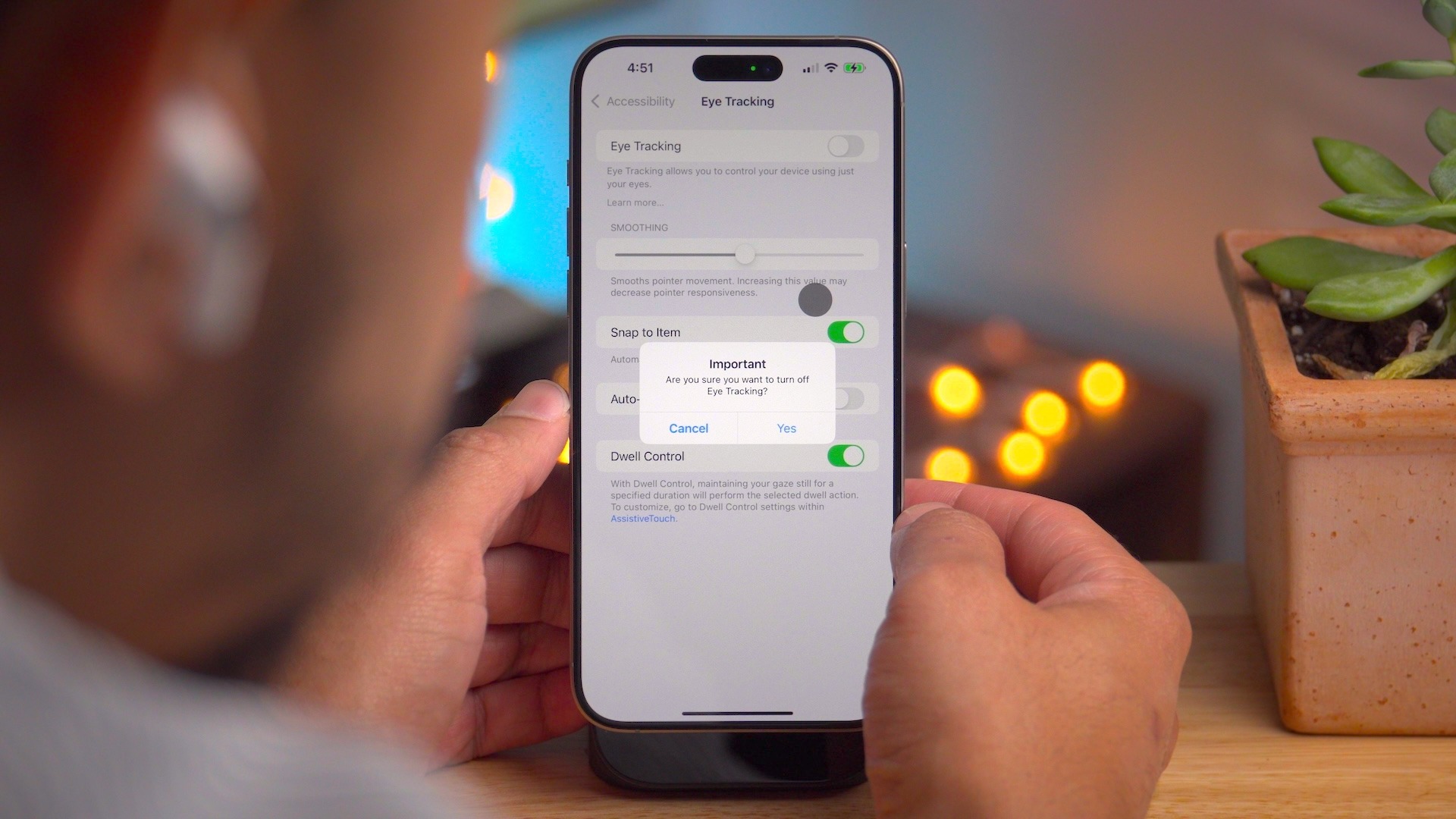
Eye Tracking gives users a built-in option for navigating iPad and iPhone with just their eyes.
Music Haptics is a new way for users who are deaf or hard of hearing to experience music on iPhone. The Taptic Engine in iPhone plays taps, textures, and refined vibrations to the audio of the music.
With Vocal Shortcuts, iPhone and iPad users can assign custom utterances that Siri can understand to launch shortcuts and complete complex tasks.
Vehicle Motion Cues is a new experience for iPhone and iPad that can help reduce motion sickness for passengers in moving vehicles.
Accessibility features coming to CarPlay include Voice Control, Color Filters, and Sound Recognition.
And much more…
Outside these headlining features, iOS 18 includes many other changes and new features.
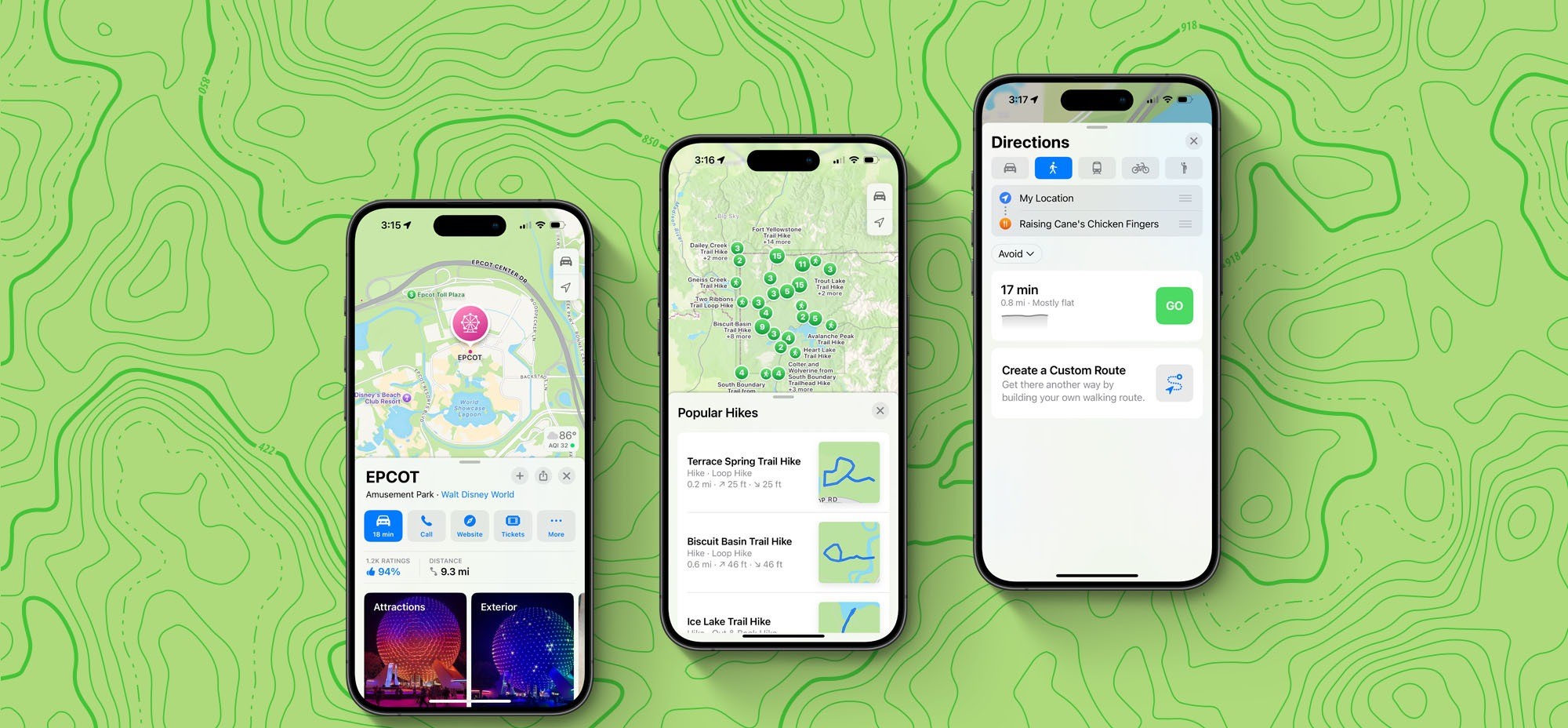
Apple Maps:
Topographic maps
Browse a selection of hikes available at national parks across the United States
Create and save custom walking and hiking routes
Get turn-by-turn navigation for hiking and walking routes.
Journal:
Log your state of mind and mood directly in the Journal app.
New “insights” feature for keeping track of your journaling goals like streaks and stats
New widgets for your Home Screen or Lock Screen
Search and sort support
Phone:
Record phone calls, with a notification to both parties that the call is being recorded. Recorded transcriptions are automatically saved to the Notes app.
Keypad search with T9 dialing support
Call history search
Automatic Mic Mode selection
Calendar:
A redesigned month view makes it easier to get an overview of your month ahead.
You can create, view, edit, and complete reminders from the Reminders app right in Calendar.
Freeform:
Scenes allow you to organize and present your board section by section.
Share a copy of your board with anyone using a simple link.
The enhanced diagramming mode simplifies forming connections on your canvas.
Align your board content precisely by snapping items to the grid.
More tidbits:
Emergency SOS live video: Share streaming video and recorded media during emergency calls
Calculator: Access the all-new Math Notes calculator, a new portrait orientation for the scientific calculator, and other new features like unit conversion and history.
Apple’s Weather app gets two new features in iOS 18
iOS 18’s new ‘dynamic’ wallpaper option changes colors automatically
Apple TV+ InSight feature now live with iOS 18 and tvOS 18 beta 3
iOS 18 adds a much-needed new feature for Apple Maps search
Apple Music in iOS 18 gets two new features that are flying under the radar
Your iPhone is getting a dedicated Game Mode in iOS 18
iOS 18 will show you what time it is even when your iPhone is dead
iPhone flashlight iOS 18: How it works
Coming later: Apple Intelligence
These are just some of the new features in iOS 18 available today. A number of new features, including Apple Intelligence, will roll out over the next year.
As reported before, Apple Intelligence is Apple’s suite of AI features that it says will revolutionize how people use their Apple devices. This includes a set of Writing Tools for proofreading and rewriting your text. A new Priority Notifications feature powered by AI will surface your most important notifications first.
Apple Intelligence also includes Genmoji, a new feature for creating your own emoji using natural language right from your keyboard. Image Playground is a new feature where you can create original images that can be used anywhere.
Siri is also getting a dramatic revamp as part of Apple Intelligence and iOS 18:
Powered by Apple Intelligence, Siri becomes more deeply integrated into the system experience. With richer language-understanding capabilities, Siri is more natural, more contextually relevant, and more personal, with the ability to simplify and accelerate everyday tasks. It can follow along if users stumble over words and maintain context from one request to the next. Additionally, users can type to Siri, and switch between text and voice to communicate with Siri in whatever way feels right for the moment. Siri also has a brand-new design with an elegant glowing light that wraps around the edge of the screen when Siri is active.
Again, none of the Apple Intelligence features are available in the iOS 18 public beta. These features will be released over the months to come.
iOS 18 device compatibility
iOS 18 is compatible with the following iPhone models:
iOS 18 beta 3 is now available for developers. The update comes two weeks after iOS 18 beta 2 was released and a month after WWDC.
The build number for iOS 18 beta 3 is 22A5307f . There’s no word on what’s new, but we’ll dive in to the update and have more details soon.
Each new iOS 18 beta is expected to introduce numerous changes, bug fixes, and additional features. Apple closely monitors feedback from iOS 18 beta testers, with each successive beta addressing complaints, bug reports, and performance issues.
iOS 18 beta 2 brought a number of changes and new features, including the addition of iPhone Mirroring and SharePlay screen sharing upgrades. The update also started the process of rolling out RCS support to iPhone users.
The iOS 18 beta is currently only available to registered developer beta testers. The update will launch to public beta testers sometime this month, followed by a release to the general public in September. For the time being, testers should still expect performance and stability issues when running the iOS 18 beta on primary devices.
Spot any changes in today’s release of iOS 18 beta 3 or iPadOS 18 beta 3? Let us know in the comments below.
Apple released the first developer beta of iOS 18 on June 10, the same day it kicked off WWDC and unveiled all the new OS features coming later this year.
It’s been nearly two weeks since that last beta, so when will iOS 18 beta 2 be released? Here’s what we know.
When to expect iOS 18 beta 2 to release
Apple hasn’t announced a date yet for iOS 18 beta 2. However, the company tends to follow fairly predictable patterns for its software releases. As a result, we can learn a lot by looking at previous years’ release dates.
2023: iOS 17 beta 2 arrived on Wednesday, June 21
2022: iOS 16 beta 2 arrived on Wednesday, June 22
2021: iOS 15 beta 2 arrived on Thursday, June 24
Looking at dates alone, we might expect iOS 18 beta 2 to arrive any moment now.
But there’s another key piece of data that can inform our expected date: the day WWDC started each year, which was also when the first beta debuted.
WWDC started on June 5 in 2023. It was June 6 in 2022, and also in 2021.
This year, WWDC kicked off a bit later than usual, on June 10.
For the last two years, beta 2 arrived exactly 16 days after beta 1. In 2021 it was 18 days.
Taking all of this into account, we should expect iOS 18 beta 2 to drop on Wednesday, June 26 or possibly Thursday, June 27—16 or 17 days after beta 1’s release.
What changes will come in beta 2?
iOS 18 beta 1 introduced so many new features for iPhone users. There are powerful customization features, a new Passwords app, big updates to Messages, Photos, Notes, Journal, a revamped Control Center, and a lot of other goodies.
So what kind of changes should we expect to see in beta 2?
Usually the earlier in the summer, the more changes will come with each beta. Betas 2, 3, and 4 will generally provide more changes than 5, 6, and 7, as Apple seeks to lock the release in preparation for its public launch in the fall.
So while beta 2 probably won’t have any huge surprises, it should nonetheless offer a number of enhancements and tweaks to what’s found in the current beta.
Along with letting users customize app colors, organize them anywhere, and more natively, iOS 18 brings a subtle new feature that cleans up the Home Screen. Here’s how to hide app names on iPhone in iOS 18.
iOS 18 takes iPhone customization further with new options to natively create a theme, a more robust and versatile Control Center, and more.
And joining the ability to place apps and widgets anywhere on your screen, you can create a more minimal aesthetic by choosing to hide app names on your Home Screen which also apply to widgets and folders.
Apple first hid names for apps in the Dock starting with iOS 11. But now you can have all apps, widgets, and folders with the same minimal look no matter where they’re placed.
How to hide app names on iPhone with iOS 18
Make sure you’re running the iOS 18 beta on your iPhone.
Long-press on a blank space on your Home Screen
Tap Edit in the top left corner
Choose Customize
Now tap Large
Tap on the screen to leave the Customize menu
That’s it!
There doesn’t appear to be a way to hide app names while keeping the default small icon size for now. But we’ll be keeping our eye out.
Here’s how it looks to hide app names on iPhone:
After you tap Edit and Customize, look at the bottom of your iPhone.
Tap the Large button (just above the app color buttons):
Do you think you’ll hide app names in iOS 18 or are you already? Or do you prefer to keep them?
After being announced at WWDC 2024 Yesterday, Apple has released the first beta of iOS 18 and iPadOS 18 to developers. The update includes new home screen features, upgrades to the Messages app, and much more.
Apple will release a public beta of iOS 18 and iPadOS 18 in July. For now, the update is only available to developers for beta testing. iOS 18 is supported on all the same iPhone models as iOS 17.
New home screen features and more
Apple’s new software version won’t be complete until the fall, at which point it will be released to the general public. Testers should still expect performance and stability issues when running the iOS 18 public beta on primary devices for the time being.
Some of the biggest changes in iOS 18 are for the home screen, which is now more customizable than ever. You can place app icons freely on the grid, tint app icons, customize Control Center, and much more. Keep in mind, many of the new Apple Intelligence features – including ChatGPT integration – won’t be available until later this year.
iOS 18: Here’s the list of iPhone models compatible with the update
After many rumors, Apple finally announced iOS 18 at WWDC 2024 on Monday. The new version of the iPhone operating system comes with a new Home Screen that lets users customize the icons, as well as a redesigned Photos app, Apple Intelligence, and much more. And if you’re wondering whether your iPhone is compatible with iOS 18, we have the answer.
“Apple today previewed iOS 18, a major release that features more customization options, the biggest redesign ever of the Photos app, new ways for users to manage their inbox in Mail, Messages over satellite, and so much more,” the company said in a press release.
iOS 18 compatibility
iOS 18 is compatible with the following iPhone models:
iPhone XR
iPhone XS and XS Max
iPhone 11
iPhone 11 Pro and 11 Pro Max
iPhone 12 and 12 mini
iPhone 12 Pro and 12 Pro Max
iPhone 13 and 13 mini
iPhone 13 Pro and 13 Pro Max
iPhone 14 and 14 Plus
iPhone 14 Pro and 14 Pro Max
iPhone 15 and 15 Plus
iPhone 15 Pro and 15 Pro Max
iPhone SE (2nd gen)
iPhone SE (3rd gen)
As you can see, all the same iPhones running iOS 17 can be updated to iOS 18. However, there’s a catch. According to Apple, only the iPhone 15 Pro and iPhone 15 Pro Max are compatible with the new AI, or Apple Intelligence, features. This is because these features require the A17 Pro or M1 chip or later.
The first beta of iOS 18 will be released to developers later today. A public beta is coming next month, while the official launch is set for this fall.
Apple will support RCS with iOS 18, improving messaging experience between iPhone and Android
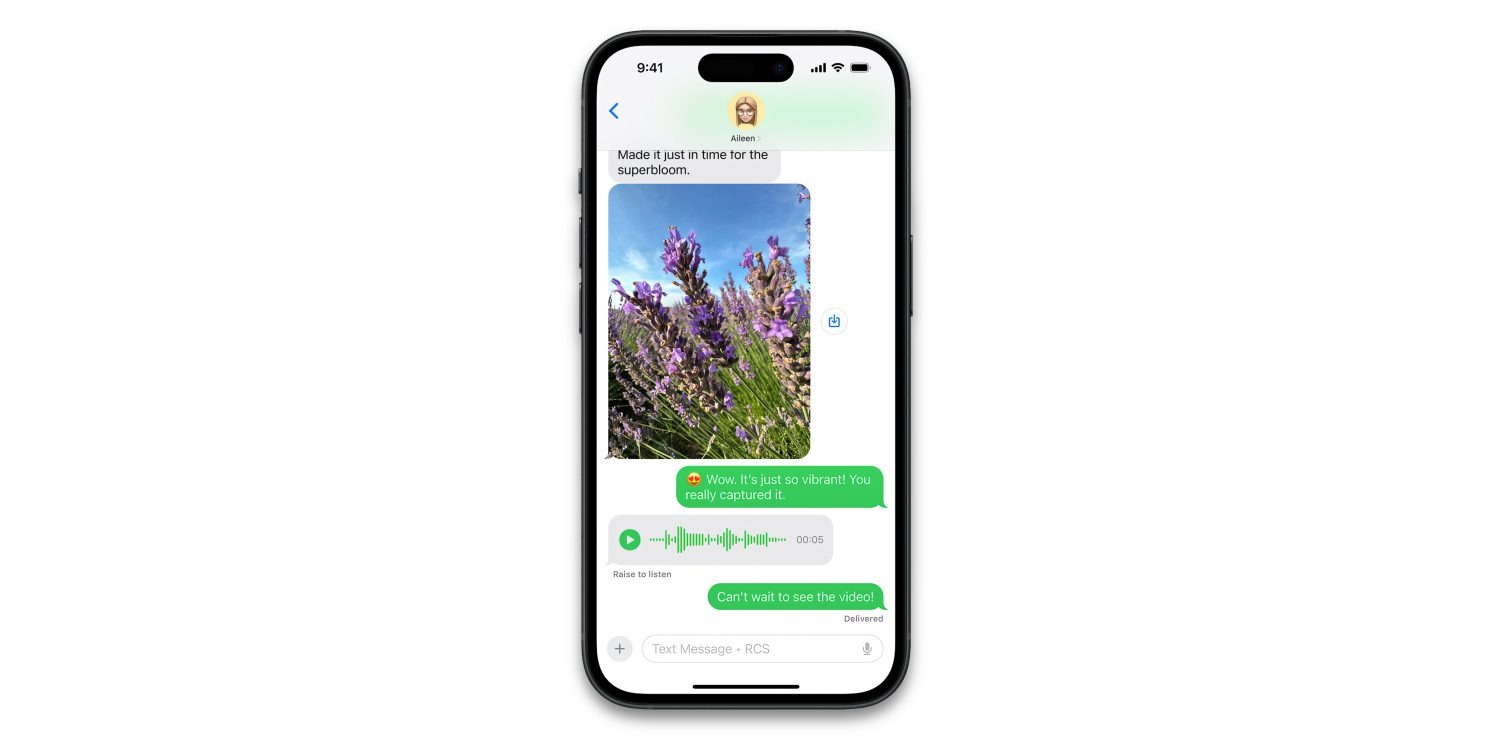
Apple confirmed today that it will support RCS messaging with iOS 18, releasing this fall. RCS will enable a richer experience when communicating with Android users.
RCS will give your green bubble chats many of the best of features of iMessage, like high-resolution image and video attachments, typing indicators, read receipts and more.
As shown today in the first ever screenshot of the feature in action, the iOS 18 Messages app will still distinguish RCS conversations with green bubbles.
However, the text field will include the label “Text Message • RCS” so users know they will get an upgraded texting experience, compared to traditional SMS.
The most significant difference will be the increase in file size for media. SMS enforces very small file sizes when sending photos or videos, so traditionally texting a picture to an Android user would not be a great experience as the image would be severely compressed. However, over RCS, images and video messages can transfer in much higher quality.
iPhone to iPhone communication will still offer the best experience, through iMessage. iMessage has richer integration with the Apple ecosystem, and offers the highest standards of privacy with end-to-encryption for all communication. iMessage will also continue to offer exclusive communication features like the new text effects.
However, the biggest pain points of SMS are resolved by RCS. As long as both members of the conversation are using devices that support RCS, conversations will take place over the newer standard automatically.
iOS 18 will be available as a free update to all iPhone users in the fall.
There’s an emoji for that: meet Genmoji, Apple’s AI-powered emoji generation feature in iOS 18
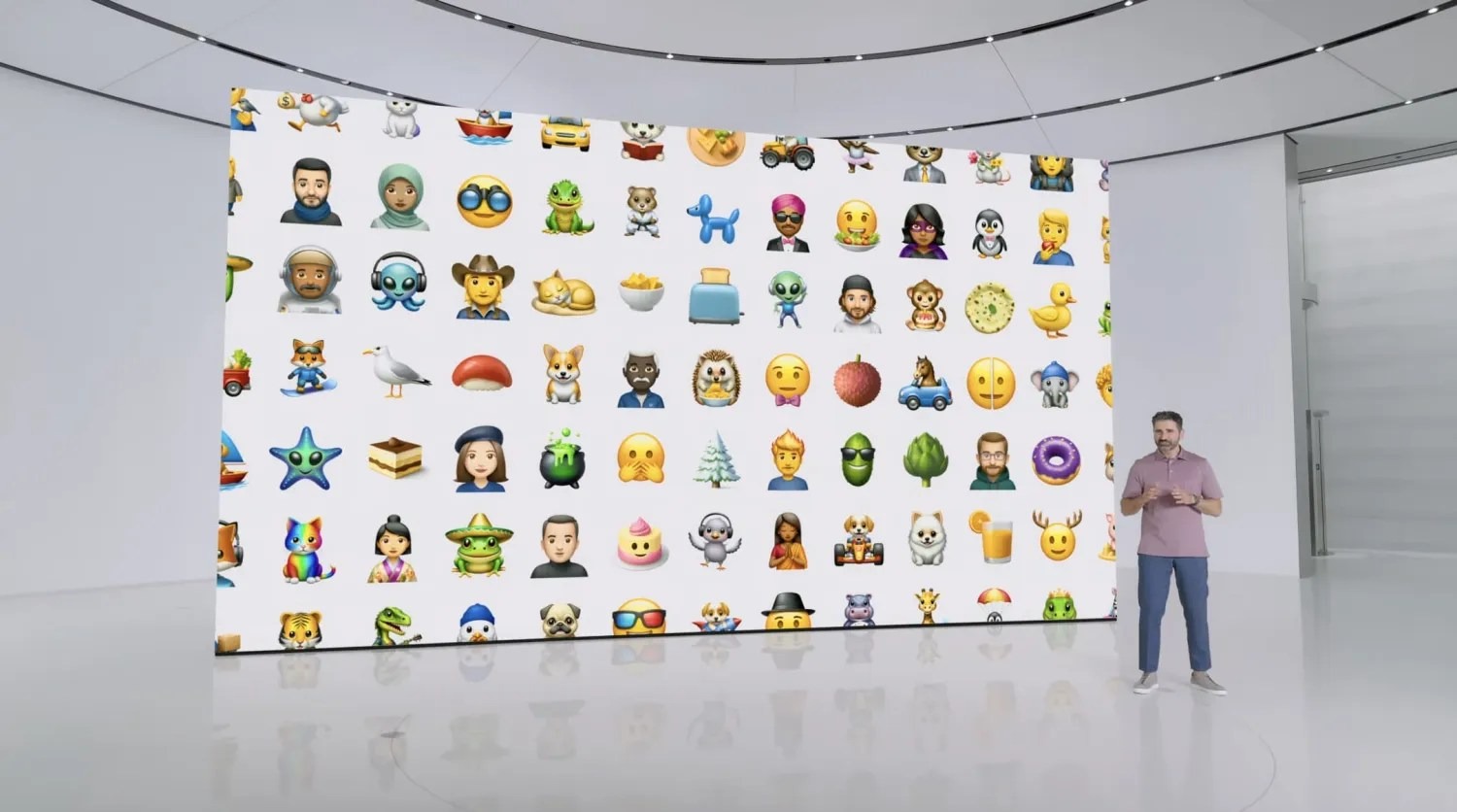
Today amidst a host of Apple Intelligence features debuted at WWDC, Apple shared a new feature that will enable you to create an emoji for any occasion. Apple calls this AI-powered feature Genmoji.
Despite the growing array of emoji included in iOS each year, we’ve all surely run into that occasion when we wanted an emoji for something, only to find it didn’t exist.
Apple has made that a problem of the past thanks to iOS 18.
Genmoji is an Apple Intelligence-powered feature that enables you to have new emoji created for your use. All you have to do is type in what you’re looking for, and iOS 18 will present you with a newly-created emoji for your use.
Since emojis are actually unicode characters that work cross-platform, Apple’s Genmoji won’t technically work the same way as other emoji, since if they were, they wouldn’t display properly on non-Apple devices. Instead, Apple creates Genmoji as images. This won’t make much difference to users, but it’s a technical detail worth noting.
Genmoji will be great for expressing a variety of emotions that emoji don’t quite cover right now. Personally though, I’ll be making an iPad emoji first.
Apple integrates ChatGPT deeply into iOS 18
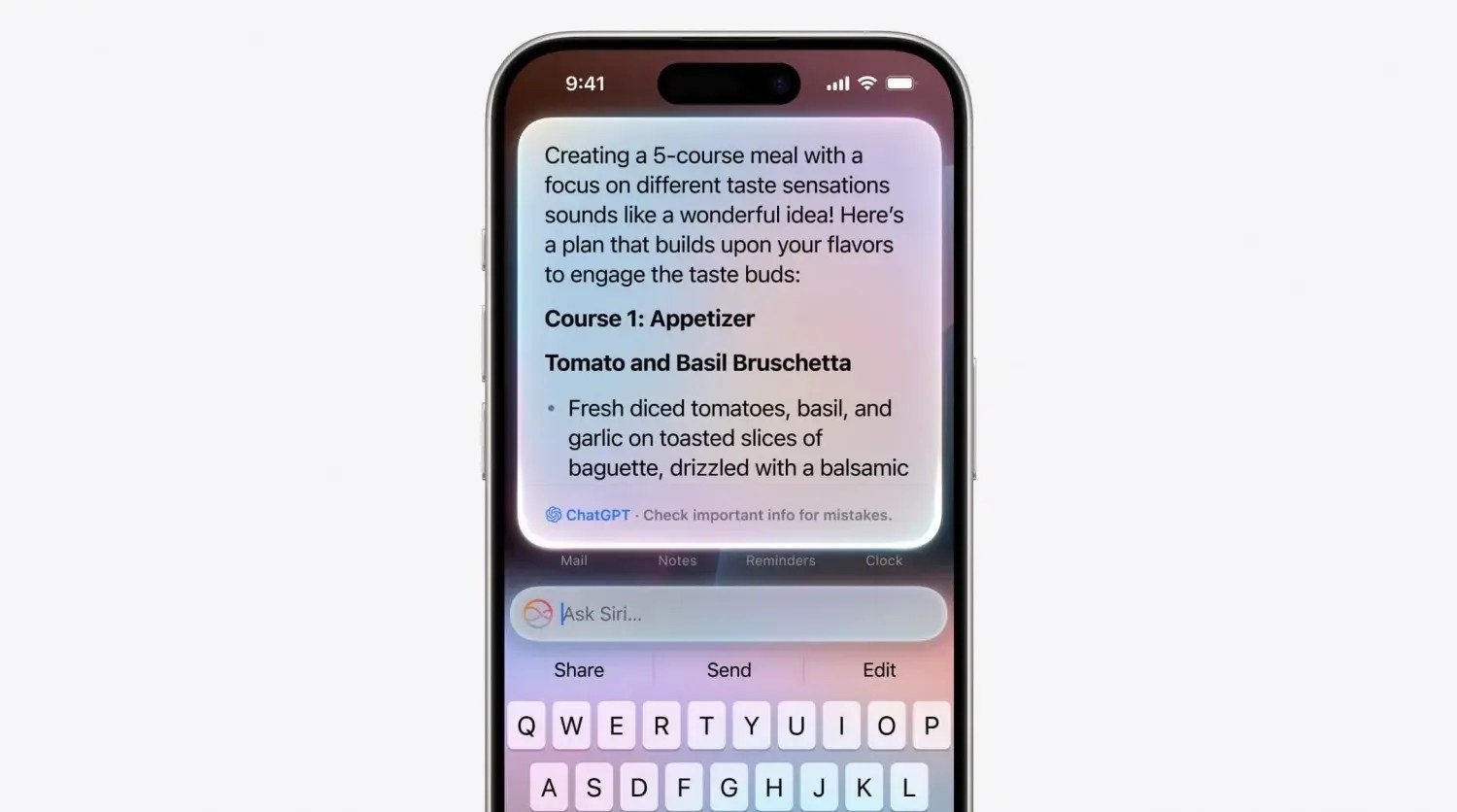
Apple Intelligence is the core of generative AI features in iOS 18, but Apple will also let users sign in with their OpenAI account and use ChatGPT models as well.
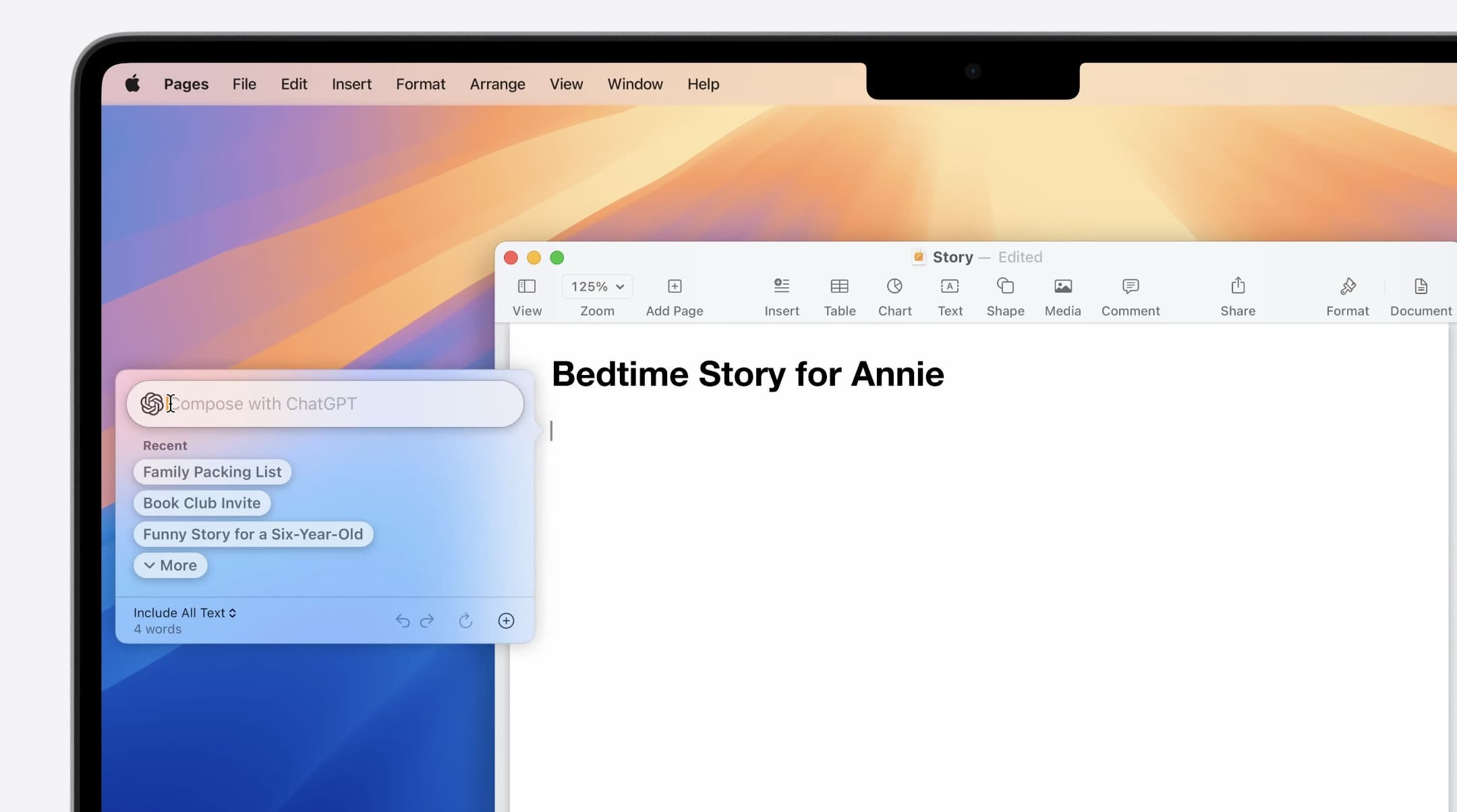
Once connected, users can select ChatGPT as their model to use inside Siri and as part of the new intelligent writing tools and other features across iOS 18, iPadOS 18 and macOS Sequoia.
The ChatGPT integration extends the free Apple Intelligence functionality built into the OS. For example, if you ask Siri a question that it can’t answer, it could hand off to ChatGPT instead to respond to the query.
Users can take advantage of the usual free quotas for ChatGPT usage, or connect their paid subscriptions to use their ChatGPT Plus benefits instead.
Apple indicated that it is working on partnerships with other AI model makers to give users more options in the future. So, although OpenAI’s ChatGPT will be the only option to start, you can expect Google Gemini and other models to be offered in the future.
iOS 18 lets you replace the Lock screen’s flashlight and camera buttons with controls of your choosing
Today as part of its iOS 18 unveiling during the WWDC keynote, Apple shared that the upcoming software release provides a feature users have long asked for: the ability to replace the flashlight and camera buttons on the iPhone’s Lock screen with controls of your own choosing.
Here’s how that works.
Customizing your Lock screen
In iOS 18, Apple is making Control Center more customizable than ever. As part of that change, it’s taking many of those same controls and making them available on your iPhone’s Lock screen in place of the existing flashlight and camera buttons.
The nice thing about the feature is that it takes advantage of the existing Lock screen customization features, and enables you to set different Lock screen buttons with different wallpaper/widget combos.
To set your own custom Lock screen controls in iOS 18:
Long-press on your Lock screen to pull up edit mode
Swipe to the wallpaper that you want to edit and hit ‘Customize’
Tap in the lower-left or lower-right corner on the existing buttons
Choose which controls you want to replace the flashlight and/or camera
The full list of available controls
When iOS 18 launches this fall, third-party apps will be able to offer their own controls for use on the Lock screen. For now though, only Apple options are available.
Currently in iOS 18 developer beta 1, you have the following control options for your Lock screen across a variety of categories:
Accessibility
Assistive Access
Live Speech
Capture
Camera
Scan Code
Magnifier
Clock
Alarm
Timer
Stopwatch
Connectivity
Airplane Mode
Cellular Data
Personal Hotspot
Display & Brightness
Dark Mode
Hearing Accessibility
Music Haptics
Left-Right Stereo Balance
Live Captions
Home
Home
Monitor Accessibility
Switch Control
Voice Control
Full Keyboard Access
AssistiveTouch
Apple Watch Mirroring
Control Nearby Devices
Remote
Remote
Shortcuts
Shortcuts
Open App
Sounds
Silent Mode
Recognize Music
Translate
Translate
Utilities
Flashlight
Calculator
Vision Accessibility
Classic Invert
Color Filters
Live Recognition
Increase Contrast
Reduce Motion
Reduce Transparency
Reduce White Point
Smart Invert
VoiceOver
Zoom
Speak Screen
Dim Flashing Lights
Hover Text
Hover Typing
Voice Memos
Voice Memo
Wallet
Wallet
Tap to Cash
Watch
Ping My Watch
iOS 18 lets you change widget sizes right from your home screen
In addition to major new home screen customization options in iOS 18, Apple has also made it easier to rearrange your home screen. Most notably, you can now adjust widget sizes right from your iPhone’s home screen.
The ability to adjust widget sizes directly from the home screen was previously available only on iPadOS. With iOS 18, however, it has expanded to the iPhone as well. When you put the home screen into “jiggle mode,” you’ll see a new handle in the lower-right corner. You can then drag that handle and your widget will get bigger or smaller.
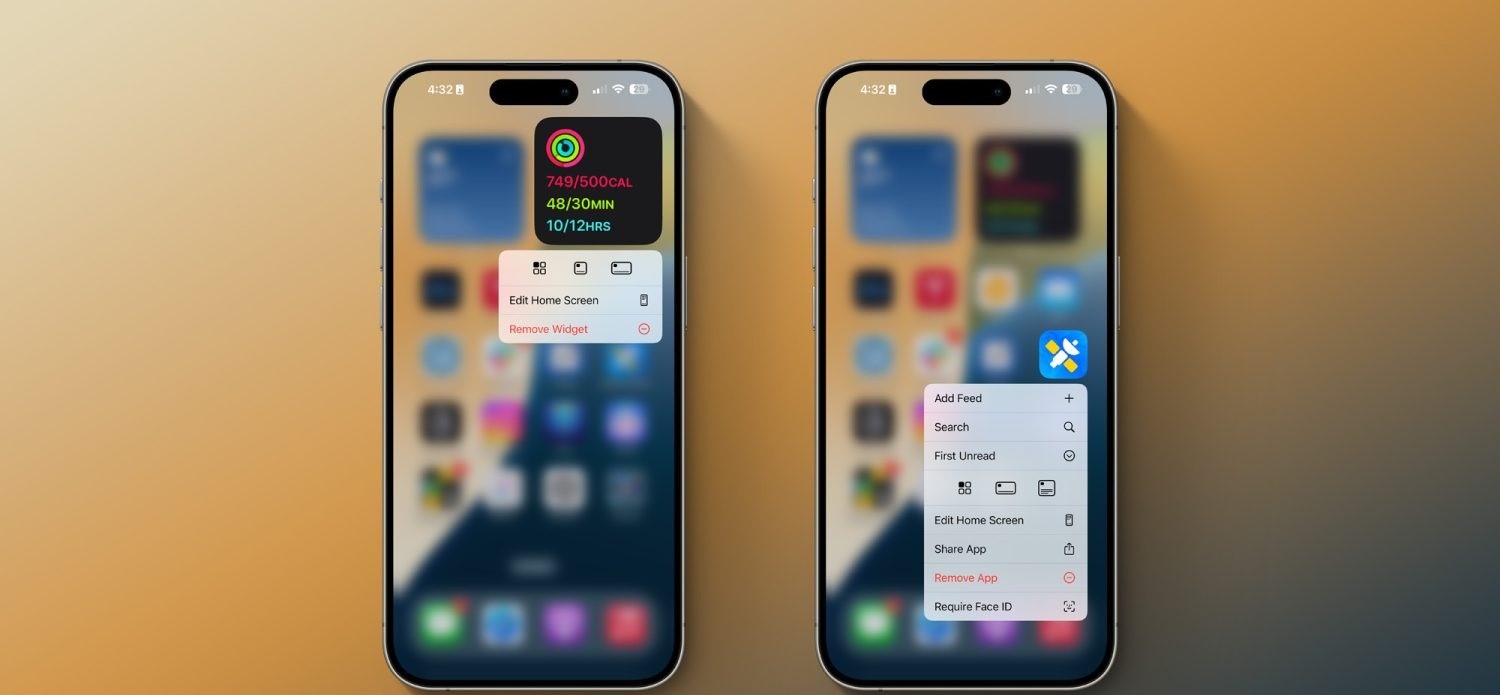
Alternatively, you can long-press on a widget, and you’ll see multiple different widget sizes you can choose from with a single tap. In this same menu, you can choose to convert a widget to an app icon as well. Finally, you can also long-press on an app icon, and (as long as that app offers home screen widgets), instantly convert the icon into a widget.
Everything new coming to Messages in iOS 18
Apple has some major feature upgrades coming to the Messages app in iOS 18.
As announced earlier today during the WWDC keynote, Messages is receiving big enhancements to tapbacks, a new scheduled send feature, the ability to format text with bold and italics, new effects, RCS support, and more.
Here’s everything coming to Messages in iOS 18.
Emoji tapbacks and new tapback designs
Tapbacks have gone unchanged on the iPhone for years, but in iOS 18 they’re finally getting some big improvements.
For starters, you’ll be able to send any emoji as a message tapback. Gone are the days of being limited to a handful of tapback reactions. Now you can send a tapback with the eyes-looking emoji, or barf emoji, or anything else that fits the occasion. If emoji options aren’t enough, you can also use stickers as tapbacks.
Your most commonly used emoji and stickers will be accessible with a swipe left on the initial set of tapback options that appear, sliding those default options out of the way to present your most used emoji and stickers.
Speaking of those default options, they’re getting a facelift in iOS 18. The classic thumbs up, heart, and more are being splashed with full color and new designs that will make them fit in better among the wider array of new tapback options.
Schedule messages for later
We’ve all had an occasion where we wanted to send a message later. In iOS 18, that will finally be possible. No more need to ask Siri to remind you to send something later, you can simply schedule it yourself.
Prep a message in iOS or iPadOS 18 and, if you don’t want to send it right away, you can choose a later day and time for it to automatically go out. The option is available by pressing the + button on the left side of the screen and selecting the new Send Later option.
Text formatting and special effects
Messages was the last major Apple app that supports text input but never supported rich text formatting options like bold and italics. That changes in iOS 18, where you can customize the formatting of words in your message to implement the standard four formatting styles:
Bold
Italics
Underline
Strikethrough
Joining these options are eight neat special effects that can also be applied on a per-character basis:
Big
Small
Shake
Nod
Explode
Ripple
Bloom
Jitter
I’m not exactly sure which messaging occasions will call for some of these effects, but they’re nice options to have nonetheless.
RCS support
Apple had previously announced that it would support RCS in 2024, but it was great to see confirmation of that today.
RCS is a newer, more capable text message protocol that serves as a successor to SMS and MMS. Essentially, by adding RCS support in iOS 18, Apple will make your conversations with Android users more reliable than before.
When communicating over iMessage, everything will stay as-is. Your blue bubble conversations don’t change. But in those situations when, say, you’re in a group chat that includes a green bubble friend, RCS should make the experience better for everyone.
Everything else
Genmoji: Though not exclusive to Messages, the place you’re bound to use Genmoji most is in your conversations with friends and family. These AI-generated emoji will provide endless potential for future emoji communications.
Image Playground: Similarly, the new Image Playground tools for creating AI images in a variety of styles will be a useful option to have baked into the Messages app when it launches later this year alongside other Apple Intelligence features.
Messages via Satellite: Messages in iOS 18 also includes support for a new Messages via Satellite feature that’s designed to help you out in situations where you don’t have access to a Wi-Fi or cellular connection.
Wrap-up
Messages in iOS 18 provides a variety of new tools and features that are bound to get a lot of use. Though the core of the app is remaining the same, Apple has provided enhancements that I personally expect to benefit from a lot.
Apple has dabbled in audio transcription in the past with mixed success. One shining example lately has been Apple Podcasts transcripts; more pessimistically, voicemail transcripts are still subpar. But according to a new report, the upcoming iOS 18 release will unlock a host of new system-wide audio transcription and summary features, all powered by AI.
People familiar with the matter have told us that Apple has been working on AI-powered summarization and greatly enhanced audio transcription for several of its next-gen operating systems. The new features are expected to enable significant improvements in efficiency for users of its staple Notes, Voice Memos, and other apps.
These features appear set to make one of the strongest cases for AI integration into various parts of Apple’s operating systems.
Transcription of audio content, and the ability to receive AI summaries of that content, are two highly practical features that can save users a lot of time.
If everything works well, students will be able to record lectures and quickly, easily revisit key information via a transcript. Recorded business meetings can be summarized as a helpful reminder of what was discussed.
If these things are accomplished with true intelligence, they can provide meaningful improvement to users’ lives. These examples would be a great fit for the iPhone, of course, but I also see them being nice selling points for the AI powers of the M4 iPad Pro.
Verdict
Notes and Voice Memos seem like two perfect apps to integrate these features into, but I’m curious to see where else they land. We love a Shazam-style button in Control Center that listens to your environment and automatically transcribes what it hears—all in the background, with minimal power drain. Perhaps this could even tie into Shortcuts somehow. There are so many possibilities.
We’re just one month away from WWDC, where Apple will unveil all the details about its AI ambitions for iOS 18, iPadOS 18, macOS, and more.
As indicated by much of the research material Apple has been publishing in recent months, the company is investing heavily in all sorts of artificial intelligence technologies. Apple will announce its AI strategy in June at WWDC, as part of iOS 18 and its other new OS versions.
In the latest Power On newsletter, Mark Gurman says to expect the new iPhone AI features to be powered entirely by an offline, on-device, large language model developed by Apple. You can expect Apple will tout the privacy and speed benefits of this approach.
Previously someone found code references in iOS 17.4 that referred to an on-device model called “Ajax”. Apple is also working on server-hosted versions of Ajax too.
The downside to on-device LLMs is they can’t be as powerful as models that are running on huge server farms, with tens of billions of parameters and continually updating data behind them.
However, Apple engineers can probably take advantage of the full stack vertical integration of its platforms, with software tuned to the Apple silicon chips inside its devices, to make the most out of an on-device approach. On-device models are usually much quicker to respond than trafficking a request through a cloud service, and they also have the advantage of being able to work offline in places with no or limited connectivity.
While on-device LLMs may not have the same embedded rich database of knowledge as something like ChatGPT to answer questions about all sorts of random trivia facts, they can be tuned to be very capable at many tasks. You can imagine that an on-device LLM could generate sophisticated auto-replies to Messages, or improve the interpretation of many common Siri requests, for instance.
It also dovetails neatly into Apple’s stringent adherence to privacy. There’s no harm in churning all your downloaded emails and text messages through an on-device model, as the data stays local.
On-device models may also be able to do generative AI tasks like document or image creation, based on prompts, to a decent result. Apple still has the flexibility to partner with a company like Google to fallback to something like Gemini on the server for certain tasks, too.
We’ll know for sure what Apple plans to do when it officially announces its AI strategy at WWDC. The keynote kicks off on June 10, which will see the company unveil all the new software features coming to iPhone, iPad, Mac, Apple Watch, Apple TV, Vision Pro and more.
Last month, Apple announced a new Web Distribution offering for developers in the European Union. On April 16, 2024, the Beta launch of iOS 17.5 beta 2, that feature is now available.
Web Distribution gives developers in the EU the ability to offer their apps for download directly from their website. Here’s how it works.
Web Distribution in the European Union with iOS 17.5
Web Distribution is the third distribution option that developers in the European Union can take advantage of in light of the Digital Markets Act.
To use Web Distribution, developers will have to opt into the new App Store business terms, which means they will pay the Core Technology Fee of €0.50 for each first annual install over one million in the past 12 months.
Any app distributed through the web will still be required to meet Apple’s notarization guidelines. Apps can only be installed from a website domain that the developer has registered in App Store Connect. Apple will also make a number of APIs available for integration with system functionality for developers.
Web Distribution lets authorized developers distribute their iOS apps to users in the European Union (EU) directly from a website owned by the developer. Apple will provide developers access to APIs that facilitate the distribution of their apps from the web, integrate with system functionality, and back up and restore users’ apps, once they meet certain requirements designed to help protect users and platform integrity.
When a user downloads an app from a developer’s website for the first time, they will be prompted with a series of screens explaining what it means to give that developer the ability to install apps from their website.
After authenticating with Face ID to approve giving that developer permission to install apps, the user will then go through a three-step installation process for the app itself. Apple’s Notarization system means that users will see clear information about the app and how it works. This includes things like the app name, developer name, app description, screenshots, and system age rating.
Notably, users only have to give each developer permission to install apps one time.
For example, let’s say Meta ends up supporting the Web Distribution feature in the EU. The first time a user downloads an app from Meta, such as the Facebook app, they will be prompted to give Meta the ability to install apps on their device. Then, going forward, they will only have to approve each app installation itself.
Verdict
The new details provided by Apple give a good look at the actual process of using Web Distribution in the European Union – including how it is balancing security and privacy with convenience.
A viral post on social media last week, boosted by Epic Games CEO Tim Sweeney, claimed that it would take 15 steps to install an app using Web Distribution. With the details provided today, Apple makes it clear that’s not the case.
Congratulations to Apple leadership for designing the worst app installation experience in the history of computing! Because Apple designers are the world’s best, there’s no question that this abomination is a premeditated part of a malicious European DMA compliance strategy. https://t.co/zx4aZicdEA
The first time you install an app from a developer using Web Distribution, it’s essentially an eight-step process to authorize a developer and install the first app. Each subsequent time you install an app from that same developer, it’s a three-step process.
For comparison’s sake, Android uses a one-time permission model when sideloading apps. While Android’s implementation requires fewer taps than Apple’s implementation, Apple provides users with more granular control for each developer. It also offers more details about each app prior to installation.
And, in a funny twist, Apple’s implementation of Web Distribution on iPhone is a significantly easier process than installing and using the Epic Games Store on the Mac.